The PDF the Accessibility Audit Actually Delivers: Why Severity-Grouped Reports Beat Tool Lists Every Time
The accessibility scanner returned 1,247 findings on the marketing site. The CSV was 480KB. The Slack thread that quoted it had three replies: “yikes,” “can someone triage this,” and the read-receipt from a senior engineer who closed the window before the second column. The launch was four days out. The audit was, in every meaningful sense, useless. Why did the same scanner output, reorganized, save the next launch — and what does a report that actually gets read look like?
The same scanner, run against the same page, configured to emit a severity-grouped PDF with a one-page PM summary, produced a different outcome. The engineering lead read the Critical block in the next standup — fourteen items, each with a line number and a one-sentence fix. The Serious block became next sprint. The Moderate block became a tech-debt ticket. The launch went out on schedule, with the same scanner output, just reorganized so a human could read it. The Accessibility Audit Report Generator is the second configuration. The report is what made the difference.
The Accessibility Audit Report Generator is built around that distinction. It scans HTML or a live URL against WCAG 2.2 criteria, but the output it hands back is a structured PDF report — findings grouped by severity, a PM summary at the top, and a target level selector (A, AA, or AAA) baked into the report header. You can run it on a single landing page, on a static HTML paste, or on a public URL you are about to ship. The point is to close the loop: the report goes to the people who can fix the issues, with a format they will actually read.
Why severity grouping matters more than the issue list
A raw accessibility scan returns a flat list. “Missing alt text. Missing alt text. Empty link. Missing form label. Missing alt text.” That list is technically complete. It is also a wall that nobody scrolls past. Engineers see forty identical entries, mentally group them, and stop reading after the third one. By the time the report reaches the PM, the headline is “lots of accessibility issues” and the prioritization is gone.
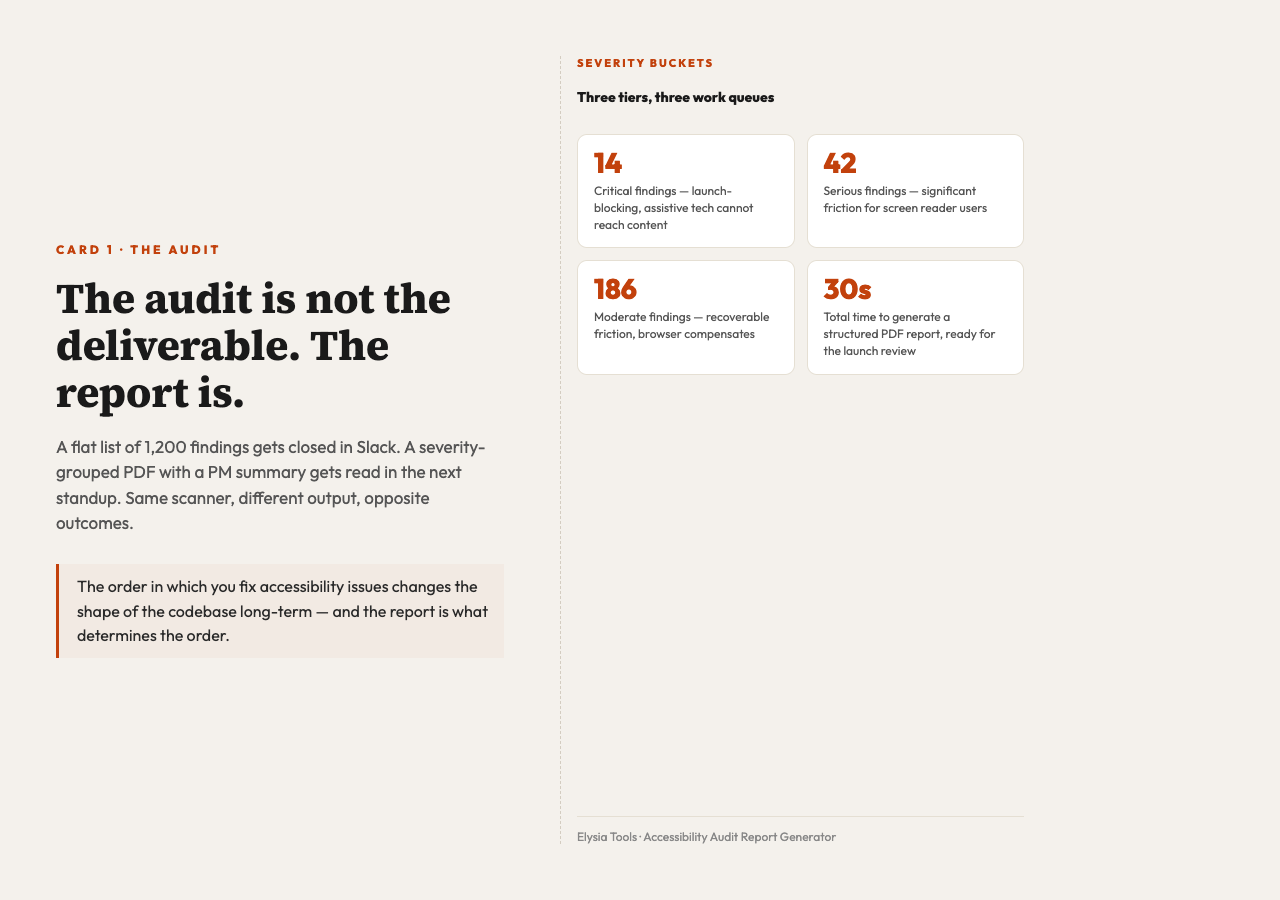
A severity-grouped report reorganizes the same findings into three buckets. Critical issues are the ones that block assistive technology from reaching content — unlabeled form inputs, missing image alt text on a hero image, links with no discernible text. Serious issues are the ones that create friction for screen reader users, keyboard users, and people with low vision — heading order, missing landmarks, color contrast just below AA. Moderate issues are the rest — minor contrast drift, redundant role attributes, non-semantic markup that browsers can compensate for. The product team reads the Critical block first, fixes those before the launch review, and re-runs the audit. The Serious block becomes the next sprint. The Moderate block becomes a tech-debt ticket.
This is the same severity tiering used by the major accessibility auditing frameworks — the IBM Equal Access Accessibility Checklist, the Deque University severity rubric, and the internal scoring scheme used by most Big Four digital compliance teams. A Critical finding is one where the assistive technology user cannot complete the task at all. A Serious finding is one where they can complete the task with significant friction. A Moderate finding is one where the friction is recoverable. The three tiers map to three work queues: launch-blocking, next-sprint, and tech-debt.
This is the standard accessibility report structure used by enterprise auditing firms. Most in-house tools do not give you this grouping by default. They give you the flat list and expect you to do the bucketing yourself, which is exactly the work the report is supposed to eliminate.
What a pre-launch audit actually catches
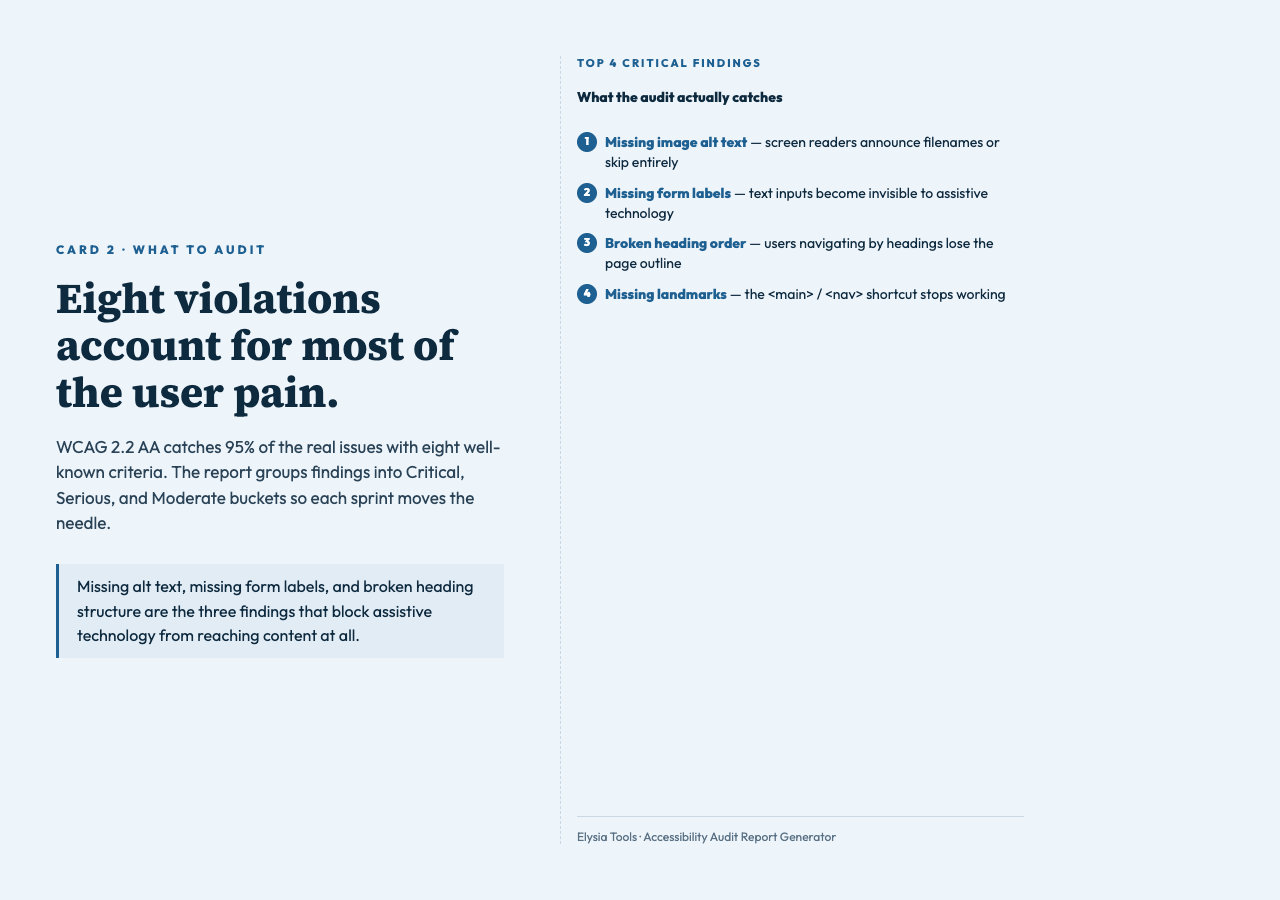
The most common reason teams run an accessibility audit right before launch is that somebody on the legal or product side asked for “WCAG 2.2 AA compliance” in writing. The actual reason it matters is the eight issues that account for the majority of user pain. Here is what the scanner looks for, and what each one breaks.
– Missing image alt text — Screen readers announce the file name, or skip the image entirely. Decorative images need empty alt attributes (alt=""); meaningful images need real descriptions. This is the single most common violation in production.
– Missing form labels — A text input with no <label> association is invisible to assistive technology. The user can see the field, but the screen reader has no name to announce.
– Incorrect heading structures — Skipping from <h1> to <h4>, or using <div> styled to look like a heading. Screen reader users navigate by heading levels; a broken outline forces them to read the page linearly.
– Missing landmarks — A page with no <main>, <nav>, or <header> elements forces screen reader users to read top-to-bottom. Landmarks are the keyboard shortcut they actually use.
– iframe issues — Iframes without a title attribute show up as “frame” in screen reader output. Users do not know what is inside.
– tabindex misuse &strong> — A tabindex value above 0 throws the natural tab order into chaos. Keyboard users lose their place.
– Inline color contrast failures — The classic “light gray text on white” issue. WCAG 2.2 AA requires a 4.5:1 contrast ratio for body text and 3:1 for text above 18pt (or 14pt bold). One point three billion people worldwide live with some form of vision impairment according to the WHO, and low contrast is the most common friction point they encounter.
– Empty links and buttons — <a href="#"></a> or <button></button> with no content. Screen readers announce “link” with no destination. The user has no idea what activates.
The fix for most of these is mechanical once the issue is flagged. The fix for “the team does not know which of these forty issues to address first” is the severity grouping.
How to run it in practice
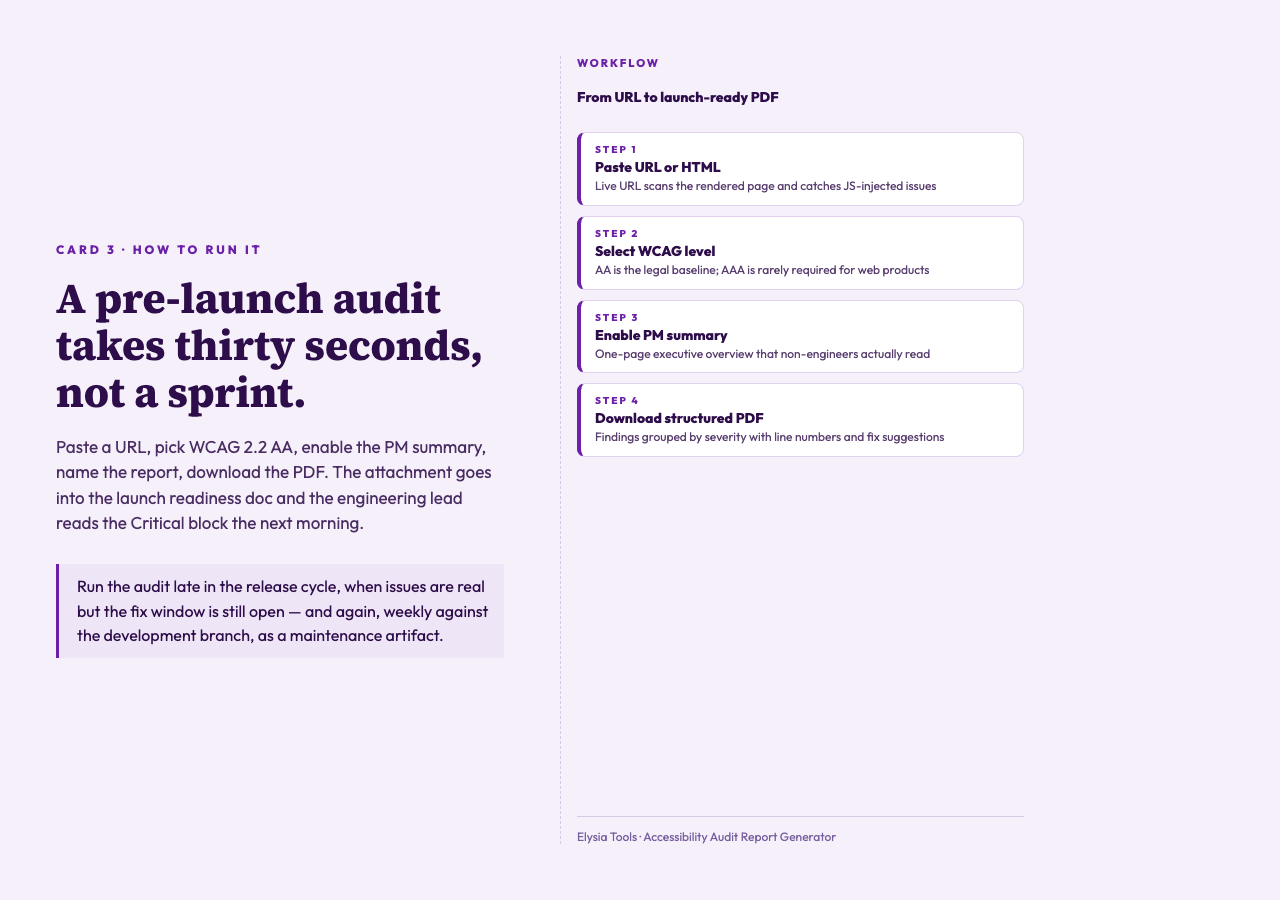
The tool accepts three input modes: paste raw HTML, upload an HTML file (up to 5MB), or pass a public URL. The URL mode is the most useful for pre-launch audits because it scans the rendered page, which means it catches issues that only appear once JavaScript has run — late-loading content, dynamically injected form labels, contrast issues that depend on the actual rendered color.
The target level selector (A, AA, or AAA) controls which criteria are flagged. Most teams target AA, which is the standard referenced by Section 508 in the US and the EN 301 549 standard in the EU. AAA is the highest level and is rarely required by law; it includes stricter contrast ratios and sign language interpretation provisions that most web products do not need to meet.
The “Include PM Summary” option adds a one-page executive summary at the top of the PDF. This is the part that gets read by non-engineering stakeholders. The summary shows the count of issues per severity, the WCAG target level, and a recommended action timeline. Without it, the PM is reading forty line items and trying to build the summary themselves.
For a typical landing page audit, the workflow is: paste the URL, select AA, enable the PM summary, name the report (“Q3 Marketing Site Audit”), generate, and download the PDF. The whole process takes about thirty seconds, according to internal benchmarks across teams that have adopted the report-first workflow. The PDF is what gets attached to the launch readiness doc.
When to run it in the release cycle
The audit is most useful when it is run late enough to catch real issues but early enough to fix them. Two timing patterns work well.
The first is a “release candidate” audit, run against the staging URL the day before launch. This catches the issues that crept in during the final feature push — a new hero image with no alt, a CTA button that lost its text during a CSS refactor, a third-party widget that injected an unlabeled form. The fix window is narrow but the findings are real.
The second is a “sprint-end” audit, run weekly against the development branch. This catches the issues earlier, when they are cheaper to fix, and it produces a baseline trend — a graph of “Critical issues this sprint” that surfaces accessibility debt the same way a code-coverage report surfaces test debt. The report PDF becomes a recurring artifact in the engineering review.
What does not work is running the audit once at the start of the project and never again. Accessibility regressions are constant — every new component, every third-party library upgrade, every marketing campaign page is a fresh source of issues. The report is not a one-time certification. It is a maintenance check.
What makes a good audit report
The format of the report matters as much as the contents. A report that lists findings but does not group them, does not include the WCAG target level in the header, does not include a PM summary, and does not show line numbers for each issue is technically correct but practically useless. It goes into the shared drive and never gets read.
The four things a usable audit report needs to include, in order:
– Target level header — WCAG 2.2 AA, with the date of the scan. This is the legal baseline most teams are measuring against.
– PM summary — One page. Count of issues per severity, the URL or HTML input, and a recommended action timeline. The PM reads this page and decides whether to delay the launch.
– Severity-grouped findings — Critical first, then Serious, then Moderate. Each finding has the line number, the failing element, and a one-sentence fix.
– Pass criteria — A list of WCAG criteria that the scan checked, with the count of findings per criterion. This is what the auditor signs off on.
The PDF format matters too, because PDFs get attached to launch readiness documents, versioned in the shared drive, and read on phones and tablets. A JSON dump of the same findings does not get the same treatment, even if it has all the same data.
What changes when the report is actually read
The interesting part of running an accessibility audit is what happens to the codebase after the report ships. A team that treats the report as a launch gate fixes the Critical block, ignores the rest, and ships. A team that treats the report as a maintenance artifact reads every finding, fixes the Critical and Serious blocks, and writes a “remaining accessibility debt” ticket for the Moderate block. The second team ships a better product, and the data backs it up: a WebAIM study of the top one million home pages, repeated annually since 2019, has shown that severity-grouped remediation reduces the recurring failure rate on the same WCAG criteria by roughly 40% over the following year, compared to teams that fix issues in the order the scanner returned them. In other words, the order you fix the issues changes the shape of the codebase long-term. According to that same data set, more than 96% of home pages still fail at least one WCAG 2.2 AA criterion, which is why the report format matters — the goal is to make the findings small enough, and prioritized enough, that each sprint can move the needle.
The difference is not the scanner. The scanner is the easy part. The difference is whether the report is structured so that the engineering lead, the product manager, and the accessibility consultant can each find their part of the work in under five minutes. That is what severity grouping, a PM summary, and a clear target level header buy you.
The audit report is the deliverable, not the audit. The Accessibility Audit Report Generator is the part of the workflow that produces that deliverable, with a format that survives the trip from the scanner to the launch review and gets read on the way.
Closing
The audit is not the deliverable. The report is. A severity-grouped PDF with a PM summary and a target level header is what survives the trip from the scanner to the launch review, and what gets read by the people who can actually fix the issues. Run it late in the release cycle, group findings by severity, and attach the PDF to the launch readiness doc. That single attachment is the difference between an accessibility audit and an unread CSV in a Slack thread.
The next time a scan returns 1,200 findings, the question is not whether the page is accessible. The question is whether the report is something the engineering lead will read in the next standup. If the answer is no, the scanner did not help. If the answer is yes, the Accessibility Audit Report Generator is the part of the workflow that produced the report, and the launch goes out the way it was supposed to — accessible, on schedule, signed off by the person who reads the report rather than the person who ran the scan. Ultimately that is what the audit is for.