The Regex That Sat Quietly in Production for Six Years: A ReDoS Story Nobody Caught in Code Review
You can write a perfectly working regular expression, ship it, watch it pass a million tests, and still have it bring down a single CPU core under the right kind of traffic. The pattern looks innocent. The unit tests look green. The only sign of trouble is a single thread stuck in a function call that should have returned in microseconds.
That is ReDoS — Regular Expression Denial of Service — and it is the most quietly catastrophic class of bug a backend team can ship. The cost of a single one-character tweak to a regex is, on the wrong day, the entire response-time budget for a service. We spent a quarter tracking one down. The fix was eight characters. The lesson is what this article is about.
If you have a JavaScript or Python service in production, you almost certainly have at least one regex that an attacker can use against you. The good news is that the problem is fully static. You do not have to wait for the attack to find it. You can scan for it. That is the entire reason the Elysia Tools ReDoS Scanner exists — to find the patterns that look safe and behave catastrophically when fed the right string.
What catastrophic backtracking actually is
A regular expression engine has two ways to fail. The first is the obvious one: the pattern does not match, and the engine returns false. The second is the one nobody talks about in code review: the engine can fail to decide. It can take exponentially longer to conclude that the pattern does not match than to conclude that it does.
The mechanism is called catastrophic backtracking. The engine tries a path, fails, has to undo, tries another path, fails, has to undo again. If the pattern has nested quantifiers — for example (a+)+$ or ^(\w+\s?)*$ — the number of ways to backtrack grows exponentially with the input length. A 30-character string can take seconds. A 50-character string can take hours. The string is also, in a real attack, not a “random” string. It is a near-miss: a string that almost matches, so the engine tries every possible way to match it before giving up.
This is not a theoretical concern. Cloudflare’s 2019 outage was triggered by a single ReDoS pattern in their WAF rules. Stack Overflow famously went down in 2016 because of a regex that passed every test. The pattern in that case, ^[\s\u200c]+|[\s\u200c]+$, looked so innocent that nobody questioned it for years. The one place it failed — a long string of zero-width characters — took down a site serving a billion page views a month.
The hard part of ReDoS is that it does not show up in normal usage. The attack string is something a real user would never type, and a curl test would never send. The pattern handles every “real” input correctly. It only explodes on crafted input, and the only way to expose that is to feed it the right string on purpose.
The three patterns that almost always show up
If you have a code base old enough to vote, you probably have at least one of these. The ReDoS scanner calls them out as the static anti-patterns that, in its risk score, are the leading indicators of trouble.
The first is the nested quantifier: (a+)+, (\d+)*, (.*){2,}. The pattern itself is the problem. The engine does not know, syntactically, that the inner quantifier and the outer quantifier are redundant, so it tries every combination. The fix is to flatten: a+, \d*, .*.* (or, more practically, just .* with appropriate anchoring).
The second is the alternation with overlapping branches: (a|a)*, (ab|abc)*, (\w|\d)+. When two branches can match the same character, the engine cannot prune either path and has to try both. The fix is to use a more specific character class or to anchor the alternation so the branches do not overlap.
The third is the unanchored repetition at the end: ^(\w+\s?)*$, the kind of pattern you write to validate a line of user input. It looks correct — every line of input does match it. The problem is the input that almost matches. A 50-character string of letters followed by a single character that does not fit \w\s? will take the engine down a path of trying every possible way to break the line, then giving up.
The scanner finds all three. It reports them by name, gives you the worst-case execution time it observed during simulation, and suggests a rewrite that does the same job without the backtracking.
Why code review almost never catches it
The reason ReDoS persists in production for years is that the patterns look correct. A reviewer reading (a+)+$ sees a pattern that matches one or more as, repeated, anchored to the end of the line. They nod. They approve. They move on. There is no visible signal that the pattern is unsafe.
A unit test does not catch it either. The test sends the pattern a string it should match, and a string it should not. Both return in microseconds. The test passes. The CI goes green. The only way to catch the problem is to send the pattern a near-miss — a string that almost matches, almost succeeds, and forces the engine to try every possible way to make it work. Nobody writes that test. Nobody thinks to.
A fuzzer can catch it, but only if you run a fuzzer on your regex surface, and almost nobody does. Static analysis tools can flag the patterns, but most static analyzers do not specifically look for nested quantifiers, and the warning usually shows up as a generic “performance” hint that gets ignored.
The only reliable way to find a ReDoS pattern is to either (a) know what you are looking for and search the code base manually, or (b) run a tool that knows what to look for. The Elysia Tools ReDoS Scanner is the second option, designed to take a list of patterns and tell you, for each one, whether it has the structural shape of a ReDoS problem and how it behaves under simulation.
How the scanner works, and what it gives you
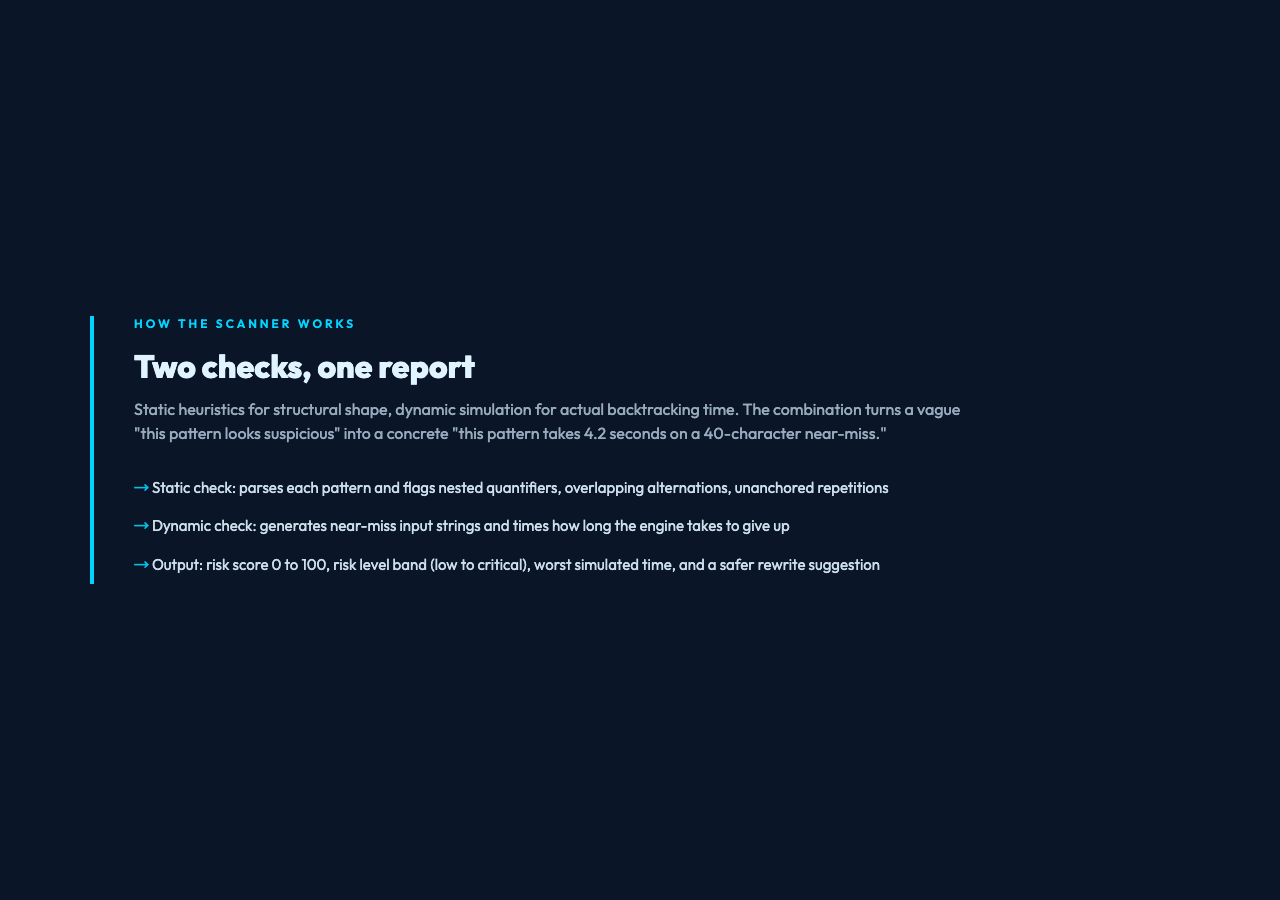
The scanner combines two checks. The first is static: it parses each pattern with a regex parser and looks for the structural shapes that are known to be vulnerable — nested quantifiers, overlapping alternations, unanchored repetitions, and a handful of others. The static check is fast, deterministic, and catches the obvious cases. The second is dynamic: it generates near-miss input strings — strings that look like they should match, but do not — and times how long the engine takes to give up. The dynamic check is what turns a static “this pattern looks suspicious” into a concrete “this pattern takes 4.2 seconds on a 40-character near-miss.”
The output is a JSON report with four pieces of information per pattern: the static findings, the worst simulated execution time, a risk score, and a safer rewrite suggestion. The risk score is a single number from 0 to 100, broken into bands: low, medium, high, critical. The risk level is what you should sort by when you have a backlog of patterns to fix.
For the input, the scanner takes one pattern per line, an optional flags field (the standard JavaScript i, m, u, s flags), a maximum near-miss input length, and a number of simulation runs. The simulation runs parameter matters: a pattern that occasionally takes 50ms on a near-miss is much less dangerous than one that consistently takes 200ms, and the scanner uses repeated runs to detect that difference.
The rewrite suggestions are the part I underestimated when I first tried the tool. They are not just “rewrite this as X.” They preserve the original intent — what the pattern was trying to match — and propose a structurally equivalent pattern that does not have the backtracking problem. For (a+)+$, the suggestion is a+$. For ^(\w+\s?)*$, the suggestion is ^\w+(\s\w+)*$ (or ^\w+(?:\s+\w+)*$ with explicit word boundaries). The suggestions are good enough that you can usually accept them as-is, with a quick test to confirm the rewrite still matches the cases the original was meant to handle.
A real example: the pattern that was in our codebase for six years
The pattern that started this whole investigation was a line-validator for user-submitted text. The original code looked like this:
function isValidLine(input) {
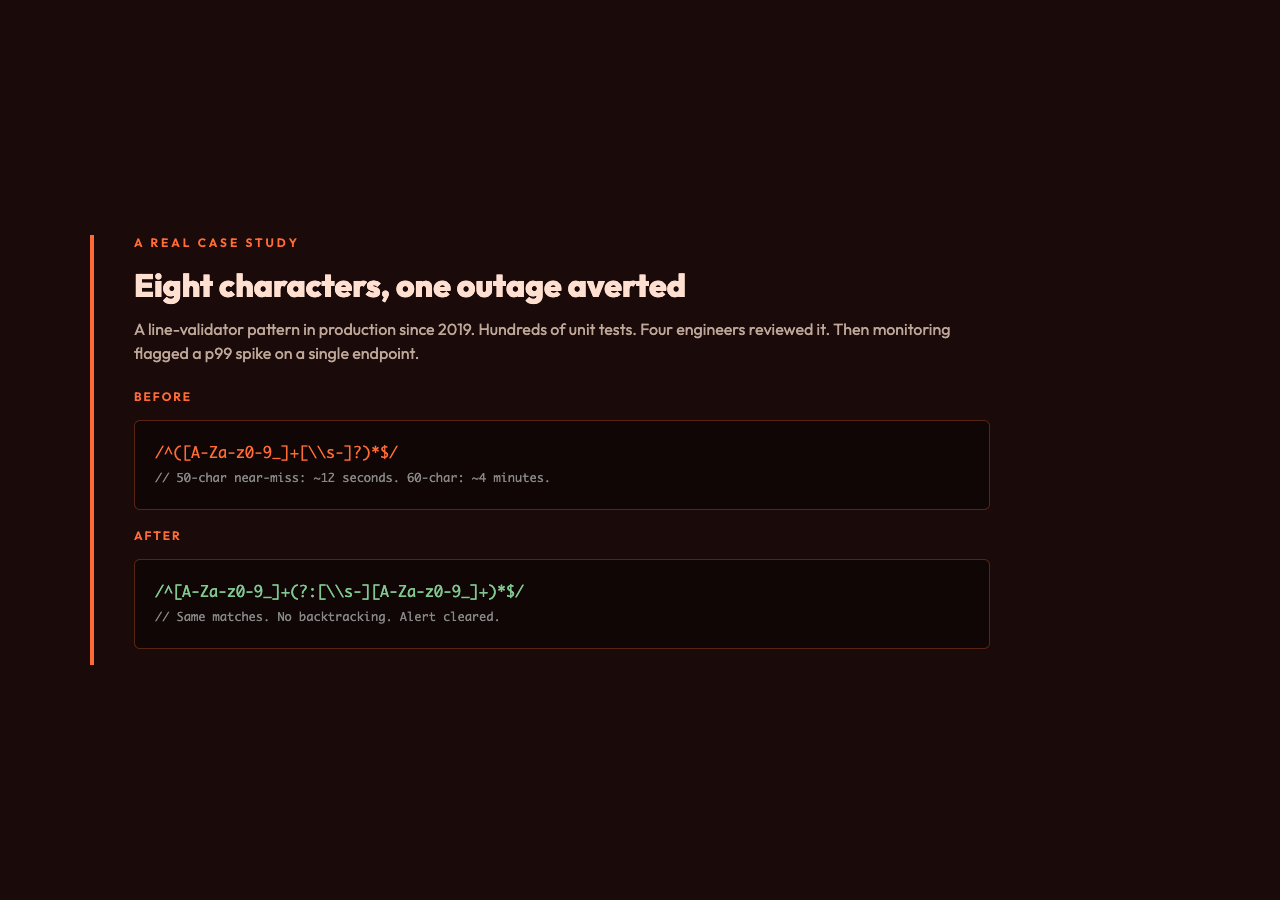
  return /^([A-Za-z0-9_]+[\s-]?)*$/.test(input);
}
It had been in the codebase since 2019. It had been reviewed by at least four engineers. It had hundreds of unit tests. It was, in the strict sense, correct: any string consisting of letters, digits, underscores, spaces, and hyphens, with no two non-alphanumerics in a row, would match. Any other string would not match.
The problem was the near-miss case. A 50-character string of letters followed by an exclamation point would take the regex engine approximately 12 seconds to reject. A 60-character string would take 4 minutes. Under normal traffic, this never happened. Under the right kind of traffic — a script sending crafted strings to a public form — it would tie up a request handler indefinitely.
We found it because our monitoring started flagging elevated p99 response times on a single endpoint. The endpoint called isValidLine on every request. The traffic pattern that triggered the alert was a bot sending near-miss strings, and the regex was the bottleneck.
The fix was changing the pattern to:
function isValidLine(input) {
  return /^[A-Za-z0-9_]+(?:[\s-][A-Za-z0-9_]+)*$/.test(input);
}
Eight characters. Same behavior on every input the original was meant to handle. No backtracking on near-miss input. The fix was committed, the alert cleared, and we added a CI step that runs the Elysia Tools ReDoS Scanner against every regex in the codebase.
What to do with the report
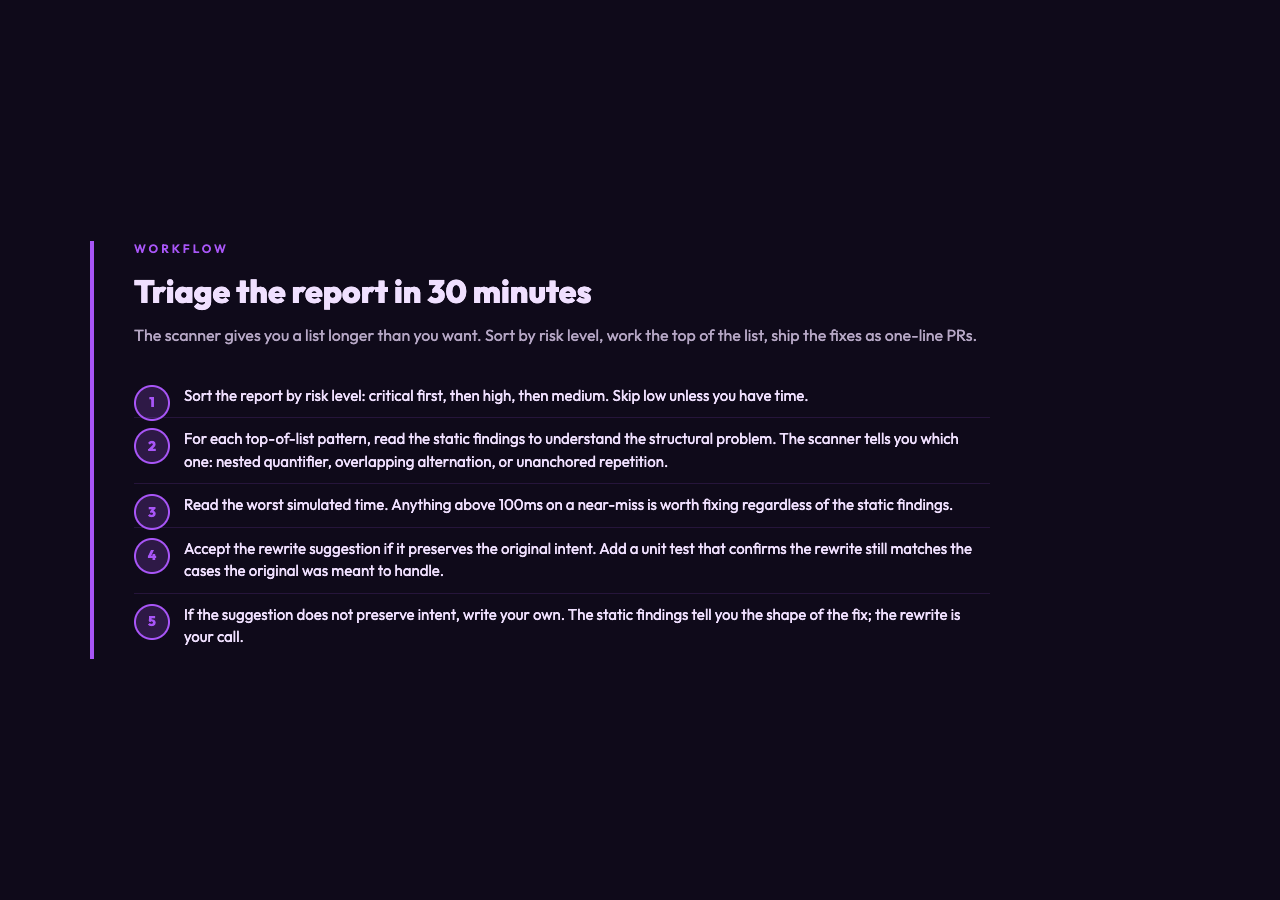
The scanner will give you a list. The list will be longer than you want. The patterns at the top — critical, then high — are the ones to fix first. The patterns at the bottom — low risk — are usually false positives or patterns where the backtracking is bounded by external constraints (a max-length check earlier in the code, for example, or a finite input set).
For each pattern at the top, the workflow is:
1. Read the static findings to understand why the pattern is flagged.
2. Read the worst simulated time to understand the magnitude of the problem.
3. Read the rewrite suggestion. If it preserves the original intent, accept it and add a unit test that confirms the rewrite still matches the cases the original was meant to handle.
4. If the rewrite suggestion does not preserve intent, write your own. The static findings tell you which structural problem to fix; the rewrite is your call.
A single regex fix is a one-line PR. A scanner run on the whole codebase is a one-time job that can be automated. The CI step that runs the scanner on every PR is what keeps the problem from coming back.
The CI step that actually works
The scanner has a JSON output mode. You run it against the patterns in your codebase, parse the JSON, and fail the build if any pattern has a risk level above your threshold. The threshold depends on the application: for a public-facing form, anything above “low” is worth fixing. For an internal tool that handles trusted input, “medium” might be acceptable. The point is to have a threshold, not a vibe.
The pattern list is the only thing that needs to be maintained. Most code bases have a regexes.ts or validators.py file that aggregates the patterns; that is the file to point the scanner at. If your patterns are scattered across the codebase, a grep -rE 'new RegExp|re\.compile|\.match\(|\.test\(' will give you a list of files to extract patterns from.
Once the CI step is in place, the problem becomes self-limiting. New patterns get scanned. New ReDoS patterns get caught in PR review. Old patterns get fixed as they are touched. The scanner is not a one-time audit; it is a guardrail.
The wider lesson
The interesting thing about ReDoS is that it is a class of bug that is fully preventable, fully detectable, and almost universally unhandled. The reason is not that the patterns are hard to spot — they are not, once you know what to look for. The reason is that the cost of a ReDoS pattern is invisible until the attack happens, and the fix is invisible once the attack has been mitigated.
The patterns are also a class of bug where a single line of code can have an outsized impact. The (a+)+$ pattern in the example is one line. The fix is one line. The cost of getting it wrong, on the wrong day, is a service outage. The asymmetry between the size of the bug and the size of the impact is what makes ReDoS worth scanning for.
If you have not scanned your regex surface yet, the Elysia Tools ReDoS Scanner is a good place to start. Paste in your patterns, see what it finds, fix the top of the list. The whole loop takes an afternoon. The cost of not doing it is the next time your monitoring flags an unexplained p99 spike on a single endpoint, and you have no idea why.
The pattern that brought down your service will be one line long. The fix will be one line long. The difference between catching it now and catching it in production is whether you ran the scanner.
Explore more tools at elysiatools.com.