If your site loads in a browser, the response carried instructions your users never read. HTTP response headers are the part of every reply that tells the browser what it can load, what it can store, who can frame the page, and what kind of content to trust. Most teams set the obvious ones (Content-Type, Cache-Control) and stop there. The headers that actually decide whether a click is safe are the ones nobody writes by hand.
The HTTP Headers Analyzer on Elysia Tools pulls those headers out of any public URL and groups them by what they protect: transport, content, caching, and security policy. It is a single-page, paste-the-URL interface — no install, no signup, and the response is shown in the order the browser actually receives it.
Why the order of headers matters more than the count
A header list with fifteen lines is not automatically safer than one with six. Some headers (Set-Cookie, Content-Security-Policy) describe policy; others (Content-Type, X-Content-Type-Options) describe invariants; still others (Cache-Control, ETag) describe behaviour. If a header that should be policy is missing, no other header on the response will substitute for it. Strict-Transport-Security is not “covered” by a strong TLS certificate — it is its own promise to the browser.
Open the analyzer on any production URL and the first thing it surfaces is which category has a hole. The browser does the same audit silently on every page load — except the browser does not warn you in dev tools, and the user only finds out when something slips through.
The four headers that protect the page itself
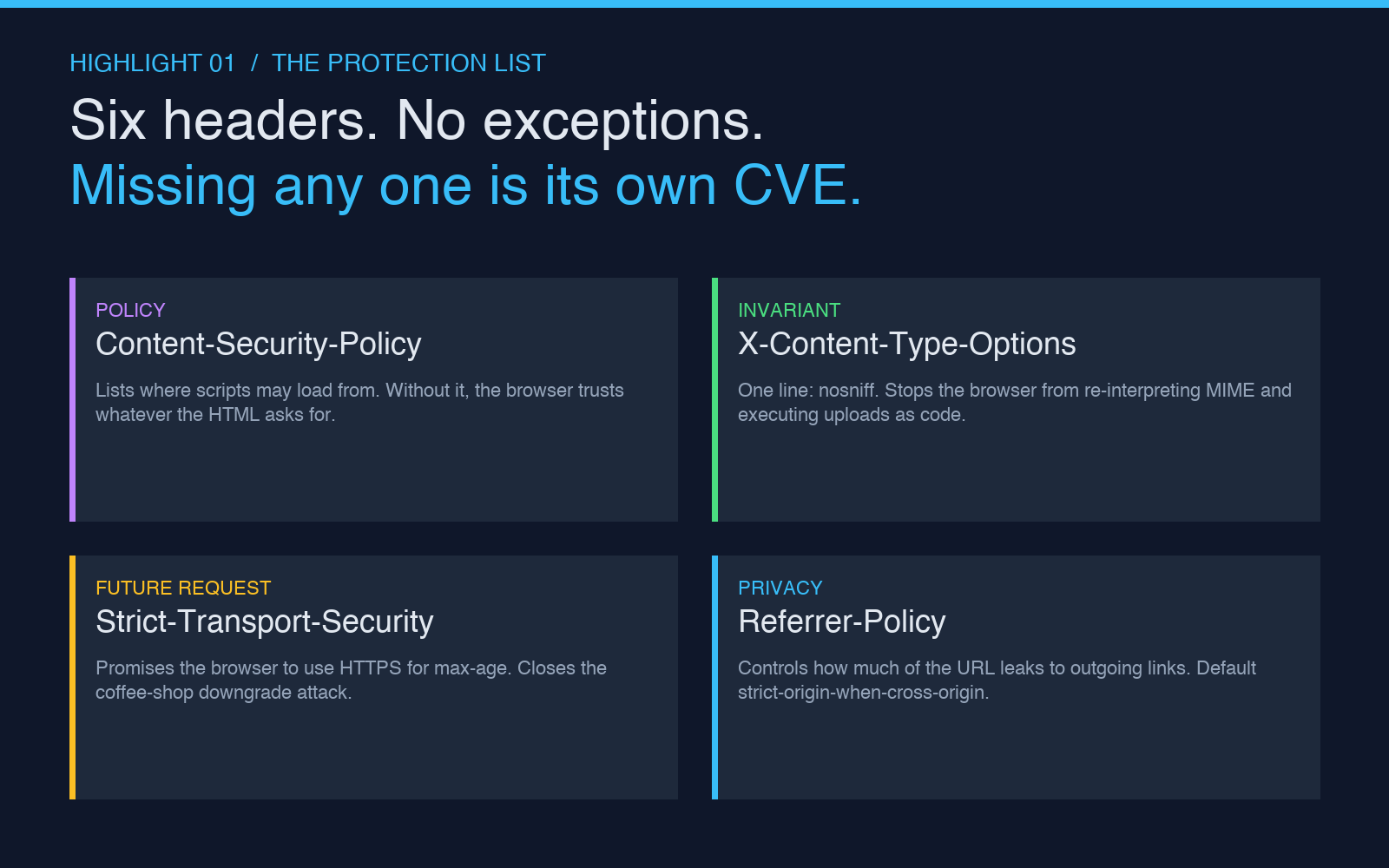
These belong on every HTML response, full stop. None of them cost performance, and the cost of leaving them off has been measured in CVEs for fifteen years.
1. Content-Security-Policy — the list of places the browser is allowed to load scripts, styles, images, and frames from. A site without one is telling the browser “trust whatever the HTML asks for.” A reasonable starting policy blocks unsafe-inline JavaScript and disallows frame-ancestors from any origin you do not control. The analyzer flags the absence and points to a starter policy you can paste into your reverse proxy config.
2. X-Content-Type-Options: nosniff — tells the browser not to second-guess the MIME type the server claimed. Without it, a misconfigured upload route that returns image/jpeg for a file that is actually JavaScript will be executed as JavaScript by older browsers. This header is one line and has no downside.
3. Referrer-Policy — controls how much of the current URL leaks to outgoing links. The default in modern browsers is strict-origin-when-cross-origin, which leaks the domain but not the path. Older servers may still ship unsafe-url, which is the polite version of “send the whole URL to every third-party tracker on the page.” The analyzer shows the resolved value the browser will actually use.
4. Permissions-Policy — replaces the old Feature-Policy header and gates powerful APIs (camera, microphone, geolocation, payment, USB) so the page can only use what it explicitly asks for. A missing Permissions-Policy means any third-party script that lands on your page can request the camera. The header is opt-in per feature, so the safe default is “deny everything you do not need.”
The two headers that protect future requests
These do not change what the current page does — they change what the browser will do tomorrow when the user comes back, or when a link to your site appears in an iframe on someone else’s page.
5. Strict-Transport-Security (HSTS) — promises the browser “always use HTTPS for this domain, even if the user types http://.” Once set, the browser will refuse to load the site over plain HTTP for the duration of max-age. The risk of skipping it is the classic coffee-shop downgrade attack: an attacker on the same Wi-Fi network answers the first request and serves a plaintext redirect to a phishing copy. The analyzer checks that max-age is at least six months and that includeSubDomains is present for sites that own a whole registrable domain.
6. X-Frame-Options or frame-ancestors in CSP — controls whether your page can be embedded inside an <iframe> on another origin. Without one, an attacker can frame your login page on a phishing domain and overlay a transparent layer to capture credentials. DENY is the safe default unless you have an embeddable widget. The CSP frame-ancestors directive supersedes X-Frame-Options, but the analyzer reports whichever the browser will honour.
What the analyzer surfaces that browsers do not
The browser DevTools Network tab shows you the headers. What it does not show you is the cross-origin side: every Access-Control-Allow-* header on an API response, every Set-Cookie attribute (HttpOnly, Secure, SameSite), and whether the Vary header is set correctly for cache correctness. These are headers that decide whether the next request behaves like the last one.
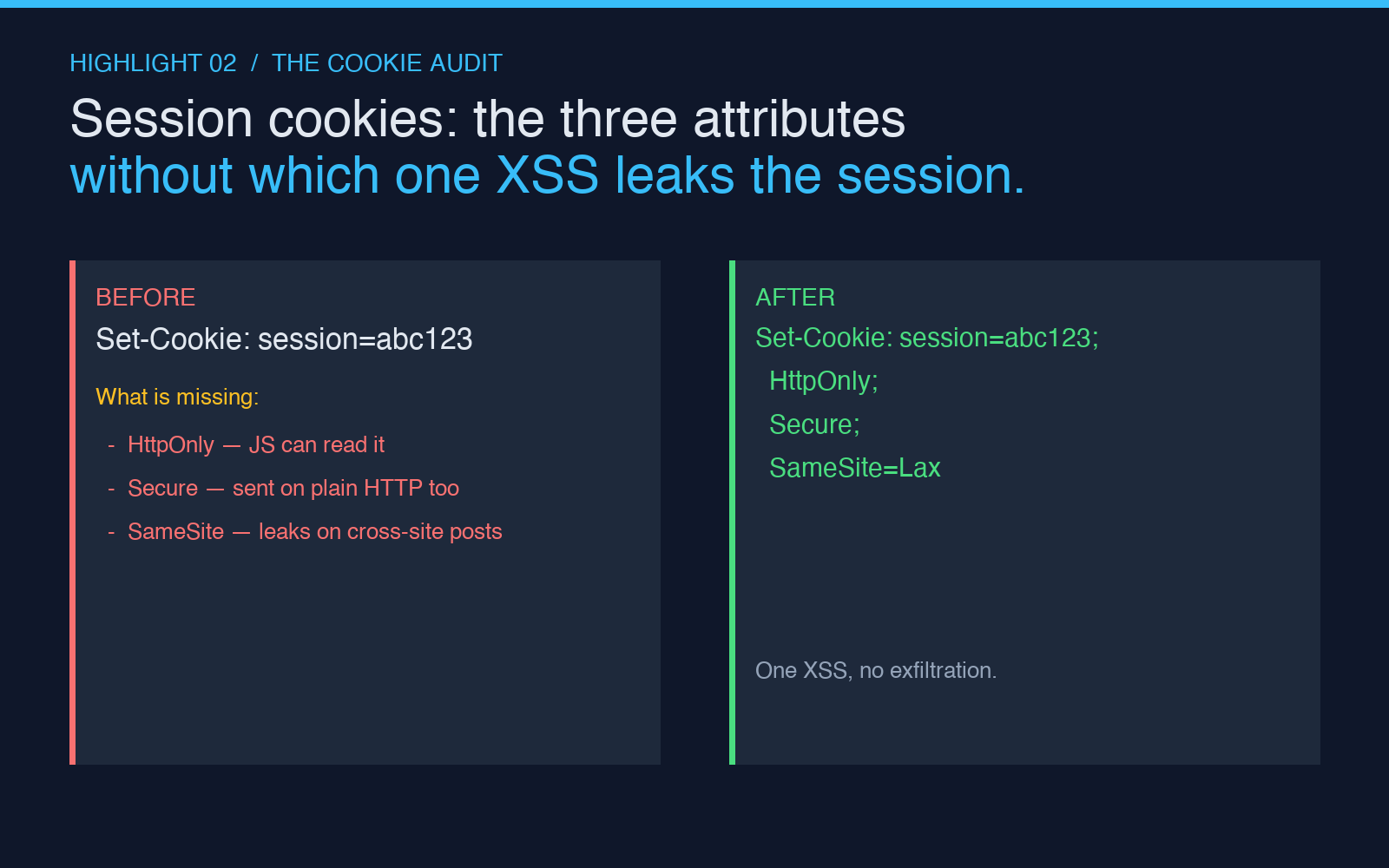
For cookies specifically, the analyzer reads each Set-Cookie from the response and flags the absence of:
HttpOnly — prevents JavaScript on the page from reading the cookie value. Required for session cookies so an XSS payload cannot exfiltrate them.
Secure — the cookie is only sent over HTTPS. Required on any cookie whose value is sensitive.
SameSite=Lax or Strict — stops the browser from sending the cookie on cross-site requests. Lax is the minimum acceptable default.
If your site sets a session cookie without these three attributes, a single XSS or a single cross-site form post is enough to leak the session. The analyzer reports this on the same screen as the security headers — they are part of the same threat model.
How to read the report
The output is grouped into four bands: Security, Caching, CORS, and Other. Each band has a short summary line that turns the header list into a sentence: “Security headers cover 3 of 6 recommended categories.” Click any header to see its value, its RFC reference, and a copy-pasteable fix if the header is missing or weak.
The analyzer is intentionally not a scoring tool. There is no “score out of 100” because a missing header in one category is not equivalent to a missing header in another. A site that omits X-Content-Type-Options is in a different situation than one that omits Strict-Transport-Security, and the report shows both rather than averaging them into a single number.
What to do with a finding
For each missing or weak header, the report links to the relevant RFC and gives the minimum change that closes the gap. Most fixes are one-line additions to a reverse proxy config (nginx add_header, Caddy header, Cloudflare Transform Rules) or to the framework middleware (Express helmet, Django SecurityMiddleware, Rails secure_headers). The headers themselves are static text — there is no reason to delay setting them once you know which are missing.
The fastest first pass is to drop the URL into the analyzer, fix every finding the report highlights, and then re-run it on the same URL to confirm the response now includes the headers you set. The second pass is to check the same headers on every endpoint that returns HTML or sets cookies — the homepage is not the only response that needs them.
The headers you do not need (and why)
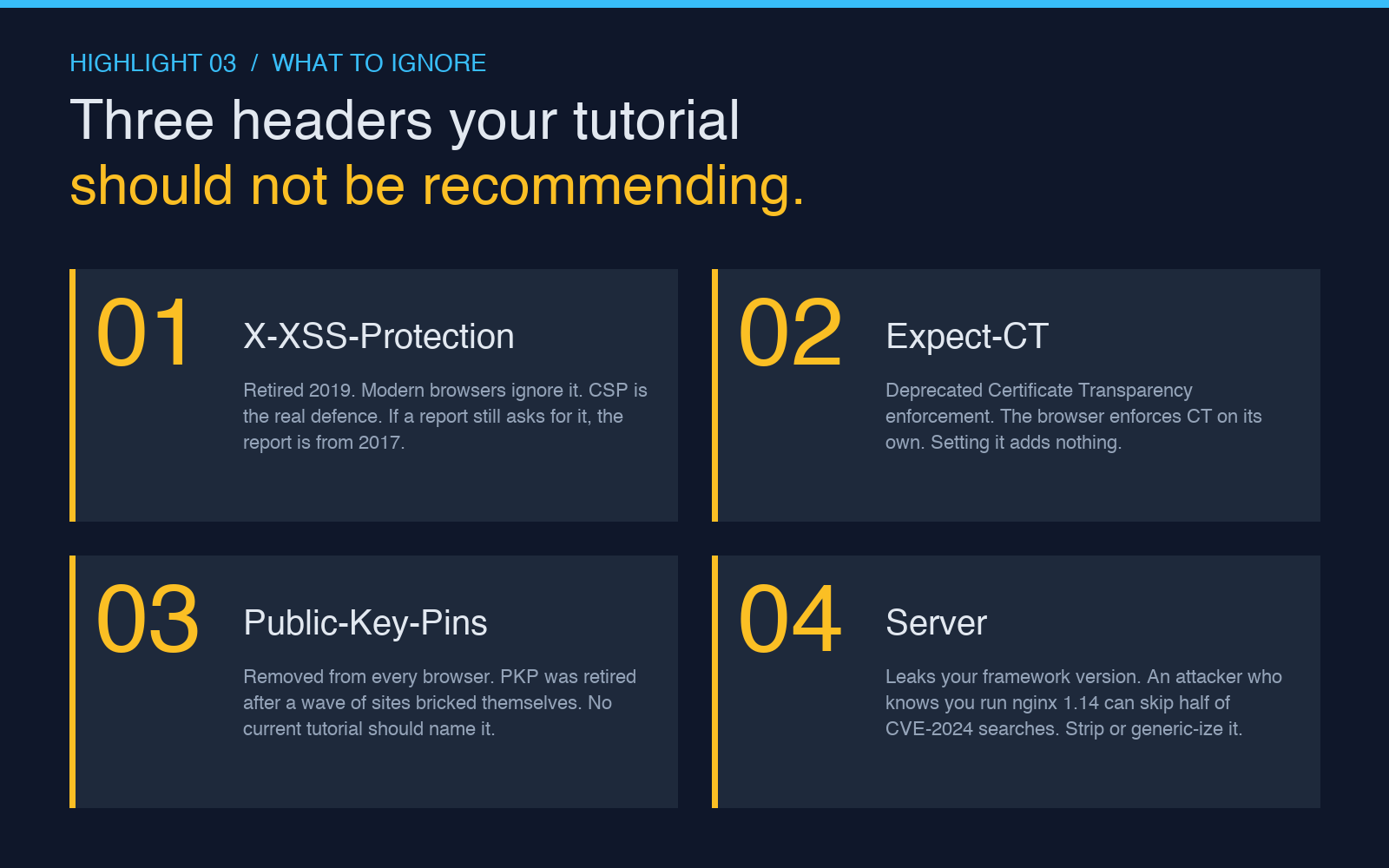
A handful of headers still appear in tutorials but do nothing in modern browsers:
X-XSS-Protection — a relic of an old IE/Chrome reflective-XSS filter that was retired in 2019. Setting it now is harmless but misleading: browsers ignore it, and CSP is the real defence.
Expect-CT — Certificate Transparency enforcement. Deprecated in favour of the browser’s own CT enforcement. Setting it adds no protection.
Public-Key-Pins — removed from every browser years ago. If a tutorial still recommends it, the rest of the advice is also stale.
The analyzer excludes these from its recommendations. A report that asks you to set X-XSS-Protection is a report that has not been updated since 2017.
Try it on your own URL
Paste any public URL into the HTTP Headers Analyzer and read the four bands. The report takes a few seconds to load, and every finding is a concrete configuration change rather than a generic recommendation. For sites behind authentication, run it on the public homepage first — the headers on the page a user lands on are the ones that decide whether the click was safe.
For more on the related transport-layer checks, the SSL Checker on Elysia Tools reads the certificate chain, the protocol versions offered by the server, and the expiry window. Together with the header audit, those two tools cover most of the configuration surface that a browser cares about before the first byte of HTML renders.
Explore more tools at elysiatools.com.