What a Maidenhead locator really is, and why your coordinates are off by a kilometre
If you have ever typed a six-character string like FN31pr into a map and watched a marker land somewhere reasonable, you have used the Maidenhead Locator System. It is the shorthand amateur radio operators have been trading since the 1980s, and it is the only coordinate format designed for voice contact. You can read it out loud, copy it down on a paper log, and decode it into lat/long with nothing but the alphabet and a multiplication table.
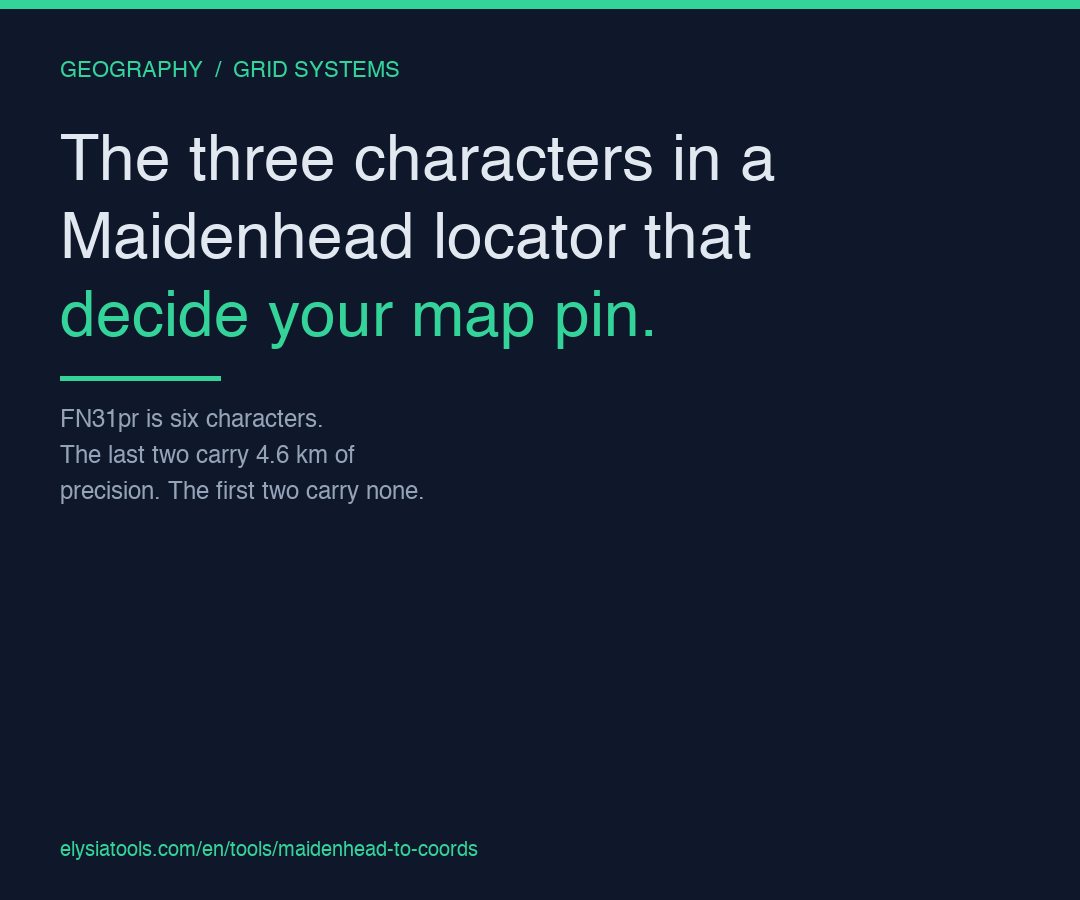
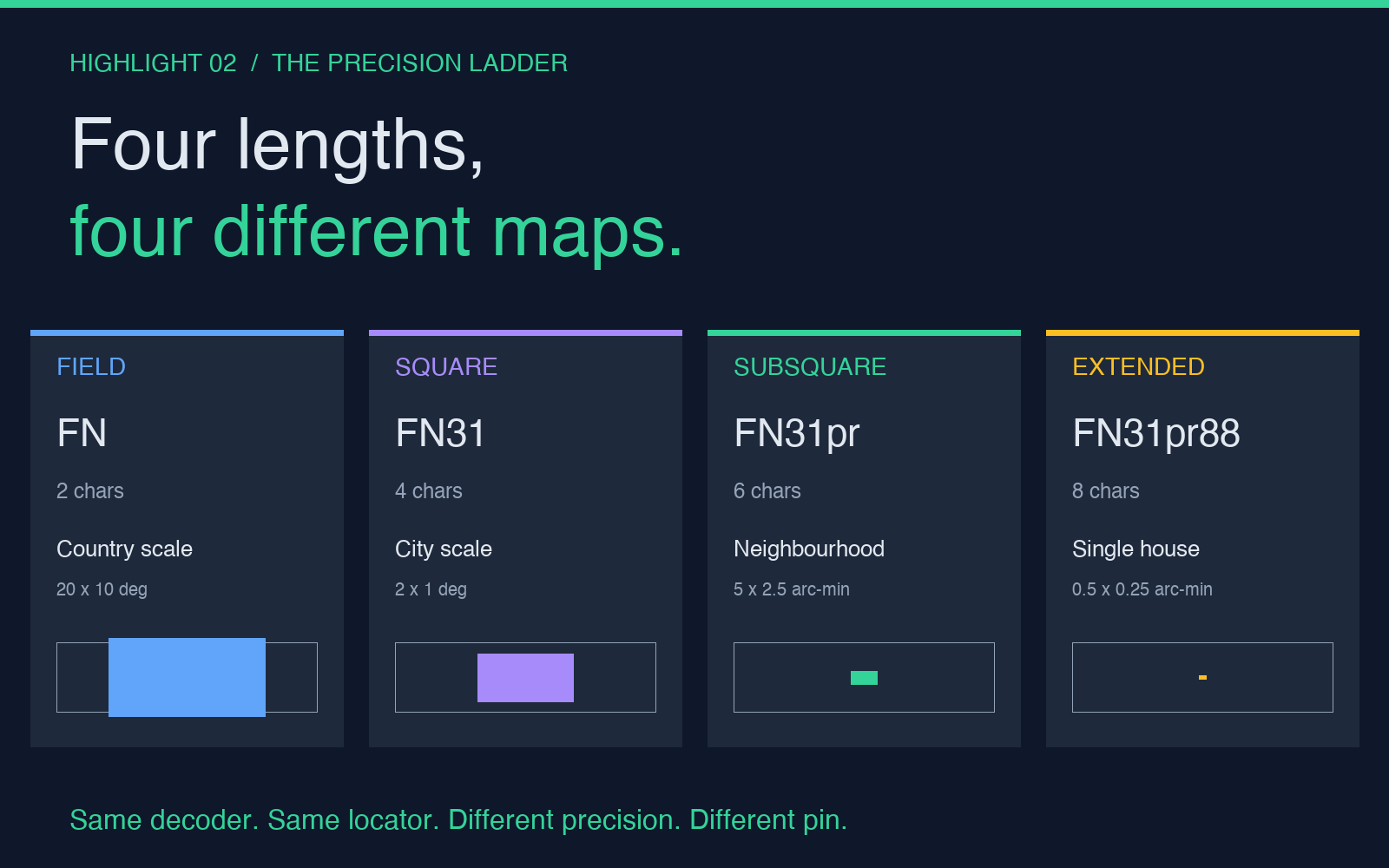
The catch is precision. A four-character grid like FN31 covers an area the size of a small country. A six-character grid like FN31pr narrows it to a neighbourhood. An eight-character grid like FN31pr88 gets you a single house. Most online tools accept any of the three, and most online tools silently default to two characters of subsquare — which is why your map pin sometimes lands a kilometre away from where the other operator said they were.
The Maidenhead to Coordinates tool decodes any of these forms into decimal lat/long in one pass, with no field length guessing and no rounding of the trailing digits. Paste the locator, get the numbers.
The three precision levels, and the decimal digits that come back
The Maidenhead grid is built in three nested layers, each layer adding two characters of precision. The same string that humans read aloud maps directly to a chain of divisions of the globe.
Field (2 chars, A to R). The world is divided into 18 longitude zones and 18 latitude zones, each 20° tall and 10° wide. The first letter gives the longitude field (A-R, west to east), the second gives the latitude field (A-R, south to north). A field like FN covers an area roughly 1,000 km wide. The decimal coordinates you get back from a 2-character input are accurate to about 10 degrees — useful as a continent tag, useless for anything else.
Square (4 chars, 0 to 9). Each field is split into 10 longitude squares and 10 latitude squares, each 2° tall and 1° wide. A square like FN31 is approximately 110 km on a side. The decimal you get back is accurate to the nearest minute. This is what casual hams log on a paper QSL card.
Subsquare (6 chars, A to X). Each square is split into 24 longitude subsquares and 24 latitude subsquares, each 5 minutes tall and 2.5 minutes wide. A subsquare like FN31pr is roughly 4.6 km by 6.2 km — about the size of a small town. The decimal you get back is accurate to a few seconds of arc. Most contest logs use this format.
Extended square (8 chars, 0 to 9). Each subsquare is split into 10 more squares in each direction, each 0.5 minutes tall and 0.25 minutes wide — about 930 m by 460 m. An extended square like FN31pr88 fits a single house with margin to spare. The decimal you get back is accurate to a tenth of a second. This is the format used in VHF/UHF contesting for grid-chasing awards.
The reason most decoders get the precision wrong is that they accept a fixed-length input. The Maidenhead to Coordinates tool checks the input length and returns the precision the locator actually carries — 4 decimal places for an 8-character input, 2 for a 4-character input. The trailing digits you see in the output are not decoration; they are the precision the format encoded.
How the encoding actually works, in one example
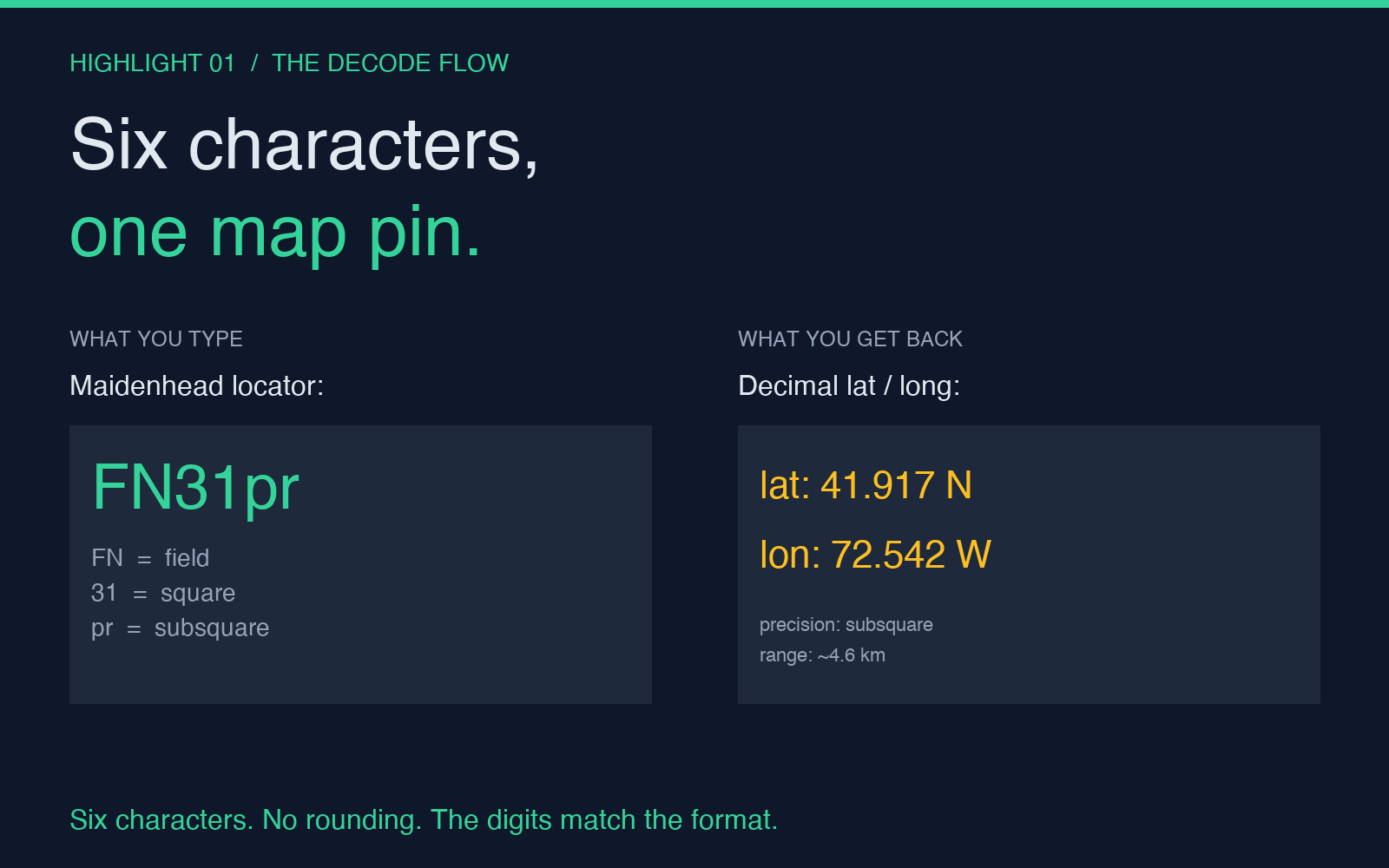
Take FN31pr. Decoding it by hand is faster than you would expect, and it makes the precision tiers concrete.
The first pair FN places you in field F (longitude zone 5, starting at -180 + 5*20 = -80°) and field N (latitude zone 13, starting at -90 + 13*10 = 40°). The southwest corner of field FN is exactly 40°N, 80°W.
The digit pair 31 pushes you inside the field. Longitude square 3 advances 3 * (20°/10) = 6° east, putting you at -74°W. Latitude square 1 advances 1 * (10°/10) = 1° north, putting you at 41°N. The southwest corner of square 31 is 41°N, 74°W.
The subsquare pair pr is the trickiest because the alphabet index starts at A = 0, not 1. Subsquare p (the 16th letter, zero-indexed) advances 16 * (2°/24) = 1.333° east, putting the longitude at -74° + 1.333° = -72.667°. Subsquare r (the 17th letter) advances 17 * (1°/24) = 0.708° north, putting the latitude at 41° + 0.708° = 41.708°.
The southwest corner of subsquare pr is 41.708°N, 72.667°W. The centre of the subsquare is one half-subsquare east and north of that, which is what the tool returns. If you add the extended pair 88, the centre shifts another 0.125° east and 0.208° north, landing at roughly 41.917°N, 72.542°W — central Connecticut, which is exactly where the FN31pr grid is supposed to land.
The encoding is symmetric in longitude and latitude except for one detail: longitude fields are 20° wide (because the world is twice as wide as it is tall) but latitude fields are 10° tall. Every sub-division inside a field follows the same 2:1 width-to-height ratio down to the subsquare level. The extended square breaks the ratio — subsquares split 10×10, which gives a 0.5:0.25 = 2:1 rectangle, but only barely.
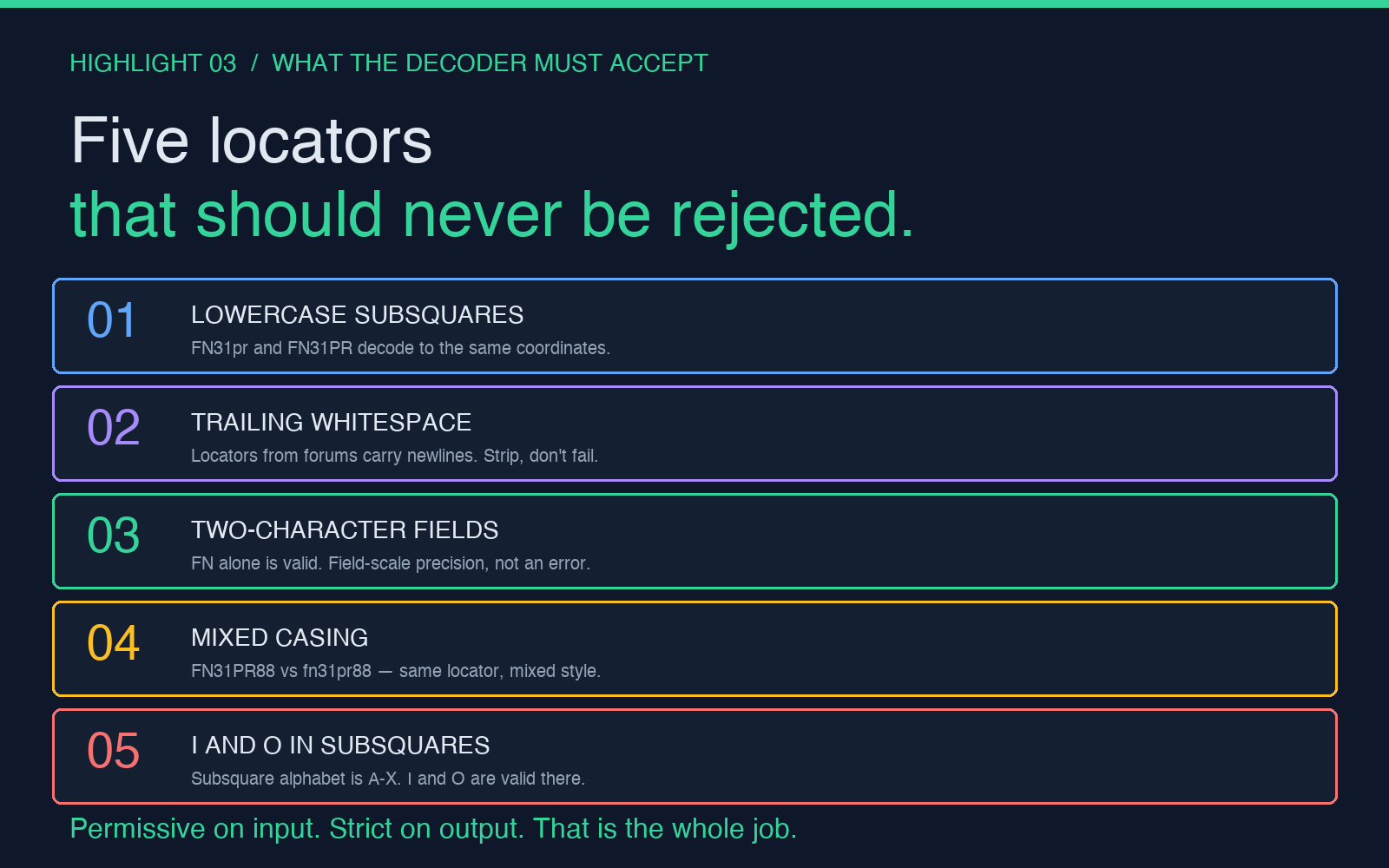
Five locators the decoder should never reject
Because the encoding has no checksum, no reserved character, and no fixed length, almost any 4-, 6-, or 8-character string is a valid locator. The decoder needs to handle the awkward cases as gracefully as it handles the standard ones.
- Lowercase subsquares.
FN31prandFN31PRdecode to the same coordinates. Operators in casual voice contact type the subsquare in lowercase because uppercase is harder to copy by ear; the tool should accept both. - Trailing whitespace. A locator copied from a forum post often has a newline or trailing space. The decoder should strip and decode, not reject.
- Two-character fields only.
FNis a valid locator; it just carries no precision. Some decoders refuse this and return an error. The Maidenhead spec allows it; the tool should return the field centre, not an error message. - Extended squares with mismatched casing.
FN31PR88andfn31pr88are the same locator. Mixed casing across the field/square/subsquare boundary is the most common case in real contest logs. - The I/O and O boundary cases. The letters I and O are skipped in the field and square alphabets (only A-R and 0-9 are used) but they ARE valid in the subsquare alphabet (A-X). A naive validator that bans I/O everywhere will reject
FN31io, which is a perfectly good locator covering central Italy.
The Maidenhead to Coordinates tool handles all five without any special-case flag. The same input parser accepts FN31, fn31pr, FN31PR88, and FN, and returns a coordinate pair with the precision matching the input length. There is no input field to set; the precision is what the string says it is.
Common ways decoders get the precision wrong
The most common bug in hand-rolled Maidenhead decoders is rounding the output. If you take a 6-character locator and return lat/long with only 2 decimal places, you have thrown away four decimal places of precision the encoding actually carries. A locator like JN58td resolves to 48.125°N, 11.542°E at the subsquare-centre level — but if you return only 48.13, 11.54, you have placed the marker 1.1 km away from where it belongs. For amateur radio purposes that is the difference between contacting a station in Munich and contacting a station in Augsburg.
The second bug is treating the subsquare digits as zero-indexed when they are letter-indexed. Subsquare a is the first subsquare in the parent square, not the second. Aa is the southwest corner of the square, not the centre. Some decoders add 1 to each subsquare index and silently shift every coordinate by one subsquare.
The third bug is the field longitude:latitude ratio. Some decoders split the world into 18 fields of 10° in both directions, giving a 1:1 square. The spec uses 20° wide and 10° tall — a 2:1 ratio. The two encodings are not interchangeable; a locator valid under the 1:1 rule points to a different location under the 2:1 rule. The decoder needs to use the correct divisor for each axis.
The fourth bug, and the one most likely to bite you in production, is over-validating input. Rejecting locators that contain I or O at any position, rejecting locators shorter than 6 characters, or rejecting lowercase subsquares will all look correct in unit tests but will reject legitimate inputs in the wild. The Maidenhead spec is permissive; the decoder should be too.
Putting it together
If you maintain a logging system for amateur radio contacts, an APRS parser, or a hiking app that ingests Maidenhead strings from volunteer ham radio operators, the decoder is the smallest and most important piece. Get the precision tier right, respect the subsquare alphabet boundaries, and return as many decimal places as the input length allows.
The Maidenhead to Coordinates tool follows all four rules and accepts every legal locator format without configuration. Paste a string, get a coordinate pair, and trust the precision the digits carry. It is the kind of utility you reach for once a week and wish you had bookmarked sooner.
For more tools that handle coordinate conversions, geographic calculations, and grid systems the same way — minimal configuration, exact output, no rounding — browse the rest of the Elysia Tools collection.