
The string in the database is not your password. It is the output of a slow hash you can recompute, byte for byte, and check against itself. PBKDF2 Validator on Elysia Tools makes that recompute visible — which is the only way to know whether your login pipeline is really verifying what you think it is.
The Database String Is Not the Password
Almost every login flow that ends in disaster starts with a sentence like this: we hashed the password, so we’re safe. The hashed value is not the password — it is a one-way function applied to the password plus a per-user salt, repeated tens of thousands of times. Given the right inputs, you can recompute that exact string. Given the wrong inputs, you cannot.
This is what a PBKDF2 validator exists to do. Take the password the user just typed. Take the salt and iteration count that was used the day the account was created. Take the algorithm and the key length. Recompute the derived key. Compare it to the value already in the database. The answer is binary: matches, or does not match.
That is the entire job. Everything that goes wrong with password security in production happens around this comparison, not in it.
What the Validator Actually Checks
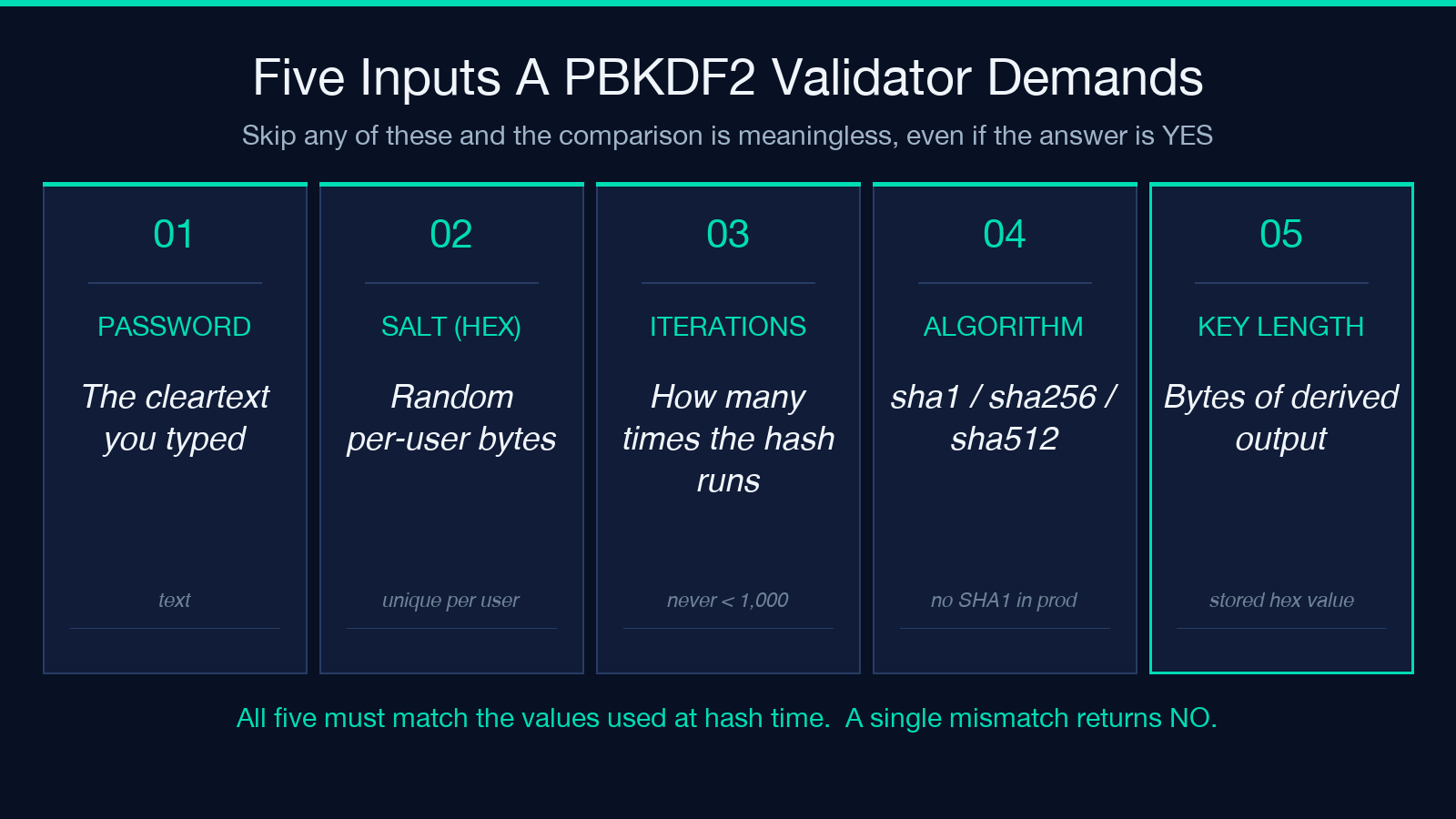
The PBKDF2 Validator asks for six things. Three are obvious, three are easy to forget, and a single mismatch in any of them makes the comparison meaningless.
The password is what the user just typed — cleartext, in memory, gone in milliseconds. The salt is a per-user random value, stored alongside the hash, usually 16 bytes or longer and serialized as hex. The derived key is the stored hex value you are validating against. The remaining three — algorithm, iteration count, and key length — are the parameters that were used to produce that stored value. If they do not match, the recompute will produce a different string even when the password is identical.
The default settings (SHA-256, 100,000 iterations, 32 bytes of derived key) match what most modern systems have used since around 2017. They are not the right settings for everyone. They are simply a baseline that lets you confirm the math works before you start tuning.
Why Constant-Time Comparison Is Not Optional
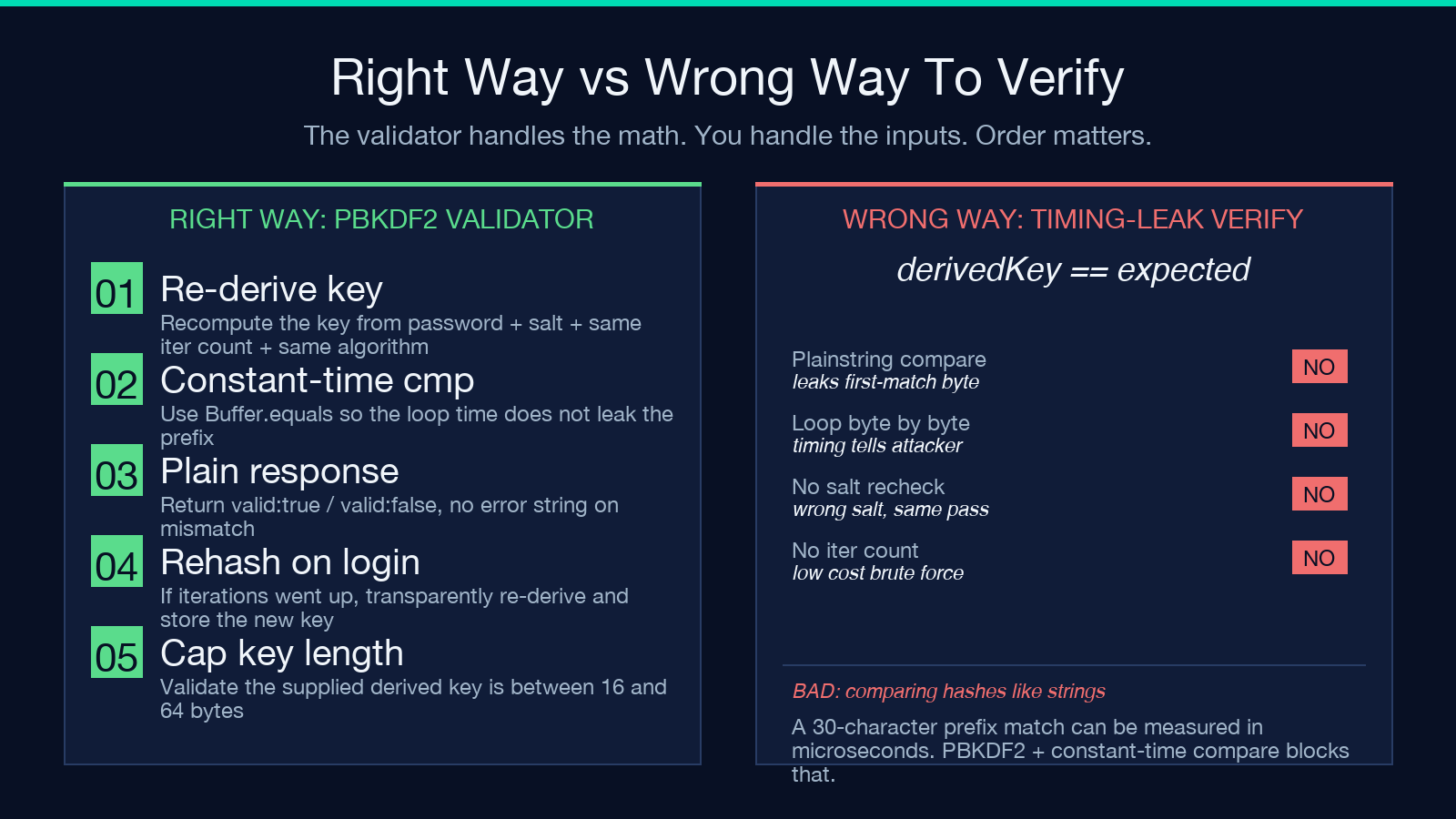
The validator uses Buffer.equals — a constant-time comparison — instead of == on two hex strings. This is not a stylistic choice. A naive string compare returns as soon as it finds the first differing byte. An attacker who can measure the response time of your login endpoint can therefore probe the hash character by character, recovering the stored value in roughly the time it takes to crack a single character at a time.
PBKDF2 itself does not help here. The slow hash happens before the comparison. The comparison itself is fast regardless, but the timing leak makes the slow hash irrelevant. Constant-time compare blocks that side channel completely.
The Iteration Count Is a Policy Decision
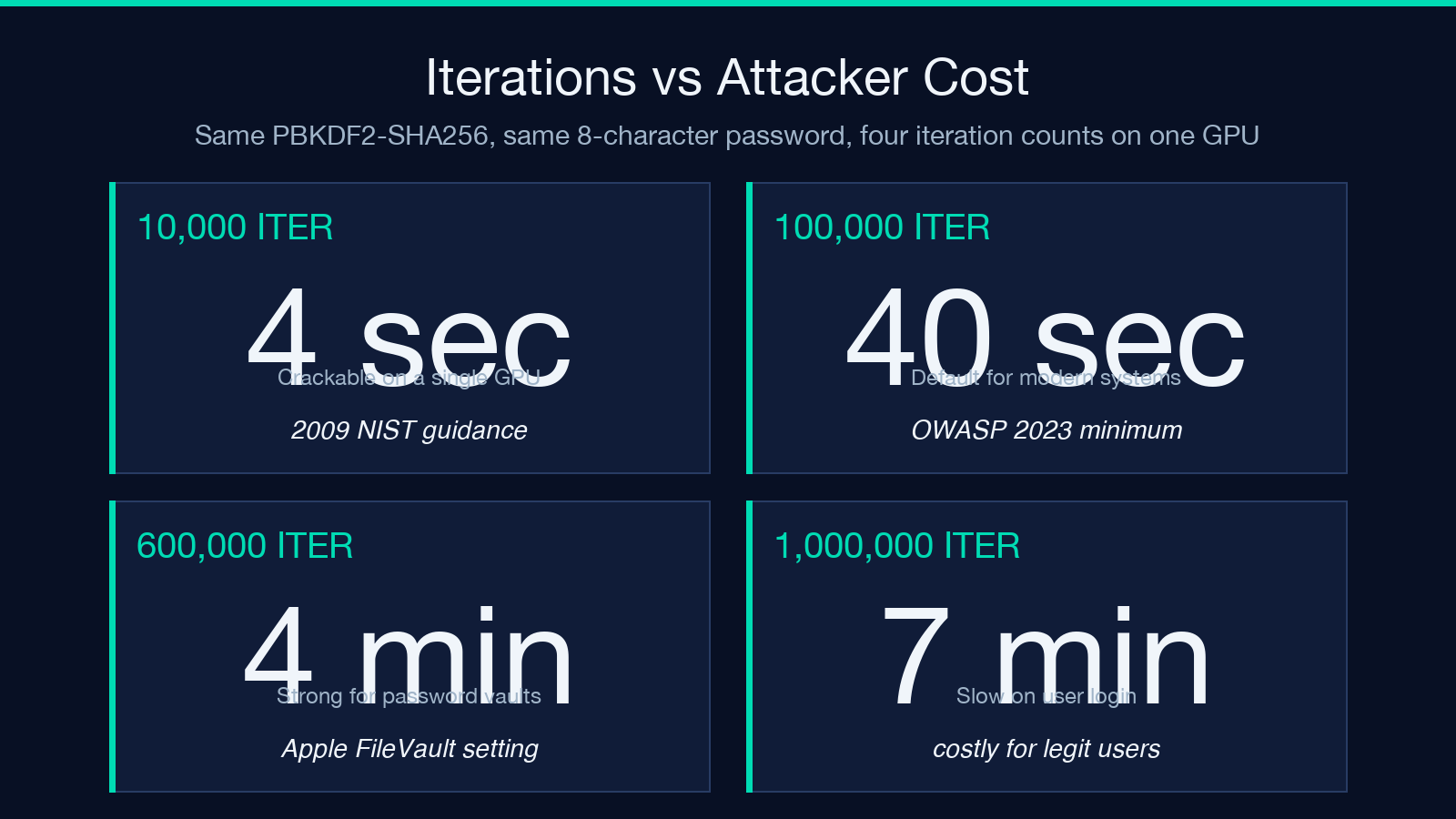
Pick 10,000 iterations and an offline attacker with one GPU guesses around 50,000 passwords per second against an 8-character random password. Pick 100,000 and the same attacker drops to around 5,000. Pick 600,000 and the number falls again. Pick one million and a single user login now takes seven seconds on commodity hardware.
There is no number that makes a password uncrackable. PBKDF2 is not a substitute for password length, password manager use, or rate limiting. It is a multiplier on the cost of every guess an attacker makes. Every time you raise the iteration count, you raise that cost. The validator exposes the parameter so you can see exactly what you are committing to, instead of inheriting a default written into a library you stopped reading years ago.
The Thing to Verify Before You Trust the Tool
Open the validator, paste a known password, salt, and derived key, and confirm the answer is valid. Then change a single character of the password and confirm the answer is invalid. Then change the iteration count from 100,000 to 99,999 and confirm the answer is still invalid. That third test is the one most production systems fail silently. If your code passes all three, the math is right. If the third one returns valid, the comparison is not what you think it is.
Once you trust the validator, use it as a reference oracle when you migrate password hashes, when you bump iteration counts, and when you audit a third-party library that claims to do the right thing. The recompute takes milliseconds. The trust it gives you lasts until the next parameter change.
For more on key derivation, the entropy that goes into salts, and the cost curves behind modern iteration counts, browse the rest of the cryptography cluster on Elysia Tools.
