
An RSA key pair is two mathematically linked files: a public key anyone can see and a private key you must guard. Used correctly, this pair lets a stranger encrypt something only you can read, or lets you sign something anyone can prove came from you. Used carelessly, the same pair can sign certificates, decrypt sessions, and unlock production servers — so generation is a security decision, not a formality. This field guide walks through what an RSA key pair actually is, how to pick a key size and format that will still hold up in five years, and how to generate one locally without trusting a remote service with your private key.
Why asymmetric crypto exists (and what RSA does)
RSA is an asymmetric algorithm. The two keys are not copies of each other — they are mathematical inverses. Anything encrypted with the public key can only be decrypted with the matching private key, and anything signed with the private key can only be verified with the public key.
This asymmetry solves a problem that symmetric encryption cannot: how do you establish a shared secret with someone you have never met, on a channel you cannot trust? With a symmetric algorithm like AES, both parties must already hold the same key. With RSA, you publish the public key freely and keep the private key secret; everyone else can encrypt to you or verify your signatures, but only you can decrypt or sign.
Modern protocols layer the two together. When you open a TLS connection, the server’s RSA (or ECDSA) key signs the certificate; the client verifies the signature using the public key embedded in the certificate chain. Then a symmetric session key is negotiated and used for the actual data. RSA does not encrypt the bulk traffic — it authenticates and bootstraps.
RSA is not the only asymmetric algorithm. Elliptic-curve algorithms like Ed25519 and ECDSA produce much shorter keys for equivalent security and are now preferred for new applications. But RSA remains the lingua franca for HTTPS certificates, JWT signing libraries that have not migrated yet, and SSH servers that accept ssh-rsa. If you are generating a key for any of these, you are generating RSA.
Picking a key size that will hold up
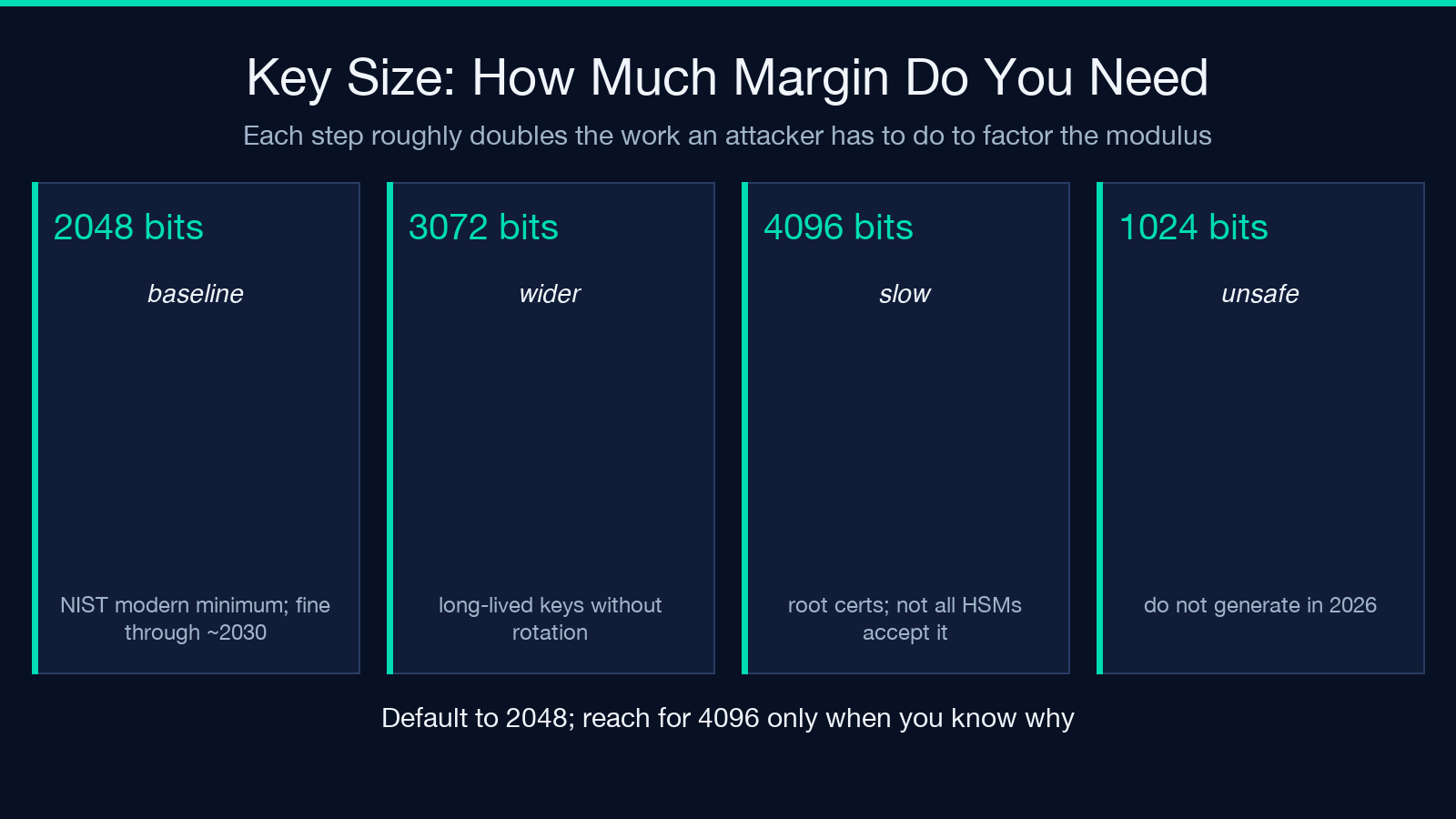
The tool exposes three sizes: 2048, 3072, and 4096 bits. Each step roughly doubles the work an attacker must do to factor the modulus.
- 2048 bits is the modern baseline. NIST allowed it for government use through 2030; it is fine for most web applications, internal services, and JWT signing keys that rotate every couple of years. Almost every library and device accepts it.
- 3072 bits provides a wider margin. Use it for keys that will live a long time without rotation, or for compliance environments that require it explicitly.
- 4096 bits is the conservative ceiling. It is noticeably slower to generate and to use, and some older TLS terminators and HSMs cannot handle it. Reserve it for root certificates, long-lived signing keys, or paranoid deployments.
Anything below 2048 — including the legacy 1024-bit default you still see in old tutorials — is no longer considered secure against a well-resourced attacker. Do not generate 1024-bit RSA keys in 2026.
PKCS#8 vs PKCS#1 (and why the label matters)
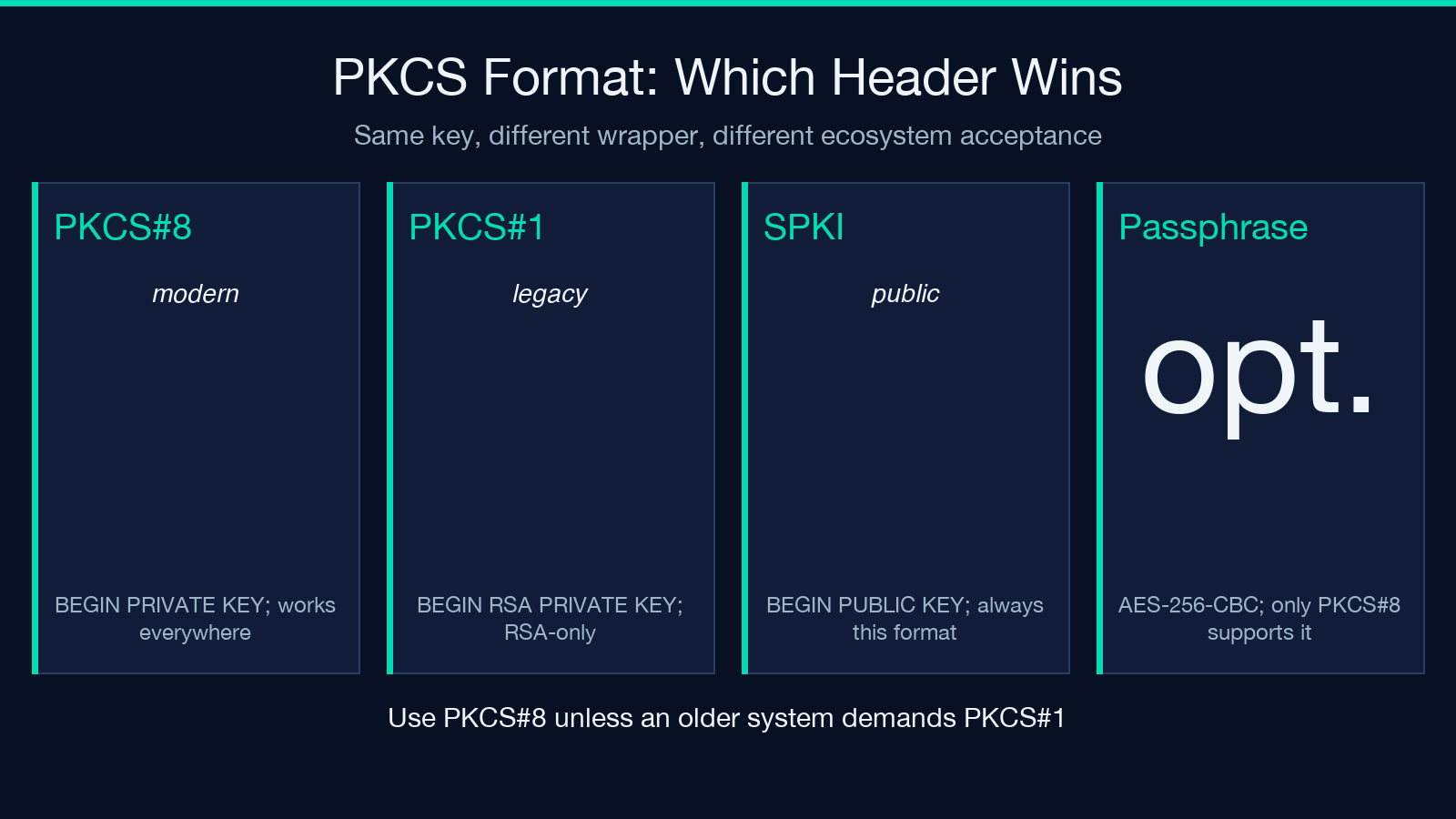
A PEM-encoded RSA private key can come in two wrapper formats, and the choice changes which systems will accept it.
PKCS#8 is the generic, modern format. It wraps the private key in a structure that is independent of the algorithm, which is why the same file format works for RSA, ECDSA, and Ed25519 private keys. PKCS#8 also supports passphrase-based encryption of the private key, which means the file on disk is useless without the passphrase even if it leaks.
PKCS#1 is the older RSA-specific format. The PEM header literally says -----BEGIN RSA PRIVATE KEY-----. PKCS#1 cannot be encrypted with a passphrase in the tool, which means the file on disk is the private key in plaintext. Legacy systems sometimes insist on PKCS#1; modern systems prefer PKCS#8.
When in doubt, use PKCS#8. It is the default for OpenSSL 3, every Node.js TLS library since 12, every Python cryptography release since 2018, and every Java KeyFactory since 11. The only reason to choose PKCS#1 is interoperability with a specific older system that rejects -----BEGIN PRIVATE KEY-----.
The public key is always SPKI format (-----BEGIN PUBLIC KEY-----), regardless of which private key format you chose. SPKI is the public side of the PKCS#8 standard.
When to encrypt the private key with a passphrase
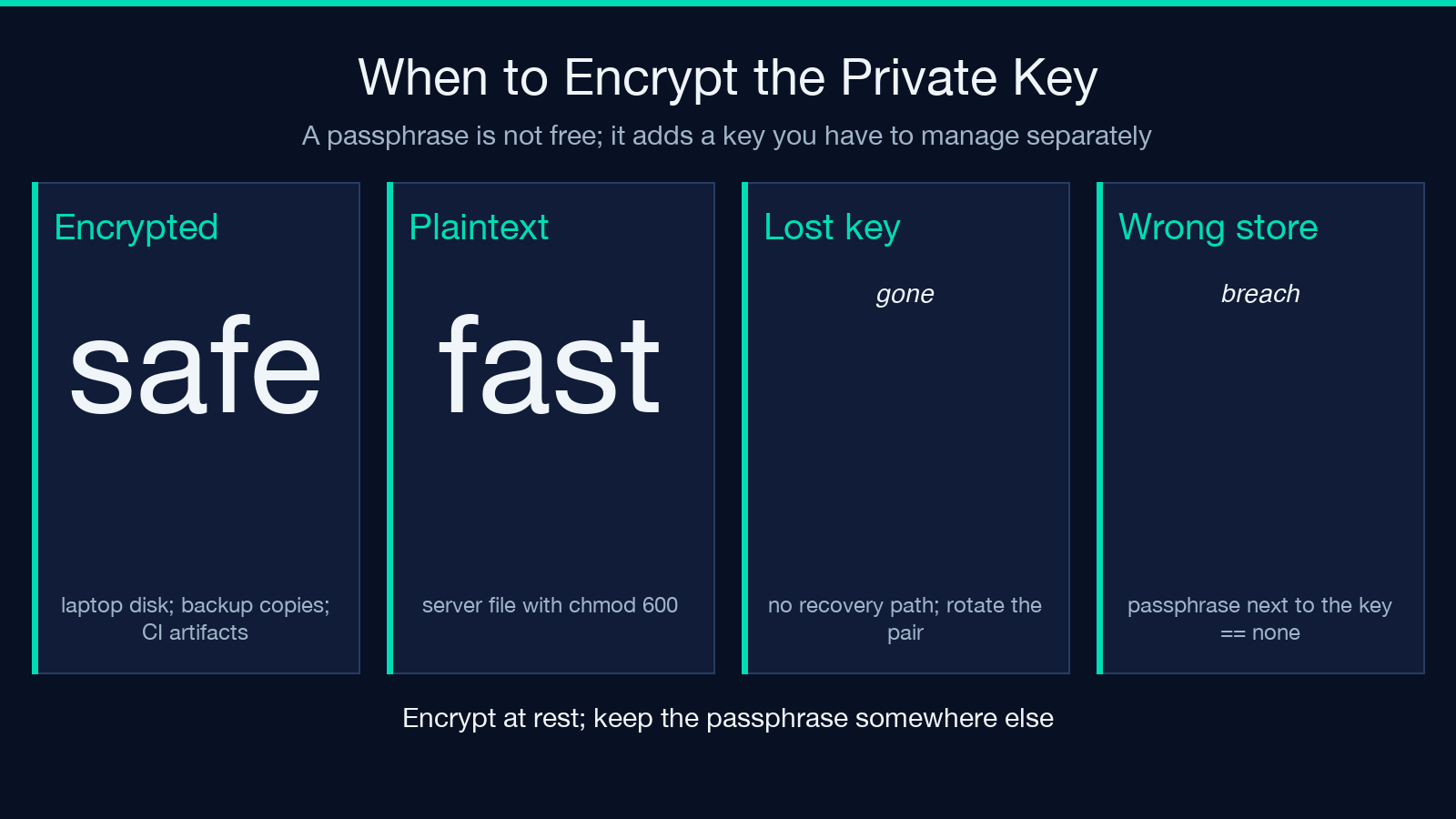
If you give the tool a passphrase, it encrypts the private key with AES-256-CBC (or, in newer OpenSSL releases, AES-256-CBC plus an HMAC). The resulting PEM block starts with -----BEGIN ENCRYPTED PRIVATE KEY----- and is useless without the passphrase.
Use a passphrase when the key file sits on a laptop, gets checked into a backup, or travels through a CI artifact store. Do not use a passphrase when the key will be loaded by an unattended service that has no way to enter one — a passphrase-protected key with no key vault to feed it is just an unreadable file. For TLS servers and SSH daemons, prefer unencrypted keys stored with strict file permissions.
If you generate a passphrase-protected key, store the passphrase separately. A passphrase-protected key in the same password manager entry as the key file is the same security posture as no passphrase at all.
Why generation must happen locally
A private key is exactly that — private. The moment it exists on a server you do not control, you have to trust that server’s operators, its backups, its incident-response process, and its jurisdiction. Past breaches have hinged on private keys being generated, transmitted, or stored by services that turned out not to deserve that trust.
The tool generates the pair inside the browser using the platform’s native crypto APIs (crypto.generateKeyPairSync() on Node, window.crypto.subtle.generateKey() on the browser) and never transmits the keys anywhere. The public key is shown so you can copy it; the private key is shown so you can download it; nothing leaves the page. If you generate a key on someone else’s website, treat that key as already compromised and rotate.
Reading the PEM you got back
A 2048-bit RSA private key in PKCS#8 is roughly 1700 characters of base64 wrapped between -----BEGIN PRIVATE KEY----- and -----END PRIVATE KEY-----. When you paste it into a config file or pass it to a library, include the begin and end markers — most parsers require them.
A common mistake is to copy only the base64 body, or to copy with trailing whitespace chopped. Both break the parser. If your service logs unable to load private key, the first thing to check is whether the PEM is intact and unwrapped.
You can verify a key with OpenSSL: openssl rsa -in private.key -check -noout confirms the key parses and prints its modulus. openssl rsa -pubin -in public.key -text -noout does the same for the public side. Always run these on the file you intend to deploy, not on a copy you think is the same — keys look identical at a glance and differ in every byte.
Putting the pair to work
Once generated, the two halves of the pair have different roles.
The public key goes anywhere it needs to: an SSH authorized_keys file, a TLS certificate signing request, a JWT verification endpoint, a config map that other services mount as read-only. The public key is not secret; leaking it is not a problem.
The private key stays where only the owning service can read it. For an HTTPS server, that means a file on disk with chmod 600 owned by the service account. For a CI job that signs artifacts, that means a secret in the CI vault, fetched at job start, never written to the workspace. For a developer signing commits, that means the local ~/.ssh/id_rsa with the SSH agent holding the decrypted key.
Rotate keys before they hit their use-by date. A 2048-bit RSA key created today is fine through about 2030; rotate to a fresh key well before then. A 4096-bit key buys you more time but does not remove the need for rotation.
For learning asymmetric cryptography or generating a one-off pair for an HTTPS staging environment, the RSA Key Pair Generator runs the same crypto.generateKeyPairSync() API in your browser, never transmits the keys, and lets you copy both PEMs directly into your project. Related Security tools on the same site include the Secure Random Generator for high-entropy seeds and the Strong Password Validator for testing the passphrases that protect your keys.
Putting it together
A RSA key pair is two files. One is public and free to share. One is private and must never leave the device that generated it. Choose 2048 bits for everyday use, 3072 if you need extra margin, 4096 only if you know why you need it. Pick PKCS#8 unless an older system demands PKCS#1. Add a passphrase only when the key will sit at rest somewhere an attacker might read — and keep the passphrase somewhere else. Generate locally. Rotate before your key’s security horizon ends. None of this is hard. Each step is a single line in a config file or a single checkbox in the tool. The hard part is doing it the same way, on every key, every time.
