
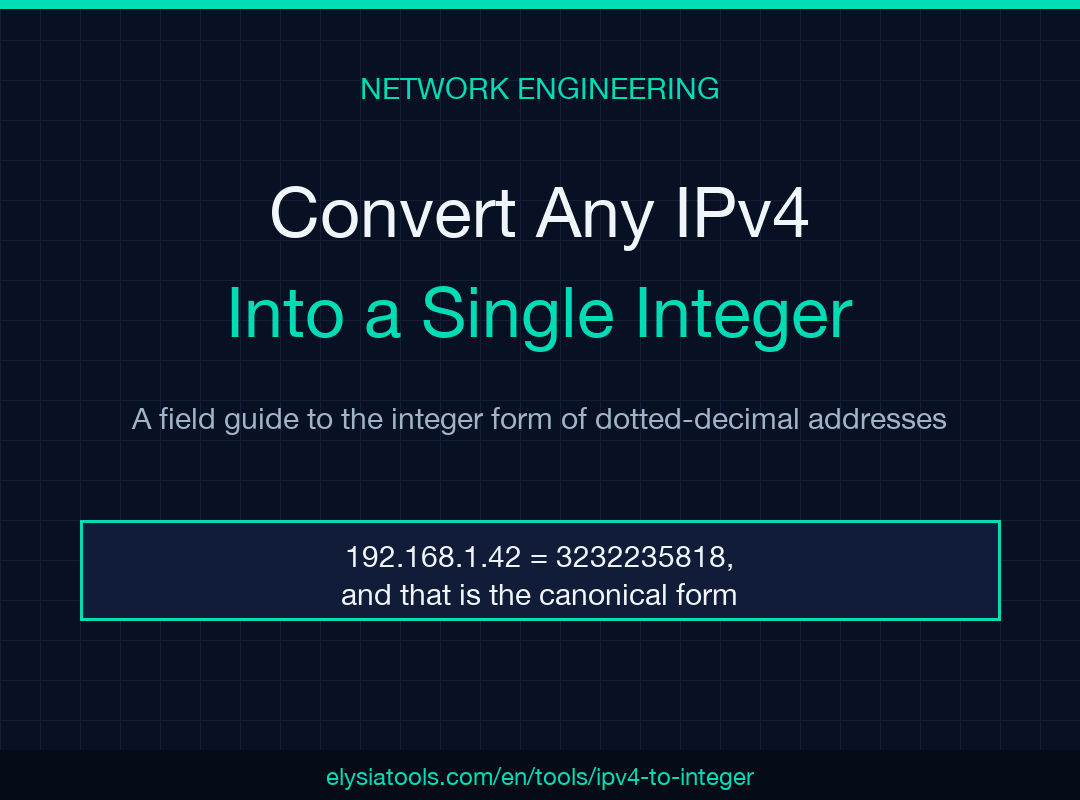
An IPv4 address is a 32-bit number dressed up in dotted-decimal clothing. The IPv4 to Integer tool strips that costume off and gives you the underlying unsigned integer — the same value that fits in a database column, a Redis sorted set, or a firewall rule. Once you see an address as a single number, the arithmetic of subnets, ACLs, and range checks stops feeling like a string manipulation problem and starts feeling like the integer range problem it always was.
This field guide walks through how the conversion works, the three formats that show up in the wild (decimal, hex, binary), the four checks that catch bad input before it hits your code, and the cases where the integer form is genuinely the right key to pick. Skip to any section from the table of contents below.
How the conversion actually works
Each dotted-decimal octet is a base-256 digit. To go from 192.168.1.42 to its integer form, compute:
192 × 256^3 + 168 × 256^2 + 1 × 256^1 + 42 × 256^0
= 192 × 16777216 + 168 × 65536 + 1 × 256 + 42
= 3221225472 + 11010048 + 256 + 42
= 3232235818
That 3232235818 is the canonical integer. Every other representation — 0xC0A8012A, 11000000.10101000.00000001.00101010, network-byte-order bytes — is one of three ways to view the same 32 bits. The dotted-decimal form is just a position-weighted sum, evaluated left-to-right.
The forward conversion is deterministic. The reverse is too: split the 32-bit integer into four bytes, treat each byte as an unsigned 8-bit value, and join with dots. The PHP ip2long() and long2ip() functions, Python’s socket.inet_aton and inet_ntoa, Go’s net.ParseIP, and Java’s InetAddress.getByName all do this; they differ only in whether they return a signed or unsigned 32-bit value. JavaScript’s Number is a 64-bit float, so it can hold the unsigned 32-bit value exactly (3232235818 rounds cleanly) — but as soon as you bit-shift, you need to mask with >>> 0 to keep the result unsigned.
Three formats you will see in the wild
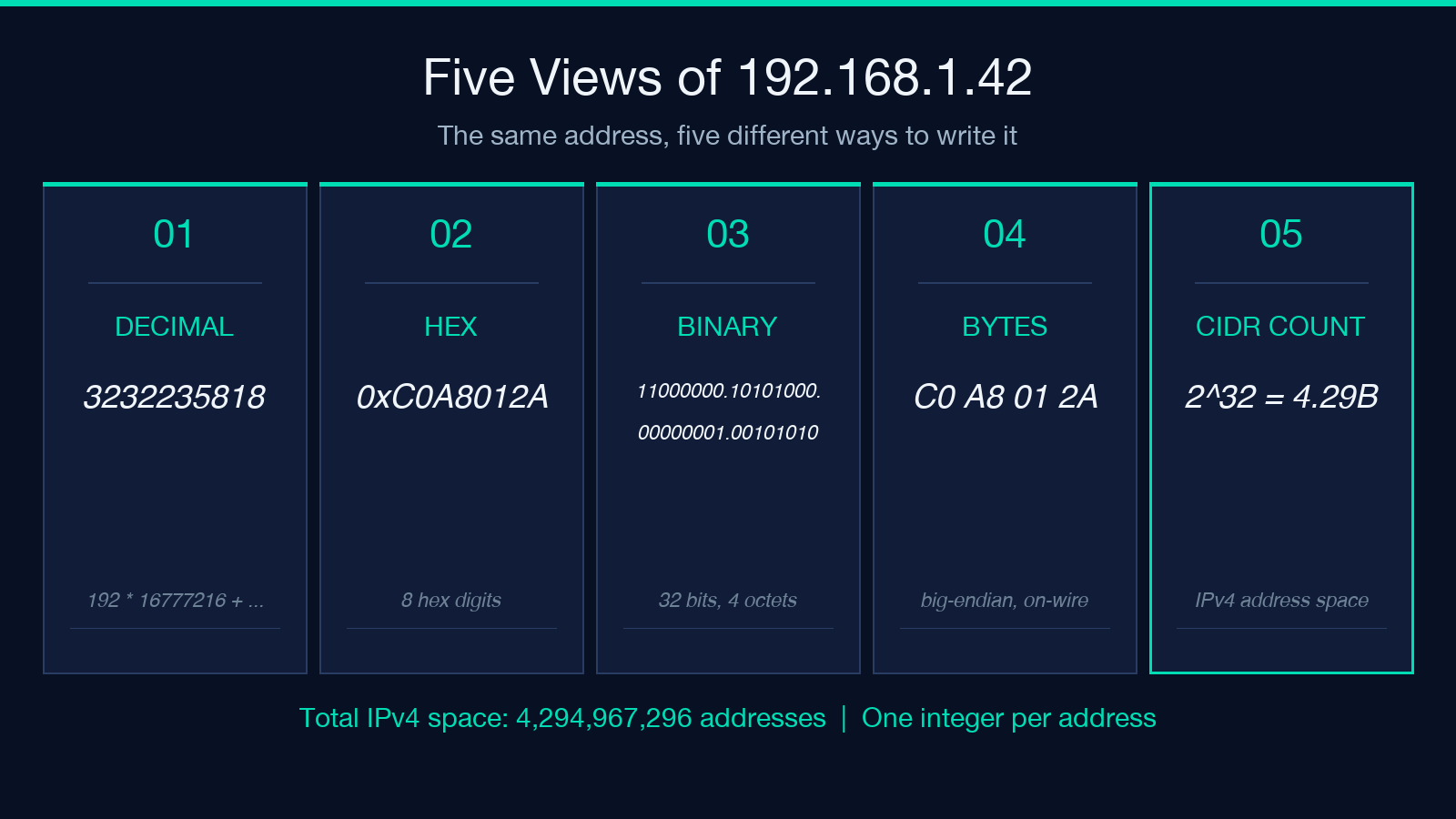
The same 192.168.1.42 shows up in three different integer dialects:
- Decimal —
3232235818. The most common form. What PHP’sip2long()returns on 64-bit builds, what CSV exports from network scanners use, what theipv4-to-integertool defaults to. - Hexadecimal —
0xC0A8012A. The format you’ll see in packet captures, in/proc/net/arp, and in any C code that usesinet_pton(AF_INET, ...). Hex is shorter than decimal for the same value and aligns with the byte boundaries. - Network-byte-order bytes — the big-endian byte sequence
C0 A8 01 2A. What you get when you callsocket.inet_aton('192.168.1.42')in Python. Four bytes, in the order they’d appear on the wire.
A 32-bit unsigned integer has exactly 4,294,967,296 possible values (2^32). The conversion cannot produce a number outside that range — any input that does is malformed and should be rejected before the conversion runs.
Why the integer form is shorter than the string
The dotted-decimal form has a variable-length encoding: 0.0.0.0 is 7 characters, 255.255.255.255 is 15. The integer form is always up to 10 decimal digits (or 8 hex digits), regardless of the address. That uniformity is exactly what B-tree indexes want. A BIGINT UNSIGNED column with 1.4 billion rows fits in roughly 5 GB of clustered index space; the same column as VARCHAR(15) is closer to 22 GB once you account for the per-row overhead and the length-byte prefix. The integer form is also faster to compare: a single CPU cycle for an integer subtraction vs. a character-by-character loop for a string compare.
The four pre-flight checks
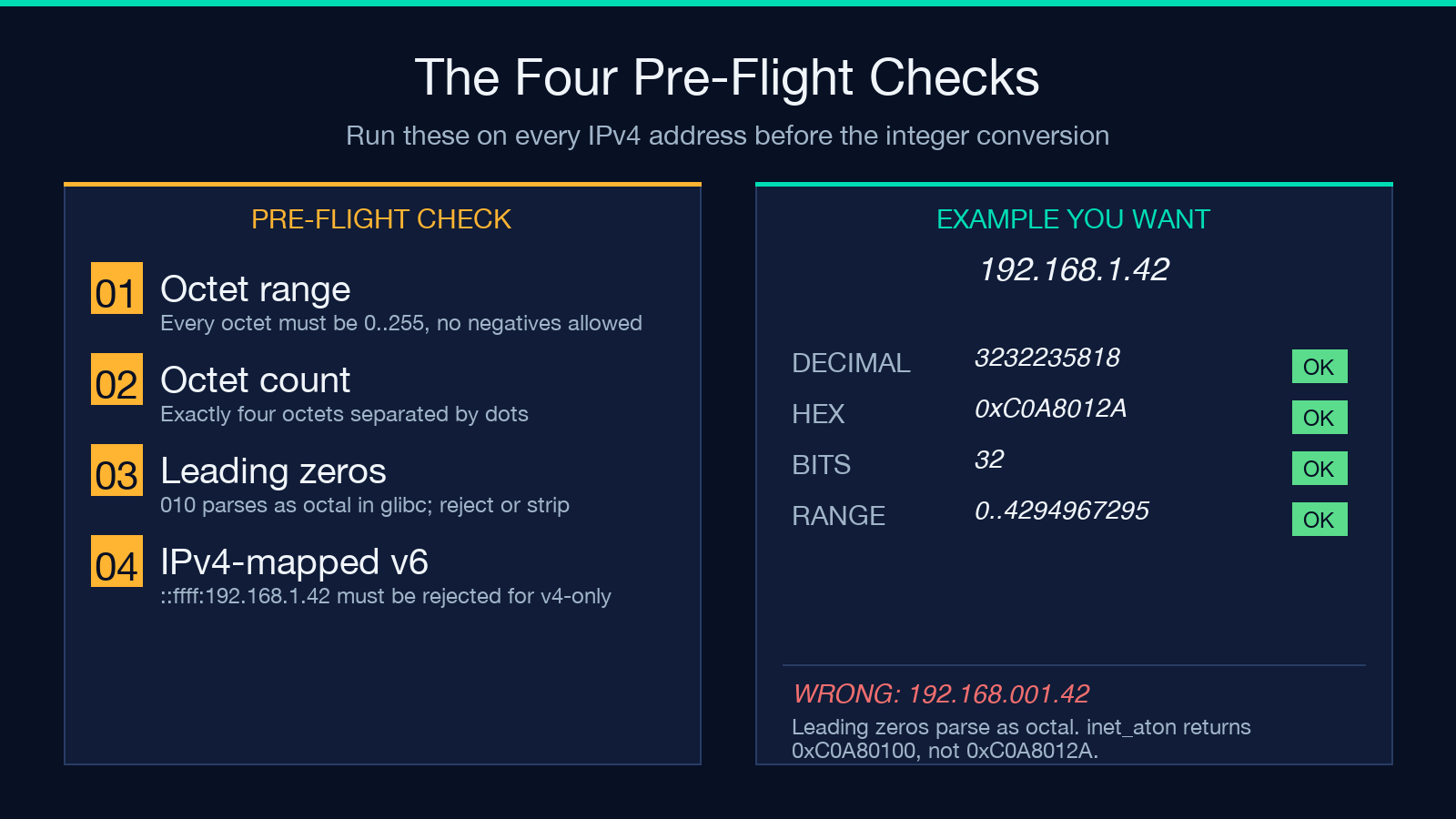
Before you feed an address into the integer conversion, run these four checks. They catch the failure modes that surface in production:
- Octet range — every octet must be
0..255. If any octet is256,999, or negative, the input is malformed. Theip-address-validatordoes this check. - Octet count — exactly four octets, separated by dots. Three or five octets is a parse error. Leading or trailing dots is a parse error.
- Leading zeros —
192.168.001.042is technically ambiguous. Some parsers (notablyinet_atonin glibc) treat010as octal, producing 8 instead of 10. Strip leading zeros or reject them. The safe move is to reject. - IPv4-mapped IPv6 —
::ffff:192.168.1.42is the IPv4-mapped form. If your pipeline only handles IPv4, reject anything that contains a colon. If your pipeline handles both, pass the IPv6 string toinet_ptondirectly and skip the integer-in-32-bits step.
Run these four checks in order. The ip-address-validator tool reports each as a separate line, with the failing octet highlighted. Once all four pass, the conversion is safe.
Where the integer form is the right key
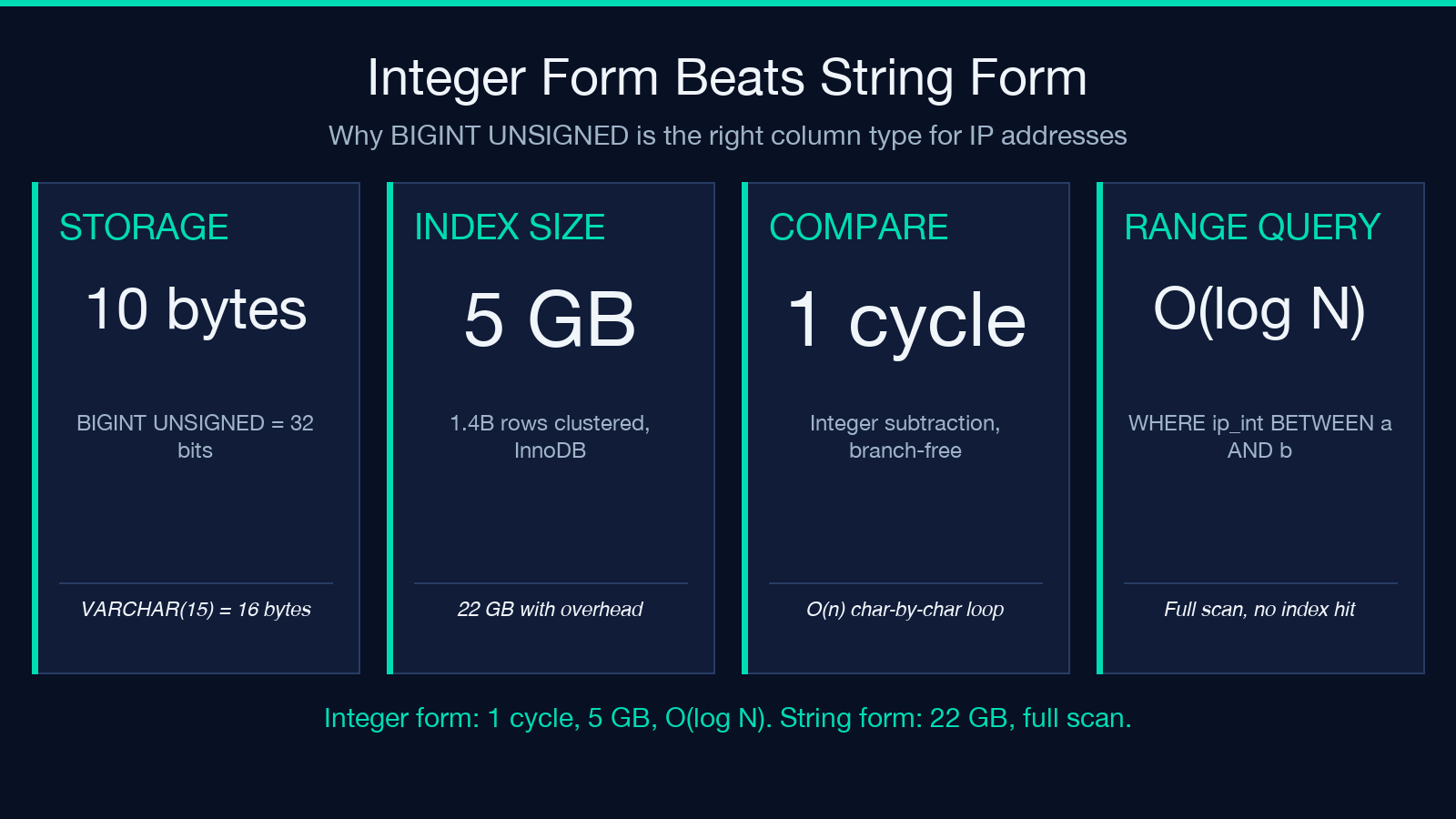
Strings are the wrong key for most IP operations. Three cases where the integer form wins:
- Subnet range checks — “is
10.0.0.42inside10.0.0.0/24?” is(low <= ip) && (ip <= high)once both endpoints are integers. A string comparison would have to lex-sort dotted-decimal, which mostly works but breaks at10.0.0.99vs10.0.1.0. Use the CIDR Calculator to derive the low and high endpoints, then compare as integers. - Database joins —
SELECT * FROM logins WHERE ip_int BETWEEN ? AND ?is a single B-tree lookup. The same query on aVARCHARcolumn becomes a string scan. If you log IPs to a database, store them as 32-bit unsigned integers (BIGINT UNSIGNEDin MySQL,INTEGERin SQLite,uint32in Postgres) and keep the dotted-decimal form only for display. - Rate-limit sorted sets — Redis
ZADDwith the integer form gives you O(log N) range queries, which is exactly what you want for “how many requests from this /24 in the last hour?”.
The integer form is also the canonical form for IPv6 — 2001:db8::1 becomes the 128-bit integer 42540766411282592856903984951653826561 — but for IPv6 the integer is almost always stored as two 64-bit halves or as a 16-byte binary blob rather than as a single scalar. The ipv6-to-integer and integer-to-ipv6 tools handle the scalar form when you need it.
Common pitfalls at the conversion boundary
Three patterns bite teams that haven’t standardized on the integer form:
- Signed-vs-unsigned — PHP’s
ip2long()returns a signed 32-bit value on 32-bit builds, soip2long('128.0.0.0')returns-2147483648. MySQL storesINTas signed too. Always promote toBIGINT UNSIGNEDbefore storing, or usesprintf('%u', $ip2long_result)to coerce. - JavaScript bit-shift overflow —
(ip >>> 0)to convert a signed 32-bit result to unsigned. Without it, every address above127.255.255.255becomes negative. - SQL injection via IP string — IPs come from request headers and
X-Forwarded-Forchains. They’re not safe to interpolate. Convert to integer first, then validate the integer is in0..2^32 - 1.
The IPv4 to IPv6 tool handles the cross-family mapping (::ffff:192.168.1.42) for the cases where your pipeline needs both. The Integer to IPv4 tool is the reverse direction for when you have the integer and need the dotted-decimal form.
Batch conversion in practice
Most production pipelines get a list of addresses, not one at a time. The ipv4-to-integer tool accepts one address per line and emits one integer per line, in the same order. This is the format you want for:
- Log file analysis — convert a column of IPs from a CSV, then aggregate by integer range to find hot subnets.
- Diffing two access lists — convert both lists, sort by integer, then use
commto find the symmetric difference. The output is “address X is in list A but not B”. - Range compression —
iptables -m iprange --src-range 10.0.0.0-10.0.0.255requires the start and end addresses. The integer form lets you computestart = network_int,end = broadcast_intonce and emit the rule.
The showSourceData checkbox in the tool emits the original dotted-decimal form alongside the integer, which is the format you want for human-readable audit logs. The sortByInteger checkbox sorts the output by numeric value, which is the format you want for any kind of range-based analysis.
Putting it together
The integer form is the right key for any operation that needs to compare, sort, range, or join IP addresses. The dotted-decimal form is the right display format. The conversion between them is stable, deterministic, and reversible — there is exactly one integer per address and exactly one address per integer.
If you’re building a logging pipeline, a rate limiter, or a network ACL, store the integer. If you’re building a UI, show the dotted-decimal. If you’re debugging a packet capture, show all three: decimal for the integer you computed, hex for what tcpdump shows, and the four bytes for what the kernel stored.
Run the four pre-flight checks before any conversion. Reject anything that fails. Use the IP Info tool when you need to map an integer back to a hostname or ASN. Explore more IP and network tools at elysiatools.com.
