
Why Three Inline <svg> Tags Are a Slow Leak You Stop Noticing
Most front-end codebases start with one inline SVG icon, then another, then a third, then a hundred. Every <svg> carries its own viewBox, its own path data, and — when an icon designer ships a 24×24 master alongside a 32×32 retina variant — duplicate path geometry the browser re-parses on every page load. A 60-icon dashboard can quietly spend 80 ms on icon decoding before any line of JavaScript runs. The fix is a sprite sheet, but the fix has its own traps: which mode (<symbol> vs <view>), how to dedupe overlapping geometry, whether to strip fill/stroke for currentColor theming, and how to sanitize the script and event attributes that designers leave in by accident. This guide walks through the decisions in the order you actually hit them, using the SVG Sprite Sheet Generator on Elysia Tools as the worked example.
What “Sprite Sheet” Actually Means in 2026
A sprite sheet is one SVG document that holds N icons. The two modern modes are:
- One icon used once — the merge overhead exceeds the parse savings. Inline the single
<svg></svg>and move on. - Icons that must animate independently —
<use></use>clones the source into a shadow DOM; CSS animations on the shadow root are restricted in some browsers. Inline the icon you need to animate. - Icons larger than 5 KB each — a sprite with 30 × 5 KB icons is a 150 KB document the browser must parse before the first paint. Split into multiple smaller sprites by feature area.
<symbol> is the default for inline use (React, Vue, server-rendered HTML). <view> is the default for external-file fragments — the path where you cannot inline a 200 KB sprite because Content Security Policy forbids data: SVGs and your CDN charges per byte.
Both modes solve the same problem (one parse, N renders) but the dedupe logic, id-prefix handling, and snippet generation differ. The generator in the worked example exposes both modes with a single toggle.
The Five Decisions You Make on Every Merge
When you drop 30 icons into the merge pipeline, five decisions determine whether the output is usable or a regression:
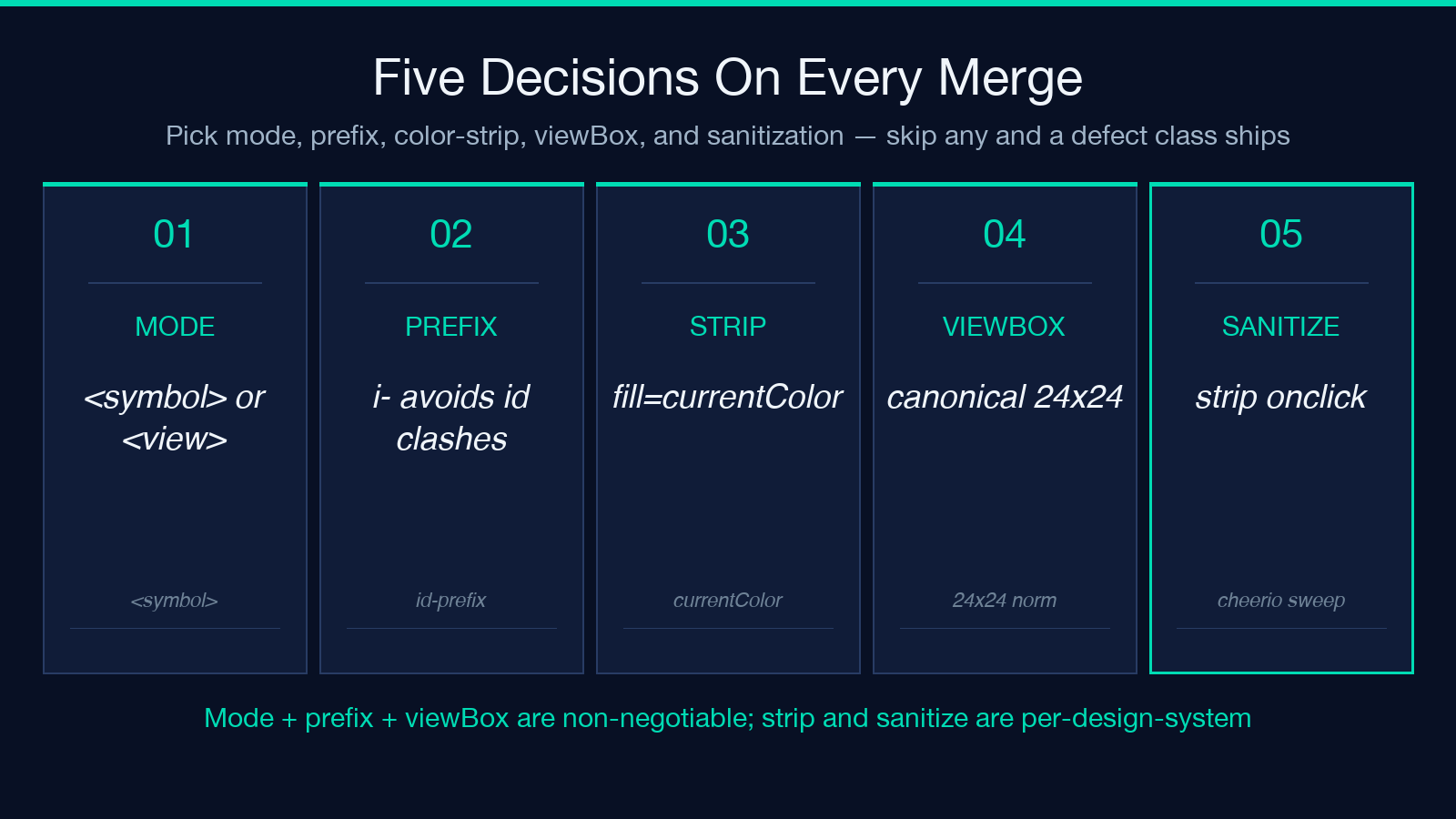
- 1. Mode —
<symbol>for inline,<view>for external fragments. Mixing the two is a category error; pick once, commit. - 2. Id prefix — SVG ids must be unique per page. If your design system already uses
i-for icons, let the generator add it; otherwise the consumer code duplicates ids with the page’s own<use>references. - 3. Strip color — turning
fill="#5b8ff9"intofill="currentColor"lets a single sprite theme across dark/light mode via CSS. The cost is that any icon that genuinely needs a hardcoded color (status pills, brand badges) breaks silently. The generator exposes this as a per-icon toggle. - 4. viewBox normalization — designers ship 24×24, 32×32, 48×48 master artboards. A sprite with three different viewBox families forces the consumer to set explicit
width/heighton every<use>, which kills the “drop-in” promise. The generator rewrites every icon to a canonical viewBox on merge. - 5. Sanitization —
<script>,onclick,onload, and externalxlink:hrefreferences leak into icon files when designers hand-export from Figma or Illustrator. The generator strips these by default; bypassing the strip is a deliberate choice, not an accident.
Skip any of these five and the resulting sprite has a defect class that only surfaces three months later, when someone tries to theme a dark-mode dashboard and watches half the icons render in the wrong color.
A Worked Example with Three Sample SVGs
The generator ships with three sample icons — basic shapes, stroke-and-fill, and transforms — that exercise the merge path. Drop all three with spriteType=symbol and no id prefix. The output is a single <svg style="display:none"> block holding three <symbol> elements, plus an HTML snippet:
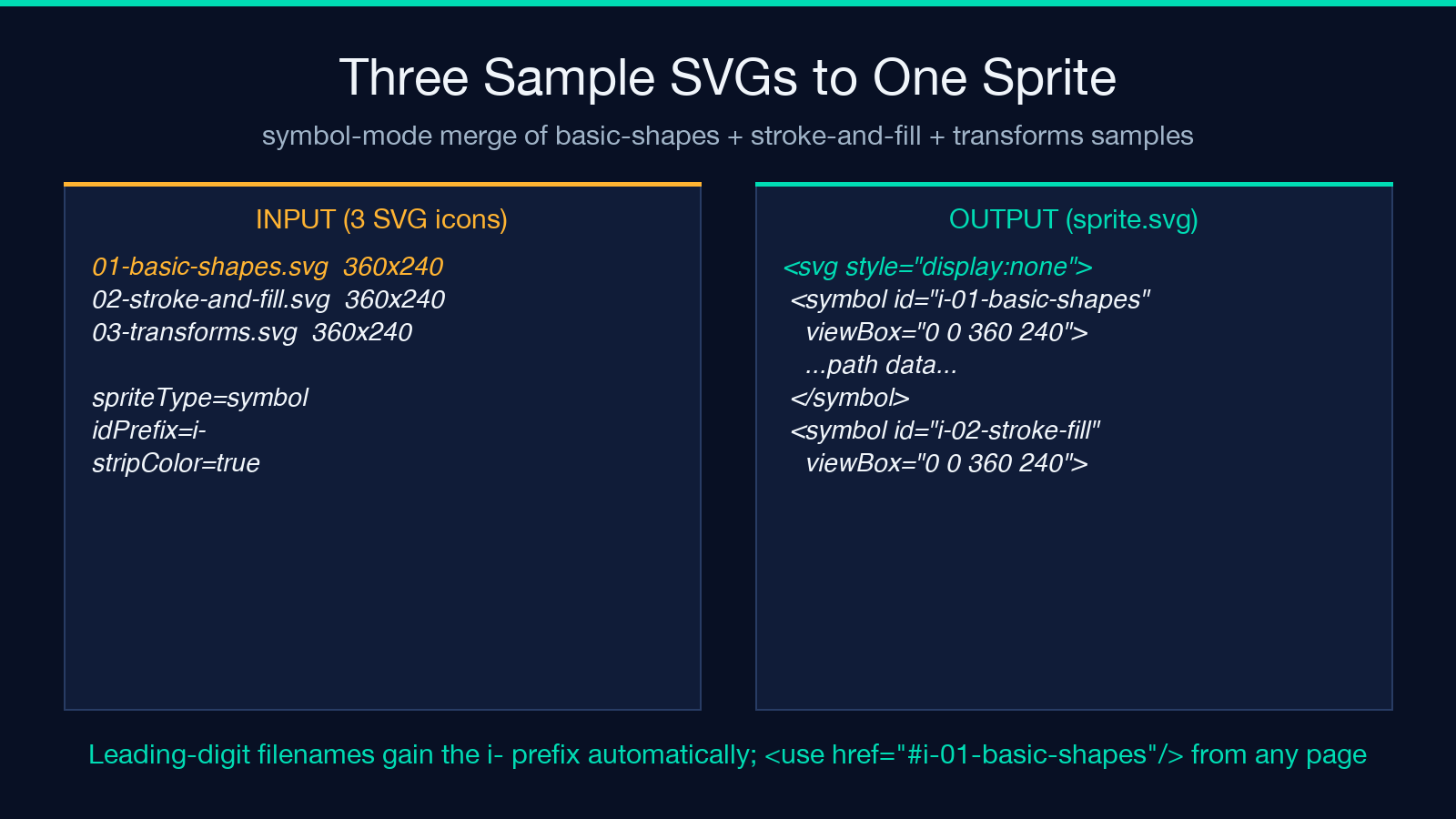
<svg style="display:none">
  <symbol id="01-basic-shapes" viewBox="0 0 360 240">...</symbol>
  <symbol id="02-stroke-and-fill" viewBox="0 0 360 240">...</symbol>
  <symbol id="03-transforms" viewBox="0 0 360 240">...</symbol>
</svg>
Reference any icon from the page with . The leading-digit filenames gain the i- prefix automatically because SVG ids cannot start with a digit — without that prefix, the browser refuses to resolve #01-basic-shapes and silently drops the icon.
Flip the same three icons into spriteType=view with a custom icon- prefix and the output becomes:
<svg xmlns="http://www.w3.org/2000/svg">
  <view id="icon-01-basic-shapes" viewBox="0 0 360 240"/>
  <g id="icon-01-basic-shapes">...</g>
  ...
</svg>
External-file consumers point at sprite.svg#icon-01-basic-shapes and the browser fetches only the fragment, not the full sprite. This is the path you take when CSP forbids inline SVG.
The Three Failure Modes That Hide Until Production
Three defects survive the merge but only surface under load:
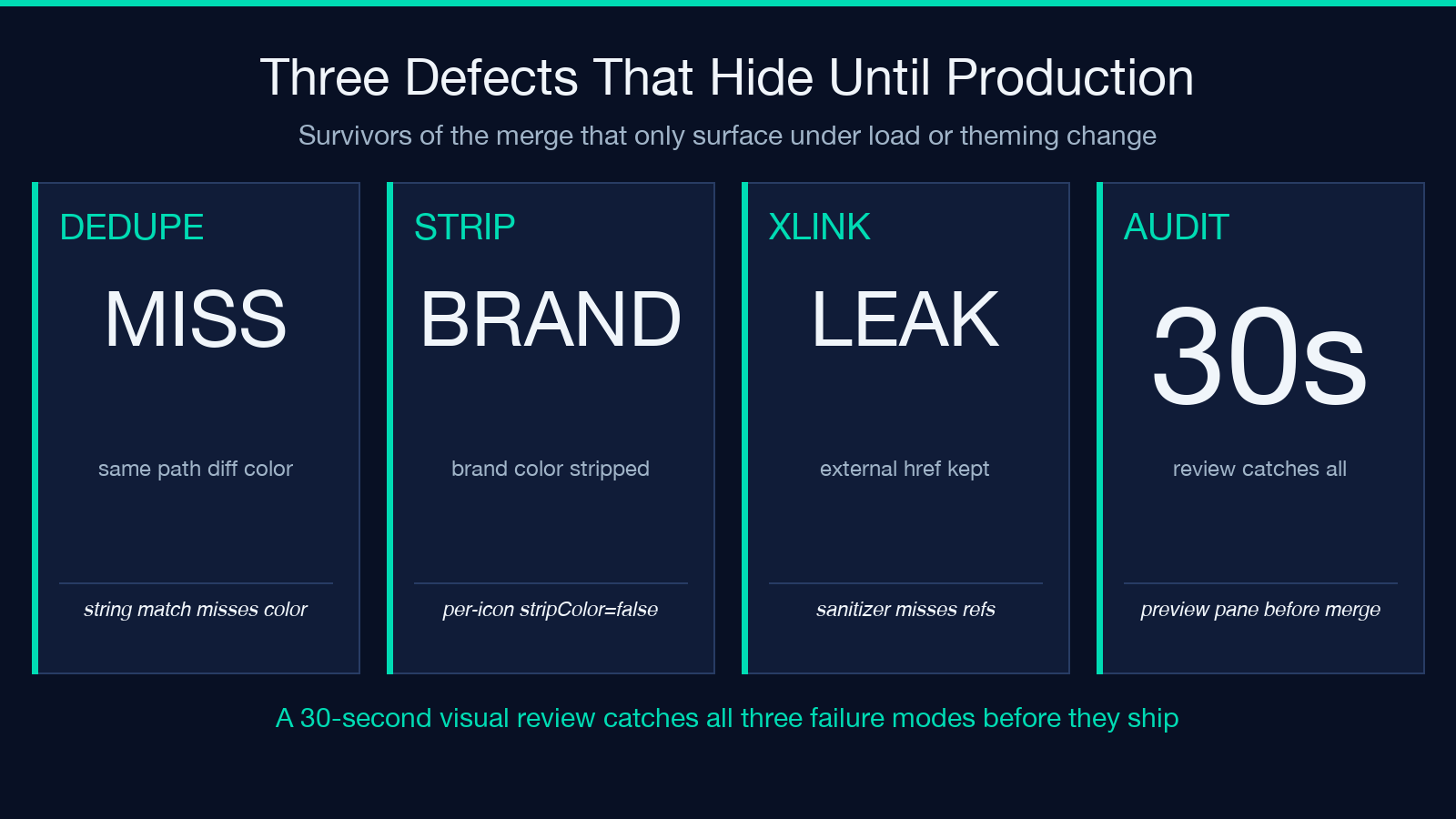
- Duplicate geometry — two icons with identical path data but different ids. The generator dedupes on path-string equality; if your designer exported the same icon twice with different colors, the dedupe misses it because the path strings differ. Manual audit required.
- Stripped color that should not be stripped — when
stripColor=trueis global and one icon needs a hardcoded brand color, the icon renders incurrentColorinstead. The fix is per-iconstripColor=false, not a global revert. - External
xlink:hrefthat the sanitizer missed — designers occasionally reference external sprites viaxlink:href="other.svg#other-icon". The sanitizer stripsscriptand event attributes but does not touch external references. If the referenced sprite moves, every consumer breaks silently.
All three are caught by a 30-second visual review of the merged output against the source icons. Skipping the review is the recurring failure mode; the generator’s preview pane exists exactly so the review is fast.
When a Sprite Sheet Is the Wrong Tool
Three cases where a sprite sheet is the wrong abstraction:
- One icon used once — the merge overhead exceeds the parse savings. Inline the single
and move on. - Icons that must animate independently —
clones the source into a shadow DOM; CSS animations on the shadow root are restricted in some browsers. Inline the icon you need to animate. - Icons larger than 5 KB each — a sprite with 30 × 5 KB icons is a 150 KB document the browser must parse before the first paint. Split into multiple smaller sprites by feature area.
For everything else — the long tail of “icon set for a dashboard, settings page, or marketing site” — the sprite sheet is the right call, and the SVG Sprite Sheet Generator on Elysia Tools is the fastest way to produce one without writing the merge logic yourself.
How viewBox Normalization Saves You From
When the input icons ship with mixed viewBoxes — a 24×24 master, a 32×32 retina, and a 48×48 brand mark — the unmerged sprite forces every consumer to write to get a consistent render. The width and height on the outer override the element’s natural sizing, which means the icon scales to whatever box the consumer drew — usually wrong for retina and always wrong for accessibility (the icon’s pixel-per-em ratio drifts away from the surrounding text size). The generator rewrites every icon’s viewBox to a canonical value on merge, so a single (no width, no height) renders the icon at the surrounding text’s font-size. That is the property you actually want from a “drop-in” sprite, and it is the property that disappears the moment any single icon in the set has a non-canonical viewBox.
Snippet Generation Is the Quiet Win
The generator emits HTML, React, Vue, and CSS snippets alongside the sprite. The React snippet is a typed component:
import { Sprite } from './sprite.svg';
export const Icon = ({ name, ...props }) => (
  <svg {...props}><use href={#${name}}/></svg>
);
The Vue snippet uses with the sprite imported as a static asset. The CSS snippet targets [data-icon] attributes on any element. All three are drop-in for the canonical front-end stacks, which is the point: the merge is the hard part, the snippet is the easy part, and shipping both at once removes the second decision the consumer would otherwise have to make.
Explore more tools at elysiatools.com.
