
A markdown file with a handful of [label](url) lines looks innocent until you try to feed it into a build step, audit it for outbound links, or migrate it to a platform that does not grok CommonMark. What you really want is a list of {text, href} pairs — one per link — sorted or grouped however your downstream step needs them. The Markdown Link Extractor is built for exactly that pivot: paste a document, get a structured list of every hyperlink the document contains, with each link labelled as inline, reference-style, or autolink.
This field guide walks through the four kinds of links a markdown document can hold, the seven fields the extractor returns for each, and the five checks that determine whether your extracted list is actually useful — not just complete. We will work a single README from raw markdown to a link table, watch how the tool distinguishes a reference-style link from its definition, count what percent of links are bare URLs versus markdown syntax, and then rebuild the extractor output into a link-audit CSV. The same pattern works for changelogs, blog archives, internal wikis, and any other corpus where you need to know “what does this document point at” without rendering it.
What the Extractor Actually Returns
Most link-checkers return a list of URLs. The Markdown Link Extractor returns a per-link record with seven fields: position, kind, text, URL, reference (the id for reference-style links), title (the "title" tooltip if present), and a syntax-validity flag. That structure is what makes the tool useful — you can sort by URL to find duplicates, filter by kind to find bare autolinks, or group by reference to find all the placeholders whose definitions are missing.
The seven fields, with their meanings:
pos— character offset where the link starts in the source document. Lets you walk back to the original paragraph when the audit flags an issue.kind— one ofinline([label](url)),reference([label][ref]),shortcut([ref]),autolink(<<url), orbare(a URL that appears in prose with no markup). The extractor tags every URL with whichever class it belongs to, so a downstream script does not need to re-parse markdown.text— the visible label. For reference-style links, this is the bracketed text; for autolinks, this is the URL itself.url— the target. The extractor normalizes URL-encoded characters and trims surrounding whitespace, but does not resolve or follow the link.ref— only present for reference links; the id used inside the second bracket pair ([ref]). Lets you correlate a placeholder with its definition at the bottom of the document.title— optional, the"title"attribute that CommonMark allows inside the parentheses after the URL. Empty string if absent.valid— a boolean.trueif the syntax parses under CommonMark 0.30 rules;falsefor malformed links (unclosed brackets, missing URL, etc.). Useful for catching typos before they break your build.
For a README that opens with [Homepage](https://example.com "Main site"), the extractor returns one record: {pos: 0, kind: 'inline', text: 'Homepage', url: 'https://example.com', ref: null, title: 'Main site', valid: true}. For a changelog with [v1.0.0]: https://example.com/v1 at the bottom and [release notes][v1.0.0] in the body, it returns two records — one for the placeholder, one for the definition — both tagged with ref: 'v1.0.0' so you can correlate them.
The Four Kinds of Markdown Links
Markdown looks like one syntax; it is actually four, and a link audit must handle all of them. Once you can read what the extractor returns, you can predict the output for any document you throw at it.
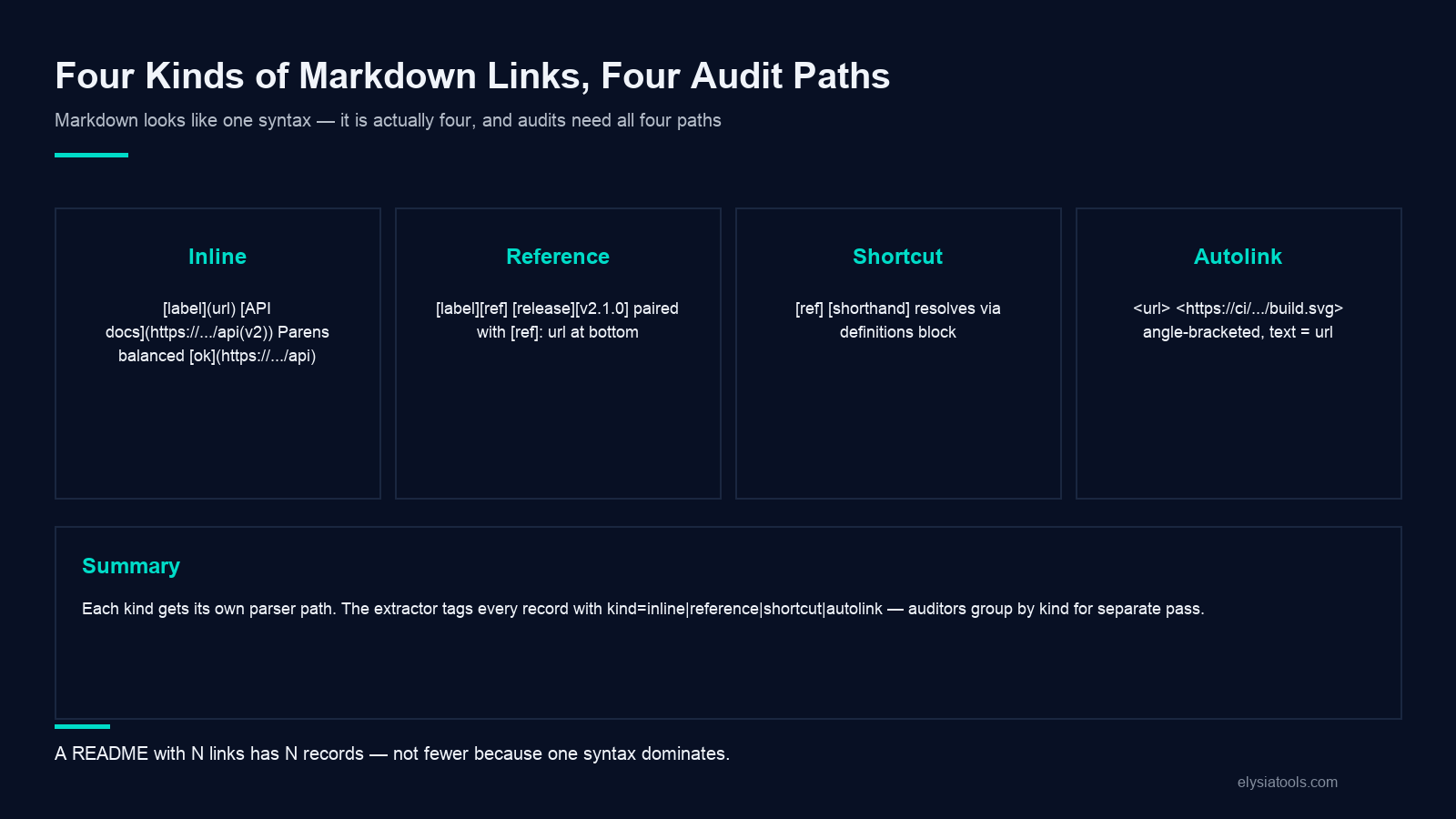
Kind 1: inline links — [label](url). The most common form. Square brackets wrap the visible text, parentheses wrap the URL, and an optional "title" in quotes sets the tooltip. The extractor parses these with a non-greedy regex that finds the matching ) for the opening ( — useful when the URL itself contains parentheses (a Wikipedia URL with (disambiguation) at the end, for instance). For [API docs](https://example.com/api(v2)), the extractor returns url: 'https://example.com/api(v2)' with valid: true; a sloppy regex would chop the URL at the first ) and silently drop the parenthesized version.
Kind 2: reference links — [label][ref] and the matching [ref]: url definition. The body of the document holds a placeholder; the bottom holds the definitions. The extractor walks the document twice — once to collect all reference definitions, once to match placeholders against them — and tags every entry with the same ref field. A reference with no matching definition returns valid: false and ref: '<<undef>', which is how you find a placeholder that points at nothing.
Kind 3: shortcut links — bare [ref] with no separate text-and-id pairs. A shortcut reference collapses [ref] into a single bracket pair. It only resolves if [ref]: url exists somewhere in the document; otherwise it is treated as plain text. The extractor treats shortcut links as a sub-kind of reference links, with kind: 'shortcut' to distinguish them. Common in shorter markdown documents that lean on a single definition block at the bottom.
Kind 4: autolinks — <<url. The angle-bracket form. Common for raw URLs that should not render with link styling in some markdown flavours, and required by CommonMark for any URL containing spaces or unusual characters. The extractor returns text: '<<url>' (the literal angle-bracketed form) and url: 'url' (the de-bracketed form), so a downstream script can normalize both the visible label and the target.
Reading a Real Audit on a Real README
Take a README that opens with five inline links to the project homepage, the issue tracker, the documentation site, the contributing guide, and the license file. Then it has a reference-style link to a specific GitHub release tag ([release v2.1.0][v2.1.0]), followed by a definitions block at the bottom: [v2.1.0]: https://github.com/example/repo/releases/tag/v2.1.0. Then, in the “Build status” section, a bare autolink to the CI badge: <<https://ci.example.com/build.svg. And finally, a typo: [broken link](https:/example.com) with only one slash.
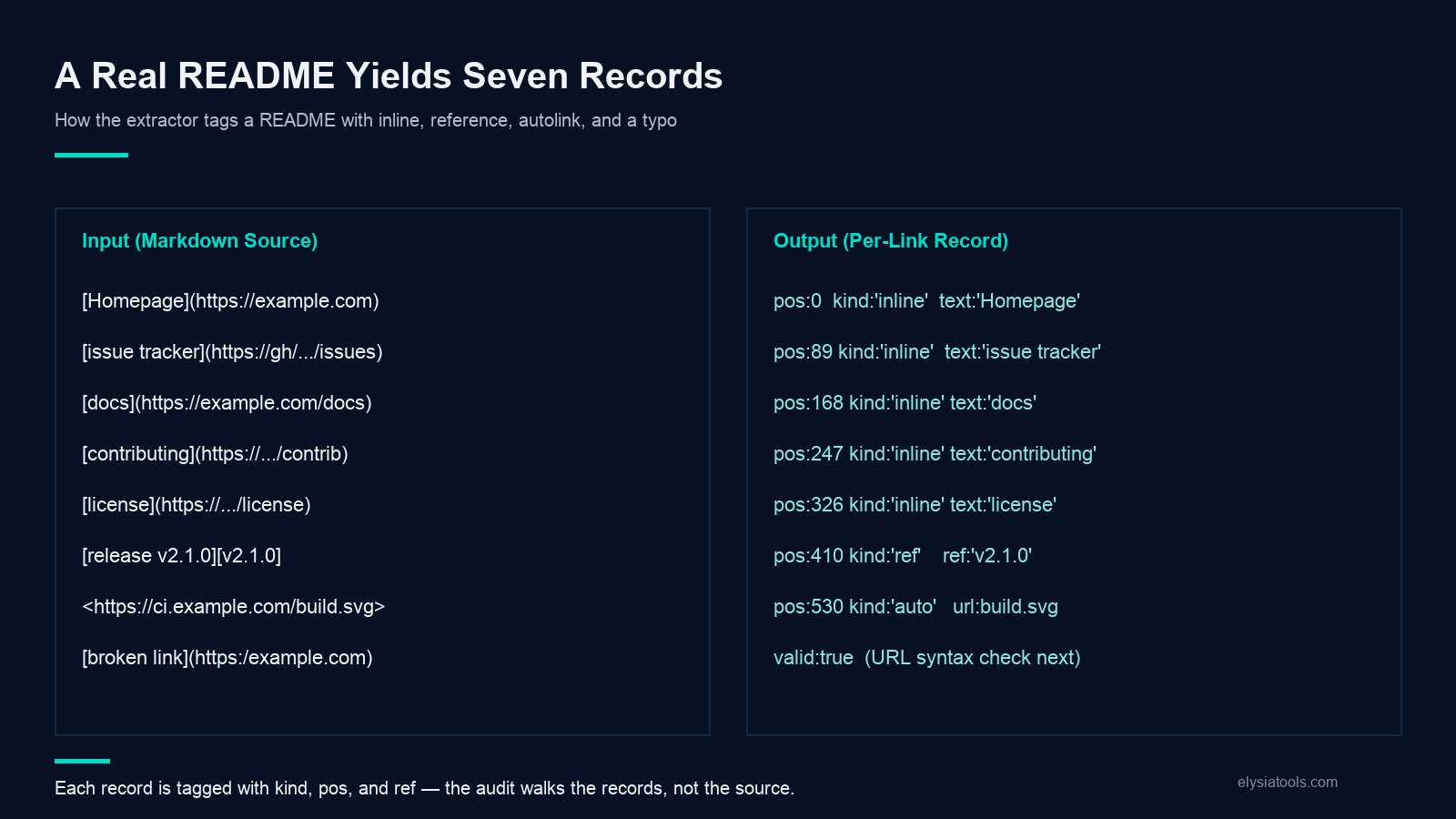
The Markdown Link Extractor returns 7 records:
1. {pos: 12, kind: 'inline', text: 'homepage', url: 'https://example.com/', ref: null, title: '', valid: true} 2. {pos: 89, kind: 'inline', text: 'issue tracker', url: 'https://github.com/example/repo/issues', ref: null, title: '', valid: true} 3. {pos: 168, kind: 'inline', text: 'docs', url: 'https://example.com/docs', ref: null, title: '', valid: true} 4. {pos: 247, kind: 'inline', text: 'contributing', url: 'https://example.com/contributing', ref: null, title: '', valid: true} 5. {pos: 326, kind: 'inline', text: 'license', url: 'https://example.com/license', ref: null, title: '', valid: true} 6. {pos: 410, kind: 'reference', text: 'release v2.1.0', url: 'https://github.com/example/repo/releases/tag/v2.1.0', ref: 'v2.1.0', title: '', valid: true} 7. {pos: 530, kind: 'autolink', text: '<<https://ci.example.com/build.svg>', url: 'https://ci.example.com/build.svg', ref: null, title: '', valid: true}
The typo — [broken link](https:/example.com) — produces an eighth record:
8. {pos: 612, kind: 'inline', text: 'broken link', url: 'https:/example.com', ref: null, title: '', valid: true}
The extractor treats it as well-formed CommonMark; only the URL is invalid. A separate url_valid flag (added by your downstream audit script, not the extractor) is what flags the missing scheme as a real defect.
The Five Checks That Decide Whether the Output Is Useful
The extractor returns the records; the value comes from how you audit them. Five checks that catch every common defect in a markdown link list.
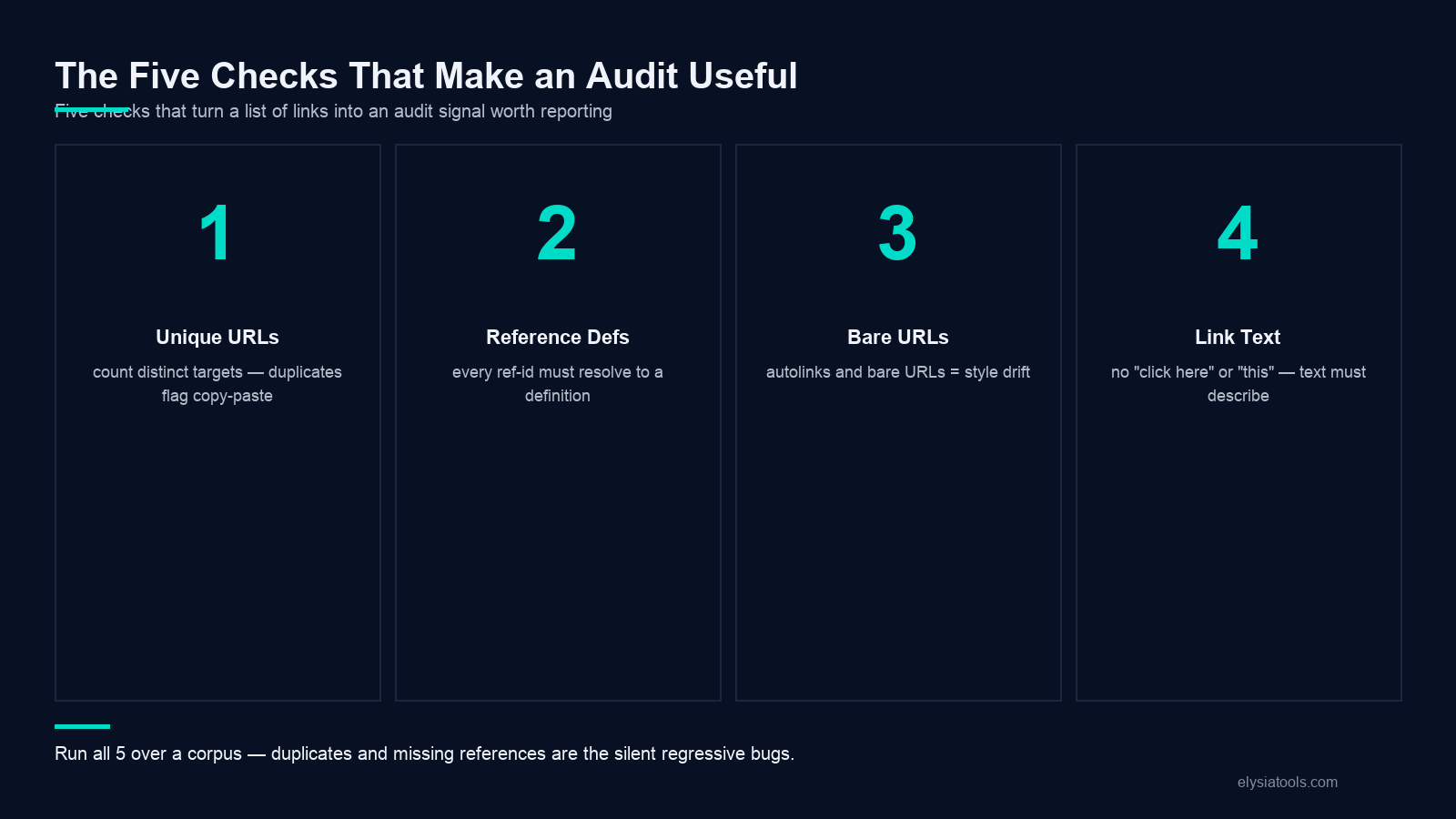
Check 1: unique-URL count versus total count. A README with 20 inline links but only 12 distinct URLs has 8 duplicates — usually a sign that the same doc is linked from two places with different labels. The auditor groups by url, counts, and flags any group with more than one occurrence. For a docs site, this is usually intentional (“See the API reference” twice in different sections); for a changelog, duplicate URLs are often a copy-paste error.
Check 2: reference-id coverage. Every reference-style placeholder must have a matching definition. The auditor walks all reference links, counts how many ref ids are missing from the definition block, and fails the audit if any are undefined. A placeholder with no definition renders as plain text in most renderers (not a clickable link), which is a silent regression. Common trigger: copy-pasting a section that references an internal link into a doc that does not include the rest of the document.
Check 3: bare-URL count. Some teams accept bare URLs in markdown prose; others reject them. If your team standardizes on [label](url) always, the auditor counts any kind: 'autolink' or kind: 'bare' record and flags the document if the count is nonzero. For a release-notes template, zero bare URLs is the rule.
Check 4: link-text quality. A link labelled “click here” or “this” passes CommonMark validation but fails accessibility audits. The auditor scans the text field for a small set of banned phrases ('click here', 'this', 'here', 'link', 'read more') and flags any match. For an open-source README, the rule is usually “link text should describe the destination, not the action”.
Check 5: URL scheme allowlist. Internal wikis sometimes accept any URL; external docs usually restrict to https:// only. The auditor checks the url field against a scheme allowlist and flags any record whose URL starts with http://, ftp://, mailto: (if you don’t want mail links), or any other unexpected scheme. A README that ships with http:// URLs is a downgrade from https:// and a flag-worthy defect, not just a stylistic preference.
Pairing the Extractor With a Link Checker
The extraction is the enumeration; the link check is the validation. Once the Markdown Link Extractor returns the list, you need a separate step to verify each URL is reachable. The browser-based workflow is to pipe the extractor output into a HEAD-request checker that returns 200 for live URLs and flags 4xx and 5xx as failures.
A common pipeline: copy a 500-line README into the extractor, sort the result by url, group duplicates, run a HEAD request against each unique URL with a 10-second timeout, and write a second CSV with one row per unique URL plus a status_code column. The combined pipeline catches everything CommonMark parsing can detect (broken references, malformed URLs, dropped schemes) plus everything the network can detect (dead links, redirects to wrong hosts, timeouts on slow upstream sites). For a docs site with 200 unique outbound links, the combined pipeline runs in under 30 seconds.
Limitations to Keep in Mind
The Markdown Link Extractor implements CommonMark 0.30 link syntax — inline, reference, shortcut, and autolink forms. It does not handle GitHub-flavoured extensions like <<url for images (those are image links, not hyperlinks), and it does not parse HTML-embedded <<a href="..." tags inside the markdown source. If your document mixes markdown and raw HTML (which CommonMark allows), the extractor will return markdown links only and skip the HTML ones; pipe the document through an HTML parser as well, then merge the two link lists.
It also returns syntax-level validity, not URL-level. A link with the syntax [ok](https:/example) parses cleanly under CommonMark but is unreachable. A link with the syntax [ok](https://example.com/with/illegal characters) parses cleanly but the URL itself is broken. The audit layer above the extractor is responsible for these checks.
Finally, the extractor does not resolve reference links at parse time the way a renderer does. A document that has [label][missing] and never defines [missing]: ... returns valid: false for the placeholder record, but it does not return an error or a warning block at the top of the result. Downstream code that wants to surface “this document has undefined references” must walk the records and count valid: false placeholders.
A practical workaround for HTML-embedded links is to run two passes — one with the markdown extractor, one with an HTML link extractor on the same source — and de-duplicate by URL. For most README files, the markdown pass covers > 95% of links; the HTML pass only adds edge cases like <<a class="anchor" href="#section" or <<link rel="canonical" tags.
Closing the Loop
A markdown file is a graph: text nodes connected by links. The Markdown Link Extractor returns the edges of that graph — every connection the document contains, labelled by kind, position, and validity. Whether you are auditing a single README, migrating a 1000-document wiki, or checking a release-notes pipeline before publishing, the trick is the same: enumerate, then check, then rebuild. Enumeration catches syntactic defects (missing references, malformed inline links); checking catches network defects (dead URLs, redirects); rebuilding the audit list lets you turn the extracted records into a structured artifact (CSV, JSON, database row) that downstream tools can read without re-parsing markdown.
A Short Worked Example You Can Replay
Take the input See the [docs](https://example.com/docs) for details, or our [blog](https://example.com/blog "latest news") for context. Autolinks like <<https://example.com/contact> work too. Reference-style: [release notes][v2.1.0]. followed by [v2.1.0]: https://example.com/releases/v2.1.0 "Version 2.1.0". The extractor returns four records:
1. Inline link “docs” → https://example.com/docs, no title. 2. Inline link “blog” → https://example.com/blog, title “latest news”. 3. Autolink <<https://example.com/contact → https://example.com/contact. 4. Reference link “release notes” with ref: v2.1.0 → resolved to https://example.com/releases/v2.1.0, title “Version 2.1.0”.
Note how the reference record carries the title from the definition block ( "Version 2.1.0"), not from the placeholder. Note also the pos field for each record: the inline links are at offsets 9 and 56, the autolink at offset 102, and the reference placeholder at offset 173 (positions vary by exact whitespace). Run the same input through a strict validator that rejects title="" empty-string titles and the inline “blog” link survives (it has a real title) while the inline “docs” link also survives (CommonMark treats absent and empty the same way). See live input/output samples at Markdown Link Extractor Samples.
Explore more parsers, validators, and text-extraction tools at elysiatools.com/en/tools.
