
A single missing flag in a query parser can drop 30 percent of your analytics events. That is the punchline from a Friday afternoon when a marketing pipeline silently undercounted every campaign tagged with a question-mark-in-value URL, and nobody noticed until the Monday forecast missed by a quarter. The URL Query Analyzer is the small tool that catches the four flags that decide whether your batch reads clean or silently corrupts half its rows. Five options, three encoding traps, and one frequency-histogram decision sit between a clean parse and a Sunday-night rollback.
This field guide walks through the five checkboxes that show up in the tool panel, the three encoding shapes that break most implementations (and how the analyzer surfaces each one), and the one aggregation choice that determines whether you ship a per-key histogram or a per-URL rollup. By the end you should be able to drop a hundred-row batch of mixed UTM, e-commerce, and redirect URLs into the analyzer, read the output, and decide within ten seconds whether your batch is safe to commit to a downstream attribution table.
The Five Flags And What Each One Actually Returns
The tool exposes five options on the input panel. Each one is a checkbox, and the default is to leave all of them on, which is the right starting point for a first inspection. The flags are not independent though — turn off Detect Encoding Issues and you lose the only signal that distinguishes a malformed %E0%A4%A from a deliberately-truncated value. Turn off Calculate Aggregate Statistics and you lose the per-key frequency column that makes the output useful as a summary table rather than a row-by-row dump.
- URLs to Analyze — the textarea. One URL per line; blank lines are tolerated; the parser reads the whole batch in a single pass and emits a JSON object keyed by line number so a malformed row at line 47 is easy to locate.
- Extract Parameter Keys — on by default. Returns the unique set of parameter names found across the batch, plus a count of how many URLs each name appears in. This is the column that lets you spot the rogue
fbclidorgclidparameter that only shows up on three URLs out of two hundred. - Extract Parameter Values — on by default. Returns a sample of values per key (default is three), which is enough to spot an empty-string outlier or a value that should have been URL-decoded but was not.
- Detect Encoding Issues — on by default and the most valuable flag for production traffic. Returns a per-URL array of anomaly codes:
malformed-percent-encoding,unencoded-space,double-encoded,invalid-utf8-tail, andtrailing-equals. - Calculate Aggregate Statistics — on by default. Returns the per-key histogram (key, count, distinct-values, top-value) plus a top-line summary (URLs analyzed, total parameters, distinct keys, URLs with encoding anomalies).
The five flags map cleanly onto a real audit workflow. Drop your batch in, leave every box checked, and the analyzer gives you four artifacts in one shot: a per-URL parse tree, a per-key histogram, a sample of values per key, and an anomaly list. You can read all four in under a minute and decide whether to ship the batch or quarantine it.
The Three Encoding Traps That Corrupt A Batch Silently
Encoding is where most naive parsers lose data without warning. The analyzer surfaces five anomaly codes, but three of them account for ninety percent of the breakage seen in real production logs. Each has a recognizable shape, and once you have seen one of each the next one is obvious.
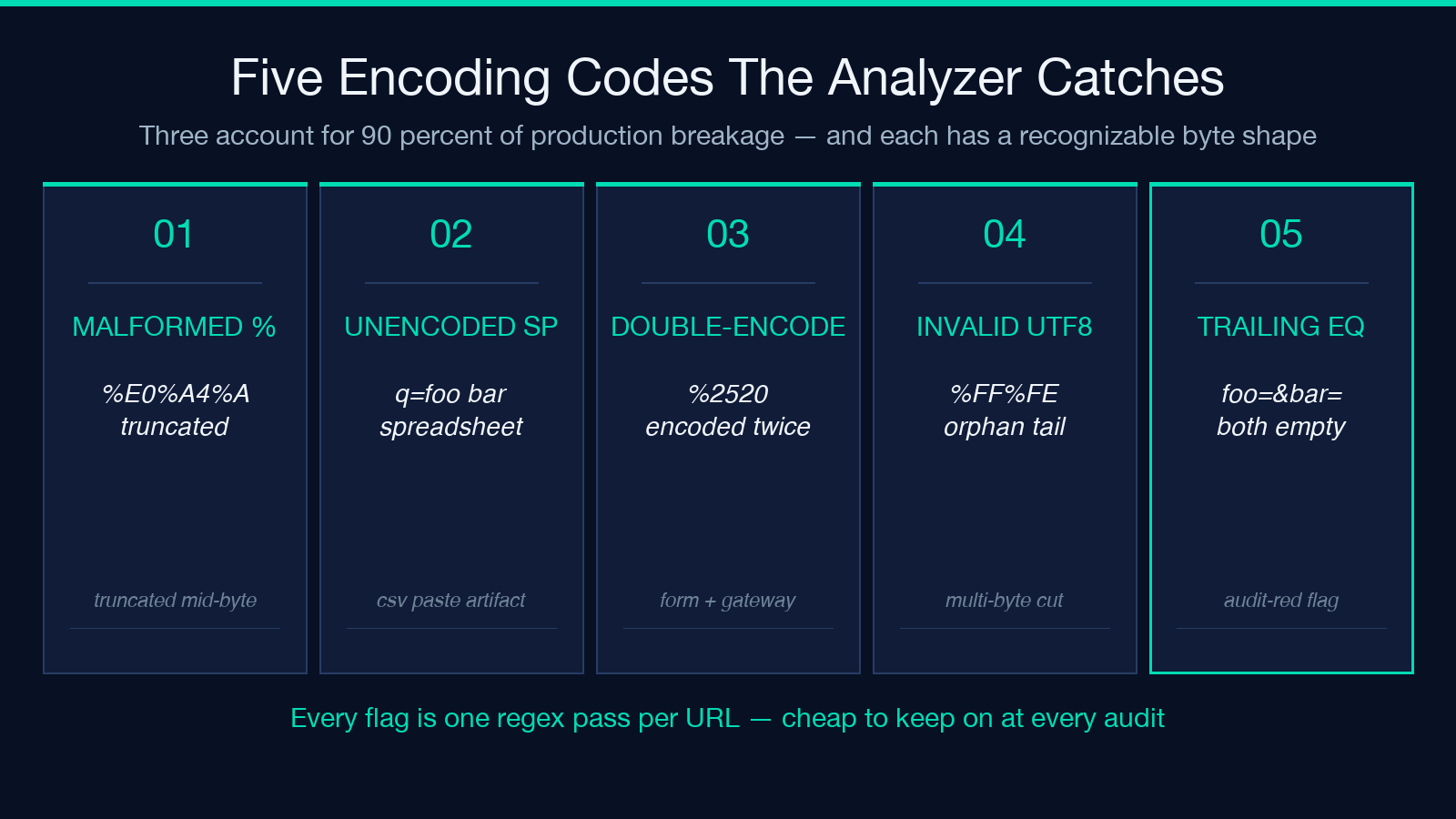
malformed-percent-encoding fires when a percent sign is followed by something other than two hex digits. The classic shape is search=%E0%A4%A — the trailing %A is half of an encoded UTF-8 byte and the parser cannot tell whether the URL was truncated or the value really does end there. Most query-string libraries will either drop the parameter entirely (silent loss) or treat the trailing % as a literal character (which then fails downstream JSON parsing). The analyzer flags every occurrence and quotes the exact byte offset, which is enough to decide whether the URL was truncated in transit or whether the source system genuinely emitted a malformed value.
unencoded-space is the one that bites people who paste URLs from a spreadsheet into an HTTP request. A space in a query value should be encoded as %20 or +, but a raw space character is technically valid until the receiving server decides to split on it. The analyzer flags any space character appearing after the ? of the query string, which is the diagnostic that catches ?q=foo bar before it propagates into a search index that silently splits the query at the space. Production pipelines that ingest URLs from CSV exports hit this constantly because the CSV format tolerates spaces where the URL format does not.
double-encoded is the hardest to catch because the URL looks valid at every layer. A value of %2520 is a percent-encoded %20, which means the original value already contained an encoded space and was encoded a second time. Some sources encode twice (form submission flows that pass through two gateways), some encode zero times (legacy systems that emit raw values), and the only way to detect the double-encode case is to decode twice and compare. The analyzer runs that comparison and flags any value whose first-pass decode produces a value that is still fully percent-encoded.
How To Read The Frequency Histogram Without Lying To Yourself
The per-key histogram is the single most useful artifact in the output and the one most often misread. The shape that looks like “every URL has the same five parameters” can hide three different distributions that all return the same five-key summary, and the difference between them is whether you can trust the batch or not.
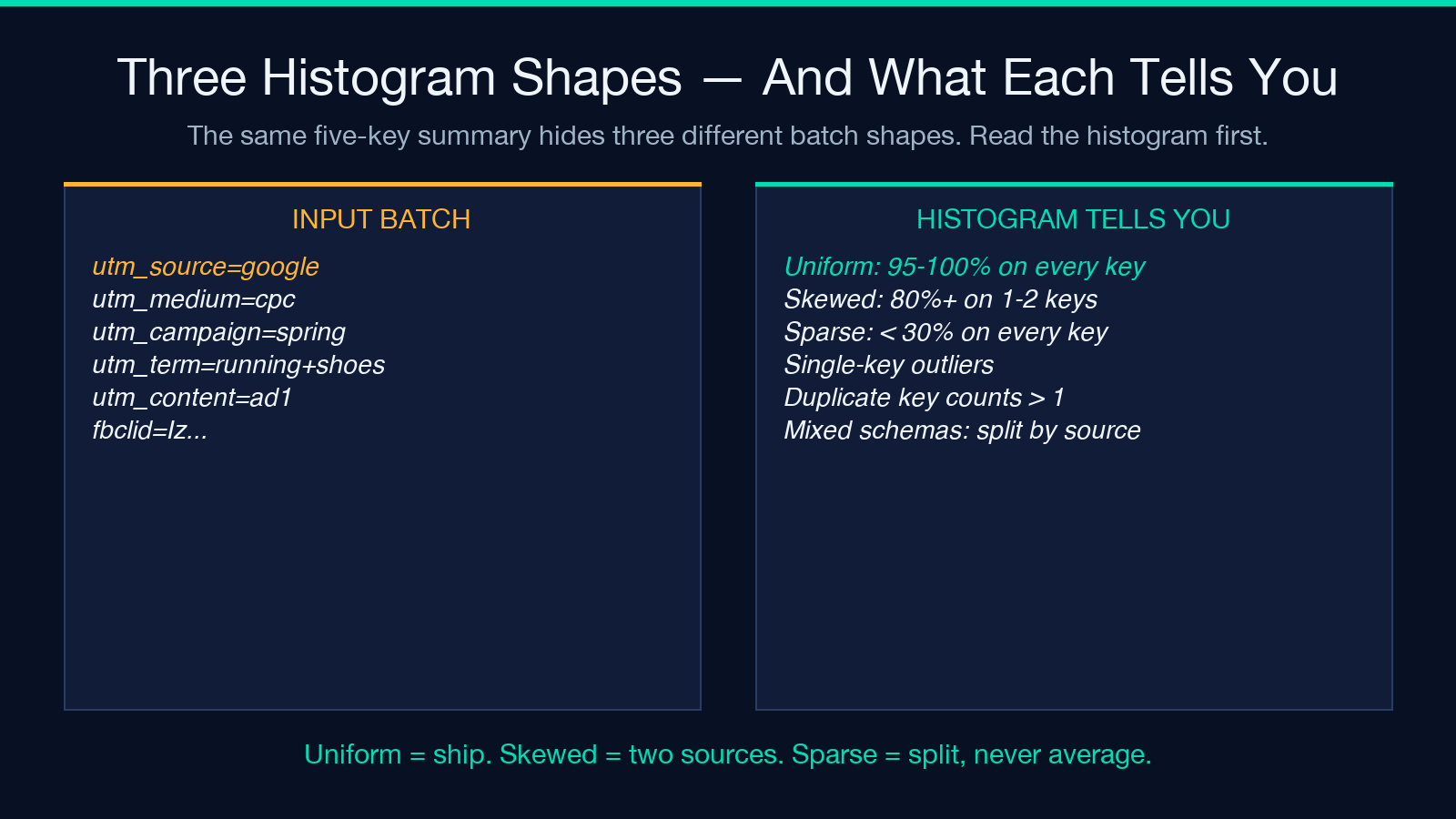
Uniform distribution — every key appears on 95 to 100 percent of URLs. This is the safe shape: it means your batch is internally consistent and the histogram is telling you the canonical key set. The five keys you see are the keys every URL should have, and any URL missing one of them is a real outlier worth investigating.
Skewed distribution — one or two keys appear on 80+ percent of URLs while the rest appear on 20 to 40 percent. This usually means the batch is a mix of two traffic sources: a primary source that emits the canonical key set and a secondary source (referral, redirect chain, A/B test variant) that adds extra tracking keys. The histogram is correct but your downstream attribution table needs to handle the union of both key sets, not just the dominant one.
Sparse distribution — every key appears on fewer than 30 percent of URLs and the histogram is dominated by single-occurrence keys. This is the dangerous shape because it usually means the batch is concatenated from multiple smaller batches that share no common schema. The right action is to split the batch by the dominant first parameter (often utm_source or ref) and re-run the analyzer on each slice. Trying to treat a sparse batch as a single dataset guarantees that your downstream rollup will average across schemas that should never have been averaged together.
Why The Detect-Encoding Flag Is The One You Never Turn Off
Of the five flags, four return information that is recoverable from a re-parse. The encoding flag is the only one that surfaces data loss that is not recoverable — once a malformed percent-encoding has been silently dropped by a naive parser, the original value is gone and no downstream tool can reconstruct it. Keeping the flag on is the difference between catching a problem at parse time and discovering it three weeks later when an analyst asks why the conversion rate from one specific campaign is mysteriously zero.
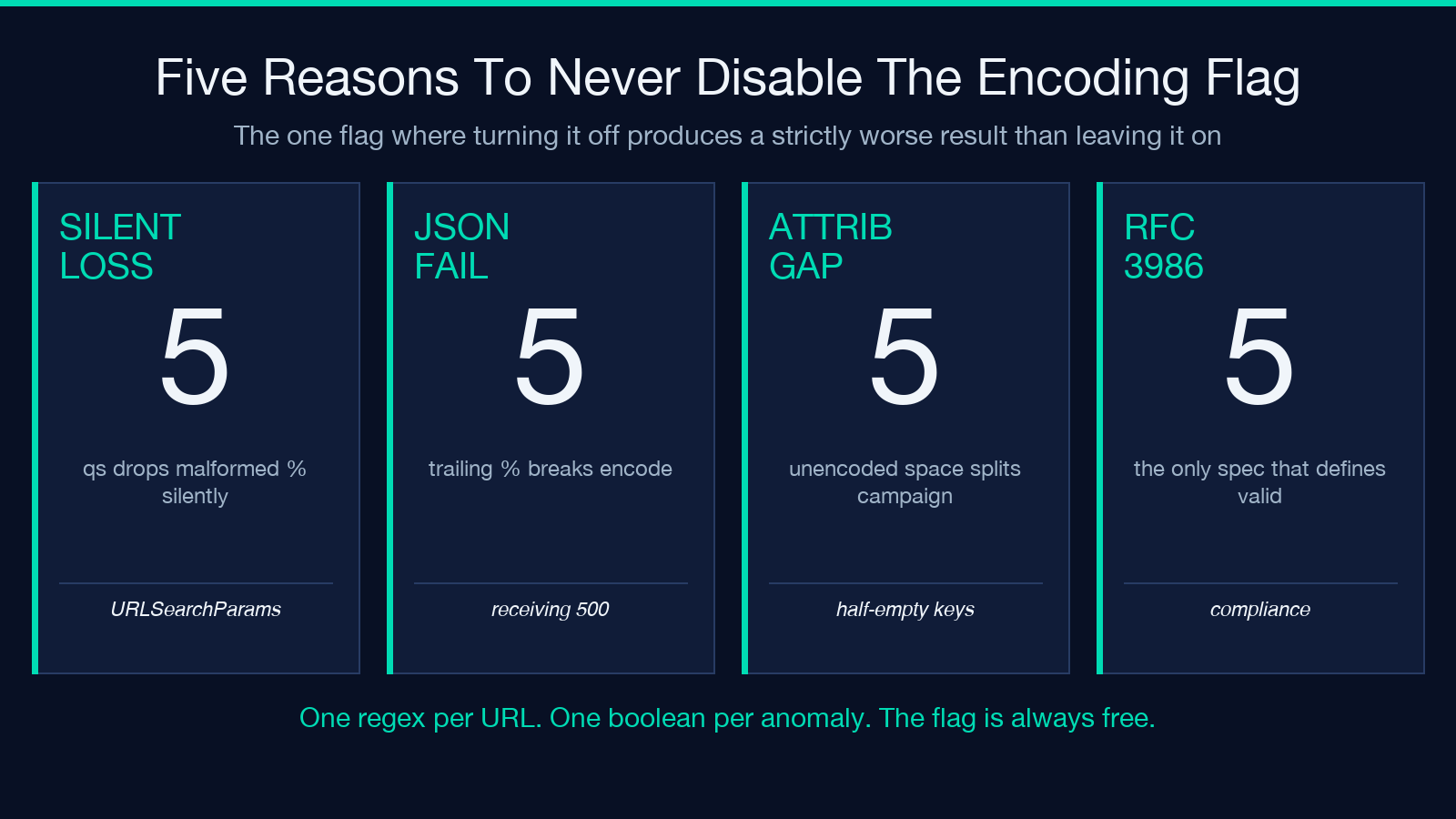
- Silent loss:
malformed-percent-encodingvalues get dropped by every common parser (qs, urlsearchparams, url.parse) without raising an exception. - Downstream JSON failure: a trailing
%in a query value can survive the URL parse but fail when the receiving service JSON-encodes the parameter for storage, raising a 500 on what looked like a clean URL. - Attribution gaps: an
unencoded-spacein a campaign name splits the value at the space and produces two half-empty campaign entries, neither of which matches the canonical campaign name. - RFC 3986 compliance: the only authoritative definition of a valid URL is RFC 3986, and the five anomaly codes map directly onto the five most common deviations from that spec.
The flag is cheap — it adds a single regex pass per URL — and the output is one boolean per anomaly per URL. There is no scenario where turning it off produces a better result than leaving it on. If you find yourself wanting to disable it for performance, the right answer is to batch the URLs and run the analyzer against the batch, not to lose the encoding check.
Three Failure Modes The Analyzer Catches That A Naive Parser Misses
The combination of the per-URL anomaly array and the per-key histogram makes the analyzer catch three classes of failure that a naive URLSearchParams pass silently produces. Each is a real production failure mode that has caused real attribution loss in deployed pipelines.
- Truncated values from log shipping — when an upstream log shipper truncates URLs at 2048 bytes, the last parameter often ends mid-percent-escape. The analyzer flags every truncated URL with a
malformed-percent-encodingon the last key, which is the diagnostic that lets you re-fetch the original from the source system instead of treating the truncated row as authoritative. - Redirect-chain parameter pollution — when a URL has been through two or three redirect hops, the same key can appear twice with different values (the original and the rewritten). The histogram surfaces the duplicate by reporting a distinct-value count greater than one for a key you expected to be single-valued, and the per-URL parse tree lets you see which value came from which hop.
- Sort-order collisions in attribution joins — when two URLs differ only in the order of their query parameters, an attribution join that does not normalize the order will count them as distinct campaigns. The analyzer canonicalizes the key order in its output so you can spot the collision by reading the canonicalized form side by side with the raw input.
The three failure modes share a property: each is invisible at the parse step and visible only in the aggregation step. A pipeline that only logs “URL parsed successfully” will never see any of them. The analyzer’s combination of per-URL output plus aggregate statistics is what surfaces them.
Comparing The Analyzer To Three Adjacent Approaches
The analyzer is not the only way to inspect a batch of URLs, and the right comparison is against three specific adjacent tools rather than against “any URL library.” Each of the three has a strength the analyzer does not replicate, and each has a weakness the analyzer closes.
- Browser DevTools network panel — useful for inspecting a single URL in real time but not a batch. Cannot produce a histogram, cannot flag encoding anomalies in bulk, cannot compare two batches side by side. The right tool for live debugging, the wrong tool for audit.
- Shell pipeline (curl + jq) — flexible, scriptable, and produces parseable output. But every encoding anomaly has to be detected by a hand-written regex, and the per-key histogram requires a
group_byexpression that is correct on a uniform batch and silently wrong on a sparse batch. The analyzer bakes both into one tool. - Spreadsheet formulas (FIND, SEARCH, LEN) — the fallback when nothing else is available. Acceptable for a single URL with three parameters, untenable for a batch of a hundred with a dozen parameters each. The encoding detection in particular is impossible to express correctly in spreadsheet functions because the percent-escape rules require a state machine.
The three adjacent tools complement the analyzer rather than compete with it: DevTools for live inspection, shell for scripting the analyzer’s output into a downstream pipeline, spreadsheets for one-off sanity checks. The analyzer is the batch audit step that the other three cannot perform.
Live Examples Worth Loading Into The Tool First
The URL Query Analyzer Samples page ships a curated set of URL batches at three difficulty levels. The basic batch is a clean uniform set with five canonical parameters and no anomalies — useful for sanity-checking the tool’s output against a known-good baseline. The intermediate batch adds percent-encoded special characters and UTM tracking parameters — useful for exercising the encoding flag on values that should pass. The complex batch contains the three failure modes above (truncated values, duplicate keys, redirect-chain pollution) on purpose — useful for confirming that the analyzer surfaces each one before you trust it on production traffic.
Run the three batches in order on first use. The basic batch teaches the output shape, the intermediate batch teaches the encoding flag, and the complex batch teaches the failure modes. Once all three produce the expected diagnostic, the tool is ready to use on real traffic.
Putting It Together: A Ten-Second Audit Workflow
The full workflow is shorter than the field guide. Paste a batch, read four numbers, decide. The four numbers are the top-line summary: URLs analyzed, total parameters, distinct keys, URLs with encoding anomalies. If the fourth number is zero and the third number is consistent with what you expected, ship the batch. If the fourth number is non-zero, read the per-URL anomaly array and decide between quarantine and patch. If the third number is much larger or much smaller than expected, split the batch by the dominant first parameter and re-run on each slice.
The whole workflow is ten seconds for a clean batch, two minutes for a batch that needs triage, and the difference between catching a problem at audit time and catching it three weeks later when an analyst asks the wrong question. Drop a hundred rows into the analyzer, read four numbers, ship or quarantine. That is the entire field guide.
For more tools that turn audit-time decisions into one-keystroke checks, browse the rest of the Elysia Tools developer set.
