
The first staging-versus-prod payload you paste into a diff tool returns a 600-line wall of red and green, and you cannot tell which lines are real. Every id, createdAt, requestId, and etag field looks like a contract regression. Every quota integer count looks like an accidentally stringified field. You scroll past the timestamps, mentally subtract the UUIDs, and hope the actual bug — usually a single nested value change — is somewhere in the next 30 lines. Most days, it isn’t. That is the problem the API Response Diff & Semantic Analyzer is built for.
The analyzer compares two API response payloads, highlights the field-level diffs, and then classifies each difference as either a likely functional change or harmless runtime drift. It works whether you paste pre-saved snapshots, point it at two live endpoint URLs, or both. The output stays scannable even when the two responses differ in hundreds of fields.
Why Field-Level Diff Breaks Down Without Classification
A naive JSON diff tool treats every key change as equal. id flipping from one UUID to another registers the same as profile.tier flipping from "pro" to "enterprise". createdAt shifting by five minutes registers the same as quota shifting from the integer 10 to the string "10". None of those are equal in operational weight. The first three are baked into the runtime — UUIDs are constant per record, timestamps always move, request IDs reset on every call. The last one is a regression: an integer quota was stringified somewhere in the response serializer, and downstream code that does quota > 0 will silently fail on type-coercive platforms.
The Elysia Tools diff tool solves this by walking the JSON tree, classifying each diff, and routing it to one of two visual lanes — contract change or safe drift. You can suppress the safe-drift lane entirely with the ignoreSafeDrift flag, leaving only the fields that look like real regressions.
What the Tool Catches Out of the Box
The analyzer recursively walks both payloads and surfaces four categories of difference. Added fields appear when the right payload has a key missing from the left. Removed fields are the inverse. Nested value changes show up as a path like profile.tier or profile.quota with the old and new value inline. Type changes show the same path with the value type flagged, which is the most common source of silent breakage: an API that starts returning null for a previously-integer field, or a boolean that comes back as "true" after a server-side refactor.
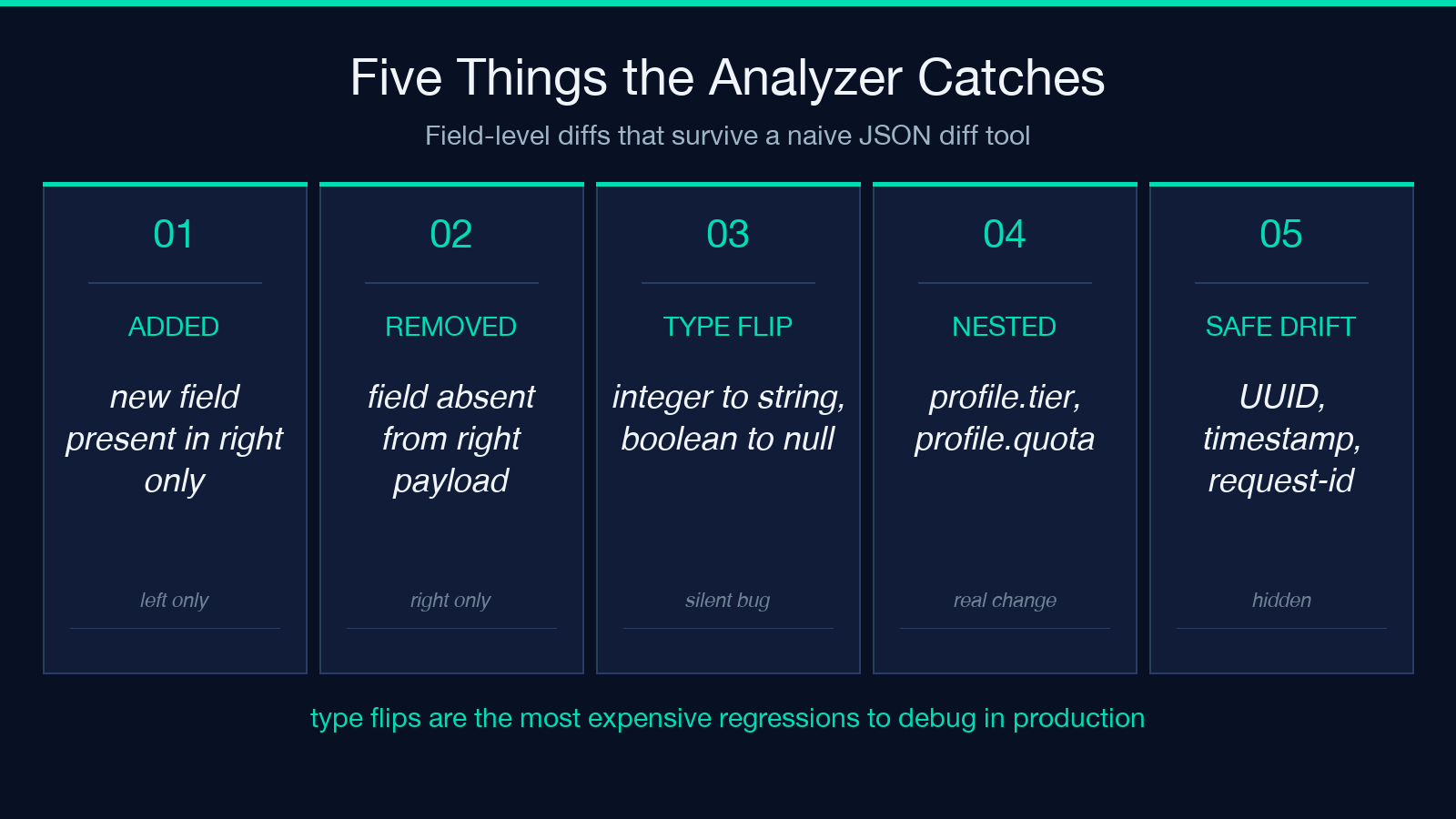
The classifier behind the scenes uses a heuristic regex pack to flag likely-safe UUIDs, ISO 8601 timestamps, and request-id shapes. You can extend the heuristic with the useAiSemanticReview flag, which passes borderline cases to a model-based reviewer that decides whether an ambiguous change — for example, a status enum with a new value — is intentional drift or a contract regression.
Reading the Sample Payload Pair
Take the bundled example. Left side (labeled staging) and right side (labeled production) of a single user payload look like this:
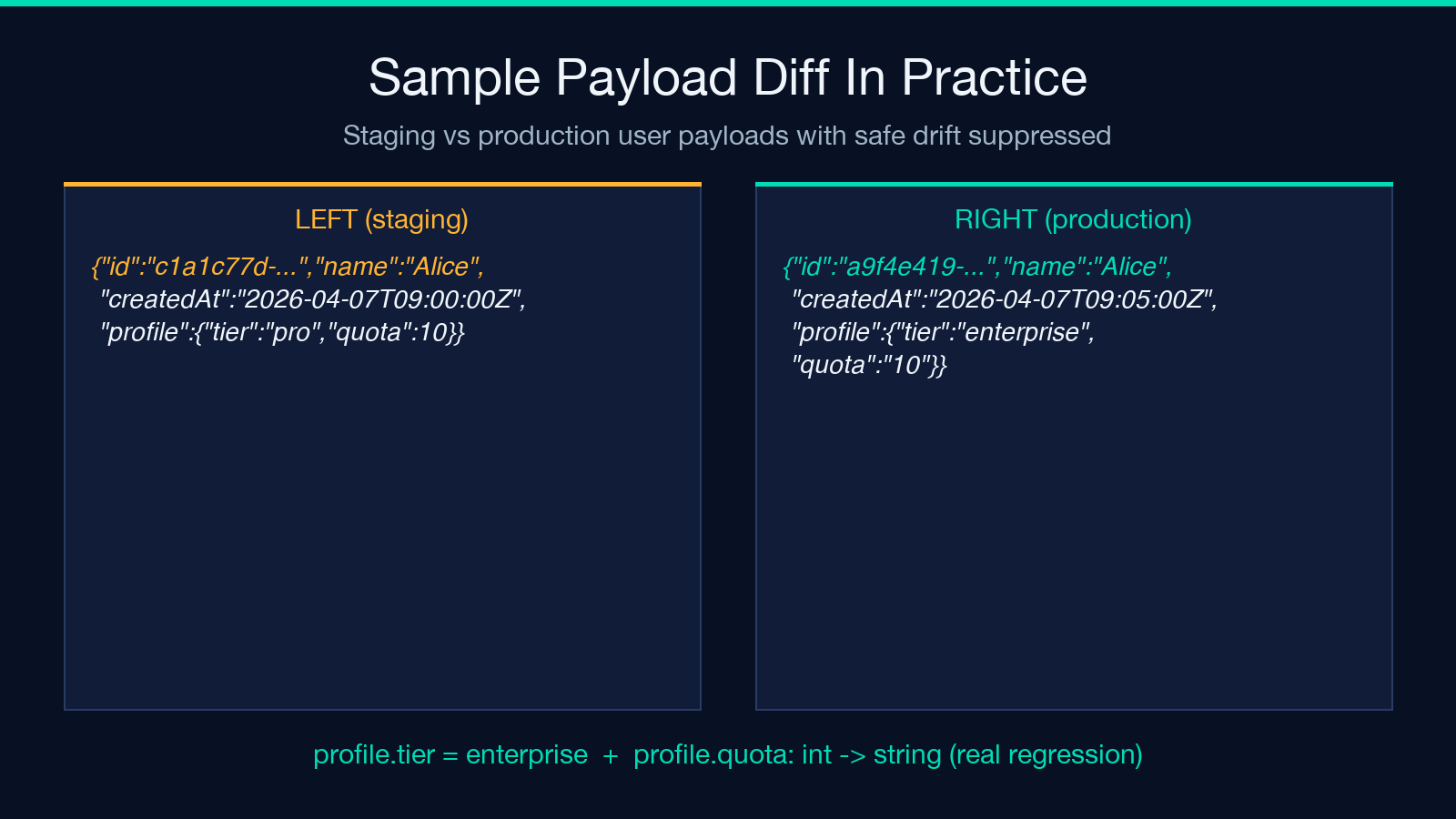
left:  {"id":"c1a1c77d-…","name":"Alice","createdAt":"2026-04-07T09:00:00Z","profile":{"tier":"pro","quota":10}}
right: {"id":"a9f4e419-…","name":"Alice","createdAt":"2026-04-07T09:05:00Z","profile":{"tier":"enterprise","quota":"10"}}
id and createdAt are the noise — different UUID, five-minute drift on the timestamp. With ignoreSafeDrift: true, those vanish from the report. profile.tier flipping from pro to enterprise is a real change. profile.quota flipping from integer 10 to string "10" is the regression: same value semantically, different type, almost certainly a serializer bug. Both surface in the contract-change lane.
Using Live Endpoint Probes Instead of Pasted Snapshots
When you don’t have saved snapshots, the analyzer can drive two real HTTP probes with the same request definition. Fill in leftEndpointUrl, rightEndpointUrl, httpMethod, requestHeadersJson, and requestBodyJson. The tool sends the probe to both, captures the responses, and runs the diff on the live JSON. This is the right mode for endpoint regression checks against staging vs production, v1 vs v2 canary, or any other two-environment comparison where you want to drive a fresh request and capture whatever the server is actually returning right now.
The shared request definition matters. If you put a different Authorization header in left vs right, you have not diffed the API — you have diffed two different auth contexts. Keep requestHeadersJson identical across both sides.
When to Skip the AI Semantic Review
useAiSemanticReview is genuinely useful for borderline cases — a new status value, an enum that added a state rather than replacing one, a field that switched from snake_case to kebab-case across an entire response. It is wasteful on obvious cases where the heuristic already classifies cleanly. Skip it when the diff is small (under ten field changes) and the heuristic-classified result already reads cleanly. Enable it when the diff has twenty-plus field changes and you want a second pass on the borderline subset.
Pairing With JSON Sample Fixtures for Testing
The diff tool works best when you have stable fixtures to drive it with. If your team maintains a JSON fixtures library, you can wire the analyzer into your test suite by capturing two snapshots per endpoint and feeding them as leftResponseJson and rightResponseJson. For ad-hoc work without a fixtures library, the JSON samples on Elysia Tools provide ready-made user payloads, error envelopes, and pagination wrappers that you can paste in as left or right and immediately see what the classifier does with realistic shapes.
A Pre-Merge Diff Checklist
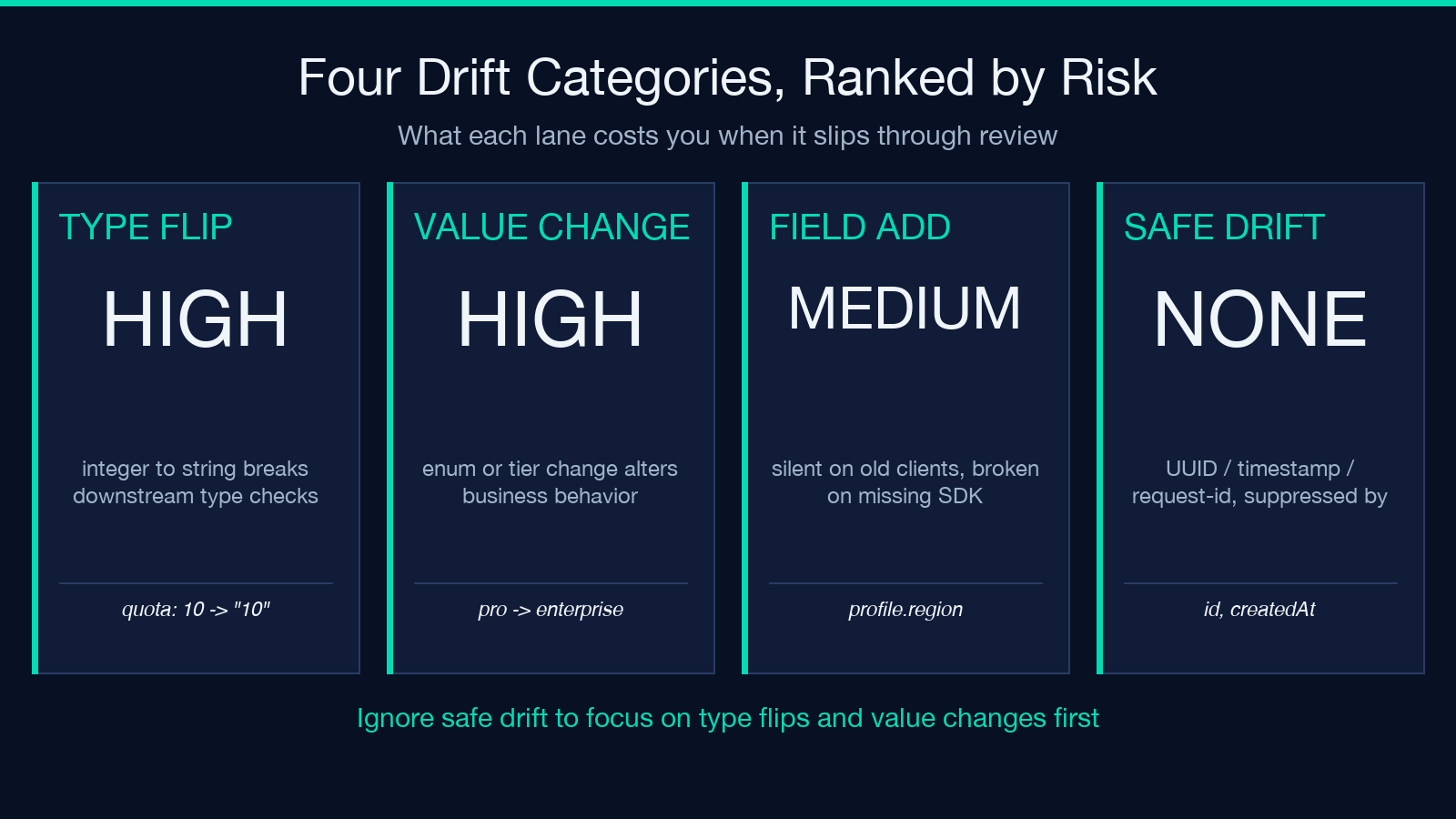
Before you accept a payload change as benign, run four checks against the analyzer output. First, confirm id-style drift is hidden — if it isn’t, your ignoreSafeDrift flag is off and the report is dominated by noise. Second, scan the type-change lane for any field whose type flipped between integer, string, boolean, or null — these are the regressions that survive code review and only surface in production. Third, check the added-fields lane against your client SDK — if a new field was added without a corresponding SDK bump, downstream code that does payload.unknown_field will silently ignore it on older clients. Fourth, run the AI semantic review on the borderline subset only when the heuristic output has more than ten unclassified entries; on small diffs, the reviewer wastes tokens.
What the Analyzer Doesn’t Replace
No classifier catches every regression. The diff tool flags structural changes — added, removed, type-flipped, value-shifted — but it cannot tell you whether the new profile.tier = "enterprise" value is the correct business state for this user, only that the field changed. Pair the analyzer with domain-level assertions (does the tier match what billing expects? does the quota match what the entitlement service issued?) before you accept a contract change as benign. Confirm the new fields against your client SDK. Confirm the type changes against your serializer tests. The analyzer is a fast filter, not the final word.
The full workflow lives at the API Response Diff & Semantic Analyzer. Explore more tools at elysiatools.com.
