
Security headers are not a paper exercise. Every HTTP response that ships without HSTS, a tight Content-Security-Policy, X-Content-Type-Options, and a modern Permissions-Policy leaves one more door open for a clickjacking frame, a MIME-sniffed upload, or a downgrade attack that you cannot trace in the server logs. The Security Headers Checker reads the raw header block you paste in, grades it A+ to F against the OWASP secure-headers project, and tells you exactly which value to swap. The trick is that headers are not independent — a CSP that whitelists unsafe-inline will defeat your X-Frame-Options, and a Referrer-Policy set to unsafe-url will leak the previous page through every cross-origin fetch. This field guide walks the seven headers that matter, the value-level checks that catch the subtle misconfigurations, and the order in which to ship them.
Why the Grade Is a Score, Not a Pass/Fail
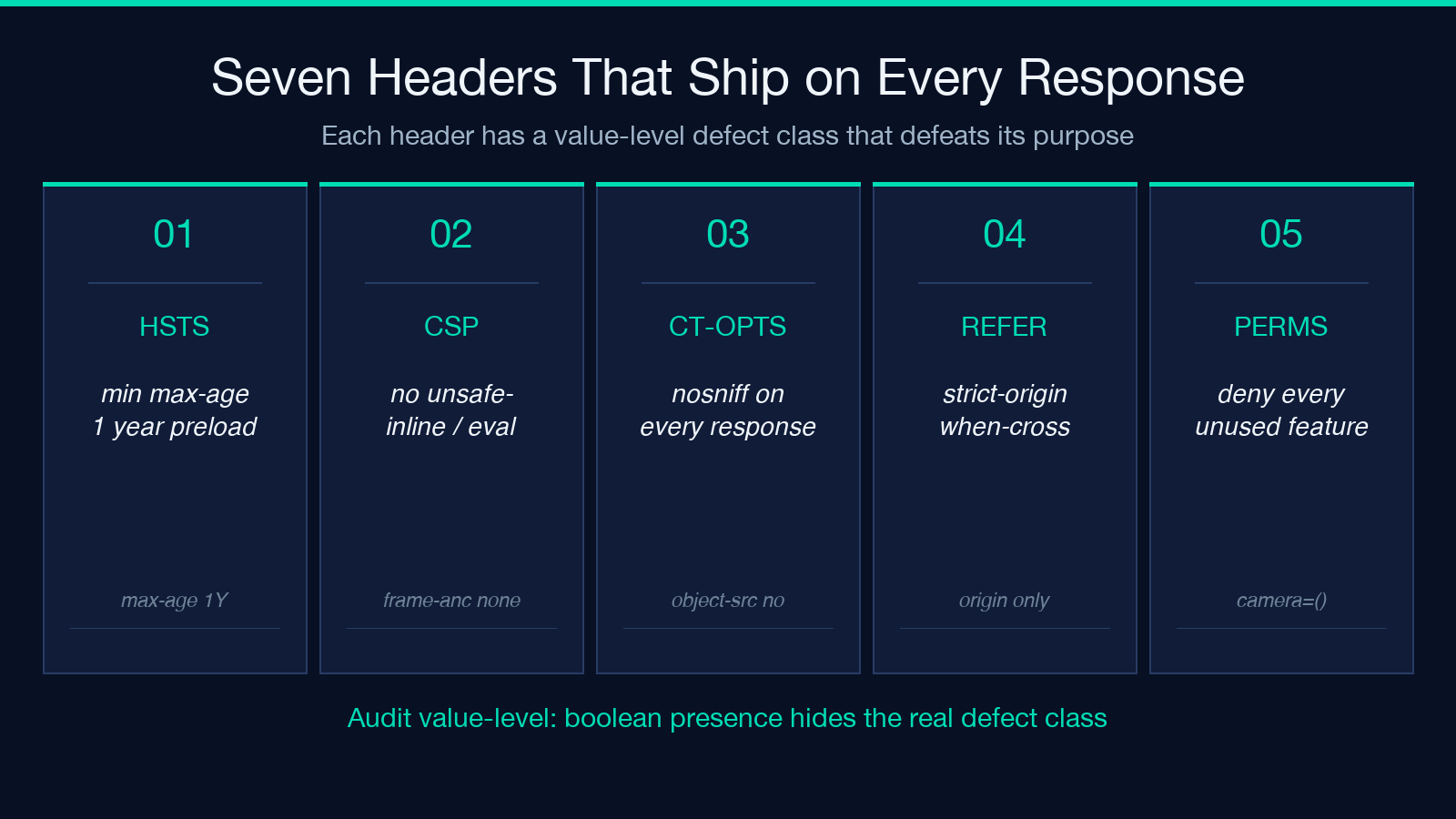
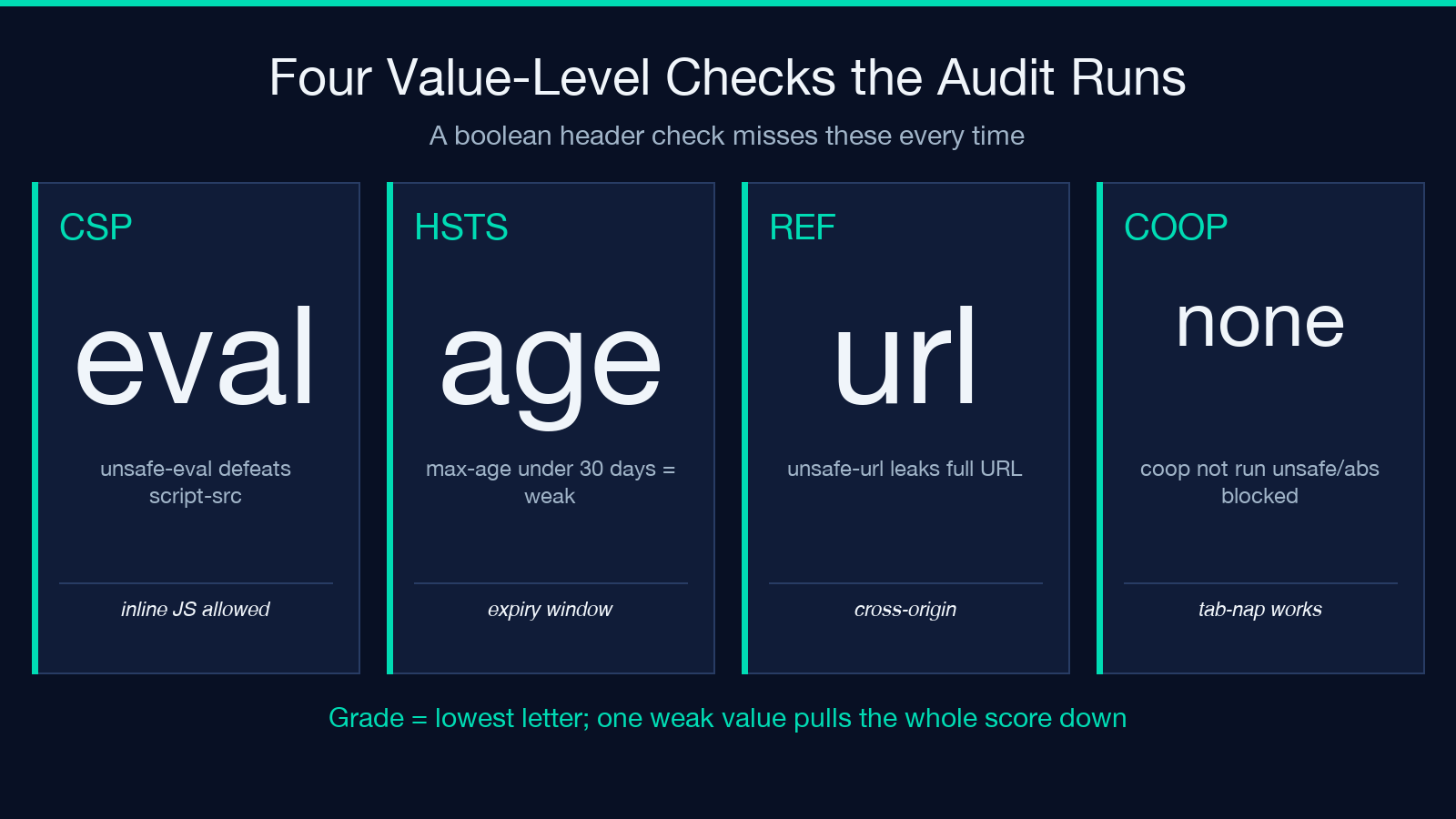
Most header audits report a boolean: do you have HSTS, yes or no. That hides the cases that fail in production. HSTS is enabled, but max-age=86400 means a single 24-hour window in which a downgrade attack can still downgrade your visitors. CSP is present, but default-src 'self' 'unsafe-inline' 'unsafe-eval' permits exactly the inline execution you were trying to block. X-Content-Type-Options is set to nosniff, but you forgot the Referrer-Policy: strict-origin-when-cross-origin that pairs with it. The OWASP secure-headers grade is per-header: each header contributes a letter, the lowest letter wins, and a single weak value pulls your overall score down. The tool reproduces that grade at runtime so you can paste in production headers and see what an attacker sees.
The HSTS Value Trap
Strict-Transport-Security looks binary — present or absent. It is not. The Security Headers Checker evaluates the max-age directive in seconds, the includeSubDomains flag, and the preload directive that submits your domain to the browser-baked HSTS preload list. The OWASP minimum is max-age=31536000; includeSubDomains; preload — a one-year commitment that includes subdomains and opt into the browser-shipped list so a fresh browser install on a brand-new device cannot be tricked into a downgrade. Anything below max-age=2592000 (30 days) is treated as a weak signal because an attacker who controls one of your visitors for a month can wait the HSTS expiry out.
CSP Beyond default-src 'self'
A Content-Security-Policy that says default-src 'self' is the starting point, not the destination. The real CSP for a SPA + CDN deployment combines ten directives in a single response header:
default-src 'self'; script-src 'self' https://cdn.your-domain.com; style-src 'self' 'unsafe-hashes' 'sha256-...'; img-src 'self' data: https://*.your-cdn.com; connect-src 'self' https://api.your-domain.com; frame-ancestors 'none'; base-uri 'self'; form-action 'self'; object-src 'none'; upgrade-insecure-requests;
Every directive carries a risk if you leave it implicit. frame-ancestors 'none' is the post-nuke X-Frame-Options: DENY — both should ship, but frame-ancestors is what the modern browser reads. object-src 'none' blocks legacy <object> and <embed> plugins that were used as silent vectors in 2018–2020. upgrade-insecure-requests rewrites any accidental http:// resource to https:// at the browser layer. The audit walks each directive and reports unsafe-inline and unsafe-eval as separate findings even when they appear inside a script-src chain — because unsafe-inline defeats the entire point of CSP.
X-Content-Type-Options and the MIME Sniff Family
X-Content-Type-Options: nosniff is the simplest header in the OWASP list and the one most likely to be missing on internal services. It tells the browser: do not guess the Content-Type from the file content; trust the Content-Type header I sent. Without it, an attacker who uploads evil.txt containing HTML can render it as HTML on your origin if your upload pipeline misclassifies the file extension. With it, the browser refuses to render anything that violates the declaration. Pair it with Content-Type: application/octet-stream for user-uploaded files and you have closed the cross-content-type XSS class.
Referrer-Policy and Cross-Origin Information Leak
The default Referer header on a cross-origin link is the full URL of the previous page. If your admin panel lives at https://admin.your-domain.com/users/123?token=abc, a single link from that page to a third-party help-desk leaks the admin URL plus the token to the third party. Referrer-Policy: strict-origin-when-cross-origin reduces the leak to just the origin (https://admin.your-domain.com) on cross-origin requests, full URL only on same-origin. This is the OWASP-recommended setting for any site that mixes internal and external links — and the tool’s findings specifically check whether the policy drops to unsafe-url or the default (no-referrer-when-downgrade) which still leaks on HTTPS-to-HTTPS transitions.
Permissions-Policy, the Header Nobody Reads
Permissions-Policy (formerly Feature-Policy) is the most underconfigured header in the modern web. It gates browser features like camera, microphone, geolocation, payment, usb, accelerometer, and fullscreen per-origin and per-iframe. The OWASP minimum is to disable every feature you do not explicitly need: Permissions-Policy: camera=(), microphone=(), geolocation=(), payment=(), usb=(), accelerometer=(), gyroscope=(), magnetometer=(), fullscreen=(self), picture-in-picture=()
The empty parens () mean “no origin allowed”, not “default allow”. This is the inverse of CSP’s implicit-allow model — every feature is denied unless you opt it back in. A typical mistake is omitting Permissions-Policy entirely, which means the browser default allows every feature in cross-origin iframes — a third-party iframe embedded on your checkout page can read your user’s camera without explicit user gesture if your CSP does not block it.
COOP, COEP, and CORP — the Cross-Origin Isolation Stack
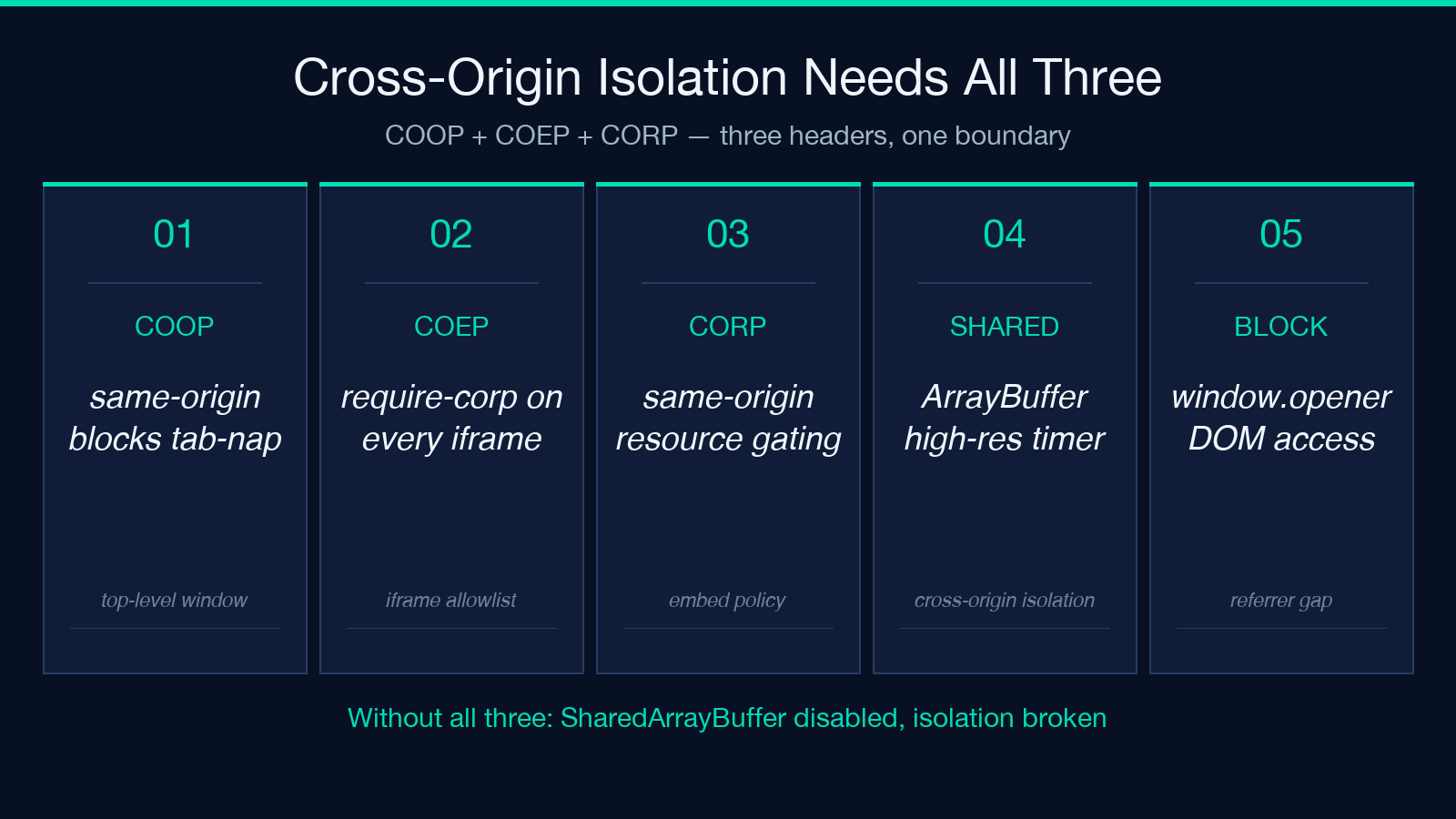
Cross-Origin-Opener-Policy (COOP), Cross-Origin-Embedder-Policy (COEP), and Cross-Origin-Resource-Policy (CORP) are the three headers that enable cross-origin isolation, the browser security boundary required for SharedArrayBuffer and high-resolution timers. The audit checks them as a chain:
– Cross-Origin-Opener-Policy: same-origin — your top-level window cannot be opened by another origin – Cross-Origin-Embedder-Policy: require-corp — every iframe must declare CORP or pass a CORS check – Cross-Origin-Resource-Policy: same-origin — your resources cannot be embedded by another origin
Without all three, you do not have cross-origin isolation. With same-origin on COOP, you also block tab-napping attacks where a malicious link opens your site in a popup and reads the DOM via the window.opener reference.
Putting It Together — the Order Matters
The seven headers above are not independent — they overlap and the browser applies them in a specific order. Strict-Transport-Security applies before Content-Security-Policy, so an attacker who downgrades your HSTS connection cannot even reach the CSP check. X-Content-Type-Options applies before Referrer-Policy because the MIME sniff check happens before the referrer is computed. The audit grades each header independently but the overall letter grade is the lowest of the seven. Paste your live production headers into the Security Headers Checker and copy the fix recommendations into your deployment pipeline one section at a time. After you ship, re-run the audit on the deployed site and verify the grade is A or A+ — anything below means a header is shipping with a value that defeats its own purpose.
Explore more tools at elysiatools.com.
