
XML parsing rarely breaks loudly. A <feed> becomes {"feed":{}}, an attribute disappears into nothing, a single child element shows up as {} instead of an array, and downstream code reads an empty list instead of the one item it expected. The XML to JSON Converter puts five toggles in front of that conversion — keep namespaces, fold attributes, simplify single-item arrays, pretty-print, and the input itself — and the right pre-flight answer for each one decides whether your downstream code sees the document you actually have or a quietly wrong version of it.
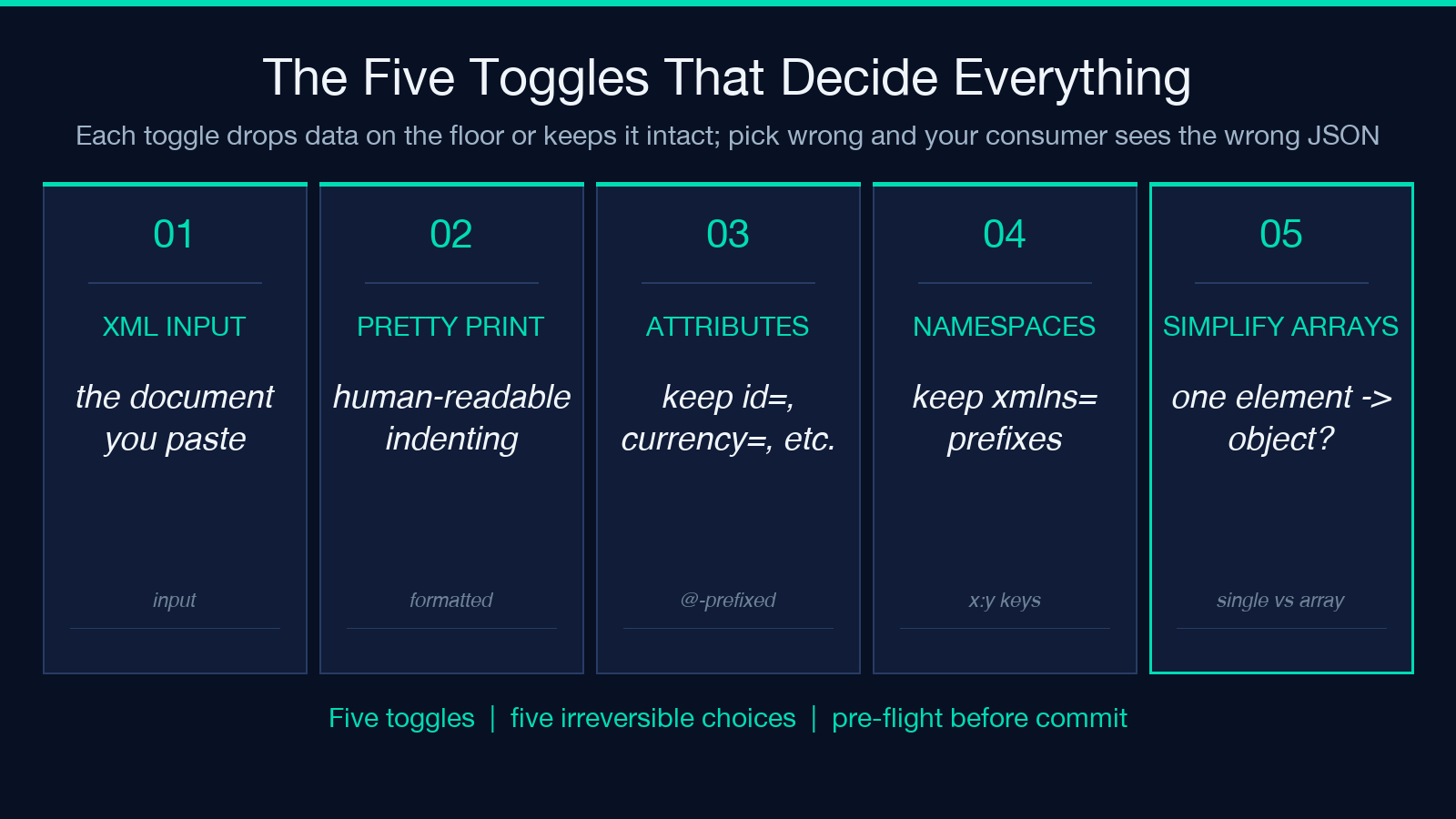
The five toggles look like UI noise until you watch what they each drop on the floor when flipped wrong. A namespace declared as xmlns:atom="http://www.w3.org/2005/Atom" either survives as a prefix on every key, or it disappears and downstream code reads feed/entry/title as title with no namespace context at all. A single <entry> inside a <feed> either becomes a {"entry": {...}} object (because there’s only one), or it becomes a one-element array (because the converter always normalizes to a list). Your code path diverges based on which flag is set, and you don’t find out which path until runtime.
Why the five toggles exist at all
XML and JSON are not isomorphic. XML has attributes, namespaces, mixed content (text alongside child elements), repeated elements, and ordered children — JSON has none of those in their original form. Every XML-to-JSON converter makes a choice on each axis and exposes the choices as toggles. The toggles on this tool cover the four most-encountered axes: attributes, namespaces, single-element arrays, and pretty-printing. The fifth, the input itself, is the canvas.
When attributes are kept, <row id="42" active="true"> becomes {"row": {"@id": "42", "@active": "true", "#text": "..."}} (the exact shape depends on whether the element has child text or nested elements). When they’re dropped, those attributes vanish entirely. The choice is irreversible — once the JSON is in your application code, the attributes are gone if you chose to drop them, and present if you chose to keep them, and switching the flag and re-running on the same input doesn’t produce a JSON shape you can swap into your code without diffing every consumer.
The eight-question pre-flight
Before you click Convert, eight questions catch the silent loss.
Does the source have attributes anywhere? Decide based on the answer whether “Include XML Attributes” needs to be on. If the consumer never reads attributes, drop them and the JSON gets shorter. If the consumer does, keep them and accept the noise.
Does the document declare any xmlns namespaces? If yes, decide whether the consumer needs namespace-prefixed keys (keep namespaces on) or just the local names (off). For Atom/RSS feeds, SOAP envelopes, and SVG with xmlns:xlink, the answer is almost always “keep” because downstream parsing depends on knowing which namespace a key lives in.
Does any element appear once or many times? When an element repeats, the converter emits an array. When it appears once, “Simplify Single Element Arrays” decides whether to emit the object directly or wrap it in a one-element array. Pick the wrong one and your consumer either indexes entries[0] on a single entry (TypeError) or reads entry.title on an array (also TypeError).
Does the element mix text and child tags? An element like <para>Hello <em>world</em></para> is mixed content. Most converters either flatten the text or emit it as a #text key alongside the children. The choice affects every consumer differently.
Is the consumer iterating, indexing, or keying? Iterating consumers want arrays. Indexing consumers want objects. Keying consumers (looking up by ID) want objects with explicit keys. The simplify-arrays toggle matters less to keying consumers.
Is the output read by a human or a machine? Pretty-print for humans, compact for machines. Pretty-printing adds 30% to byte count for typical documents — your machine consumer doesn’t care, but your log file does.
Do you need byte-stable output for diffing? Pretty-print with sorted keys produces stable diffs. Pretty-print without sorting produces a different JSON every run (object key order). For pipelines that diff the JSON across runs, sorting is mandatory.
Is the XML hand-written or machine-generated? Hand-written XML has whitespace and comments. Machine-generated XML is usually compact. The converter’s whitespace handling differs — be explicit about which one you’re feeding in.
When attributes go missing and how to spot it
The most common silent loss in XML→JSON conversion is attributes. <item id="123" currency="USD">10.00</item> with “Include XML Attributes” off becomes {"item": "10.00"} — the price is preserved, the identifier and the currency are gone. Downstream code receives a number with no provenance.
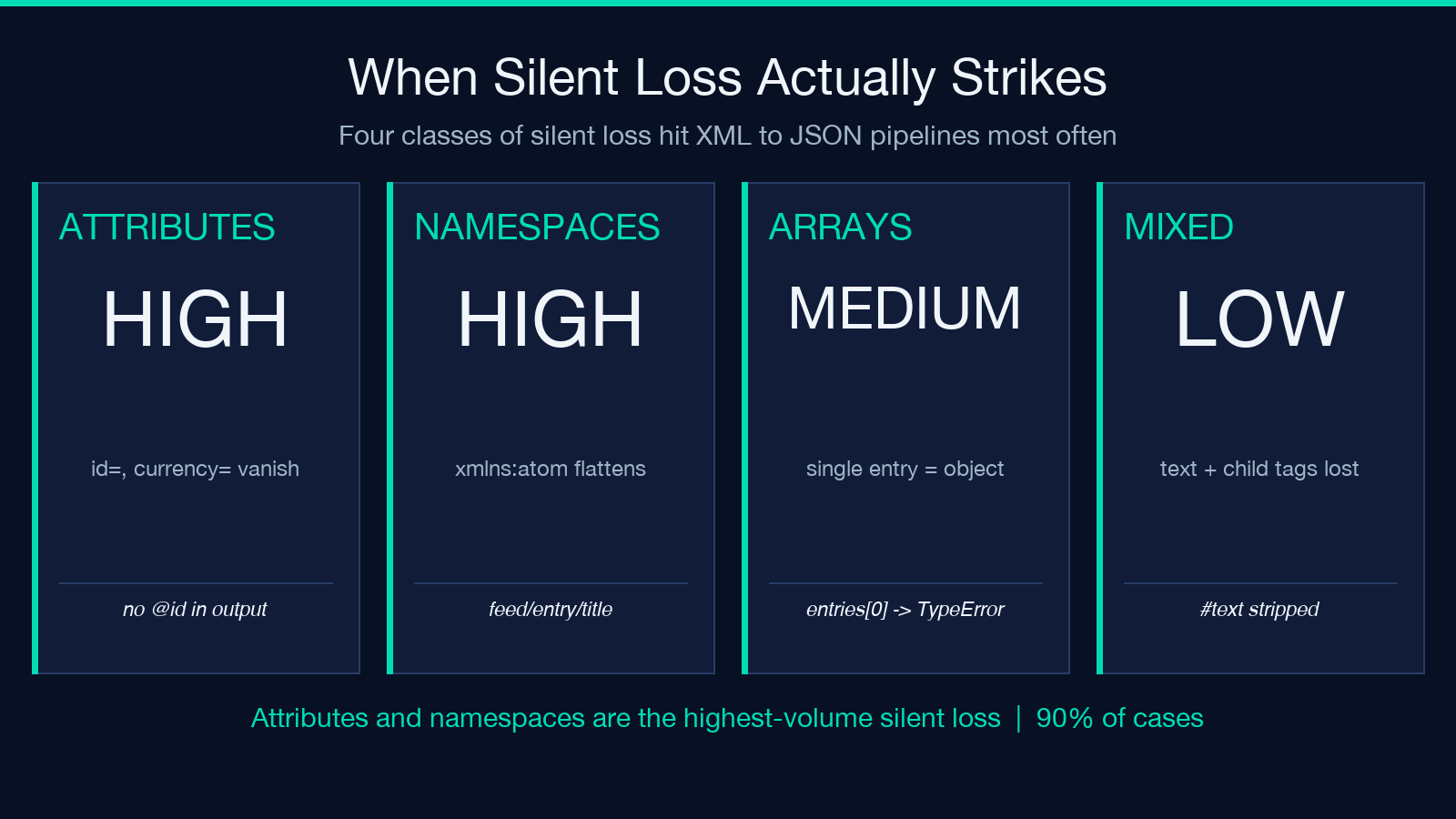
The second most common is namespace collapse. <atom:entry> in an Atom feed with namespaces dropped becomes {"entry": {...}} — the consumer can’t distinguish it from a custom <entry> element in some other namespace. For multi-feed aggregators, this is the difference between correctly attributing entries to their source feed and silently merging everything.
The third is single-element array flatten. <feed><entry>...</entry></feed> with simplify-arrays on becomes {"feed": {"entry": {...}}}. Without simplify-arrays, it becomes {"feed": {"entry": [{...}]}}. If your consumer always writes feed.entry.length > 0 to decide whether to iterate, the simplify-arrays version silently makes length undefined.
Pairing with chat transcript JSON and rich-media JSON samples
The chat transcript JSON samples give you a structured example of multi-role conversations in JSON — the exact shape your XML→JSON output would take if your upstream were a chat log XML file. Round-tripping one of those samples back through the converter is a clean sanity check: you parse it as JSON, decide whether the output JSON matches your expected shape, and only then trust the conversion on your real input.
The rich-media JSON samples are an even stricter test. TipTap, Quill, and Slate all emit JSON with deeply nested editor documents — attributes on every node, mixed content, single-element arrays that should stay as arrays, namespaces (in the form of type discriminators). Run a TipTap document through the converter with all toggles on, and you can audit the output character-by-character against the original JSON to see whether any field was lost. The “Include XML Attributes” toggle maps directly to TipTap’s attrs field, and “Simplify Single Element Arrays” maps to the prose node — when simplify-arrays is on and a paragraph contains only text, the paragraph node gets collapsed to its text content.
The three-dial pre-flight that catches 90% of silent loss
You don’t need to answer all eight questions for every conversion. Three answers catch the bulk of silent loss:
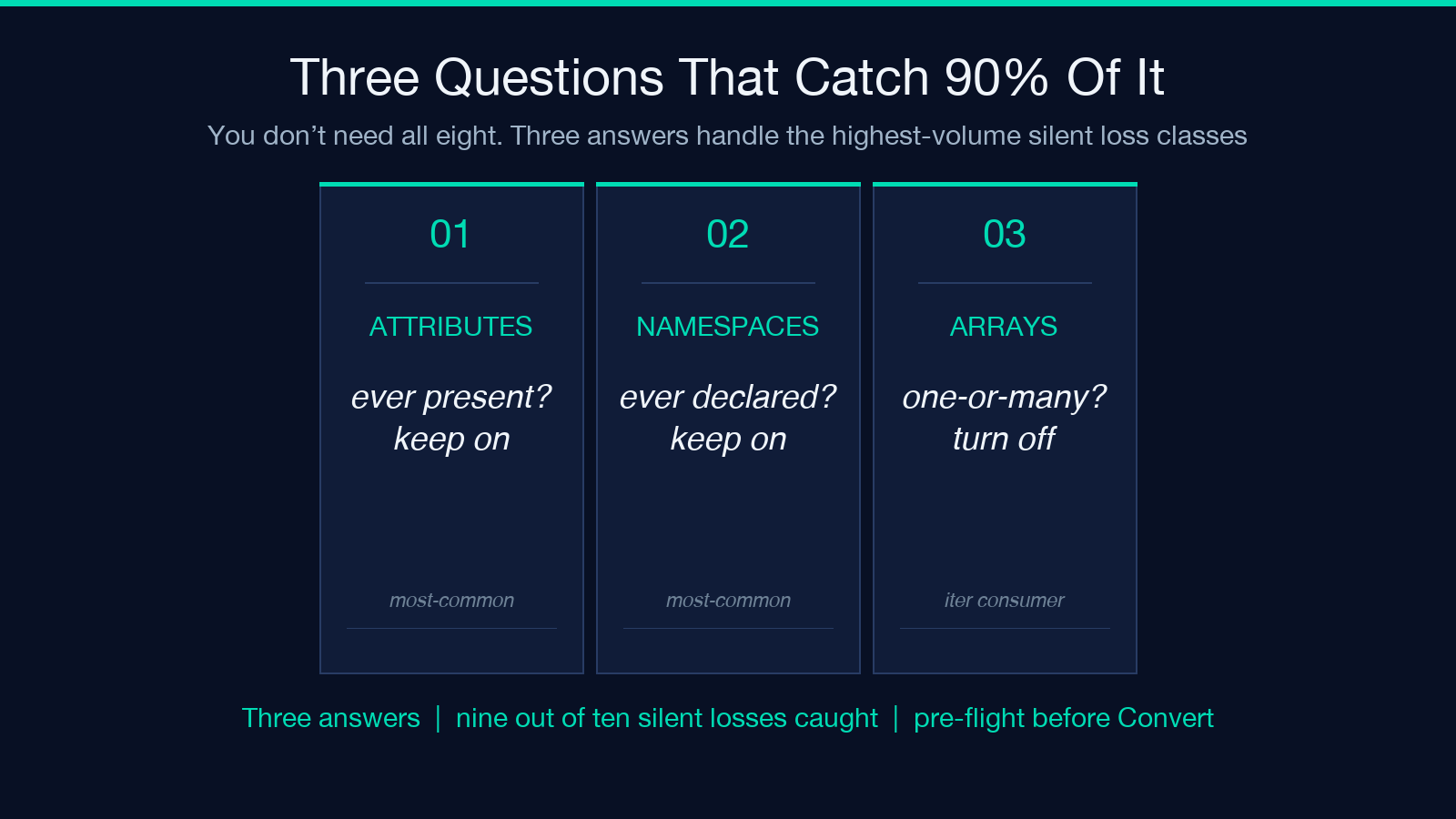
1. Are attributes ever present? If yes, keep “Include XML Attributes” on. 2. Are namespaces ever declared? If yes, keep “Keep XML Namespaces” on. 3. Does the consumer iterate over any element that sometimes has one item and sometimes has many? If yes, turn “Simplify Single Element Arrays” off and always emit arrays.
These three answers cover the highest-volume silent-loss classes. The other five questions catch the long tail — mixed content, hand-written vs machine-generated whitespace, pretty-print for human reading, byte-stable diffing.
Running the converter on a real document
For a small XML document — under 10 KB, single namespace, no mixed content — the converter runs in milliseconds. The JSON output is the document’s structure flattened into nested objects, with arrays where elements repeat and the toggle you selected controlling attributes, namespaces, and array simplification.
For a larger document — RSS feeds, OpenAPI specs, SOAP envelopes — the same toggles apply but the output can grow by 30-50% if “Include XML Attributes” is on, because every element with attributes gets an @ key prefix per attribute plus a #text key if there’s also text content. For very large documents, consider whether your downstream consumer actually needs the attribute data before paying that size cost.
Pairing with related conversion tools (and one that explicitly isn’t)
The XML→JSON tool is one of a family of format-conversion tools. The JSON to XML Converter runs the reverse direction for the same toggle semantics — keep-namespaces, simplify-arrays, pretty-print — so you can round-trip a document from XML to JSON back to XML without semantic loss. The JSON Formatter handles the post-conversion step of indenting or compacting the JSON output. The CSV to JSON Converter handles the tabular case where each row is a record and the column names become keys.
Together these four tools cover the bulk of structural data interchange: XML to and from JSON, JSON formatting, and CSV to JSON. The pre-flight questions differ between XML and CSV (CSV has no attributes or namespaces), but the toggle-driven approach is the same — the tool surfaces the choices that would otherwise be silently made for you.
Closing
The XML to JSON Converter is a small tool with five toggles, and the toggles are exactly the axes where XML and JSON diverge. The eight-question pre-flight is overkill for a one-off conversion — three answers (attributes, namespaces, single-element arrays) catch the bulk of silent loss. For the long tail, the other five questions (mixed content, iteration pattern, human vs machine reading, byte-stable diffing, hand-written vs machine-generated) catch the rest.
Try it on a document you know well — an RSS feed, an OpenAPI spec, a SOAP envelope — and compare the converter’s output against what you expect. The first toggle misconfiguration is the one you’ll remember next time.
Explore more tools at elysiatools.com.
