
A leading invisible three-byte sequence is the cheapest way to break a CSV import, fail a JSON parse, and waste an afternoon on a stack trace that points at line 1 with nothing visibly wrong on line 1. The byte order mark (BOM) was designed to disambiguate the endianness of UTF-16 and UTF-32 streams, and on disk in 2018 it still does that job for those encodings. On the modern web it has nothing to disambiguate — UTF-8 has no endianness — so the three bytes 0xEF 0xBB 0xBF at the start of a UTF-8 file are pure noise that happens to break parsers that did not anticipate them. The BOM Character Remover detects every common variant, shows you what it found, and lets you strip it without hand-rolling a script.
What a BOM actually looks like on the wire
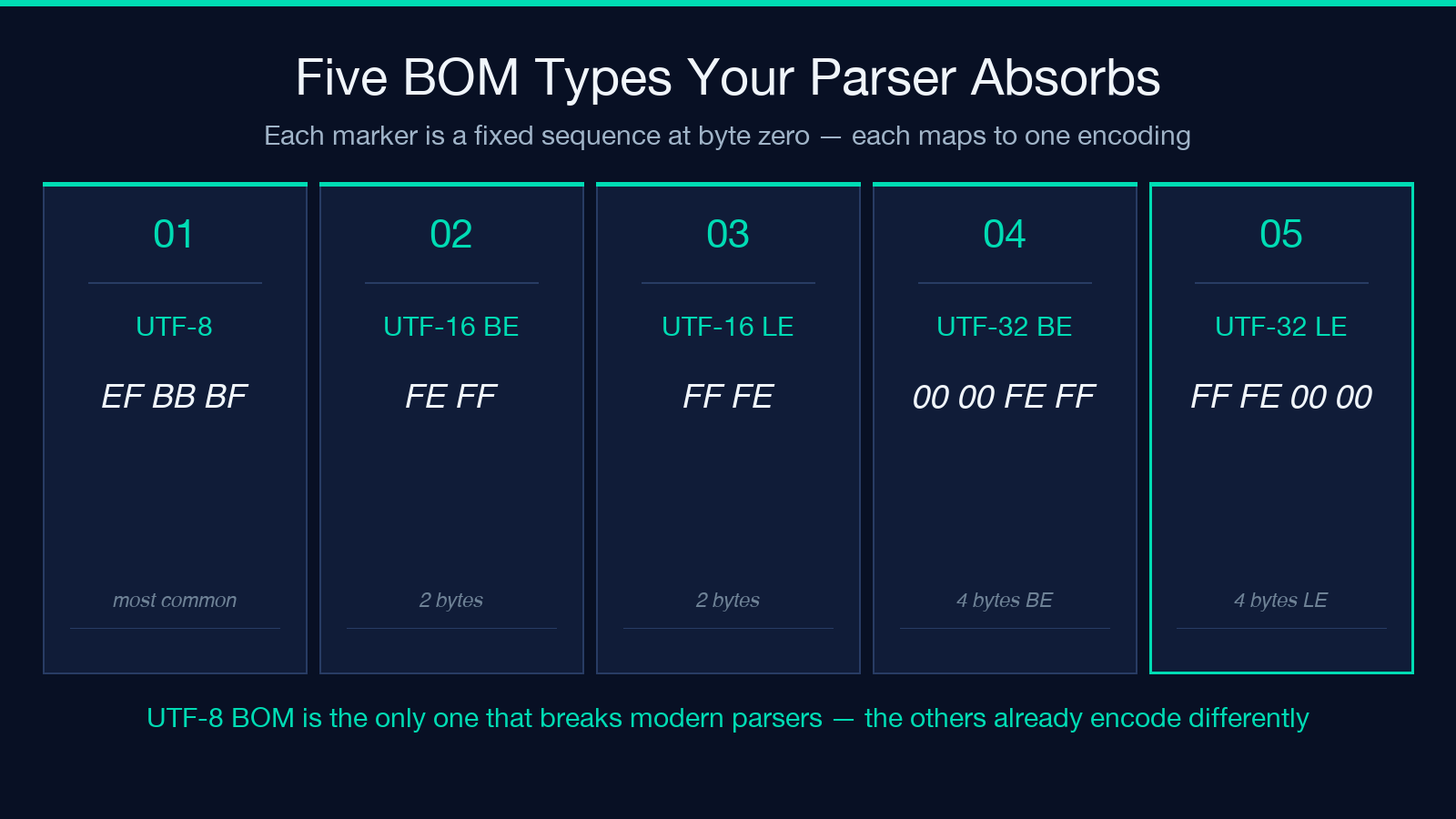
A BOM is three bytes at the very start of a file, before any other content. UTF-8 uses EF BB BF. UTF-16 big-endian uses FE FF, little-endian uses FF FE. UTF-32 uses 00 00 FE FF or FF FE 00 00. None of these are printable — when you open a CSV in a text editor the first column reads fine, the column count is wrong, and you spend ten minutes blaming your regex. Hex-view the first four bytes of the file and you see EF BB BF followed by the first row of CSV you can already read in the editor. The bytes are not invisible — they are simply not displayed by tools that ignore zero-width characters.
Why parsers reject a UTF-8 BOM
Most parsers compare the very first character of input against an expected token. JSON’s RFC 8259 says a JSON text must start with an array or object — 0xEF is neither — so a strict parser returns “unexpected token at position 0”. Some parsers silently consume the BOM and shift the byte count by three, leaving the consumer to wonder why their offset arithmetic is off by three. CSV is worse: many libraries concatenate the first column header with 0xEF and then refuse to match the column name, so the entire row reads as a single unparseable string. SQL LOAD DATA INFILE rejects it. PostgreSQL’s \copy rejects it. Excel happily ignores it, which is why you only discover the problem on the server.
The four places BOMs hide in a modern pipeline
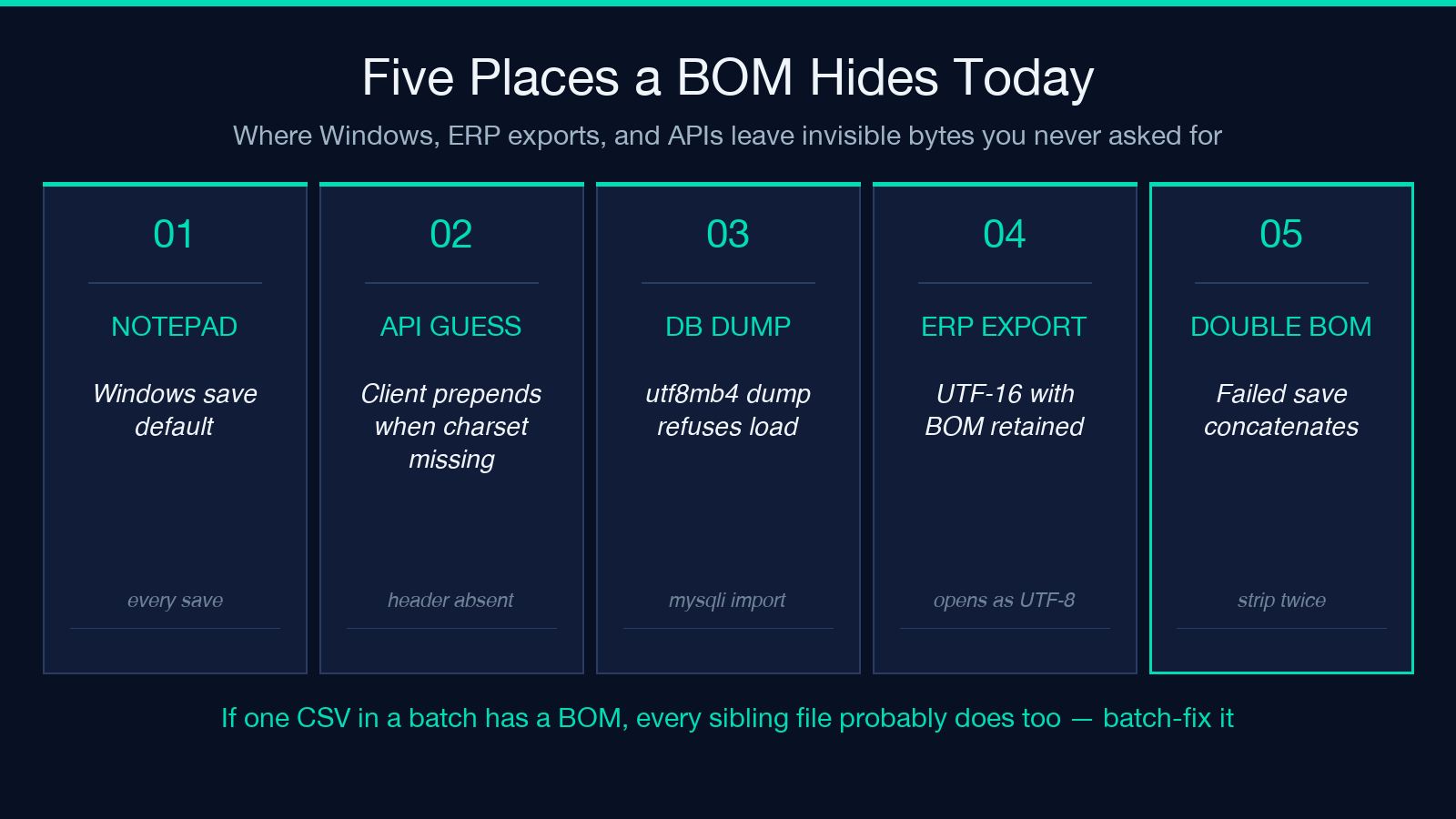
- Files saved by Windows Notepad default to UTF-8 with BOM. Every save is a fresh leak.
- API responses with a missing
charset=utf-8header — the client guesses wrong, prependsEF BB BFdefensively, and the next downstream parser explodes. - Database dumps from MySQL when
default-character-set=utf8mb4is misconfigured —utf8mb4with a BOM in the dump file is a classic PHP-mysqli import failure. - CSV exports from legacy ERP systems that still encode as UTF-16 with the BOM retained, then get opened as UTF-8 by the consumer. The first 50 rows are blank, the 51st row contains data, and your header column names are missing.
Detection without the noise
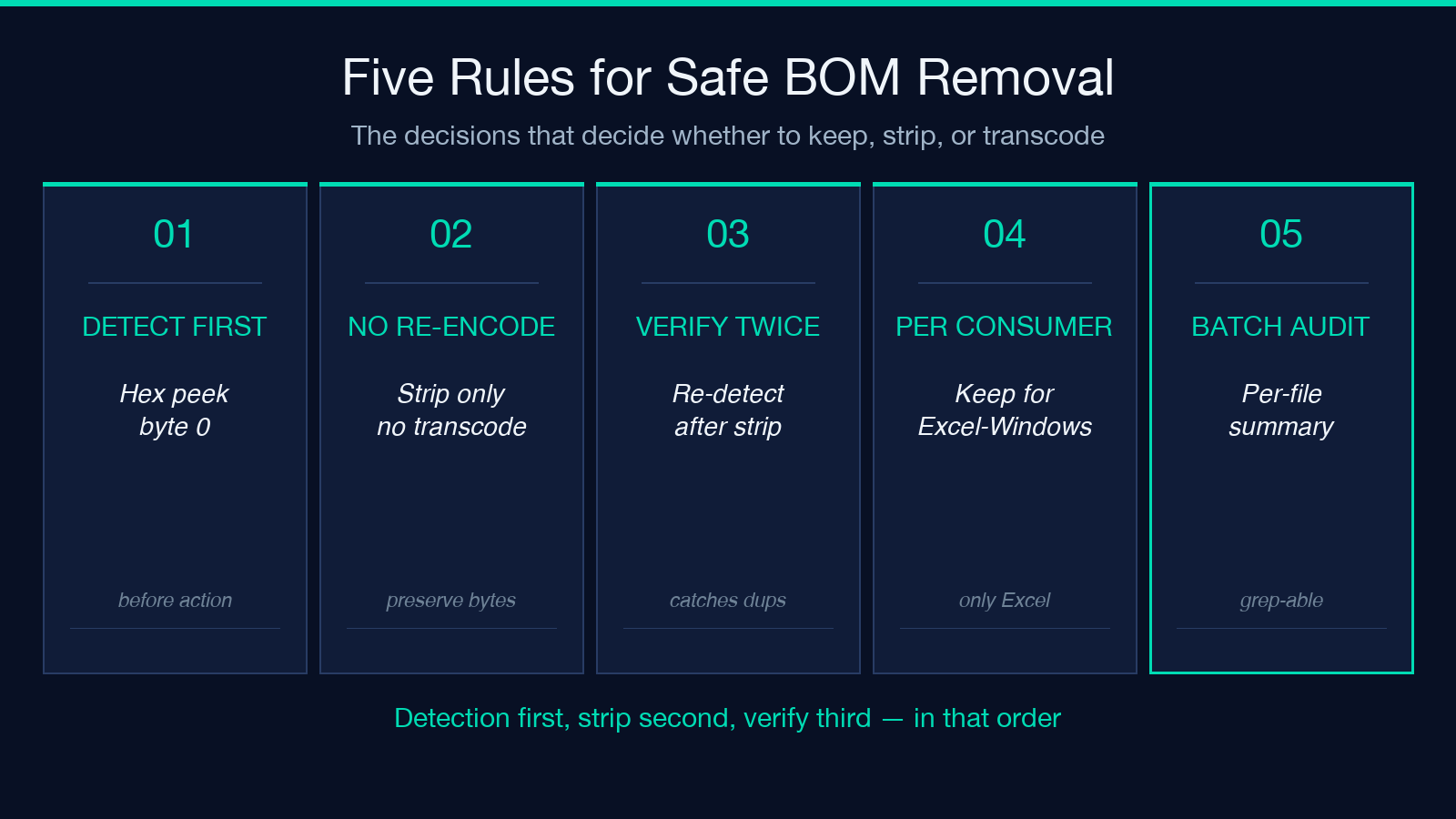
The reliable detection is a hex peek at byte 0. EF BB BF is UTF-8. Anything else at byte 0 that is not ASCII indicates UTF-16 or UTF-32, and you probably want to transcode the file rather than just strip the marker. The tool’s detection mode lets you choose which BOMs to flag: UTF-8 only, all BOMs, or report-only without removal. The report-only mode is the right first step on any unfamiliar file — it tells you exactly what byte sequence was found, at what offset, and how many bytes would be removed. Run detection on a sample, then decide.
Strip without losing the rest of the bytes
The remove-all-BOMs mode writes back the file with the leading three bytes truncated. Crucially, it does not re-encode the file — what was UTF-8 stays UTF-8, what was UTF-16 LE stays UTF-16 LE. If you actually want to transcode from UTF-16 to UTF-8, use a different tool. The BOM Character Remover is the surgical scalpel, not the conversion hammer. For batch processing it accepts multiple files in one pass, reports per-file findings, and writes a summary line per file so you can audit the result.
Stripping BOMs across an entire directory
A single-file fix rarely stays single-file. If one CSV in a directory has a BOM, the others from the same export almost certainly do too — Windows Notepad and most legacy exporters write the BOM on every save, not on the first file of a batch. Walk the directory, filter by extension (typically .csv, .txt, .json, .xml), and apply the same remove-all-BOMs mode to each. The tool’s batch mode produces a per-file summary line, so the audit trail is a single text blob you can grep for any file that came back with a non-zero BOM count.
Verifying after the strip
After any BOM strip, re-run detection on the output. The result should report zero BOMs found. If detection on the output still finds a BOM, the file had two BOMs concatenated — some Windows tools append a UTF-8 BOM after an existing UTF-16 BOM during a failed save — and you need to run removal twice. Hex-view the first four bytes manually if you want a sanity check; the Elysia Tools library has the hex viewer for that.
When a BOM is actually the right answer
A few tools still require a BOM. Older Microsoft Excel on Windows opens UTF-8 CSV with a BOM and renders Chinese, Japanese, and Korean text correctly — without the BOM it shows ??? for every non-ASCII character. If your CSV will be opened by Excel and consumed by no other parser, keep the BOM. If the same file will then be loaded by Python’s csv module, strip it first and re-add only for the Excel-targeted export. The right answer is per-consumer, and the BOM Character Remover’s hex-view output mode lets you confirm the bytes before you commit to a direction. For more encoding-workflow tools, browse the full Elysia Tools catalog.
