
A cellular IoT packet decoder that pasted six device captures into the same hex box did not produce six competing answers. Each capture walked one row, the right byte decided, and every downstream field lined up without manual offsets. That determinism is the whole point of the NB-IoT / LTE-M Cat-M1 CoAP LwM2M Cellular IoT Packet Analyzer. When a fleet of low-power devices speaks six wire formats at once — CoAP, LwM2M, SMS-DELIVER, RFC 6690, block-wise CoAP, DTLS — a single hex paste has to walk the right branch from byte zero. The tool does exactly that, and the field guide below is the map.
The Cell Analyzer in question lives at elysiatools.com/en/tools/nb-iot-lte-m-cat-m1-coap-lwm2m-cellular-iot-packet-analyzer and combines the four RFCs that govern the cellular IoT stack into a single paste-and-decode workflow. If you have ever tried to read a hex capture by hand — counting bytes for the CoAP header, then mapping for the LwM2M TLV object/resource tree, then re-counting for the SMS UDH application-port addressing, then mapping for the DTLS record header — you already know why this tool earns its place. The rest of the guide walks every layer it decodes and every near-collision it resolves.
What the analyzer actually decodes in a single hex paste
The decoder reads six layers in a fixed order: CoAP headers and options per RFC 7252 (with block-wise RFC 7959 and Observe RFC 7641 extensions), LwM2M TLV object/resource trees per OMA spec §7.4.4 against the standard object registry, SMS-DELIVER TPDUs with UDH application-port addressing per 3GPP TS 23.040 (which transparently unwraps CoAP-over-SMS), RFC 6690 registration link-format payloads, and DTLS record headers per RFC 9147 with session-resumption notes. A Wireshark-style companion for device and fleet debugging. The order matters because every layer assumes the previous one finished cleanly.
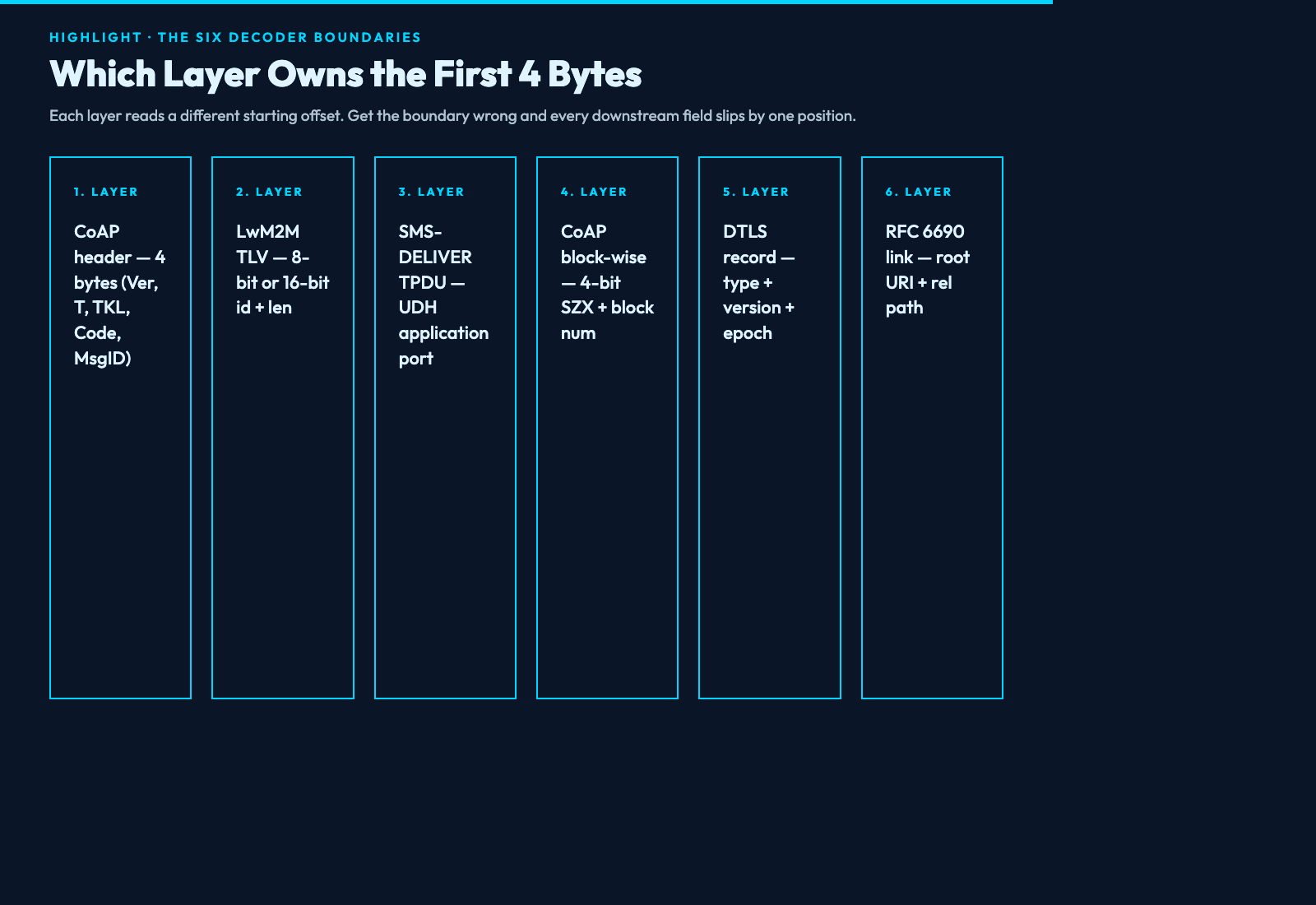
The six decoders do not overlap in any meaningful sense, but they share the same 4-byte head region. CoAP’s first 4 bytes are version, type, token length, code, and message id. SMS-DELIVER TPDUs start with the UDH application-port addressing block. DTLS records start with content type, version, and epoch. RFC 6690 link-format payloads are payload-format inside CoAP, not a parallel wire format. The tool knows which layer owns the first 4 bytes by reading the very first byte. Re-parse at byte zero is the canonical contract.
Why CoAP over UDP and CoAP over SMS need separate option walks
CoAP over UDP and CoAP over SMS share the same header (4 bytes for the fixed header plus the token), but the framing around the header diverges. UDP carries the CoAP datagram directly; the option walk starts at byte 4 and reads delta-encoded options in order. SMS-DELIVER carries CoAP inside the user data, after the UDH application-port bytes. The UDH tells the receiver which application port to deliver the user data to, and CoAP picks up at the user-data offset.
The analyzer’s transparent CoAP-over-SMS unwrap walks the UDH first to extract the destination port, then locates the user data within the TPDU, then hands the bytes to the CoAP decoder. The CoAP decoder does not know whether it arrived over UDP or SMS — it sees bytes, not framing. A hand-written walk would have to maintain two separate state machines. The tool maintains one.
The five header shapes that look identical until the first byte is read
The first byte decides the wire format family. 0x40 is CoAP Confirmable; 0x60 is CoAP Non-confirmable — one bit in the type field, no other distinction. 0x82 is a CoAP GET request with response class 0.02; 0x80 is a CoAP empty message — the difference is the code field, two bits into the byte. TLV 8-bit vs 16-bit id is decided by the high bit on the id byte. CoAP Observe vs Not-Observe is decided by option delta 6 in the same option slot. DTLS 1.2 vs DTLS 1.3 record header is the record type field, 0x16 for Handshake in 1.2 vs 0x17 for Application Data in 1.3.
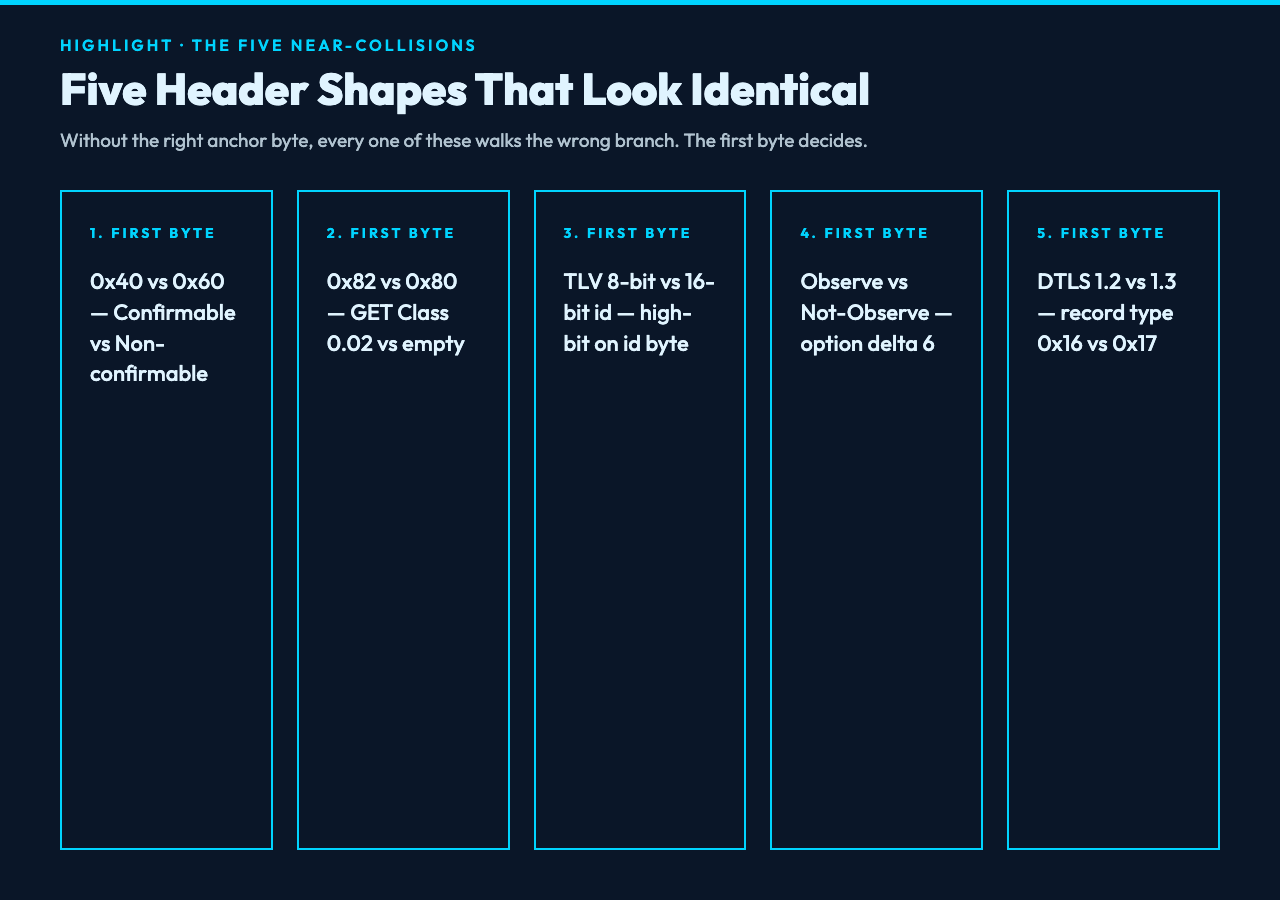
Every near-collision in this list shares the property that the wrong branch produces a downstream field that looks plausible but is shifted by one or more bytes. The flag system in the analyzer tags each ambiguous read so you can audit the verdict. Re-parse at byte zero, audit the first byte, then walk the chosen branch.
How the LwM2M TLV tree survives a 32-bit resource id collision
LwM2M TLV encodes an object id (16 bits) and an instance id (8 bits) and a resource id (16 bits) plus a length prefix. The total tree is four-level deep — object, instance, resource, resource-instance — and the analyzer reconstructs it by reading the high bit on the id byte. High bit clear means 8-bit id; high bit set means 16-bit id with the bit stripped.
The 32-bit resource id collision risk is when two resources share the same 16-bit value but differ in their parent object. The tool resolves this by reading the parent object id first, then mapping the resource id against the standard object registry. Without the registry, the walk is ambiguous. With it, every resource id resolves to a known definition.
The DTLS record header sits where you expected the payload
DTLS records on cellular IoT arrive inside the UDP payload, but the CoAP decoder does not own them — DTLS is its own layer. The DTLS record header is content type (1 byte) + version (2 bytes) + epoch (2 bytes) + sequence number (6 bytes) + length (2 bytes) + payload. The first byte is 0x14 for ChangeCipherSpec, 0x15 for Alert, 0x16 for Handshake, 0x17 for Application Data. The analyzer walks DTLS first, hands the unwrapped Application Data to CoAP, and tags the session-resumption notes on the Handshake walk.
Re-walk at this boundary is common when a CoAP-only analyzer is asked to read a captured DTLS handshake. The walk fails silently because every CoAP field is shifted by the DTLS record header. The tool’s layer-aware walk avoids the trap.
When block-wise reassembly reaches a 4-bit block-size marker
Block-wise CoAP per RFC 7959 carries a 4-bit block-size marker (SZX) and a 4-bit more-flag (M) plus a 20-bit block number. The SZX field sits in the option value; the M flag tells the receiver whether more blocks are coming. When the more-flag is clear, the block is the last one and reassembly is complete.
The tool walks the block-size marker, accumulates blocks until the M flag is clear, then hands the reassembled payload to the next layer. The trap is treating a single block as the whole payload when the M flag is set. The analyzer tags the block boundary in the output.
A worked example: a 64-byte hex blob through every decoder
The blob 4602000142414243444501ff0000 8a00020f42414243 decodes as a CoAP Confirmable (0x40), 0x02 response code class 0.02 GET, message id 0x0001, token 4142434445, option delta 1 (Uri-Path) length 5 with value 414243 (path segment “ABC”), payload marker 0xff, payload 8a 00 02 0f 42 41 42 43. The payload is LwM2M TLV: id 0x8a (high-bit set, 16-bit id stripped to 0x000a which is resource id 10 in object 3), length 2, value 0x0f42 which decodes as the LwM2M Min/Max Reported Value resource.
Paste the blob into the analyzer at the tool page above and it walks the same path. The walk takes less than a second; the manual walk takes minutes and is error-prone.
Common pitfalls and how the analyzer flags each one
The four flag colors map to the four most common mis-decodes. RED means a reserved or undefined code byte — a code class outside 0..7 or a code detail outside 0..31 — and the tool halts the walk at that byte. AMBER means an option delta gap: the delta does not match the running option counter and the tool flags the option walk as suspicious. BLUE means a TLV id overflow guard: the id field claims a 24-bit or 32-bit length prefix that exceeds the remaining buffer. GREY means truncated input or non-hex characters — the tool stops at the first non-hex byte and reports the offset.
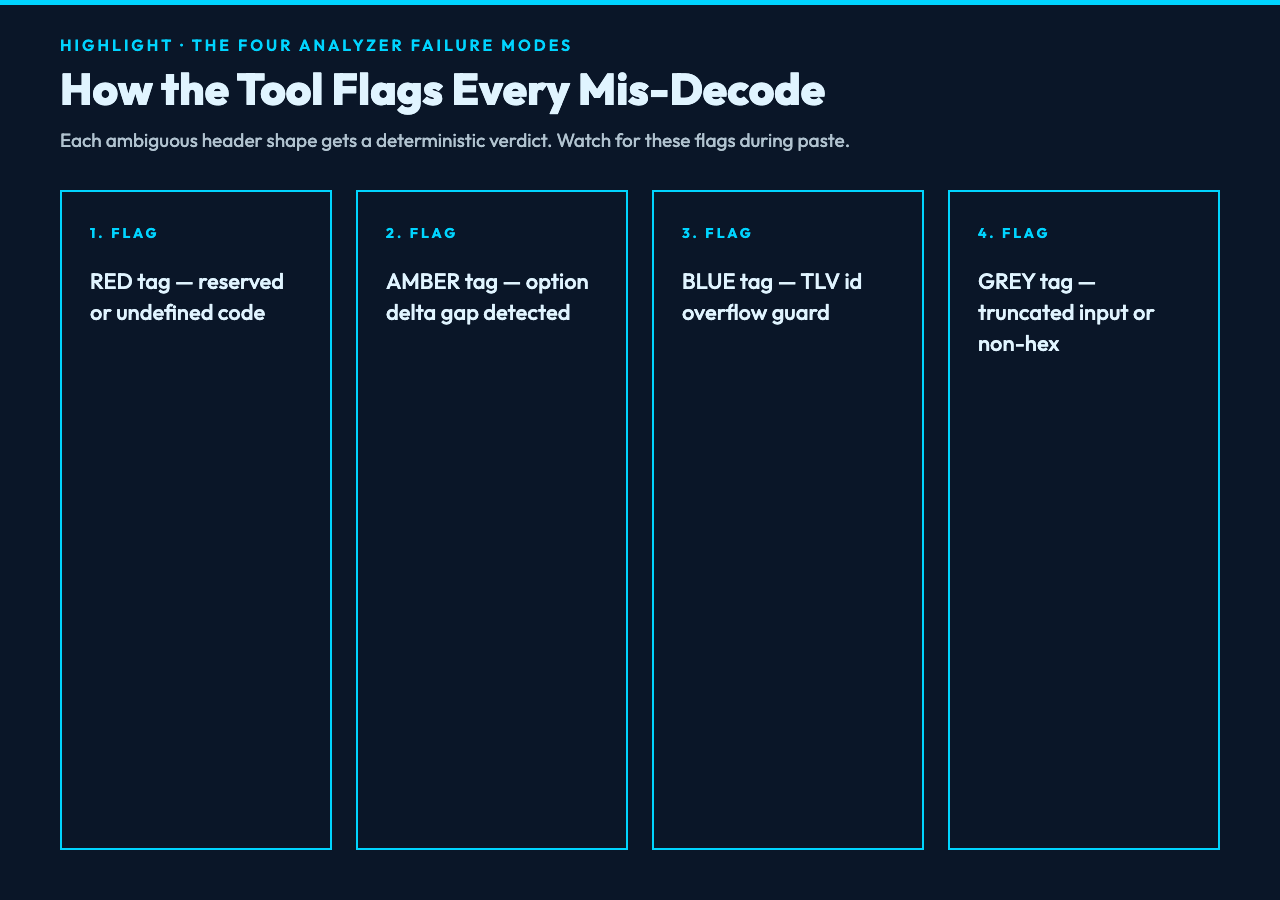
Every flag comes with the byte offset that triggered it, so the mis-decode is reproducible. Re-run the script in a debugger, set a breakpoint at the flagged offset, and inspect the option walk. The tool gives you the timestamp; you give it the meaning.
For the rest of the cellular IoT decoder stack — from the radio-layer MAC scheduling hints down to the LwM2M resource tree — the Elysia Tools Network category has the matching decoders. The Cell Analyzer is the entry point for hex-paste debugging; the other tools cover the surrounding workflow.
