
A structurally valid APNG tells you its own frame timing, and you should read it rather than guess. The APNG chunk analyzer at elysiatools.com reads the acTL, every fcTL, every fdAT, and the deflate streams behind them, then reports the timing contract in the units you actually designed in.
Most teams diagnose a stuttering animation the same way: they open the file, watch it twice, blame the encoder, and re-export. That workflow fails for APNG because the frame clock does not live in a field anyone reads. It lives in a four-byte chunk that appears once per frame, carries a numerator and a denominator, and is never validated by anything outside the encoder that wrote it. A file can look perfect and still play at one third of the speed you designed, or freeze on a single frame forever, and no browser will tell you why.
What the Frame Clock Is Actually Made Of
An APNG is a PNG that grew an animation. The animation control lives in three chunk types, and each one has a single job.
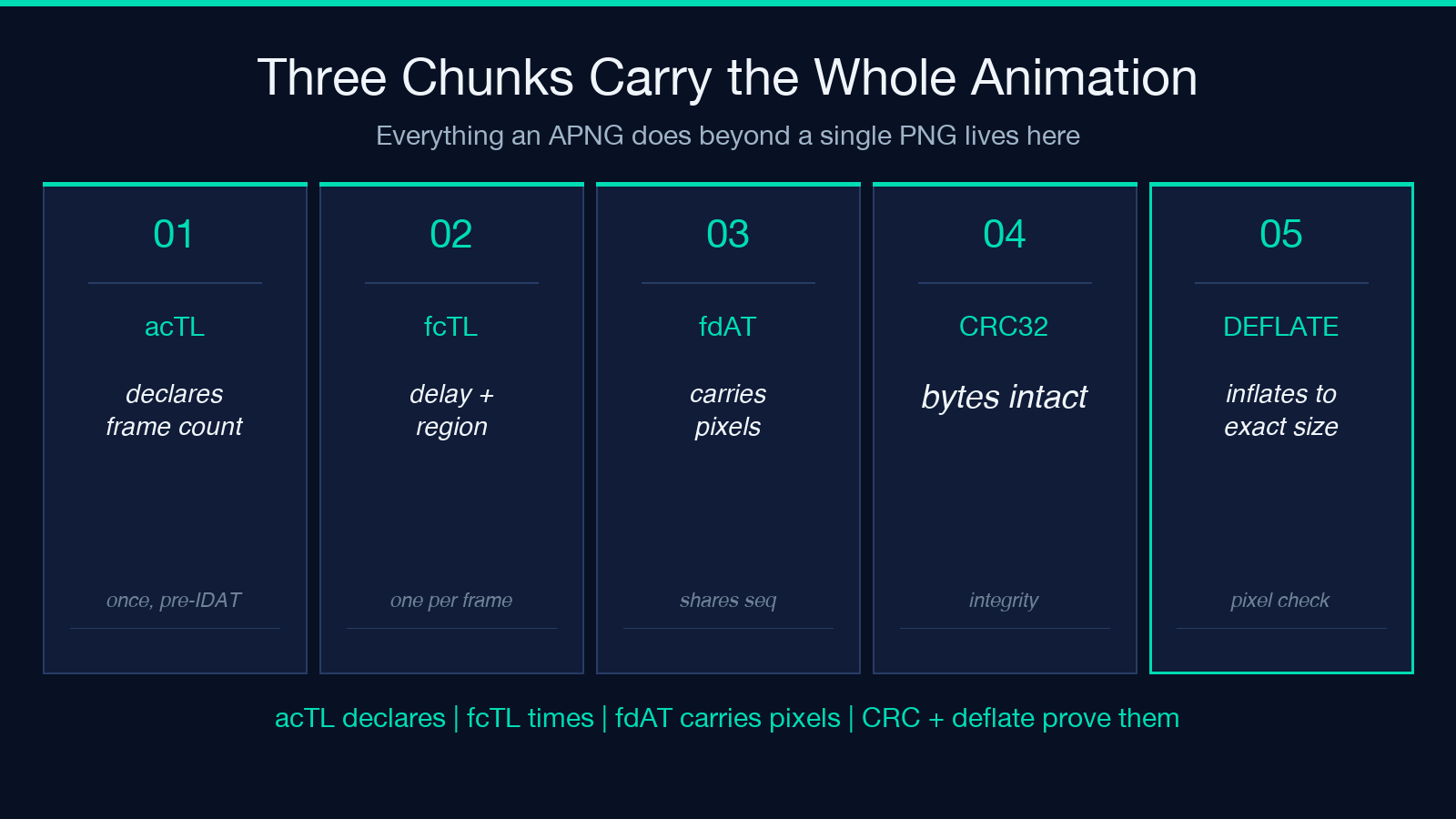
acTL is the animation control chunk. It appears once, before the first IDAT, and it declares how many frames the animation claims to have. If that declared count disagrees with the number of fcTL chunks you can actually count, the file is broken in a way most renderers will paper over.
fcTL is the frame control chunk. One per frame. It is where the clock lives: a delay numerator, a delay denominator, the region of the canvas this frame paints, and the two disposal and blending flags that decide what happens to the buffer before and after this frame draws.
fdAT is the frame data chunk. It carries the compressed pixels for every frame after the default image, and it borrows the same sequence-number space as fcTL so a decoder can interleave control and data without ambiguity.
Those three chunk types together are the entire difference between a PNG and an animated one. Everything else is inherited from the base PNG specification.
The Two Numbers That Set Your Playback Speed
This is where almost every timing bug actually lives, and it is a single division.
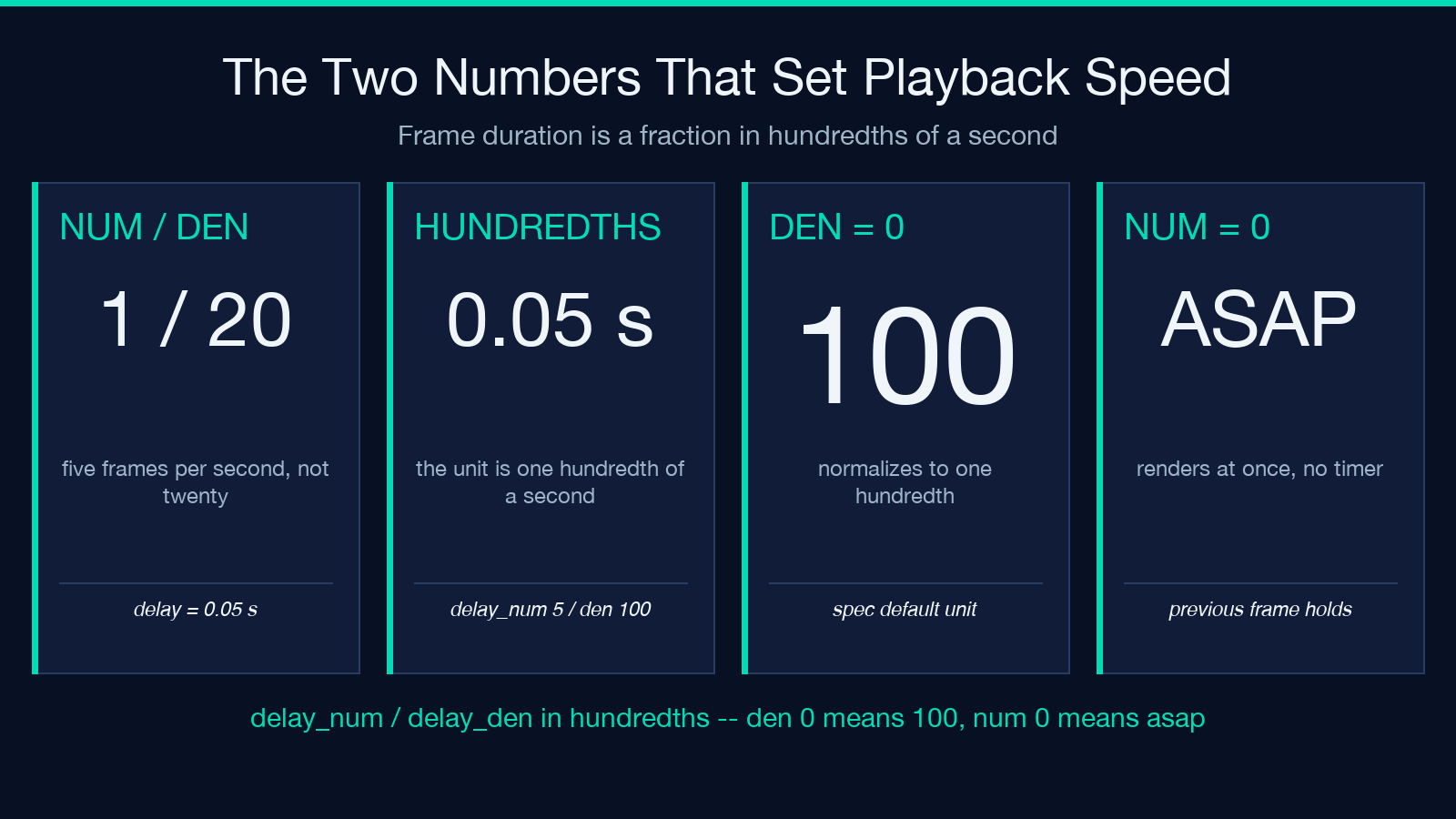
Each fcTL stores a delay numerator and a delay denominator. The real frame duration is the fraction delay_num / delay_den, expressed in hundredths of a second. That scale factor is easy to miss, and it is where most exported animations quietly lose a factor of 100 or a factor of 100.
The two normalization rules that catch the rest are compact and worth stating exactly:
- When
delay_denis 0, it is normalized to 100 — a hundredth of a second as the unit. - When
delay_numis 0, the frame is rendered as fast as possible, which means the previous frame stays on screen until the next frame is ready.
A common real-world shape is a file where every frame carries delay_num = 1 and delay_den = 20. That reads as five frames per second, and most people assume it reads as something much faster. A file where delay_den is 100 and delay_num is 5 plays at one frame every 50 milliseconds. The two look almost identical in a hex editor and behave nothing alike.
Because the duration is a rational number, an encoder can legally emit values that no display can show. The analyzer normalizes each one to a fraction and to a frame rate, so you see 0.05 s rather than a raw integer pair.
Why Sequence Numbers Are the Earliest Failure Signal
The shared sequence space between fcTL and fdAT is the simplest integrity check in the file and the one most often violated.
The contract is short. Sequence numbers start at 0, increase by exactly one per chunk, and never repeat. The analyzer treats any gap, duplicate, or out-of-order chunk as an error rather than a warning, because a decoder that loses a sequence number has no defined way to resynchronise. Every downstream value — the frame count, the timing table, the disposal audit — becomes unreliable the moment the sequence breaks.
This is also the cheapest thing to check by hand. Open the file in any hex editor, scan for the ASCII bytes fcTL and fdAT, and read the four bytes that follow each chunk header. You should see a clean run from zero. If you do not, you have found the bug without running a single tool.
The analyzer surfaces this as a single pass-or-fail verdict alongside the CRC32 check, so a broken sequence is obvious even when every other number in the file looks reasonable.
The Default Image Is Not Always Frame One
This rule is responsible for more confused bug reports than any other part of the APNG specification.
The base PNG image — the one a decoder that knows nothing about animation will display — is only counted as the first frame when its fcTL chunk appears before the first IDAT chunk. If that fcTL comes after the IDAT instead, the default image is static fallback content and the animation starts at frame one of the fcTL sequence regardless.
When the default image does join the animation, it must cover the full canvas at offset 0,0. A default image that paints a smaller region and expects the compositor to clear the rest produces a different visual result in every renderer, because each one has its own idea of what the untouched canvas contains.
Two checks decide whether your file is structurally sound, and both are cheap:
- Is the first fcTL positioned before the first IDAT?
- If it is, does that frame cover the entire canvas at 0,0?
The analyzer reports the default-image decision as its own boolean so you can see at a glance whether your animation has a static poster frame or a real first frame. Getting this wrong is why an animated image sometimes shows a perfect first frame in one browser and a blank or cropped one in another.
Disposal Flags Decide What the Next Frame Sees
Disposal is the part of APNG that looks like boilerplate and behaves like a rendering contract.
Each fcTL carries a dispose_op with three possible values. NONE leaves the canvas as the frame drew it, so the next frame composites over whatever is currently there. BACKGROUND clears the frame region back to the transparent state before the next frame draws, which is what you want for a moving sprite that should not smear a trail. PREVIOUS restores the canvas to what it looked like before this frame drew, which is the most expensive option and the one most likely to be wrong.
The blending companion is a blend_op, usually SOURCE or OVER. The first frame of any APNG is special: if it declares dispose_op PREVIOUS, the specification requires it to be treated as BACKGROUND instead, because there is no previous buffer to restore on the very first frame.
The first-frame downgrade is the single most commonly misremembered rule in the spec, and it is worth writing into your encoder’s test suite:
- First frame declares PREVIOUS — the renderer uses BACKGROUND instead.
- Any frame with a zero delay — it renders instantly, not on a timer.
- Any frame that needs the previous buffer copied — this is the expensive case worth measuring.
A frame that declares PREVIOUS on every single frame is asking the renderer to copy the whole canvas before each draw. On a 512×512 animation with 40 frames that is twenty megabytes of buffer copying for no visual benefit, and it is the kind of thing that only shows up as a dropped frame rate on low-end devices.
Replaying the Deflate Streams Catches Silent Corruption
A PNG chunk can pass its CRC32 check and still contain pixel data that does not decode. CRC32 verifies that the bytes arrived intact. It does not verify that the zlib stream inside them inflates to something the right size.
The analyzer replays every frame’s compressed stream — the concatenation of that frame’s IDAT chunks, or its fdAT chunks with the four sequence bytes stripped — and inflates it. A fully inflated frame must measure exactly height x (1 + ceil(width x bitsPerPixel / 8)) bytes, which is one filter byte per scanline plus the raw scanline data. Anything less or anything more means the stream is truncated, over-long, or corrupt.
This is the check that finds the bug your decoder silently swallows:
- CRC32 pass plus deflate fail means the file is intact and the pixels are wrong.
- CRC32 fail means the file itself was damaged in transit or on disk.
- Deflate pass plus a size mismatch means the encoder wrote a bad filter or a bad row length.
Turn on the deflate replay when a file renders as a partial image, a torn band of garbage, or a solid block of one colour. Those three symptoms map to three different failure points, and the deflate size check is what separates them. It is also why the tool is built on Node’s own zlib rather than a hand-rolled inflater — the reference implementation is the one worth checking against.
What a Clean Report Actually Tells You
Once the audit runs, the output is a single dense line you can paste into a bug report. A representative clean run looks like this: 16×16 RGBA, three frames, 0.35 seconds total, roughly 8.57 frames per second, infinite loop, one IDAT frame plus two fdAT frames, disposal none/background/none, blending source/over/over, sequence numbers 0 through 5 with no gaps, CRC verified, and deflate verified.
Every one of those fields is a decision someone made, and most of them are invisible in an image viewer:
- Frame count and total duration tell you what the encoder committed to.
- Frame rate exposes a timing bug the moment the numbers stop being plausible.
- The disposal and blend columns show whether the animation is composited correctly.
- The sequence, CRC, and deflate columns are the three integrity verdicts.
Three frames at 0.05, 0.10, and 0.20 seconds total 0.35 seconds and play at about 8.57 frames per second. If you designed that as a 10 fps animation, the numbers are telling you the encoder rounded your delays into hundredths and moved the rate. That is the kind of finding you want before the file ships, not after a bug report arrives from a user on a slow connection.
If your animation needs to leave PNG entirely — because the frame budget is real and the payload is not — the media converters in the same catalogue handle the transcode, including animated WebP and APNG straight to MP4. When you do need to check what the transcode did to the timing, the CRC32 checksum tool at elysiatools.com gives you the per-chunk integrity verdict the analyzer uses internally.
A Pre-Ship Audit You Can Run in One Pass
Run these five checks before an APNG reaches a user, in this order, because each one invalidates the next.
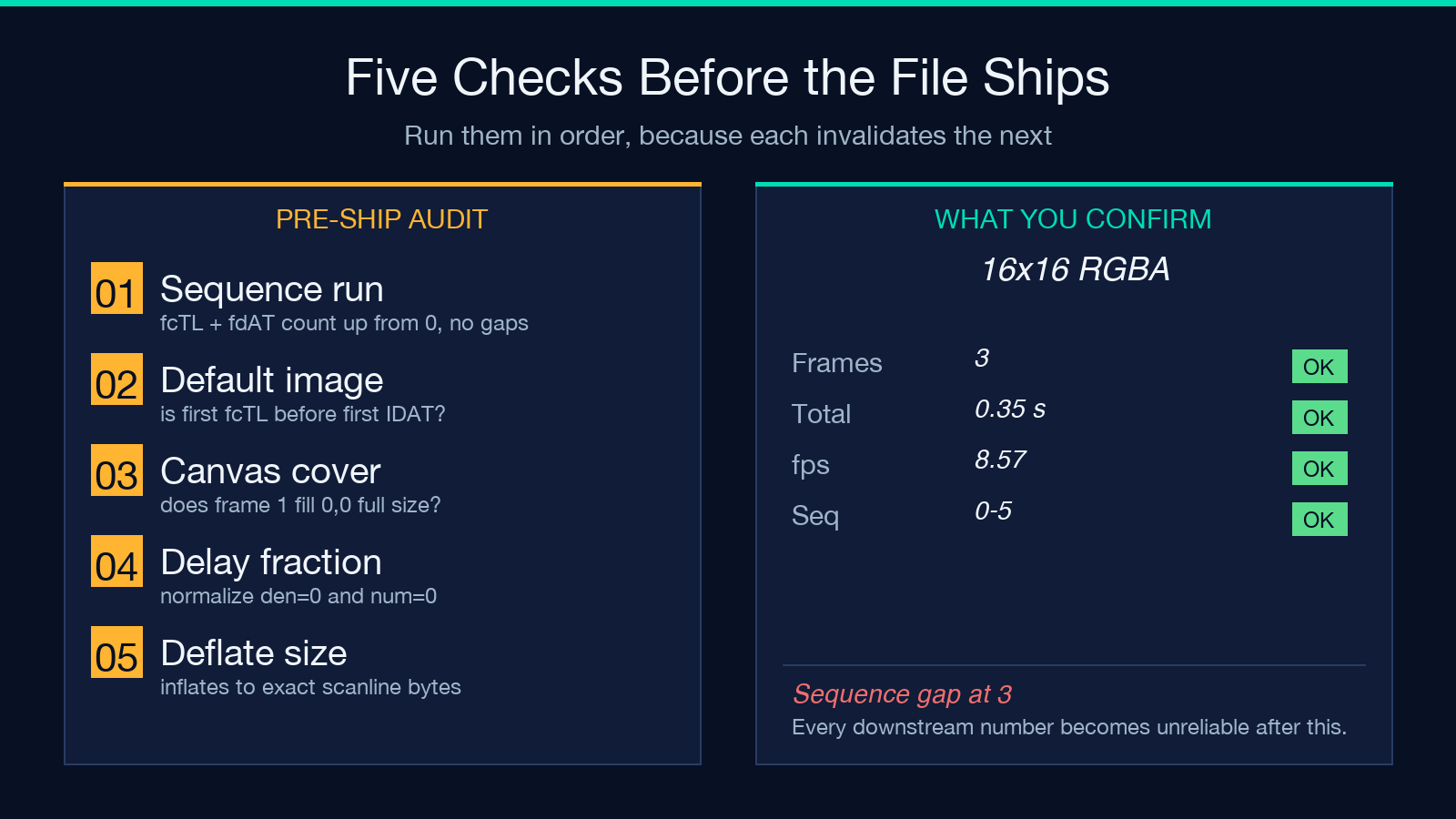
- Confirm the acTL sits before the first IDAT and its declared frame count matches the fcTL count you counted.
- Confirm the fcTL and fdAT sequence numbers run from zero with no gaps and no duplicates.
- Confirm the default image decision: is the first fcTL before the first IDAT, and does it cover the full canvas?
- Confirm every delay fraction is sane after normalization, including the delay_den of zero and delay_num of zero cases.
- Confirm the deflate replay inflates every frame to the exact expected scanline size.
If all five pass, the file is structurally sound and any remaining problem is visual taste — crop, palette, or whether the animation is worth its bytes at all. If any one fails, you have a specific defect rather than a vague feeling that “the animation looks off,” which is the whole point of reading the chunks instead of guessing.
The format rewards exactly this kind of attention. APNG put a real frame clock inside a format that most tooling still treats as a container for a single image, and the tools that understand the chunks will tell you precisely what your animation is doing. Explore more tools at elysiatools.com.
