
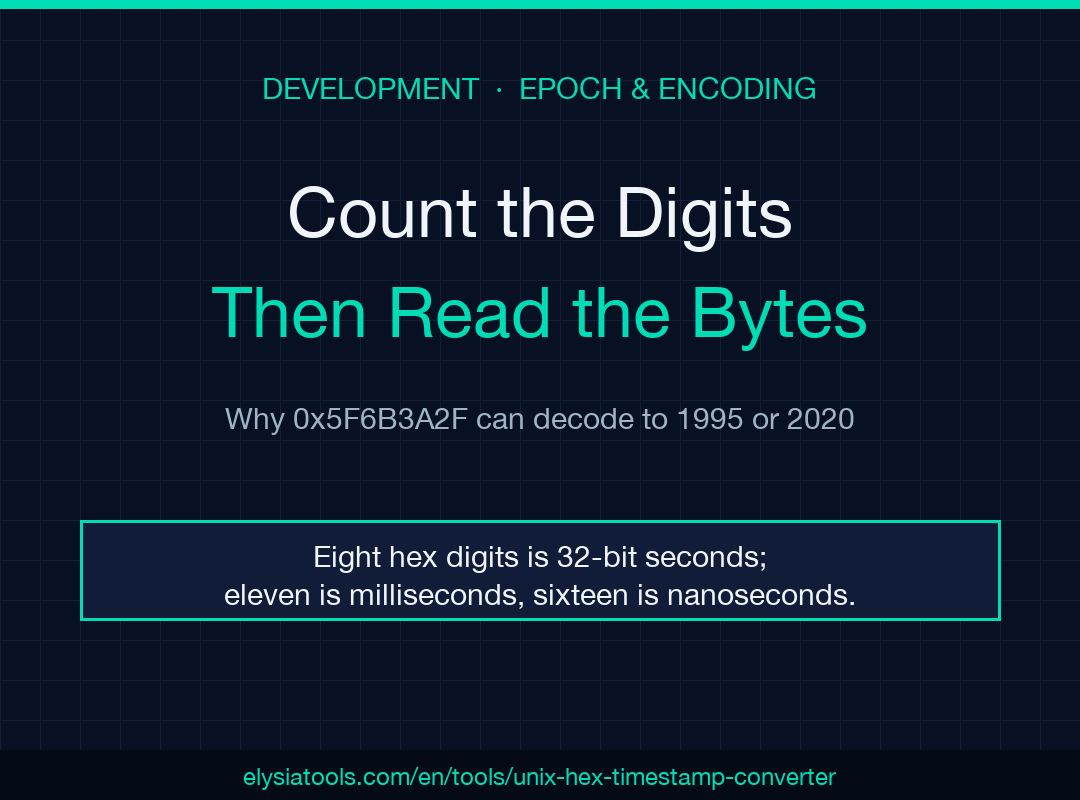
A hex timestamp is a byte string wearing a number’s clothes. Read as written, 0x5F6B3A2F decodes to a plausible 1995 date; reverse those same four bytes and you get a real 2020 log entry. Almost every bad hex timestamp traces back to that ambiguity rather than to a broken conversion, so the fix is a reading rule, not a better parser.
The Unix Hex Timestamp Converter exists for exactly this class of problem. It takes a hex seconds value, a bare 8-digit hex value, decimal seconds, decimal milliseconds, or a plain date, and hands back every form of that instant at once: ISO 8601 in UTC, decimal seconds, decimal milliseconds, and both hexadecimal outputs.
The Four Input Kinds the Converter Recognises
The tool classifies what you paste before it converts anything, and reports that classification back to you as an input kind. That label matters, because the four kinds are not interchangeable.
- Hex seconds. Either prefixed, as in
0x5F6B3A2F, or bare, as in5F6B3A2F. Both are the same 32-bit value. - Decimal seconds. A 10-digit number like
1600862767, the form most APIs emit. - Decimal milliseconds. A 13-digit number like
1600862767000, the form JavaScript, Java, and most telemetry pipelines emit. - A date. Any parsable date string, useful when the log gave you a rendered timestamp instead of a number.
Alongside the text field there is a byte-order selector with two choices: big-endian, described as as written, and little-endian, described as reverse bytes. Default is big-endian, which is the correct assumption for a value a human typed or a network protocol carried.
If your workflow is decimal-first and hex is incidental, a dedicated Timestamp Converter handles that direction without the byte-order decision in the way.
Why Timestamps End Up Hexadecimal in the First Place
A Unix timestamp is a 32-bit unsigned integer. Written in hexadecimal it occupies exactly eight digits, which is exactly four bytes, which is one 32-bit word. That is a very good fit for the places these values actually show up.
Embedded firmware writes timestamps into fixed-width struct fields, so a dump of a device buffer naturally shows eight hex digits per timestamp. Hexdumps of network traffic do the same thing. C headers with precomputed constants render times as hex literals. Processor register and memory dumps from a debugger print in hex by default. In every one of those cases the eight digits are the machine’s own word, not a display choice.
The consequence is that a hex timestamp is not primarily a number you converted into hex for readability. It is a field of bytes that happens to be printable. Reading it means deciding which of several conventions the field follows, and the digit count is the cheapest clue you have.
The Digit-Count Rule You Should Apply First
Before parsing anything, count the hex digits. The count tells you the field width, and the field width tells you the unit.
- Eight hex digits is a 32-bit value, which means seconds. The decimal range spans
268435456to4294967295, which is 1978 through 2106 for a sane epoch. - Eleven or twelve hex digits is a 5 or 6 byte value, which means milliseconds. An eleven-digit hex number covers the millisecond range well past the year 2000.
- Sixteen hex digits is a 64-bit value, which is usually microseconds or nanoseconds.
Run this check mentally before you trust any decoded output. A value with eight digits that decodes to a year in 1978 may well be correct; a value with eight digits that decodes to 2306 is far more likely milliseconds that lost a digit somewhere upstream.
Worked Example: Decoding 0x5F6B3A2F
Take the canonical value. 0x5F6B3A2F is eight hex digits, so by the rule above it is 32-bit seconds. Converting to decimal gives 1600862767, and that instant in UTC is 2020-09-23T12:06:07.000Z.
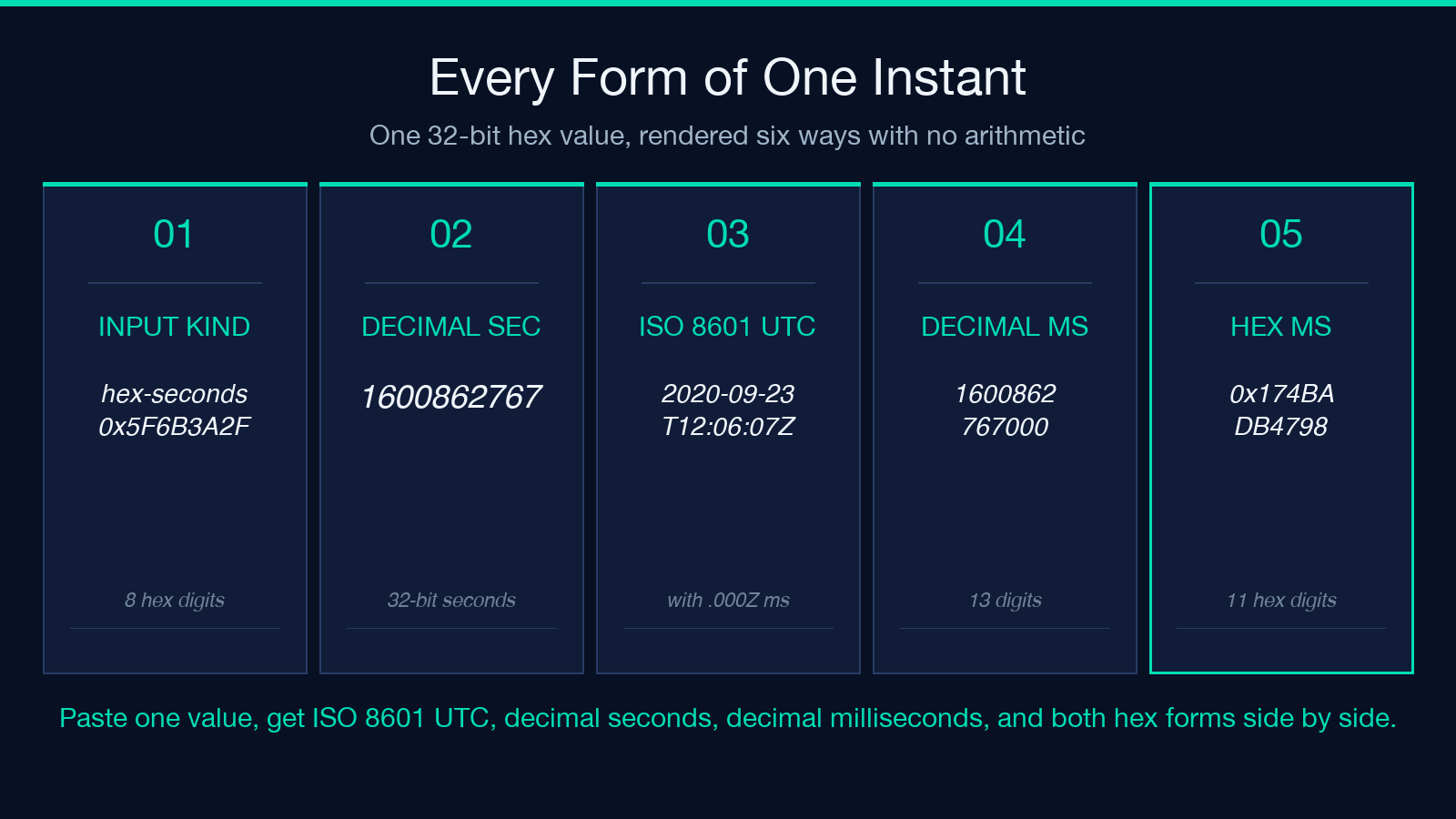
The same instant in the other forms is worth writing down, because this is what you paste into a bug report or a log annotation:
- ISO 8601 UTC:
2020-09-23T12:06:07.000Z - Decimal seconds:
1600862767 - Decimal milliseconds:
1600862767000 - Hexadecimal milliseconds:
0x174BADB4798
Notice that the milliseconds value is not the seconds value with three zeros appended in hex. It is the seconds value multiplied by one thousand, then re-rendered, which is why it grows to eleven digits. Anyone expecting 0x5F6B3A2F000 will be off by a wide margin, and that mistake is common enough to be worth naming.
The Byte-Order Trap That Yields a Plausible Wrong Date
Now the case that motivates the byte-order switch. Take the value 2F3A6B5F. Read as big-endian it is 792357727, which is a perfectly valid timestamp: 1995-02-09T19:22:07Z.
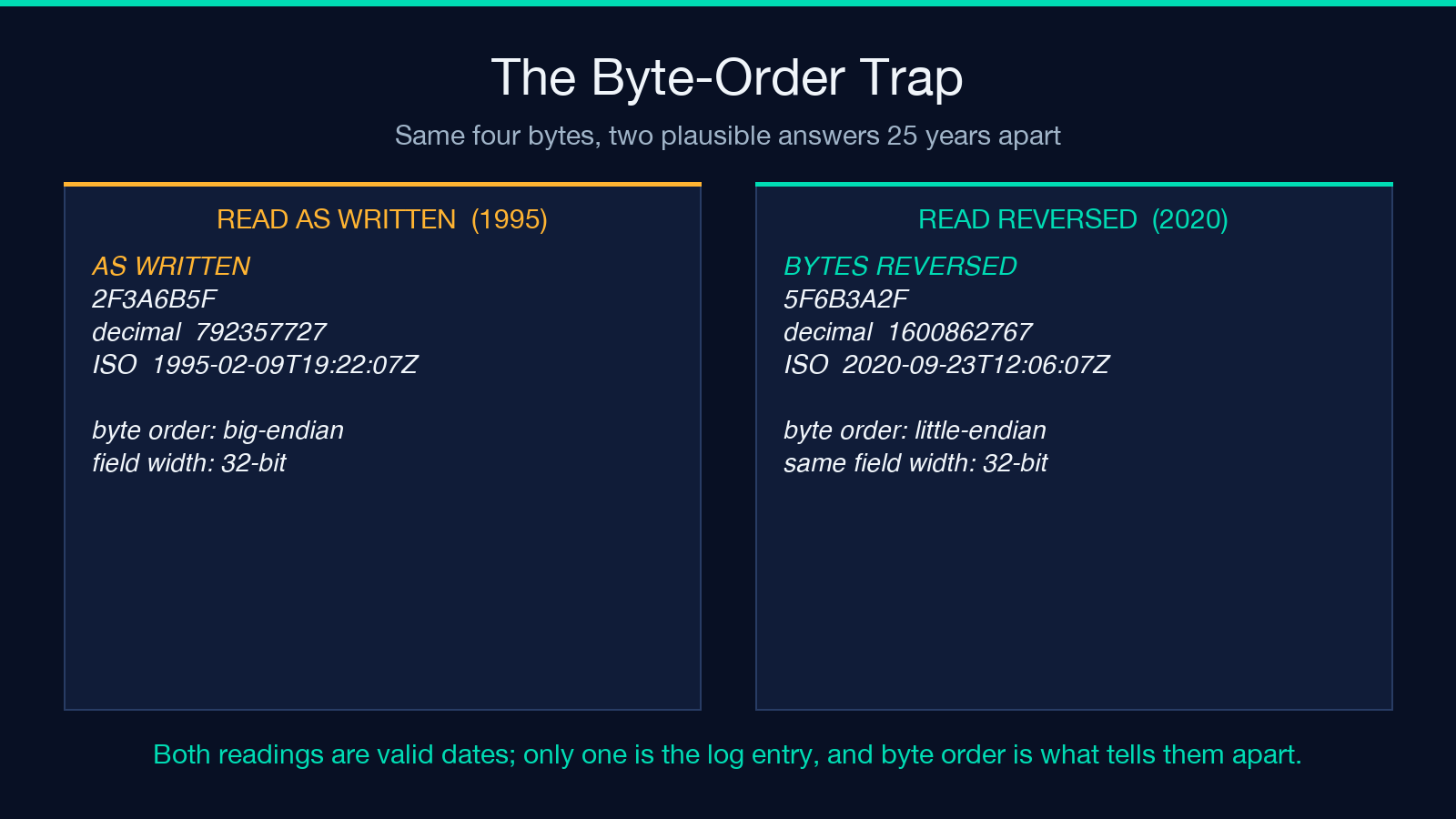
But suppose the field was actually written by a little-endian producer. Reverse the four bytes and 2F3A6B5F becomes 0x5F6B3A2F, which is 1600862767, which is 2020-09-23T12:06:07Z — the exact instant from the previous section.
This is the dangerous failure mode precisely because the wrong answer looks right. A 1995 date in a 2026 log does get noticed. A misread that lands somewhere in the plausible present does not. When a decoded timestamp looks odd but valid, flip the byte order before you go looking for a data problem.
Seconds Versus Milliseconds, Seen From the Hex Side
The same year looks very different in the two units. Today’s epoch seconds at midnight UTC is 1792713600, which is 0x6ADAA380 — eight hex digits. The same instant in milliseconds is 1792713600000, which is 0x1A1660EAC00 — eleven hex digits.
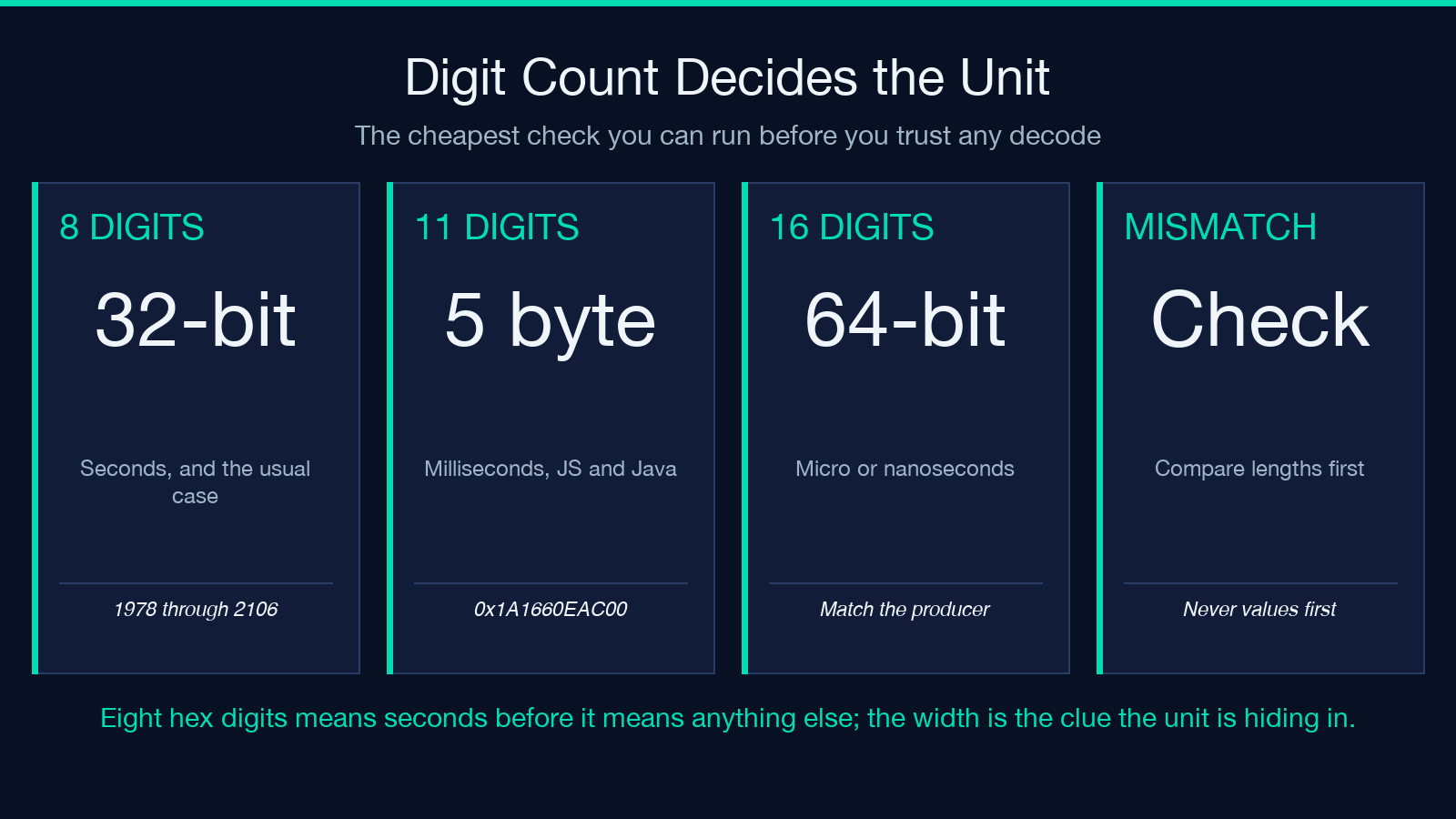
Two practical rules follow. First, a seconds field and a milliseconds field never share a hex length, so length alone disambiguates them. Second, when you are comparing a hex field against a value your API printed in decimal, match the lengths before comparing the values, or the comparison will look like a data corruption when it is only a unit mismatch.
Five Checks Before You Trust a Decoded Timestamp
Run these in order. They take under a minute and catch nearly every wrong answer.
- Count the digits. Eight means seconds. Eleven or twelve means milliseconds. Sixteen means microseconds or nanoseconds.
- Confirm the byte order. If the instant is plausible but wrong, the field was probably little-endian.
- Check the decade. A 1995 result from a 2026 device usually means the byte order is flipped, not that the clock is.
- Fix the timezone explicitly. The output above is UTC. If your incident timeline is local time, convert deliberately instead of assuming.
- Validate the date you derived. A general Date and Time Validator catches malformed input before it reaches a downstream parser.
Where Hex Timestamps Turn Up in Real Systems
Network timekeeping is the most common source, because NTP encodes its era and offset fields in hex-adjacent binary structures. If your problem involves leap seconds or era rollover rather than plain unit conversion, the NTP RFC 5905 SNTP Leap Second and Epoch Decoder handles the era logic the simple converter deliberately skips.
Token-based systems are the second. A JWT carries iat and exp as JSON numbers that a hex-oriented debugger will render as eight hex digits. When you are reading one by hand, decode the claims first with a JWT Decoder, then convert the timestamps you find.
The third is raw log triage. When you need to see how bytes map to printable characters alongside a timestamp field, the text-hex-unicode-formats sample shows the same bytes in three renderings. For everything else in the catalog, browse the full set of tools on elysiatools.com.
The rule worth remembering is short. Count the digits to get the width, use the width to get the unit, and when the result is plausible but wrong, suspect byte order before you suspect the data.
