
Two different JSON objects flatten to the same single key. {"a.b": 1} and {"a": {"b": 1}} both collapse to a.b, but an unflattener handed that key cannot tell which tree you started from. Each JSON unflattener is a reconstruction, and a panel of switches stands in for evidence nobody recorded. Here is what those switches do when you measure them.
A flat key is a claim, not a path
Flattening feels like the safe half of the operation. You walk a tree, join each path with a dot, and write one row per leaf. Nothing visible is lost. Flattening removes the boundary between the separator and the data: a key that happens to contain a dot becomes indistinguishable from a nested object, and the file that arrives at the other end no longer contains the distinction.
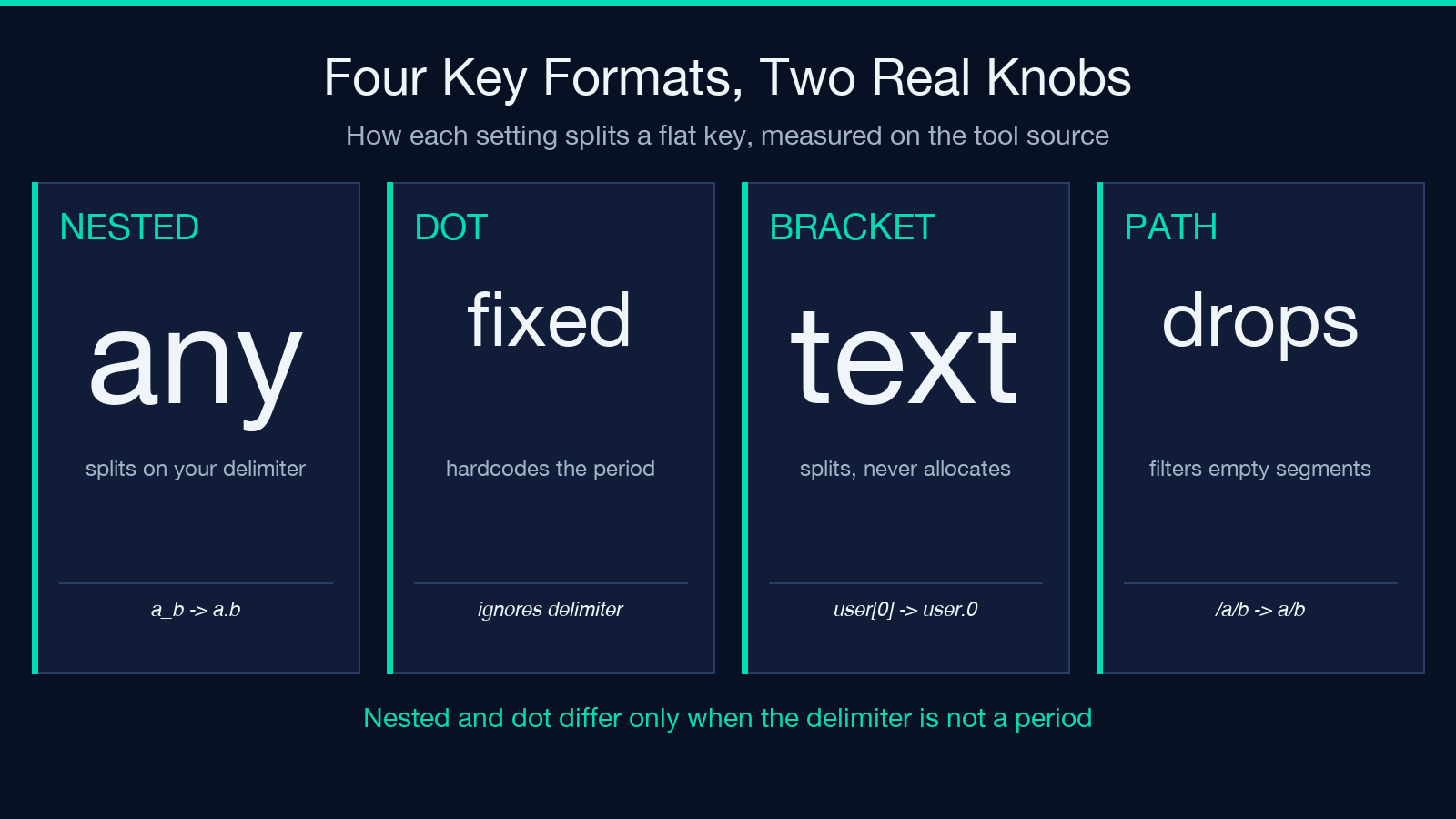
The tool ships four key formats, and two of them turn out to be the same knob. nested splits on whatever delimiter you supply. dot hardcodes the period and ignores the delimiter field entirely. On the default delimiter those two settings create byte-identical output. Set the delimiter to an underscore, feed the single key a_b, and they diverge: nested returns {"a": {"b": "x"}} while dot returns {"a_b": "x"}.
There is no escape syntax anywhere in the panel. Nothing lets you declare that a particular dot is literal. A key of a..b creates {"a": {"": {"b": "v"}}}, with an empty string as a real property name, and a trailing dot does the same one level up. If you have seen a JSON payload carrying a "" key, you have seen this exact artifact. For example, export tooling that builds paths with a join emits that shape whenever one segment is blank.
The consequence is worth stating plainly, because it reframes the whole task: unflattening is not the inverse of flattening. It is the best available reconstruction from a map that discarded the evidence. You can try it at Elysia Tools, and the rest of this piece is about picking settings that lose as little as possible on the way back.
Two keys, one path, two different failures
Take two flat maps holding the same two keys and differing only in order. This is the sharpest case I found, and it comes out of the tool’s own code, not a contrived input.
{"a": "scalar", "a.b": "leaf"}fails withAttempted to assign to readonly property.The loop reachesa, writes the string, then tries to hangboff that string.{"a.b": "leaf", "a": "scalar"}returns{"a": "scalar"}and reportsconflictsResolved: 1. The nested object is built, then overwritten, and the leaf is gone.{"a": null, "a.b": "leaf"}returns{"a": {"b": "leaf"}}, because the code path treats a null slot as empty instead of as a value.
Three outcomes, from one flat map with one key order changed: a crash, a silent loss, and a correct result. A flat map has no guaranteed order, so which of the three you get depends on how the producer emitted its rows.
That measured detail matters operationally. The crash is not a validation error you can catch and report against a field. It arrives as a generic conversion failure, so a pipeline that retries on error will retry forever on an input that is structurally valid.
Type inference does not run on JSON input
The panel carries a control labeled Data Type Inference with three settings: auto, string, and smart. On JSON input all three are inert. The value parser is invoked only in the key=value branch. When the input format is JSON, values come out of the JSON parser and get used exactly as parsed.
I ran one map through all three settings and got three byte-identical results: {"user": {"age": "30", "on": "true", "n": 42}}. The age stays a string, the flag stays the string true, and the one genuine number stays a number. That is the entire observable difference between the three modes on this input format.
This matters because the tool’s own placeholder example is exactly that shape, with user.age holding "30" and settings.notifications holding "true" as quoted strings. Load the default, press run, and you get "age": "30" back instead of 30. To get coercion you must force the key=value input format, which is a different parser with different rules and different failure modes.
What auto-detection does to a five-digit zip
In key=value form, inference is aggressive. I called the value parser directly on twenty strings and recorded each return value.
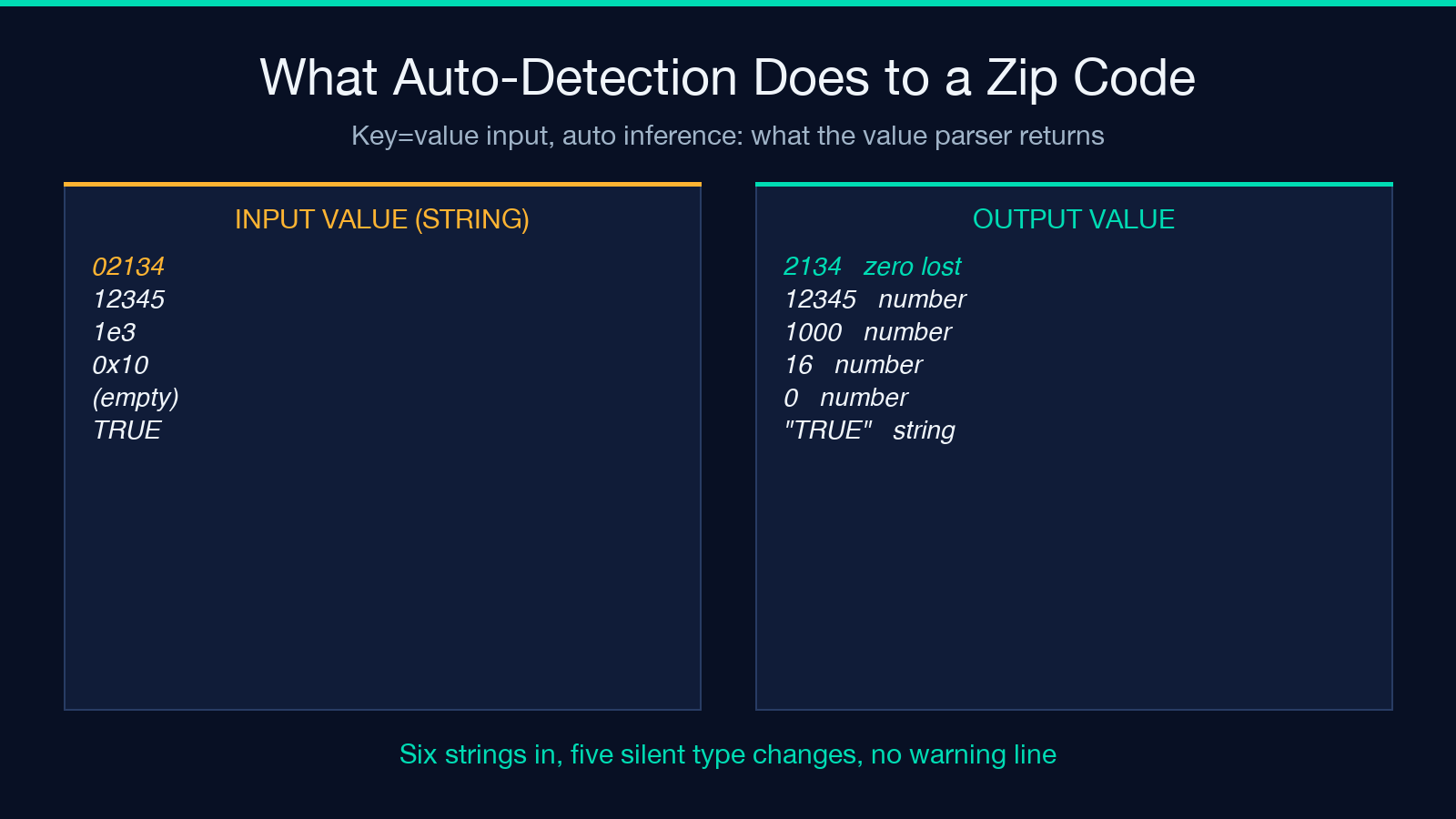
02134returns2134. The leading zero is not a display preference that gets restored downstream; it is gone from the value.12345returns12345as a number. A Boston zip survives only because it happens not to begin with zero.1e3returns1000, and0x10returns16. Both are legal JavaScript number literals, so both parse.- An empty value returns
0, because the number parser accepts the empty string. A blank cell becomes a zero. TRUEstays a string whiletruebecomes a boolean, so a mixed-case source splits into two types across one column.infinitystays a string, and so doesNaN.
Note the shape of that failure. Some identifiers survive as numbers, some are corrupted, and the ones that survive have silently changed type. No warning line appears for either outcome. For a column of product codes, a mixed result set is harder to notice than a uniformly broken one, because half your equality checks still pass.
If the values are identifiers, set the mode to string and leave it there. That single choice removes the whole class of defect.
The array switch that never fires
Array Detection offers three options, and one of them cannot work. The predicate that decides whether to allocate an array returns false for the bracket mode unconditionally, on the reasoning that bracket keys are handled by the key parser, and the key parser only splits text without ever allocating anything.
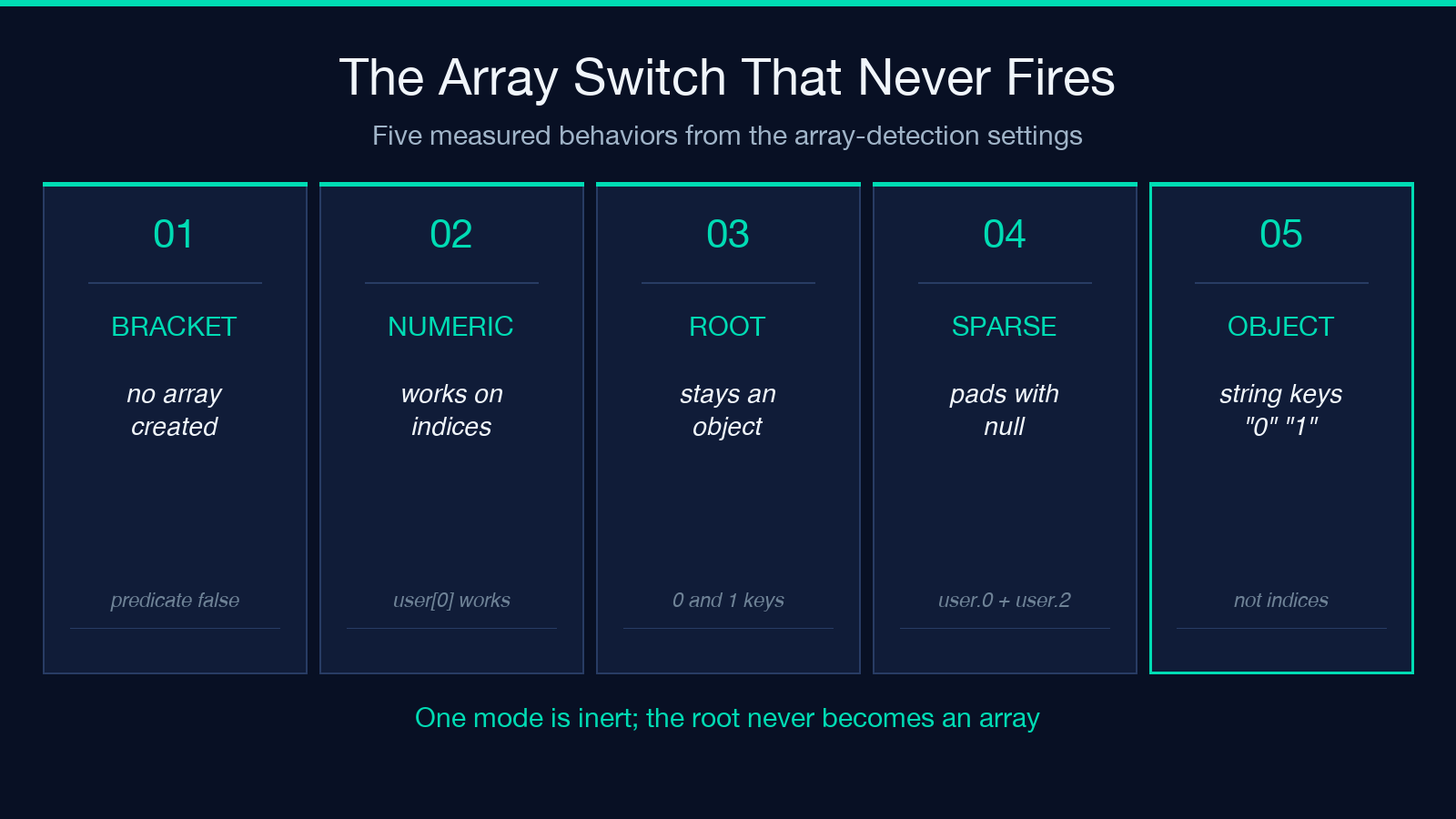
The measurement shows the switch cannot fire. Feed {"user[0]": "a", "user[1]": "b"} with the array mode set to bracket and you get {"user": {"0": "a", "1": "b"}}, an object with string keys. Switch to numeric mode and the same bracket keys create {"user": ["a", "b"]}.
Two more behaviors belong in the same note. Numeric detection fires only for interior segments, so a map whose top-level keys are 0 and 1 returns an object and never an array, because the root is allocated as an object before any key is read. And sparse indices pad with nulls: keys user.0 and user.2 return {"user": ["a", null, "c"]}, where that null is a hole the reconstruction invented, and not a value anyone supplied.
Read the settings off the provenance of the map
Given all of the above, the settings are not preferences. They are claims about where the flat map came from, and each claim can usually be settled by asking the producer one question.
- From a logging pipeline that joined paths with a dot: nested format, string inference, numeric arrays on. The producer has no type information, so inventing any is a guess dressed as a feature.
- From a spreadsheet or a CSV export of key=value rows: key=value input and string inference. Cells are text, and coercing them is a decision you should make later and explicitly.
- From a known schema or an OpenAPI document: none of the above. Rebuild from the schema, because you hold the evidence the flat map threw away, and a heuristic can only compete with it.
That third case is the one teams skip. When you can regenerate the tree from a schema, the unflattener is a strictly worse tool than the schema, regardless of how the switches are set.
Where the reconstruction still lies
Four more behaviors I verified, all in the category of a control that does something other than its label suggests.
- Merge strategy destroys values on a type conflict. Input
{"a.b": "1", "a.0": "2"}with merge selected returns{"a": ["2"]}: the object was converted to an array as designed, and the leafbwas dropped during the conversion. The conflict counter reads 2, so the tool did report that something happened. - Duplicate keys are reachable only in path format. Because empty segments are filtered out,
/a/banda/bboth resolve to the same path, and the error strategy catches it. In nested format I could not construct a duplicate at all. - Max depth counts keys whose values were discarded. With preservation off, a map holding one live key and one deep empty key returns a two-level result and reports a max depth of 5.
- Preservation off drops the empty string, null, and undefined without a count. The result object does not have those properties, and no field in the response says how many went missing.
The honest summary is that the statistics block describes the input, not the output. Treat objectsCreated and maxDepth as diagnostics about what the tool saw, and read the returned tree yourself for what it produced.
The round-trip diff settles the argument
There is a cheaper test than reading any of this. Flatten the output again, diff it against your input, and classify the difference into one of three buckets.
- Only key order changed. The round trip is exact, so ship it.
- A value changed type but kept its text, and the consumer is tolerant. Ship it with a note in the pipeline.
- A value moved, vanished, or gained a null. Stop: the flat map was ambiguous for that key, and no setting resolves an ambiguity the data never recorded.
That last case is not a bug anyone can file. It is the boundary of the operation, and it appears in exactly those inputs where the separator occurs inside a key. Put the diff in your test suite once and the question stops being a matter of judgment. Related converters for structured data are indexed at Elysia Tools, and the unflattener itself is at the tool page.
Start with the round trip, not a settings tour: flatten the output, diff it against the input, and read the difference line by line. If key order is the only change, you are finished. If a value moved or vanished, whether you patch the data or patch the exporter is the question worth answering next.
本文有中文版:两个键,一条路径:反扁平化为什么做不到精确还原
