Introduction
Artificial intelligence has quietly become the most powerful utility in a developer’s toolkit. Whether you’re building a document-processing pipeline, a facial-recognition access system, or just trying to understand a tangled regular expression at 2 AM — there’s an AI tool for that. And the best part? They’re free, browser-based, and production-ready.
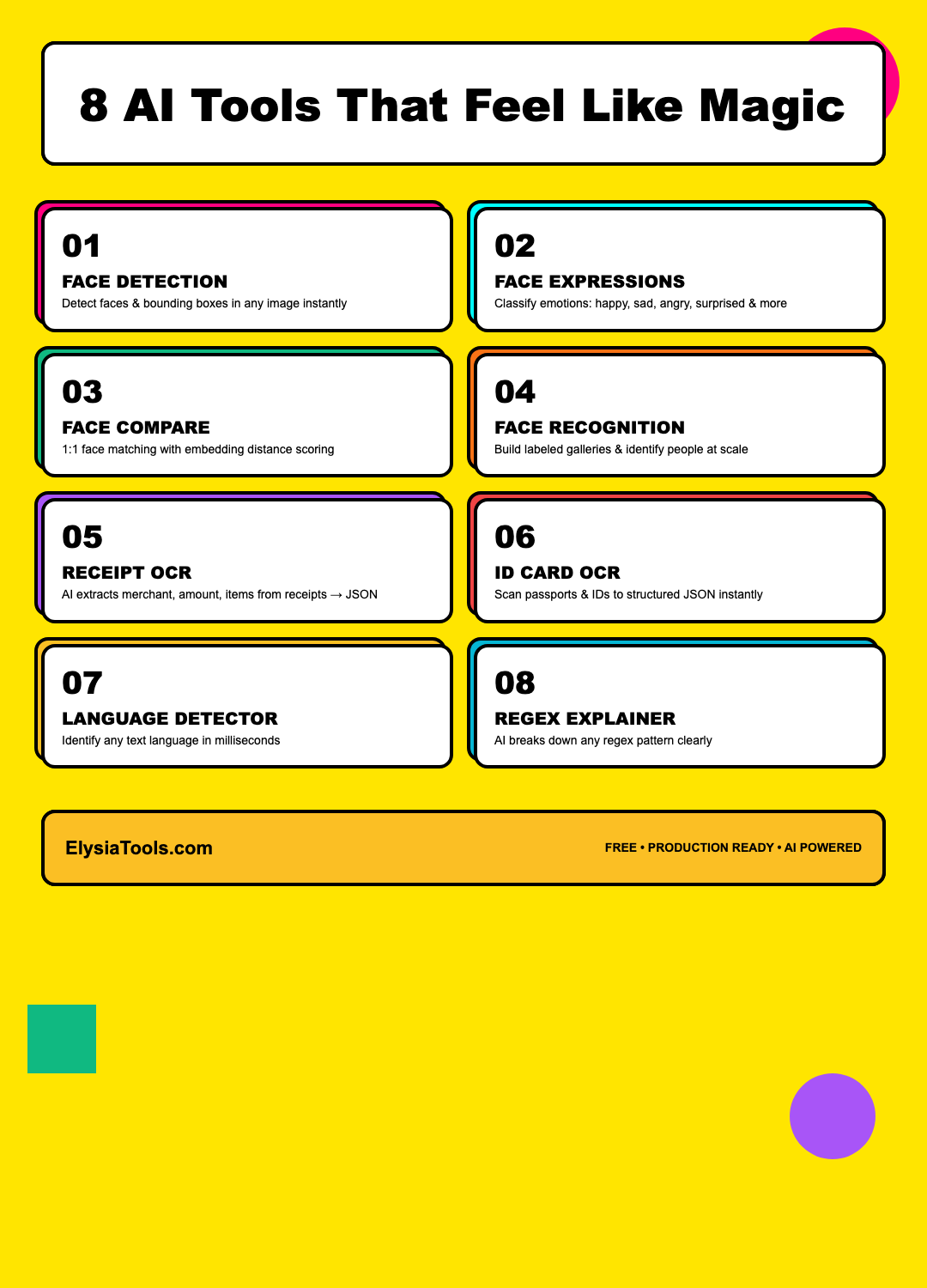
In this post, I’m going to walk you through 8 AI-powered tools from ElysiaTools that I genuinely reach for almost every day. Each one solves a real problem with precision and elegance. Let’s dive in.
1. AI Face Detection — Know Exactly Where Everyone Is
Every face-related AI project starts here. AI Face Detection takes any image and returns precise bounding-box coordinates for every detected face. It’s powered by the SsdMobilenetv1 model via @vladmandic/face-api, running entirely in the browser with TensorFlow.js.
What makes this tool stand out is its configurability. You can tune the minimum confidence threshold (0.05–0.99) to filter out low-confidence detections, and set a maximum results cap for large group photos. The JSON output gives you the detection score, box coordinates (x, y, width, height), and even the right and bottom edge positions — perfect for overlaying UI elements directly on faces.
Use cases: Auto-cropping profile photos, counting attendees in event photos, redacting faces in sensitive documents, preparing training data for downstream face analysis models.
2. AI Face Expressions — Read the Room, at Scale
Building an emotion-aware application? AI Face Expressions classifies seven universal emotions — neutral, happy, sad, angry, fearful, disgusted, and surprised — for every detected face in an image. Each expression comes with a confidence score, so you can set your own threshold for what counts as a “confirmed” emotion.
The tool uses the same SsdMobilenetv1 face detector but adds the Face Expression Network on top. The output is a structured JSON array with per-face emotion probability distributions — ideal for sentiment analysis dashboards, accessibility features, or UX research tools.
Use cases: UX research emotion tracking, accessibility features that describe emotional tone in images, customer satisfaction analysis from facial cues, mental health monitoring applications.
3. AI Face Compare (1:1) — Yes or No, With Numbers
Need to verify that two photos belong to the same person? AI Face Compare extracts 128-dimensional face embeddings from two images and computes the Euclidean distance between them. If the distance falls below your chosen threshold (default 0.6), it’s a match.
This is the workhorse behind identity verification, duplicate photo detection, and access control systems. The tool outputs both the boolean match result and the raw distance score — so you can tune your threshold based on your security requirements. Lower distance = higher confidence.
Use cases: Identity verification for onboarding flows, detecting duplicate user-uploaded photos, physical access control integration, document + selfie matching for KYC compliance.
4. AI Face Recognition (Gallery) — Who’s Who in Any Crowd
When you need to go beyond 1:1 comparison and recognize multiple people from a labeled gallery, AI Face Recognition is the tool for the job. Upload up to 50 labeled reference faces, then run any target image against the entire gallery in one shot.
The tool uses the Face Landmark 68 model to align faces before extracting descriptors, which dramatically improves recognition accuracy across different poses and lighting conditions. Each detected face in the target image gets labeled with the best matching gallery entry and its distance score.
Use cases: Event photo tagging and organization, attendance systems, media archive search by person, smart home access logs with named entries.
5. Image to Receipt JSON — From Paper to Structured Data in Seconds
Receipts and invoices are a nightmare to digitize manually. Image to Receipt JSON uses the Qwen3-VL vision model to extract every key field from a receipt photo: merchant name, receipt number, date/time, total amount, tax amount, currency, line items, payment method, and even the merchant’s tax ID and address.
The killer feature? You can define a custom JSON schema to extract exactly the fields you need — no over-fetching, no post-processing. Drop in a schema like {"merchantName": "string or null", "totalAmount": "number or null", "items": [...]} and get back perfectly shaped data.
Use cases: Expense tracking automation, accounting software data entry, fleet fuel receipt processing, retail analytics from point-of-sale data.
6. AI ID Card OCR — Passport-Style Data Extraction
Similar in spirit to receipt OCR but tuned for identity documents. AI ID Card OCR extracts name, date of birth, ID number, gender, signature, valid period (with issue and expiry dates), place of birth, and address from national ID cards.
Again powered by Qwen3-VL, this tool handles the messy reality of ID photography — glare, perspective distortion, varied card formats — with grace. All extracted fields are returned as structured JSON, ready for database insertion or verification pipelines.
Use cases: KYC/AML compliance workflows, hotel check-in automation, car rental booking systems, telecom SIM activation, age verification gates.
7. AI Language Detector — Always Know What Language You’re Reading
Working with multilingual content? AI Language Detector identifies the language of any text fragment and returns both the full language name and the ISO 639-1 language code. Powered by DeepSeek V3.2, it handles code-switching, short texts, and mixed-language content far better than simple statistical models.
For developers building translation pipelines, content moderation systems, or search indexing, knowing the language of user-generated content upfront is critical. One API call with a text snippet — you get back {"language": "English", "code": "en"} or {"language": "繁體中文", "code": "zh"}, along with metadata about processing time and confidence.
Use cases: Routing content to the right translation engine, spam detection (certain languages correlate with specific spam patterns), search engine indexing by language, content moderation triage pipelines.
8. AI Regex Explainer — Finally, Regex Anyone Can Understand
Regular expressions are famously powerful and famously unreadable. AI Regex Explainer breaks any regex pattern into its component parts with plain-English explanations. It parses anchors, character classes, quantifiers, groups, lookaheads, lookbehinds, and escape sequences — each with position information and practical examples.
Beyond basic breakdown, it provides:
- Complexity rating — simple, moderate, complex, or very-complex
- Dialect compatibility notes — JavaScript vs Python vs PCRE vs Go (RE2) differences
- Example matches and non-matches — actual strings that should and shouldn’t match
- Potential issue warnings — catastrophic backtracking risks, unsupported features
You can also enable AI-enhanced explanations (DeepSeek V3.2) for deeply complex patterns where structural parsing isn’t enough. The tool outputs fully structured JSON with a navigable tree view — perfect for building documentation or learning regex from real examples.
Use cases: Debugging existing regexes, onboarding new team members, learning regex patterns, documenting validation logic, cross-language regex migration (e.g., moving from Python to JavaScript).
Bonus: They All Play Well Together
Here’s where it gets interesting: these tools are designed to compose. Imagine a document processing pipeline where:
- AI Face Detection crops and aligns face regions from uploaded photos
- AI Face Expressions tags each person with an emotional state
- AI ID Card OCR extracts identity info from an attached ID photo
- Image to Receipt JSON digitizes supporting receipts
- AI Language Detector routes results to the right localization pipeline
All of this runs without a backend, scales to zero cost, and integrates via simple HTTP calls or browser-based UIs.
Conclusion
These 8 tools represent a cross-section of what’s possible when AI is packaged as precise, well-scoped utilities rather than opaque black boxes. Whether you’re a developer building enterprise workflows, a researcher processing datasets, or just someone who needs to extract data from a stack of receipts — ElysiaTools has something that will make your life noticeably easier.
All tools are free to use at elysiatools.com. No account required, no API keys to manage, no rate limits to dance around. Just open the tool, upload your input, and get production-quality output in seconds.
What’s your favorite AI utility? Let me know which tool from this list you’d like a deeper dive into — I’m happy to explore any of them in detail.