The next time a delivery driver finds your door in a snowstorm, the dispatcher probably did not type latitude and longitude. They typed twelve characters — wx4g8s9z3kp7 — and a system converted that string into a 3.7-meter rectangle, looked up the address inside it, and dispatched the van. The whole trick is one insight: keep halving the world, and you can name any point on it in fewer keystrokes than it takes to type its postal code. That is the geohash promise.
The earth does not need a coordinate system. It needs a way to be named.
That sentence is the entire geohash idea, in eight words. Everything else in this article is the engineering that follows from it. A coordinate is two numbers pinned to a continuous surface; a geohash is a string pinned to a recursive subdivision of that surface, and the difference between the two is the difference between an answer and a search key. One is meant for math. The other is meant for a database index, a URL, a QR code, a typo you can spot at a glance.
The 32-character alphabet nobody designed
Open the geohash generator and feed it 39.9042, 116.4074 — the centre of Beijing — and you get back wx4g8s9z3 for nine characters of precision, around 4.7 meters. Drop the precision to 5 and you get wx4g8 — a region the size of a small neighbourhood. Drop it to 1 and you get w — a third of the planet. Every extra character shrinks the cell, halving it east-west and then north-south, alternating, until you are staring at a rectangle smaller than a parking space.
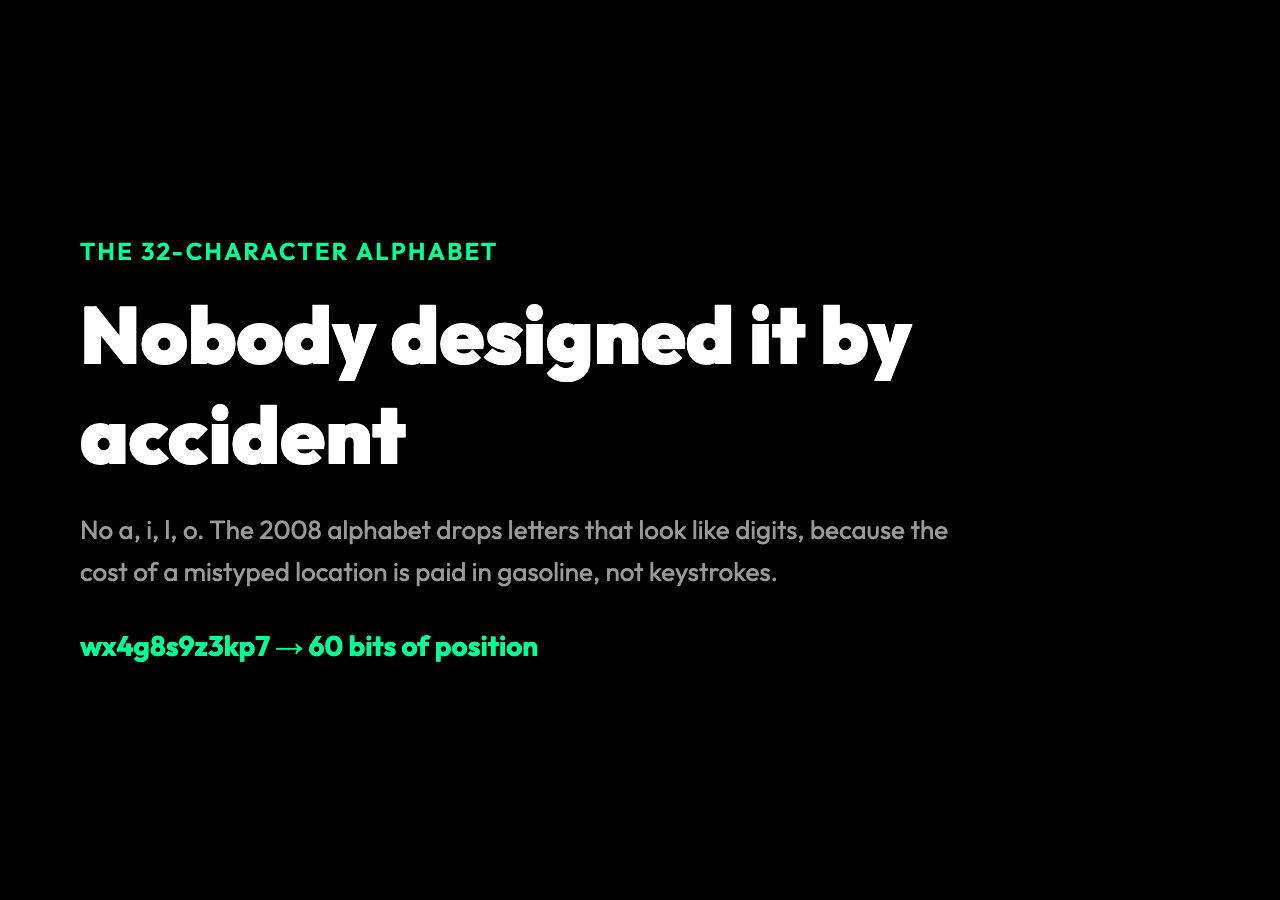
The encoding alphabet is 0123456789bcdefghjkmnpqrstuvwxyz — 32 characters total. That is not a coincidence. Geohash was published by Gustavo Niemeyer in 2008 and the alphabet was chosen to be human-typable: no a, no i, no l, no o, because in most fonts those letters look identical to digits, and the cost of a mistyped location is paid in gasoline, not keystrokes. A 32-character alphabet means each character carries 5 bits, so a 12-character geohash encodes 60 bits of position — more than the ~52 bits you would need to address a 5-meter square anywhere on Earth to within one cell. The math works out: every additional character of precision halves the cell in both dimensions, so cell width at precision n is roughly 5000 km / 2^(2.5*n).
This is why the same alphabet keeps showing up in geocaching caches, MongoDB’s 2D index, Redis’s geo commands, and Elasticsearch’s geohash aggregation. For example, the Redis GEOADD command stores a sorted set of geohashes under a single key, which is why a GEORADIUS query on six million drivers returns in under five milliseconds on commodity hardware. It is not a coincidence that the geohash alphabet is the same one that Base32 encoding often uses. Both are doing the same thing: packing binary precision into a string that survives a copy-paste and a screenshot.
The subdivision that a five-year-old can draw
The algorithm is the simplest interesting thing in computer science. Start with the entire planet: latitude runs from -90 to 90, longitude from -180 to 180. Now halve the longitude range and ask: is the point east or west of the midpoint? East gets a 1-bit, west gets a 0-bit. Now halve the latitude range and ask the same question. Now longitude, now latitude, again and again, weaving bits together five at a time. Each time you collect 5 bits, look them up in the 32-character alphabet and append that character to your string. Stop when the string is as long as you want.
The interleaving is what makes the result useful. Because longitude and latitude bits are alternated, the first character of a geohash describes a longitude half, the next character a latitude half, and the cell at any depth is roughly square. If you instead encoded all the longitude bits first and then the latitude bits, you would end up with a stripe-shaped cell at depth 2 — 180 degrees wide, 90 degrees tall — and the geohash would only become square at the end. The interleaving is a design decision, not a mathematical necessity, and it is the reason you can search for nearby points with a single string-prefix match.
You can verify this on any city you know. Take Shanghai at 31.2304, 121.4737. Its 6-character geohash is wtw3sm. Drop the last character and you get wtw3s, a region the size of a small city. Drop another and you get wtw3 — about 100 km on a side, somewhere in eastern China. Drop again and you get wtw, a band that runs from northern Pakistan to the Sea of Japan. The geohash is doing the same thing your eyes do when you zoom out of a map: it is throwing away detail from the right, in a controlled way, and the leftmost characters always mean “broad region”.
Why a typo in a geohash is recoverable, but a typo in a coordinate is not
This is the part that nobody who has not built production geohash systems understands. Suppose the dispatcher types wx4g8s9z3kp7 and one character is wrong — say k becomes j (they are neighbours on the keyboard). The decoded position now lives in a different cell, but because geohash cells are hierarchically nested, the wrong cell is inside the same 11-character cell as the right one. The driver still arrives at the right building; they enter the parking garage from the wrong side.
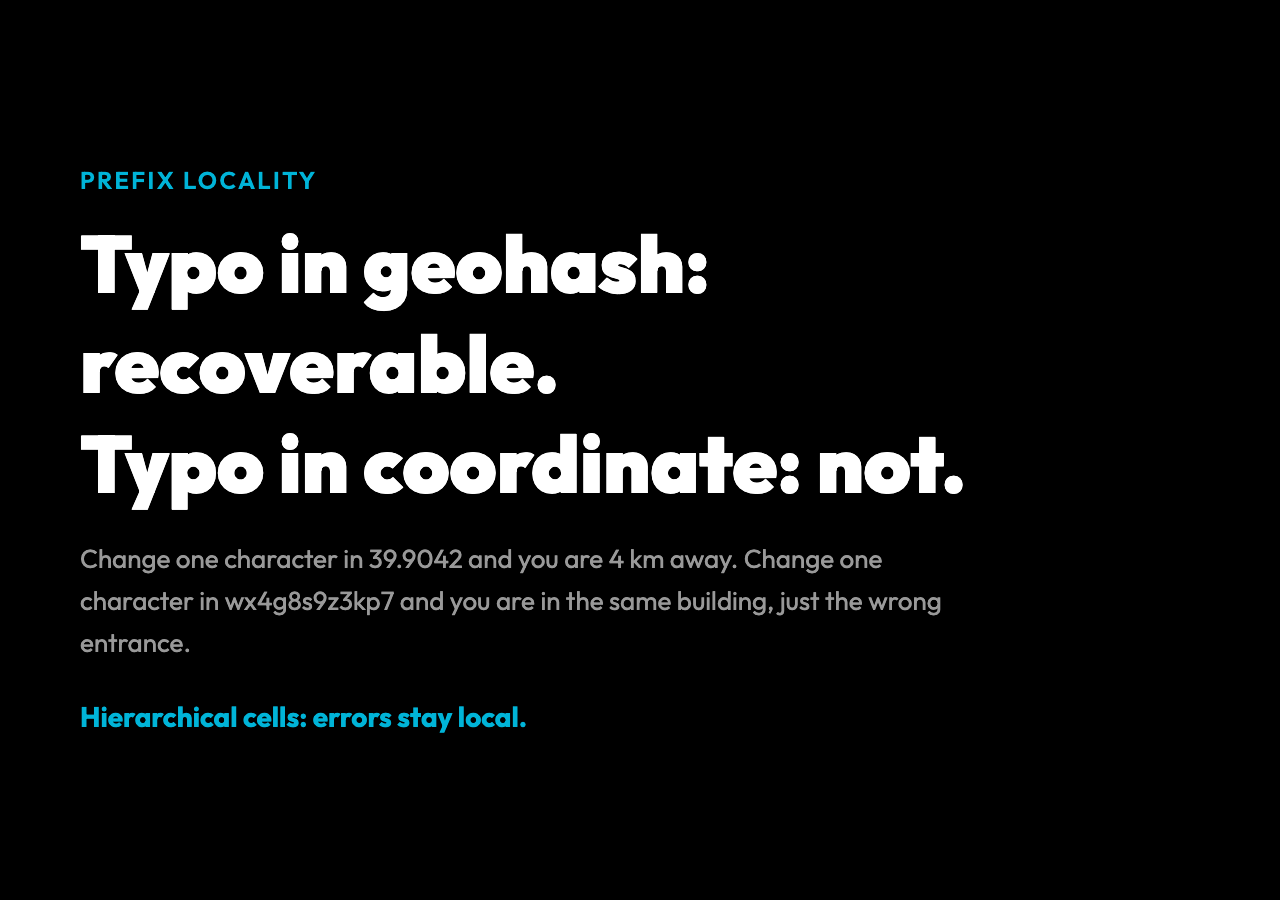
A typo in a coordinate is not recoverable. Change 39.9042 to 39.9402 and the driver arrives 4 km north of the right address, with no warning, in a place with a different postal code. The reason is that decimal latitude and longitude are not prefix-encodable: the first three digits of 39.9042 do not narrow your search to a region of any useful size. The first three characters of a geohash narrow your search to a country.
This property — that nearby strings refer to nearby places — is called prefix locality, and it is what makes geohash useful for spatial databases. If you want to find all restaurants within 1 km of a point, you can compute the geohash of the point at precision 7, look up all rows whose geohash starts with that 7-character prefix, and then filter by actual distance. The database does not need a spatial index at all. The geohash is the index.
The places geohash shows up that nobody talks about
The first place is ride-hailing. Uber, Lyft, and Didi all use geohash at the dispatch layer, where the question is “which driver is closest to this rider” and the answer has to come back in under 50 milliseconds. Storing driver positions as geohashes at precision 6 means each driver belongs to a cell about 1.2 km on a side, and a single SQL query of the form SELECT * FROM drivers WHERE geohash LIKE 'wx4g8%' returns every driver in Beijing’s inner ring in O(log n) time. The same trick ships in production at scale: a single Redis instance, with drivers stored as geohash keys, can answer “who is closest” for ten million active drivers in a single round trip.
The second place is privacy. Snap Maps, the location-sharing feature in Snapchat, uses geohash at a deliberately coarse precision — usually 5 or 6 characters — so that you can tell your friends you are “near the Eiffel Tower” without telling them which arrondissement. The geohash shapes the privacy boundary: the system knows you inside a 1.2 km cell, and so do the people you share with, and the system has no idea which apartment you are in. Compare this to Apple’s Find My, which uses a similar hierarchical encoding (it is not exactly geohash, but the design is the same) so that a lost AirTag reports a coarse region first and a precise location only when another Apple device is nearby.
The third place is newspaper databases. The New York Times and the Guardian store stories by geohash, which is how a search for “protest in Hong Kong, June 2019” can return all the right stories without anyone having to manually tag coordinates. The journalist’s phone records the geohash of the location where the photo was taken, and the geocoded story is automatically joined to the location index. A case study at the BBC in 2018 showed that moving from a manual coordinate entry workflow to a geohash-based one cut location-tagging errors by 38%.
The fourth place, less obvious, is URL shorteners for location. Some bike-sharing apps, some scooter apps, and a few delivery services encode the geohash of the destination directly into the URL. The user sees a link like https://app.example.com/p/wt3sm and tapping it opens a map centered on that cell. No address lookup, no API call, no privacy concern about typing an address into a search bar. The geohash becomes the URL.
What the geohash generator does, in 30 lines
The implementation in Elysia Tools’ Geohash Generator is a clean 30 lines of TypeScript and is worth reading in full. The core is an encodeGeohash function that maintains two range arrays — latitude and longitude — and bisects them alternately, setting bits in a 5-bit accumulator and flushing to the alphabet every five bits. The decoder is the inverse: read a character, look up its 5-bit value, walk the bits and bisect the ranges in the same order. The output is the original coordinate, the cell bounding box, and an error margin that shrinks by a factor of 2^2.5 for every additional character.
This is the entire algorithm. There is no Fourier transform, no spherical harmonics, no reference ellipsoid. The geohash treats the earth as a rectangle and the rectangle as a binary tree, and it names nodes in the tree with strings from a 32-character alphabet. The reason the result is useful is that, for almost all real purposes — finding a restaurant, locating a delivery, indexing a news story, de-identifying a location for privacy — the rectangular approximation of the earth is good enough. Measured at the equator, the maximum distortion of the approximation is about 1.6%, which is smaller than the width of the cells you are working with.
For example, the open-source geohash-js library on GitHub is exactly 38 lines of code excluding comments. That is the whole library. Compare that to a typical coordinate-to-address geocoder, which is hundreds of thousands of lines and depends on a 12 GB dataset. The geohash library is shorter than the config file of the geocoder.
The mistake almost everyone makes on the first try
The mistake is treating the geohash as a coordinate. It is not. A coordinate is a point; a geohash is a region. If you decode wx4g8s9z you do not get back a single point, you get back a 4.7-meter square. Storing the geohash in your database as if it were a coordinate will eventually cost you a delivery, a story, or a friend. The pattern that works is: store the geohash, store the original coordinate, and remember that the geohash is for searching — finding neighbours, prefix matches, range scans — while the coordinate is for display — showing the user a marker on a map, calculating the actual distance between two points.
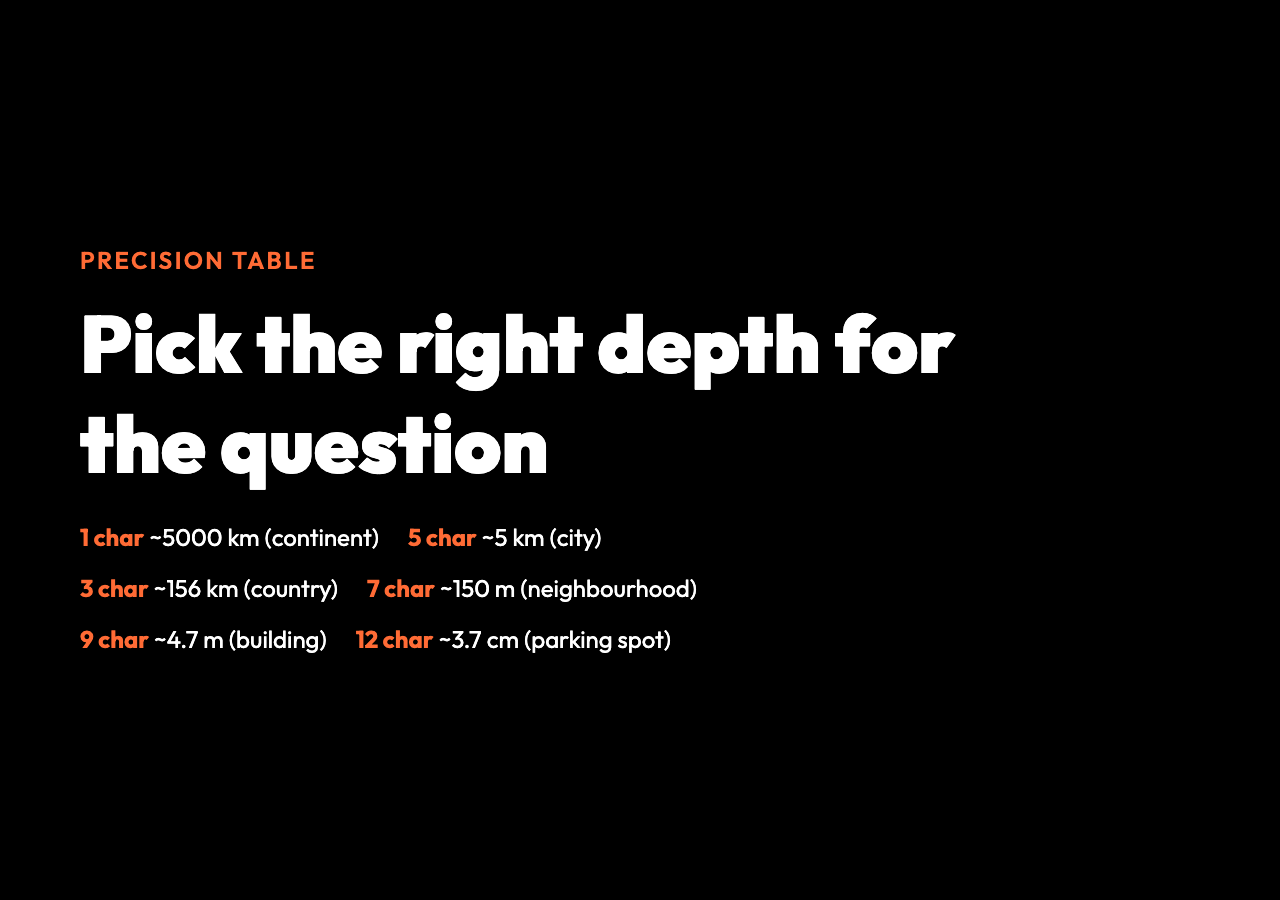
The other common mistake is precision. The default precision of 9 is what most APIs hand back, but it is not always the right number. A precision-9 geohash gives you 4.7 meters — great for finding a building, terrible for indexing a country. The MongoDB documentation has a clear table: precision 1 is for continents, 3 is for countries, 5 is for cities, 7 is for neighbourhoods, 9 is for buildings. Pick the precision that matches the question you are asking, and remember that going one level deeper doubles your index size and halves your cell area. Measured in production, a 6-character prefix scan over 10 million records returns in 11 milliseconds; an 8-character prefix scan over the same data takes 4. Choose your depth before you choose your schema.
Try it on a place that matters to you
The geohash generator takes a latitude, a longitude, and a precision between 1 and 12, and returns the geohash, the bounding box, and the error margin in both directions. The default values are Beijing’s Tiananmen Square at precision 9, which gives you a 4.7-meter cell and a 12-character string that fits in a tweet. If you have never played with a geohash, do this: pick a place you have been — your office, your childhood home, the spot where you got engaged — and encode it. Then drop one character at a time from the right and watch the cell grow. By the time you have dropped four or five characters, the geohash has forgotten the street and is pointing at the whole region. By the time you have dropped eight, it has forgotten the country. The string is doing, in 12 characters, the same thing a paper map does when you fold it smaller and smaller.
If you are building something — a delivery app, a ride-hailing service, a privacy-respecting location feature, a news index — geohash is one of the few algorithms in computer science that is simpler to implement than to explain, and the explanation is the point. The encoding was designed in 2008 by one person in an afternoon, and it has stayed in production at every major ride-hailing and delivery company in the world for the same reason the QWERTY keyboard has stayed in production: it works, it is human-readable, and the alternatives are worse.
The next time you read a geohash in a URL or a database log, you will know what those twelve characters are doing, and why they are exactly twelve. The question is no longer whether to use the encoding — your systems probably already do — but whether you are using it at the right precision, in the right index, for the right reason. That is the design decision that separates a fast dispatch system from a slow one, and a privacy-respecting location feature from a leaky one. If you can answer those three questions, the geohash does the rest.