You paste the file into the parser, and it explodes. The error says “unexpected character” at position 0, but the file starts with a perfectly ordinary letter. You open it in a different editor, scroll to byte zero, and — nothing. The text looks correct. The cursor is at position 1, not 0, but you don’t notice that yet. Twenty minutes later, you have a hex dump open, and the first three bytes are EF BB BF. That’s the entire bug. The fix is a single replacement. The diagnostic was the hard part.
That invisible three-byte prefix is the UTF-8 Byte Order Mark, and it causes more “phantom” CSV and JSON errors than any other single character in modern text processing. The BOM Character Remover was built for the diagnostic moment: paste the file, get told exactly which BOM it carries, get the cleaned output back. The whole thing takes about ten seconds.
What a BOM actually is, and why it exists at all
A Byte Order Mark is a small sequence of bytes prepended to a text file or stream to announce its encoding. It was standardized in the early Unicode era, when a program opening a file might not know whether it was reading UTF-8, UTF-16 big-endian, or UTF-16 little-endian. Reading the first two or four bytes disambiguates that.
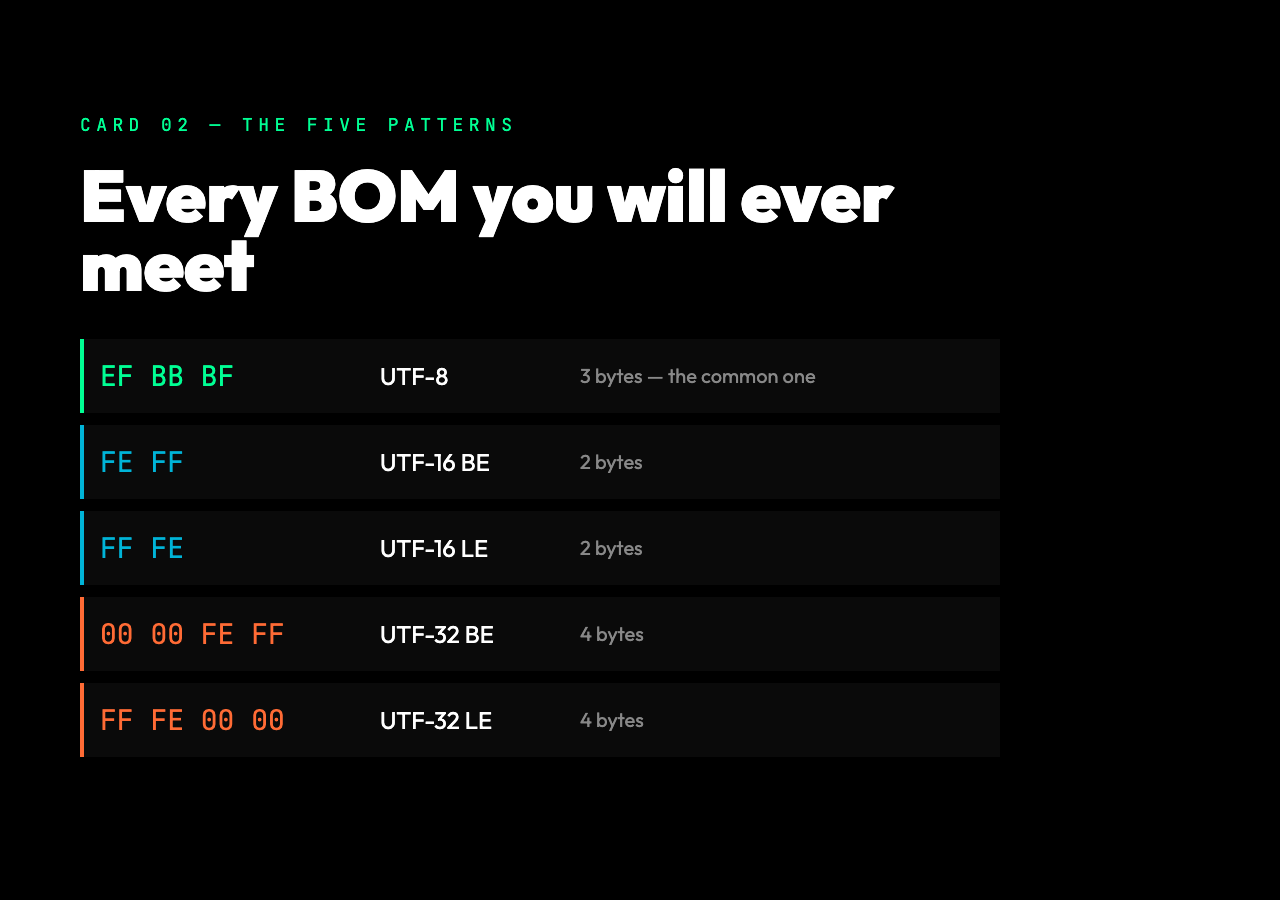
The five BOM patterns you’ll encounter are:
- UTF-8 BOM — bytes
EF BB BF(3 bytes, also encoded as the single character U+FEFF) - UTF-16 BE BOM — bytes
FE FF(2 bytes) - UTF-16 LE BOM — bytes
FF FE(2 bytes) - UTF-32 BE BOM — bytes
00 00 FE FF(4 bytes) - UTF-32 LE BOM — bytes
FF FE 00 00(4 bytes)
In modern UTF-8 workflows the BOM is mostly vestigial. The Unicode Standard allows it but does not require it, and most Linux tooling, JSON parsers, and programming language runtimes expect UTF-8 files without a BOM. Windows tooling — Notepad, older versions of Excel, some PowerShell defaults — tends to add one. That’s the source of the friction: a file written on Windows looks identical to one written on a Unix system, but downstream parsers handle them very differently.
Why the BOM causes real failures
A BOM is not whitespace. A BOM is a character — specifically U+FEFF, “ZERO WIDTH NO-BREAK SPACE.” It renders as nothing, but it is not nothing. Anywhere a parser expects the first character to be data, the BOM shows up as an unexpected leading character.
Three failure modes show up over and over:
CSV column-name corruption. pandas.read_csv() and most other CSV libraries don’t strip the BOM. The first column header comes back as ufeffname instead of name. Code that does row['name'] returns None, and code that does row.columns[0] == 'name' returns False. The bug looks like a typo but no one typed anything.
JSON parse errors. Strict JSON parsers reject input that starts with U+FEFF. Python’s json.loads() actually accepts it, but Node’s JSON.parse(), Go’s encoding/json, and many API gateways reject it with a vague “unexpected token” error. The error message rarely says “leading BOM,” so debugging takes longer than it should.
Database insertion anomalies. When the BOM survives to a database column with a UNIQUE constraint on what was supposed to be a clean key, two records that “look identical” hash differently. The constraint violation looks like a data entry bug. It isn’t.
Detecting vs. just stripping — why it matters
The naive fix is to call text.replace('ufeff', '') and hope for the best. That handles UTF-8 BOMs only. If the file is actually UTF-16 with a FE FF or FF FE prefix, the replacement misses the byte sequence because it’s been re-encoded into a different character pattern during the read.
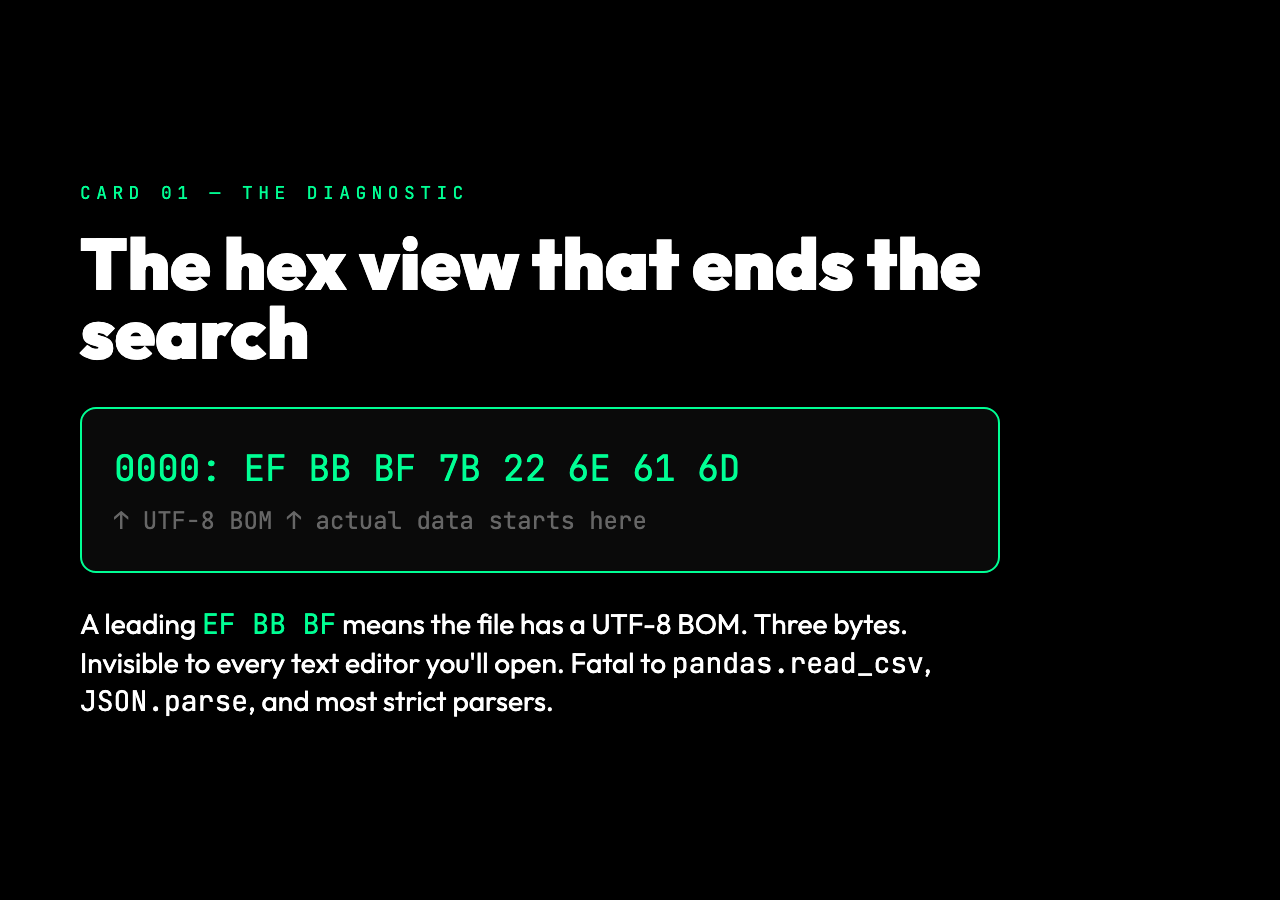
A correct detector needs to look at the raw bytes, not the decoded string. The BOM Character Remover does exactly this: it encodes the input to bytes via TextEncoder, walks the first few bytes against all five BOM patterns, and reports which one (if any) was found. The detection report includes the exact hex values, the human-readable type, and the bytes-removed count.
This matters because the right fix depends on what was actually wrong. If the file was meant to be UTF-8 and arrived with a UTF-16 LE BOM, you have a more interesting problem than just a stray character — you have a file that was either transcoded twice or saved by a tool that picked the wrong encoding. Knowing that up front changes what you do next.
Four output formats, four different jobs
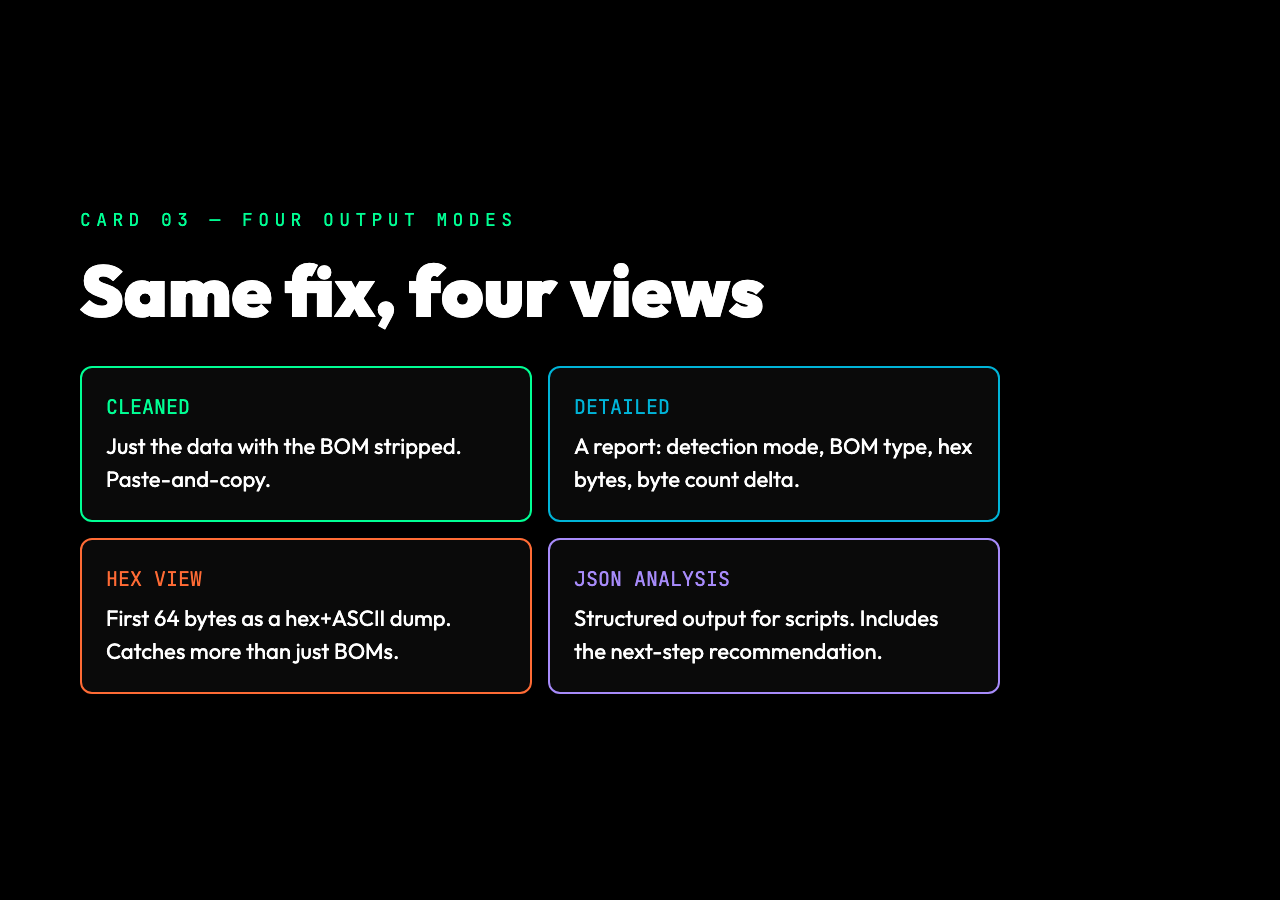
The tool’s output mode shapes what you get back. Each is useful in a different part of the debugging flow.
Cleaned Text Only returns the input with the BOM stripped. Use this when you trust the rest of the file and just need the fix. Paste, click, copy.
Detailed Report adds a structured block at the top: detection mode, whether a BOM was found, the BOM type, the hex bytes, the original byte count, the cleaned byte count, and the bytes-removed delta. Use this when you need to log what happened for an audit trail or attach a note to a PR explaining why the file was rewritten.
Hex View shows the first 64 bytes of the file as a hex dump with ASCII rendering on the right. Use this when the encoding problem might be more interesting than just a BOM — if you suspect a different binary header, a stray line ending, or a non-text preamble, the hex view surfaces it immediately.
JSON Analysis returns a structured object with inputAnalysis, processing, output, and recommendations blocks. The recommendations field suggests the next step — “Save as UTF-8 without BOM” is the standard one. Use this when you’re scripting the fix across many files and want machine-readable output.
The workflow that prevents the problem
A BOM in production data is almost always a writing-side issue, not a reading-side issue. The cleanest fix is upstream: configure the writing tool to omit the BOM.
For Notepad on Windows: when you “Save As,” pick “UTF-8 (without BOM)” from the encoding dropdown.
For Excel: it depends on the version, but saving as CSV through the UI almost always adds a UTF-8 BOM on Windows. The workaround is to re-save the CSV through a tool that lets you pick the encoding explicitly.
For programmatic writers in Python: open(path, 'w', encoding='utf-8') writes without a BOM. encoding='utf-8-sig' writes with a BOM. If you’ve been using utf-8-sig to support Windows-only consumers and now need to share the same files with a JSON API, switch to utf-8 and the BOM disappears.
For Node.js: fs.writeFileSync(path, content, 'utf8') writes without a BOM. fs.writeFileSync(path, content, 'utf16le') writes with one. Match the encoding to the consumer.
The BOM Character Remover is the fastest way to clean up files that already have the wrong header. Knowing which tools and APIs add the BOM in the first place is how you stop having to clean them up.
The thing that makes the bug so expensive
The cost of a stray BOM is not the bytes themselves. Three bytes of overhead is nothing. The cost is the diagnostic time. The error messages don’t name the cause. The visible text is correct. The hex view is the only way to confirm it, and most engineers don’t reach for a hex view until they’ve spent twenty minutes assuming they typoed something. The Windows-vs-Unix encoding divide is the most common source: a file saved by Notepad on Windows picks up a UTF-8 BOM, and the same file opened on a macOS or Linux machine surprises the parser that was expecting a clean UTF-8 byte stream.
The fastest path to a fix is to suspect the BOM first. Once you do, the actual removal is trivial. The BOM Character Remover makes the diagnostic as fast as the fix — paste, scan, see the hex, see the type, copy the cleaned output. What used to take a Stack Overflow search, a hex dump utility, and a careful eyeball of the first few bytes now takes a single paste. Explore more tools at elysiatools.com if the same problem shows up in a different format.
If you’ve ever spent half an hour debugging a CSV that “should have worked” and turned out to have a hidden character at position zero, you already know why this tool exists. The next time it happens — and there will be a next time, on someone else’s file, in someone else’s pipeline — you’ll know exactly what three bytes to look for, and you’ll know exactly how to remove them in a single pass.