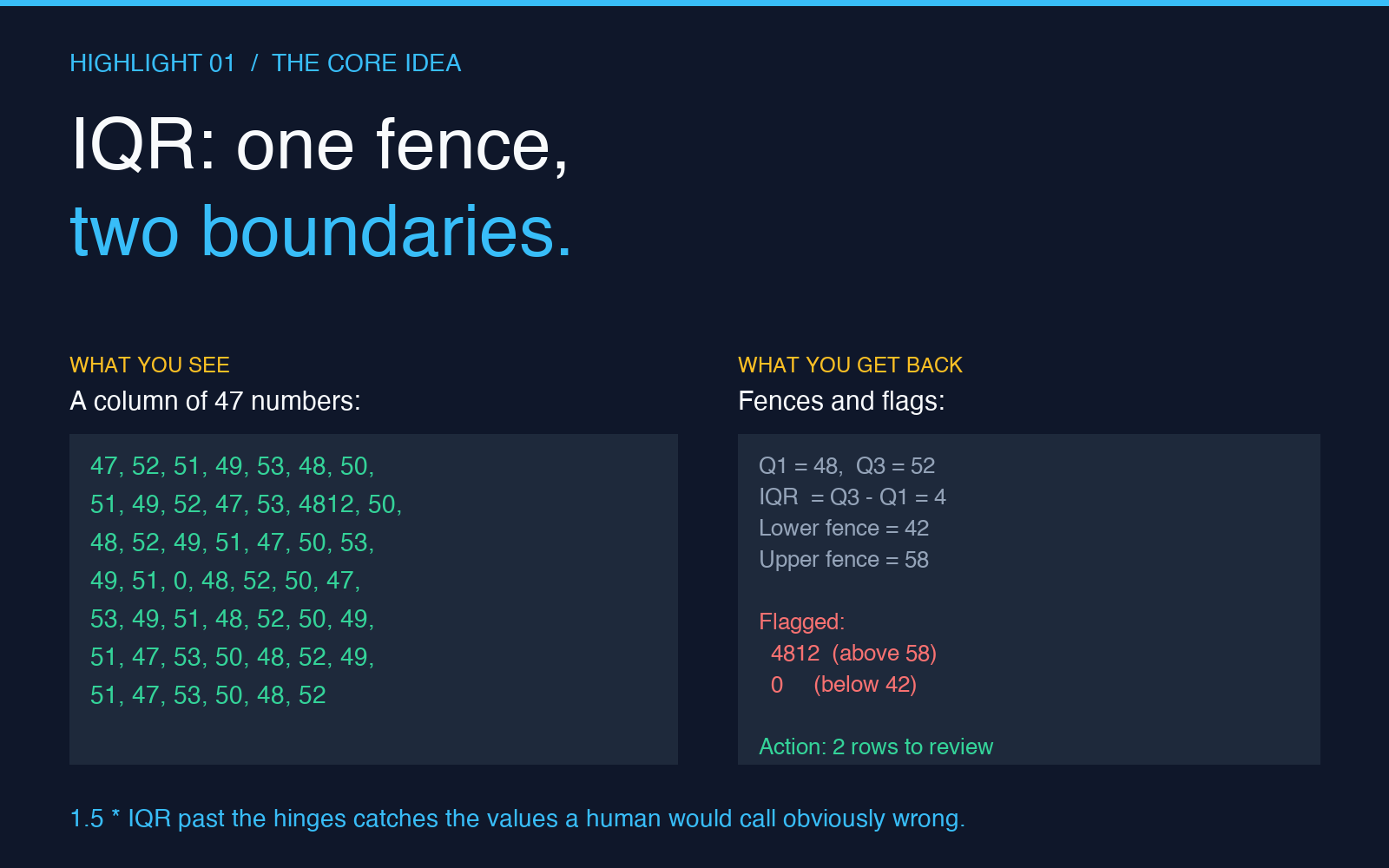
A spreadsheet told a quiet lie for nine months. The Q3 forecast column had 248 rows, every cell populated, every value a sensible number between 12 and 87. Then one row in October hit 4,812. Not a typo. The customer had genuinely placed a single order worth forty-eight times the average. Two weeks later, another row hit 0 — a cancelled transaction still in the export. By year-end, a column that should have averaged around 47 was averaging 64, the standard deviation had tripled, and every linear regression the analyst ran on that sheet was returning coefficients that were mathematically defensible but practically useless.
This is the world that the Data Outlier Processor was built for. It is not glamorous work. There is no machine-learning showmanship, no neural network, no autoML pipeline. It is a quiet tool that asks one question of every numeric column you throw at it: which of these values do you actually trust? The five answers it gives back are usually worth more than any model’s predictions.
Why the IQR method is the right default for most spreadsheets
The Interquartile Range method has been around since the 1970s for one reason: it works without any assumption about your data’s shape. It does not assume normality. It does not assume symmetry. It does not require you to know whether your column came from a Gaussian process, a Poisson process, or a customer typing 4812 into a free-text field. It looks at three quartiles — the 25th, the 50th, and the 75th — and flags anything that sits more than 1.5 IQRs beyond them.
The default threshold of 1.5 was chosen by John Tukey precisely because it catches the values a human would call “obviously wrong” while letting through the values a human would call “unusual but plausible.” Drop it to 0.5 and the tool becomes a purist that flags everything past the hinges; raise it to 3.0 and it becomes a sceptic that flags almost nothing. For a sales column, a measurement column, or a transaction column, 1.5 is almost always the right starting point, and the Data Outlier Processor makes that default explicit in the dropdown.
Four detection methods, and when each one lies to you
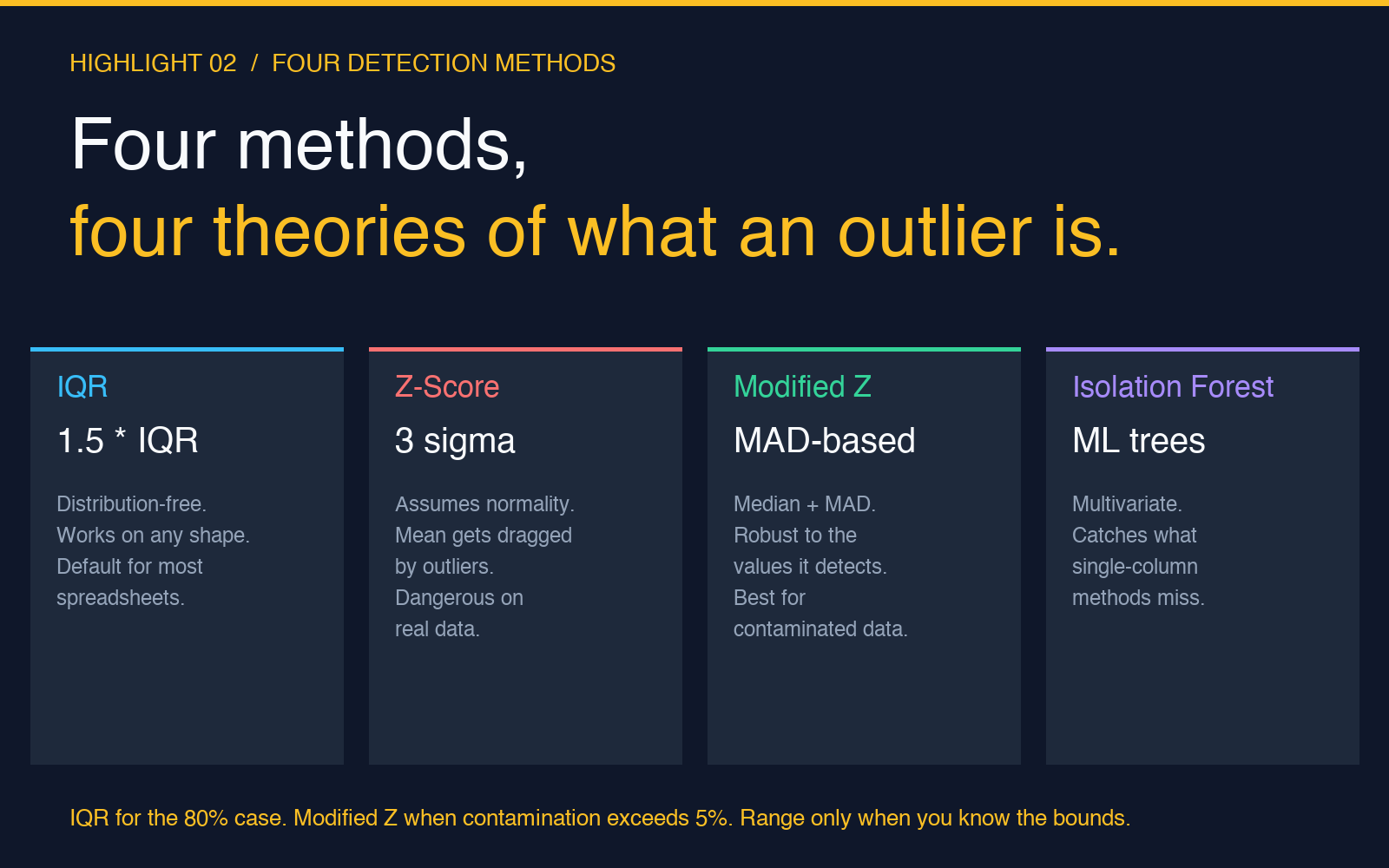
The IQR method is not the only option. The tool ships with four alternatives, and choosing the wrong one is the single most common reason an “outlier-cleaned” dataset still produces garbage outputs downstream. Each method has a different theory of what an outlier is, and each theory has a different failure mode.
The Z-Score method assumes your data is roughly normal and flags anything more than three standard deviations from the mean. It is fast, it is familiar, and it is the most dangerous of the four on real-world data. The mean is dragged toward outliers; a single 4,812 in a column of 47s will inflate the standard deviation enough that a legitimate 92 gets a Z-score of only 2.7 and slips through. Z-Score assumes the very outliers it is trying to detect do not exist yet, which is the kind of recursive logic that produces spreadsheets where “we removed the outliers” leaves the outliers in place.
The Modified Z-Score method fixes this by replacing the mean with the median and the standard deviation with the median absolute deviation. It is robust to the very values it is trying to detect, which makes it the right default for columns with more than a few percent of contamination. The Isolation Forest method takes a different approach entirely — it is a small machine-learning model that builds random partitioning trees and flags points that take fewer splits to isolate. It is computationally heavier and harder to explain to a stakeholder, but it catches multivariate outliers that single-column methods miss. The Simple Range method is the brutal one: you set a min and a max by hand, and anything outside the box gets flagged. It is the right choice when you have domain knowledge (“a human body temperature above 110 is a typo”) and the wrong choice when you do not.
The four handling strategies, ranked by how much they destroy your data
Detection is the easy part. The harder question is what to do with the rows you have flagged. The tool offers four strategies, and each one makes a different trade-off between data preservation and model cleanliness. Choosing the wrong one silently corrupts your downstream analysis, which is the entire reason an outlier-cleaning step needs to be deliberate rather than reflexive.
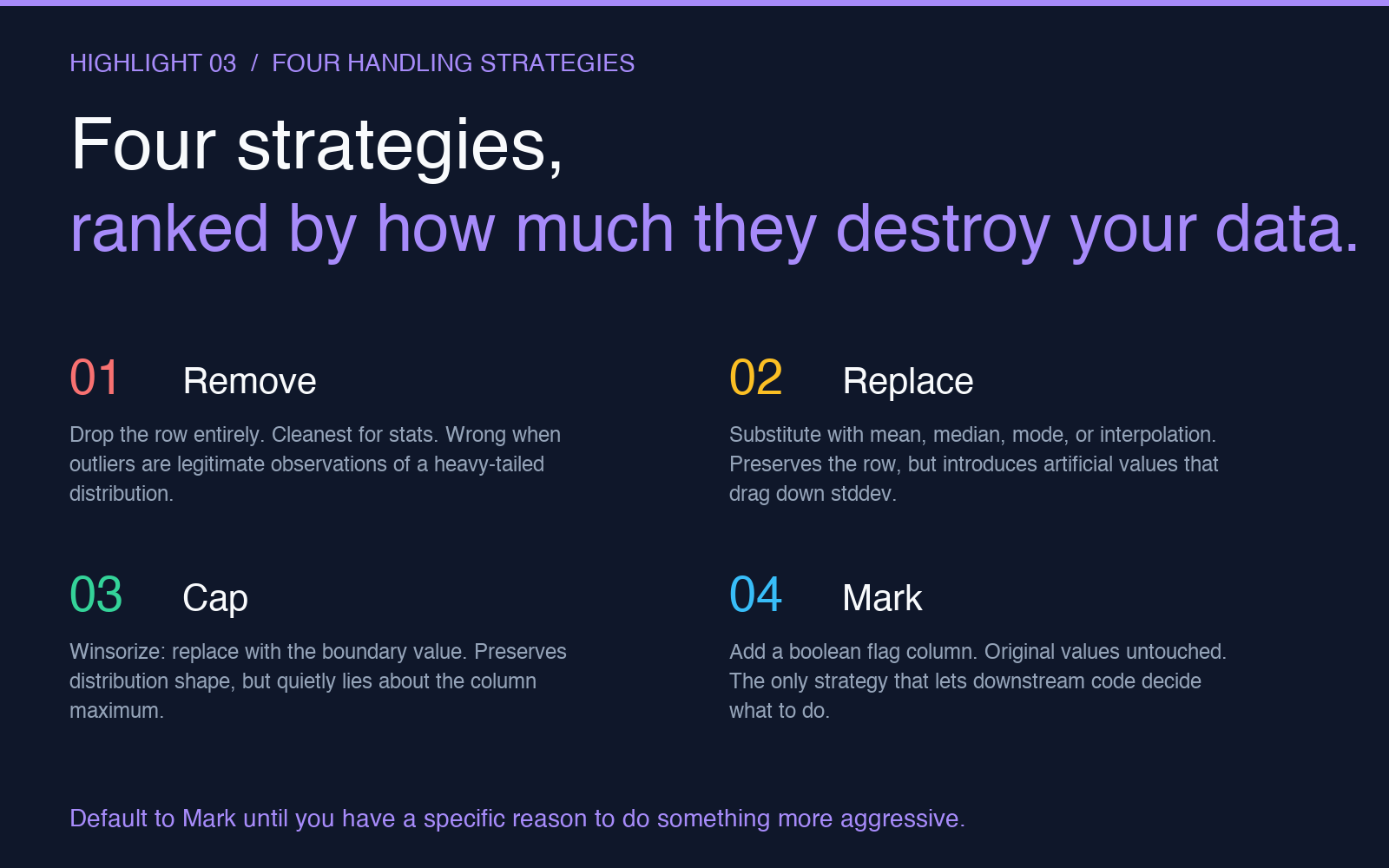
Remove drops the row entirely. It is the cleanest option for statistical analysis — your remaining rows are unchanged, your distributions are exactly what they look like, and any subsequent regression or aggregation works on a dataset with no missing values. The cost is that you have thrown away data, and if your outliers are not missing at random (they almost never are), your cleaned dataset is no longer representative of the population you were trying to study. A column of customer orders where you have removed the ten biggest orders is now a column of customer orders that excludes customers who place big orders. The “remove” strategy is correct when the outliers are data-entry errors, sensor malfunctions, or other values that do not belong to the population at all. It is wrong when the outliers are legitimate observations of a heavy-tailed distribution.
Replace substitutes the flagged value with a calculated one — typically the column mean or median. It preserves the row, which means any downstream joins, time-series ordering, or per-row analysis still works. The cost is that you have introduced artificial values, and your standard deviation is now artificially low because the column has lost its variability. The right replacement strategy depends on the distribution: median for skewed data, mean for symmetric data, mode for categorical-adjacent numeric data, and interpolation only when the column is genuinely sequential.
Cap (sometimes called winsorization) replaces the outlier with the boundary value that triggered the flag. A value of 4,812 in a column with a 1.5-IQR upper fence of 220 becomes 220. The shape of the distribution is preserved, the row is preserved, and the downstream model sees a value that is at least plausible. The cost is that you have quietly lied to the model: it now believes the column maxes out at 220, which may or may not be the story you want it to tell.
Mark is the safest default for exploratory work. It adds a boolean flag column (“is_outlier“) without touching the original value. Downstream code can then decide what to do — exclude outliers from a regression, segment them out for separate analysis, weight them down in a model, or keep them in for a worst-case analysis. Mark is the only strategy that preserves the original data completely, and for most analytical workflows it is the one that should be the default until you have a specific reason to do something more aggressive.
Putting it together: a real cleaning workflow
The most common misuse of any outlier tool is to run it once, accept whatever it produces, and move on. The more defensible workflow is iterative. Start with Mark on the full dataset. Run a quick histogram or summary statistics on the flagged rows. Look at them. A surprising number of “outliers” turn out to be the values you most needed in your analysis — the large customer, the late-arriving shipment, the regional anomaly that explains half of last quarter’s variance. Outlier detection is not a filter you run once; it is a question you ask your data, and the answer usually deserves a follow-up question.
For columns where the flagged rows are clearly errors — a body temperature of 250, a transaction timestamp of 2099, an age of 215 — switch to Remove. For columns where the flagged rows are legitimate but extreme — large orders, long sessions, high-spending customers — switch to Cap or Mark. For columns where the outliers are part of a heavy-tailed distribution you are trying to model — wealth, web traffic, word frequency — consider whether the column needs outlier processing at all, and whether a log transform or a robust regression method would be a more honest choice.
The Data Outlier Processor is not going to make those decisions for you, and that is its most valuable property. It surfaces the question, runs the statistics, and gives you back a dataset you can defend. If you are also working with normalized or scaled numeric columns, the Min-Max Normalizer takes a cleaned column and scales it into a 0-1 range for machine learning pipelines, and the Data Interpolator handles the inverse problem of filling gaps that outlier removal sometimes leaves behind. For ranges that need to be clipped to business-defined bounds — SLA windows, validation thresholds, age limits — the Data Range Limiter enforces those boundaries as a separate pass after outlier handling. And if you want to stress-test the result by adding synthetic anomalies back into a cleaned column, the Data Noise Injection tool lets you inject exactly the kind of contamination your cleaning step should have caught.
Run the IQR method once with default settings, look at the rows it flags, and ask whether the story they tell is a story your spreadsheet should be telling. The five numbers the tool puts back in front of you are usually the start of a better one.