How a bridge chart exposes the story a stacked bar buries
Picture a CFO opening a deck with one chart: revenue grew twelve percent year over year. That single bar tells you almost nothing about why. Did new products drive the gain? Did pricing offset churn? Did currency help or hurt? A stacked bar just paints the result gold and moves on. A waterfall chart, by contrast, lets you trace every step from opening balance to closing balance, showing each gain as a green block rising from the previous line and each loss as a red block falling from it. The shape of the bridge is the narrative.
This is exactly the gap the Waterfall Chart Generator was built to close. Paste in your starting value, your deltas, and your subtotal stops, and the tool draws the bridge for you, with running totals above every column so the math is visible at every step.
The four cases where a waterfall beats every other chart
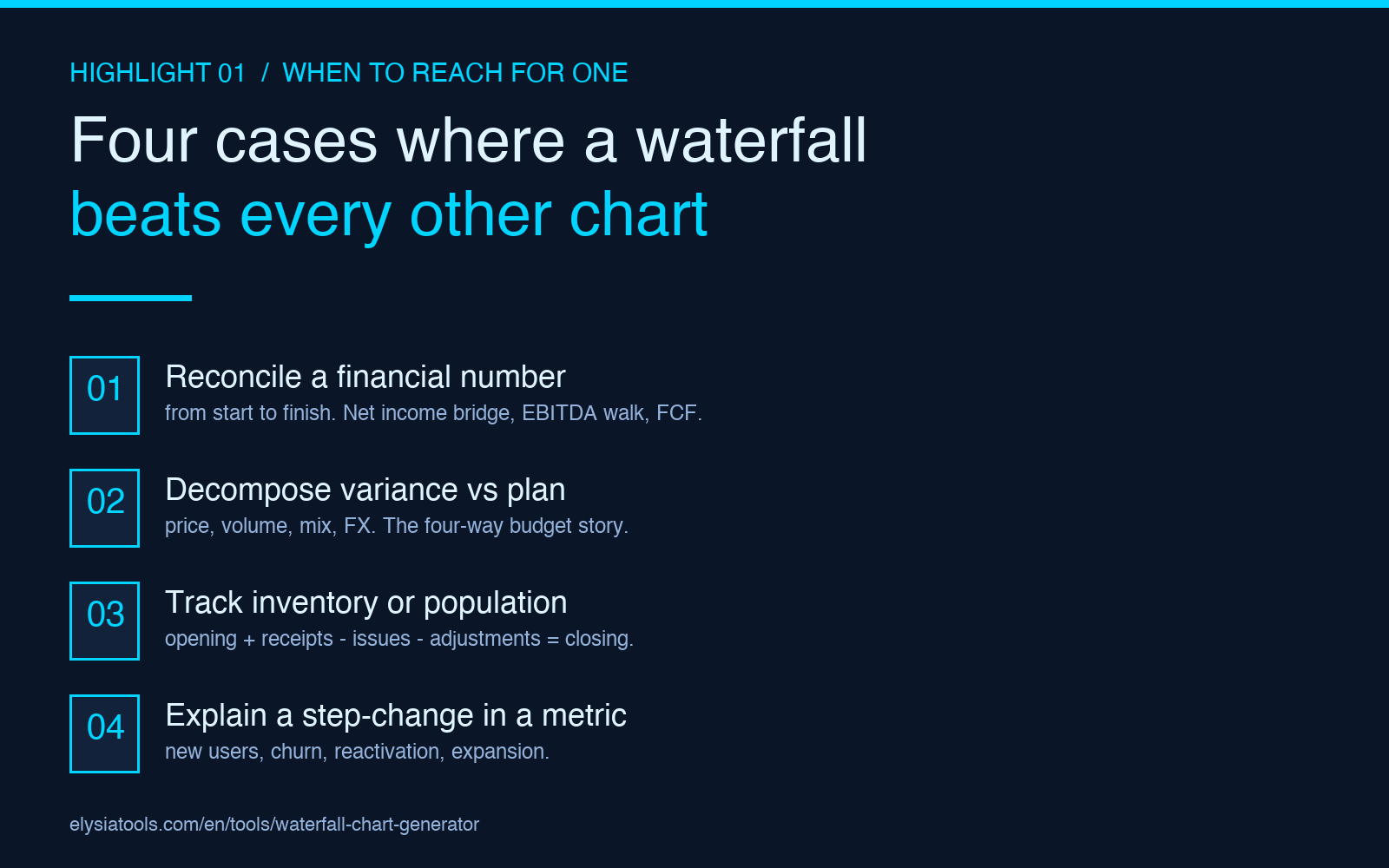
Waterfall charts are not a general-purpose visualization. They shine in four specific situations, and outside those four they are usually the wrong choice. Knowing when to reach for one is half the battle.
- Reconciling a financial number from start to finish. Net income bridge, EBITDA bridge, free cash flow walk. Any time the question is “how did we get from A to B,” a waterfall answers it.
- Decomposing variance against a budget or prior year. Price, volume, mix, and FX are the classic four-way decomposition. A stacked column hides which lever did the work; a waterfall shows each one as its own floating block.
- Tracking inventory or population changes over a period. Opening stock + receipts – issues – adjustments = closing stock. Each row of the bridge is a physical event, and the chart matches the operational vocabulary.
- Explaining a step-change in a metric. New users, churn, reactivation, expansion. The “net new” number is the wrong thing to lead with; the waterfall tells you whether growth came from acquisition, retention, or both.
If your chart does not start at one number and end at another with named deltas in between, you probably want a different shape. A bar chart for category comparison, a line chart for trend over time, a stacked area for composition over time. A waterfall is for decomposition of a single change.
The six rules that separate a clean waterfall from a confusing one
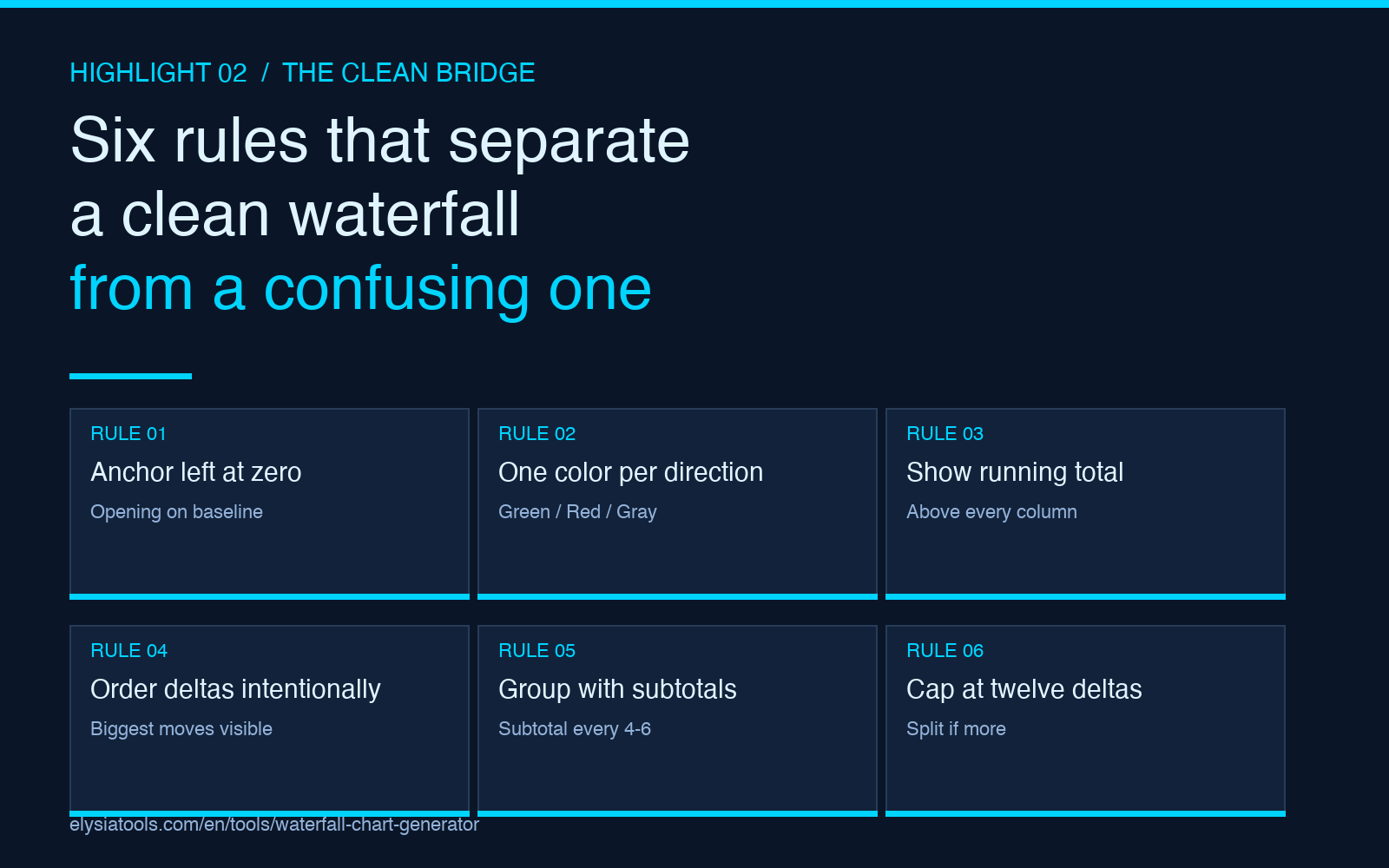
Most bad waterfall charts fail for one of six reasons. The tool handles the math; you handle the storytelling.
- Anchor the leftmost bar at zero. The opening value should sit on the baseline, not float. Otherwise the eye cannot tell whether the first delta is a gain or a loss.
- Use one consistent color per direction. Green for positive deltas, red for negative, gray for totals. Mixing colors by category makes the chart look like a Christmas tree and destroys the bridge logic.
- Show the running total above every column. Without the running total, the reader has to do the addition in their head. With it, the math is verifiable at every step.
- Order the deltas so the largest moves are visible. Net positive on the left, biggest loss in the middle, biggest gain on the right. Reverse chronological, or by absolute size, but always intentional.
- Group related deltas with intermediate subtotals. “Operating items” then subtotal, then “non-operating items” then subtotal, then “tax” then final. A 14-step waterfall without subtotals is unreadable.
- Keep the category count under twelve. Beyond twelve floating blocks the eye stops tracking the bridge. If you have more, split into two charts.
The Waterfall Chart Generator exposes each of these as an input field or a default style, so you can focus on the data instead of the SVG math.
Walkthrough: building a net new MRR bridge for a SaaS dashboard
Suppose your ARR dashboard has a single line that says “Net new ARR: +$1.2M this quarter”. That is true and completely unhelpful. Here is the same quarter as a waterfall.
- Opening ARR: $8.4M (anchor, baseline)
- New logo sales: +$0.7M (green block, rising from $8.4M to $9.1M)
- Expansion revenue: +$0.4M (green, $9.1M to $9.5M)
- Contraction: -$0.2M (red, $9.5M to $9.3M)
- Churn: -$0.3M (red, $9.3M to $9.0M)
- Reactivation: +$0.1M (green, $9.0M to $9.1M)
- FX impact: -$0.1M (red, $9.1M to $9.0M)
- Net change: +$0.6M (subtotal, gray, baseline to baseline)
- Closing ARR: $9.0M (anchor, baseline)
The same $1.2M headline now tells a story: new logos drove most of the gain, churn ate a third of expansion, and the dollar-positive quarter would have been flat without new sales. That is the level of insight a stacked bar physically cannot convey.
The three mistakes people make the first time

The shape is intuitive once you see it, but the first attempt usually trips over one of these three errors.
- Treating totals as deltas. A subtotal is a snapshot of the running balance at that point, not a gain or a loss. It has to sit on the baseline and use the totals color, not the gain/loss colors.
- Letting the running total float for non-subtotal columns. Every intermediate column should hang from the running total of the previous column, not the zero line. The first attempt usually draws all the deltas from zero and the chart stops being a bridge.
- Sorting deltas alphabetically. Alphabetical sorting is the enemy of narrative. Sort by the order the events actually happened, or by absolute size to put the biggest movers at the edges.
All three are easier to avoid than to fix in a deck, so test with three deltas before you commit to fifteen.
When a stacked bar is actually the right answer
A waterfall shows decomposition of a single change. A stacked bar shows composition of a category. If your audience needs to see what the total is made of at a single point in time, the stacked bar is correct. Reach for the waterfall when the audience needs to see how the total moved from one point to another. Mixing them up is the most common reason a finance chart falls flat in front of a non-finance audience.
For a quick rule: if your X axis is “category,” stacked bar. If your X axis is “step in a process,” waterfall. The X axis tells you which shape to draw.
FAQ
What is the difference between a waterfall chart and a bridge chart?
They are the same chart. “Bridge” is the finance-industry nickname because the shape looks like a bridge; “waterfall” is the visualization-industry name because the floating columns look like a cascade. The output is identical.
Can I use a waterfall chart for non-financial data?
Yes. Any “start value + deltas = end value” relationship works: headcount change, inventory movement, conversion funnel step-by-step, energy balance, water balance, even the calorie balance of a diet. The chart shape is general; the finance vocabulary is convention, not constraint.
How many steps should a waterfall have?
Six to ten is the readable range. More than twelve and you should split into two charts connected by a single subtotal. Fewer than four and the chart is not doing work a sentence could not do.
What color should the totals be?
Gray or a neutral fill that contrasts with the gain/loss colors. Many teams use a brand color for the opening and closing bars and gray for any intermediate subtotals. The point is that the totals do not look like deltas at a glance.
Does the chart work for negative starting values?
Yes, but the visual reading is harder. When the opening value is negative, the baseline shifts and the floating logic has to invert. Use the chart’s “show baseline” option to anchor the reader.
Try it on your own data
Paste your opening value, your deltas, and your subtotals into the Waterfall Chart Generator and you will have a board-ready bridge in under a minute. For dashboards where you need a different shape, the Bar Chart Generator covers category comparison and the Sankey Diagram Generator covers flow between many nodes. Each is built for the shape it draws, and the right shape is half the insight.