If you have ever trained a model and watched one feature dominate the loss curve for no reason you could name, the answer was almost always sitting in the third line of your preprocessing script. Min-max normalization is the single most common transformation in machine learning pipelines, and it is also the one most often applied without thinking. The arithmetic is one line. The assumptions behind that one line are three, and they are the reason your val_loss sometimes refuses to go below a number that has nothing to do with the model.
Here is the field guide to the three things a min-max scaler actually does, why each one can quietly wreck your downstream numbers, and how to spot which one is firing against you. The tool we are going to use to test every claim is the Min-Max Normalizer on Elysia Tools — it gives you back the full summary block (min, max, mean, std) alongside the scaled values, which is the only way to see what the formula is really doing to your column.
1. The “min” and “max” are taken from your training set, not from the universe
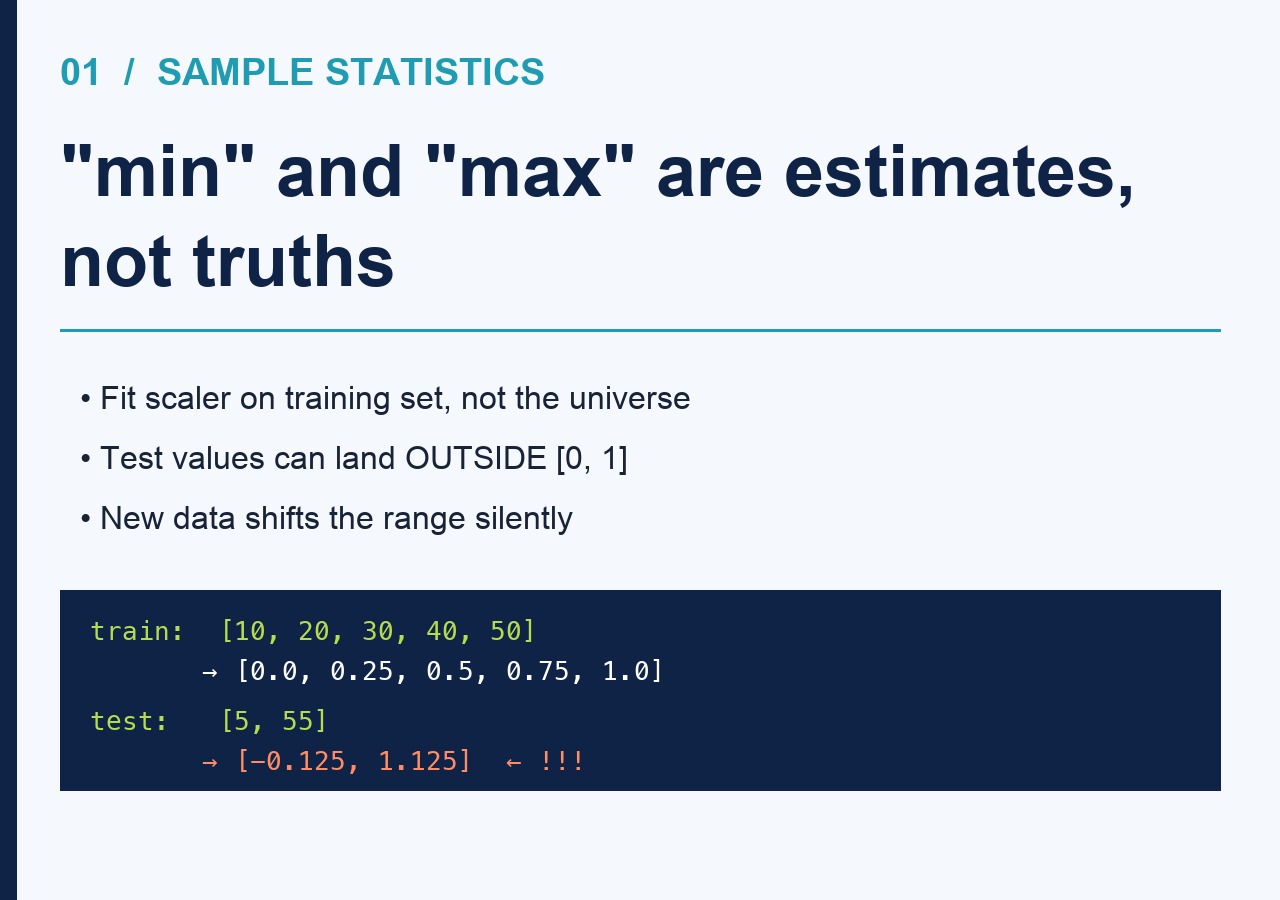
This is the one that costs a week of debugging. The formula (x - min) / (max - min) looks like it has two free parameters, but in practice min and max are computed from whatever data you happened to feed the scaler. If you fit on the training set and then transform the test set, the test values can land outside the [0, 1] range. Anything new that the training set did not see — an older user, a higher salary, a sensor reading from a hot day — will be clipped to 0 or pushed past 1 on the output side.
Run a single column through the Min-Max Normalizer with two different slices and you will see this happen in real time. Feed it a training slice of [10, 20, 30, 40, 50] and a test slice of [5, 55]. The training slice normalizes cleanly to [0.0, 0.25, 0.5, 0.75, 1.0]. The test slice comes back as [-0.125, 1.125]. Same scaler, same code, two different stories about what “1.0” means. The 1.125 in the test set is not a bug. It is the formula telling you that your training min and max were sample statistics, not population truths.
2. The output range is a contract, not a default
![Card 2: output range contract — same column scaled to [0,1] vs [-1,1] gives very different std](https://blog.flowrust.com/wp-content/uploads/2026/06/minmax_card2.jpg)
Most implementations hardcode [0, 1]. The Min-Max Normalizer on Elysia Tools exposes the output range as a parameter — 0, 1 by default, but you can ask for -1, 1 if you are feeding a tanh layer, or 0, 255 if you are mimicking an image pipeline. That knob is not cosmetic. A network that expects [-1, 1] inputs and receives [0, 1] inputs has effectively lost half its dynamic range on one side of every activation. The gradients still flow, the loss still drops, but the model is silently undertrained on half its input space.
The easy way to see this is to scale the same column twice with two different output ranges and compare the standard deviations. A [0, 1] scaling of [10, 50] gives you a column with std around 0.35. A [-1, 1] scaling of the same column gives you std around 0.7. The information content is identical. The neural net, however, treats them as completely different inputs, because the magnitudes of the activations feeding into the next layer are completely different. Pick the range your downstream consumer expects, not the one that looks most “standard.”
3. Categorical and integer columns need a different scaler, and the tool can tell you which
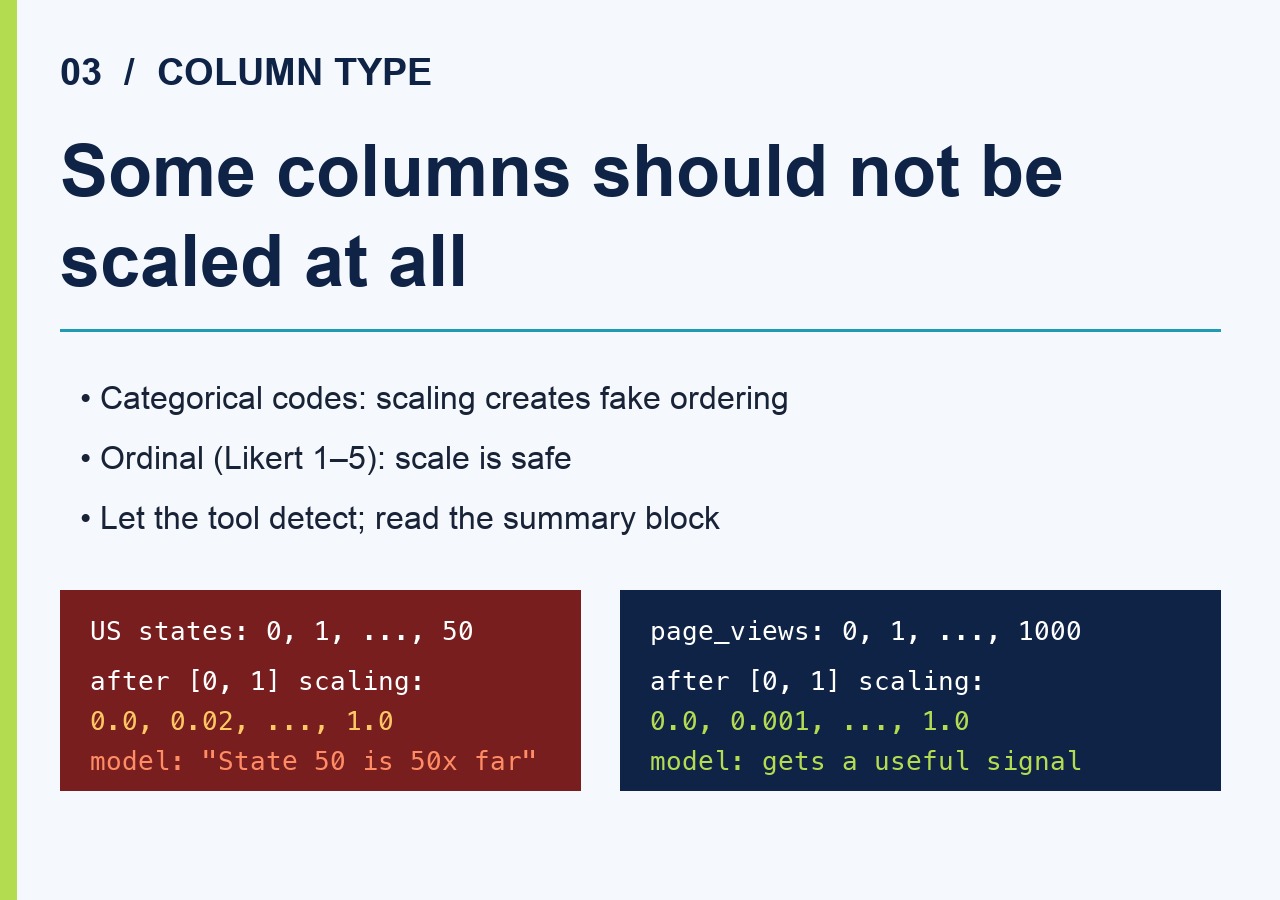
Min-max scaling a column of US states encoded as integers from 0 to 50 is a real bug that ships in real pipelines. The [0, 1] output tells the model that State 12 is “twice as far” from State 6 as State 3 is, and the model will learn exactly that. The Min-Max Normalizer solves this by detecting the column type and refusing to scale anything that is not continuous and numeric. You can also force-include specific columns by listing them in the Target Columns field, which is what you want for ordinal columns you have already decided to treat as continuous (Likert scales, small-integer counts).
When in doubt, run the column through the tool with auto-detection and look at the summary block. If the column is being scaled, the summary will show the new min, max, mean, and std alongside the originals. If the column was skipped, it will appear in the output untouched. The summary block is doing the work of a unit test for your preprocessing — read it before you trust the result.
Once you have these three things in mind, the formula stops being a black box. min and max are sample statistics, the output range is a contract with the next layer, and the column type decides whether scaling is even the right transformation. Treat the scaler as a tool that loses information outside its training range, set the range your consumer expects, and let the summary block catch the cases where you tried to scale something you should not have. Most “why is my model weird” tickets close themselves after that.
Min-max scaling looks trivial on paper: subtract the min, divide by the range, ship it. The reason it still catches people out is that the “range” is a moving target the moment your data does, and the formula quietly assumes a closed interval. Once you treat min and max as estimates rather than facts, the rest of the pipeline behaves. That is the entire game. Try it on your own column at Elysia Tools Min-Max Normalizer and you will see the summary block tell you everything the formula hid.
Browse more preprocessing and data utilities at elysiatools.com.