
Why the first row quietly breaks the rest of the file
A CSV is supposed to be the most boring format on the planet: a header row of column names, then N rows of values. That contract is what every loader, every database COPY, and every spreadsheet import assumes. The trouble is that real files do not keep the contract.
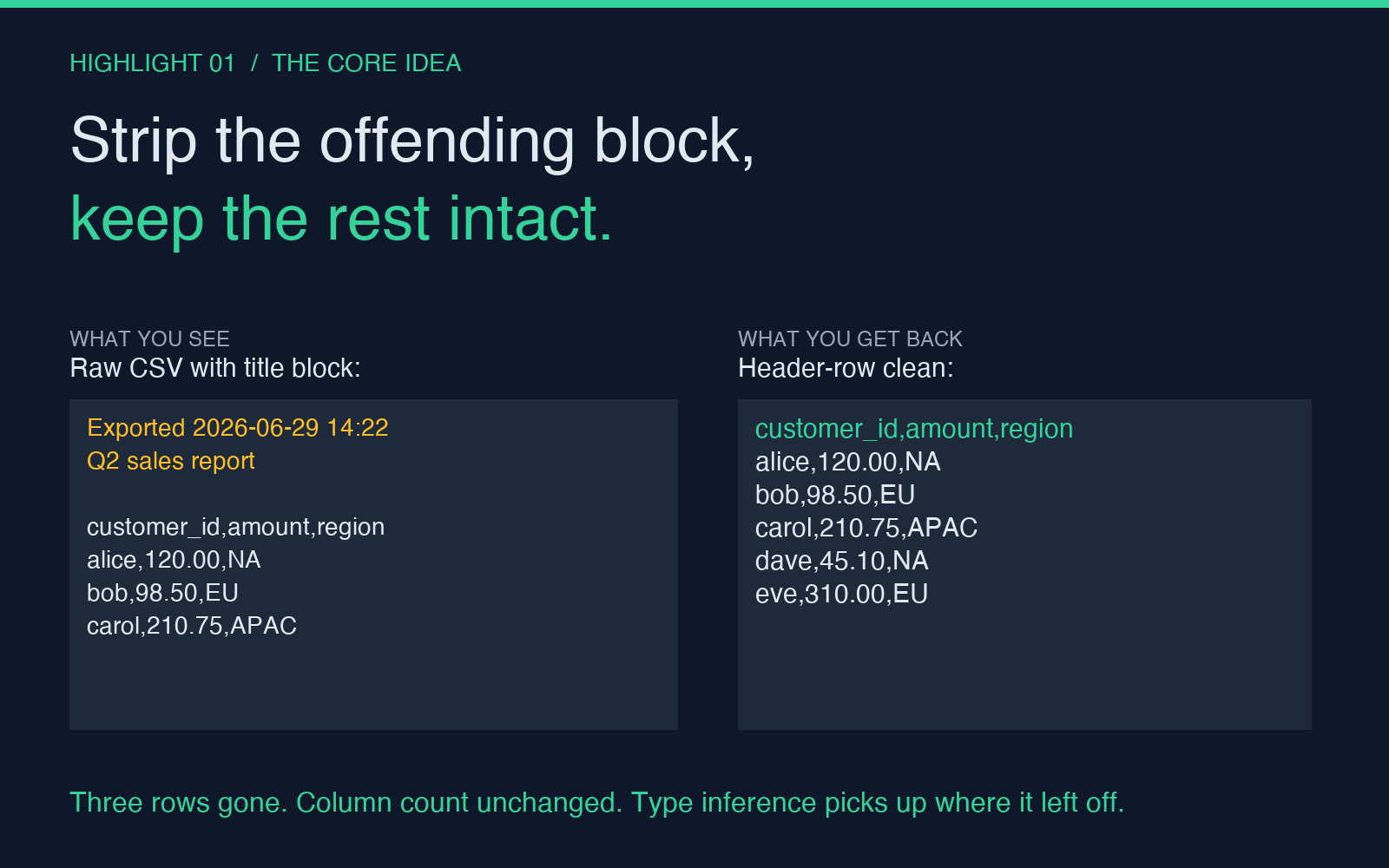
A surprising number of exports smuggle an extra row into position one: a unit row like kg, USD, count, a timestamp like exported 2026-06-29 14:22 UTC, a section label like Q2 sales, or a blank line that the writer thought was a separator. When a downstream parser sees Q2 sales in cell A1, it cheerfully treats it as the header and shifts every real column name down by one. The data still loads, the row count still matches, and the bug lives for weeks as a mysterious NULL in the otherwise-valid customer_id column.
The fix is not to write a clever detector. The fix is to remove the row, in a place where you can see exactly what is being removed before it is gone for good. That is what Header Remover does: it shows you what the first line looks like, lets you strip one or many, and gives you back the cleaned file with no other mutation.
Strip the right number of rows, not always one
Most “remove header” tools assume the offending block is exactly one row. In practice the offending block is more often a stack of rows: a unit row, a timestamp, a comment line, and a blank. You can see the same idea in the symmetric Header Adder workflow, where the writer side has to know how many rows to skip on read-back to stay aligned.
Three things to set up front:
- How many rows to drop. One is the default. Many is the realistic case for any export that was authored in a spreadsheet with a multi-row title block.
- Whether to skip leading blanks. Some pipelines emit a blank line between the title block and the actual data. A naive counter will count the blank as row one and leave the real offender untouched.
- What separator to use. The header row may not parse cleanly under the same separator as the data. Tabs in the timestamp, commas in the numeric values, and semicolons in the European export all force a different delimiter than the body uses.
Set all three before you click. The preview pane is the safety net: it shows the first surviving row and lets you confirm it is a real header before you commit.
The edge cases that bite even with the right tool
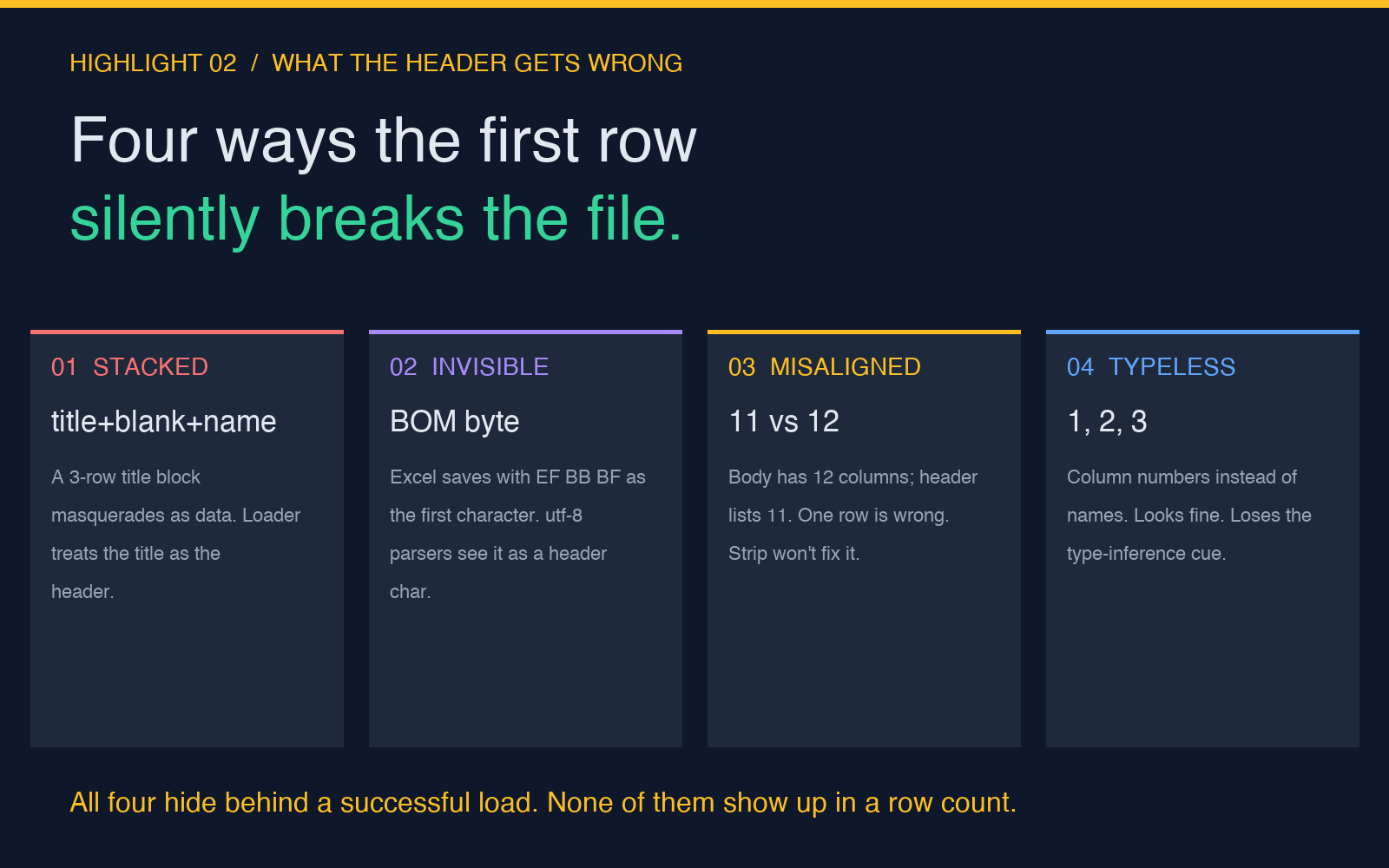
Once the obvious cases are handled, four subtle variants still ship broken data through the pipeline.
First, a header that looks like data. A row of 1, 2, 3 is a perfectly valid numeric header if the upstream system wrote column numbers instead of names. Stripping it loses the column count. A safe remover must let you preview and abort.
Second, a BOM byte at file start. The UTF-8 byte order mark EF BB BF lives invisibly in cell A1 of every Excel-saved CSV, and most parsers see it as a header character. The fix is to read in utf-8-sig, not utf-8. Most tools do this for you; verify before you trust.
Third, a quoted header that contains the separator. "last, first", age is one column, not three. A naive splitter will shred it. The tool you use has to honor the quoting rules of the rest of the file, not just the body.
Fourth, a header that disagrees with the data. The body has 12 columns, the header lists 11. Either the header is wrong, or one of the body rows is. Stripping does not fix this, but stripping before you diagnose makes the diagnosis harder. Always diff the column count of the header against the column count of the body before you commit to a removal.
What changes downstream once the header is honest
The downstream payoff of a clean header is not visible in the cleaned file itself. It is visible in the loader, the database, and the dashboard that comes next.
Database COPY commands bind column names to the header row at load time. A wrong header means a wrong schema, which means a COPY that succeeds but writes garbage into the wrong columns. The cleanest recovery is to drop the table and reload, not to patch the rows. Storing the cleaned file separately from the raw input makes that recovery possible.
Type inference is the second place it shows up. Pandas, Polars, and DuckDB all use the header row to set the column types of the resulting DataFrame. A header that says id gets parsed as an integer; a header that says id_string gets parsed as text. When the header is shifted by one, every column type is shifted by one. A column of integers becomes a column of objects, a column of dates becomes a column of integers, and the analysis that follows treats the silent type shift as the truth.
The third payoff is in the dashboard. A NULL on the x-axis of a chart is almost always a misaligned header, not a missing data point. Once the header is right, the chart is right, and the operator stops chasing phantom data quality issues.
When to strip, when to keep, when to ask
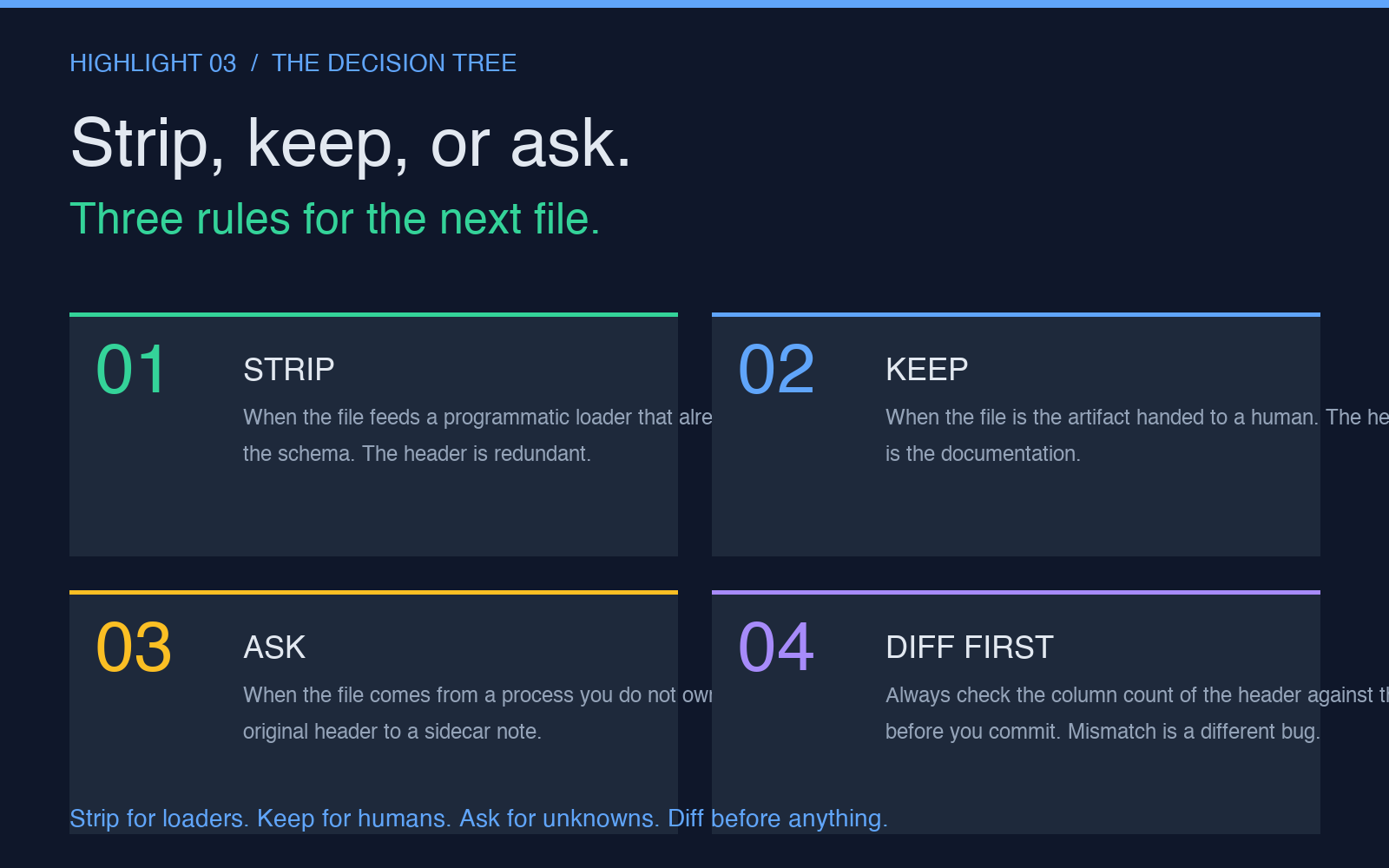
Not every file needs its header removed. The decision is a function of where the file is in its lifecycle.
Strip when the file is the input to a programmatic loader that already knows the column names from a separate schema. The header is redundant; keeping it forces the loader to do an extra rename step. Strip and let the loader apply the schema directly.
Keep when the file is the artifact you are handing to a human. The header is the documentation. Removing it is removing the legend. The exception is when the human will re-import the file into a tool that does not let them name columns, in which case strip and let the tool default to col_1, col_2, … and add a README.
Ask when the file is the output of a process you do not own. A strange header is often a sign that the producer is in a state you have not seen before. Strip at your own risk, but copy the original header into a sidecar note so the next person can see what was there. The five-minute cost of writing the note pays off the first time the producer changes format and your pipeline starts to drift.
The first line of a CSV is the smallest piece of data you can change. It is also the most expensive to mis-handle, because the mistake shows up three steps downstream as a column-shift error, a wrong-type parse, or a silent null. Try the cleanup yourself at Header Remover, and if your pipeline is moving the other direction, see Header Adder for the symmetric case. More data-cleanup helpers live in the Elysia Tools directory.