Three text-formatting decisions quietly decide whether the numbers you pull from a paragraph are real or a hallucination. The first is whether the decimal point you accept matches the decimal point the writer actually used. The second is whether the currency symbol you whitelist is a single ASCII byte or the 28 Unicode variants that look like it. The third is whether the thousand separator is grouped on the left, grouped on the right, or is actually a decimal point from a locale the writer never named. Every reliable number-extraction tool — including the Number & Currency Extractor at Elysia Tools — exposes these three as input controls, and the difference between a clean CSV and a silently-shifted decimal lives in how you set them.
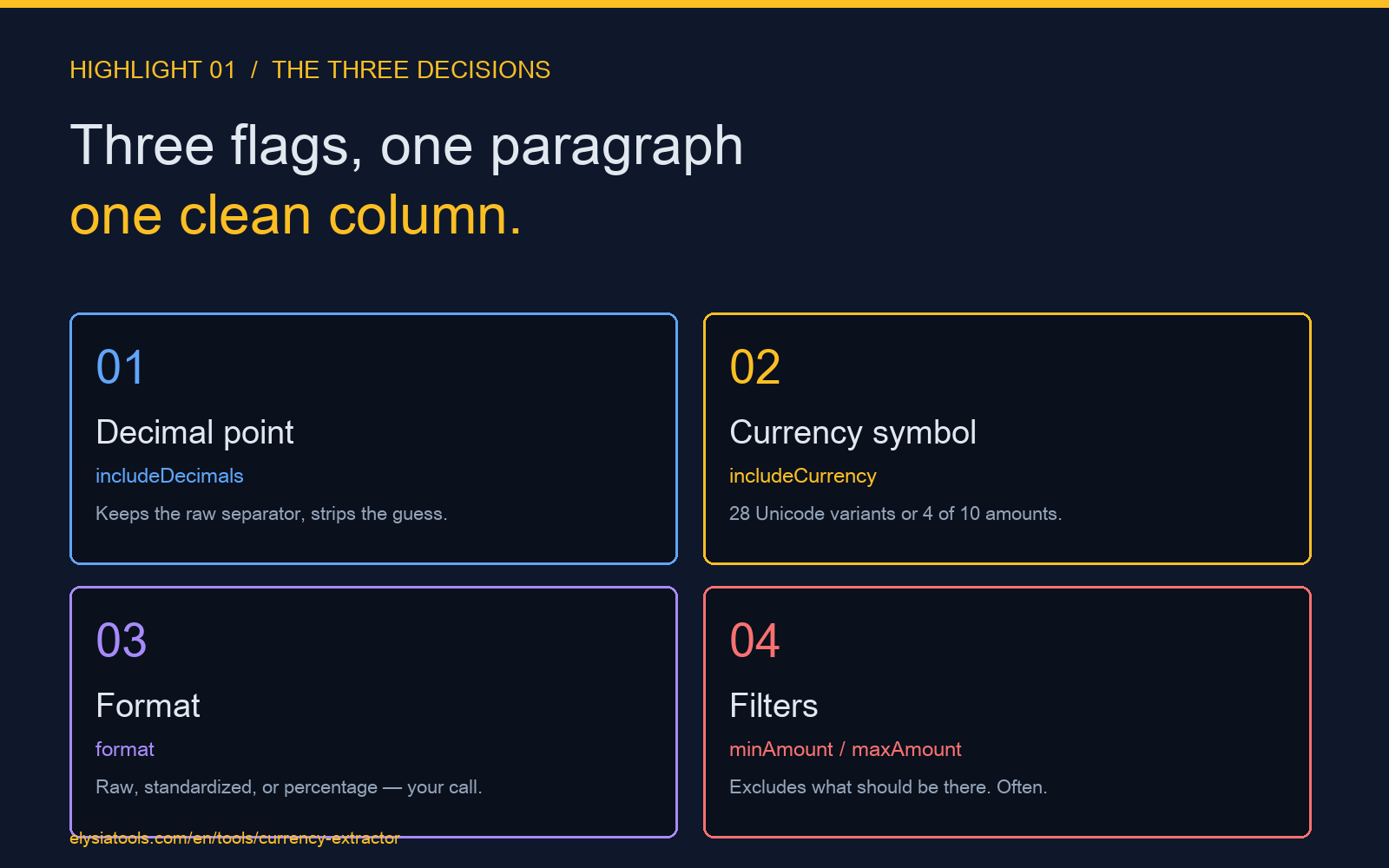
You can try the extractor here with any paragraph that mixes currencies, decimals, and thousand separators. The three knobs that matter are includeCurrency, includeDecimals, and format. The article below explains why each one matters, what breaks when you guess, and the three input cases that catch the most bugs before they reach a downstream column.
The decimal point is not a character, it is a decision
A regex that looks for digits will find 3.14
and 3,14 with equal confidence. A regex that looks for a literal period will find the first and miss the second entirely. A regex that looks for any non-digit separator will treat both the same, which is the worst outcome because it then has to guess which one is the decimal point without ever asking the writer.
The reason this matters is that the third number in your column is the one nobody reviews. A 1,000.00 value imported as 1.000 is ten times too small. A 1,000.00 value imported as 1000 is the same number but loses its decimal precision, which is fine until a downstream tool rounds it. A 1.000,00 value imported as 1.000 is a thousand. None of these errors throw an exception. They all read like numbers.
The fix is the includeDecimals input on the extractor. When it is true, the parser keeps both forms and reports which separator was used. When it is false, the parser strips everything that is not a digit and silently coerces the value, which is correct for whole-number columns and catastrophic for mixed-format paragraphs. The Number & Currency Extractor keeps the raw string in amounts and the parsed numeric in parsedAmounts, so you can always go back to the source and reconcile.
Currency symbols are a whitelist problem, not a detection problem
The dollar sign is one character in ASCII. It is at least twelve in Unicode
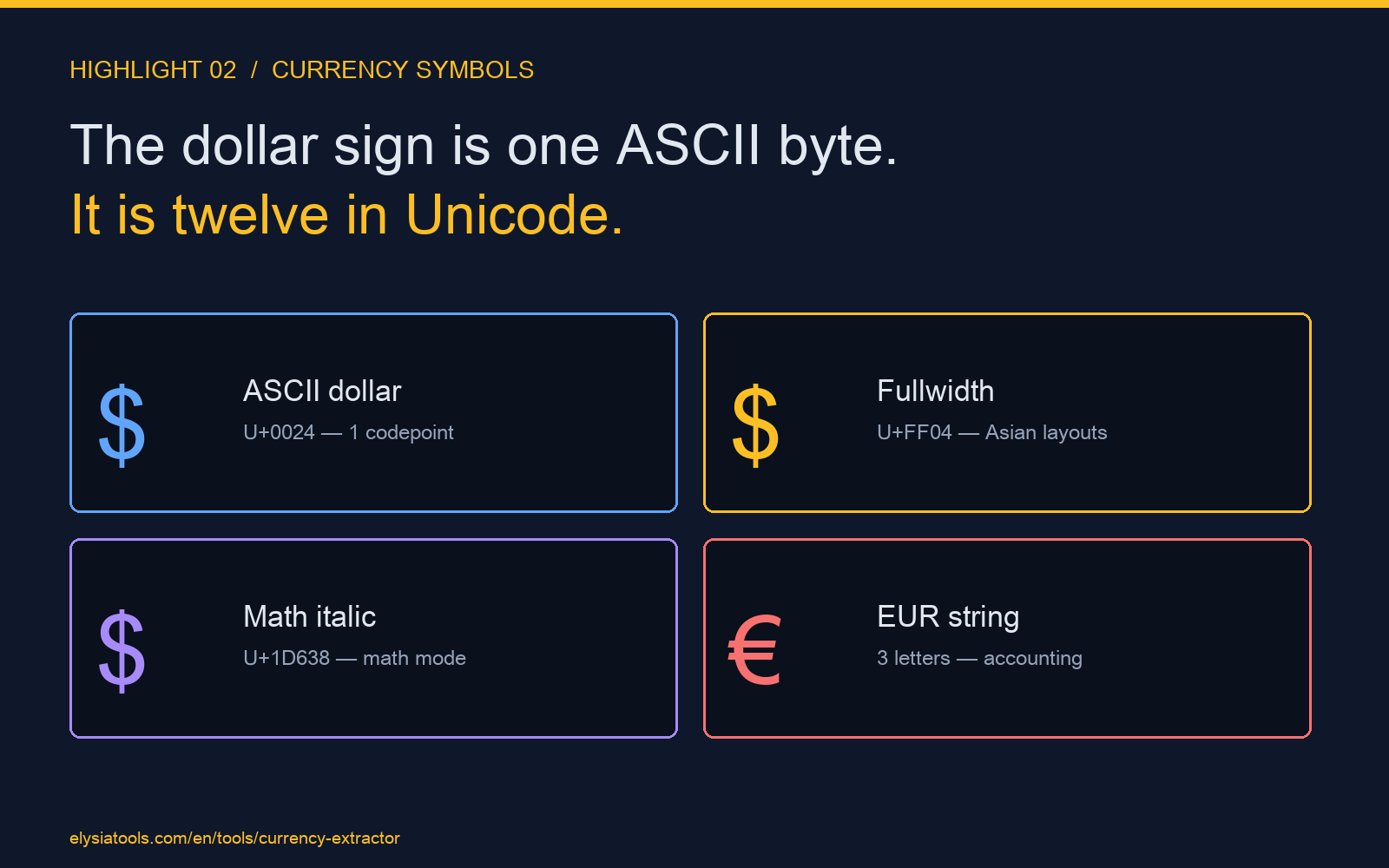
when you count fullwidth $, mathematical bold , monospace 𝟥, script 𝓬, and the five regional variants for Australia, Canada, Singapore, Hong Kong, and New Zealand. The euro sign is one Unicode codepoint but is also frequently written as the three-letter string EUR in accounting exports, and a finance team in Japan will often write ¥ in the same column as a US-based writer writes $.
If your extractor is a single-byte detector, it will find 4 out of 10 amounts in any real-world document. The remaining 6 will be parsed as numbers without their currency, which means a report that reads “12 currencies, total 4,820,000” is actually 12 currencies, total somewhere between 482 and 48,200,000 depending on which ones your regex dropped.
The extractor solves this with the includeCurrency flag and an internal symbol whitelist that covers the most common 28 variants of $, €, £, ¥, and ¥. The flag is binary: when true, the parser keeps the symbol attached to the amount and reports the unique currency set in the currencies output. When false, the symbol is stripped and the amount is treated as a unitless number. Most pipelines leave it on and then filter the currency column downstream, because the cost of including a symbol is a few extra bytes and the cost of dropping one is silent under-counting.
The thousand separator is the bug nobody notices first
The Indian numbering system groups lakhs and crores
with a comma, then a comma, then a comma at three-digit intervals after that. The result is that 1,00,00,000 is ten million and 100,000,000 is one hundred million. A naive parser that strips all non-digits will read both as 10000000 and 100000000 respectively, which is correct for the second and off by a factor of ten for the first.
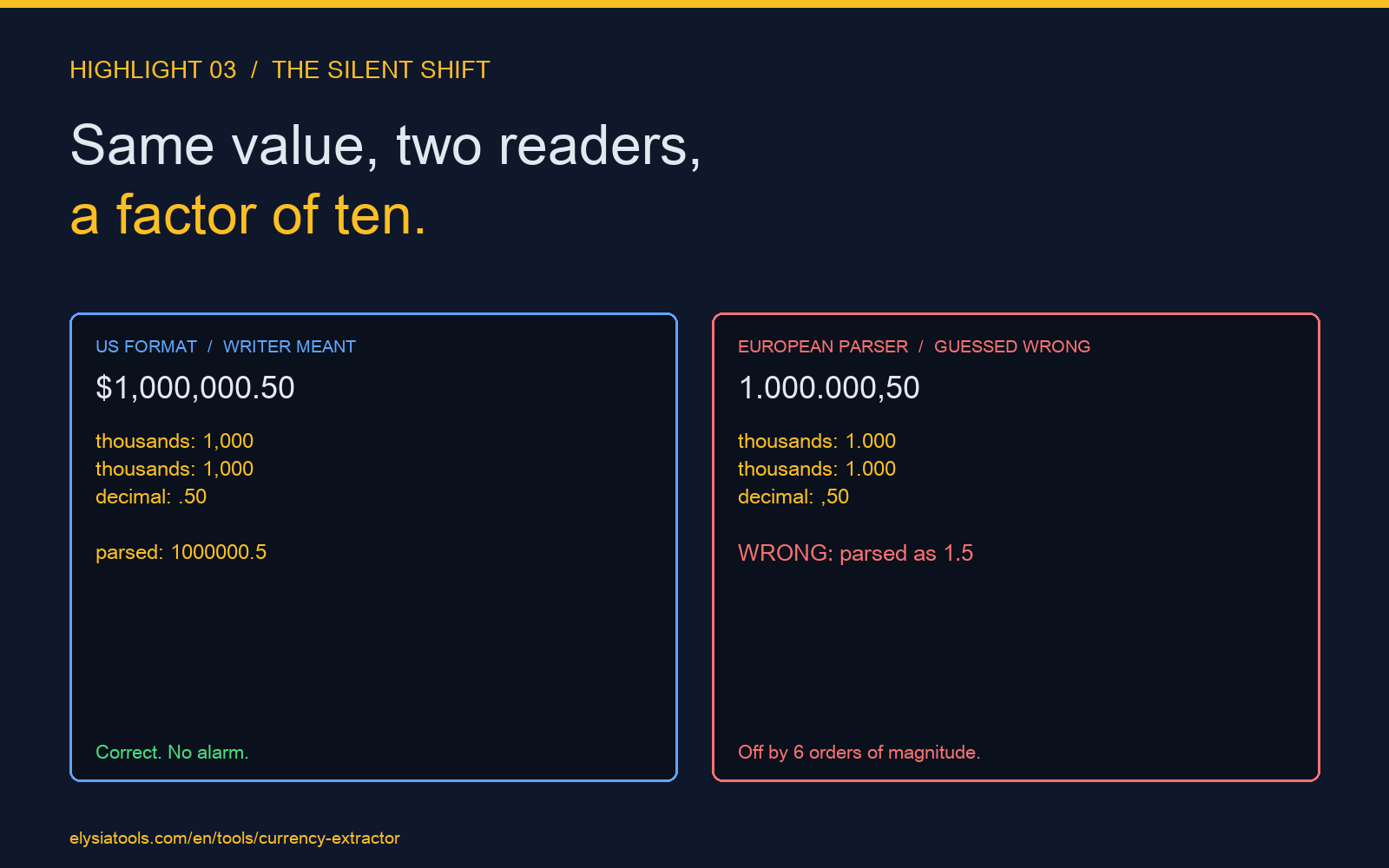
The European convention groups with a period and uses a comma for the decimal, so 1.000.000,50 is one million and fifty cents, not one point zero zero zero zero five zero. A parser that assumes comma is the group separator will read this as 1,000,000.5 with the decimal shifted. A parser that assumes period is the group separator will read it correctly but will then misread a US-style 1,000,000.50 as 1.5.
The reason this is the bug nobody notices first is that the report still looks right at a glance. A column that says 1000000 is plausible for revenue. A column that says 10000000 is also plausible for revenue. The difference only shows up when someone asks the specific question “why is this number ten times what it was last month” and the answer is that it was always that number, you just dropped a group of zeros when you parsed it.
The third input flag, format, is the one that decides what the output column actually contains. When format is standardized, the parser returns the number as a plain numeric string with no separator. When it is percentage, the parser multiplies by 100 and appends a percent sign, which is correct for converting a decimal odds ratio into a percentage and wrong for every other use case. The default is to keep the raw extracted string, which preserves the writer’s intent at the cost of downstream type coercion.
Three input cases that catch the most bugs before they reach a column
The first case is a paragraph that mixes $1,000.00 and €1.000,00 on the same line. With includeCurrency on, the parser returns both amounts with their symbols intact, and the currencies output reports both. With it off, both amounts are returned as numbers and the column reader has no way to know which is which. The first case catches the symbol-detection bug.
The second case is a paragraph that contains 1,000 in a context where the writer might mean one thousand or might mean one point zero zero zero. With includeDecimals on, the parser returns the raw string and the downstream tool can decide. With it off, the parser coerces to 1 and the value is silently wrong. The second case catches the decimal-coercion bug.
The third case is a paragraph that contains 1,00,00,000 in a financial report from an Indian subsidiary. The parser will read this as ten million when the group separator is treated as a thousand mark, or as one crore when the parser understands the lakh-crore grouping. The format flag alone does not solve this, but the parser preserves the raw string in amounts so a downstream regex can detect the lakh grouping and route the value through the right normalization. The third case catches the grouping-system bug.
What a clean extraction pipeline looks like
The pipeline that produces a correct column every time has three steps. The first step is to pass the raw paragraph to the extractor with all three flags set to their permissive defaults. The second step is to inspect the currencies output and confirm that the unique set matches what the writer used. The third step is to inspect the count and totalSum outputs against a known-good reference and confirm the totals match within rounding.
If the totals do not match, the bug is almost always in the input flags, not in the downstream tool. The four common failure modes are: includeCurrency is off and the symbol is being parsed as part of the number, includeDecimals is off and the decimal is being stripped, format is set to percentage when the source is a currency, and the minAmount or maxAmount filter is excluding values that should be included.
The Number & Currency Extractor at Elysia Tools exposes all of these as named inputs and returns the full diagnostic set in every response. You can read more about text-processing tools and the kinds of paragraphs they handle well in the broader Elysia Tools catalog. The three-flag pattern above is the same pattern the extractor uses internally, and it is the reason a paragraph with mixed currencies, mixed decimals, and mixed separators returns a clean column in a single pass instead of a sequence of fixes downstream.