There is a specific kind of bug that only appears in code review. You write getUserAccount in a TypeScript file, the linter is silent, the IDE is silent, the unit tests pass, and you merge. Then the backend pull request lands using get_user_account, the GraphQL schema uses getUserAccount and the iOS team is calling get-user-account over REST. None of them are wrong. All three are wrong. The function is the same function and the language that binds it together — Python to Go, JSON to YAML, Prisma to BigQuery — does not actually care which case style you picked. It cares that you picked one and stayed there, because the moment you mix camelCase with snake_case in the same dataset, the silent glue that the rest of your stack relied on stops being silent and starts being a 2 a.m. incident.
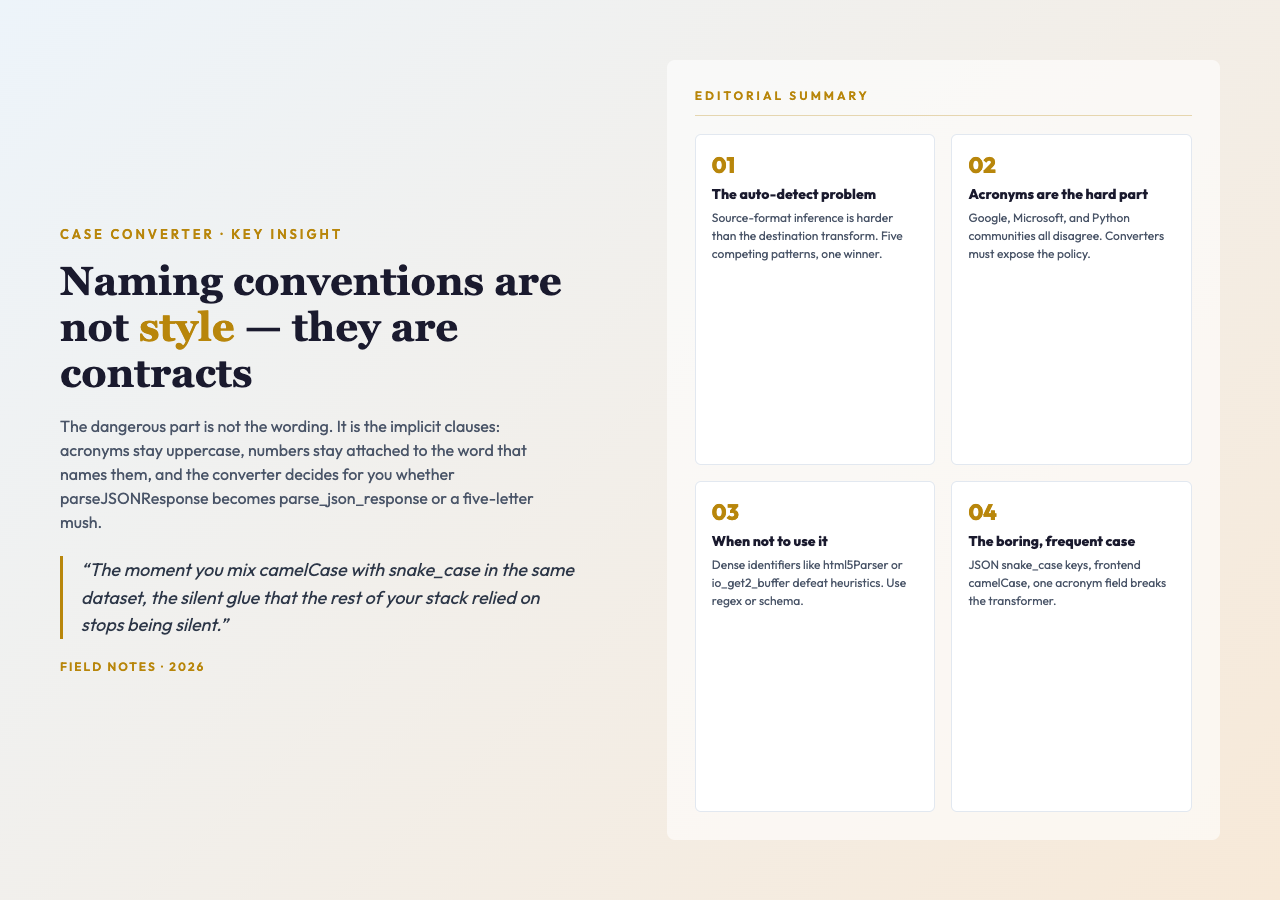
Naming conventions are not a style preference. They are a contract. And like most contracts, the dangerous part is not the wording, it is the implicit clauses — the rule that acronyms stay uppercase, the rule that numbers stay attached to the word that names them, the rule that the converter decides for you whether parseJSONResponse becomes parse_json_response or parsejsonresponse when the source format is ambiguous. The Advanced Case Converter at Elysia Tools is a small, free, browser-side utility that exposes every one of those clauses as a checkbox and a dropdown, so the next time a junior engineer asks “why does our API field map break in BigQuery,” you can hand them the tool instead of a paragraph of convention prose.
What a case converter actually does
A case converter is a string transform with five common output shapes — camelCase, snake_case, kebab-case, PascalCase, and the screaming variants — plus one input shape that the tool has to figure out for itself. The interesting work is not in the destination. The interesting work is the split. You paste getUserAccountID and the converter has to decide where one token ends and the next begins. Split on the underscore? Wrong, there is none. Split on the lowercase-to-uppercase boundary? Closer, but then parseJSONResponse becomes parse, j, s, on, response, and your acronym is now five one-letter tokens.
A naïve regex that just inserts a delimiter before every uppercase letter will mangle every acronym in your codebase. A converter that handles acronyms — that knows JSON stays a single token even when the next letter is uppercase — needs a small state machine, a couple of look-ahead rules, and a toggle for whether the user wants acronyms preserved at all. The Elysia case converter is built around that toggle. The default behaviour is auto-detect on the source format, then a clean transform to the target format with numbers preserved in place. The two checkboxes — preserve numbers, and the implicit “do not shred acronyms” — are the entire feature surface. That is, somehow, enough.
The seven switches inside the converter
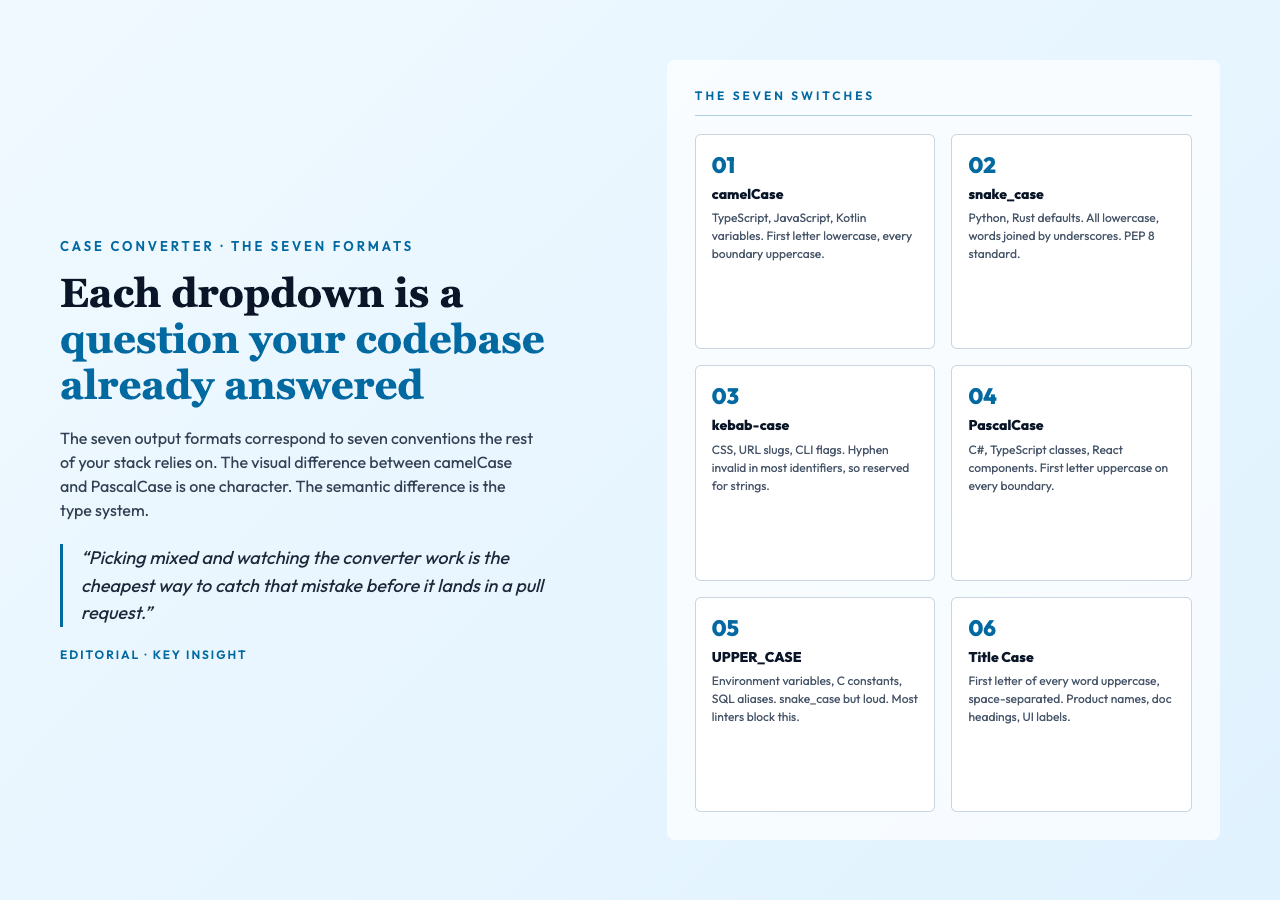
The dropdowns are where the work hides. There are seven of them, and each one corresponds to a question your codebase already answered without telling you:
- camelCase. First letter lowercase, every subsequent word boundary is uppercase. The TypeScript, JavaScript, and Kotlin default. If your team uses
camelCasefor variables andPascalCasefor types, the converter is the only place that boundary is enforced. - snake_case. All lowercase, words joined by underscores. The Python and Rust default. Required by PEP 8 for module and function names, and by most Ruby style guides.
- kebab-case. All lowercase, words joined by hyphens. The CSS, URL slug, and most CLI flag default. The hyphen is invalid in most language identifiers, which is why this format is reserved for strings, filenames, and HTML attributes.
- PascalCase. First letter uppercase, every subsequent word boundary uppercase. The C#, TypeScript class, and React component default. The visual difference between
camelCaseandPascalCaseis one character; the semantic difference is the type system. - UPPER_CASE. snake_case but loud. The convention for environment variables, constants in C, and SQL column aliases when the database is feeling traditional. Most linters will not let you use this for a regular variable.
- lower_case. Words joined without a delimiter. Awkward in code, common in package slugs, and the format that most converters produce by accident when the split heuristic fails.
- Title Case. First letter of every word uppercase, space-separated. The human-readable default. Useful for product names, documentation headings, and the rare case where you are generating a UI label and not a variable.
The auto-detect problem
The source-format dropdown defaults to mixed, which means the tool tries to infer whether your input is camelCase, snake_case, kebab-case, PascalCase, or space-separated before it does any work. Auto-detection looks easy. It is not. The heuristic has to score each candidate against five competing patterns and pick the one with the highest confidence, which means the converter has to know that get-user-account is a stronger kebab-case match than get, user, account is a three-word snake-case match, and that the tie-breaker when both are equally likely is the underscore — which is the format that came in, not the format that matched best.
Most converters skip the auto-detect entirely and force you to declare the source. The Elysia version exposes it as a dropdown for a reason: the most common failure mode is the silent one. You paste user_account_id, the converter treats it as snake_case, and you get userAccountId back. Correct. You paste UserAccountID, the converter treats it as PascalCase, and you get userAccountId back. Also correct, but the round-trip changed three letters of capitalization, and if you are generating code from a schema you may not have noticed. Picking mixed and watching the converter work is the cheapest way to catch that mistake before it lands in a pull request.
Why acronyms are the actual hard part
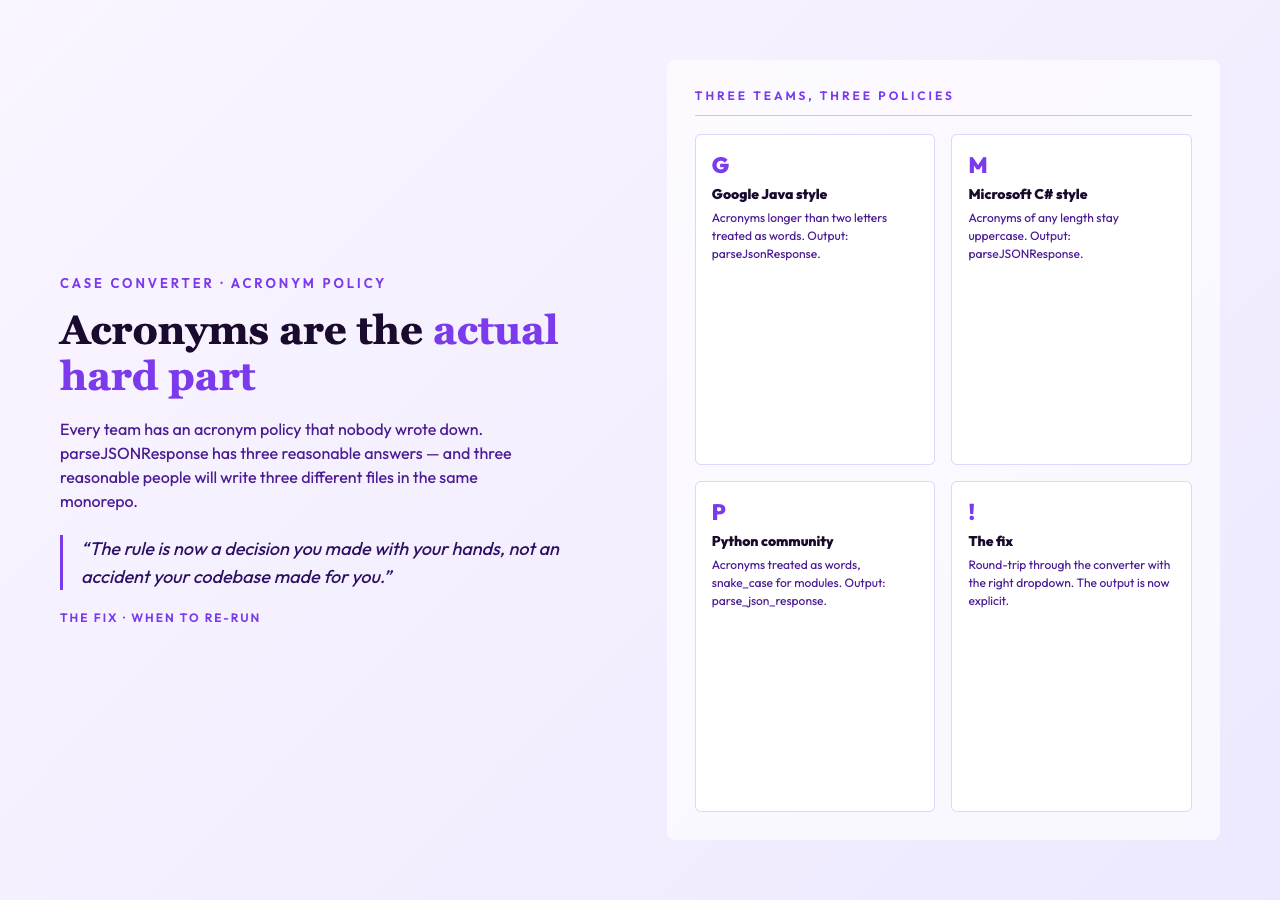
Every team has an acronym policy that nobody wrote down. parseJSONResponse — should the JSON stay uppercase? Should it become parseJsonResponse? Should it become parse_json_response with three letters preserved? The Google Java style guide says acronyms longer than two letters should be treated as words, which gives you parseJsonResponse. The Microsoft C# guide says acronyms of any length stay uppercase, which gives you parseJSONResponse. The Python community generally treats acronyms as words, which gives you parse_json_response. Three reasonable people, three different files in the same monorepo.
The converter’s job is to make the policy explicit. The “preserve numbers” checkbox is the visible one. The acronym behaviour is the invisible one — the tool keeps consecutive uppercase letters as a single token by default, which gives you the Google behaviour without you having to know it. If your team prefers the Microsoft behaviour, you paste the camelCase output back in as the new source and re-run with mixed off; the round-trip will preserve the JSON cluster. Either way, the rule is now a decision you made with your hands, not an accident your codebase made for you.
When the converter is not the right tool
The converter is a string transformer. It does not parse. It does not understand that html5Parser is one identifier and not two. It does not know that io_get2_buffer means “I/O get-buffer version 2” rather than “I O get 2 buffer.” If your identifier is dense with acronyms and version numbers, the heuristic will split it somewhere wrong and you will spend ten minutes undoing the damage. For that class of input, a regex with explicit capture groups — or a schema-driven generator — is the right answer. The case-format samples at Elysia Tools give you a reasonable starting corpus of well-formed inputs, which is useful for sanity-checking the converter before you trust it on the messy strings in your own codebase.
The converter is also not a linter. It will happily output getUseraccount if you ask it to convert getUserAccount to PascalCase with the wrong dropdown. There is no warning, no underline, no squiggle. The tool assumes you know what you asked for. This is the correct trade-off — a converter that second-guesses its user is a converter that is no longer a converter — but it does mean that the right workflow is to check the output against your team’s style guide, not to assume the converter read your mind.
The case the converter is built for
Where the tool earns its keep is the boring, frequent case. You have a JSON schema with snake_case keys, your frontend uses camelCase, and somewhere between the API client and the React component a transformer is rewriting one to the other. That transformer was correct on day one. It is now wrong on one specific field, the one field with an acronym in it, and you do not know which one until the autocomplete in your IDE stops firing. The case converter is the five-minute version of fixing that transformer. Paste the field. Look at the output. Compare to what the rest of your codebase is doing. Copy the right one back.
That is the whole job. Naming conventions are a contract, the contract has implicit clauses, and the clauses are easier to debug when they are visible. The converter does not write the policy for you. It shows you what the policy produces when you run it through a specific string, and lets you decide whether that output is the one your team would actually write by hand. Run it on the next identifier you are about to commit. If the output surprises you, the surprise is the bug.
Explore more text-processing tools and naming-convention utilities at elysiatools.com.