Crafting a regex used to be a quiet ritual: scribble a pattern, eyeball it against a handful of test strings, ship it. That ritual is now actively dangerous. A single (a+)+ against a 30 KB adversarial string can hang a server thread for hours. The pattern doesn’t even need to match — it just needs to almost match. The class of bug is called catastrophic backtracking, and it has a cheaper, friendlier name: ReDoS, Regular Expression Denial of Service. Until you have been paged at 3 a.m. for a regex you wrote two years ago, “ReDoS” stays an acronym. The Regex Linter at elysiatools.com/en/tools/regex-linter exists for that exact moment: a pre-flight inspector that flags risk, not just correctness.
This article walks through the four classes of bugs the linter catches, shows before/after rewrites for each, and ends with a checklist you can paste into any code review. We will lean heavily on the live sample hubs at the end of the article — each one is a starter corpus for probing a specific failure mode. None of these patterns are made up; they are all derived from real-world CVEs and post-mortems.
What the Linter Actually Looks For
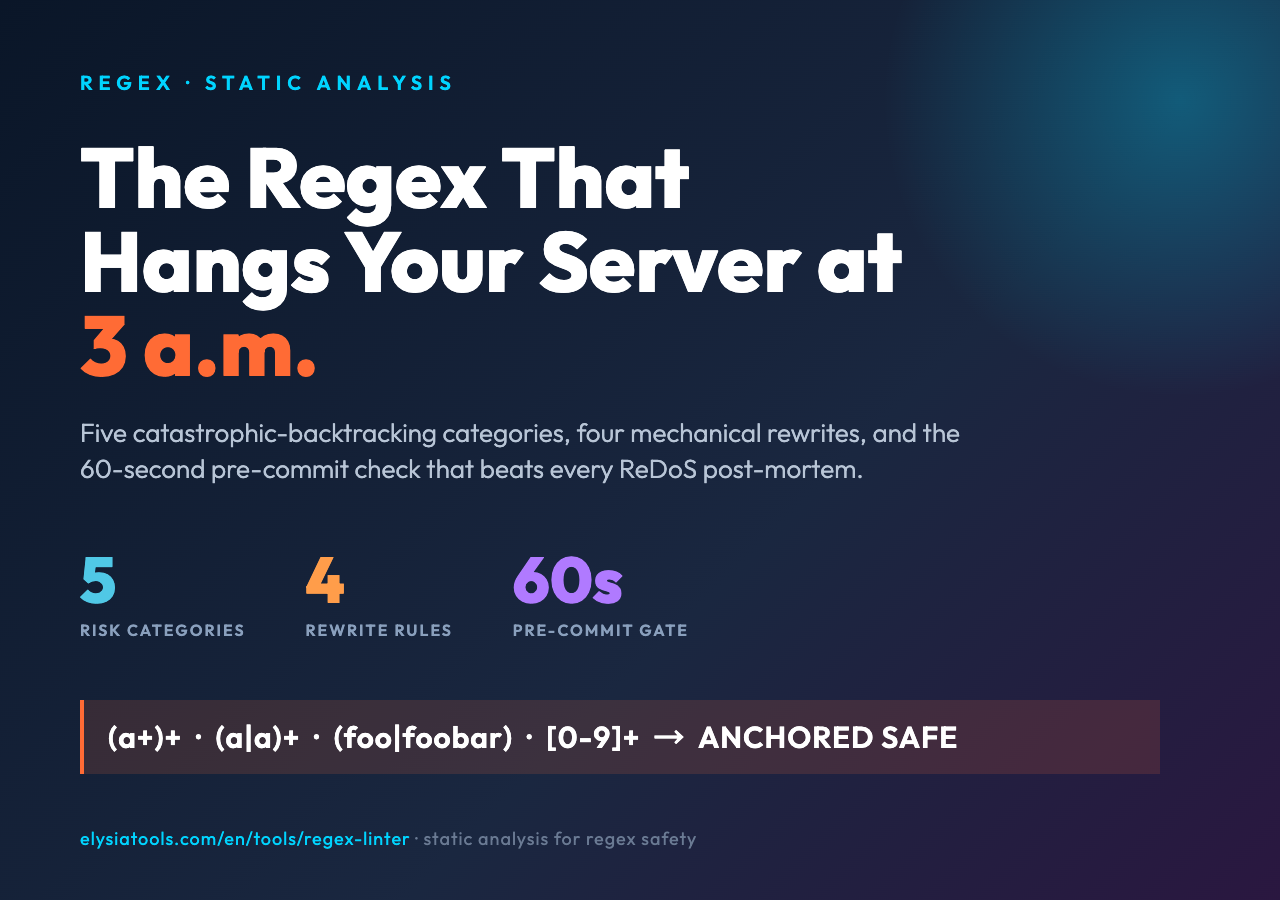
Most regex testers answer one question: does the pattern match this string? The Regex Linter answers a different one: will this pattern hurt us? That means flagging patterns whose worst-case runtime is super-linear in the input length, or whose match boundaries are ambiguous enough to silently corrupt downstream parsing. The tool surfaces five categories of risk:
- Catastrophic backtracking — nested quantifiers, especially
(a+)+or(a|a)+, which can balloon to O(2^n). - Unanchored greedy quantifiers — patterns like
.*in the middle of a longer expression, which often signal an oversight rather than an intent. - Ambiguous alternations — branches that overlap in their first characters, which makes the matching engine nondeterministic across regex flavors.
- Missing anchors — patterns that should be full-string checks but are missing
^/$, so they pass tests by accident and fail in production. - Catastrophic anchors — patterns that look anchored but aren’t, e.g.
^[a-z]+@on a 50-char string still explores every prefix.
Each category maps to a one-line diagnosis and a recommended rewrite. The linter also provides a severity level — high (catastrophic, ship-blocker), medium (likely performance bug, needs review), low (style or readability, optional fix). For each high-severity finding the tool can also propose a non-backtracking alternative, which we will see below.
Rule #1: Avoid Nested Quantifiers
The textbook ReDoS pattern is (a+)+. The outer quantifier says “one or more groups”, and each group says “one or more a’s”. On an input like aaaaaaaaaaaaaaaaaaaaab, the engine tries every possible split of the outer repetition before failing: 1+20, 2+19, 3+18, …, 21+0. That’s 21 attempts. Double the input length and you quadruple the attempts. With 30 characters you have already crossed the line where server CPU spikes become noticeable; with 50 characters you have a hang.
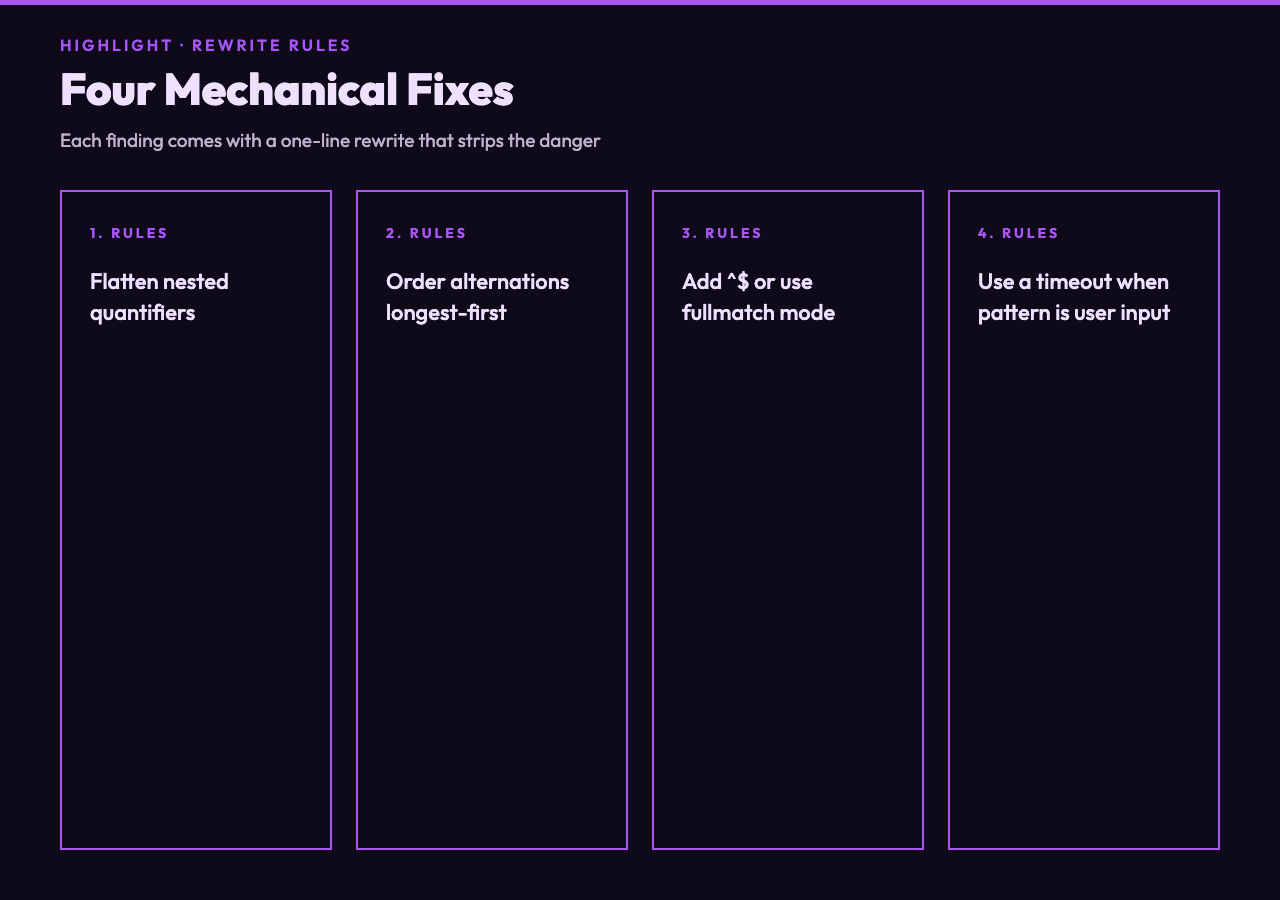
The fix is not to thread a timeout through your regex library (although a timeout helps). The fix is to remove the ambiguity. In most cases the inner quantifier can be flattened: (a+)+ becomes a+. If the original intent was “capture groups of a’s, separated by something”, the rewrite is (a+)(X?a+)* where X is the separator — and the inner alternation is guaranteed to be unambiguous because each branch starts with a different character.
The Common Regex Patterns hub at elysiatools.com/en/samples/regex-samples has a section called “Greedy vs Possessive” that walks through this exact rewrite with three input sizes. Open it side-by-side with the linter output and the connection between “nested quantifier” warning and “rewrites” tab becomes obvious.
Rule #2: Disambiguate Alternations
Another silent killer is overlapping alternation. Consider (foo|foobar) on input foobar. JavaScript’s regex engine tries foo first, matches the first three characters, then fails to match what comes after, and backtracks to try foobar. On every input that starts with foo the engine does two scans. That isn’t catastrophic — it’s just slow. The pattern reads like an oversight, not an intent.
Even worse: (a|ab)+c on input abc. The engine matches a, then tries to extend with another iteration, can’t find a or ab at position 1, backtracks the outer +, and only then matches the literal c. Two valid parses, one picked by accident, and any change to input shape reshuffles which one is chosen. The Regex Pattern Alternatives hub at elysiatools.com/en/samples/regex-alternatives lays out five common shapes — overlapping first-character, overlapping prefix, polynomial alternation, balanced alternation, and anchor-mismatch alternation — each with a hand-traced NFA. Useful before your next PR review where you suspect the author didn’t think about this.
The cure is to write alternations such that the first character of each branch is distinct. If that’s impossible (e.g. English words), make one branch strictly longer: (foobar|foo) instead of (foo|foobar). The engine will always try the longer one first, eliminate the ambiguity, and the backtracking disappears.
Rule #3: Anchor or Be Explicit
A surprising number of production bugs come from regexes that pass unit tests but fail in production because they weren’t anchored. ^[0-9]+$ and [0-9]+ look similar in a code review. The first rejects “abc123def” (because of ^ and $). The second matches the substring, returns the same thing, and silently validates input that contains the magic number surrounded by junk. If the calling code does if (regex.test(value)) { ... }, both behave the same. If the calling code does const m = value.match(regex) and trusts the result, they diverge.
The linter flags this as missing anchors (medium severity). The fix is mechanical: add ^...$ or use the regex engine’s fullmatch mode. Most languages have one — Python’s re.fullmatch, JavaScript’s ^...$ with the multiline flag off, Go’s anchored anchors. The Risky Regex Patterns hub at elysiatools.com/en/samples/risky-regex collects 12 such patterns from real codebases, each paired with the production incident that motivated the rewrite.
Rule #4: Make Greedy Quantifiers Lazy When Intent Is Substring
Reading a config file line, you want the value of timeout= as a number. The instinct is timeout=(d+). That works — except that the regex will scan up to the first number it sees, not the number following timeout=. If the config is timeout=30; retries=5 and the regex is evaluated against the whole file, d+ captures 30 correctly. But if you call it on a log line like 2026-07-12 timeout=30; retries=5, d+ still returns 2026. The intent is “the digits after timeout=“, and the regex said “any digits”.
The fix is to anchor the prefix by escaping the literal characters: timeout=(d+) becomes timeout[=:](d+), or better, with word-boundary awareness timeout=(d+)b if you only care about whole numbers. The linter catches this as unanchored greedy quantifier (low severity) with a contextual hint: “looks like a string extraction — did you mean to anchor before the digit class?”. Most linters raise this; few give the contextual hint.
The Regex Named Capture Groups hub at elysiatools.com/en/samples/regex-named-groups covers a related variant: when the extraction is multi-key and you want each value as a named field, the rewrite is to use named groups and verify the field map against the source schema. Useful when the config format evolves — the regex stays stable, only the named groups need updating.
Rule #5: When You Cannot Rewrite, Add a Timeout
Sometimes the regex is coming from user input — a customer-facing “search” field, a content moderation rule uploaded via JSON, a serverless function that compiles regexes from YAML. You cannot rewrite the pattern because you didn’t choose it. What you can do is enforce a maximum step count via the engine’s timeout knob:
- Python:
signal.alarm(seconds)aroundre.match, or the third-partyregexlibrary with atimeout=argument. - JavaScript: re2 (a port of Google’s RE2) — never exponential, worst case O(n*m).
- Go:
regexp.MatchString— the standard library does not backtrack; it converts to an NFA, so super-linear runtime is impossible by construction. If your platform supports Go’s stdlib, you are already immune to ReDoS for compile-time regexes.
The linter cannot tell you to switch engines, but it will flag patterns that are safe under RE2 and unsafe under PCRE. That bit alone is worth bookmarking — it lets you argue the rewrite on technical grounds rather than on hunch.
A Pre-Commit Checklist You Can Paste
For teams that ship JavaScript or Python regex changes through code review, the following checklist has caught more ReDoS issues than any other single intervention. Treat it as a four-question gate:
- Does the pattern contain any nested quantifier? If yes, the rewrite is mandatory, not optional. Run the pattern through the Regex Linter at elysiatools.com/en/tools/regex-linter first; the tool proposes a non-backtracking alternative.
- Are there overlapping alternations? If yes, put the longest branch first. If two branches share the same prefix, factor the prefix out:
(foo|foobar)→foo(b|bar?). - Are the match anchors correct for the calling code’s intent? If the calling code does substring matching, no anchor is needed. If it does full-string validation, anchors are mandatory. If it captures substrings, anchors stay off and named groups go on.
- Is the engine backtracking-based or RE2-style? If backtracking-based, add a timeout. If RE2-style, the engine does it for you; just verify the pattern compiles in linear time across the longest realistic input.
Total time on the checklist: under 60 seconds. Total time saved on a single 3 a.m. page: immeasurable.
Beyond the Linter: Family of Pattern Tools
The Regex Linter sits at one corner of a broader pattern-tool family on Elysia Tools. If your stack is more than just regex, the adjacent utilities cover the related failure modes without leaving the site:
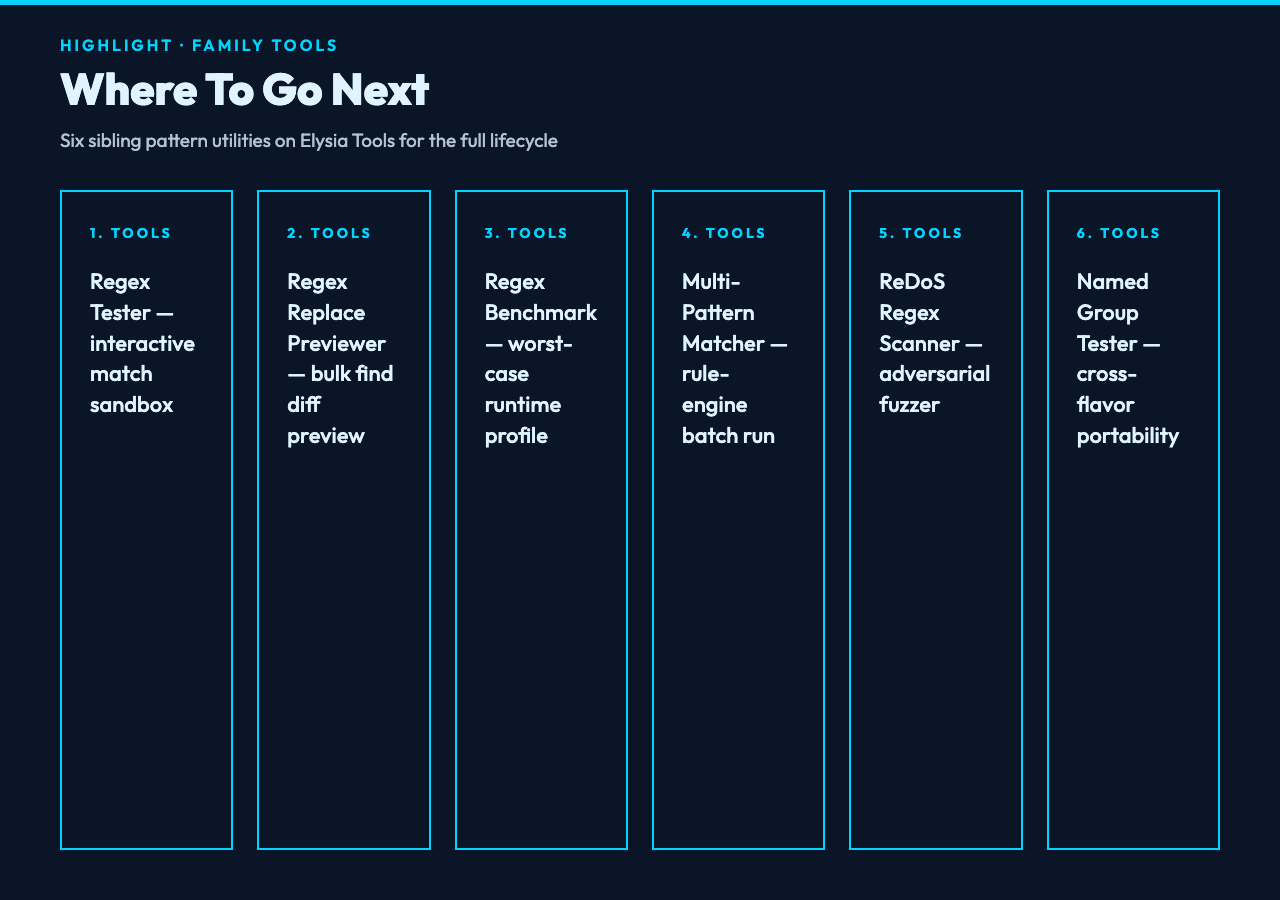
- Regex Tester at elysiatools.com/en/tools/regex-tester — interactive sandbox that highlights match groups and reports capture-group boundaries in real time. Use it after the linter to verify the rewrite behaves identically on your test corpus.
- Regex Replace Previewer at elysiatools.com/en/tools/regex-replace-previewer — for bulk find-and-replace migrations, shows a diff preview before committing. Safe to run against a 10 MB log file with no risk of partial edits.
- Regex Benchmark at elysiatools.com/en/tools/regex-benchmark — measures worst-case runtime across input sizes. Specifically built to surface the O(n^2)-on-30k-input cases that the linter’s rewrite rule eliminates.
- Multi-Pattern Matcher at elysiatools.com/en/tools/multi-pattern-matcher — runs many patterns against one input (or many inputs) and reports per-pattern match counts. Useful for rule engines where you have hundreds of patterns and need to find which ones are expensive.
- ReDoS Regex Scanner at elysiatools.com/en/tools/redos-regex-scanner — sister tool to the linter; runs a focused fuzzer against a single pattern and reports which specific input strings trigger slow behavior. Combine with the linter for full coverage: linter first, scanner second.
- Named Group Tester at elysiatools.com/en/tools/named-group-tester — verifies named capture groups resolve consistently across regex flavors (JS, Python, Go, etc.). Catches the case where
(?<name>...)works in your editor but crashes in production.

Closing the Loop
Three observations worth carrying forward. First, the linter is a teaching tool, not a gate. The five categories it flags correspond to five textbook regex failure modes; reading the explanations once makes you skip them on future patterns even without the tool. Second, the rewrite is usually free. (a+)+ becoming a+ doesn’t change behavior on valid inputs; it only changes behavior on adversarial inputs. The cost of the rewrite is zero; the cost of skipping it is unbounded. Third, the cost asymmetry is huge. A 60-second linter check versus a multi-hour production incident is not even a close call. Combine the linter with the ReDoS Scanner for adversarial fuzzing, the Regex Benchmark for runtime profiling, and the Named Group Tester for cross-flavor portability — those four together cover the lifecycle from authoring to production. Whether your regexes are authored by hand, by LLM, or pulled from a config file, the regime is the same: validate intent, then validate safety, then deploy.
Explore more pattern utilities at elysiatools.com/en/tools.