
Your PEM File Is a Black Box Until It Isn’t: A Field Guide to the X.509 Certificate Decoder
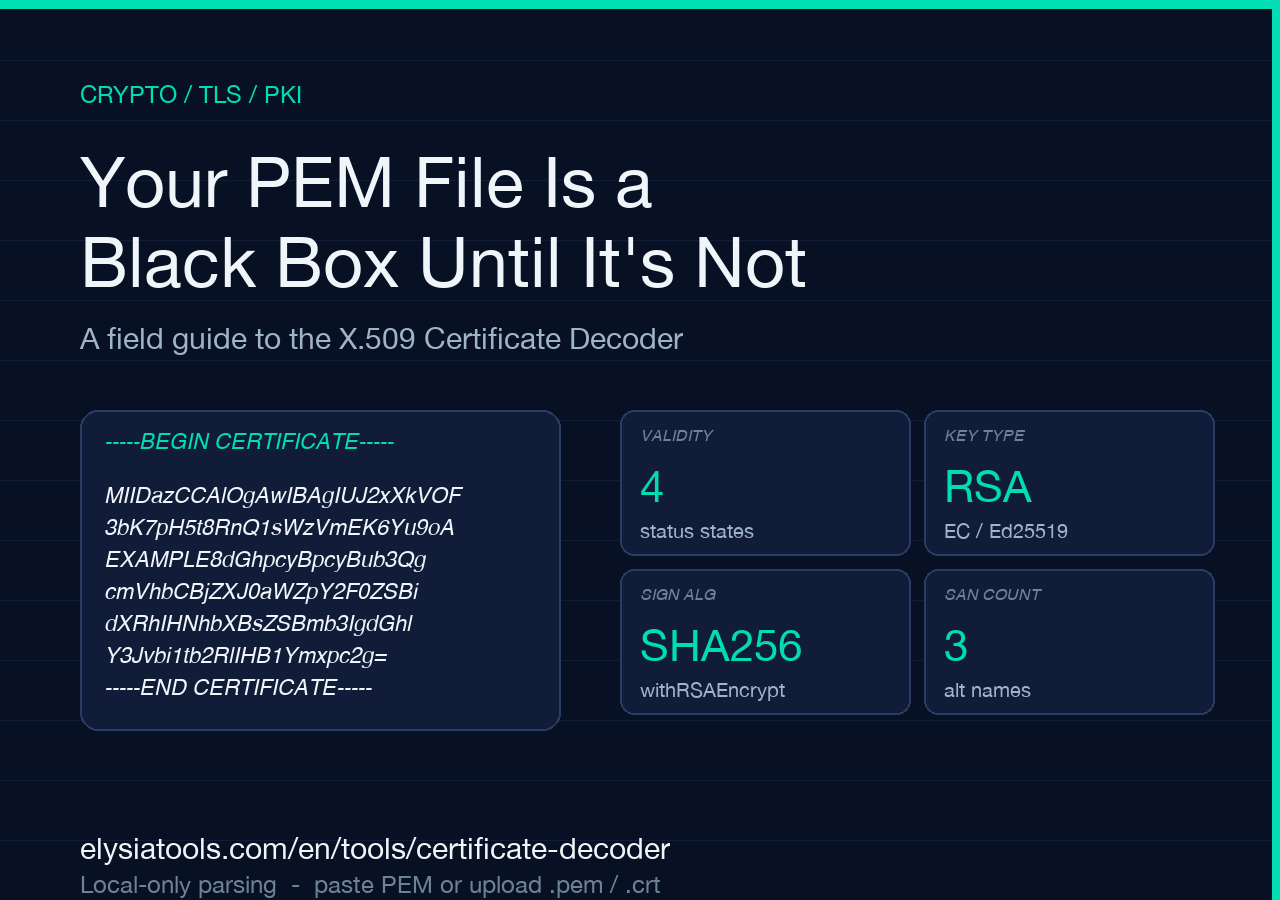
You’re staring at -----BEGIN CERTIFICATE-----, a wall of base64. The auditor wants a SHA-256 fingerprint by lunch. The load balancer keeps refusing a new SAN. You just need to know if it’s expired, what key it uses, and who signed it — before someone pages you.
The X.509 Certificate Decoder turns that base64 blob into a one-glance report card: validity badge, subject and issuer Distinguished Names, public key type and bits, signature algorithm, serial, version, the SHA-256 fingerprint, the Subject Alternative Names, key usage, extended key usage, and a self-signed badge when the issuer and subject are the same DN. You paste a PEM block, or drop a .pem / .crt file, and you get everything openssl x509 -text would show — visualised, not greppable.
Validity status: the only number that pages you
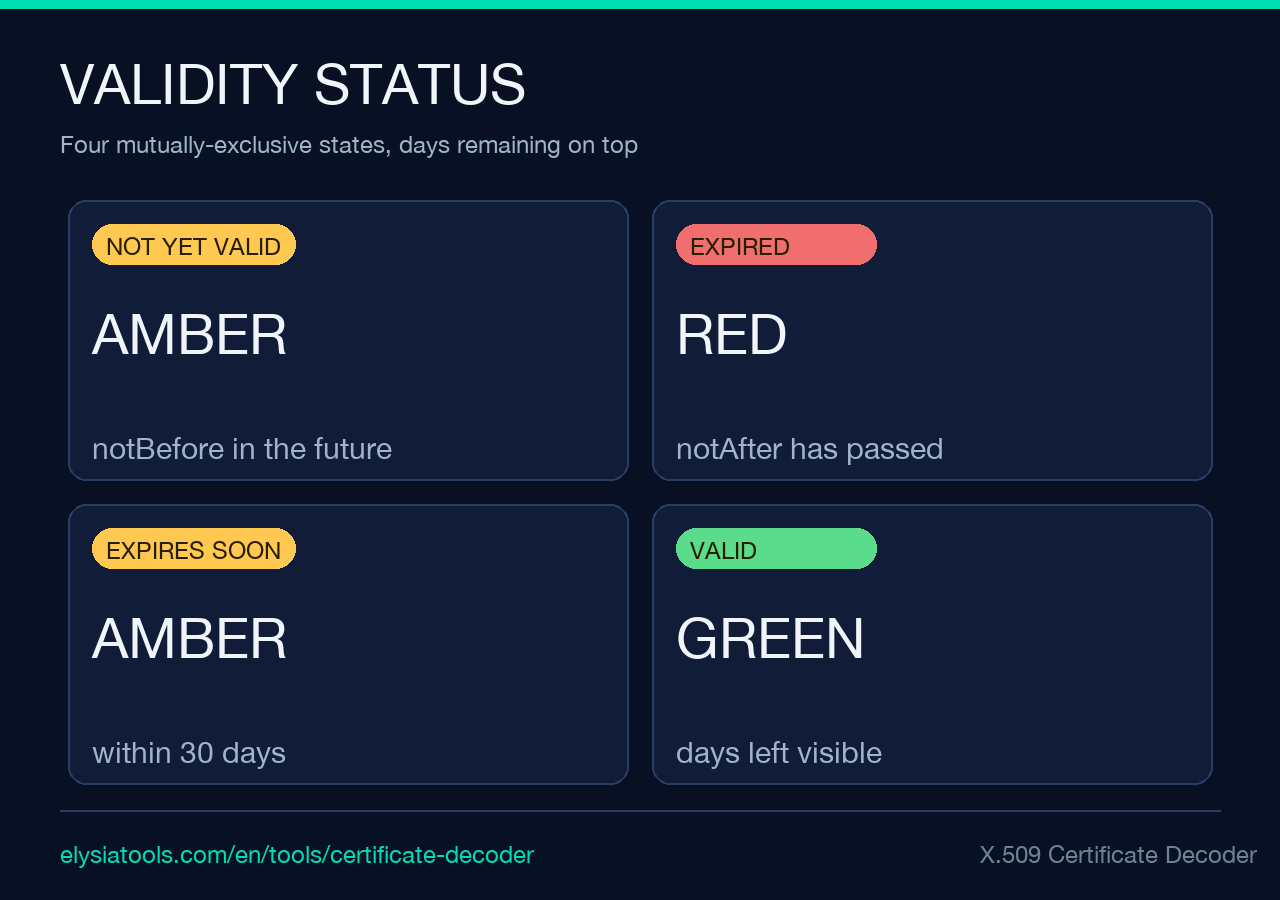
A certificate that expired at 03:14 UTC last Tuesday doesn’t care about its public-key curve or its signature algorithm. It cares about notAfter. The decoder surfaces four mutually exclusive states at the top of the report:
– NOT YET VALID — notBefore is in the future. Your CA’s clock is wrong, or this is a post-dated stub. – EXPIRED — notAfter has passed. Rotate. – EXPIRES SOON (Nd) — within the last 30 days of the lifetime. The 30-day window is hard-coded into the source — see the validityStatus helper in certificate-decoder.ts. – VALID (Nd left) — anything else, with days remaining.
The 30-day threshold is a tradeoff. ACME clients like certbot default to renewing at 30 days; below that you want to alarm, not at renewal time. The report also shows the lifetime in days so you can spot unusual values — Let’s Encrypt issues 90-day certs, internal PKIs often run 1–5 years, an unexpected 398 is worth investigating.
Subject and issuer — the DN that actually matters
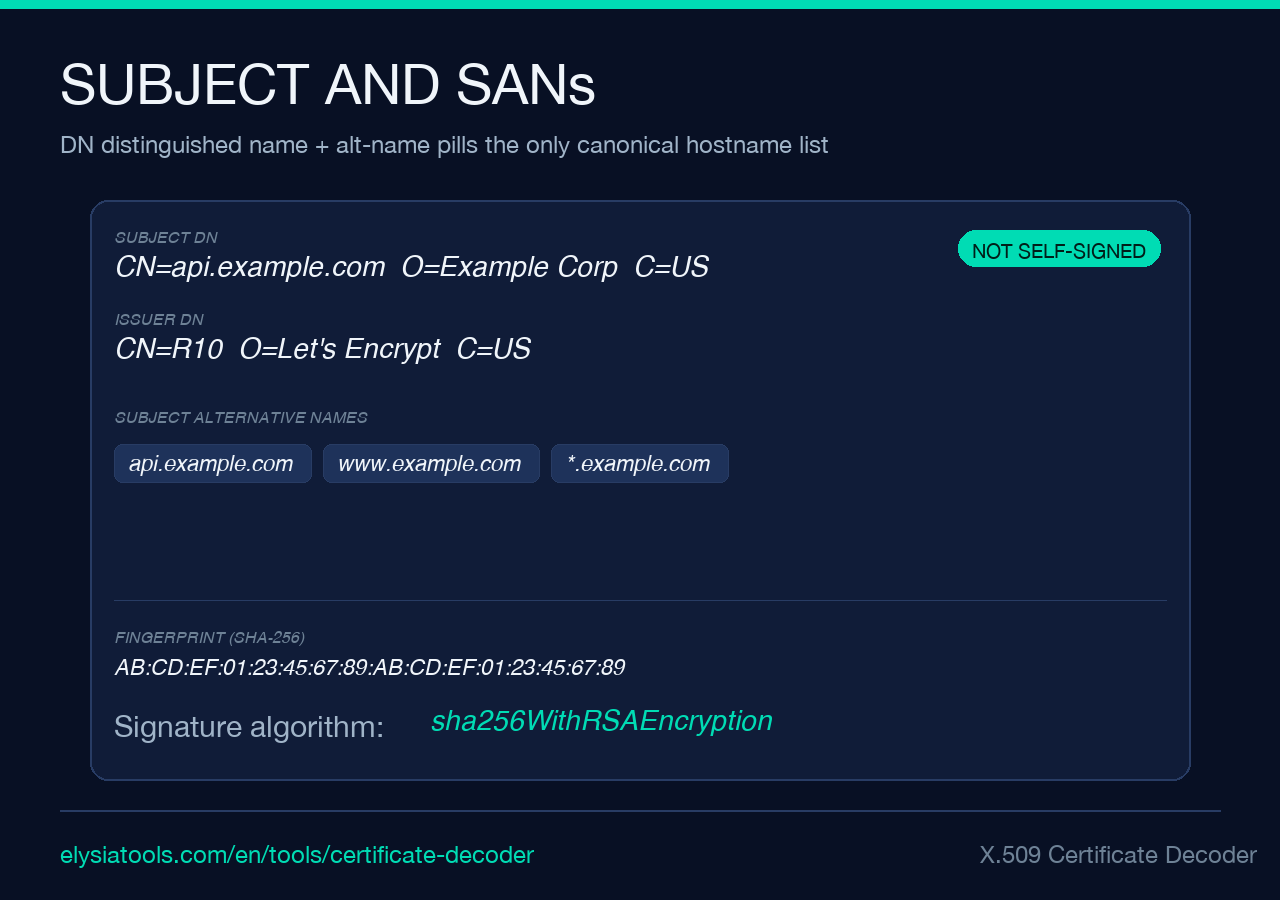
The Distinguished Name is the single most-misread line in a PEM. The source extracts it via Node’s built-in crypto.X509Certificate, which parses PEM locally in the browser tab — no upload, no server round trip. When the subject and issuer strings are byte-identical, the decoder flags a self-signed badge. Self-signed is fine for internal CAs, mTLS roots-of-trust, or a localhost dev cert; it’s a hard fail on a public-facing TLS endpoint.
The decoder renders the DN on a single line, monospaced, with no attribute escaping surprises. Watch for two production footguns:
1. CN vs SAN. Modern browsers and the CA/Browser Forum rules stopped trusting the Common Name for hostname matching in 2017. The Subject Alternative Names extension is the only canonical list. The decoder prints every SAN on its own pill — domain names, wildcard entries, and IP addresses all visible at once.
2. UID and emailAddress attributes. Some legacy enterprise enrollment flows put [email protected],CN=... at the start of the DN. The decoder preserves order — the same order Node parses — so you’re never second-guessing what’s bound where.
Public key — what you’re really trusting
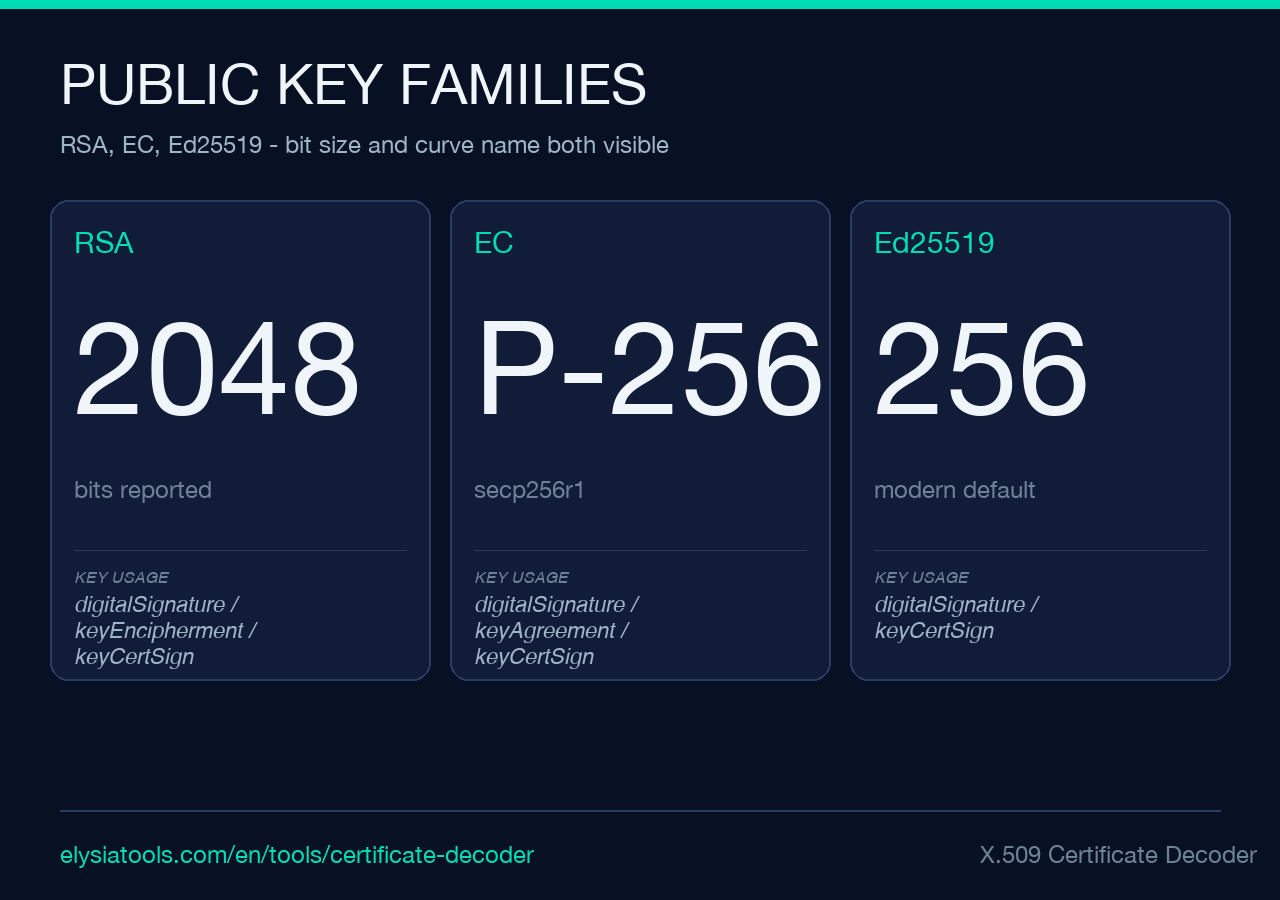
The Public Key section tells you the asymmetric algorithm and the bit size of the modulus or the named curve. The decoder covers three families:
– RSA — reports bits (typically 2048 or 4096). – EC — reports the curve name (P-256, P-384, secp256k1, prime256v1, etc.) and the bit size derived from the curve order. – Ed25519 — reports the algorithm name; Ed25519 keys are always 256 bits and there’s no knob to twist, which is part of why Google’s internal PKI is migrating to it.
A rule of thumb the decoder enforces quietly through Node’s crypto.X509Certificate: any RSA key below 2048 bits should be replaced. NIST’s SP 800-131A deprecated 1024-bit RSA in 2013 and disallowed it for new signatures in 2014. If you see a 1024-bit RSA cert in the wild in 2026, that’s a 90-day clock and a security incident, not a renew-and-forget.
Signature algorithm, serial, version, CA flag
These four fields answer “what signed this, with what, when”. The signature algorithm is rendered as the canonical OpenSSL-style name — sha256WithRSAEncryption, ecdsa-with-SHA256, Ed25519. SHA-1 signatures (sha1WithRSAEncryption) still parse, but no public CA should be issuing new ones since 2017. The decoder shows them anyway because legacy internal CAs exist.
Serial is a unique identifier the issuer stamps on every cert. Bigserial numbers (the long hex you see on Let’s Encrypt certs) exist because CAs burn through serials fast under ACME’s 90-day cycle. If you ever need to revoke by serial rather than by URI, the decoder’s serial block is exactly what goes into openssl ca -revoke serial.pem.
Version is rendered as v3 (parsed.version + 1, because X.509 stores zero-based version numbers — a v1.0 thing from the 1988 spec that nobody has ever bothered to fix). v3 is what you want to see.
The CA flag (Basic Constraints CA:TRUE) is the binary you have to enforce carefully. A leaf cert with CA:TRUE is a CA cert presented where a leaf should be — weird browsers and misconfigured proxies interpret that generously. The decoder prints Yes (can sign certs) or No (end-entity) so you can tell at a glance.
SHA-256 fingerprint — the value that survives email
The 64-hex-character fingerprint is the single number that survives being copied through Slack, an email, or a phone call. When someone says “did you get the new cert from Let’s Encrypt?”, you compare fingerprints. The decoder computes it with Node’s crypto, the same primitive OpenSSL uses for openssl x509 -fingerprint -sha256. If two PEM blocks fingerprint to the same hex string, the certificates are byte-identical.
A common gotcha: Windows, Java, and Python’s cryptography package all show the fingerprint as colon-separated hex (e.g. AB:CD:EF:...). Node’s crypto.X509Certificate.fingerprint256 returns the raw 64-char string with no separators. The decoder chooses the raw form, which is the right call for API responses but demands a mental translation if you’re used to GUI key tools.
Extensions — key usage, extended key usage, SANs
Extensions are where the policy lives. The decoder surfaces three:
– Key usage — a comma-separated list of permitted operations. digitalSignature, keyEncipherment is the boring safe combo for a TLS server cert. keyCertSign, cRLSign is what a CA needs. Anything outside those patterns is a custom enterprise extension; the decoder passes it through as a literal string.
– Extended key usage (EKU) — the readable names. The decoder maps the OIDs 1.3.6.1.5.5.7.3.1 through 1.3.6.1.5.5.7.3.9 to serverAuth, clientAuth, codeSigning, emailProtection, timeStamping, and OCSPSigning via node-forge. Unknown OIDs render as raw strings so you don’t lose them.
– Subject Alternative Names — the canonical hostname list, one per pill. Wildcards render as-is (*.example.com); IPv4 and IPv6 addresses appear without rewriting. If a SAN entry doesn’t render as a hostname or an IP, the cert is using a non-standard form that some client might reject.
Local-only parsing: why no upload is the headline feature
The decoder’s parsing pipeline is crypto.X509Certificate plus node-forge, both running in the browser. The PEM block — which often contains the public hostname and the SAN list — never leaves the page. The rendered report is HTML injected into a sandboxed container; no fetch, no telemetry.
This matters because pasting real cert material into a web tool is usually a CVE-in-waiting. Pasting a cert for api.example.com into a parser that uploads the bytes to a server reveals your infrastructure topology to whoever runs the server. With this decoder, the only network request that runs on the page is the initial JS bundle. After that, parsing is local.
For air-gapped environments (financial services, healthcare, any regulator that has opinions about “plaintext cert data crossing trust boundaries”), this local-only property is the whole reason to use a browser tool over openssl on a jump host — you get the same structured output with no audit log line.
When the decoder is the wrong tool
A few edge cases where the X.509 Certificate Decoder isn’t sufficient:
– Certificate chains. The decoder parses the first PEM block in the input. A .pem bundle with leaf + intermediate + root contains three blocks; you’ll need to paste each one separately or split the file. A full chain analyser is a different tool.
– CSR decoding. Certificate Signing Requests are not certificates. The decoder rejects them at the PEM extraction step (-----BEGIN CERTIFICATE REQUEST----- doesn’t match the regex). For CSRs, look for a dedicated CSR viewer.
– OCSP / CRL inspection. The decoder is offline; live revocation state requires a network call to the issuer’s OCSP responder, which a properly paranoid browser tool shouldn’t make for you.
– Private keys (which would be insane to paste into any browser tool). The decoder won’t parse -----BEGIN PRIVATE KEY----- and that’s a feature.
For everything else in the leaf-cert-inspection category — debug, audit, support ticket triage — this is the fastest path from “PEM” to “I know exactly what this cert does”.
TL;DR
The PEM block you have is a structured ASN.1 document that Node can parse in your browser. The X.509 Certificate Decoder turns that ASN.1 into a one-screen report:
1. Validity status (NOT YET VALID / EXPIRED / EXPIRES SOON / VALID) with days remaining. 2. Subject and issuer Distinguished Names, with a self-signed badge when they match. 3. Public key type (RSA / EC / Ed25519) and bit size or curve. 4. Signature algorithm, serial, version, CA flag. 5. SHA-256 fingerprint as a single copy-paste-friendly hex string. 6. Extensions: key usage, extended key usage with readable names, and the SAN list as individual pills. 7. Local-only parsing — your PEM never leaves the page.
Stop grepping the output of openssl x509 -text. Paste the PEM, scroll once, and answer the auditor.
Explore more TLS, PKI, and certificate tools at elysiatools.com.
