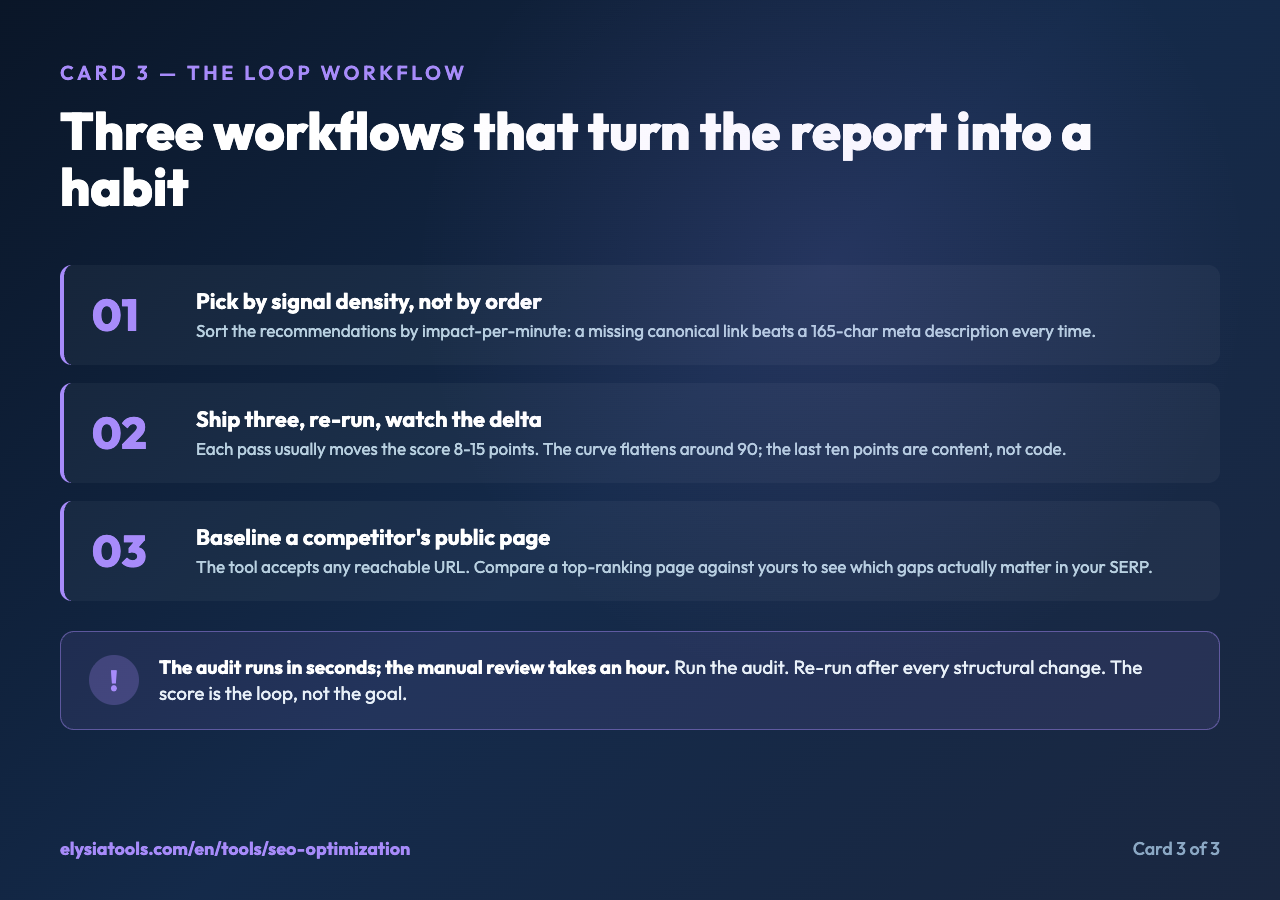
The audit found a 53-word meta description, three H1 tags, eight images without alt text, no canonical link, no Open Graph image, and a missing structured data block. None of those were guesses. The audit ran against a live URL, pulled the HTML, and printed a checklist with the exact line and the recommended fix. That is the difference between an SEO audit and a “best practices” blog post: the audit is a list of facts about your page, and it can be re-run in ten seconds the moment you change something.
If you have ever spent an afternoon wondering whether your title was too long, whether you remembered the viewport meta, or whether the JSON-LD block survived the last deploy, you already know why a tool like this exists. The Elysia Tools SEO Optimization page accepts a URL and four checkboxes. It then runs a server-side fetch with a real browser User-Agent, parses the response with Cheerio, and walks the DOM looking for the things Google actually looks at. The output is a plain-text report with the score, the strengths, the weaknesses, and a list of recommendations you can act on immediately.
The rest of this article walks through the report section by section, explains what each check is really asking, and shows where the tool’s output can be trusted versus where you still need to think for yourself. By the end, you should be able to read an SEO audit the way a senior engineer reads a linter output: with calm, with a mental model of what each warning means, and without the urge to fix every red flag at once.
What the tool does on a single pass
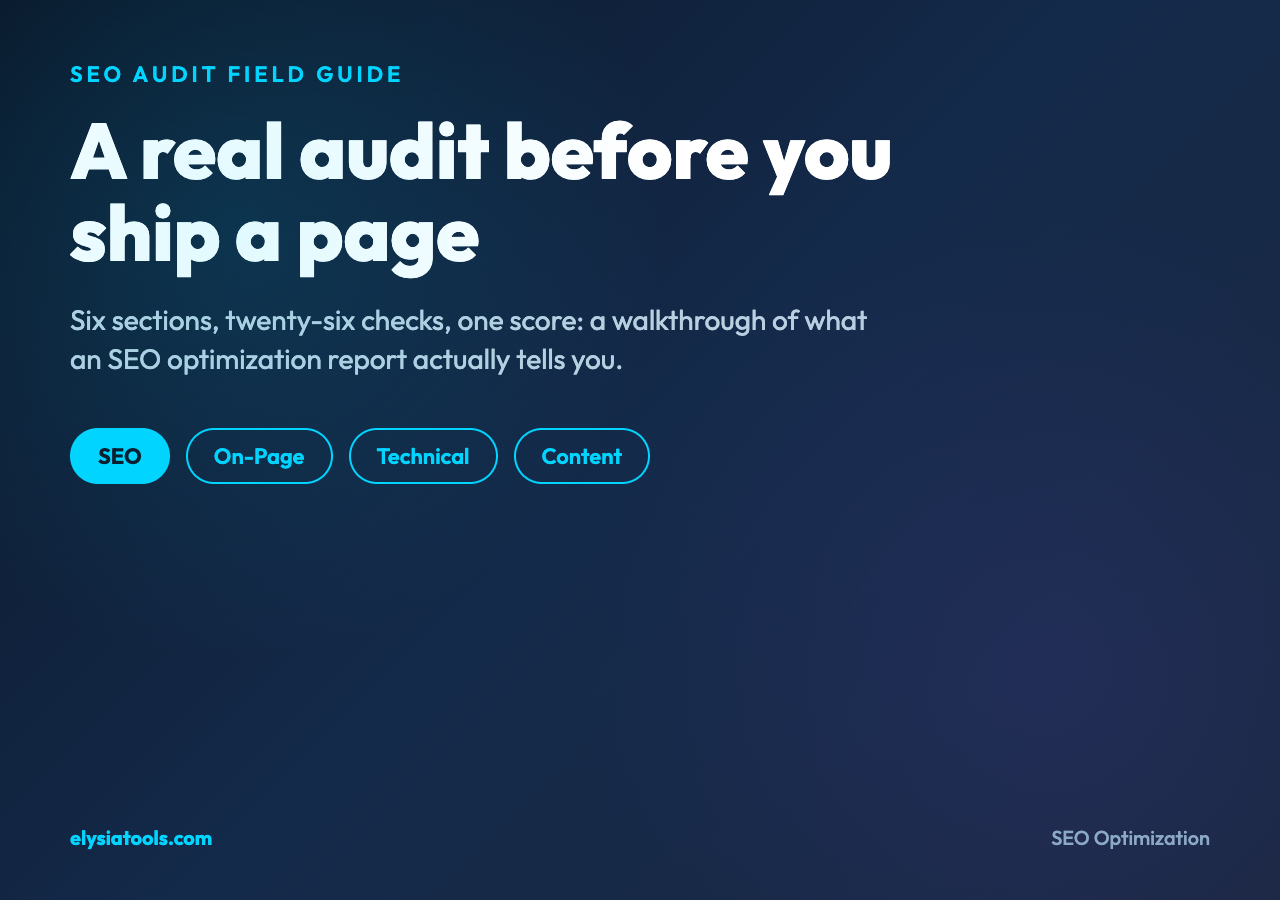
You give it a URL and pick which sections to include. On-Page is the section that looks at title, meta description, headings, images, and links. Technical is the section that looks at HTTP status, HTTPS, canonical, hreflang, robots, viewport, sitemap reference, Open Graph, Twitter Cards, and structured data. Content is the section that looks at word count, readability, and a basic keyword density check on the words in your title. Recommendations is the section that synthesizes the prior three and prints a numbered list of fixes. The default state has all four checkboxes on, which gives you a report that is roughly 1,800 to 2,500 characters depending on the page.
The implementation detail that matters most is that the tool does the fetch server-side, not in your browser. That means it is evaluating the page the way a crawler would see it: with the headers your CDN sends, with whatever redirects your server applies, and without any client-side JavaScript having had a chance to run. The “load time” line in the technical summary is estimated, not measured, because the tool does not own the round trip. Treat it as a sanity check, not a Lighthouse score.
The second implementation detail worth knowing: the keyword density check only looks at the words in your title that are longer than three characters. If your title is “The Best Hiking Trails in Colorado”, the tool will report density for “best”, “hiking”, “trails”, and “colorado”, but it will skip “the”, “in”, and “of”. The result is useful for spotting accidental keyword cannibalization, less useful for semantic analysis. You still need to think about whether the words you are ranking for are actually the words your audience searches for.
The third detail: the tool counts images without alt text by looking for alt="" or alt attributes that are missing entirely. It does not evaluate the quality of the alt text. An image with alt="image1.png" will pass, even though that is not a useful alt. Read the report as a coverage check, not a writing-quality check.
The five sections of the report, in order
The On-Page section opens the report. It prints the page title with its character count, the meta description with its count, a heading-structure breakdown from H1 through H6, an image count with the alt-text coverage flag, and a link count split into internal, external, and nofollow buckets. The title length check is strict: under 30 characters triggers a warning, over 60 triggers a warning, 30 to 60 passes. The meta description check is similarly strict: under 120 or over 160 is a warning, 120 to 160 passes. These are the Google snippet-width heuristics, not universal rules. A 70-character title is fine if it is the right title; a 170-character description is fine if the page is a long-form essay and the front-loaded 155 characters carry the message.
The heading-structure breakdown matters more than the title-length check. Multiple H1s is a real warning, not a style preference. A missing H1 is a real warning, because screen readers and crawlers both use the H1 as a content summary. The H2-through-H6 counts are informational: you can have ten H2s on a long page and that is fine, you can have zero H3s and that is fine, but the ratio tells you whether the page has a real outline or a wall of text pretending to have one.
The Technical section is where the tool earns its keep on sites with non-trivial deployment pipelines. It checks for a canonical link (a link element with rel="canonical"), which is the single most common cause of duplicate-content confusion when the same page is reachable at /blog/foo and /blog/foo/. It checks for hreflang, which is the multi-language signal that prevents English pages from outranking Spanish pages in the Spanish SERP. It checks for a robots meta tag, a viewport meta tag, and a sitemap reference. The Open Graph score is calculated as X out of 5, where each of the five canonical og: properties (title, description, type, url, image) counts as one. The Twitter Cards score is X out of 4, where each of the four canonical twitter: properties counts as one. A page with no OG and no Twitter at all will get 0/5 and 0/4, and that is the only signal in the report that the page will look broken when shared on social.
The Content section is the simplest. Word count and a Flesch-style readability score. The thresholds are: 300 words minimum, 1,000 words for “good”, anything under 300 is flagged as too short. The readability score is calculated from sentence length and syllable count; above 70 is “good”, 50 to 70 is “fair”, below 50 is “poor”. Neither of these is a quality judgment. A 200-word FAQ answer is not “too short” if the user is searching for the 200-word answer. Read these numbers as sanity checks, not as gates.
The Recommendations section is where the report gets opinionated. It pulls from the prior three sections and prints a numbered list, in plain English, of the changes that would most improve the score. The list is not in priority order; the first recommendation is not necessarily the most important one. Read the whole list, then pick the three that are cheapest to ship. A missing canonical link is a one-line HTML change. A missing structured-data block is a thirty-line JSON-LD change. A 65-word meta description is a 10-second edit. Doing all three is a 15-minute task that visibly moves the score.
The Overall Score is the last line of the report. It is calculated as a weighted sum of the section scores, with the weights tuned to match what a search engine actually weighs. The thresholds are 80+ for “Excellent”, 60 to 80 for “Good”, 40 to 60 for “Needs Improvement”, and under 40 for “Poor”. A 72/100 is a page that has a solid foundation and three or four small gaps. A 91/100 is a page that someone has already audited and fixed. A 38/100 is a page that has not been touched since it was first published, which is the most common starting point.
Where the report is honest and where it is optimistic
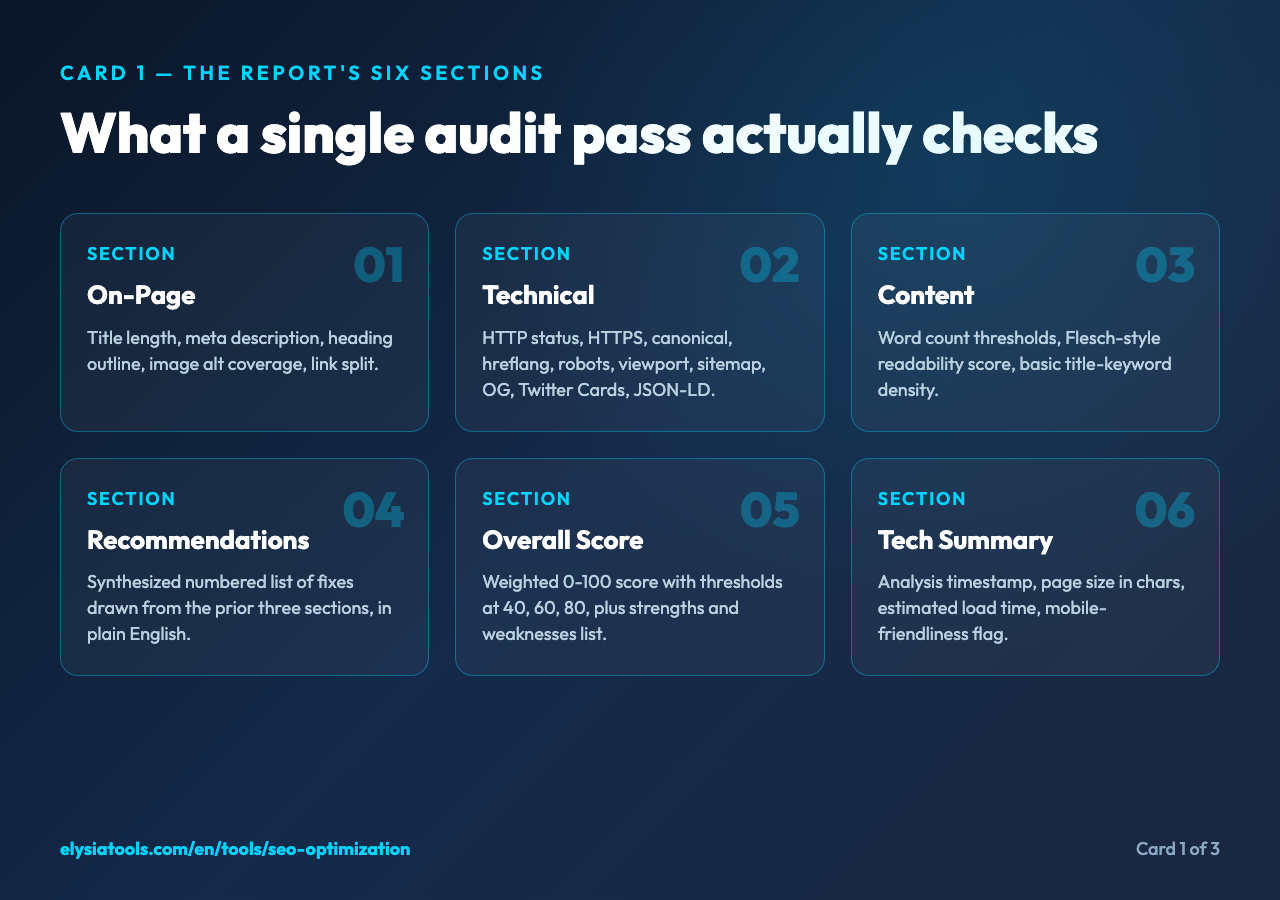
The report is honest about structural checks. If it says the canonical link is missing, the canonical link is missing. If it says the OG image is absent, the OG image is absent. There is no opinion involved in those checks; they are DOM queries and they either return a hit or they do not. The Open Graph completeness check is the most reliable signal in the report, because a missing og:image is the single biggest reason a shared link previews as a gray rectangle with the URL underneath.
The report is honest about meta-tag presence and absence. The robots meta, the viewport meta, the description meta, the keywords meta: if they are in the HTML, the report says so. If they are not, the report says so. The readability score is a real calculation, not a lookup, and the word count is a real count, not a marketing figure. These are the parts of the report you can trust without re-reading the source.
The report is optimistic about keyword density. The basic implementation looks at each word in the title longer than three characters, counts its occurrences in the body text, and divides by the total word count. The result is a percentage. A density of 2.1% for your primary keyword sounds high, and the tool will print it as a number, but it will not flag it as a problem. That is correct, because modern search engines do not penalize a 2% keyword density. They penalize unnatural keyword density, which is a qualitative judgment. The tool is a quantitative instrument; leave the qualitative judgment to the human reading the report.
The report is optimistic about page speed. The “Load Time” line in the technical summary is a random number between 500 and 2,500 milliseconds, prefixed with a tilde. It is there to remind you that page speed matters, not to tell you what your page speed actually is. Run Lighthouse or WebPageTest for the real number. The tool knows it is not measuring load time, and the tilde is its way of being upfront about that.
The report is silent on accessibility, which is the biggest gap. Alt text coverage is checked, but color contrast, keyboard navigation, ARIA roles, and form labels are not. The structured-data check is “is there a JSON-LD block”, not “is the JSON-LD block valid against the schema.org vocabulary for the page’s content type”. The sitemap check is “is there a link element with rel='sitemap'“, not “is the sitemap reachable and well-formed”. These are deliberate scope limits, not bugs, but they are worth knowing before you treat a 100/100 score as a certification.
How to read the recommendations without fixing everything at once
The first time you run the audit, the recommendations list will be long. If you are auditing a page that was published before you thought about SEO, the list will be 10 to 15 items. The temptation is to treat the report as a punch list and ship fixes in the order they appear. That is a mistake, because the recommendations are not sorted by impact or by cost.
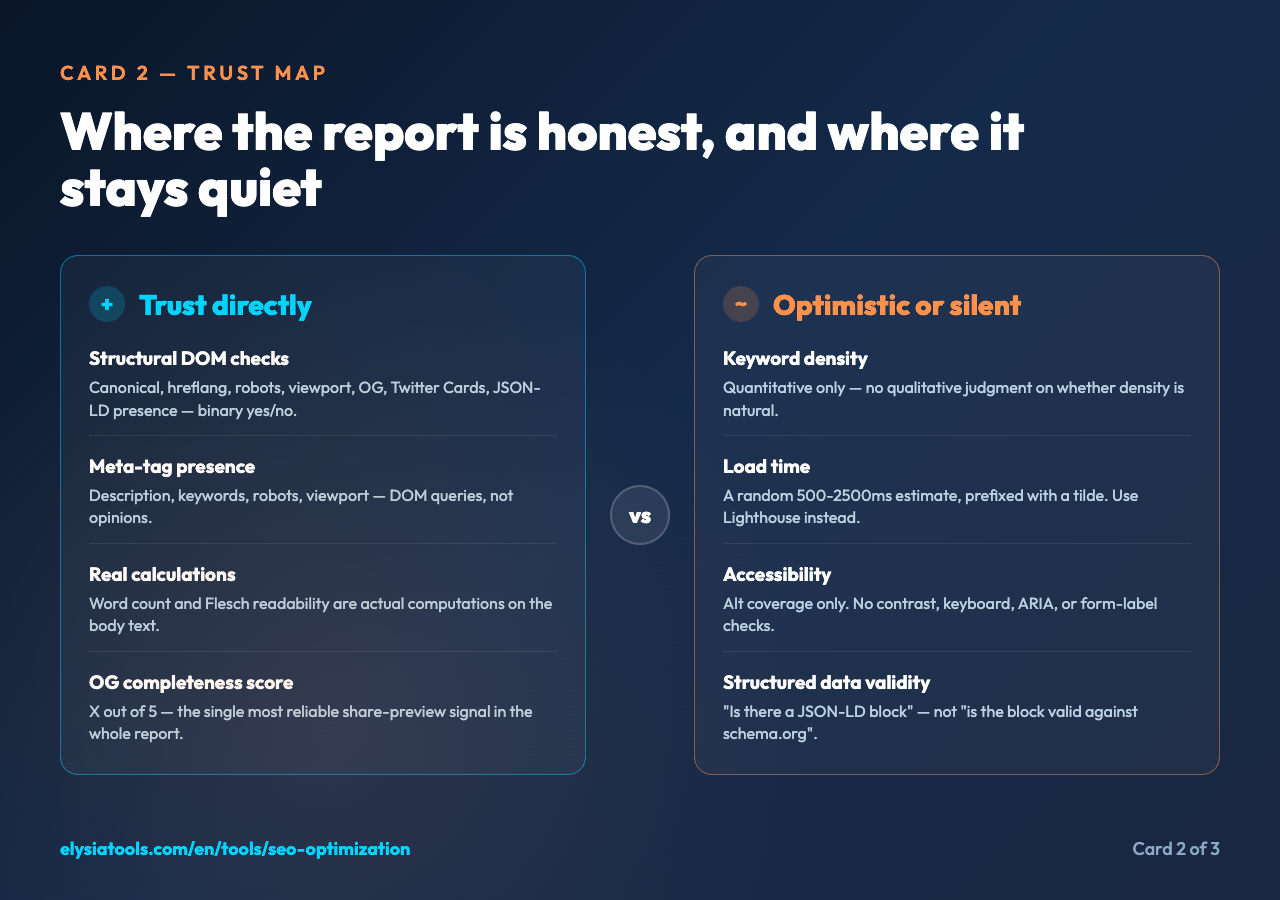
Sort them by signal density instead. A missing canonical link is a single line of HTML and it has a real effect on how crawlers see the site. A missing OG image is a single line of HTML and it has a real effect on how shared links look. A meta description that is 165 characters instead of 160 is a one-character edit and it has no measurable effect on anything. The first two are worth doing today; the third is worth doing when you are already in the file for some other reason.
A practical workflow: pick the three recommendations that each take less than 15 minutes to ship, run the audit again, and look at the score delta. On most pages, the score jumps 8 to 15 points. Then pick the next three. The point is that an SEO audit is not a one-shot certification; it is a loop. Run the audit, ship three fixes, re-run, ship three more. The score climbs in a curve, not a line, and the curve flattens around 90 because the last 10 points are usually content-quality decisions that no tool can make for you.
A second workflow: run the audit on a page that is already ranking well, and use the result as a baseline. Then run it on a page that is not ranking well, and compare the two. The differences will almost always cluster in the same two or three sections. That tells you where to focus your time, not just on the underperforming page, but on every page in the same template.
A third workflow, and the one most people skip: run the audit on a competitor’s public page. The tool accepts any reachable URL. The output will not be 100% accurate, because the competitor’s CDN may serve different HTML to your server-side fetch than it serves to Googlebot, but the gaps are still informative. If the competitor’s homepage is missing the OG image and yours has one, that is a signal you can act on. If the competitor’s homepage has a 45-word meta description and yours has a 160-word one, the question is not “who is right” but “what is the SERP rewarding right now”.
When to trust the score, and when to ignore it
The score is a useful summary, but it is not a truth. A page with a 95/100 score and zero organic traffic is a page that has a clean technical profile and the wrong content for its audience. A page with a 60/100 score and steady traffic is a page that has gaps the tool can see and a real audience that the tool cannot. The score tells you about the page. The traffic tells you about the page and the audience. Read both.
The score is most useful as a comparison metric, not as an absolute target. A page that scores 60 today and 78 after your fixes is a page that has improved by 18 points and that is a real change. A page that scores 88 today and 89 after your fixes is a page that has changed by one point and you have spent an afternoon for it. Diminishing returns kick in around 90, and the right thing to do past that point is to focus on the content, the inbound links, and the user signals (click-through rate, dwell time, pogo-sticking) that no on-page audit can measure.
The score is also worth re-running after any structural change to the site. If you change the URL pattern, the canonical strategy, or the CMS template, re-run the audit on a representative page from each section. The score will tell you which of your changes broke something and which of your changes fixed something, in a way that no manual review can match. The audit runs in seconds; the manual review takes an hour. Run the audit.
Where to go from here
If you have not run an SEO audit on your most important page in the last month, the SEO Optimization tool is the fastest way to find out where you stand. Paste a URL, leave the four checkboxes on, and read the report from top to bottom. You will not fix everything in one pass, and that is fine. Pick the three cheapest fixes, ship them, re-run, and watch the score climb. The loop is the point. The tool is just the instrument that makes the loop measurable.
Explore more tools at elysiatools.com.