
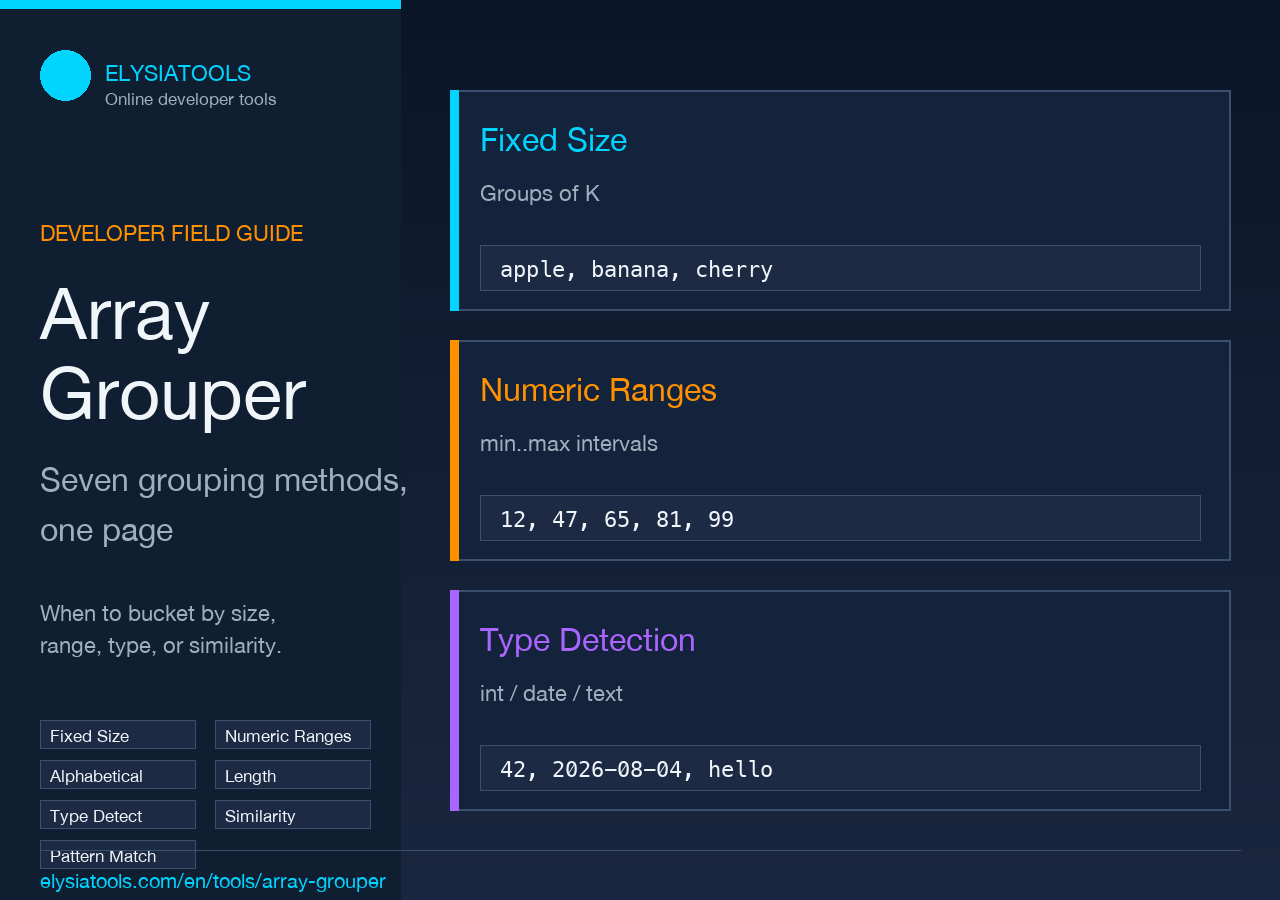
Closing thought: which method matches your data shape
If your list is a flat sequence you want to chunk, Fixed Size is the obvious choice. If you are bucketing measurements, Numeric Ranges wins on histogram-like clarity. If you are sorting product names, tags, or country codes into alphabetical buckets, the Alphabetical Ranges option beats a manual A/B/C/D split because you can choose the bucket count. If you have a mixed-type payload (IDs, names, numbers, dates, booleans), Data Type Detection surfaces structure you would otherwise have to hand-write a type-check pass for. The interesting cases — String Similarity and Pattern Matching — are the two that actually feel like magic, but only after you accept that “magic” still means picking a threshold and reading the matches. The Elysia Tools Array Grouper keeps all seven methods on the same page, so you can paste a list, run one method, switch to another, and see which grouping actually matches what your data is doing. That back-and-forth is the part most “group by” tutorials skip, and it is the part that decides whether your output is useful or just neat-looking.
Why a single “group by” rarely survives contact with real data
Most programming languages ship with one of these primitives: Array.prototype.group in modern JavaScript, itertools.groupby in Python, Enumerable#group_by in Ruby, LINQ GroupBy in C#. The signatures look identical: pass a key function, get a map of key to list. In practice they all fail the same way — they want a key function, and your key function has to know the bucket boundaries in advance. For “group names by first letter,” that is fine. For “group ages into 0-9, 10-19, 20-29 …” you have to write a custom bucketing function, and you have to decide whether the upper bound is inclusive or exclusive, whether to round, whether negative values get their own bucket. For “group URLs by domain” you have to parse first. For “group strings by length bucket” you have to define the buckets. Every time the answer is the same: write more code. Elysia Tools Array Grouper collapses all of that into a dropdown. The point is not that the underlying algorithms are clever — bucket-by-interval and bucket-by-first-char are undergraduate exercises. The point is that the parameter set (group size, range size, group count, length ranges, similarity threshold) is exposed as form fields, not as code you have to maintain.
What the seven grouping methods actually do
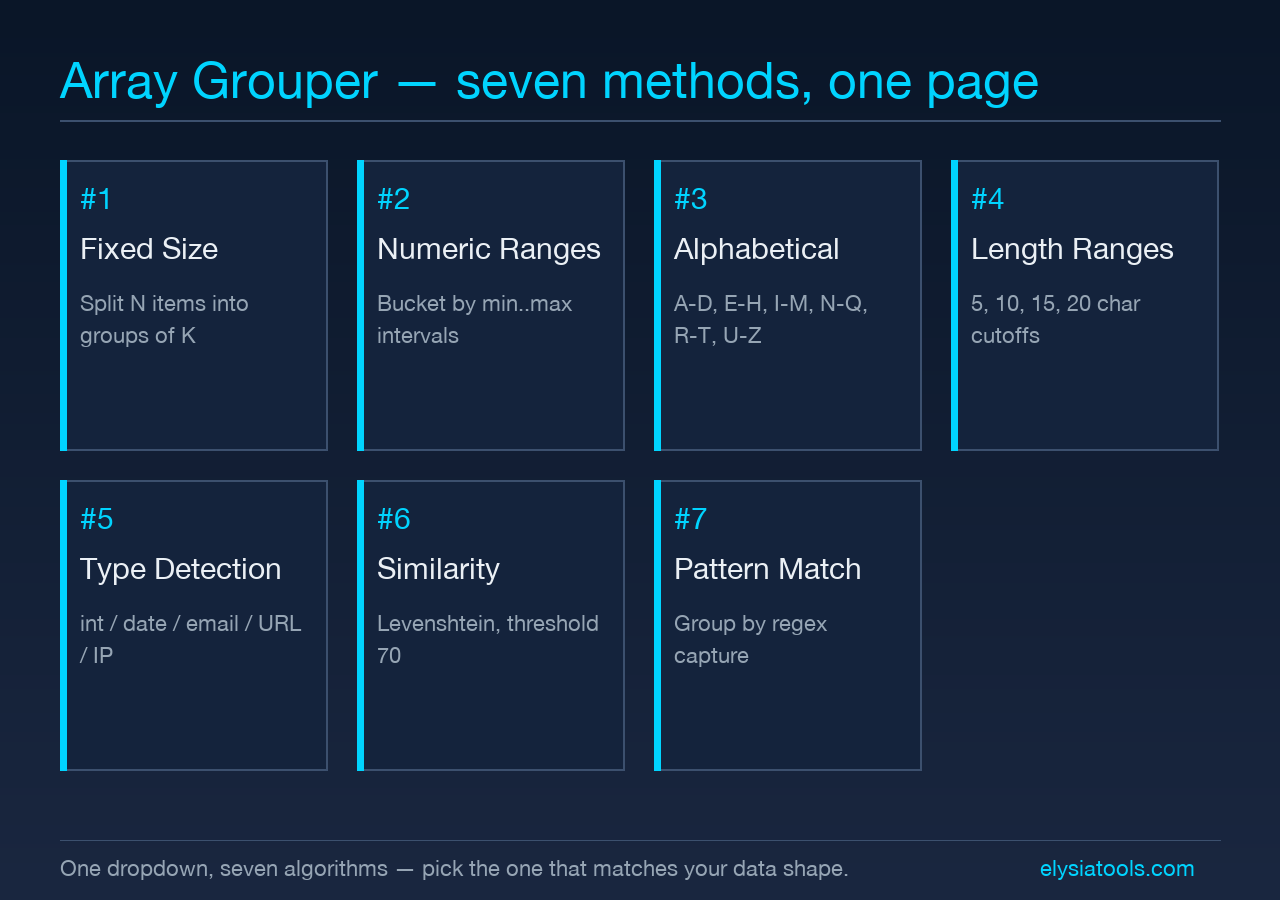
The tool exposes seven methods. Each one solves a different “what would a bucket boundary look like” question.
Fixed Size is the simplest. Given n elements and a group size of 3, you get ceil(n/3) groups of three elements each, last group possibly smaller. This is what you want for batch processing, pagination-style layout, or splitting training data into folds.
Numeric Ranges treats every element as a number, computes min and max, and bins them by a configurable interval. With interval 10 and values 3, 7, 12, 18, 22, 25, 99 you get 0-10: 3, 7, 10-20: 12, 18, 20-30: 22, 25, 90-100: 99. The boundary is half-open on the left, which is the convention most histogram code uses. Non-numeric strings go to a separate “Non-Numeric” bucket so you do not silently lose them.
Alphabetical Ranges partitions the 26 uppercase letters into N ranges (default 6, so A-D, E-H, I-M, N-Q, R-T, U-Z) and assigns each element to the range containing its first letter. Case-insensitive by default; toggleable. Elements that do not start with a letter (numbers, symbols) go to “Non-Alphabetic.” This is the right method for country lists, tag clouds, or any short-string inventory where the leading character is the natural key.
Length Ranges takes a comma-separated list of length cutoffs (default 5,10,15,20) and produces buckets like “Length 1-5,” “Length 6-10,” “Length 11-15,” and so on. Useful for password strength audits (any length-8 group that has more than X members is suspect), URL length analysis, or short-vs-long content separation.
Data Type Detection is the one that pays for itself on the first mixed-payload CSV. It classifies each element as number, integer, decimal, boolean, date, email, URL, IP address, or plain text, then groups by detected type. Drop in 123, true, 2026-08-04, hello, 1.5e3, https://x.com, [email protected] and you get seven buckets, not one string-soup bucket. The detection logic is regex-based and matches the obvious ISO and URL forms; it will not infer that 42 is a year.
String Similarity uses Levenshtein distance with a configurable threshold (default 70) to cluster near-duplicate strings. It is the method you reach for when you have a customer list with “Jon Smith,” “John Smith,” “Jon Smyth,” and want them in one cluster. Levenshtein is O(n²) per pair, so the tool caps input size on this method — a useful guardrail that prevents you from pasting 50,000 rows and waiting.
Pattern Matching lets you supply a regex and group by the matched portion. Group all log lines by error code, group all URLs by domain extension, group all emails by the part after the @. The pattern is the literal regex string, the bucket name is the captured group (or the full match if no group is present).
The default that hides in plain sight
Every method except Fixed Size has a fallback group for inputs the method cannot classify. Numeric Ranges drops non-numeric strings into “Non-Numeric.” Alphabetical Ranges drops non-letter-starting strings into “Non-Alphabetic.” Length Ranges drops the empty string into a default bucket. The Data Type Detection method does not have a fallback because every string has a detected type — even “plain text” is a type. If you are piping this output into a downstream tool that assumes only-number buckets, you will get a surprise the first time a header row sneaks in. The Array Grouper makes the fallback visible in the result, which is the kind of small UX choice that prevents the silent-data-loss class of bug.
Where the methods start to look the same
Once you understand the seven methods, you start noticing that three of them (Numeric Ranges, Alphabetical Ranges, Length Ranges) are the same algorithm with different bucket-axis logic. The first three lines of each branch are identical: compute min/max, walk intervals, assign elements whose key falls in the current interval. If you are going to extend the tool yourself, this is the place to do it — add a custom axis, and the seven becomes eight without growing the API surface. The String Similarity and Pattern Matching methods are genuinely different — they compare pairs (Similarity) or extract a key per element (Pattern) — and they are where the surprising answers come from. If you are debugging a “why did this not group” complaint, those two are where the threshold or regex lives.
When to leave the dropdown and write code
The tool is right for: lists up to a few thousand elements, bucket boundaries you can state in advance, methods that map cleanly onto the seven options. It is wrong for: streaming data, buckets computed from running aggregates (rolling 7-day means), grouping by compound keys (year + month + region), or cases where you need the same element in multiple groups. For those, the language primitives are better — they let you emit a key function that has access to global state. The honest summary is: if your data fits on one screen and your bucket logic fits in one sentence, the dropdown is faster. If you find yourself explaining exceptions to your bucket logic out loud, you have outgrown the dropdown and should write code.
Picking one method when you are not sure
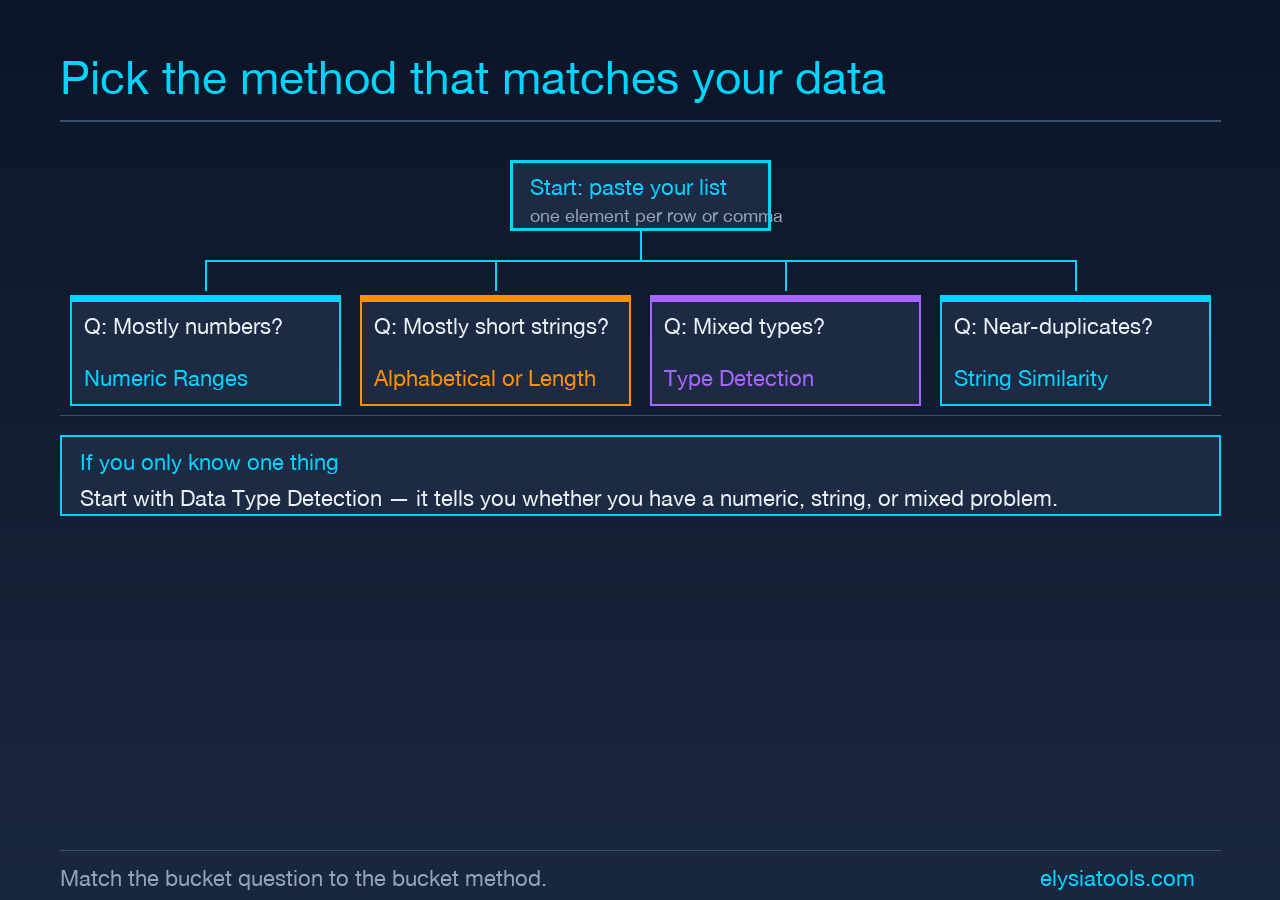
Start with Data Type Detection. It costs nothing to run, and the type breakdown tells you whether you are dealing with a numeric problem, a string problem, or a mixed problem. If the result is “mostly numbers with a few non-numeric,” run Numeric Ranges and ignore the Non-Numeric bucket. If the result is “mostly text,” try Length Ranges first — length is the most useful single-axis filter on text data because it correlates with structure (URLs, words, paragraphs). If Length Ranges leaves too many “Length 21+” stragglers, switch to Pattern Matching with a regex that captures the structural prefix. Alphabetical Ranges is the right starting point only when you already know the elements are short single-word strings and you want a presentable A-through-Z layout.
How the seven methods compare on the same input
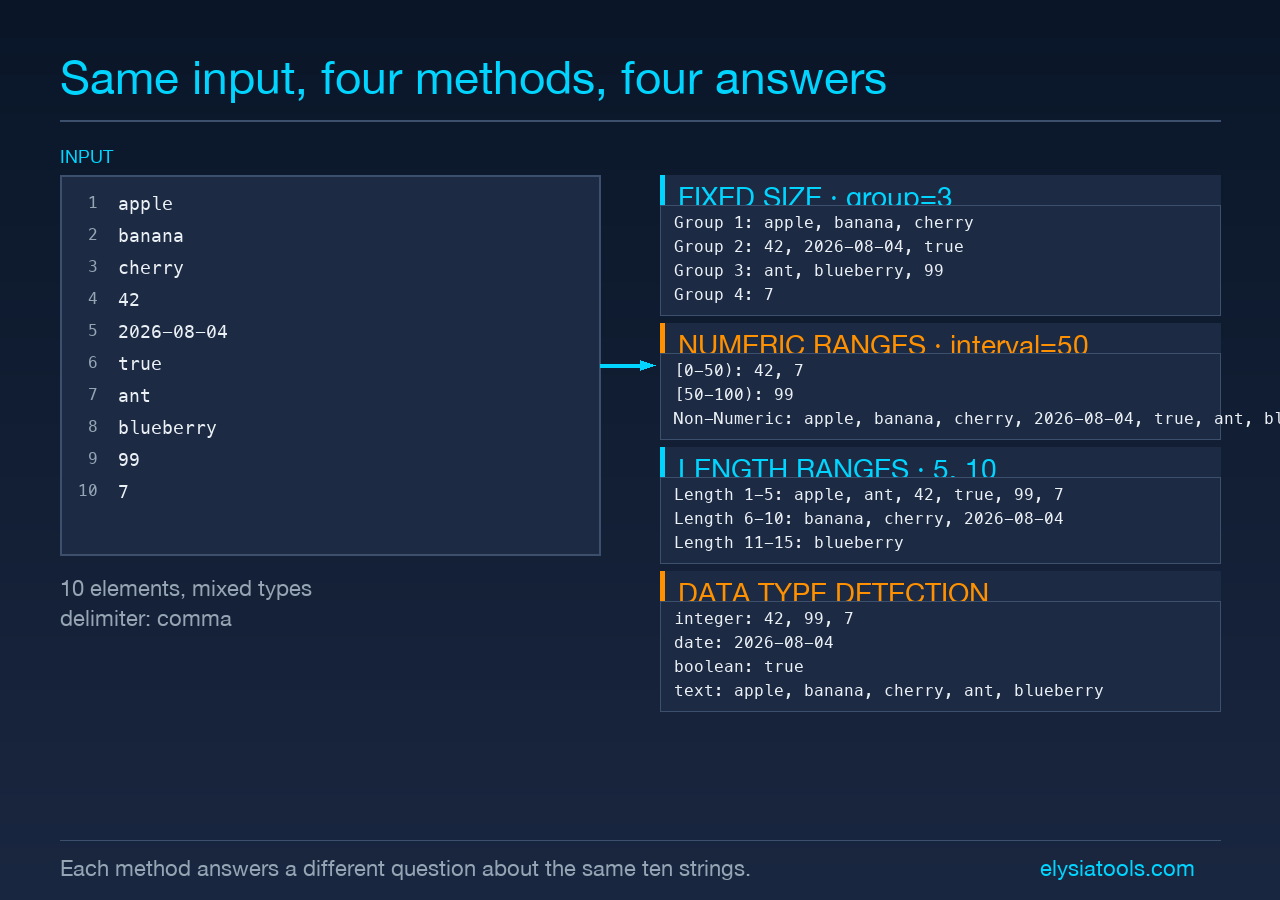
Take the input apple, banana, cherry, 42, 2026-08-04, true, ant, blueberry, 99, 7. Ten elements, mixed types. Fixed Size with group size 3 produces four groups (3, 3, 3, 1). Numeric Ranges with interval 50 produces 0-50: 42, 7, 50-100: 99. Alphabetical Ranges with 4 buckets produces A-C: apple, ant, B-D: banana, blueberry, C-E: cherry, and Non-Alphabetic: 42, 2026-08-04, true, 99, 7. Length Ranges with 5,10 produces 1-5: apple, ant, 42, true, 99, 7, 6-10: banana, cherry, 2026-08-04, 11-15: blueberry. Data Type Detection produces seven buckets, one per type. The point of running all of them on the same input is that the result you wanted usually appears in exactly one of them, and the others tell you what the data is not.
Picking bucket boundaries that actually bucket
The default parameters are reasonable but not magical. Fixed Size defaults to 3, which is small enough to make batches and large enough to keep group count readable. Numeric Ranges defaults to 10, which is right for 0-100 data and wrong for 0-1000000 data — the default produces 100000 buckets, and you wanted maybe 20. Alphabetical Ranges defaults to 6, which makes A-D, E-H, I-M, N-Q, R-T, U-Z — a clean six-bucket presentation; 13 gives you one per letter, 4 gives you wider chunks. Length Ranges defaults to 5,10,15,20, which is a guess; for password auditing you want 8, 12, 16, for URL analysis you want 30, 60, 100. The point is to change the defaults before you trust the output. The tool exposes every default as a form field, so you do not have to settle for whatever the developer thought was typical.
Verifying the buckets are not silently wrong
Two failure modes are worth guarding against. First, Numeric Ranges silently filters out non-numeric elements — they go to the “Non-Numeric” bucket, but if you are piping the other buckets into a numeric-only consumer you will not notice they have been removed. Always scan the result count against the input count; if they differ, something was filtered or bucketed separately. Second, Data Type Detection is regex-based and over-confident on edge cases — 2026 looks like an integer to it, but if your downstream tool treats it as a year it is in for a surprise. The tool does not warn you when a “year-looking integer” appears in a numeric column; you have to spot that yourself. The general principle: the Array Grouper is fast and quiet, which is exactly the profile that makes silent mistakes easy.
Explore more developer tools at elysiatools.com.
