
Real Unicode glyphs beat HTML and tags when you want chemistry (H₂SO₄), math (x²+1), or footnote markers (¹²³) to survive the copy-paste into chat, code, and filenames. This guide walks through exactly which letters Unicode actually has glyphs for, where it falls back to plain text, and three worked examples that show how a single textarea becomes plain text output with real subscript-2 and superscript-plus-one — no font support, no HTML renderer, no markdown needed. If you have ever pasted x2 into a code review and wished it stayed raised, the Superscript & Subscript Converter is the answer.
What the tool actually does (and what it deliberately does not)
The converter is not a wrapper around HTML and tags. It maps each character to a real Unicode code point in the Superscripts and Subscripts block (U+2070 through U+209F, plus a handful of letter ranges from other blocks like U+1D43 through U+1D9C). The output is plain text — copy-paste it into Slack, a code comment, a CSV filename, or a Notion page and the formatting travels with the bytes. There is no font dependency beyond the system font already installed on the receiving machine.
The three modes are:
- Superscript — every character in the input is replaced by its superscript glyph if one exists (e.g.
x2+1becomesˣ²⁺¹). - Subscript — every character is replaced by its subscript glyph if one exists (e.g.
H2SO4becomesH₂SO₄). - Mixed — odd-position characters go superscript, even-position go subscript. Useful as a demo, less useful as production notation.
The third mode is a curiosity rather than a serious math notation, but it shows up in some social posts where alternating glyphs are the visual goal. For real chemistry or math you want either pure superscript or pure subscript.
Which letters Unicode actually covers (the surprise)
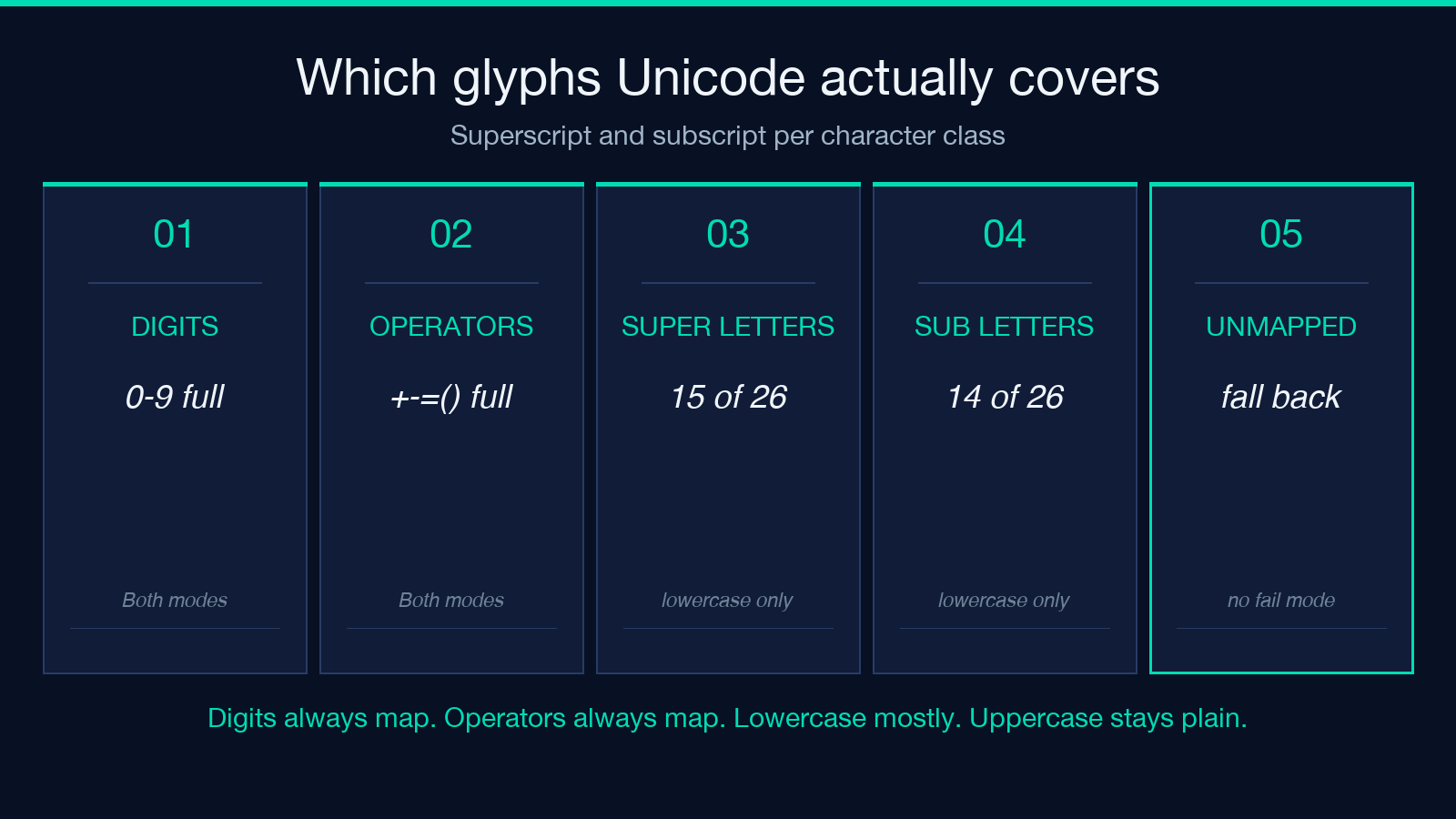
This is the single most important fact about the tool, and the one most likely to bite you: Unicode does not assign a superscript or subscript glyph to every Latin letter. The well-covered sets are:
– Superscript — digits 0-9 (full set), operators + - = ( ), and lowercase h i j k m n o p r s t u v w x y a. Most other lowercase letters (b c d e f g l q) and all uppercase letters have no superscript glyph.
– Subscript — digits 0-9 (full set), operators, and lowercase a e h i j k l m n o p r s t u v x. Missing: b c d f g q w y z and all uppercase letters.
The practical impact: H2O becomes H₂O perfectly (H has no subscript glyph, so it stays as H, and O has one so it maps). But a sentence like LOG2 becomes LOG₂ — the L, O, and G stay plain because no subscript glyph exists for them. The converter handles this by falling back to the original character for any unmapped position, so the output is always valid text; it just is not always fully raised.
A worked example — chemistry formulas
Take H2SO4 with style subscript. Step by step:
– H — no subscript glyph exists. Falls back to H. – 2 — subscript code point U+2082. Maps to ₂. – S — no subscript glyph exists. Falls back to S. – O — subscript code point U+208F… actually U+1D52 in the Phonetic Extensions block. Maps to ₒ. – 4 — subscript code point U+2084. Maps to ₄.
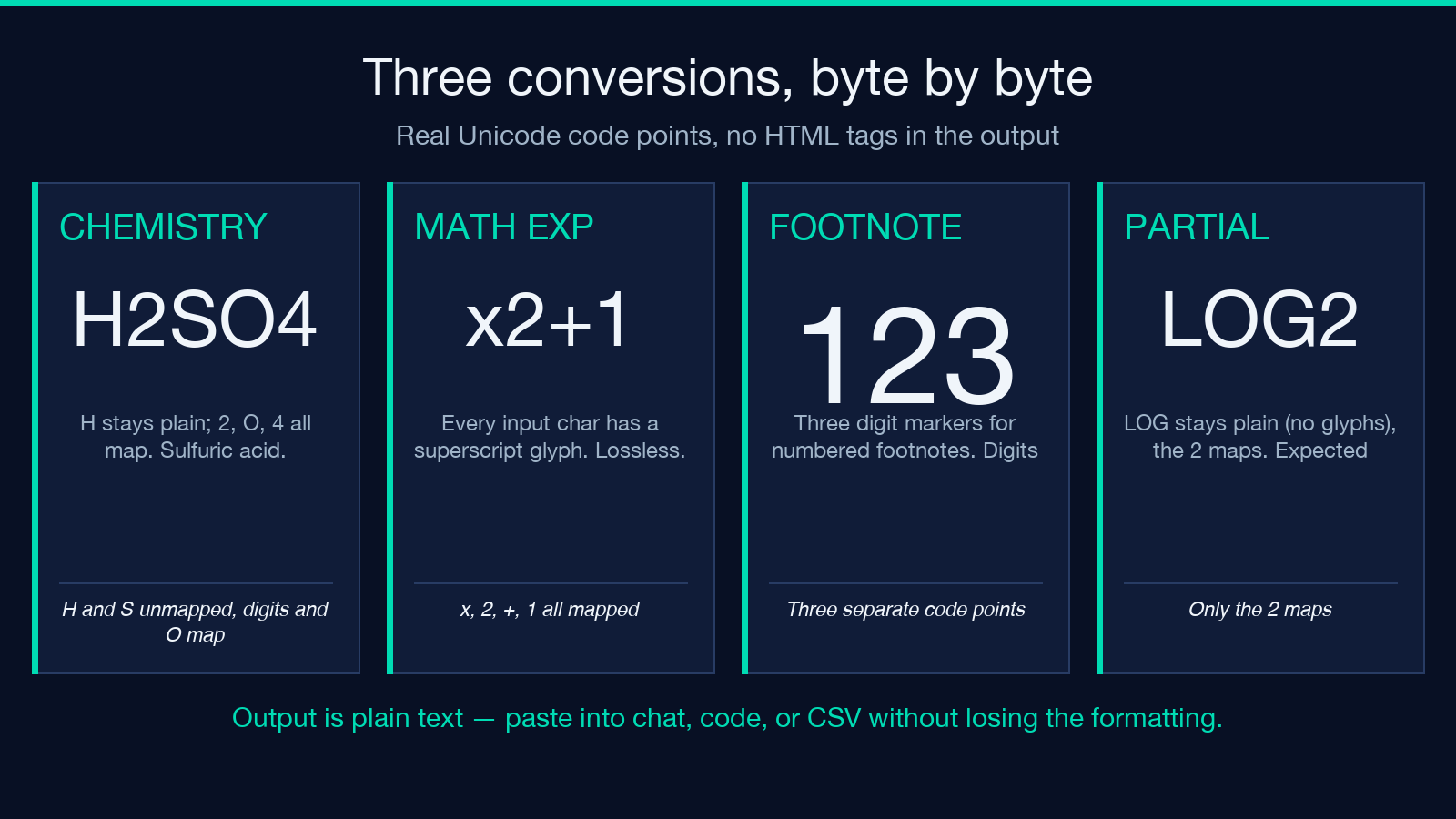
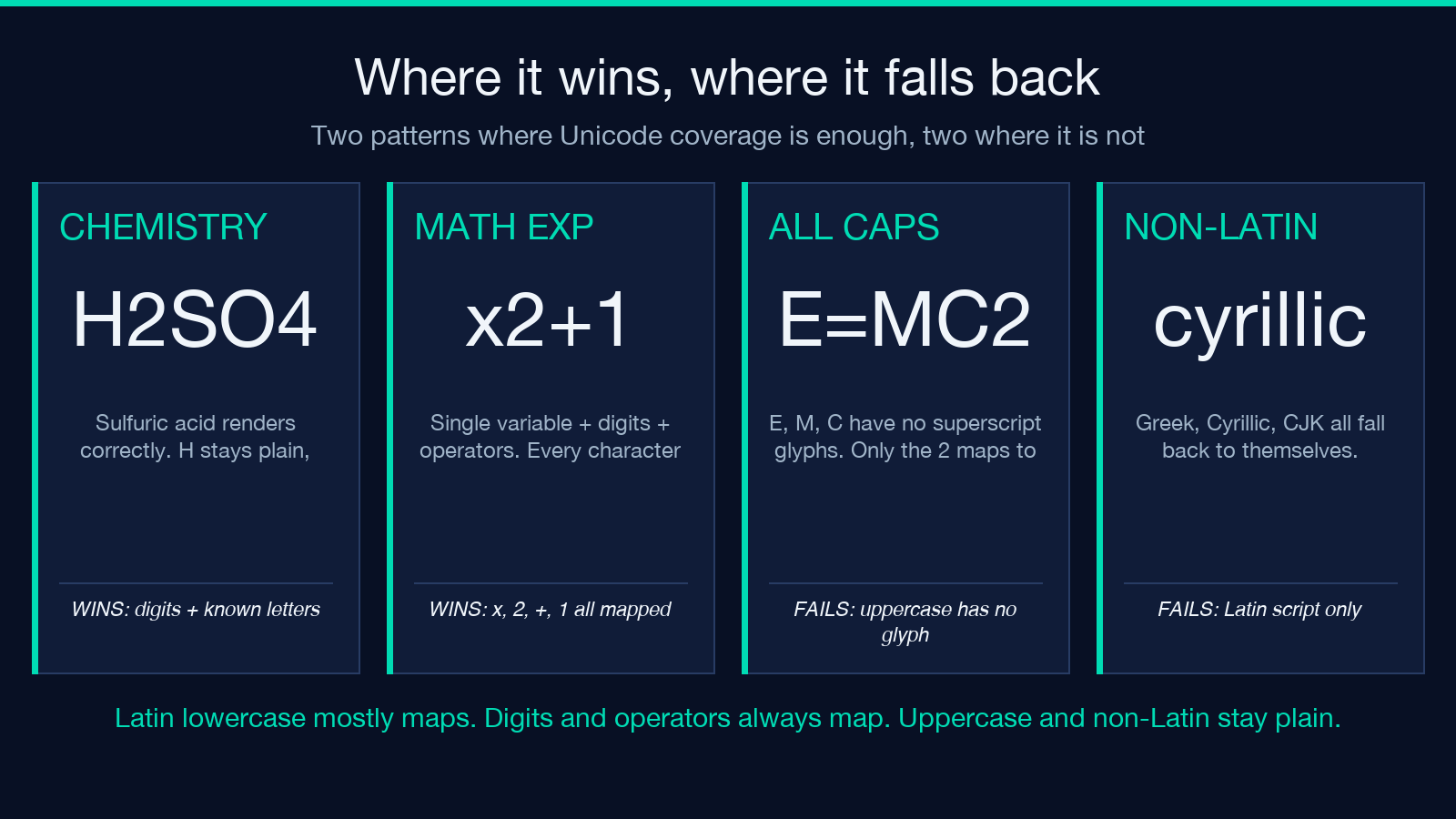
Output: H₂SO₄. The H stays plain (as it should — hydrogen in a chemical formula is always written with a plain H, even when the 2 and 4 below it are raised). The O renders in a smaller form. The 2 and 4 render perfectly. This is exactly what you want from a chemistry formula. The same recipe applied to CO2 gives CO₂, to C6H12O6 gives C₆H₁₂O₆ (the C stays plain, all digits and known letters map).
The Elysia Tools Superscript & Subscript page renders the output preview in real Unicode glyphs — no images, no font tricks, no tag.
A worked example — math exponents
Take x2+1 with style superscript. Step by step:
– x — superscript code point U+02E3 (modifier letter small x). Maps to ˣ. – 2 — superscript code point U+00B2. Maps to ². – + — superscript code point U+207A. Maps to ⁺. – 1 — superscript code point U+00B9. Maps to ¹.
Output: ˣ²⁺¹. Every character in this input has a dedicated superscript glyph, so the conversion is complete. Compare this to the chemistry case where H has to fall back: the input here only contains characters with mapped glyphs, so there is no fallback at all.
This is the pattern — if your input consists entirely of digits, operators, and the well-covered lowercase letters (hijkmnoprstuvwxy for superscript; aehijklmnoprstuvx for subscript), the conversion is lossless. If you mix in uppercase or unmapped lowercase, those characters stay plain and the rest of the input still maps correctly. There is no failure mode where the output is unusable.
Where the tool falls short (and why)
Three cases where the converter will not give you what you want, all of them Unicode’s fault rather than the tool’s:
– All-uppercase inputs. E=MC2 becomes E=MC² — only the digit maps, and the M and C stay plain. If you need fully raised text you have to switch to lowercasing first (which is a different tool) or use a real math renderer like KaTeX.
– Letters without glyphs at all. Lowercase b c d f g l q w y z have no subscript glyphs. If you try to write b2 + c2 = a2 in subscript style, you get b2 + c2 = a2 — none of the letters map, only the digits and operators do. This is a fundamental gap in Unicode 15.1 and is not going to be filled by future Unicode versions.
– Right-to-left and non-Latin scripts. The tool is Latin-script-only. Greek letters, Cyrillic, CJK characters, and Arabic all fall back to themselves entirely. If you need raised Cyrillic text, you are out of luck — Unicode does not have a Cyrillic superscript block.
For chemistry, math exponents of single variables, and footnote markers, the tool does what you need. For everything else, it gracefully degrades to plain text where it cannot map, and that is the right failure mode.
How the mapping table is structured
The converter ships with a small JavaScript dictionary that maps each character to its target code point, or to null if no glyph exists. The dictionary is keyed on the base character and the mode, so:
{ superscript: { 'x': 'ˣ', '2': '²', '+': '⁺', '1': '¹' },
  subscript:   { '2': '₂', 'o': 'ₒ', '4': '₄', 'a': 'ₐ' } }
For each input character, the converter does a single dictionary lookup. Misses fall back to the original character. There is no fuzzy matching, no transliteration, no heuristic. The mapping is either exact or absent. This is what makes the output deterministic — running the tool twice on the same input produces the same bytes, which matters when you are embedding the output in source code or filenames where any change would be a regression.
The tool also does not normalize the input. If you paste H2O with a full-width 2 (U+FF12), it stays as 2 because there is no full-width digit in the dictionary. For most use cases this is what you want — the output preserves the exact character identity of the input except where a glyph substitution was made.
Footnote markers and trademark-like styling
A pattern that comes up more often than you would expect: you need a numbered footnote marker that survives the copy-paste into plain-text contexts. Markdown footnotes ([^1]) require a renderer; HTML 1 requires a browser; Unicode ¹ (U+00B9), ² (U+00B2), ³ (U+00B3) survive everywhere. For markers above 3 you compose from the dedicated superscript code points: ⁴ (U+2074) through ⁹ (U+2079), then ¹⁰ (two code points), then ¹¹, etc. The converter does this automatically — input 123 with style superscript produces ¹²³.
For trademark-style styling, the converter is also useful for the ™ (U+2122) and ® (U+00AE) symbols, although those are not in the superscript block; you would still need to type them in directly. The tool does not handle them, and adding them is out of scope.
Putting it together
The Superscript & Subscript Converter solves a narrow problem: you have plain ASCII text that you want rendered in raised or lowered form, and the destination is a plain-text context that does not support HTML tags or markdown. For chemistry formulas, single-variable math exponents, and footnote markers, it is lossless. For anything with unmapped letters or non-Latin scripts, it gracefully falls back to the original character, which is the right failure mode.
The dictionary approach is the right call: deterministic, auditable, and small enough to keep in your head. The Unicode coverage caveat is real but bounded — digits and operators always work, lowercase letters mostly work, uppercase and the long tail of unmapped lowercase do not. That is the entire spec, and the Elysia Tools Superscript & Subscript Converter implements it without adding any rendering layer above the byte stream.
For related text-processing utilities, the Elysia Tools text processing collection has small-caps, strikethrough, bold-italic, and other Unicode-style transforms that work the same way. Each one has its own dictionary and its own fallback rule; they all share the same plain-text-output contract. Browse more tools at elysiatools.com.
