
Every CSS color token starts as a string the parser must recognise. One stray space, a missing alpha comma, or a wrong bracket style turns a clean stylesheet into an unresolved identifier that breaks an entire component. A reliable color-code validator catches the typo before it reaches the browser.
The Color Code Validator on Elysia Tools checks the six formats that show up in modern CSS — Hex, RGB, RGBA, HSL, HSLA, plus the named-color shortcut — and reports whether each string parses cleanly, and if not, exactly which rule it failed. This guide walks through what the validator actually checks, why each rule matters, and where the parser silently accepts garbage that will still break your build.
What “valid” means for a CSS color
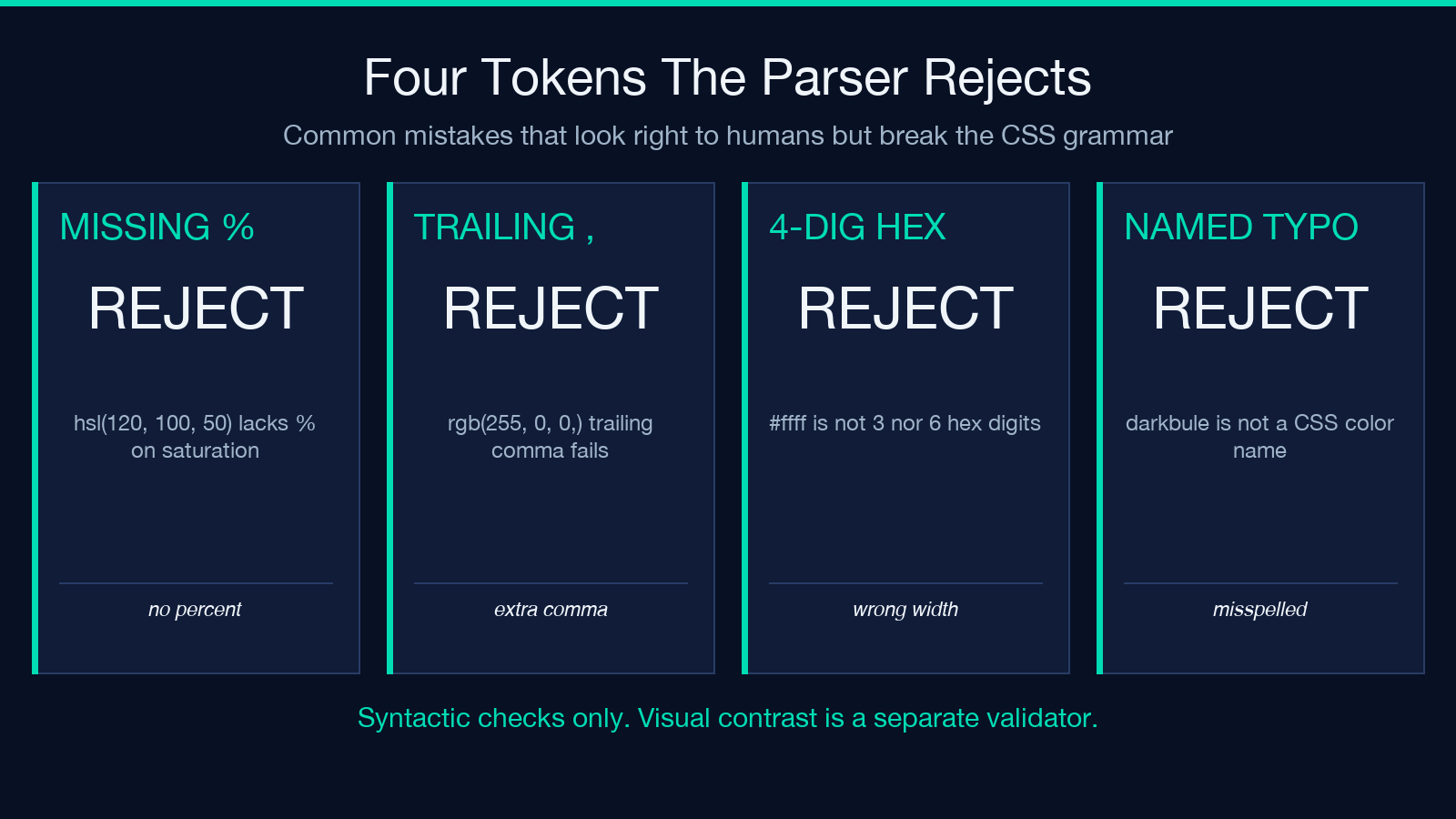
A color string is only valid when a browser’s CSS parser can turn it into a concrete color value without throwing. CSS Color Module Level 4 defines the grammar, and the rule is strict: a single misplaced character makes the entire declaration invalid. The browser does not “fall back” — it discards the property. So #fff and #FFF and #ffffff all work, but #ffff (4-digit hex) is rejected, and rgb(255, 0, 0,) with a trailing comma is rejected even though it looks almost right.
The Color Code Validator checks every documented syntactic form against a deterministic grammar and tells you which form matched (or why none did). You can paste any candidate token and immediately know whether the browser will accept it.
The six formats the validator recognises
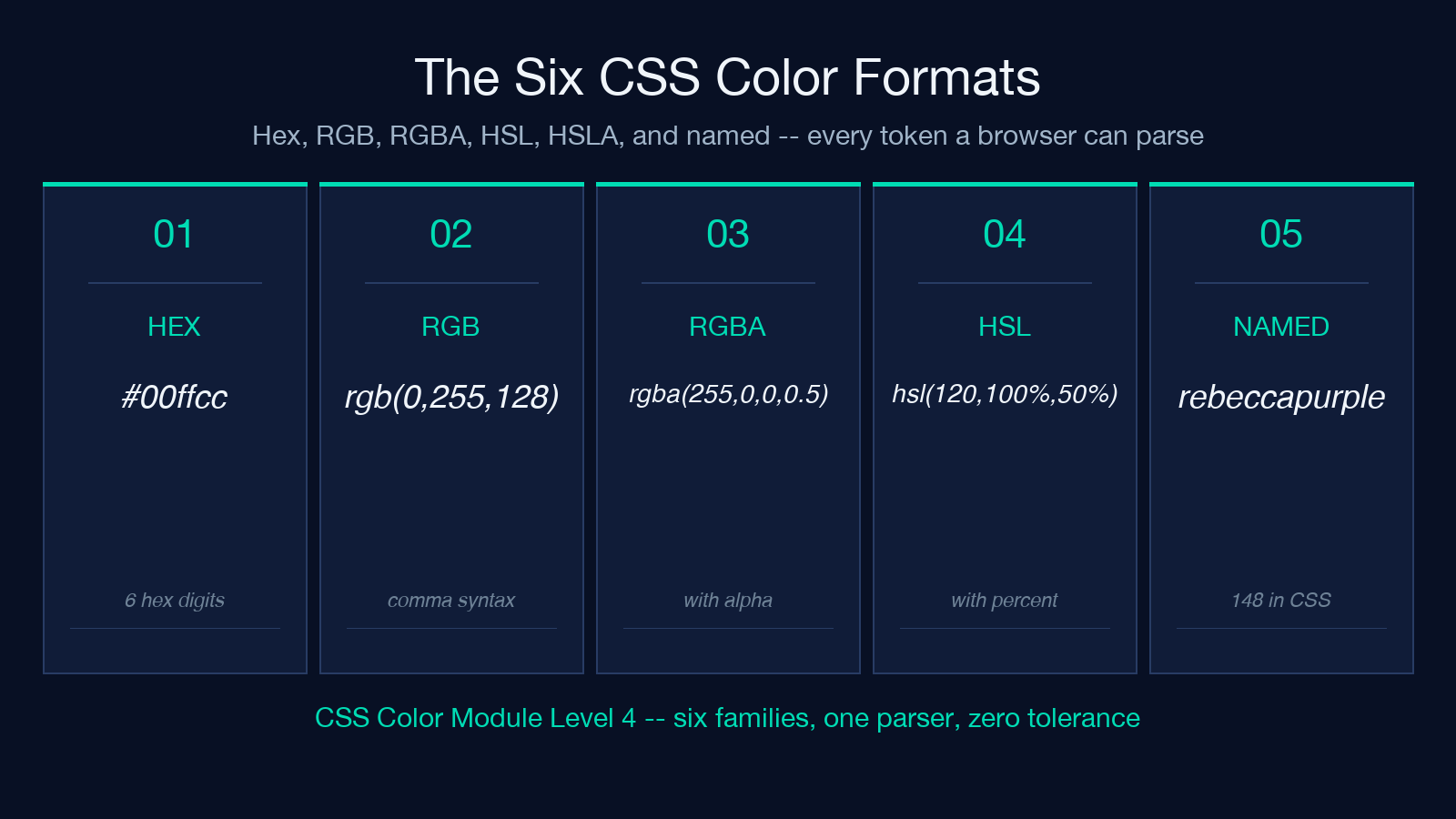
| Format | Example | Where it shows up | |——–|———|——————-| | Hex (3-digit) | #0f8 | Legacy shorthand, design tokens | | Hex (6-digit) | #00ffcc | Standard web color literal | | RGB | rgb(0, 255, 128) | Programmatic color generation | | RGBA | rgba(255, 0, 0, 0.5) | Transparency overlays | | HSL | hsl(120, 100%, 50%) | Design-system palettes | | HSLA | hsla(240, 100%, 50%, 0.75) | Theming with alpha |
Each format has a slightly different grammar. Hex tokens are tightest — exactly 3 or 6 hex digits after the #, nothing else. RGB and HSL allow whitespace variations (commits or no commits between values, depending on syntax level). RGBA and HSLA add an alpha channel that can be expressed as a number, a percentage, or omitted in the modern rgb(255 0 0 / 50%) slash form.
The validator parses all six families and reports which matched.
Hex: the most common trap
Hex looks forgiving because every digit is a number, but the rule is exact:
#followed by exactly 3 or 6 characters from[0-9a-fA-F]- No spaces, no comments, no alpha unless using the 4/8-digit extension
- Shorthand
#0f8expands to#00ff88, not#000ff8
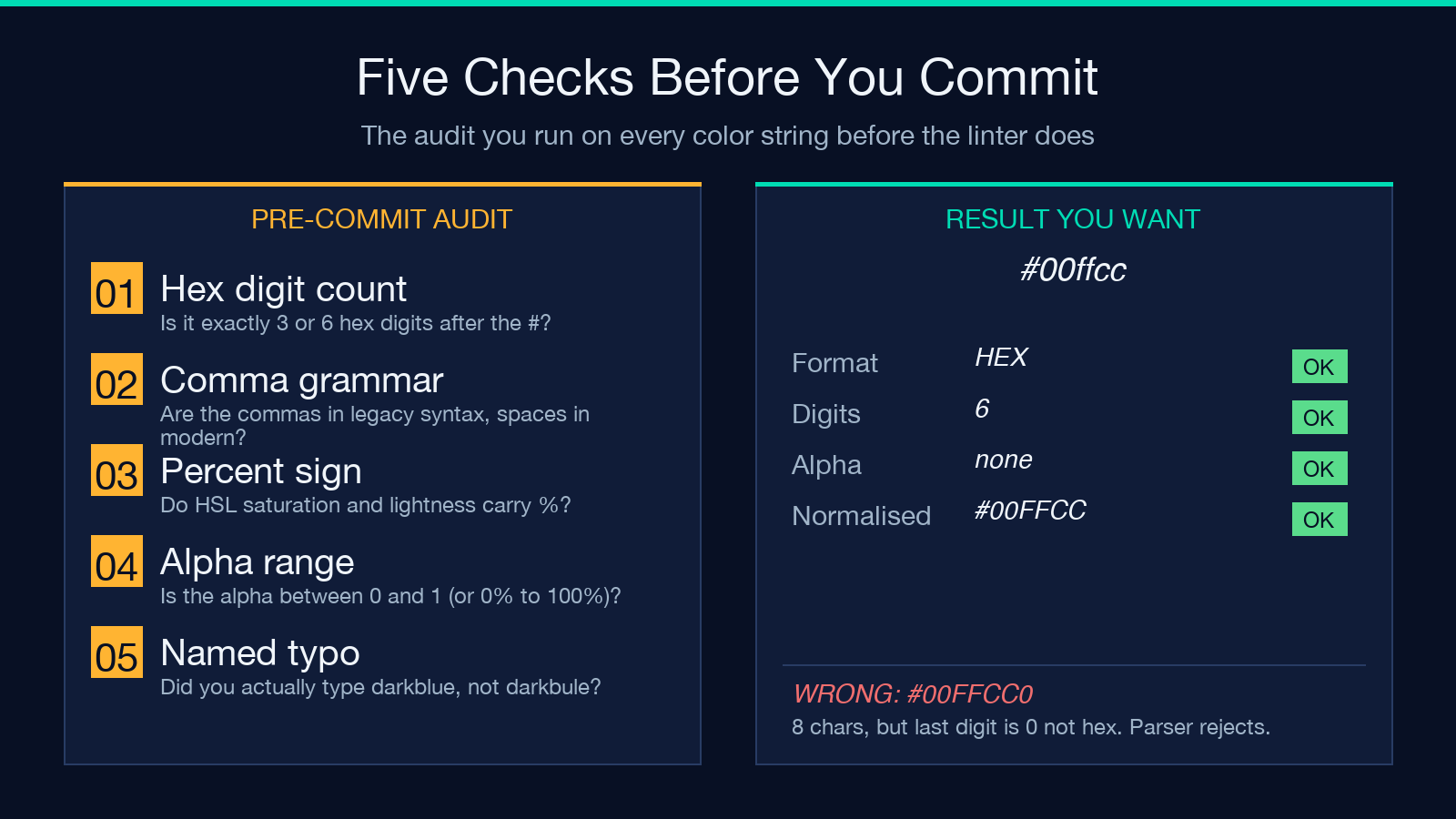
#GGG fails because G is not hex. #1234567 fails because it has 7 digits. #1234567F works only if your parser accepts 8-digit hex (CSS Color Module Level 4). The validator flags each violation with a position pointer so you can spot the typo immediately. Try #00FFCC and #00ffcc — both should pass; 00ffcc without the # should fail. Try #GG0000 to see how the parser rejects invalid characters rather than silently substituting.
When you’re designing tokens, the validator doubles as a linter for the .scss or .css source — paste each token before commit to catch the kind of typo that survives every linter until runtime.
RGB and RGBA: the whitespace grammar
RGB functional notation accepts two syntax levels:
- Legacy:
rgb(255, 0, 0)with commas - Modern:
rgb(255 0 0)with single spaces, slash for alphargb(255 0 0 / 0.5)
The comma form is forgiving about whitespace but strict about the commas themselves. rgb(255,0,0) (no space) is accepted; rgb(255 0 0,) (commas in modern syntax) is rejected; rgb(255, 0, 0,) (trailing comma) is rejected.
RGBA adds the alpha channel — either a fourth comma-separated value in legacy syntax (rgba(255, 0, 0, 0.5)) or a slash-separated value in modern syntax (rgb(255 0 0 / 0.5)). The validator accepts both forms and treats them as equivalent.
A common trap is mixing the two: rgb(255 0 0, 0.5) is rejected. The validator reports the exact position of the unexpected comma.
HSL and HSLA: the design-system sweet spot
HSL is popular in design systems because it makes hue rotation and lightness adjustment trivial. The grammar is the same shape as RGB:
- Legacy:
hsl(120, 100%, 50%)with commas - Modern:
hsl(120 100% 50%)with single spaces - Alpha:
hsla(120, 100%, 50%, 0.5)orhsl(120 100% 50% / 0.5)
Hue is 0–360 (with wrapping allowed — hsl(720, ...) is equivalent to hsl(360, ...)). Saturation and lightness are percentages 0%–100%. The validator clamps hue to its canonical range and reports wraparound if you used a value outside it.
A subtle trap: hsl(120, 100%, 50) without the % on lightness fails. hsl(120, 100, 50%) without % on saturation fails. The validator catches both.
Try hsl(0, 100%, 50%) (red), hsl(120, 100%, 50%) (green), hsl(240, 100%, 50%) (blue) — all valid. Try hsl(120, 100, 50%) — invalid. Try hsl(370, 100%, 50%) — wraps to 10.
Named colors: the silent fallback
CSS supports 148 named colors — red, cornflowerblue, rebeccapurple. The validator accepts these as a separate syntactic form, distinct from the hex/rgb/hsl families. Named colors are case-insensitive (RED and red are equivalent) and have no parentheses or hash prefix.
The risk with named colors is collision: blue is a CSS color, but navy and darkblue are different colors. If you mistype darkblue as darkbule, the validator rejects it. If you mistype red as reed, the validator rejects it. Without validation, the browser silently falls back to its initial color or the inherited value, and you may not notice for hours.
For new code, prefer hex or hsl() — they’re easier to copy precisely and the validator can check them programmatically. Named colors are best reserved for human-readable design tokens where readability matters more than bulk generation.
Where validation matters most
Three places where bad color strings hurt the most:
- Design tokens — a single malformed token breaks every component that uses the variable. Validate at token-write time, not at component-render time.
- User-generated content — a theme builder that lets users input color strings needs server-side validation. Without it, malicious or accidental input injects malformed CSS that browsers silently discard.
- Email templates — many email clients are stricter than browsers and reject some forms that browsers accept. Validate twice: once for browser CSS, once for email clients.
For the first case, run the validator over your token file at build time. For the second, gate user input through the validator before persisting. For the third, the validator’s structured output lets you branch on the matched format family and apply email-specific transforms.
The validator returns a structured verdict for each input. For a valid color, you get the original string, the matched format family, and the normalised form (the value the browser will actually compute). For an invalid color, you get the character offset of the first violation and the rule that failed. That structure makes the validator usable in unit tests: snapshot every color token in your design system and assert each one parses. If a designer adds a token that doesn’t validate, the test fails at CI time, not in the user’s browser.
The validator is a syntactic checker, not a perceptual one. A token that parses correctly might still produce a color invisible against the surrounding design (e.g. #ffffff text on a #fefefe background). Visual contrast is a separate problem with its own validators. The validator also does not check semantic meaning. hsl(120, 100%, 50%) is valid green; the validator reports success whether you intended green or not. For design-system work, pair the validator with a contrast checker and a palette generator.
Putting it all together
A color-code validator is a small piece of plumbing that catches a class of bugs that are otherwise invisible until runtime. The Elysia Tools version covers every documented CSS color format and returns a structured verdict you can use in tests, build pipelines, or runtime gates. Paste any candidate token — hex, rgb, rgba, hsl, hsla, or named — and know within milliseconds whether the browser will accept it.
For more on the CSS Color Module Level 4 grammar, see the W3C specification. For related tooling, browse the Color tools on Elysia Tools or explore the validation collection for adjacent syntax checkers.
