
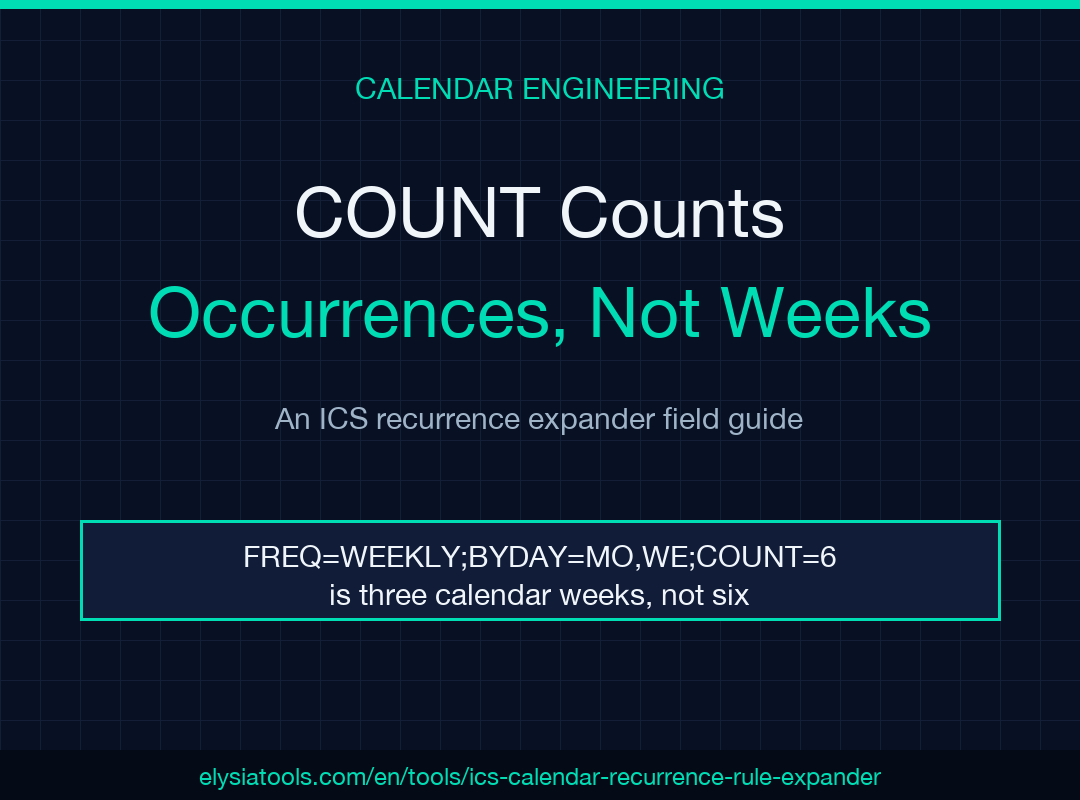
Expand the rule, then read the dates. An RRULE is a compressed promise about the future, and the only way to audit that promise is to unroll it into a list of real timestamps you can count. That is the whole job here: paste a VEVENT, get concrete occurrences, and see immediately whether the sixth Wednesday you expected is actually the sixth Wednesday the rule produces. Everything else in this guide is about the specific places where that unrolling surprises people.
What an RRULE actually stores
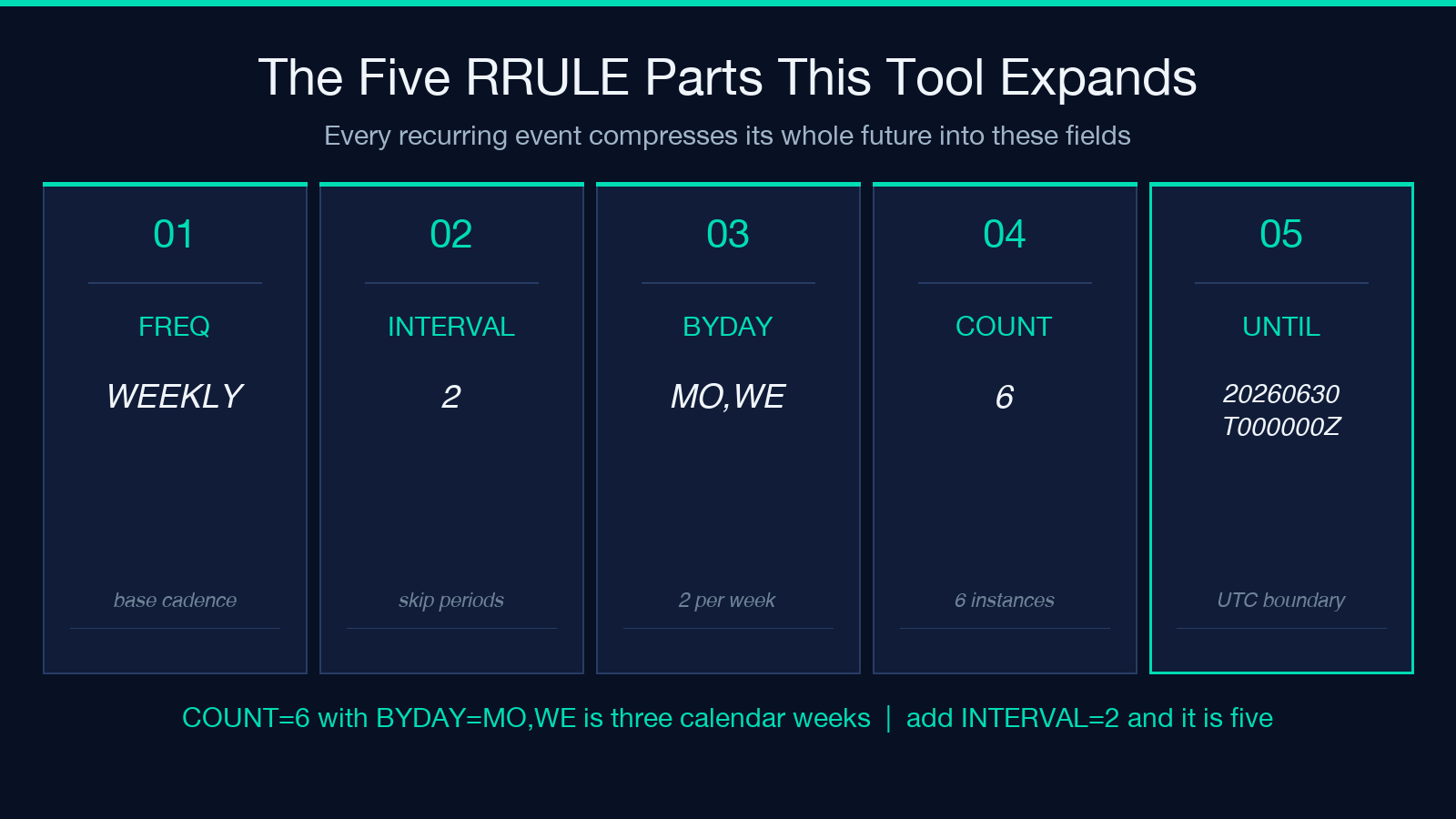
A recurring calendar event does not store its occurrences. It stores one start time and one rule, and every client that reads the file regenerates the dates itself. A block like RRULE:FREQ=WEEKLY;BYDAY=MO,WE;COUNT=6 is six events on disk as a single line of text. That compression is the reason iCalendar files stay small when a standing meeting runs for three years, and it is also the reason two calendar apps can disagree about what your schedule looks like.
The parts do specific things. FREQ sets the base cadence — daily, weekly, monthly, yearly. INTERVAL skips base periods, so FREQ=WEEKLY;INTERVAL=2 is every other week. COUNT stops after a fixed number of occurrences. UNTIL stops at a wall-clock boundary instead. BYDAY picks weekdays inside each period. BYMONTHDAY picks numbered days inside each month. The ICS Calendar Recurrence Rule Expander on Elysia Tools reads all of these — its stated support covers FREQ, INTERVAL, COUNT, UNTIL, BYDAY, and BYMONTHDAY across DAILY, WEEKLY, MONTHLY, and YEARLY frequencies. You can expand a rule here by pasting either a full .ics payload or a bare VEVENT block.
COUNT and INTERVAL interact in a way that reads wrong
The single most common misreading is treating COUNT as a count of periods. It is a count of occurrences.
Take FREQ=WEEKLY;BYDAY=MO,WE;COUNT=6. BYDAY produces two occurrences per week, so COUNT=6 covers three calendar weeks, not six. If the event starts on a Wednesday, the first occurrence is that Wednesday, then Monday, Wednesday, Monday, Wednesday, Monday — and the series ends mid-week on a day that feels arbitrary until you count the instances rather than the weeks.
Now add INTERVAL=2. The rule becomes every other week, two days per active week, six occurrences total, which stretches across roughly five calendar weeks with gaps in between. Nothing about the rule text tells you that. Only the expanded list does. This is why an expander is a debugging tool and not a convenience: it converts an assumption into a list you can check against a project timeline.
UNTIL is a timestamp, and the Z matters
COUNT and UNTIL are mutually exclusive ways to terminate a series, and UNTIL is where timezone confusion enters. UNTIL is a full timestamp, not a date, and when it carries a trailing Z it is UTC.
That distinction bites in exactly one predictable way. If your event starts at 09:00 in a timezone that is UTC+8, and your UNTIL value is 20260630T000000Z, then the boundary in local time is 08:00 on 30 June — one hour before that morning’s occurrence would fire. The final instance you expected silently disappears. Nobody notices until someone asks why the last session of the quarter is missing.
The tool normalizes generated output UTC-style, which is the correct behavior for a portable file and also the behavior that makes the off-by-one visible instead of hidden. If your UNTIL boundary is landing wrong, the Timezone Duration Calculator is the faster way to confirm the offset arithmetic before you edit the rule.
Holiday exclusion is a separate pass from the rule
An RRULE has no concept of a holiday. The iCalendar spec handles exclusions through EXDATE, listed alongside the rule, and the recurring-class sample in the ICS Calendar Samples collection demonstrates exactly this shape — a recurring event with an RRULE plus an exception date and location notes attached.
The expander gives you a second, more practical route: a Holiday Dates field that takes YYYY-MM-DD values, one per line, and drops any occurrence falling on those days. This is the difference between fighting the rule and filtering its output. You do not need to construct an RRULE clever enough to dodge four public holidays and a company offsite. You expand the naive rule, hand the expander your exclusion list, and read what survives.
The practical workflow is: expand once with no exclusions to confirm the cadence is right, then expand again with the holiday list to get the schedule you will actually publish. Two passes, and the diff between them is your holiday impact report.
Max Occurrences is a safety cap, not a preference
Some rules never terminate. FREQ=DAILY with no COUNT and no UNTIL is a legal, infinite series — a standing daily reminder with no planned end. An expander confronted with that rule has to stop somewhere, which is why the Max Occurrences field exists.
Treat it as a guard rail rather than a setting you tune for aesthetics. When you are auditing an unbounded rule, set it high enough to cover the horizon you actually care about — a year of daily occurrences is around 365 instances, and a year of a twice-weekly standing meeting is around 104. If your expansion result comes back at exactly the cap value, you have not found the end of the series; you have found the end of your patience. Raise the cap or add a real UNTIL to the rule.
Output format changes what the result is for
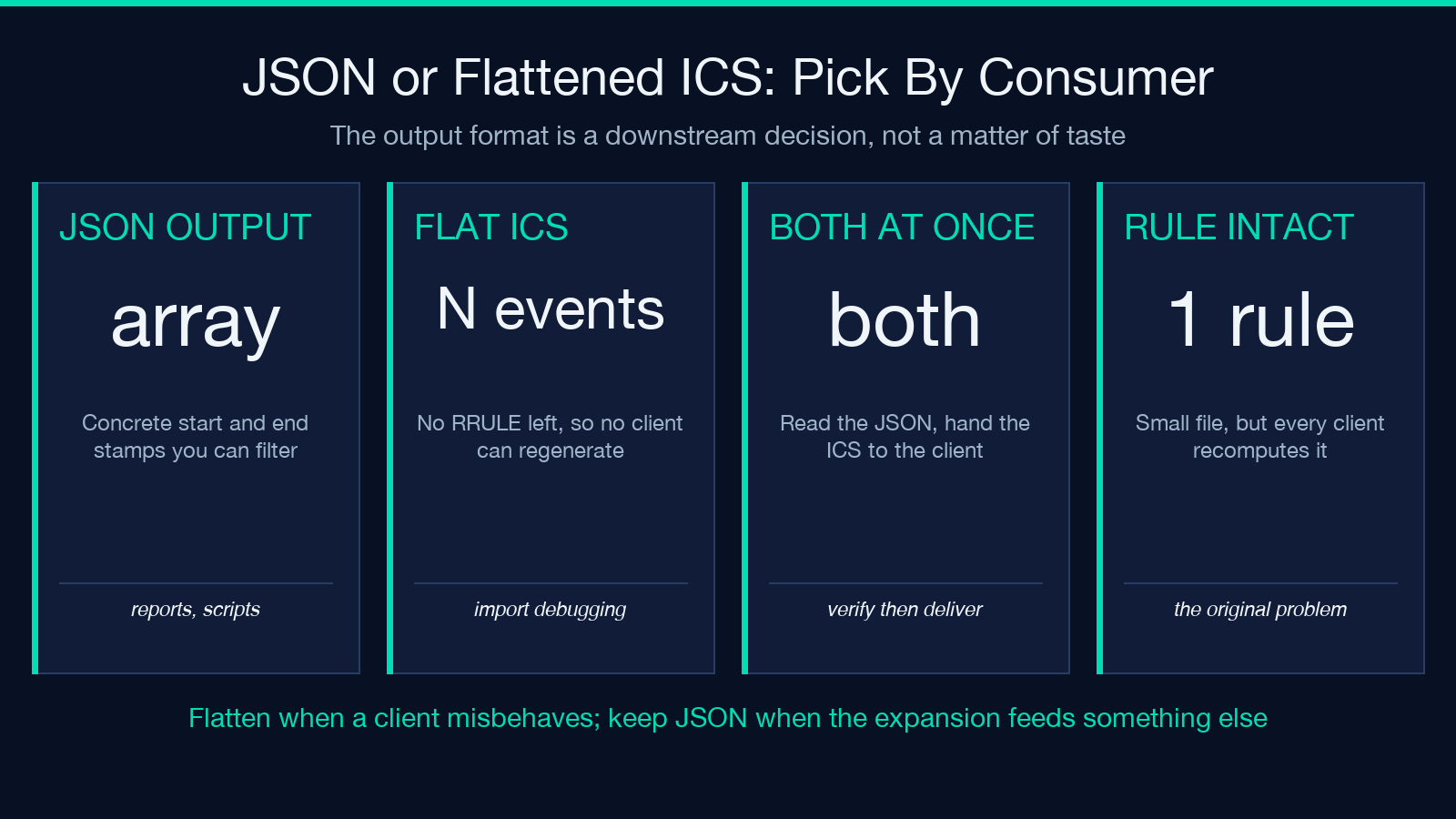
The expander returns JSON, ICS, or both, and the choice is genuinely about downstream use rather than taste.
JSON is what you want when the expansion is an input to something else — a report, a staffing spreadsheet, a script that counts billable sessions per month. Concrete start and end timestamps in a structured array are trivial to filter and aggregate.
Flattened ICS is what you want when a client is misbehaving. A flattened calendar has no recurrence rule at all: every occurrence is its own VEVENT with its own explicit DTSTART. That removes the regeneration step entirely, so any two clients reading the file must agree. It is larger and it loses the semantic intent, but when an import is dropping instances or shifting them by an hour, replacing one rule with fifty explicit events is the fastest way to prove the rule was the problem. The Time Zone Workflow Scheduler ICS Samples show what that multi-VEVENT export shape looks like in practice — five candidate slots, each a standalone event.
Where this fits next to a scheduler
Expanding a rule and choosing a rule are different problems, and it is worth being clear about which one you have.
If you already have a .ics file or a VEVENT and you need to know what it does, expansion is the answer. If you are still deciding when a recurring meeting should happen across several timezones, you want the Time Zone Workflow Scheduler instead — it finds overlap windows first and produces candidate slots you can then encode as a rule. The natural pipeline runs scheduler first, expander second: pick the window, write the RRULE, expand it, verify the dates, ship the file.
For historical or astronomical date work the arithmetic changes shape entirely and the Julian Day Converter is the right tool — RRULE semantics assume a Gregorian calendar and modern timezone rules, which is a safe assumption for meetings and a bad one for anything before 1582.
A five-minute audit for any recurring event
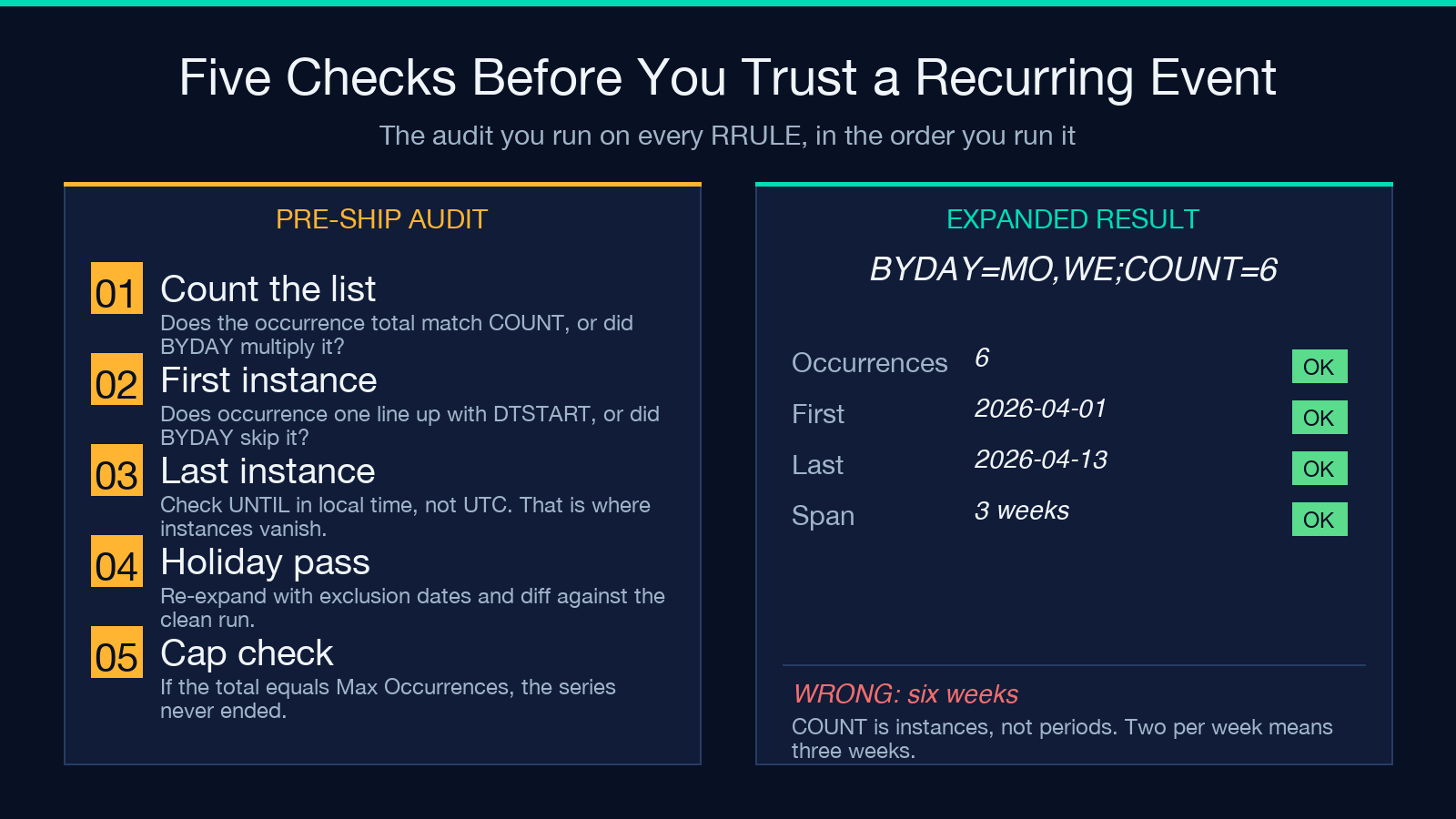
Run this sequence the next time a standing meeting looks wrong, and you will locate the fault without guessing.
Paste the VEVENT and expand with no options set. Count the occurrences and compare that number against COUNT — if they differ, BYDAY or BYMONTHDAY is multiplying instances per period. Check the first occurrence against DTSTART, because a rule whose BYDAY excludes its own start day behaves differently across implementations. Check the last occurrence against UNTIL in local time, not UTC, which is where the missing-final-instance bug lives. Then add your holiday list and re-expand to see what real-world exclusions cost you.
If every step matches your expectation, the rule is correct and the problem is in the client. If step two fails, you are counting periods instead of occurrences. If step four fails, you have a timezone boundary issue rather than a recurrence issue. Explore more tools at elysiatools.com.
