
A JWT header carries three Base64URL segments separated by dots — and the moment the +, /, or = characters leak past a permissive client, your token turns into a URL-parse nightmare. That is the entire reason the URL-safe variant of Base64 exists at all. RFC 4648 §5 defines it precisely: replace + with -, replace / with _, and drop trailing = padding. Three characters out, three characters in, zero conceptual surprise — yet nearly every JWT tutorial glosses over what changes when you actually push the bytes around. The Base64URL Encoder/Decoder at Elysia Tools handles all four operations — encode, decode, standard-to-URL, URL-to-standard — in a single textarea, which makes it the right tool to internalize both the variant itself and the four edge cases that bite auditors when the convention drifts.
What Base64URL actually changes — and why the variant exists
The official name for the variant you are looking at is “base64url” (per RFC 4648 §5) or sometimes “base64url” without a space — different vendors ship slightly different conventions. The content is identical to standard Base64 (RFC 4648 §4), so the alphabet stays exactly the same — A-Za-z0-9 plus two symbols. The variant only swaps the two non-alphanumeric symbols so the result survives a URL path or query string without percent-encoding:
- Plus sign
+becomes a minus sign- - Slash
/becomes an underscore_ - Trailing padding
=characters are stripped (or are dropped entirely depending on the consumer)
That tiny set of substitutions is the entire difference between a token a router can forward unmodified and a token that needs URL-encoding at every hop. JOSE (JSON Object Signing and Encryption — the working group that standardized JWT/JWS/JWE) baked this variant directly into RFC 7515 (JWS), RFC 7519 (JWT), and RFC 7516 (JWE), so every modern stack accepts the URL-safe form by default. Pinning the spec by number — RFC 4648 §5 for the alphabet, RFC 7515/7516/7519 for the wire format — matters more than the algorithm choice, because the wire format is what travels between libraries.
How the encoder works — three controls, four operations
The tool’s interface keeps the math under three controls and lets each operation follow exactly the same path. Open Base64URL Encoder/Decoder and the first thing you see is the input textarea; the operation selector sits underneath with four fixed choices:
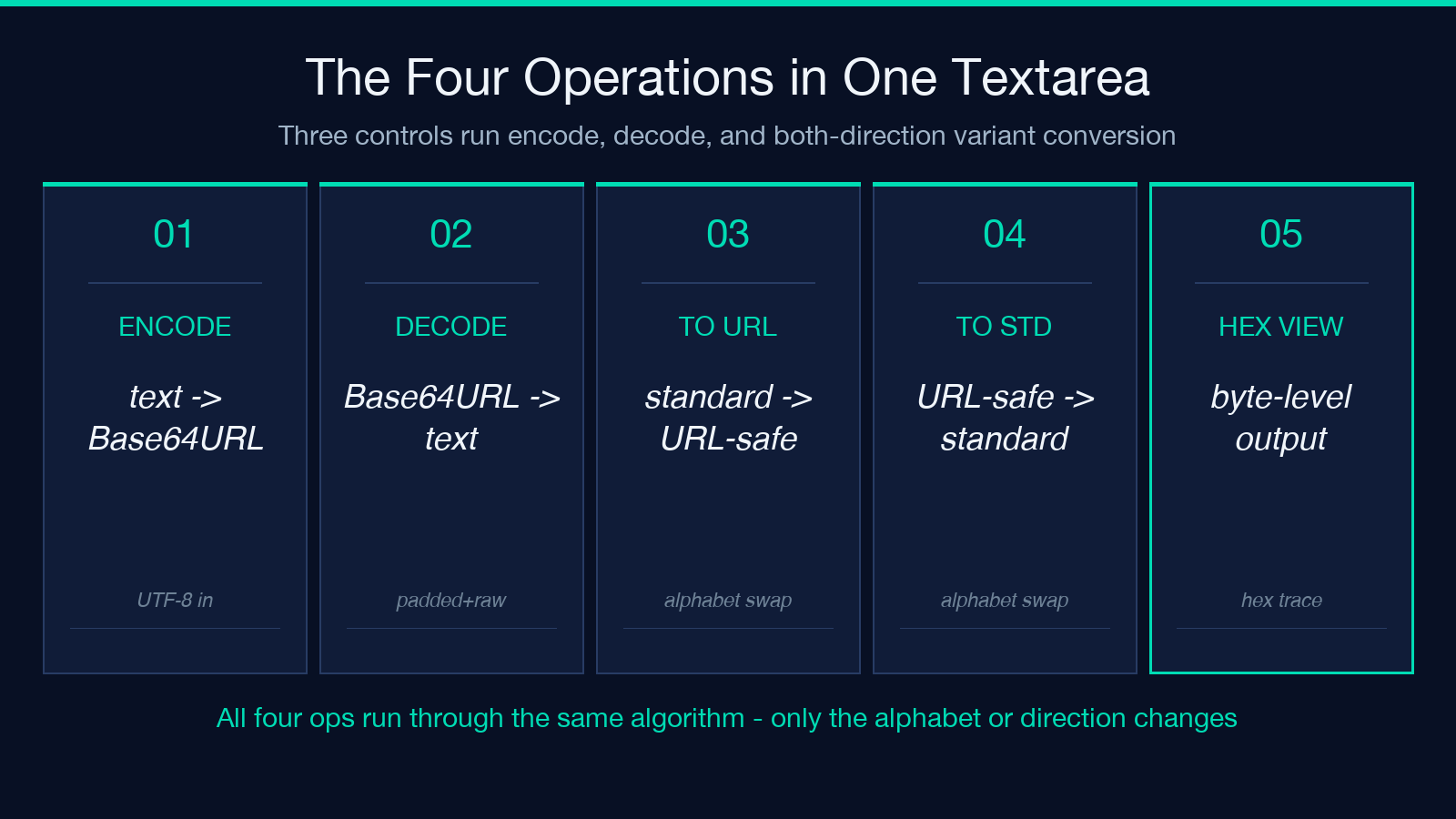
encode— text → Base64URL (UTF-8 bytes round-tripped through the variant)decode— Base64URL → text (the inverse operation, padding-tolerant)to-base64url— standard Base64 → Base64URL (variant conversion, no re-encoding of bytes)to-standard— Base64URL → standard Base64 (variant conversion, plus padding restoration)
The third dropdown — output encoding — lets you choose between a UTF-8 text result and a hex string representation. The hex view is what you want when you are inspecting raw bytes rather than rendered characters: a per-byte trace shows up in the output panel, ready to diff against a hex dump. The default UTF-8 output is the one you want for every JWT-debugging use case; hex is reserved for byte-level forensics. Pair the tool with the Base64 Encoder/Decoder when you want to compare variant behavior on the same input side-by-side — running both in different tabs is the fastest way to internalize which characters flip.
Practical worked example — encoding a JWT header
Take a real JWT header like {"alg":"HS256","typ":"JWT","kid":"prod-2026-q3"}. Run it through the encoder with the default UTF-8 output and three segments appear in the result panel: the Base64URL of the header, the Base64URL of the payload (when you encode it separately), and the Base64URL signature. Each segment uses exactly the variant substitutions — plus signs replaced with minus, slashes replaced with underscores, no trailing =.
The minute the encoder finishes, paste a segment into the textarea, flip the dropdown to decode, and the input round-trips exactly. That symmetry is the diagnostic: if the decoded result drifts by even one character, the variant somewhere in the stack is wrong. The decoder tolerates both padded and unpadded input and accepts both variant alphabets in the same input — a small thing, but it means you can paste a token from an unfamiliar issuer without first normalizing it. For verification workflows that go further, JWT Decoder splits a full token into its three Base64URL-decoded segments and renders each one inline; pair the two tools when a single segment needs re-encoding.
The four edge cases that catch first-time auditors
Most failures with Base64URL are not encoding bugs — they are assumption bugs about which variant a given library wrote. Watch for these four patterns:
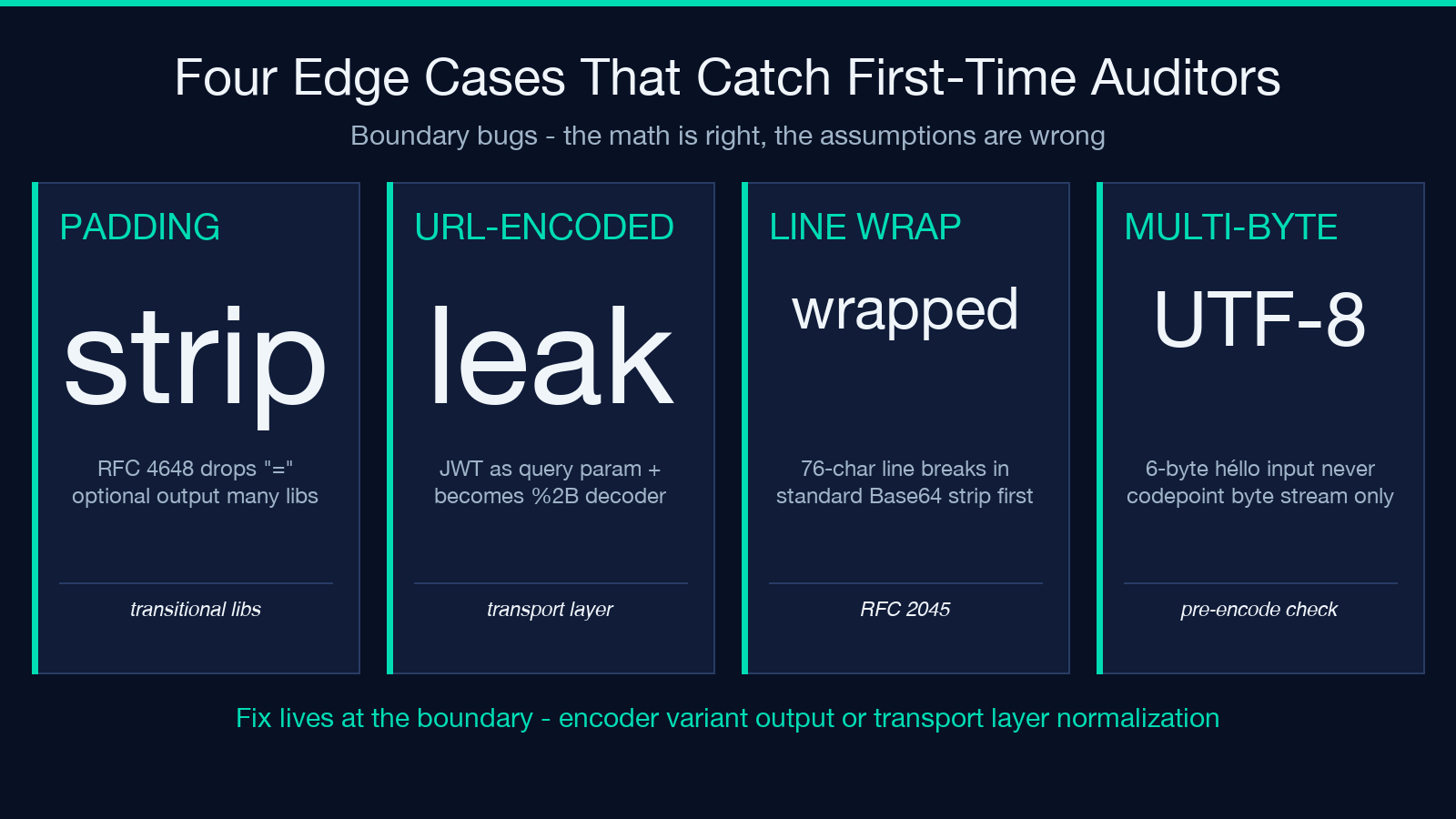
- Padded vs unpadded output. RFC 4648 §5 says padding “should” be omitted; many libraries still emit
=characters. A strict decoder rejects padded input; a permissive decoder accepts both. The Elysia decoder accepts both — which mirrors how most modern libraries behave. - Percent-encoding leakage. When a client URL-encodes a JWT bearer token before sending it, the
+character arrives as%2Band the decoder fails. Strip the URL-decoding layer before treating the string as Base64URL. - Line-wrapped Base64. Standard Base64 is sometimes output with 76-character line breaks (RFC 2045 / MIME). Strip whitespace before treating the string as Base64URL — the variant never inserts line breaks itself.
- Multi-byte UTF-8 inputs. Encoding “héllo” yields the byte sequence
68 C3 A9 6C 6C 6F, which becomes Base64URL of those six bytes — never Base64URL of the codepoint. Drop the BOM if it snuck in (use the BOM Character Remover first when pasting from a Windows editor).
When any of these appear, the fix is rarely in the tool — it is at the boundary where one system produced standard Base64 and the next expected Base64URL. The variant-conversion operations (to-base64url and to-standard) are built exactly for this — they change the alphabet without re-encoding bytes, so the round trip is symmetric at the bit level.
Choosing between hex and UTF-8 output
The output encoding dropdown does not change what the tool does — both modes pass through the same Base64URL algorithm. UTF-8 mode is the human-readable default: input characters go in, Base64URL characters come out, and the result is what you paste into a header. Hex mode shows the byte-level view: 0x68 0xC3 0xA9 0x6C 0x6C 0x6F for “héllo” instead of aMOpbGs. The hex view is the right choice when:
- You are debugging a byte-level mismatch between two systems.
- You want to confirm an encoding step did not silently swap byte order.
- You are documenting a bug for a downstream consumer.
UTF-8 is the right choice for everything else. Most auditors will live in UTF-8 output 95% of the time — hex is a forensic tool, not a daily-driver mode.
Cross-checking round trips with companion tools
Working with Base64URL in isolation is fine for one-off conversions, but real workflows chain it with other tools. The companion stack at elysiatools.com/en/tools covers each step of a JWT-debugging pipeline:
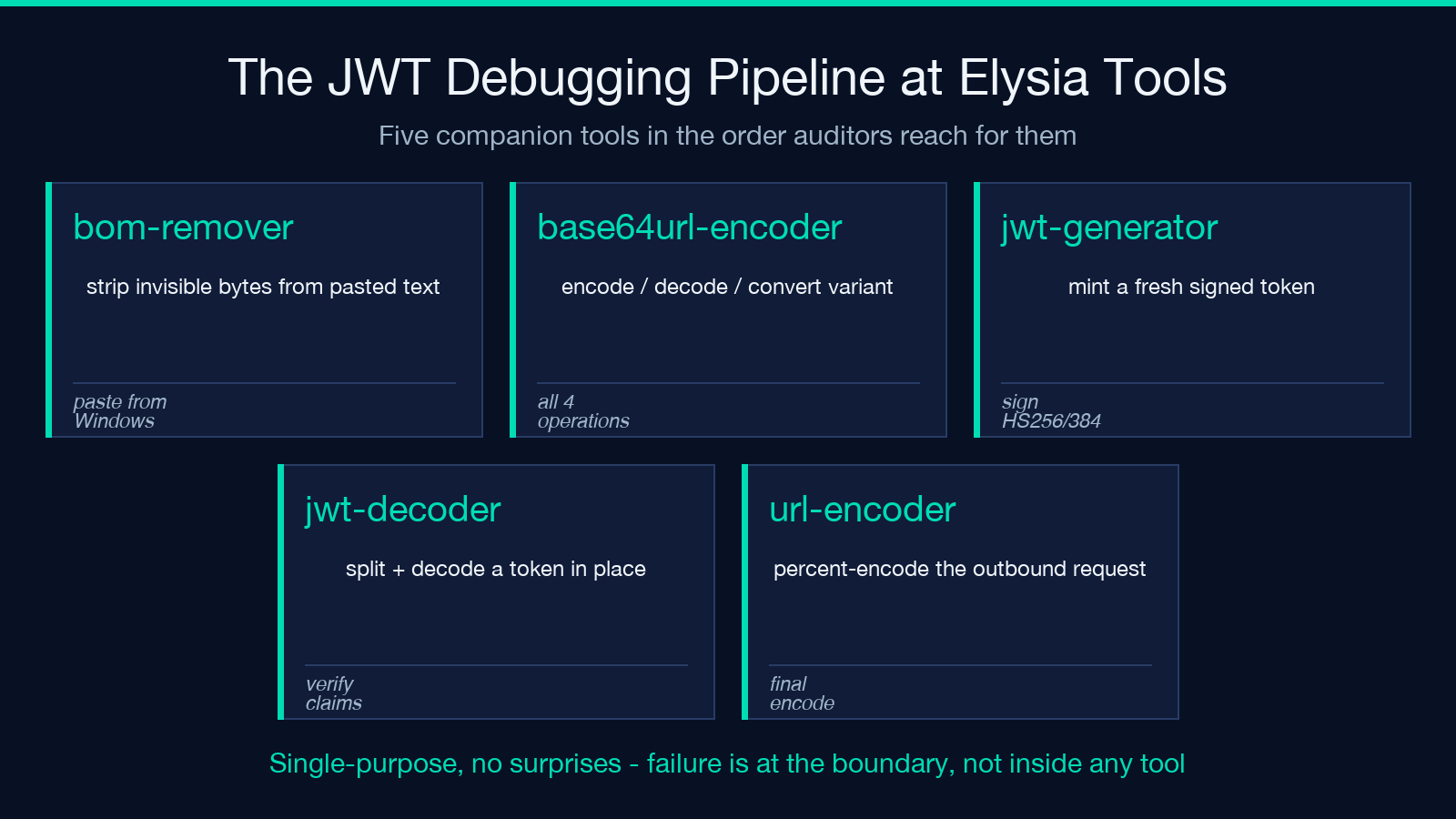
- Strip the BOM from pasted text — BOM Character Remover
- Encode or decode the variant — Base64URL Encoder/Decoder
- Generate or sign tokens — JWT Generator
- Decode and verify an existing token — JWT Decoder
- URL-encode an outbound request — URL Encoder/Decoder
The pattern that holds across all five is “single-purpose, no surprises”: each tool does one thing well, the variants are explicit, and the round trip is symmetric. When the output drifts, the failure is at the boundary between tools, not inside any one of them.
Verifying your own implementations against the spec
The fastest way to confirm a new library handles the variant correctly is the cross-encoder round trip: take the same input string, encode it with your code, paste the result into the Elysia decoder, and compare the decoded output against the original byte-for-byte. UTF-8 round trips require identical byte sequences; the hex view shows the byte stream directly when the comparison fails. For libraries that emit standard Base64 by accident, the to-base64url conversion is the diagnostic — if the conversion succeeds and the resulting token validates, the original encoder was producing standard Base64, not Base64URL.
The reverse direction is just as useful: take a Base64URL string from an external system, decode it with the Elysia tool, and check whether the result matches what the external system’s decoder produces. Identical output means both implementations interpret the variant the same way; mismatched output means one of them is silently substituting characters somewhere along the way. Pair this loop with a deliberate fuzz of three or four inputs that exercise the substitution characters — input containing +, /, and = directly will surface any substitution bug immediately.
Closing reference — RFC numbers, parameter checklist, and field-guide takeaway
Keep three references in your back pocket when debugging a Base64URL mismatch: RFC 4648 §5 for the alphabet definition, RFC 7515 for JWS (the layer where headers and signatures live), and RFC 7519 for JWT (the claim-bearing token format). When the variant substitution drifts, the failure is almost always at one of three boundaries: an encoder that outputs standard instead of URL-safe, a transport layer that percent-encodes the token, or a decoder that rejects unpadded input. Strip each layer in turn and the encoder will get you a clean round-trip.
The Base64URL Encoder/Decoder is built to live at the center of that workflow — encode, decode, and convert in either direction without losing bytes. Pair it with the wider tool catalog at elysiatools.com and the variant confusion that hangs over most JWT tutorials becomes a one-step problem instead of a multi-day debugging session.
