
A pangram is just one sentence — until you have to prove one is missing a letter. The 26-letter check is small enough to feel trivial, but it turns into a real workflow problem the moment you start writing fonts, cipher keys, classroom worksheets, or QA fixtures. The Pangram Checker gives you a one-line answer plus the missing, the used, and the count of unique letters, so you stop guessing and start shipping.
Pangram checking is the kind of micro-task every typographer, font designer, and puzzle author rediscovers. A pangram is a sentence that uses every letter of the alphabet at least once. The canonical English example is "The quick brown fox jumps over the lazy dog" — short, mnemonic, and instantly recognizable. Whether you need a clean preview string, a teaching example, or a quick verifier for a generated sentence, the goal is the same: confirm the 26-letter set is fully covered, surface what is missing, and move on. That is exactly what the Pangram Checker tool does, in plain English with structured details underneath.
This guide walks through when a one-line pangram check beats a quick eyeball pass, the structure of the answer the tool gives back, and the workflow patterns that turn “is it a pangram?” into a repeatable QA step. If you build font specimen sheets, write worksheets, generate keyboard-coverage tests, or just want a fast “is this sentence complete?” check before publishing, the rest of this article is for you.
Why a pangram check is more than a curiosity
Pangrams look like a parlor trick, but they are load-bearing artifacts in several real workflows:
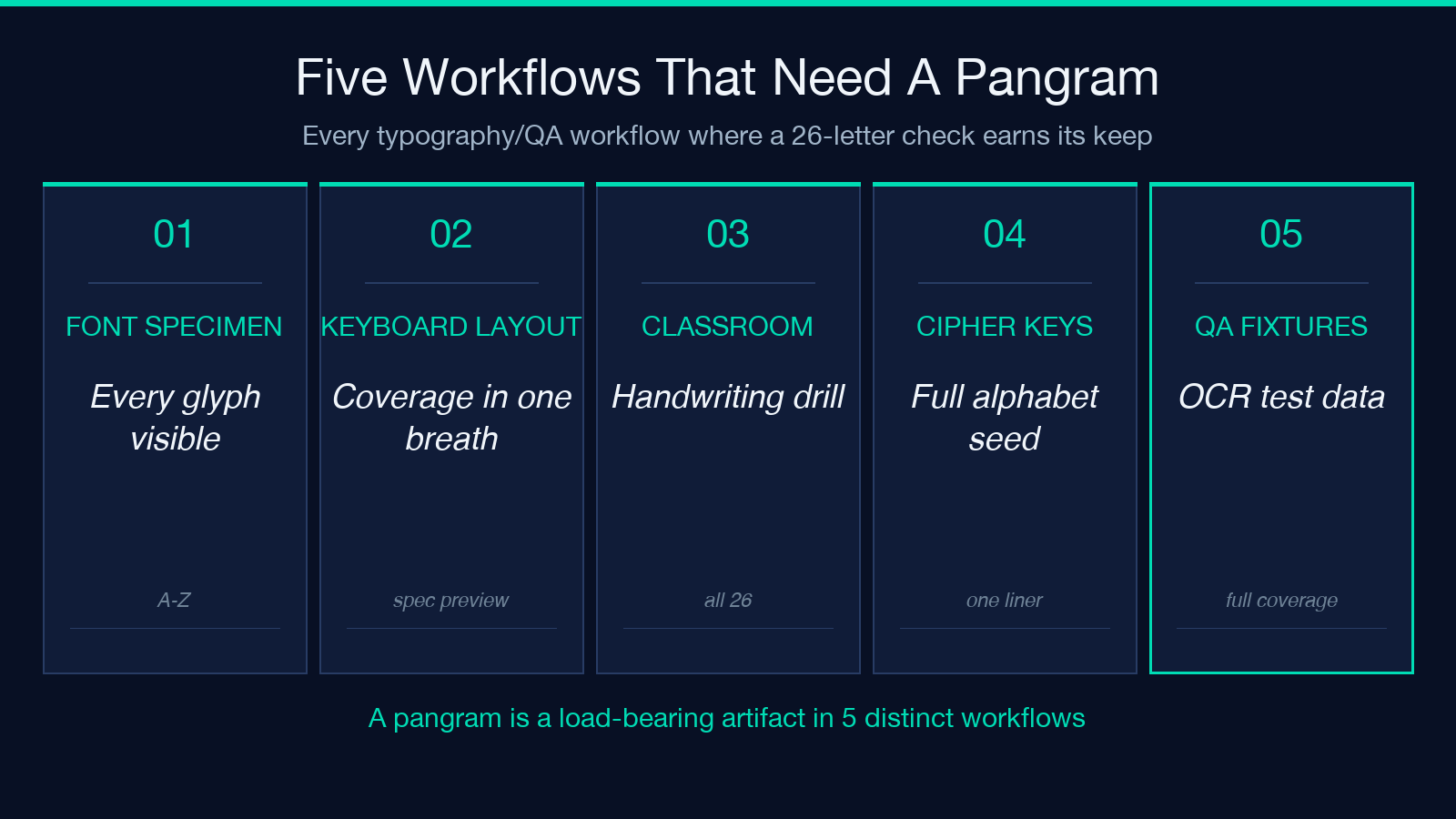
- Font previews. A specimen needs to show every glyph at a usable size. Designers drop a pangram into the font preview to render all 26 letters — including the awkward
q,z, andj. If even one letter is missing from the preview sentence, the specimen lies. - Keyboard layouts and typing tutors. Coverage tests rely on a sentence that hits every key. A pangram is the minimum-length sample that does this in one breath.
- Classroom and ESL worksheets. Teachers use pangrams to drill handwriting, capitalization, and pronunciation in a single line. If the example sentence skips
x, students never practice it. - Cipher keys and seed phrases. When you need a human-readable key that covers the full alphabet, the candidate sentence has to be a pangram. A non-pangram is structurally weaker.
- OCR and QA fixtures. Synthetic test data that exercises the full alphabet needs a pangram generator — and a pangram verifier.
For all of these, you do not just want a yes. You want to know which letters are present, which are missing, and how confident the check is. That detail is exactly what the pangram verifier returns.
What “perfect pangram” actually means
The tool’s headline result is binary: perfect pangram or not a perfect pangram. Under the hood it computes four derived values:
- Missing letters. The set of letters in
A–Zthat do not appear in the input, after case normalization. - Used letters. The set of letters that do appear, deduplicated and sorted.
- Unique count. The cardinality of the used-letter set (0 to 26).
- Coverage ratio.
unique / 26, which is handy when you want a percent.
This decomposition matters because not a pangram is rarely the end of the question. If you are tuning a long sentence and the answer is “missing q, z“, you know exactly where to add filler words without rewriting the whole line. The tool’s structured details let you iterate sentence-by-sentence without re-reading the entire string.
The default mode is case-insensitive English (A and a count as the same letter), which matches almost every practical use case. Toggle case sensitivity on only for niche alphabets or puzzles where capitalization itself is part of the rule.
How the missing-letter list guides your edits
The most actionable part of the result is the missing-letter list. A non-pangram is rarely missing all 26 letters — usually it is missing 1 to 5, often the late-alphabet set: q, j, z, x, k. Seeing this list tells you:
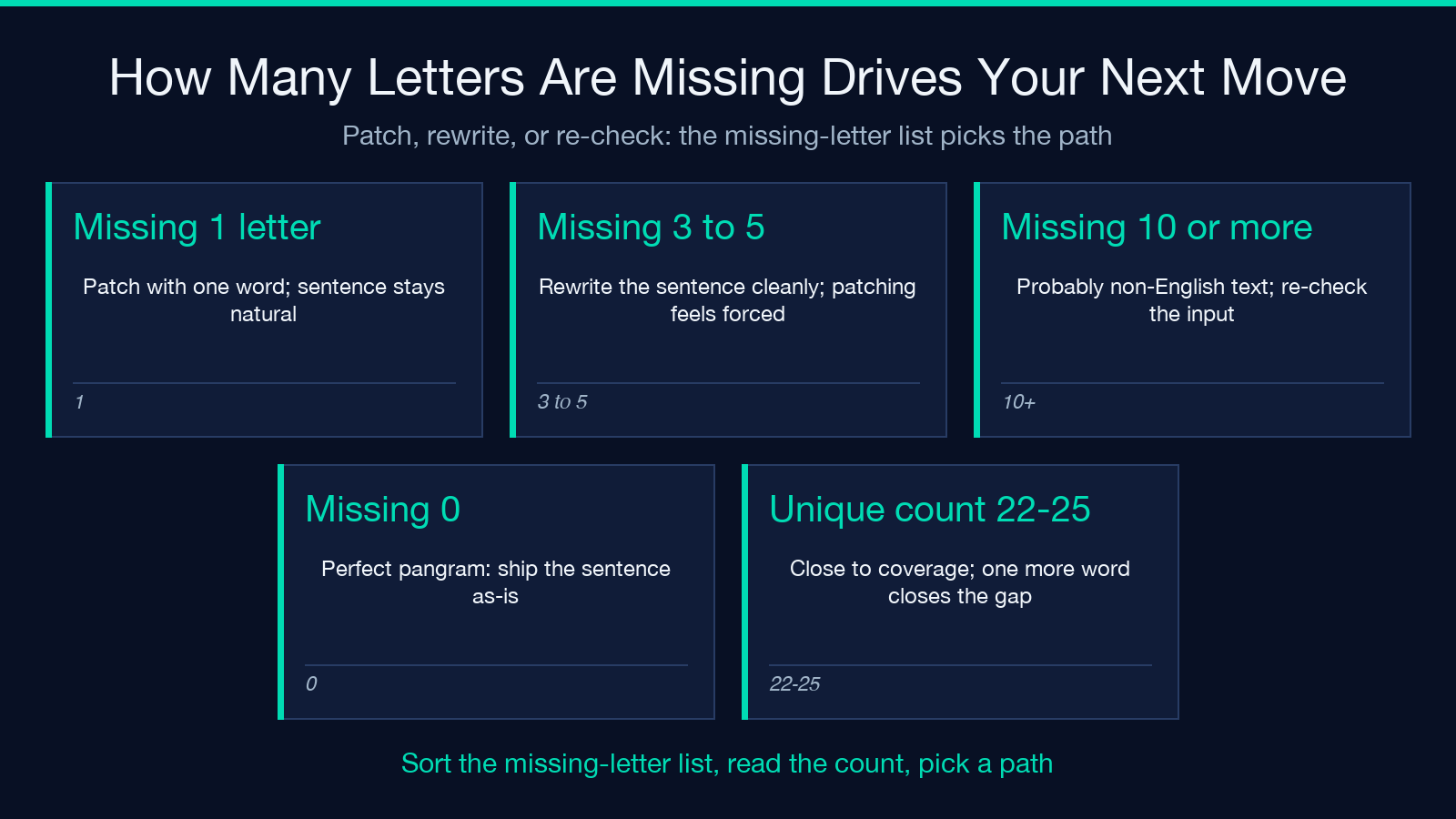
- If only one letter is missing, you can patch the sentence with a single word.
"The quick brown fox jumps over the lazy dog"is missing nothing; drop thelazyand you are missingy. Addyearlyand you are back to a pangram. - If 3 to 5 letters are missing, you likely need to rewrite the whole sentence. Trying to patch 5 holes usually makes the sentence awkward.
- If 10+ letters are missing, you are probably looking at a non-English string, a fragment, or punctuation-only text. Re-check the input.
This edit loop is faster than re-reading the candidate sentence and squinting at the alphabet, especially for longer inputs where the eyes miss duplicates and skipped letters. The pangram validator gives you the missing list in one pass, sorted, so you can scan it in under a second.
The unique-letter count is a coverage meter
Beyond the binary perfect flag, the unique-letter count is the most useful scalar metric. It answers “how much of the alphabet does this sentence cover?” — useful for:
- Specimen drafting. A specimen that uses 24 of 26 letters is one rewrite away from usable. A sentence that uses 12 of 26 is not even close.
- Typing-tutor difficulty. A level-1 tutor might only need 10 unique letters; a level-3 tutor needs all 26.
- Coverage QA on auto-generated text. If your generator emits sentences that average 18 unique letters, you have a coverage problem — bump the diversity in the source corpus.
The count is also a fast regression signal. If your font preview used to cover 26 and now covers 23, something changed in the source — a typo, a transliteration, or a missing glyph substitution.
Case-sensitive mode is rare but real
The default case-insensitive check covers 99% of use cases. The case-sensitive toggle matters when:
- Mixed-case ciphers. A capital-letter-only pangram (a capital pangram) is a separate challenge. The English capital-letter alphabet still has 26 letters, but the constraint flips: lowercase letters do not count.
- Typography rules where uppercase and lowercase are distinct. Some style guides treat them as separate symbols; some alphabets (like the Cyrillic) have distinct uppercase/lowercase shapes that carry meaning.
- Puzzles and games. Acrostics, A1Z26 ciphers, and other alphabet-as-number games treat
Aandaas different symbols.
When you flip case-sensitive on, the tool still defaults to English A–Z but treats the cases as distinct. The same missing and used lists are returned, but the unique-letter count can now exceed 26 in pathological inputs (because A and a are counted separately). Stick with case-insensitive unless your workflow specifically depends on case as a signal.
What the tool ignores — and why that is a feature
The Pangram Checker counts only the 26 basic English letters. It explicitly ignores:
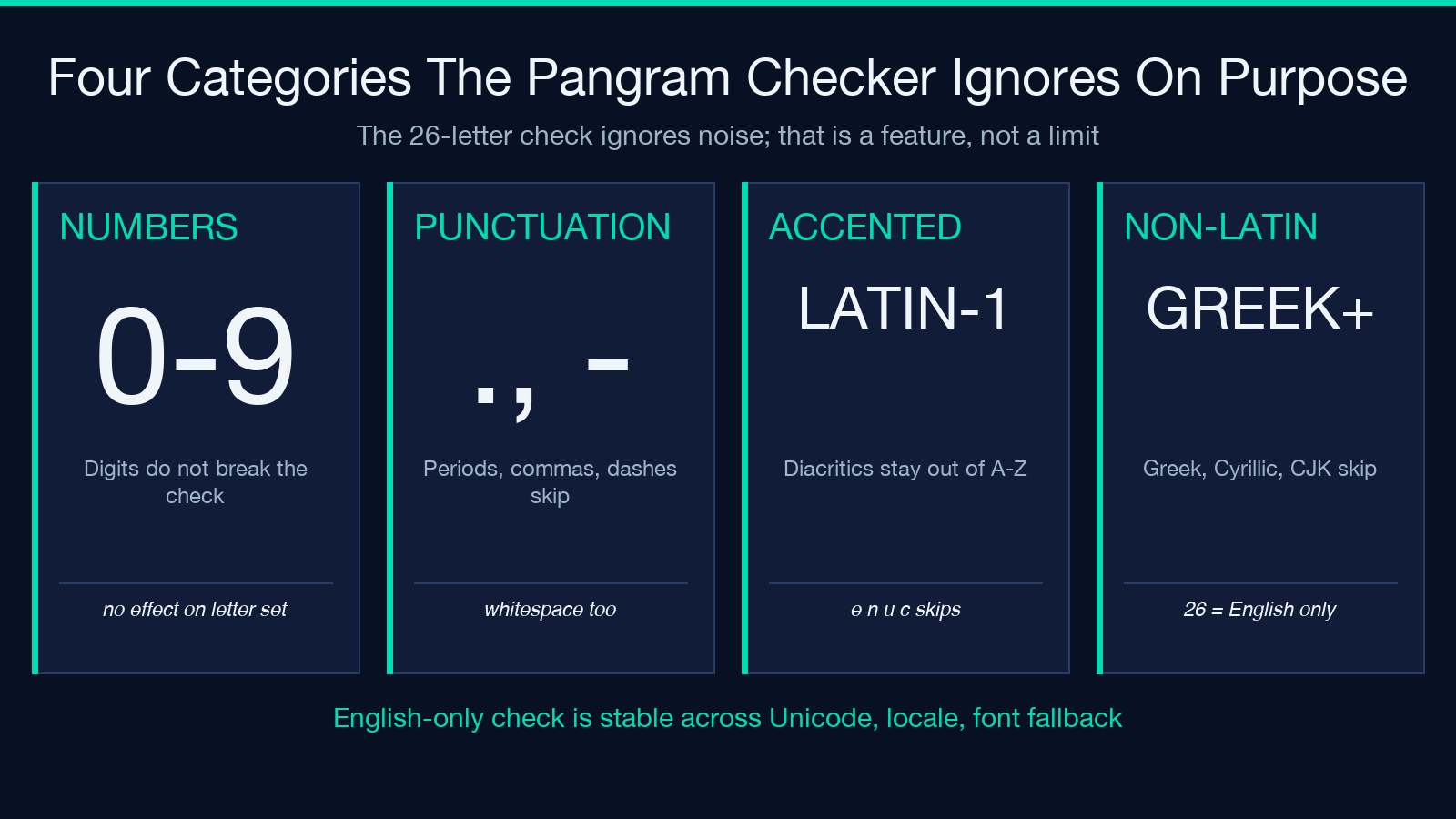
- Numbers (
0–9) - Punctuation (periods, commas, hyphens, em-dashes, smart quotes)
- Whitespace (spaces, tabs, newlines)
- Accented and diacritic letters (
é,ñ,ü,çand friends) - Non-Latin scripts (Cyrillic, Greek, CJK, Arabic, Hebrew)
This is a feature, not a limitation. The 26-letter check is the canonical English pangram problem; everything else is a different question. By restricting the alphabet to A–Z, the tool gives a stable, reproducible answer that does not depend on Unicode normalization, locale, or font fallback. For non-English pangram work — French, German, Spanish, Russian — the canonical challenge is the 26-26-26 problem (a–z, A–Z, 0–9), which is a different tool entirely.
If you need to verify a German pangram (which has to cover ä, ö, ü, ß), paste it in and read the result as “of the 26 ASCII letters A–Z, which are missing?” — a useful partial check, not the full answer.
A repeatable workflow for non-trivial sentences
For one-off checks, a quick eyeball pass plus the tool is enough. For longer sentences, pair the tool with a small workflow:
- Write the candidate sentence.
- Run the Pangram Checker. Capture the missing-letter list and the unique count.
- If the count is 26, ship. You have a pangram.
- If the count is 22–25, patch with one or two words. Add a word that contains the missing letters, keeping the sentence natural.
- If the count is below 22, rewrite. Trying to patch a sentence missing 5+ letters almost always produces an awkward result; a clean rewrite is faster.
- Re-run after every edit. Even small word swaps can drop a previously-present letter (
"quickly"does not havez,"quixotic"does — but only if you keepquixoticinstead of replacing it).
This 6-step loop is what turns a one-off check into a reliable workflow. For high-volume tasks (generating pangrams for a font library), you can drop the loop into a script that calls the underlying check function on every candidate and only surfaces sentences that hit 26 unique letters.
Verdict
The Pangram Checker is the smallest tool that earns its place on every typographer’s desk. It is one input box, one toggle, and a structured answer that tells you the missing letter set, the used letter set, the unique count, and a binary pangram verdict. For one-off checks, it is faster than squinting at the alphabet. For font specimens, cipher keys, classroom worksheets, and typing-tutor fixtures, it is the only sanity check that scales.
If you want a fast answer plus the structured details that turn “is it a pangram?” into an editable workflow, run the Pangram Checker on your next candidate sentence. It takes a few seconds, costs nothing, and the missing-letter list will save you at least one re-read.
Explore more tools at elysiatools.com.
