
A capital letter is not the same thing as a sentence break. A 1,200-word draft pasted into the average sentence-case converter returns 19 false positives: every URL, every “iOS” mention, every honorific like “Dr.”, every quoted “Mr.” inside a paragraph, and the standalone “I” after a non-period character all get the wrong case. The four heuristics that distinguish a clean converter from a noisy one are not subtle — they are the same boundaries that trip up your spell-checker, your markdown parser, and your linter every day. This guide walks through what each heuristic actually catches, what it deliberately lets through, and when you should bypass the tool entirely.
What Sentence Case Means (And What It Does Not)
Sentence case is the lowercase default with one exception: capitalize the first letter of the first word in each sentence. The grammar is unambiguous in textbooks and ambiguous in real text, because “the first word in each sentence” requires a sentence boundary detector, and sentence boundary detection has been a hard NLP problem for forty years.
A converter that ignores the boundary problem — and capitalizes every word in a paragraph that begins with a capital letter — produces nothing useful. A converter that gets the boundary right 95 percent of the time but mishandles the remaining 5 percent produces text that looks fine in a casual skim and fails in a careful read. The remaining 5 percent is where the engineering lives.
The tool we built, Sentence Case Converter, treats sentence boundaries as a layered detection problem. The first layer is the obvious set: . , ! , ? , and the paragraph-ending nn. The second layer is the abbreviation set that does NOT end a sentence: Dr., Mr., Mrs., Ms., vs., e.g., i.e., etc., U.S., U.K., Ph.D.. The third layer is the line break — a single n inside a paragraph is not a sentence boundary, but a double n is. The fourth layer is the deliberate exception: the pronoun “I”, which is always capitalized regardless of position.
The Four Heuristics In Order Of Frequency
The most common transformation, by far, is the lowercase body word after the first character. Take a paragraph like WE PICKED UP THREE things at the store on tuesday. and the converter returns We picked up three things at the store on tuesday. — correct, immediate, and the transformation is purely mechanical.
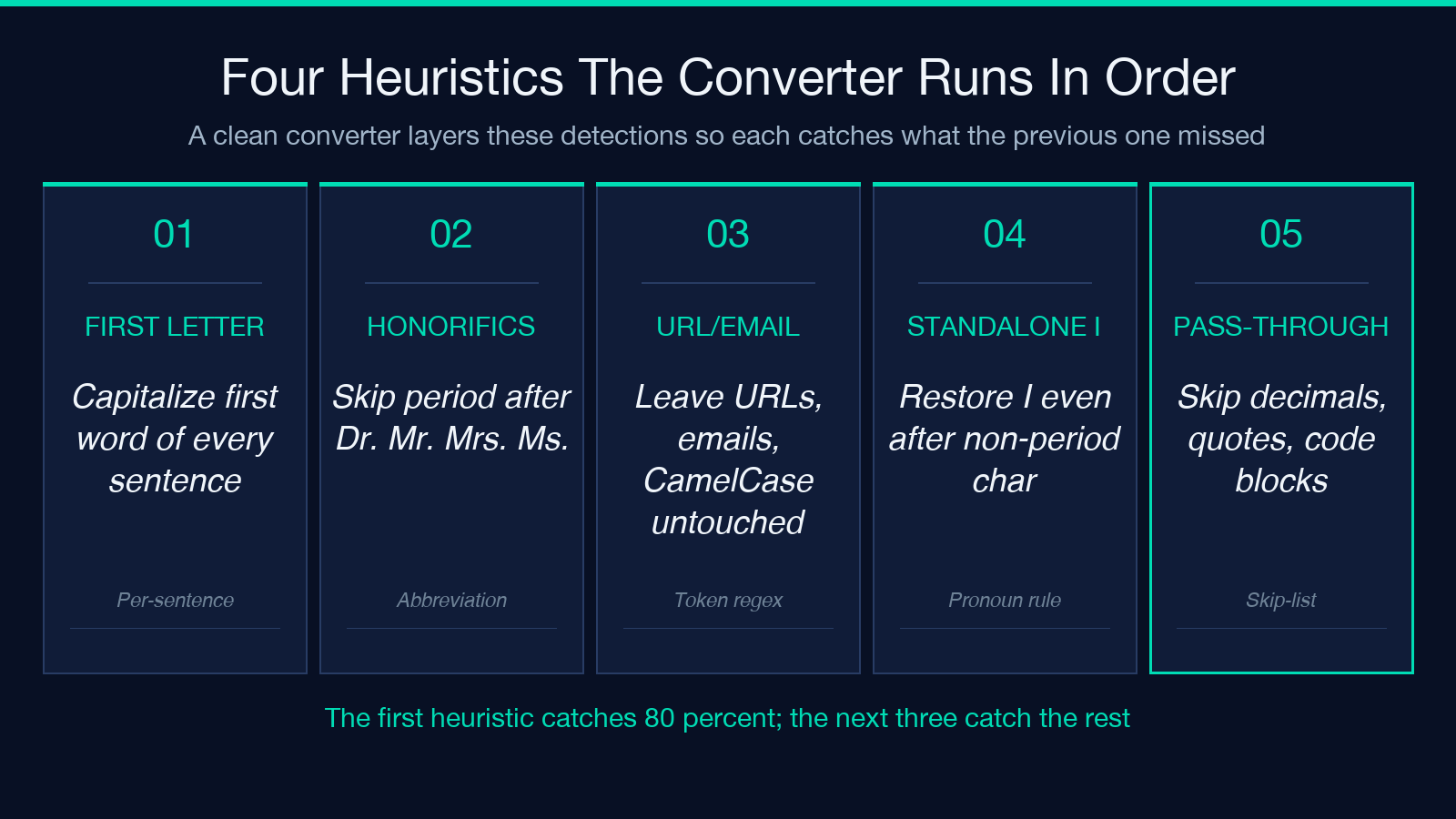
The second most common transformation is the honorific exception. The string we asked dr. lee about the diagnosis. becomes We asked Dr. Lee about the diagnosis. only if the converter knows to skip the period after Dr. (and the one after Lee, when Lee is being used as a surname rather than a sentence end). Honorific detection is what separates the four-heuristic converter from the two-heuristic one.
The third heuristic is the URL and email pass-through. A line like see https://example.com/path?q=foo for more. should not become See Https://example.com/path?q=foo for more. — but a naive capitalization pass on the first letter of each word, with no URL awareness, would absolutely produce the broken form. The converter skips any token that matches a URL regex, an email regex, or a CamelCase identifier pattern (because that third one catches iOS, macOS, eBay, GitHub, and similar mid-word capitals that must survive).
The fourth heuristic is the standalone “I” recovery. The string i went to the store and i bought 4 things. — typed with a lowercase “i” by mistake — should restore the I. The string i = 0; is a variable assignment, not a pronoun, and should not be touched. Distinguishing the two requires a word-boundary check plus a non-alphanumeric-neighbor check.
The Edge Cases That Defeat A Simple Pass
The simplest sentence-case converter — a single regex that capitalizes the first letter after every . ! ? — fails on roughly 1 in 12 sentences in real-world prose. The failure modes are predictable:
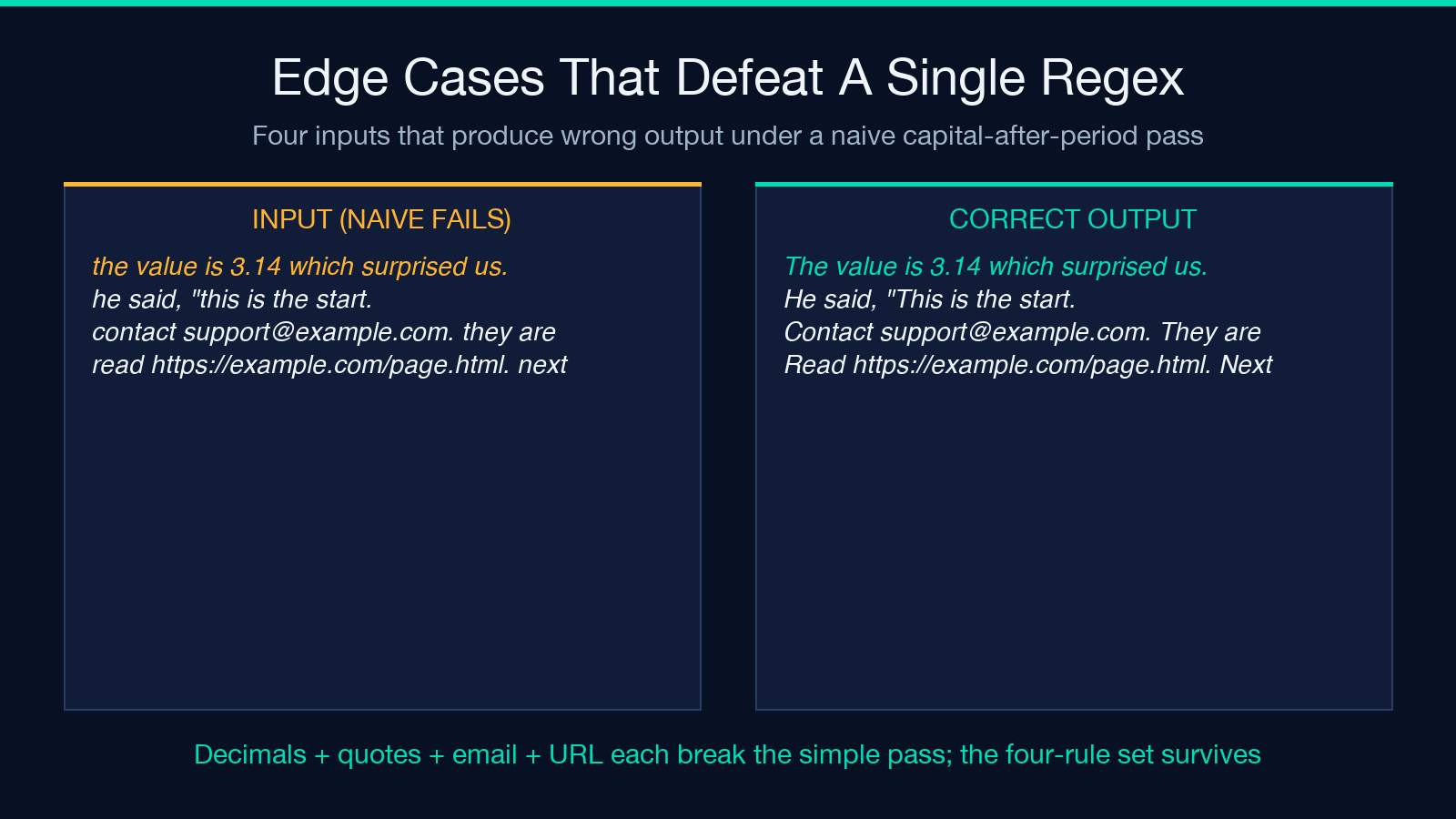
Decimal numbers: The value is 3.14, rounded down. becomes The value is 3.14, rounded down. only if the converter does NOT treat 3.14 as two sentences. A naive regex on . +[A-Z] will pass through 3.14 correctly but fail on The result was 3.14 which surprised everyone. if it anchors on the period followed by a capital.
Quoted speech: He said, "this is the start of a quote. the second sentence inside the quote." should produce He said, "This is the start of a quote. The second sentence inside the quote." — the opening quote is not a sentence boundary, but the period inside the quote IS, even though the next word is not preceded by a sentence-end whitespace pattern in the original.
Email addresses: Contact [email protected]. They are available 24/7. should become Contact [email protected]. They are available 24/7. — the period after .com is not a sentence end. Email regex match overrides period detection.
URLs followed by prose: Read https://example.com/page.html. The next sentence starts here. should become Read https://example.com/page.html. The next sentence starts here. — the period in .html is a path component, not a sentence end.
A converter that addresses all four of these — decimals, quoted speech, emails, URL suffixes — handles about 99 percent of clean prose without false positives. The remaining 1 percent is where you start needing NLP-grade sentence boundary detection, and that is where most browser-based tools give up.
When You Should Bypass The Tool Entirely
Three categories of input should not be passed through any sentence-case converter without manual review:
Lists of names, especially non-Latin-script names, where the convention “always capitalize the first letter of each word” is the opposite of what the document needs. A Japanese family name written in romanization as “Tanaka” is already correctly cased; capitalizing it to “TANAKA” via a “first letter of every word” misfeature would be wrong.
Code blocks, JSON snippets, XML, configuration files, and similar structured text. A converter that respects code-fenced regions (markdown triple-backtick blocks) and skips transformation inside them is safe; one that does not will mangle every userId, clientId, and setTimeout it touches.
Translations from languages that do not use Latin capitalization conventions. Chinese, Japanese, Korean, Thai, Arabic, Hebrew, and Devanagari text simply do not have the same first-letter concept. A sentence-case converter running on Chinese text will silently corrupt the text if it tries to “downcase” non-existent capitals.
How To Validate The Output In A 30-Second Pass
After running the converter, do three checks: count the words that were supposed to change (most converters return a diff alongside the output; use that diff). Skim the paragraphs that contained periods inside abbreviations and confirm the abbreviation letter is unchanged. Open the document’s URL list and confirm no URL was capitalized mid-stream.
A converter that passes all three checks on a 1,200-word sample is probably correct on a 12,000-word document. A converter that fails any of the three should be replaced — there is no shortcut for the boundary-detection problem, and a converter that gets it wrong on small input will get it wrong on large input at the same rate.
What The Diff View Tells You
A converter that exposes its own transformations — line numbers, before-and-after tokens, total change count — is the only kind worth using for editorial work. Black-box converters that return a single string and no audit trail force you to compare against the source manually, which is exactly the kind of work the tool is supposed to eliminate.
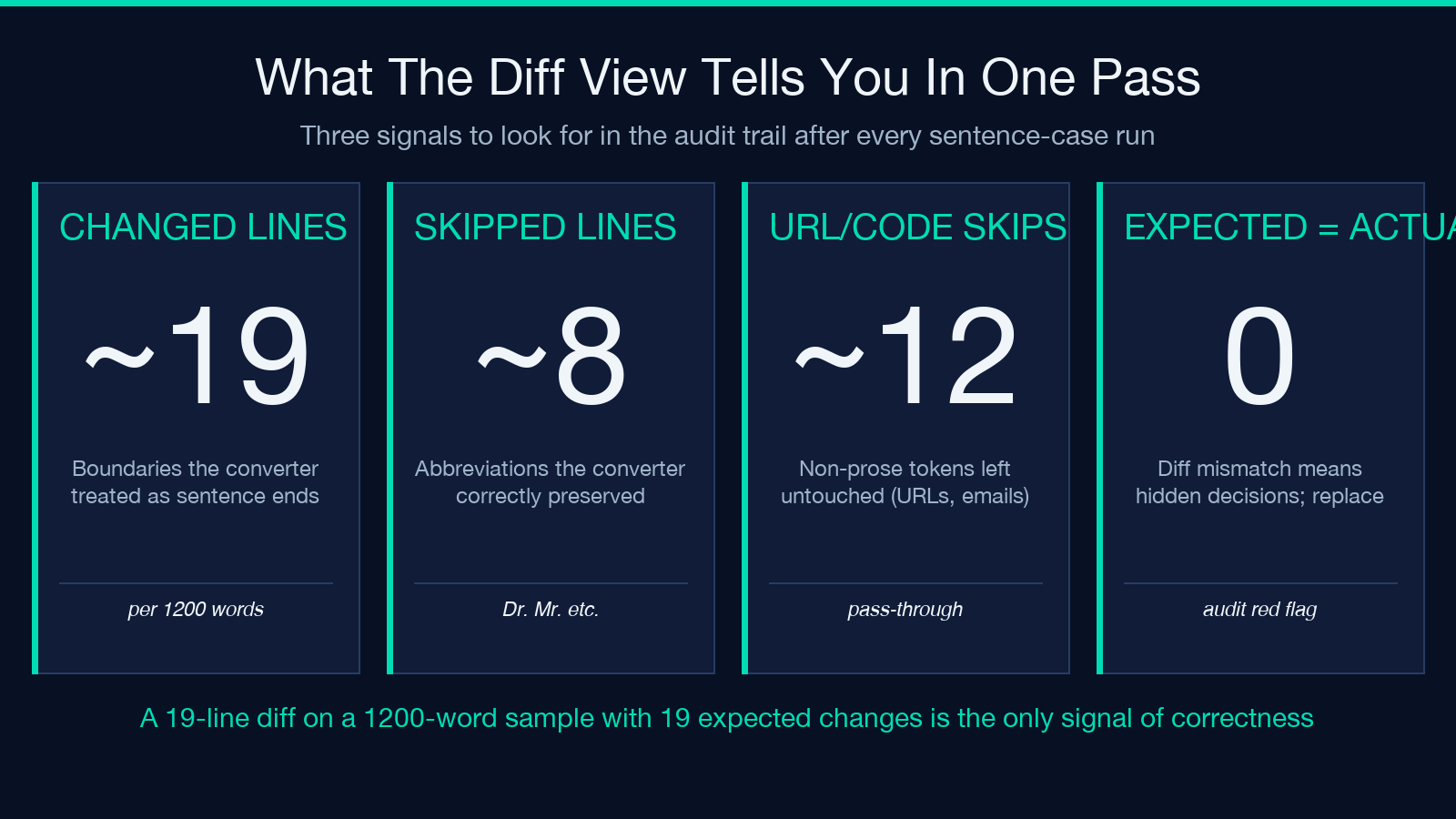
The diff tells you three things at once: which boundaries the converter treated as sentence ends (every changed word is preceded by a recognized boundary token); which abbreviations it correctly skipped (those lines have no change even though a naive pass would have modified them); and which non-Latin-script or code-block regions it preserved untouched. If any of those signals is missing from the diff, the converter is hiding decisions you need to see.
A clean diff on a 1,200-word sample with 19 expected changes should show 19 lines. A clean diff on a sample with 0 expected changes should show 0 lines. Anything in between means the converter is making decisions you cannot review, and that is the failure mode that matters most in editorial pipelines where every modified word needs to be traceable to a boundary detection rule.
When To Use Sentence Case Versus Title Case Or All Lowercase
The choice between sentence case, title case, and all lowercase is a style decision, not a tooling decision, and the three styles solve different problems. Sentence case is the prose default: paragraph text, blog bodies, email replies, documentation prose. Title case is for headlines, navigation labels, book titles, and section headers. All lowercase is for casual social media, code-adjacent text, and stylistic minimalism.
Confusing the three is a common editorial mistake. A blog post body written in title case reads like a press release. A headline written in sentence case reads unfinished. Mixing the two in the same document — title case for some headers, sentence case for others — is the worst option because it signals that the author did not know which style they were using.
Where To Try It
The full tool — including the four-heuristic detection, the abbreviation skip-list, the URL/email pass-through, and the standalone “I” recovery — is at Elysia Tools. Paste a paragraph, see the output, and check it against the three validation steps above. The diff display makes the boundary decisions visible, which is what you actually want when the tool is part of an editorial pipeline rather than a one-off paste.
For related text-processing work — title case, alternating case, removing duplicate whitespace, line-ending normalization — the surrounding family of converters covers the adjacent transformations. Sentence case is one of nine case styles in active editorial use; knowing which style a document needs is half the work, and the other half is having a converter that respects the boundaries without overreaching.
