
A single hex value is not a design system. A primary color plus a hand-tuned ladder of forty-three tones, every step reachable from the brand step in two clicks, every text on background pairing pre-checked for AA contrast — that is a design system. The Color Token Cascade Generator collapses the gap between picking one hex and shipping a token cascade that designers and frontend repos can both consume.
Why a single hex collapses when the second screen appears
Most teams keep their color palette in a Figma frame or a one-line --primary CSS variable. That works for the home page. The moment the second screen needs a muted text color, a hover state, and a soft surface tint, the engineer opens the design file, eyeballs a hex close to the brand, and writes a third variable. By the third screen there are seven hand-picked shades of blue, none of them derived from a known base, all of them slightly different in saturation. Auditing the system for accessibility takes a separate spreadsheet. Handing it to a second team takes a separate Slack thread.
A cascade does the derivation in code: one primary hex becomes a 10-step ladder (50, 100, 200, …, 900), the accent strategy produces a second ladder with a known hue relationship, and an optional neutral ladder covers text, surface, and border tokens. Every pair you would actually use has a contrast number next to it. You can paste the resulting CSS variables and Style Dictionary JSON directly into a Tailwind theme, a Material UI palette, or a custom design-token package.
What the three input controls actually decide
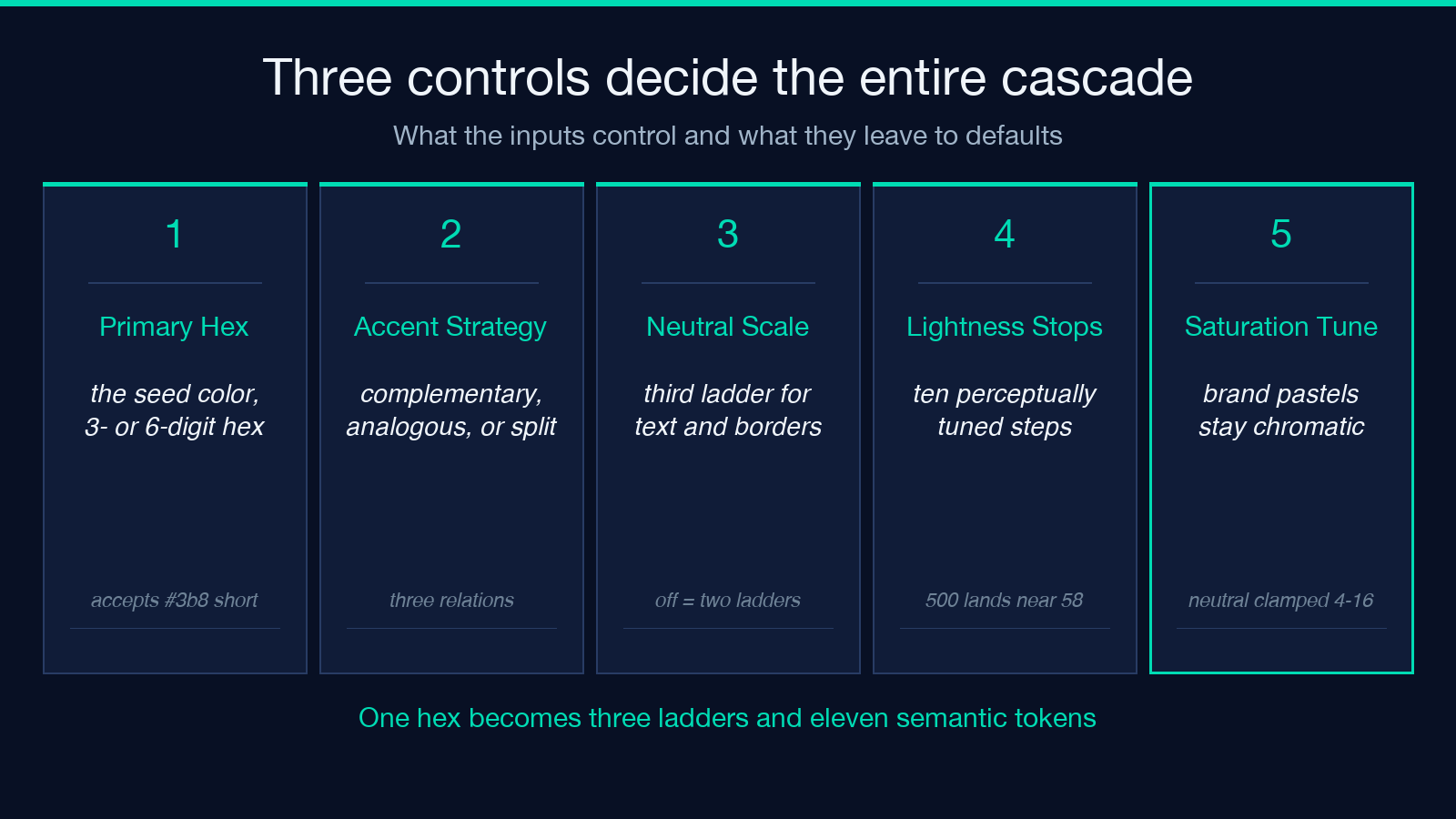
The tool asks for three things and decides everything else.
Primary Hex is the seed color. It accepts three-digit shorthand (#3b8) or six-digit (#3b82f6) hex, with or without the leading hash. Internally the generator normalizes to lowercase six-digit and parses it into RGB and HSL. Pastel pinks, near-black navy, even slightly out-of-gamut CMYK-derived blues work as long as the input parses.
Accent Strategy controls how the supporting hue is derived from the primary. Three options are chosen — complementary (180° hue shift), analogous (28° shift for a calm, related accent), and split-complementary (150° shift for a slightly off-axis accent that still reads as paired). The default is complementary; a UI kit that needs to feel calm usually wants analogous.
Include Neutral Scale toggles a third ladder — a low-saturation scale anchored at the same hue as the primary, used for text, surface, and border tokens. Most design systems include it. Toggling it off shrinks the output to two ladders and a handful of derived semantic tokens.
Together the three inputs answer every question a designer asks when a color system is missing: where does accent come from, where does text-muted come from, where does the border color come from. The answers come from the seed color and a known rule, not from individual decisions per shade.
What the cascade looks like in the output
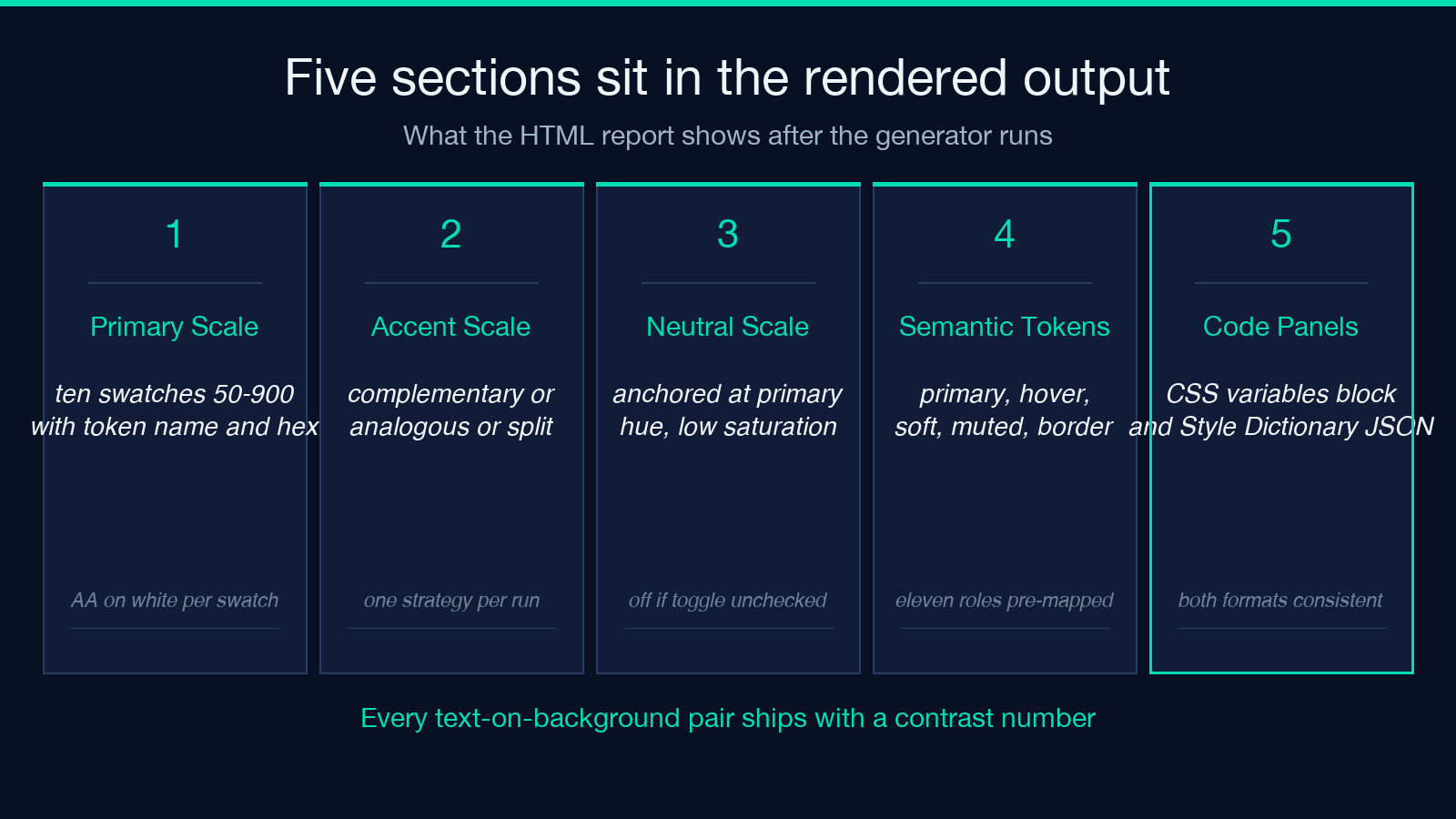
The tool returns an HTML report that renders three sections plus two code panels. Open the page and you get one primary-50 swatch through primary-900, an accent ladder of the same ten steps, and — if the neutral toggle is on — a neutral ladder anchored at the same hue as the primary. Each swatch has the token name, the hex value, and two pre-computed contrast ratios: AA on white, AA on black. The contrast numbers are computed from the actual rendered RGB, not from a named approximation, so AA on black: 1.07 and AA on white: 18.4 are real and actionable.
Below the swatches sit eleven semantic tokens — primary, primary-hover, primary-soft, accent, accent-soft, text-primary, text-muted, bg-canvas, bg-surface, border-subtle, border-strong. The semantics are not arbitrary: primary is the 500 step, primary-hover is 600, primary-soft is 100. Anyone reading the cascade can predict what step each semantic maps to without consulting a separate key.
The two code panels output the cascade in the two formats that ship most often. CSS Variables renders :root { --primary-50: #eff6ff; --primary-100: #dbeafe; … } — paste into any global stylesheet and every consumer can reference the ladder by step. Style Dictionary JSON renders the same ladder nested as color.primary.50, color.primary.100, etc., plus a color.semantic block keyed by snake_case, ready for an npm install style-dictionary pipeline.
How the math decides which step gets which lightness
The 10-step ladder is not evenly distributed. A naïve linear ramp from white to the brand hex puts too many indistinguishable pastels at the top and a single dark step at the bottom — Material Design and Tailwind both use perceptually-tuned stops to avoid that. The generator uses lightness stops at 97, 94, 88, 80, 70, 58, 48, 38, 28, 18 (mapped to the 50 → 900 indices). Step 500 lands near the original hue at 58% lightness — that is the brand step. Step 900 lands at 18%, deep enough for high-contrast text on a light surface. Step 50 lands at 97%, light enough for a soft surface tint without bleaching to white.
Saturation is also tuned per step. Brand ladders pull saturation from the input and lift the lightest steps (+12 for 50-200) so the pastels stay chromatically alive instead of going gray. Neutral ladders clamp saturation between 4% and 16% with a gentle taper toward the dark steps so the neutral ladder reads as grayscale-with-a-hint-of-warmth, which is what most modern UI kits want.
The result: a cascade that feels intentional, not generated. The brand step matches the input. The 50 step is a recognizable tint of the same color. The 900 step is a recognizable shade. Nothing in the middle feels random.
When to use complementary, when to use analogous
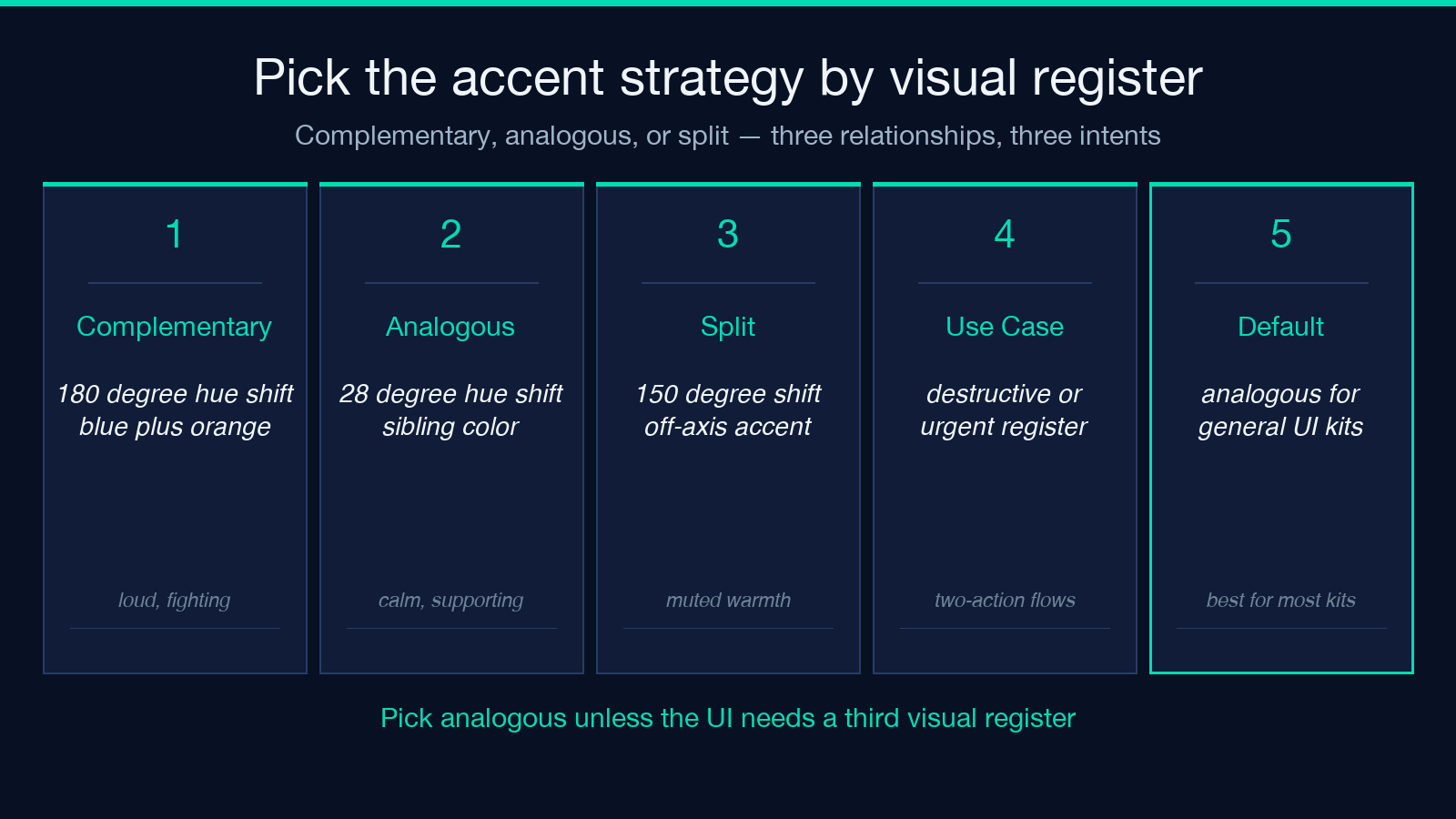
Complementary accents sit 180° opposite the primary on the color wheel. They are loud — a blue primary paired with an orange accent will fight for attention on every button. Use them when the UI genuinely needs two competing colors: a destructive action in a brand-blue interface, a success state that needs to read as separate from the primary action.
Analogous accents sit 28° from the primary. They feel like a sibling color — a blue primary paired with a violet-leaning blue accent. Use them when the second color needs to support the first without dominating: a secondary button, an alternate navigation tint, a tag color for a related category.
Split-complementary accents sit 150° from the primary. They feel like a complementary accent that has been muted — a blue primary paired with a warm yellow-orange instead of a full orange. Use them when the UI needs a third visual register for warnings or highlights without the full force of a complementary clash.
A clean rule of thumb: pick analogous for general-purpose UI kits, complementary only for specific two-action flows, split-complementary when the UI needs to signal urgency or warmth without screaming.
Why semantic tokens beat raw step numbers
primary-500 is a coordinate. primary is a role. The token ladder is the raw material — useful for gradients, for borders that need to match a specific step, for states that interpolate. The semantic tokens are what the codebase should consume. Writing color: var(--text-primary) survives a redesign; writing color: var(--primary-900) ties the text color to a specific step that the next designer might shift to 800.
The cascade generator outputs eleven semantic tokens by default. bg-canvas and bg-surface are both light backgrounds — bg-canvas is the page background, bg-surface is the panel background, and they differ slightly so a card on a page has visible separation without an explicit border. border-subtle and border-strong give two register levels for dividers. text-primary and text-muted are the two text colors most UIs need — if a third is required, derive it from the same ladder and add it as a custom semantic.
Mapping a design system to a code system is the hard part of any color system. The cascade ships the mapping pre-baked, so the developer does not have to reverse-engineer which step becomes which role.
What the output looks like in the tool
Open the page at Elysia Tools Color Token Cascade Generator. Paste #3b82f6, choose Complementary, leave Include Neutral Scale on, and submit. The result page renders the three ladders, the eleven semantic tokens, and the two code panels in a single document. Copy the CSS Variables block into a :root stylesheet; copy the Style Dictionary JSON into tokens/color.json; the two outputs are consistent across both formats.
For a worked walkthrough with rendered swatches and pre-computed contrast annotations, the Color Token Cascade Generator result page pins the primary at #3b82f6, pairs it with a complementary accent, and shows the full ladder — the kind of artifact you would attach to a design system RFC.
Where the cascade fits alongside the rest of your design pipeline
The cascade is not a finished design system — it is a starting cascade. The CSS variables go into a stylesheet, the Style Dictionary JSON goes into a build pipeline, the semantic tokens map to component props. The hand-off steps that come next are still yours to make: naming the tokens in your codebase, deciding which components consume which semantic, picking a contrast standard beyond AA for accessibility-critical flows. The cascade takes the part that is mechanical — picking forty-three hex values and checking which one looks good on which background — out of the loop. The part that is judgment stays.
For teams shipping a greenfield UI kit, the cascade replaces a Figma frame that drifts. For teams adding a second brand color to an existing system, the cascade anchors the new color in the same step rules the old one follows. For teams converting an existing palette to CSS variables, the cascade is a generator, not a verifier — paste each existing shade as the seed and check that the resulting ladder includes the existing color near its expected step.
A design system is the rule that decides which token to reach for, not the list of tokens. The cascade generator encodes the rule for forty-three tones from a single hex. The rule, the list, and the hand-off artifact all ship together.
Explore more tools at elysiatools.com.
