
Five page-range patterns beat one default split mode. When fifty mixed reports hit your queue at the same time and every file wants different pages, hard-coding “split into single pages” produces a ZIP you’ll spend more time sorting than the source PDFs cost you to begin with. The patterns below are the ones that survive a real triage: range windows, mode-specific pages, alternating strips, and a few you only learn after burning yourself on them once.
This is a field guide to PDF Batch Split on Elysia Tools — what each split mode actually produces, the five range patterns that map onto real triage work, and the trade-offs nobody puts on the tin label.
What “batch split” actually means
A single-PDF splitter takes one file and emits page chunks. A batch splitter takes N files and emits N×k page chunks packed into a ZIP, where every input gets the same rule. The “rule” is the lever, and the lever is a single string of page ranges that gets evaluated independently against each PDF.
The default mode on most tools is “every page becomes its own file.” That is the right answer for one PDF where you don’t know what you want, and the wrong answer for forty invoices where only the cover matters. The tool surface here is small but the strategy isn’t — the strategy is which range string to feed in for which kind of corpus.
You can see the canonical mode picker at PDF Batch Split — single-page toggle, custom range field with 1-3, 4-6, 9 syntax, multi-file upload up to ten PDFs at ten megabytes each. Everything below maps to one of those three controls.
Five range patterns that map onto real triage
These are not academic. They are the five patterns that show up across the support traffic when people batch-split mixed reports, contracts, and scanned books.
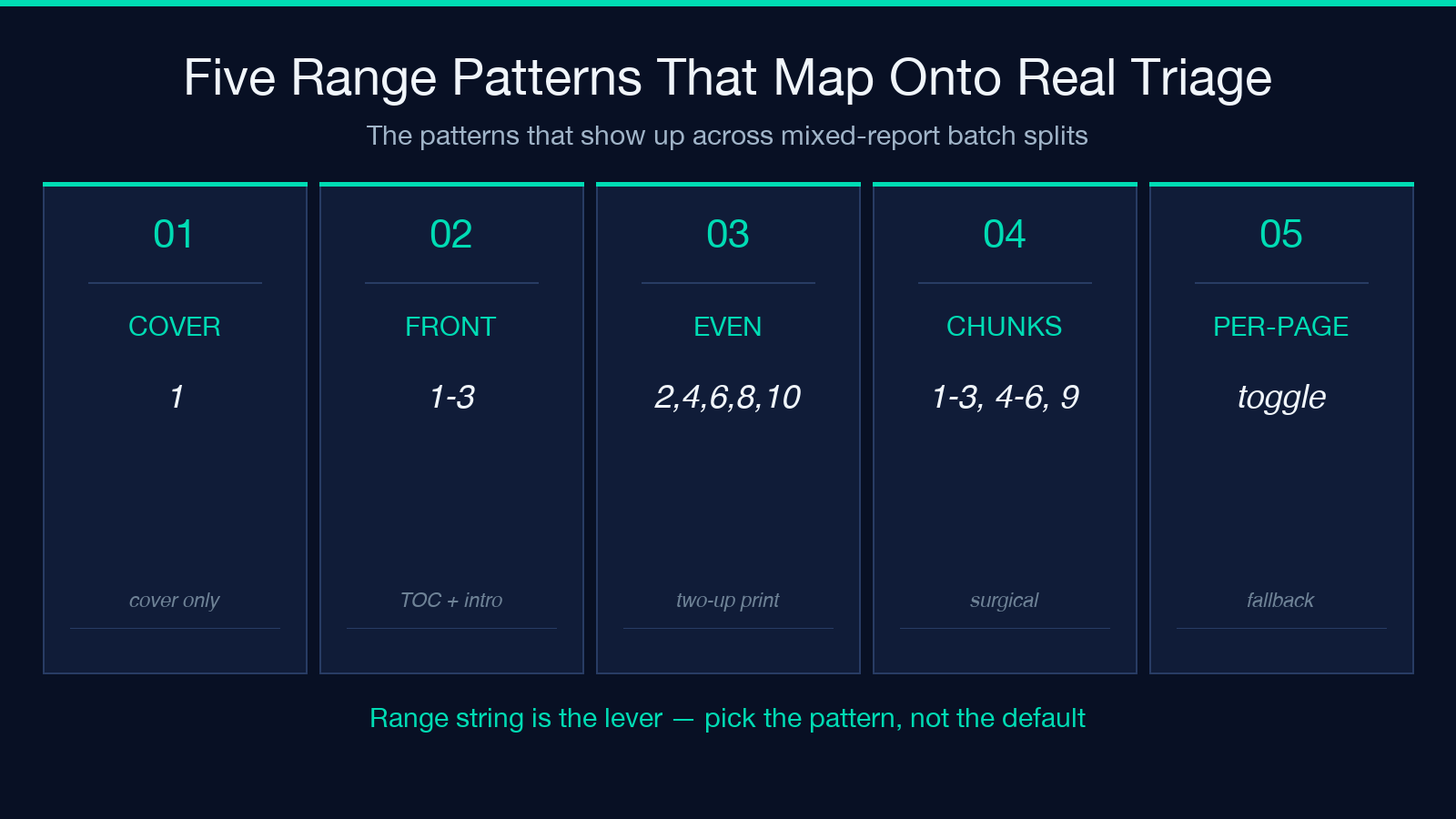
Pattern 1 — Cover only. 1 alone. Useful for sending an attorney the first page of fifty contracts without sending the contracts themselves. The ZIP ends up small, the review cycle ends up fast.
Pattern 2 — Front matter. 1-3. Title page, table of contents, abstract. For theses and reports this is the part reviewers actually read first; the rest is appendix territory. Sending just 1-3 from fifty PDFs gives the reviewer fifty three-page documents instead of fifty full reports.
Pattern 3 — Even pages only. 2,4,6,8,10 (or the equivalent range). Not a built-in mode — you enumerate them. Use this when you’re auditing two-up printouts and the body lives on the right-hand (even) page; the left-hand (odd) page is bleed-through and header chrome.
Pattern 4 — Specific chunks. 1-3, 4-6, 9 is the documented syntax. Three ranges, skip page 7 and 8, pick up page 9 standalone. This is the surgical pattern. It is the one you reach for when you already know which pages matter and you do not want the rest.
Pattern 5 — Single-page mode. Toggle instead of range. Every page becomes its own PDF. This is the right answer when you cannot predict what you’ll need next and you want every page addressable. The cost is volume: fifty ten-page PDFs becomes five hundred single-page PDFs in the ZIP, and you need to triage the ZIP itself before you triage the pages.
How range strings get parsed
The expression 1-3, 4-6, 9 is a comma-separated list of ranges and singletons. Spaces are tolerated; tabs are not. Empty segments (1-3,,4-6) are skipped silently — they do not raise an error and they do not become page 0. Out-of-range references silently truncate to the last page of each PDF; this is the single biggest source of “where did my last chapter go” tickets.
Order in the output ZIP matches the order of input files, not the order of pages within a range. If you upload report-q4.pdf and report-q3.pdf, you get two subfolders or two prefixed chunks — but you do not get q3 then q4 unless you ordered them that way. Renaming the inputs in advance saves you from renaming the outputs later.
If a PDF is shorter than the range you specified, the tool splits what exists and ignores the rest. There is no error and no warning. If you depend on “every PDF must be at least N pages,” validate that upstream — the splitter will not catch it for you.
Single-page mode when you don’t know what you want
The single-page toggle is the mode you fall back to when the corpus is too heterogeneous to pre-plan. A 47-page report that turned out to be 60% boilerplate, a 12-page contract where every page is a unique form, a 200-page scan where page 47 is the one you need — single-page mode handles all three without a custom range string.
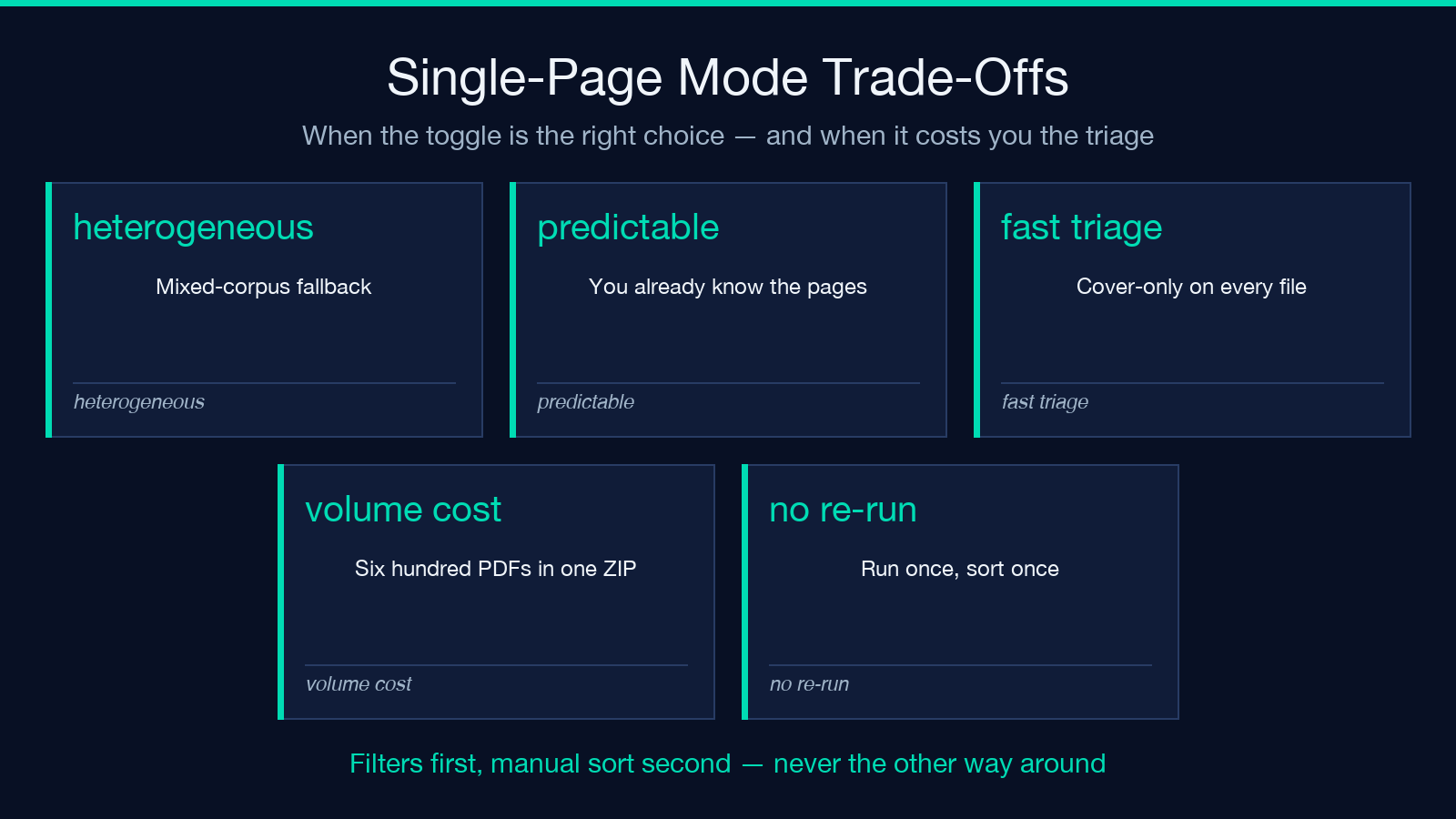
The cost is structural. Single-page mode on a corpus of fifty files with an average of twelve pages each emits six hundred PDFs. The ZIP is manageable but the triage step afterwards is not — you’ll be dragging six hundred files into folders, and folder strategy becomes the bottleneck.
A useful trick: keep single-page mode as the fallback, not the default. If you can describe what you want in ranges, use ranges. If you cannot, switch to single-page mode and accept the triage cost. The pattern is the same as email triage — filters first, manual sort second, never the other way around.
The ZIP packaging detail nobody mentions
Every batch split job, regardless of mode, lands as a single ZIP. The ZIP has one folder per input file, prefixed with the original filename. So report-q3.pdf produces a report-q3/ folder containing the page chunks, and report-q4.pdf produces a report-q4/ folder. The chunks inside each folder follow the pattern {originalname}_p001.pdf, {originalname}_p002.pdf, or for range chunks, {originalname}_pages_1-3.pdf.
This means you can hand the ZIP to someone with a README that says “look in report-q3/ for the chapter splits” and they can navigate without a generated index. The naming convention is stable across runs — same input filename, same folder name, same chunk pattern — so if you re-run with a slightly different range string, the new chunks land in the same folders and the old chunks get overwritten by ZIP re-extraction.
It also means the tool pairs well with adjacent utilities on Elysia Tools: after splitting, you can pass each chunk to PDF Batch Compress for downsampling, or merge the result back into a single PDF if your review step needs a unified view. The batch layer is the structural advantage — split and compress in two passes rather than splitting every PDF individually.
Four edge cases the range string does not handle
Four patterns that look like they should work but won’t.
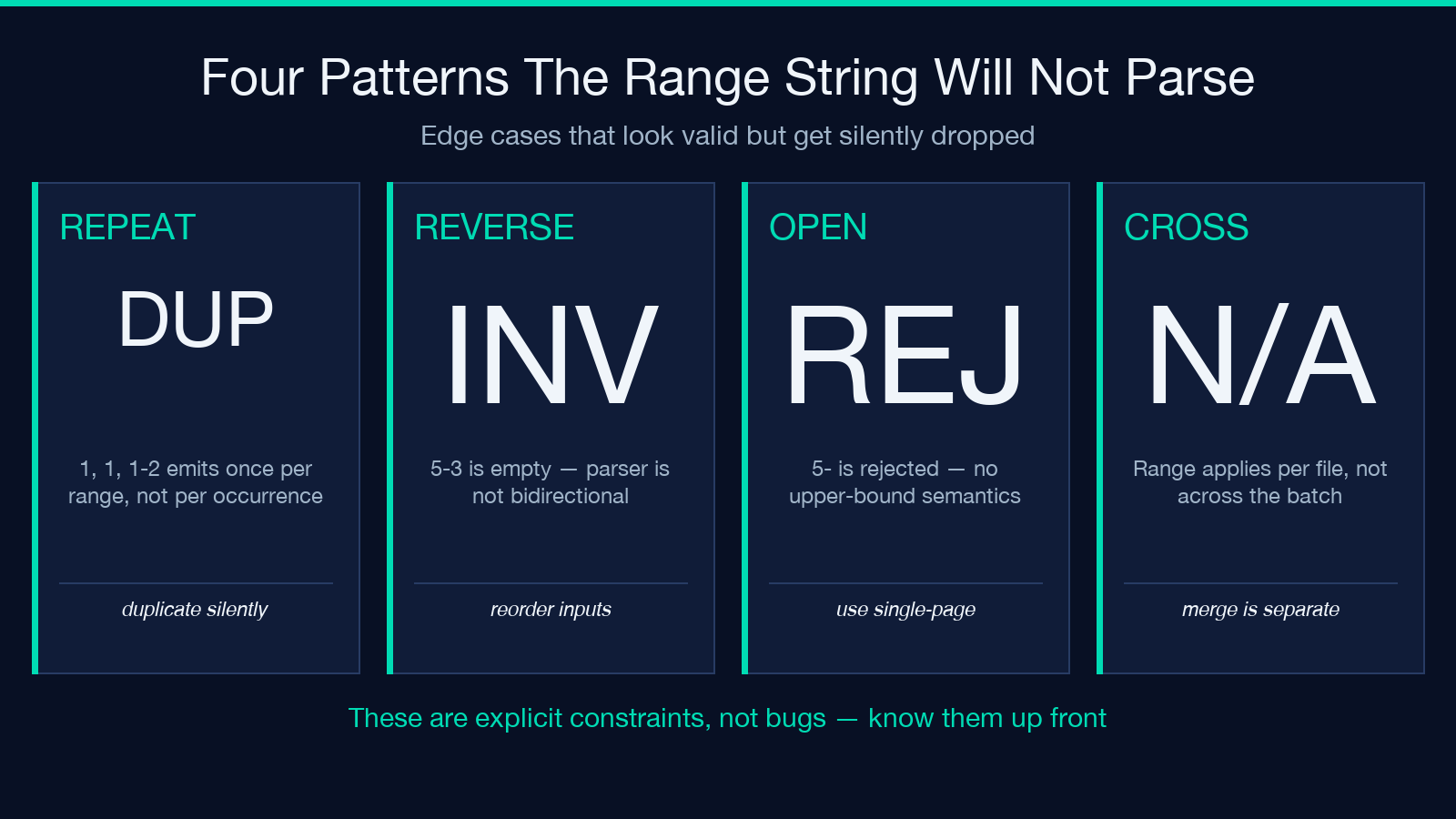
Repeated pages. 1, 1, 1-2 is treated as a duplicate and may emit one chunk per page range, depending on deduplication. If you want the cover three times for three reviewers, run the split three times or duplicate the output ZIP.
Reverse ranges. 5-3 is treated as empty or invalid, not “pages 5, 4, 3.” The parser is not bidirectional. If you need reverse order, you reorder the inputs or post-process.
Open-ended ranges. 5- (dash with no upper bound) is rejected in the documented syntax. The closest equivalent is single-page mode with an explicit page-set trimmed afterwards. There is no 5- semantics in this tool’s parser.
Cross-file range. The range string applies per-file, not across the batch. You cannot write 1-50 to mean “page 1 of file A through page 50 of file B.” The pattern is always 1-50 within each file. Cross-file concatenation is a separate merge step, not a split step.
These are not bugs — they are explicit constraints. Knowing them in advance saves the support ticket.
When batch split is the wrong tool
Batch split assumes each PDF in the corpus gets the same rule. If every PDF wants different pages — different rules per file — you are looking at a per-file workflow, not a batch one. Run them through a single-PDF splitter one at a time and skip the batch layer entirely. The batch layer is for uniform rules across homogeneous-shaped inputs.
If the PDFs vary in page count wildly and you do not know what each one needs, single-page mode is the right batch mode but the wrong end-state. After splitting, triage the ZIP, then re-batch with the per-folder ranges you actually wanted. Two passes is faster than trying to predict the per-file rule from the start.
If you do not need the ZIP packaging at all — if you are working with one PDF and want chunks — use a non-batch PDF splitter. Batch split is overkill; you pay the ZIP overhead for no reason.
Closing
Five range patterns, one toggle, one ZIP. That is the whole surface. The discipline is in choosing the right range string before you upload, and in tolerating the triage cost when single-page mode is the only honest answer.
If you are about to hit batch split on a corpus you have never seen before, start with 1 on one file to confirm the page count is what you expected, then scale to the full batch. Two minutes of pre-flight saves the forty-minute “why is page 47 missing” recovery.
More pattern-focused PDF utilities live on Elysia Tools — split, compress, merge, and the page-level utilities that pair with the batch layer.
This article is part of the Elysia Tools field guide series. Each guide pairs one tool with the workflow problems it actually solves.
