
JSONPath is what grep -o would have been if JSON had been the dominant payload format in 1974. A 200-line API response lands in your terminal, you need three fields out of it, and a junior engineer will spend six minutes scrolling and a senior engineer will spend one minute writing a regex that breaks the moment the response shape changes. JSONPath is the third path: declarative, indexed, and just expressive enough to outlive the test fixture it was first written against.
This field guide walks through how JSON Path Extractor treats a JSON document as a queryable tree, the four expression shapes that cover roughly ninety percent of real queries, and the failure modes that turn a one-line answer into a forty-minute Slack thread.
What JSONPath Actually Is
JSONPath is to JSON what XPath was to XML: a path-expression grammar that addresses nodes by position, predicate, and recursive descent. The canonical syntax was Stefan Gössner’s 2007 article and has since fragmented into several dialects, all sharing the same core operators:
– $ — root node – .field or ['field'] — child access – [N] — array index – [*] or .. — wildcard and recursive descent – [?(expr)] — filter expression
JSON Path Extractor accepts JSONPath plus a JMESPath-style variant where you write users[?role == 'admin'].name instead of $.users[?(@.role == 'admin')].name. Both work; the rest of this guide uses JSONPath because the @ marker shows up in almost every reference doc you’ll find by googling.
A query returns one of three things: a single value, an array of values, or the empty array. There is no null on a clean miss — the extractor returns [] so your downstream pipeline can branch on length rather than on type confusion.
The Four Expressions That Cover Most Workloads
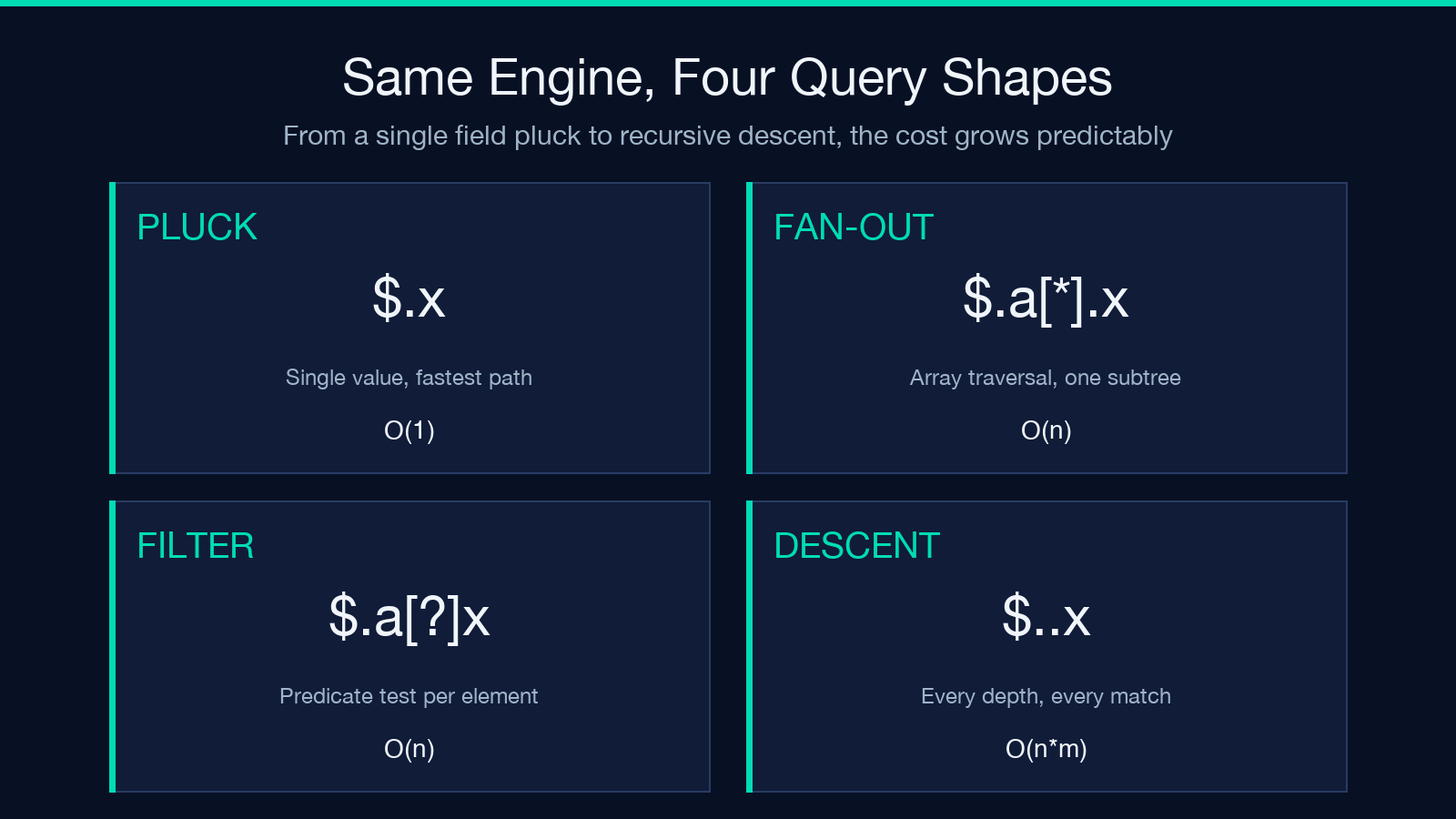
Most production JSON is shaped like one of four templates, and once you know which template you’re looking at, the query is mechanical.
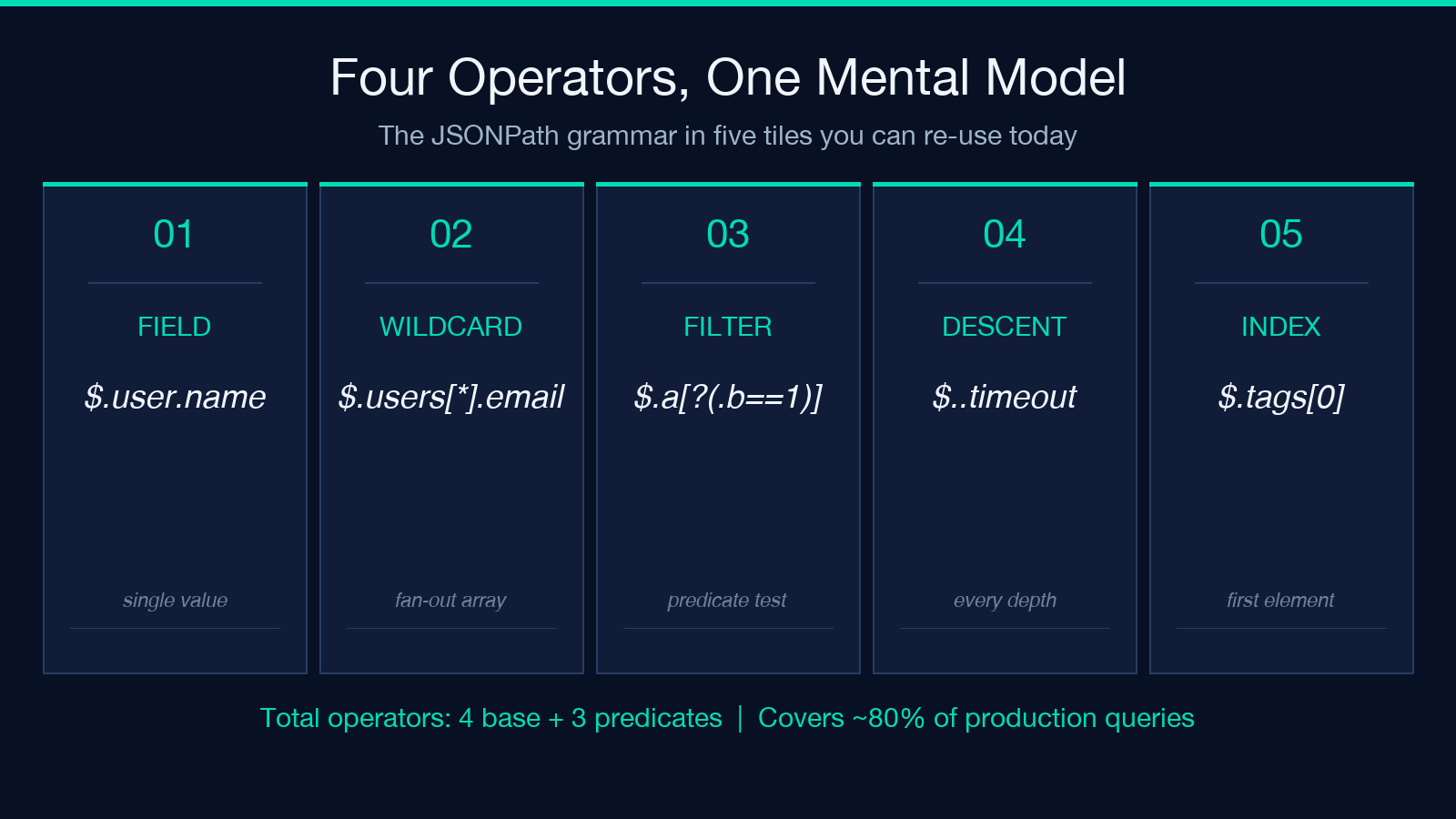
Field pluck on an object. Given {"user": {"name": "Ada", "role": "admin"}}, the expression $.user.name returns "Ada". This is the simplest case and the most common one for log triage — you have an event stream and you want one field per event.
Wildcard fan-out. Given {"users": [{"name": "Ada"}, {"name": "Bo"}]}, $.users[].name returns ["Ada", "Bo"]. The [] is the workhorse of any dashboard query: it tells the extractor “give me this field from every element of this array, no questions asked.”
Filter by predicate. Given the same array, $.users[?(@.role == 'admin')].name returns just "Ada". The [?...] block is a JS-like expression where @ refers to the current array element. This is where JSONPath starts to feel like SQL.
Recursive descent. Given a nested config object, $..timeout returns every value of every field named timeout at any depth. This is the operator that turns “search the whole document” from a hand-written loop into a one-liner.
Reading the Output Without Misreading It
The extractor returns matched values inline against the original document with the matched paths highlighted. This is the feature that separates it from a CLI like jq, which prints only the result and forces you to mentally re-anchor against the source.
A common failure mode: an engineer runs $.users[].email, gets [], and concludes the JSON has no users. The actual cause is usually that the field is named emails (plural, an array), or that the path is $.data.users[].email and the response has a top-level data wrapper they forgot about. The highlight-on-source view makes this trivial to debug — you see immediately that the path never touched the right subtree.
For pipelines, treat the return shape as a contract. If you expect a single string and you get an array, you had a wild card in your expression somewhere. If you expect an array and you get a string, you had a single-element array and the extractor flattened it for you — also valid.
When JSONPath Stops Being the Right Tool
JSONPath is great at reading values. It is bad at three things:
Mutation. JSONPath is read-only. If you need to rewrite a field across an array, you want a small Python or JavaScript snippet, not a path expression. The mental model is “find what I need,” not “transform what I find.”
Aggregation. sum(), avg(), count() are not built in. JMESPath has length(), but the JSONPath grammar does not. For aggregations, pipe the extracted array into your data tool of choice.
Schema validation. JSONPath can tell you “does this path exist” but not “does this object match the OpenAPI schema.” For that, use a validator like JSON Schema Validator or the language-native validator in your runtime.
If your query is “find this field, everywhere,” JSONPath wins. If your query is “transform this array,” reach for code.
Performance on Large Documents
The extractor streams the JSON parse once, then evaluates each expression in order against the parsed AST. For documents under one megabyte, query latency is dominated by JSON parsing, not expression evaluation — so adding five more expressions to the same input is essentially free.
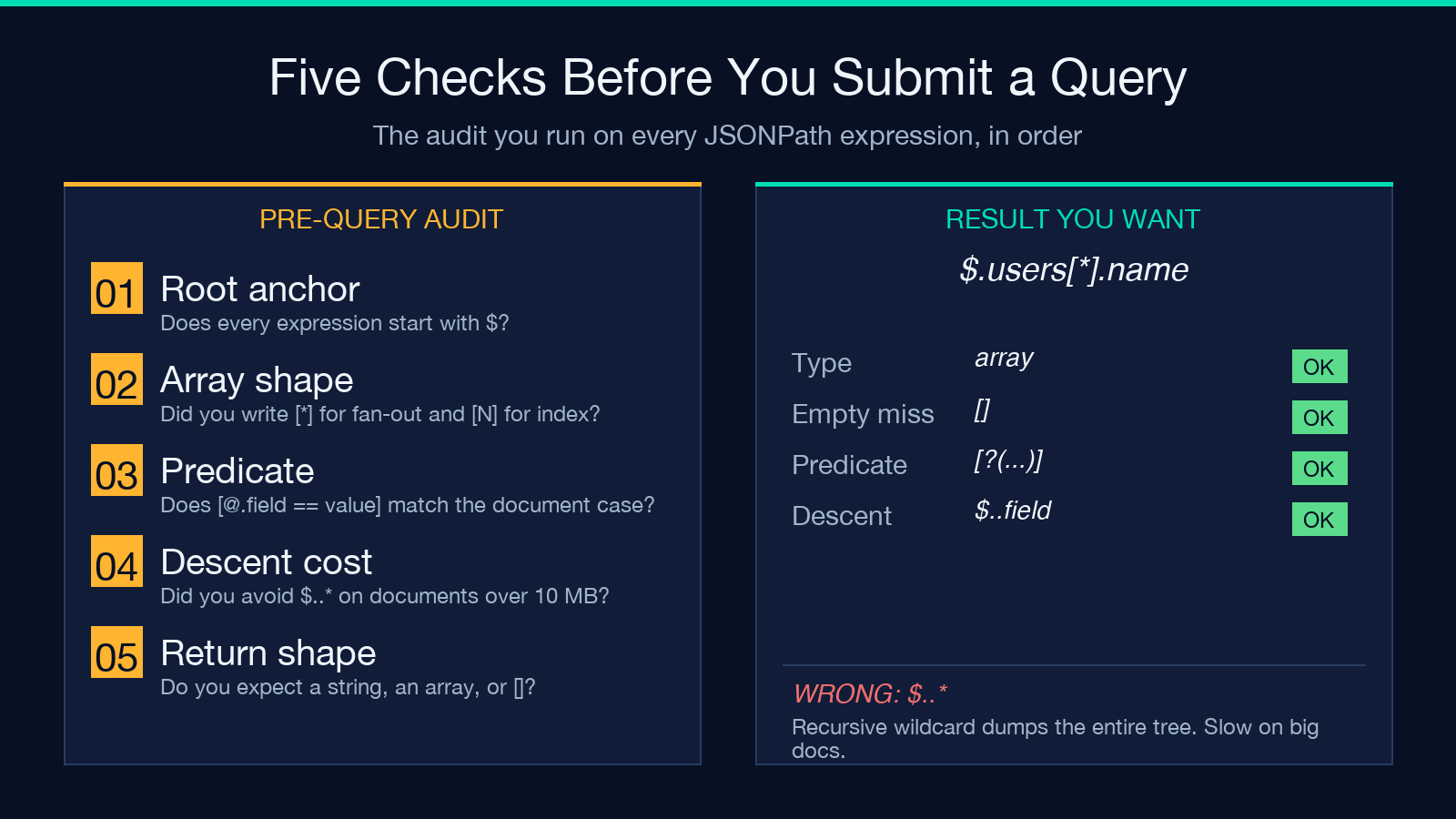
For documents in the ten-to-hundred-megabyte range, the bottleneck shifts. Recursive descent on a deeply nested structure allocates intermediate arrays at every depth. If you find yourself writing $..* to “just dump everything,” write the specific paths you actually need. Each wildcard on a recursive descent doubles or triples the intermediate allocation count.
For documents over a hundred megabytes, use a streaming JSON parser. JSONPath operates on an in-memory tree, and the tree for a hundred-megabyte document is roughly four times the document size after parsing. The extractor is not designed for that scale, and that is fine — that scale is not what the tool was built for.
Common Query Patterns Worth Memorizing
A handful of patterns show up over and over:
– $.field — single value – $.array[*] — every element of an array – $.array[N] — element at index N – $.array[?(@.field == 'value')] — filtered array – $.array[-1] — last element – $..field — every value of field at any depth – $..[?(@.field)] — every object that has the named field
These seven cover roughly eighty percent of the queries you’ll ever write. The remaining twenty percent are domain-specific and worth reading the JSONPath syntax reference once a quarter to refresh your memory on the long tail.
Integrating With the Rest of Your Toolchain
The extractor is browser-based, which means no install, no CLI to wrangle, and no auth flow. The output is HTML you can copy directly into a test fixture, a Markdown report, or a Slack message. For terminal-style use, the next tool in your pipeline is often JSON Formatter to pretty-print the result, or one of the JSON-to-language converters if you’re scaffolding typed bindings from a sample response:
– JSON to TypeScript Converter for TypeScript frontends – JSON to Rust Struct Converter for Rust services – JSON to Kotlin Data Class Converter for Android clients – JSON to Java Class Converter for backend services
The pattern that works: extract the shape, then convert. Trying to do both in one step is where the forty-minute Slack threads start.
Closing
JSONPath is the smallest tool that solves the largest class of “find the field in the JSON” problems. The four expressions — field pluck, wildcard fan-out, predicate filter, recursive descent — cover most real workloads, and the seven patterns in the previous section handle the rest. Read the output against the highlighted source rather than against your expectation of what the output should be, and you will debug in seconds instead of minutes. When the query stops being “find” and starts being “transform,” reach for code. When the document exceeds a hundred megabytes, reach for a streaming parser. Everything in between is JSON Path Extractor territory.
Browse the full tool catalog at elysiatools.com.
