
The four formats and the header that unlocks them
Config drift is the bug nobody owns until production is on fire. Paste a dev block, a staging block, and a prod block into the Environment Config Diff Visualizer, separate each with a header in the form === environment-name (format) ===, and the tool flattens JSON, YAML, TOML, and dotenv into one dot-path report — database.host, services[0].url, feature.beta — so every drift entry is a single comparable row instead of three nested trees to mentally merge. Headers are the unlock: without === dev (yaml) === and === prod (env) === markers in front of each block, the parser has no way to decide which format to apply where, and the diff collapses into a parse error on the first curly brace it cannot swallow. The four format names matter: json, yaml, toml, env are the only legal values inside the parentheses, and they are matched case-insensitively only at the boundary — once a block is parsed, PORT and port are distinct keys unless you tick Ignore Letter Case. Real bundles to paste in live at the env-samples collection.
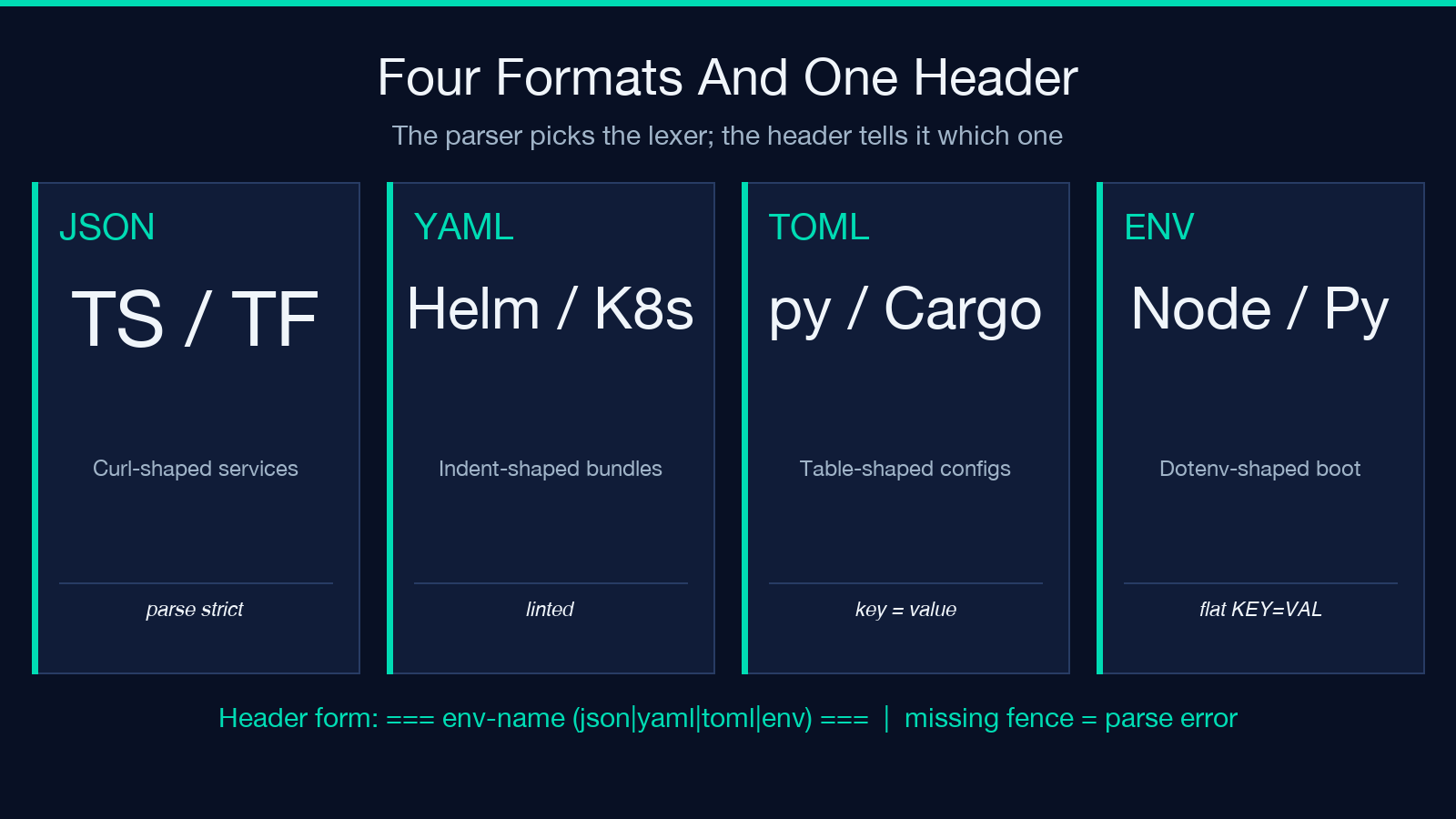
The format coverage is what makes the tool useful at the boundary between ops and dev. JSON comes from your TypeScript services and your Terraform plan exports; YAML is what Helm, Ansible, GitHub Actions, and Kubernetes hand you; TOML is what pyproject.toml, Cargo.toml, and the new wave of Rust config files ship; dotenv is what every Node, Python, and Go backend reads at boot. Three of those four formats are not interoperable with the other three — you cannot diff pyproject.toml against .env.prod with a stock diff -u because the syntaxes treat nesting, quoting, and inline comments completely differently. The visualizer absorbs that asymmetry at parse time and produces a flat dot-path view where database.pool_size: 5 (TOML) and DATABASE_POOL_SIZE=5 (ENV) become the same row in the report. The env-samples collection has eight ready-to-paste bundles that exercise the format asymmetry in the wild.
Two operator details decide whether your first run is useful or a slog. First, secret-like keys (PASSWORD, SECRET, TOKEN, API_KEY, *_KEY) are masked by default when Mask Secret Values is on, which is the recommended setting for any bundle that came out of a real .env file — diff reports stay shareable in chat and tickets without redacting them by hand. Second, arrays and nested objects are flattened using dot-paths: a list of service blocks becomes services[0].url, services[1].url, and a deeply nested config becomes feature.beta_users.allowed_seats[2].expires_at. That flattening is what makes the side-by-side comparison actually readable — without it, a single mismatch in a three-level-deep key would force you to walk three nested trees by hand to spot which leaf moved.
Reading the diff: four row types that tell you why production is different
The report speaks in four row types, and each one means something different about how drift happened. only in env-a rows are keys that exist in one bundle and not the other; only in env-b rows are the mirror. changed rows show keys present in both bundles with different values, with both values printed side by side so you can scan the delta without flipping between two files. same rows are dropped from the default view because they drown the signal — the tool assumes you opened the diff to find what is different, not to confirm what stayed put.
The four row types map to four root causes. only in dev usually means a feature flag you turned on locally to test the migration and forgot to ship — the key never made it to the staging bundle, so production has never seen it. only in prod is the more dangerous mirror: a key that ops added during a postmortem (a tighter timeout, a new retry budget, a fallback endpoint) that dev and staging do not have, so your integration tests pass against an environment that does not behave like the one your users hit. changed rows split into two flavors — intentional changes (LOG_LEVEL=debug in dev, LOG_LEVEL=warn in prod) and unintentional drift (REPLICAS=3 in dev because you forgot to bump it after the load test, REPLICAS=2 in prod because the Helm chart’s default is two). The visualizer does not distinguish the two flavors for you — that is the human step, and the masking step makes the comparison safe to share.
A common trap is reading the row count as a quality signal. A bundle with 60 changed rows is not necessarily worse than one with 4 — it might just mean dev and prod track more separate values (different secrets, different hostnames, different ports). The signal you actually want is the shape of the diff: a long tail of only in prod rows under services[*].replicas means ops has been quietly tuning capacity without telling anyone, while a tight cluster of changed rows under feature_flags.* means the dev team is shipping toggles that are not making it back to the schema. Treat the row count as background noise; treat the column distribution as the story.
The five-row test bundle that exposes the worst drift class
The most expensive drift class is the secret that prod has and dev does not. Build a five-row test bundle: JWT_SIGNING_KEY=dev-secret in dev, JWT_SIGNING_KEY=prod-7f3a-real-secret in prod, and an empty value in staging. Run the visualizer with masking on, and you will see one changed row under JWT_SIGNING_KEY showing both values as ***. That looks fine. Now turn masking off, and the same row prints both real values, which is the moment your chat client, your ticket history, and your screen-sharing tool all leak a production secret. The masking default is what makes the tool safe to use in a normal engineering workflow instead of being gated behind an “approved for production data” review.
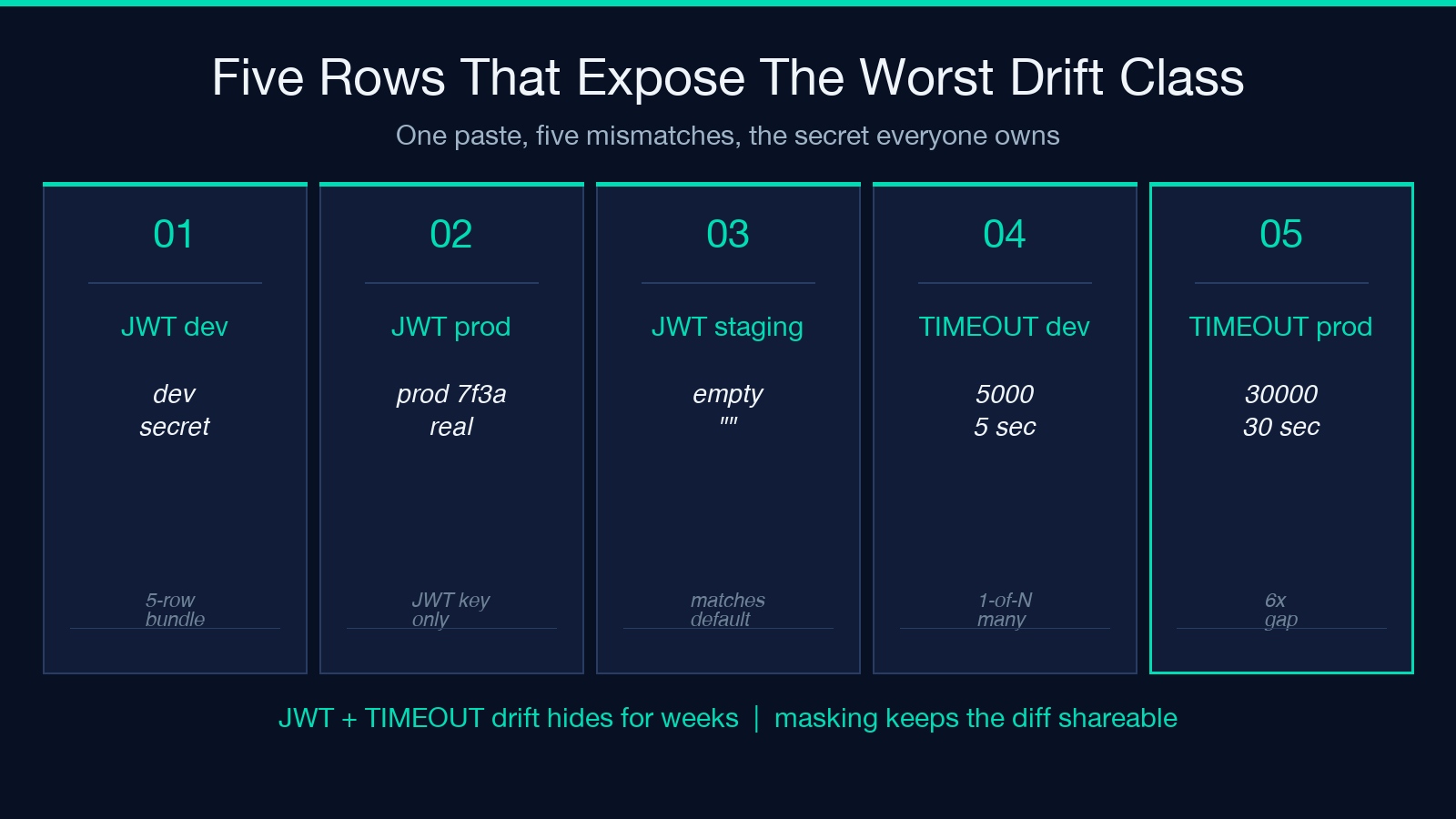
The same bundle exposes a subtler drift class: keys that are present everywhere with values that agree on type but disagree on intent. Put TIMEOUT_MS=5000 in dev, TIMEOUT_MS=30000 in prod, and the row reads as a normal changed entry, but the 6x difference is the kind of slow-burn bug that only surfaces when an external service is in a degraded state — dev’s 5s timeout is fast enough to mask a hanging connection, prod’s 30s timeout is long enough that the hanging connection dominates the request budget. The visualizer catches the difference; the diagnosis is yours.
Run the bundle through the tool a second time after a code change and watch how the row count moves. A healthy diff workflow shows the row count decreasing over time as you normalize values into a shared base (the helm chart, the shared defaults, the typed config object). A diff workflow that shows the row count stable or increasing is a workflow where environments are drifting further apart — which is the warning sign that your “configuration as code” is actually “configuration as parallel scripts that no one reconciles.” The visualizer is the cheapest drift detector you can run, and the cheapest interventions are the ones that keep the diff small.
Where to put the diff in your stack
The diff is most useful at the boundary between two states that disagree silently. Three places in a normal pipeline earn the cost of running it. The first is the pull request that touches any config file — every PR that edits helm/values-prod.yaml, config/database.toml, or .env.production should attach a diff report so the reviewer can see exactly which keys moved and whether the prod bundle absorbed the change. The second is the deploy step itself — gate the deploy on a diff report whose row count is below a threshold, so an accidental edit to a sensitive key (a timeout, a flag, a credential rotation) trips a hold instead of going out with the build. The third is the post-mortem — when production is acting up and dev is not, the first thing you want to know is whether dev and prod still agree on the config they share, and the visualizer answers that question in one paste.
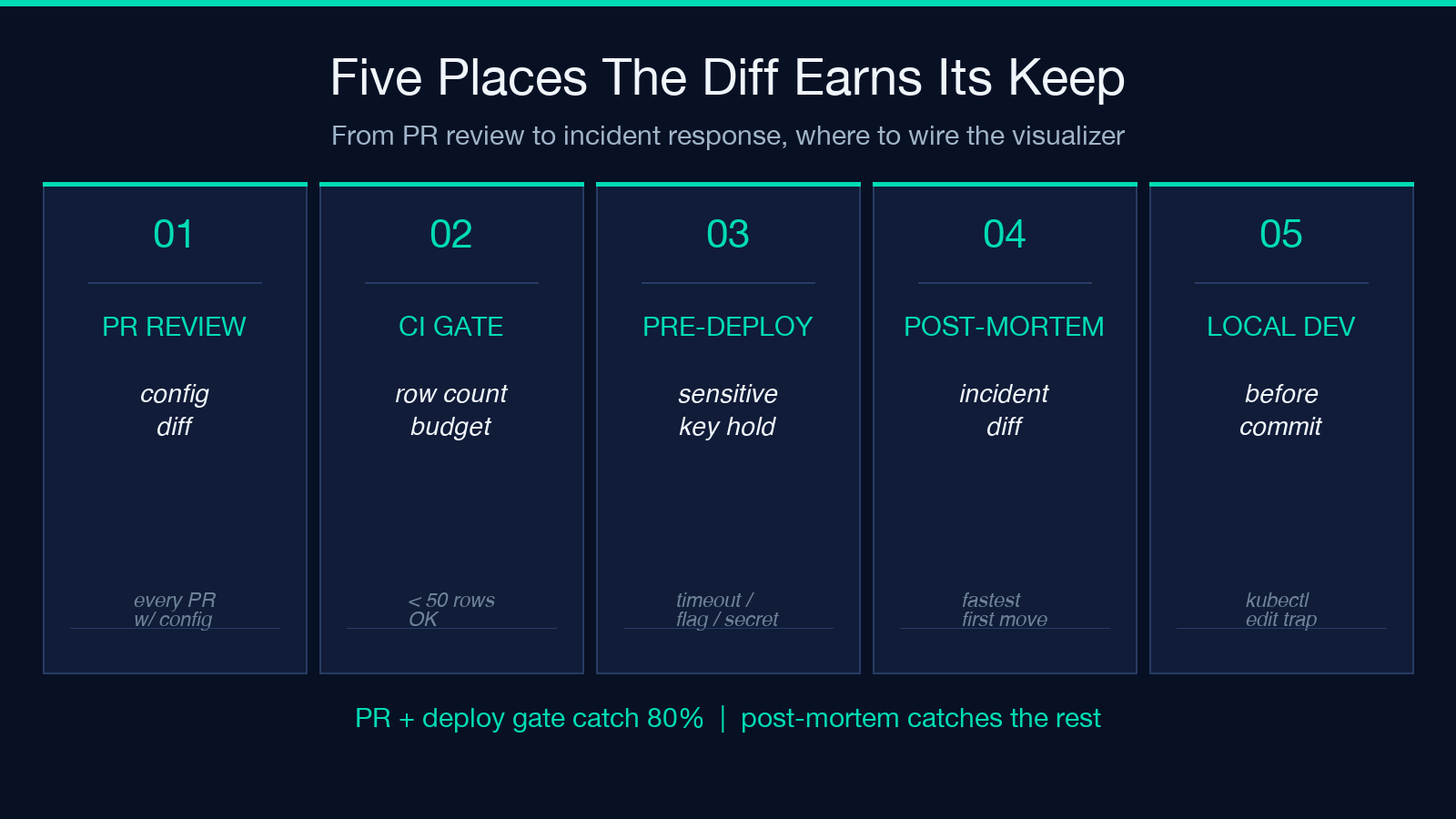
The pull-request path is the highest leverage because it is the only one that catches drift before it ships. A pre-commit hook that runs the visualizer against the local bundle and the previous committed bundle is overkill for most repos, but a CI step that runs the visualizer against the PR’s values.yaml and the main branch’s values.yaml is cheap and catches the most common drift class — a key removed in the PR that nobody noticed because the application code falls back to a default. The deploy-gate path is the second highest leverage because it catches the drift class that escapes PR review: emergency hotfixes applied directly to the cluster, ops tunings applied via kubectl edit, and the long tail of “I’ll fix the chart later” tweaks that never get fixed.
The post-mortem path is the lowest leverage in steady state but the highest leverage in an incident. When prod is throwing 500s and dev is green, the fastest first move is to diff the two bundles, and the visualizer compresses that step from a 15-minute manual comparison to a 30-second paste. Pull the prod config from your secret store, pull the dev config from your repo, paste both into the visualizer with the right headers, and you have either ruled out config drift as the cause or surfaced the exact key that disagrees. The tool does not replace a real config-management system; it replaces the manual cross-check that engineers run when the real system has already drifted.
What masking actually masks, and five header patterns that catch the most common mistakes
Masking hides the value, not the key, and that distinction is the difference between a useful diff and a leak. The Mask Secret Values toggle matches value patterns that look like secrets — strings longer than 16 characters, base64-looking blobs, hex strings, and any value whose key contains SECRET, PASSWORD, TOKEN, KEY, or CREDENTIAL. The masked output prints *** in place of the value, which is enough to confirm that dev and prod agree on the presence and length of a secret without exposing the secret itself. The key is preserved in full so you can still see that STRIPE_SECRET_KEY is set in prod and missing in dev, which is the information you actually need to make the config change.
The masking does not catch two classes of leak. The first is short secrets — an API token that is only 8 characters long will pass the length filter and print in full, because the masking heuristic is tuned for “real” secrets (long enough to be a real key) and 8 characters is on the boundary of “looks like an ID, not a key.” If your auth provider issues short tokens, turn masking off only when you have scrubbed the bundle by hand. The second is structural secrets — a value that does not look like a secret (a numeric ID, a URL, a JSON object) but is functionally a credential (a webhook URL that authenticates the receiver, a service-account email that gates access, an internal IP that should not be public). Masking is a regex, not a policy engine, and it will print these values verbatim.
The safe workflow is to treat masking as a convenience, not a guarantee. Run the diff with masking on for the first pass, then re-run it with masking off only for the rows you need to inspect by hand — and even then, paste those rows into a separate viewer, not into a chat thread. If your bundle includes production secrets, run the visualizer against a redacted copy where you have replaced the secret values with placeholder strings (xxxxx-prod-secret) so the diff still works but the values are not the real ones. The tool is designed to help you compare structure, not to be a vault for production credentials.
Five header patterns catch the mistakes that turn a clean diff into a parse error. The first is the missing === fence — dev (yaml) instead of === dev (yaml) === — which the parser treats as the start of a YAML block, then trips on the first = it sees. The second is the wrong format name — === dev (yml) === instead of === dev (yaml) === — which falls through to the JSON parser and explodes on the first colon. The third is the duplicated environment name — two === prod (env) === blocks in the same bundle — which the parser concatenates and then diffs against itself, producing a vacuous all-same report. The fourth is the unsupported format — === prod (ini) === or === prod (properties) === — which has no parser registered, so the block is dropped silently and you get a diff against an empty bundle. The fifth is the leading whitespace — === dev (yaml) === indented with two spaces — which most parsers ignore but a strict TOML parser rejects, producing a parse error on the first non-blank line. The fix for all five is to keep the header on its own line, surrounded by exactly three equals signs on each side, with no leading whitespace, and to copy the format name from the parser’s documented set: json, yaml, toml, env. A one-line grep -E '^=== [a-z_-]+ ((json|yaml|toml|env)) ===$' against the assembled bundle catches all five mistakes in a fraction of a second.
The four-row walkthrough that beats a 30-minute meeting
One paste, four rows, no meeting. The fastest way to show the tool’s value to a skeptical team is to assemble a four-row bundle that mirrors a real bug they have already debugged. Pick a recent incident where production and dev disagreed on a config key — a timeout, a feature flag, a pool size — and build the bundle to highlight that exact disagreement: dev and staging with one value, prod with another, plus one only in dev row for a flag that never made it to prod and one only in prod row for an ops tuning that never made it back. Paste the bundle into the visualizer, share the report, and the team has the same artifact they would have built in a 30-minute “let’s diff the configs” meeting, in under a minute.
The four-row format is also the right shape for a regression test. If your config drift is real enough to keep biting you, the visualizer’s output is machine-parseable enough to wire into a CI check — extract the diff as JSON, compare it against a stored baseline, fail the build if any new row appears. The tool’s primary surface is a human-readable HTML report, but the underlying diff is a structured list of path, value_a, value_b, kind tuples that any test harness can consume.
The walkthrough also surfaces the limitations. The tool does not understand semantic equivalence — it cannot tell you that LOG_LEVEL=warn and LOG_LEVEL=warning are the same intent in two libraries that spell it differently. It does not understand type equivalence — it cannot tell you that TIMEOUT=5000 (integer) and TIMEOUT="5000" (string) might be the same value to one parser and different to another. It does not understand default equivalence — it cannot tell you that a missing key in dev is the same as a key whose value matches the application default. Those three classes of mismatch are exactly the ones that produce the slow-burn bugs the visualizer is most useful for catching, and they are also the ones that require a human in the loop. The tool gets you 80% of the way in 30 seconds; the last 20% is judgment.
What the visualizer is not
The tool is a diff, not a validator, a linter, or a schema enforcer. It will happily diff two bundles that are both invalid against your application’s config schema — a missing required key, a value of the wrong type, a string where the code expects an integer — and report all-same if the two bundles agree on being wrong in the same way. It will not catch a value that violates a constraint your application enforces (a negative timeout, a port number out of range, a URL with the wrong scheme) because the tool has no knowledge of your application’s contract. It will not catch a key that is misspelled in both bundles, because the diff is symmetric and a consistent typo is invisible to a symmetric comparison.
For those checks, you want a validator, a linter, or a schema enforcer — a tool that has your application’s expected shape loaded and can flag any deviation. The visualizer’s job is the orthogonal step: once you know each bundle is valid against the schema, the visualizer tells you whether the bundles agree with each other. Schema validity is a per-bundle question; config drift is a between-bundle question, and the visualizer is the cheapest reliable way to answer the second one.
That separation also means you should not try to extend the visualizer into a schema tool. Adding “validate against schema” to the diff report conflates two distinct failure modes — “this bundle is wrong on its own” and “this bundle disagrees with that bundle” — and the merged report is harder to read than the two reports run separately. Keep the diff pure; run the validator before the diff, not inside it.
What to do on Monday morning
Open your last incident postmortem, find the config section, and run it through the visualizer. Not the postmortem you wish you had written — the one you actually wrote, with the partial config snapshots and the diff-the-configs-by-hand narrative. Paste the snapshots into the visualizer with the right headers, run the diff with masking on, and look at the row that matches the incident. If the row was already there in the postmortem’s snapshot, the visualizer is the artifact your team should have built during the incident. If the row was not there, the visualizer is the artifact your team should have built before the incident. Either way, the cheapest next step is to wire the visualizer into the PR that touches config files, so the next postmortem has a real diff report instead of a hand-typed narrative.
The broader lesson is that configuration drift is a quiet failure mode. The keys are present in both bundles, the values look reasonable in isolation, and the application starts cleanly on both sides — until one side’s behavior diverges from the other’s, and by then the diff is buried in the operational noise. The visualizer is the cheapest way to surface that quiet drift, and the cheapest way to keep it quiet is to run the diff often enough that a new row is a surprise worth investigating. The tool is not a substitute for a config-management system, a schema, or a deploy gate — it is a thirty-second sanity check that fits between those systems and the engineer who has to live with the config they ship. Explore more tools at elysiatools.com.
