
Set up a ligation with the wrong insert mass and you plate a thousand colonies of empty vector. The NEB molar algebra has two flavors — solve mode (compute the insert mass for a desired ratio) and check mode (read two masses, report the actual ratio) — and the 650 Da/bp conversion factor cancels out when the ratio is expressed as mass ratio × size ratio, which is why a calculator that walks both modes in one screen is more useful than a calculator that walks only one. The Ligation Insert:Vector Molar Ratio Calculator covers both, plus the nM concentration that the reaction volume implies — the second number most bench protocols print in their setup tables.
A 3:1 insert:vector ratio is the textbook recommendation for a 1000 bp insert into a 3000 bp vector, and the insert mass that gets you there is 3 × 100 × (1000 / 3000) = 100 ng. The same setup at 5:1 becomes 5 × 100 × (1000 / 3000) = 167 ng. The same setup at 1:1 becomes 33 ng. None of those numbers require you to convert ng to pmol to verify the ratio — the bp factor cancels cleanly when both DNA species live in the same reaction tube — which is the single observation that turns a molar-ratio spreadsheet into a five-input form.
The molar ratio question every cloning setup has to answer first
The setup starts with two numbers from the bench: the mass of linearized vector you are pipetting, and the mass of insert you are pipetting. The question “how many insert molecules per vector molecule is in this tube” is what the molar ratio answers, and the question “how much insert mass do I need to pipette for a 3:1 setup” is what the inverse ratio answers. Both questions are answered by the same two-line calculation, but the bench workflow usually picks one — solve mode for setup, check mode after pipetting — which is why a calculator that supports both is faster than a calculator that only solves.
The vector mass comes from the gel extraction or PCR cleanup quantification, the insert mass from the same kit, and the sizes from the design plan. Three numbers in, one number out: the ratio you actually have, or the insert mass the ratio you want requires. The Ligation Insert:Vector Molar Ratio Calculator takes the same five inputs and gives either the answer that solves the setup or the answer that checks the setup, with the reaction volume optionally folding in the nM concentration at each end.
The two formulas, and why the 650 cancels cleanly
The molar amount of a dsDNA fragment is pmol = mass_ng × 10³ / (650 × bp). The 650 is the average molecular weight of a dsDNA base pair in daltons, the 10³ converts ng to pg, and the bp is the fragment length. For two fragments in the same tube, the ratio is pmol_insert / pmol_vector, and when you write the ratio in terms of mass and size the 650 cancels:
ratio = (insert_ng / insert_bp) / (vector_ng / vector_bp) = insert_ng × vector_bp / (vector_ng × insert_bp)
Solving for insert_ng at a target ratio is the rearrangement:
insert_ng = ratio × vector_ng × insert_bp / vector_bp
That is the entire solve-mode formula. It does not need the 650 — the 650 lives in the conversion from ng to pmol, but the ratio is dimensionless and the dimensionful factors cancel. NEB NEBioCalculator, Promega BioMath, and Sambrook & Russell’s Molecular Cloning all use this rearrangement, which is why three independent sources land on the same equation.

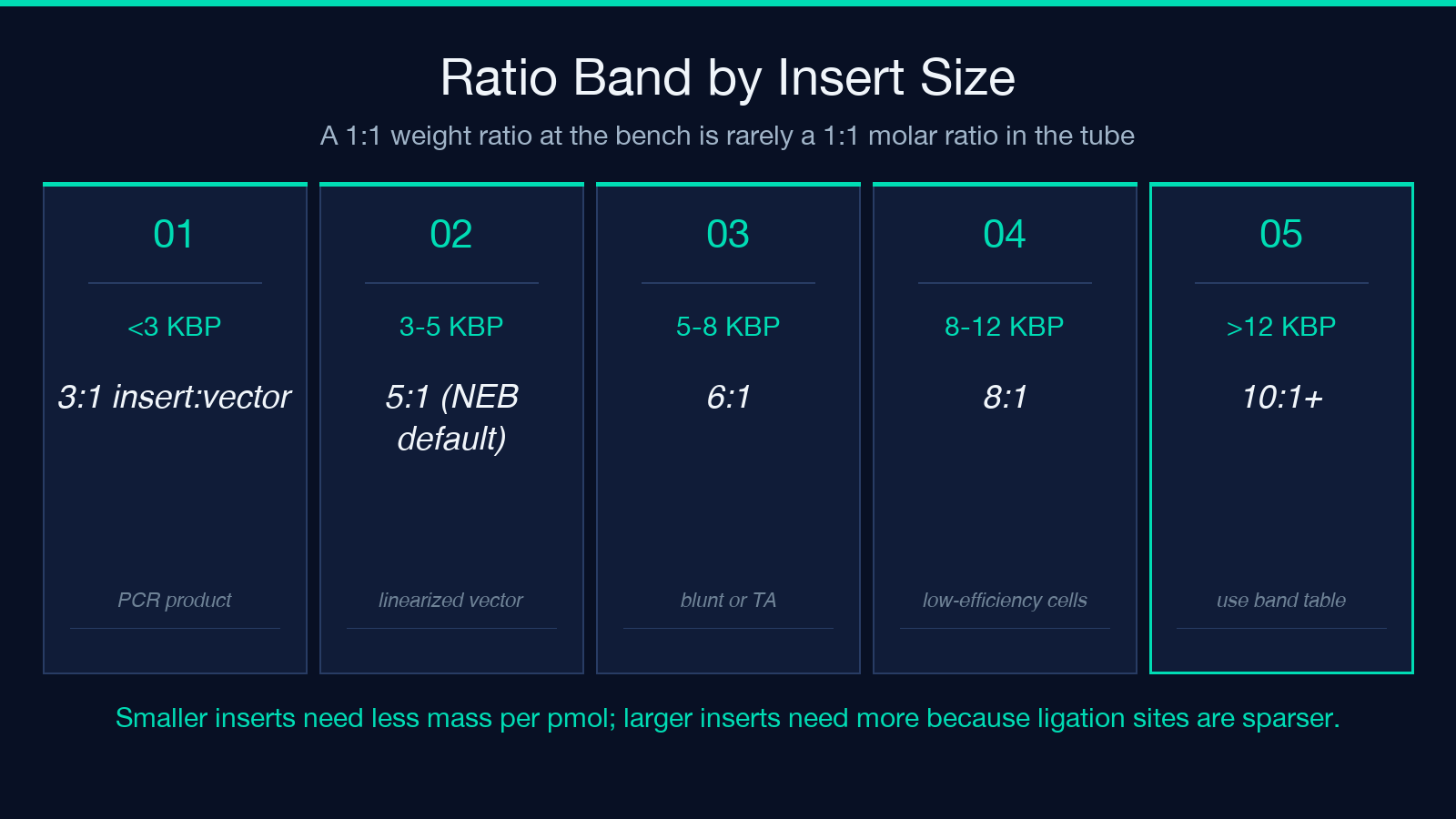
Solve mode: pick the ratio band by insert size
NEB’s cloning guide and most lab protocols recommend a ratio band, not a single ratio, because the optimum varies with insert size. Three bands cover most cloning setups:
- Under 200 bp insert: 5:1 to 10:1. Small inserts have low cloning efficiency per molecule, so the molar excess compensates.
- 200 bp to 999 bp insert: 3:1 to 5:1. The middle band — most cloning tutorials land here.
- 1000 bp and up: 1:1 to 5:1. Larger inserts are easier to clone per molecule, so the ratio can be lower.
Ratios beyond 10:1 mainly create insert concatemers — dimers, trimers, higher multimers — which produce clones that fail sequencing because the insert has the wrong copy number. The ratio band that survives competent cell efficiency variance is the lower end of the recommendation, not the upper end; competent cells with 10⁸ cfu/µg tolerate ratios at the bottom of the band, and competent cells with 10⁶ cfu/µg need ratios near the top.
For a 1000 bp insert into a 3000 bp vector at 100 ng vector and a 3:1 target, the required insert mass is 3 × 100 × (1000 / 3000) = 100 ng. For a 1:1 setup the same tube wants 33 ng. For a 5:1 setup the same tube wants 167 ng. The Ligation Insert:Vector Molar Ratio Calculator computes all three without a paper notebook.
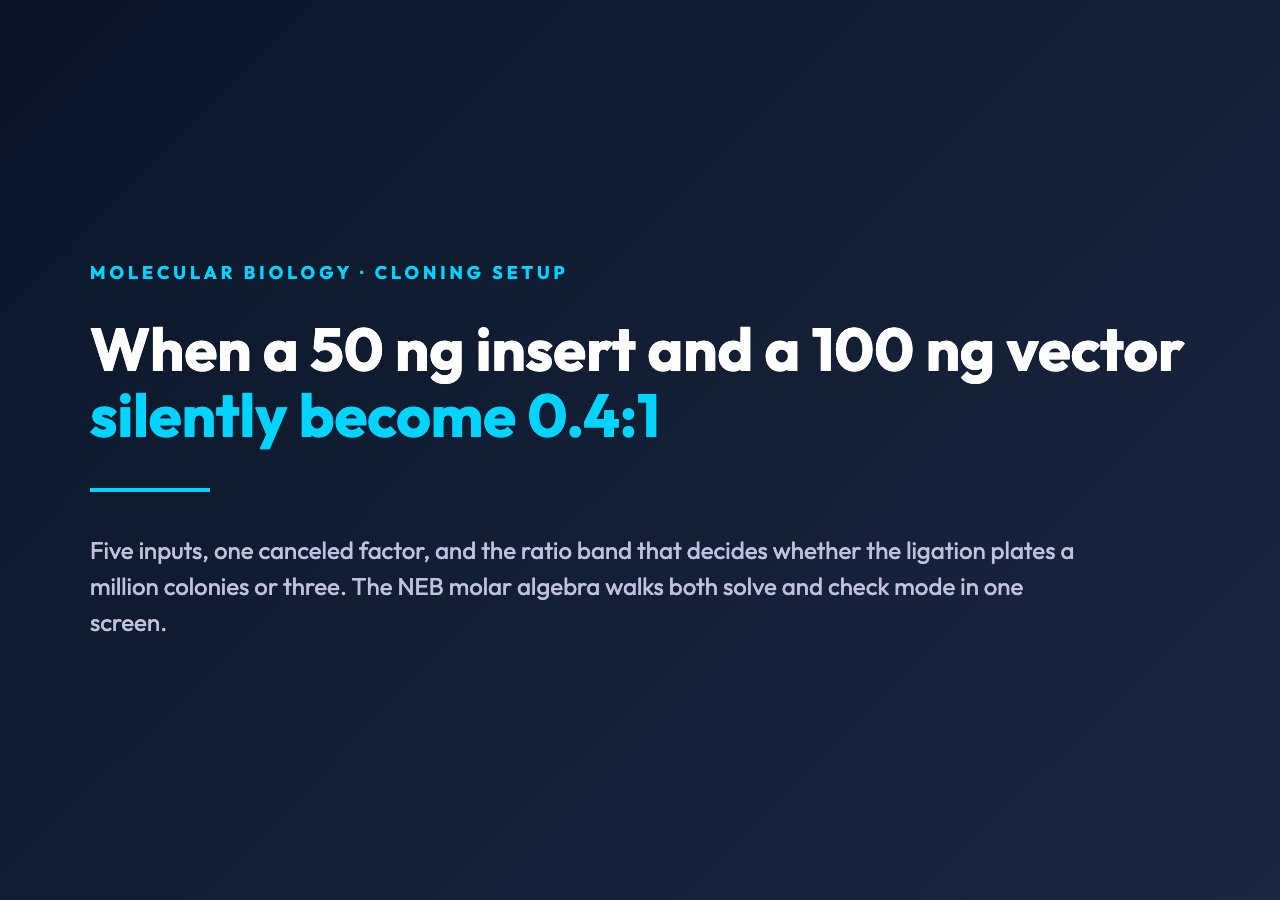
Check mode: when a 50 ng insert and a 100 ng vector silently become 0.4:1
Check mode reads both masses and reports the ratio. The bench failure mode that motivates check mode is the pipetting error that produces a sub-1:1 ratio without anyone noticing. A 50 ng insert into a 100 ng vector with the same 1000/3000 size split is 50 × 3000 / (100 × 1000) = 1.5:1 — borderline acceptable. The same setup with a 30 ng insert and a 100 ng vector is 30 × 3000 / (100 × 1000) = 0.9:1, and a 20 ng insert is 0.6:1. Sub-1:1 setups favor empty vector religation over insert ligation because the vector has more 5′ ends per tube than the insert, and the colonies that grow are mostly empty.
Check mode catches the silent failure case. The bench workflow is to pipette the calculated mass, then read back the actual mass on the calculator and confirm the ratio is in the band. If the read-back is below the band, the bench either re-pipettes more insert or dilutes the vector; both are faster than plating a failed ligation.
nM concentration and the T4 ligase floor above 1 nM ends
The reaction volume input converts the molar amounts into nM concentrations in the tube. T4 DNA ligase works best above ~1 nM DNA ends — below that, the ligation rate drops and the reaction stalls before the inserts are sealed. A 100 ng vector in a 20 µL reaction is (100 × 10³) / (650 × 3000 × 20 × 10³) × 10⁶ = 2.56 nM, which is well above the floor. A 10 ng vector in a 50 µL reaction is 0.26 nM, which is below the floor and will ligate slowly regardless of ratio.
The concentration calc is nM = pmol / volume_µL × 10³. A ratio that is correct at 100 ng vector in 20 µL is the same ratio at 10 ng vector in 2 µL — the nM changes, the ratio does not — and the nM check is what tells you whether the reaction will proceed at the rate you expect. The Ligation Insert:Vector Molar Ratio Calculator reports vector nM and insert nM when the reaction volume is set above zero, and skips the concentration row when the volume is set to zero.
Ratio bands that survive competent cell efficiency variance
The ratio band on the calculator is a guide, but the competent cell efficiency is the constraint that decides whether the band holds. A 3:1 setup with 10⁸ cfu/µg competent cells plates 10× the colonies of the same setup with 10⁷ cfu/µg competent cells, and a 5:1 setup with 10⁶ cfu/µg competent cells may plate nothing. The rule of thumb: competent cells in the 10⁸ range tolerate 3:1 setups, 10⁷ range wants 5:1 setups, and 10⁶ range wants 5:1 to 10:1 setups with double the vector mass.
The bench protocol that uses ratios at the top of the band should also plate controls: vector-only (no insert), insert-only (no vector), and a positive control (a known-good insert at 3:1). The controls catch the failure modes that the ratio cannot catch — degraded vector, dephosphorylation failure, kinase failure on the insert — and they plate alongside the experimental ligation on the same plate.
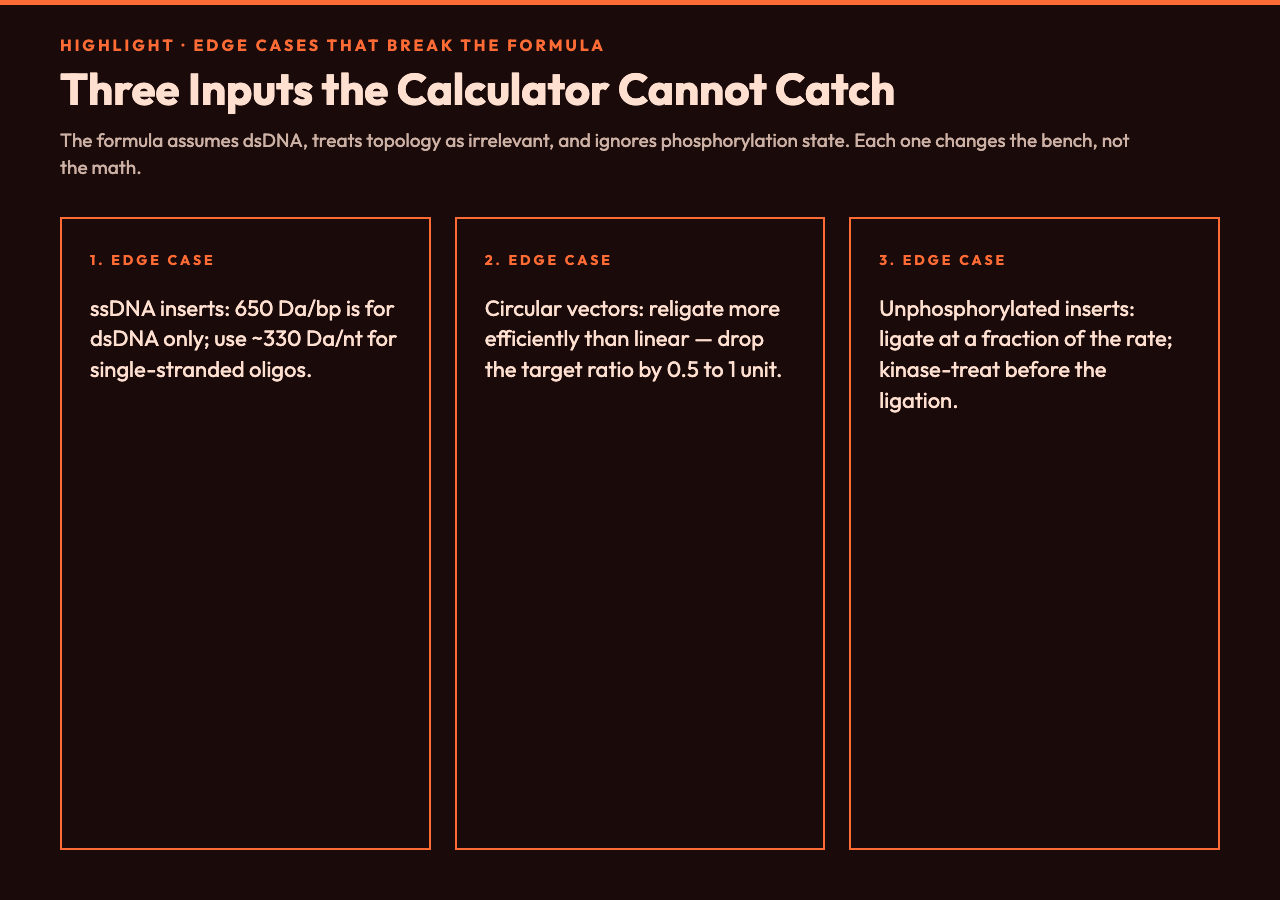
Three edge cases that break the formula
Three edge cases produce nonsense ratios even when the inputs are correct:
- Single-stranded DNA inserts: the 650 Da/bp factor is for dsDNA; ssDNA uses ~330 Da/nt and the ratio formula needs a different denominator. The calculator assumes dsDNA on both sides.
- Linear vs circular vector: the formula treats the vector as a dsDNA fragment regardless of topology, but circular vectors religate more efficiently than linear vectors, which shifts the optimal ratio down by 0.5 to 1 ratio units. The calculator does not adjust for topology.
- Phosphorylation state of the insert: 5′-phosphorylated inserts ligate efficiently; unphosphorylated inserts ligate at a fraction of the rate. The calculator reports the ratio, not the ligation efficiency — the bench has to ensure phosphorylation.
For each edge case, the bench fix is to change the input rather than the formula. ssDNA goes to a different calculator. Circular vectors get a target ratio reduced by 1. Unphosphorylated inserts get a kinase treatment before ligation.
Where to plug this into a cloning workbench
The calculator sits in the ligation setup step, after vector and insert have been quantified and before the ligation mix is assembled. The workflow is: pipette the vector, read the nanodrop, set the vector mass on the calculator, set the vector size and the insert size from the design, set the desired ratio from the band table, and read the insert mass. Pipette the insert mass. If the bench supports check mode, read the actual pipetted masses back into the calculator and confirm the ratio.
The output is one number — the insert mass — and one optional row of nM concentrations. The number goes into the bench notebook, the concentrations go into the ligation setup table, and the ligation mix proceeds. A ligation with the right ratio plates the expected colony count with the expected insert-positive fraction; a ligation with the wrong ratio either plates vector-only colonies or plates nothing.
For cloning setups that vary insert and vector mass across a screen — site-directed mutagenesis libraries, CRISPR donor libraries — the same calculator handles each reaction with the same five inputs. For setups that vary only the insert size — restriction-free cloning, Gibson assembly — the same calculator handles each reaction with the same five inputs and the same ratio band. The calculator is a one-screen tool for any cloning setup where the molar ratio is the question.
Explore more cloning and molecular-biology tools at elysiatools.com.
