
What the Visualizer Actually Generates
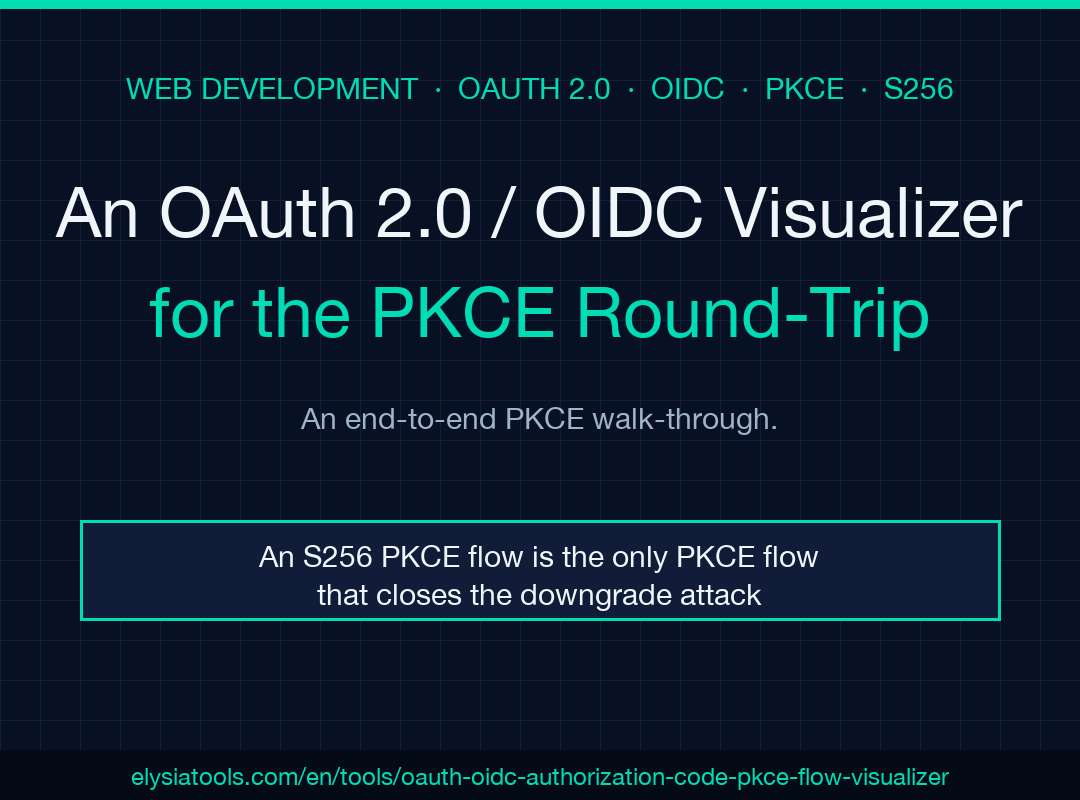
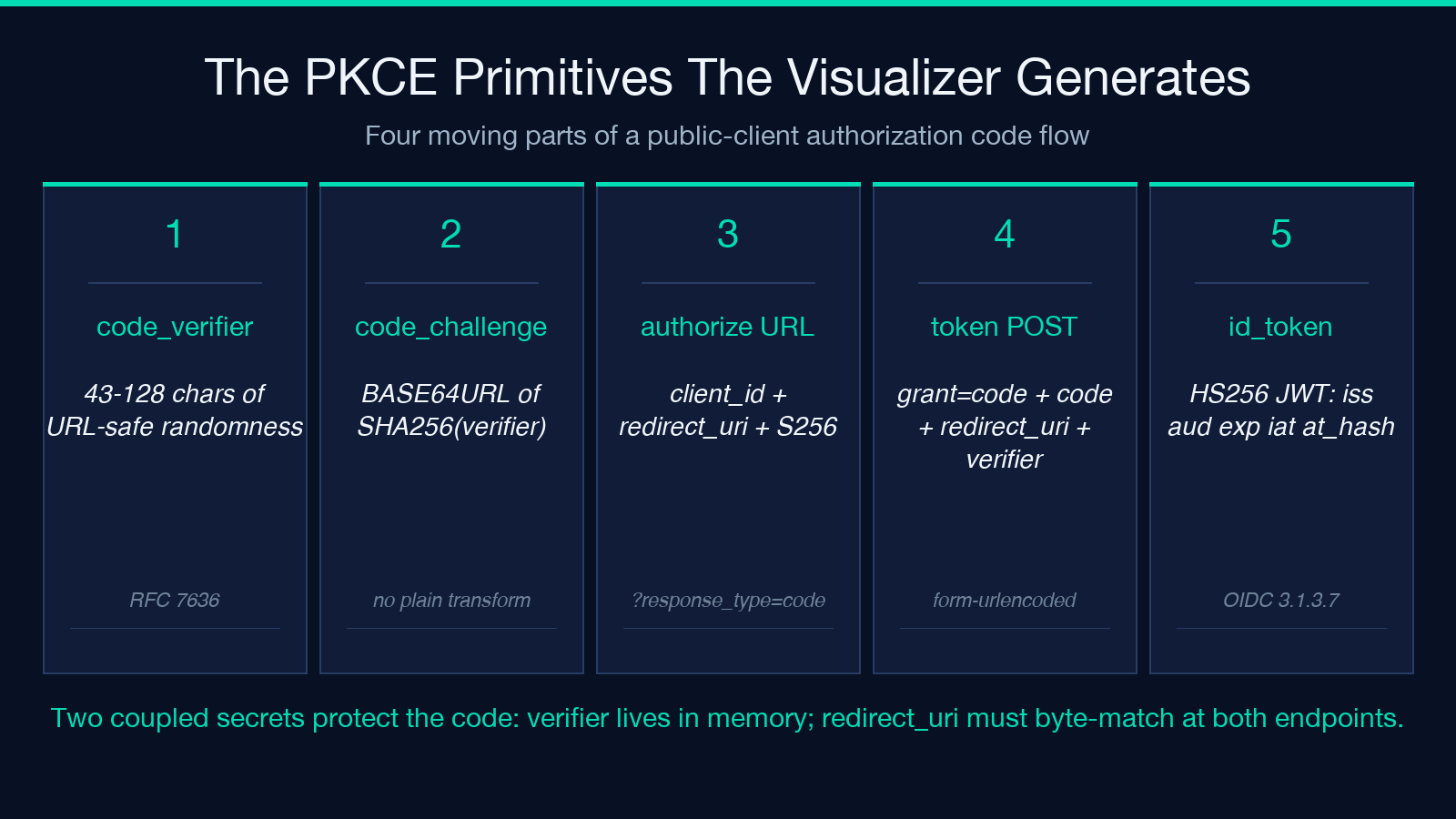
One paragraph you can stop here on. The OAuth 2.0 / OIDC Authorization Code with PKCE Flow Visualizer on Elysia Tools takes a client_id, a redirect_uri, a scope list, and a state value, then hands you the four moving parts of a public-client authorization code flow in one screen: a freshly minted code_verifier (43 to 128 chars of URL-safe randomness), its S256-derived code_challenge (base64url, no padding), the complete authorization URL the browser would visit, and a ready-to-POST token exchange body that includes the original verifier. It also mints a demo HS256 ID Token with a spec-correct at_hash claim, then runs the OIDC Core 3.1.3.7 validation checklist against that token so you can see, line by line, which rule catches an attacker who steals only the authorization code. The reason this matters is that a stolen code is worthless without the verifier, and the visualizer shows you exactly why in a single pane.
The Inputs That Have to Be Right
The four text inputs at the top of the form drive everything downstream. client_id must be the registered identifier the authorization server has on file. redirect_uri must byte-match a value that client_id has registered, or the IdP will reject the token exchange with a redirect_uri_mismatch error that, in production, is the single most common reason a working local integration breaks the moment you push to staging. scope is a space-separated list; including openid flips the flow from pure OAuth 2.0 into OIDC and unlocks the id_token response. state is the CSRF-protection nonce your application generates per request and verifies on the callback; the visualizer threads it through every step so the round-trip is obvious. Skip state and the entire flow is replayable, and a replayed code is a captured token.
What the visualizer fills in for you is the cryptographic core. The code_verifier is a 43-character URL-safe string drawn from a CSPRNG, and the code_challenge is BASE64URL-ENCODE(SHA256(ASCII(code_verifier))) with the trailing = stripped, exactly as RFC 7636 mandates. There is no plain transform here: S256 is required, and plain is deprecated because an attacker who intercepts the authorization request can swap a plain challenge for an S256 challenge in flight and trivially learn the verifier.
How the Authorization URL Is Built
The generated authorization URL is a verbose but mechanical composition. Path is the IdP’s /authorize endpoint. response_type is code. client_id, redirect_uri, scope, and state come straight from the form. code_challenge is the S256 hash. code_challenge_method is S256, not plain. Everything URL-encodes values that contain characters outside the unreserved set. The visualizer renders the URL so the equals signs, plus signs, and forward slashes in the base64url string stay readable, which is helpful when you are scanning a log line trying to figure out which parameter is being clipped by a reverse proxy that does not like unencoded padding.
The hidden danger in this URL is its query string. Every character in scope, state, and the code_challenge is part of the wire format, and any tool between the browser and the IdP that tries to “normalize” the URL by decoding then re-encoding will mangle the base64url padding and break the verifier validation downstream. The visualizer does not warn you about this explicitly, but it does keep the URL exactly as the browser would build it, which is what you want for copy-pasting into test plans.
Why the Token Exchange Body Looks the Way It Does
The token exchange is a POST to the IdP’s /token endpoint with application/x-www-form-urlencoded body. The fields are grant_type=authorization_code, the code from the redirect, the redirect_uri (yes, again, byte-identical to the one in the authorization request), the client_id, and the code_verifier. The IdP re-derives the challenge from the verifier, compares it to the one it stored against the code, and only then issues the tokens. A correct implementation rejects this exchange if the verifier is missing, if the verifier hashes to a different challenge, or if the redirect_uri drifted from the value attached to the code at authorization time.
The visualizer’s POST body preview is the part most engineers under-appreciate. Once you see the verifier sitting next to the redirect_uri in the same body, it is impossible to forget that the verifier is the secret that protects the code, and the redirect_uri is the second secret that protects the code. Two coupled secrets, two failure modes, one HTTP request. If you have ever debugged a token exchange that returns invalid_grant at 2 a.m., the visualizer’s preview is the diagram you wished you had six hours earlier.
The ID Token and at_hash
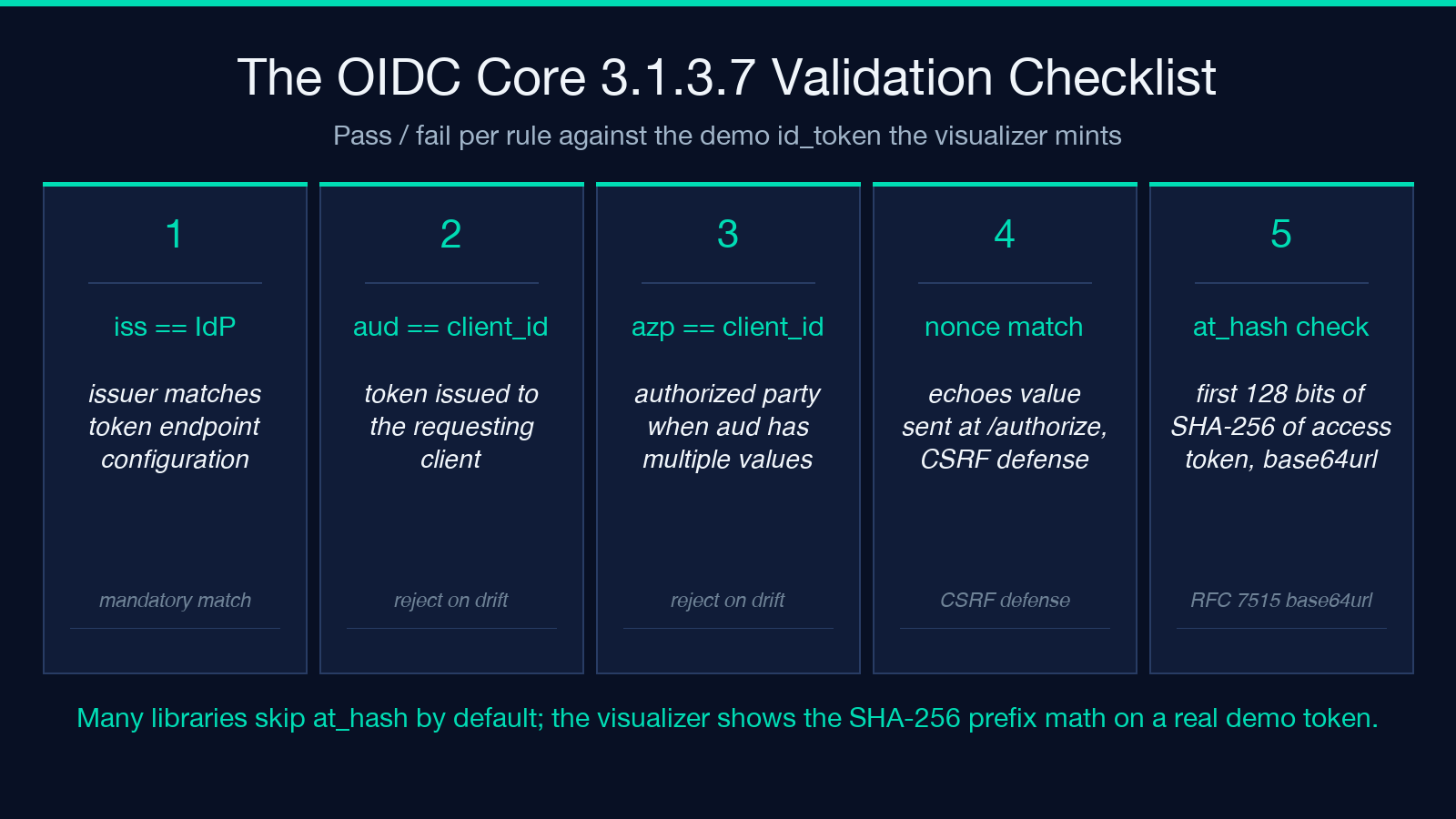
When the scope contains openid, the token response includes an id_token, a JWT signed with HS256 in the demo. The visualizer decodes the JWT, prints the header and payload, and shows the at_hash claim, which is the left-most 128 bits of SHA-256 of the access token, base64url-encoded without padding. The OIDC Core specification requires the client to validate at_hash whenever the ID Token is issued from the token endpoint (response_type=code is exactly that case). The validation rule is: take the access token you just received, SHA-256 it, take the first 16 bytes, base64url-encode them, and compare to at_hash. If they do not match, reject the token.
This is the section that separates a working OIDC client from a half-broken one. Many libraries do not validate at_hash by default, and many engineers do not realize the validation is mandatory for the authorization code flow. The visualizer walks you through the math on a real demo token so that the next time you read the spec section, the algorithm lands instead of bouncing.
Replay the Validation Checklist
The visualizer ends with a checklist mapped to OIDC Core 3.1.3.7. iss must match the IdP’s issuer identifier exactly. aud must equal your client_id. azp, when present, must equal your client_id. nonce, when present, must match the value you sent at authorization time. exp must be in the future. iat must be in the past. at_hash must match the access token’s SHA-256 prefix. The visualizer annotates each row with pass or fail against the demo token, so you can intentionally break one rule (say, by editing the JWT payload in the demo) and watch the checklist go red on that row. That is the fastest way to learn what each rule actually catches.
What Happens When an Attacker Steals the Code
The scenario the visualizer is best at is the attack. Suppose an attacker exfiltrates the authorization code from the redirect URL by reading the browser history, by shoulder-surfing the callback URL in the logs, or by abusing an open redirect on the IdP. They cannot redeem the code because the token endpoint requires the code_verifier, and the verifier never left the user’s browser. The code expires in roughly 30 seconds to 10 minutes anyway. The attacker’s only path forward is to also exfiltrate the verifier, and the verifier lives in memory, not in the URL, which is the whole point of PKCE for public clients (mobile apps, SPAs, native CLI tools) that cannot keep a client_secret.
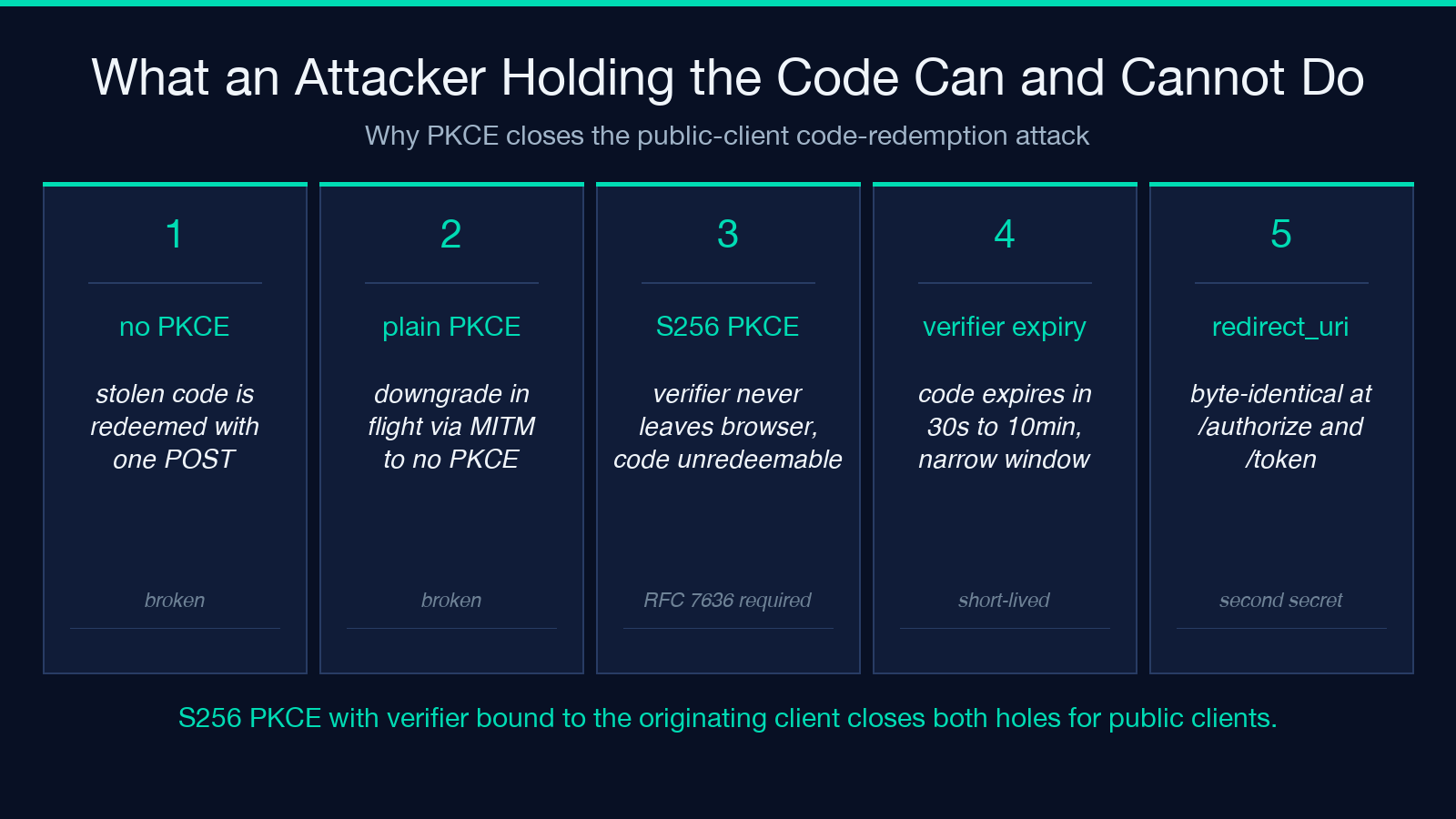
A flow that omitted PKCE would be redeemed with just the code. A flow that uses plain PKCE is trivially downgraded to no PKCE by a man-in-the-middle on the authorization endpoint. A flow that uses S256 PKCE and binds the verifier to the originating client closes both holes. The visualizer’s S256 panel is the single image every security review for a public-client integration needs.
Where to Run It and the Companion Samples
Open the tool directly at elysiatools.com/en/tools/oauth-oidc-authorization-code-pkce-flow-visualizer, generate a fresh verifier pair, and copy the authorization URL into a browser tab pointed at your staging IdP. The token exchange body lines up with what you would POST from curl or your HTTP client of choice, and the validation checklist is the same one your library should be running silently. For teams that need to onboard engineers onto OIDC, the visualizer is faster than a slide deck and easier to keep current than a Confluence page.
The Visualizer ships with a companion sample page that walks through a full authorization code round-trip end to end, including the token exchange and the userinfo call. If you are wiring OIDC into a new client, start with the OAuth 2.0 & OpenID Connect Samples page for the conventional three-legged flow, and cross-reference the OAuth 2.0 Samples page for client-credentials and refresh-token variants that the visualizer’s authorization-code-only scope intentionally leaves aside.
Explore more OAuth and identity tools at elysiatools.com.
