
The OCR PDF to Structured JSON Bridge exists because a typical invoice PDF holds five colon-separated key-value pairs, one three-column table, and one bold total — and you need that page to become a single typed object without hand-typing any of it. Most conversion tools either dump the whole page as plain text or hand you a half-broken tree of nodes; this bridge walks the geometry first (lines by y-position, tables by column gaps, headings by font size) and then fills your JSON Schema field by field. Values are coerced to the types you declared, dates normalized to ISO, currency stripped before the number check, and ajv validates the result so you can paste it into an ERP without re-reading. The full pipeline lives at Elysia Tools.
Why A Bridge Layer, Not Just A Converter
A plain PDF-to-text extractor returns a wall of strings; a plain OCR tool gives you a JSON of bounding boxes. Neither answers the question an ERP form actually asks: does the value at the bottom-right of this page match my declared total: number field? The bridge sits between those two outputs and treats the schema as a contract. You hand it a PDF and a JSON Schema, and the contract is honored field by field: the bridge reads the page, locates each label, normalizes the value to the declared type, and emits a single object that ajv validates before you see it. Explore the schema-driven approach at JSON Schema Validator.
The Four Geometry Signals The Bridge Looks For
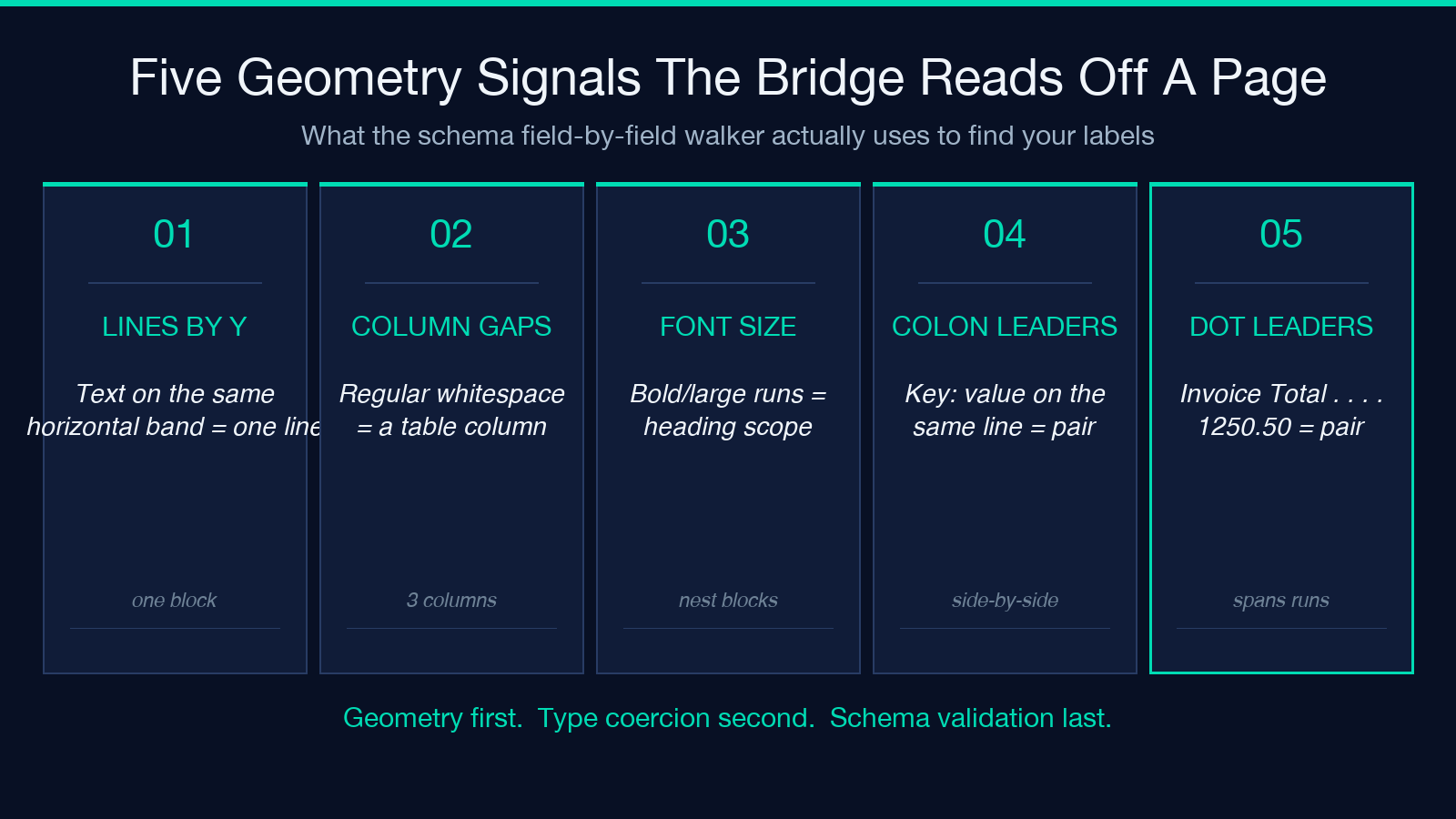
Before any field is matched, the bridge walks the page for four structural hints. Lines by y-position: contiguous text on the same horizontal band becomes one logical line, so a colon-separated pair like Invoice Number: 8842-A is read as one block, not two fragments. Tables by column gaps: regular horizontal whitespace between text runs is treated as a column boundary, which lets the bridge recover a Qty / SKU / Amount grid from courier-font alignment alone. Multi-level headings by font size: bold or large-font runs are flagged as headings, which gives the schema a way to scope nested objects (a bill_to block lives under the BILL TO heading, not the SHIP TO one). Colon and dotted-leader key-value pairs: the colon pattern and the dot-leader pattern (Invoice Total . . . . . . 1250.50) are recognized as key: value blocks even when they span separate runs.
How The JSON Schema Is Honored Field By Field
Once the geometry map is built, the bridge matches each declared field to a label on the page. Labels are normalized before matching — lowercase, stripped of punctuation, with common abbreviations resolved (Inv. No. matches invoice_number, Qty matches quantity). For every match, the value is coerced to the type the schema declared: a string is trimmed and quoted, a number is currency-stripped before parsing, a date is run through a multi-format parser that accepts 12/05/2025, May 12, 2025, and 2025-05-12 and emits the same ISO string. The output is a single object you can paste straight into the ERP form. The schema authoring step is its own topic — start at JSON Schema Generator if you need a typed scaffold.
Where Currency-Safe Number Coercion Trips Most Pipelines
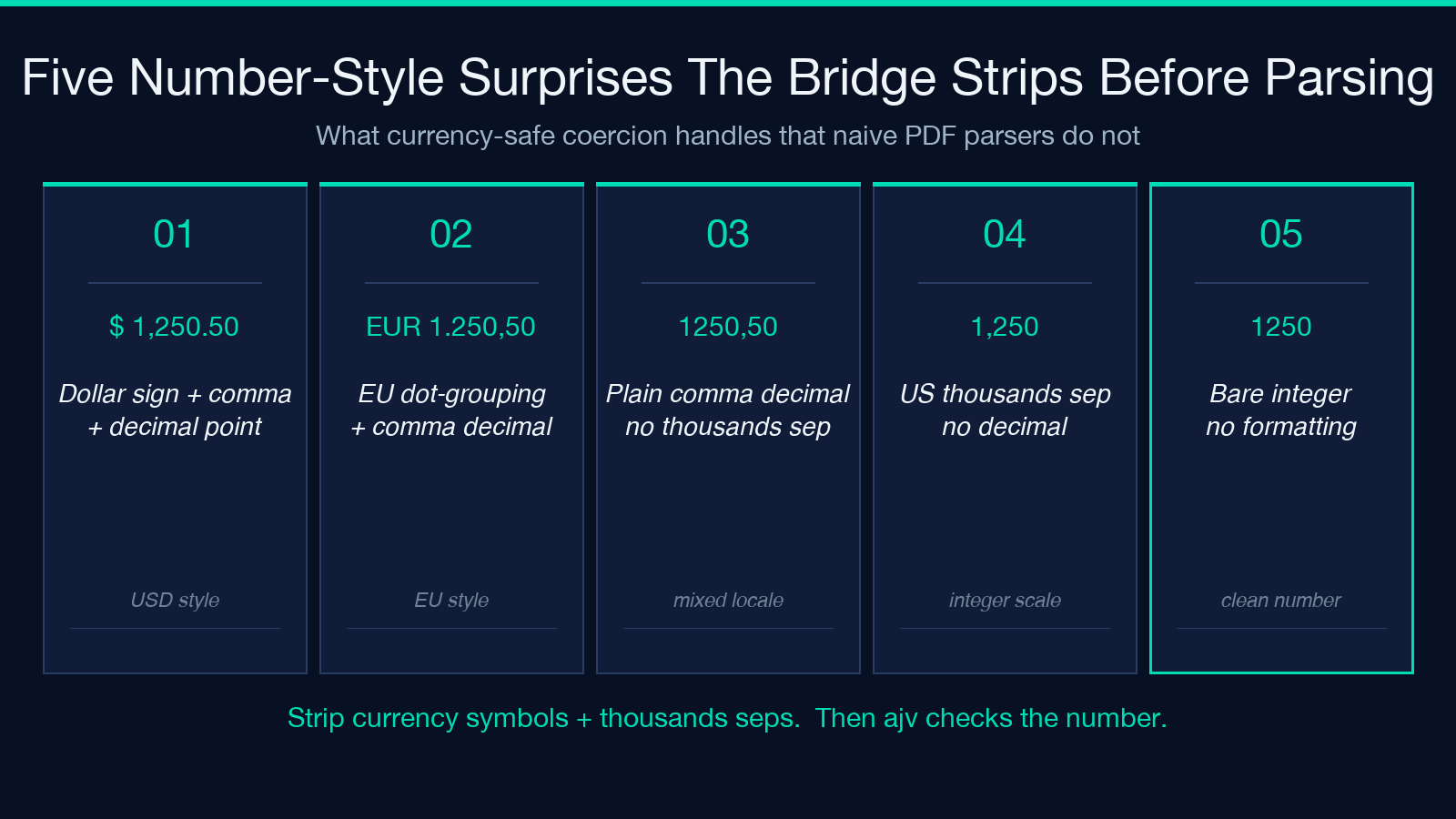
The single biggest silent failure in naive PDF extraction is the number check. A page that says Total Due: $1,250.50 looks like five different inputs to a generic parser: a leading dollar sign, a thousands comma, a decimal point, two digits after the dot, and the surrounding whitespace. Most pipelines handle at most one of those surprises. The bridge strips currency symbols ($, €, ¥, USD, EUR) and thousands separators, then parses the remainder with a decimal-locale check that respects both 1,250.50 (US) and 1.250,50 (EU). The result is the number 1250.5 — not a string, not a NaN, not a silent zero. If a field is unparseable after that, ajv flags it instead of letting the bad value through.
What Date Normalization Actually Means For Mixed-Format Fields
Real invoices mix formats on the same page: Invoice Date: 12/05/2025 (US slash), Due Date: May 30, 2025 (long English), and Period: 2025-Q1 (quarter label) all appear in the wild. The bridge runs each date through a multi-format parser that accepts MM/DD/YYYY, DD/MM/YYYY, Month DD, YYYY, YYYY-MM-DD, and ISO week labels, then emits the same YYYY-MM-DD form regardless of input. The locale is inferred from the format itself — 12/05/2025 is ambiguous in isolation, but the bridge looks at the surrounding fields and picks the locale that makes 05/12/2025 impossible for that document. If you need a separate calendar step first, the OCR text layer itself is at PDF OCR Text Layer.
The Three Failure Modes ajv Catches That Manual Entry Misses
After the bridge produces its object, ajv validates the result against your schema. Three failure modes surface here that hand-typing would silently let through. Required field missing: a required: ['invoice_number', 'total'] field did not appear in the geometry map — the bridge returns an error listing the unfilled keys instead of emitting a half-complete object. Type mismatch: a value the bridge coerced to a number is NaN, or a date string is malformed — ajv blocks the export with a precise path like /line_items/2/quantity. Enum violation: a currency: ['USD','EUR'] field came back as GBP, which is not in the schema’s allowed set. Each of these is a clean failure with a fix path; none of them require re-reading the page.
Workflow: From A Page-Footer Invoice To A Clean Object
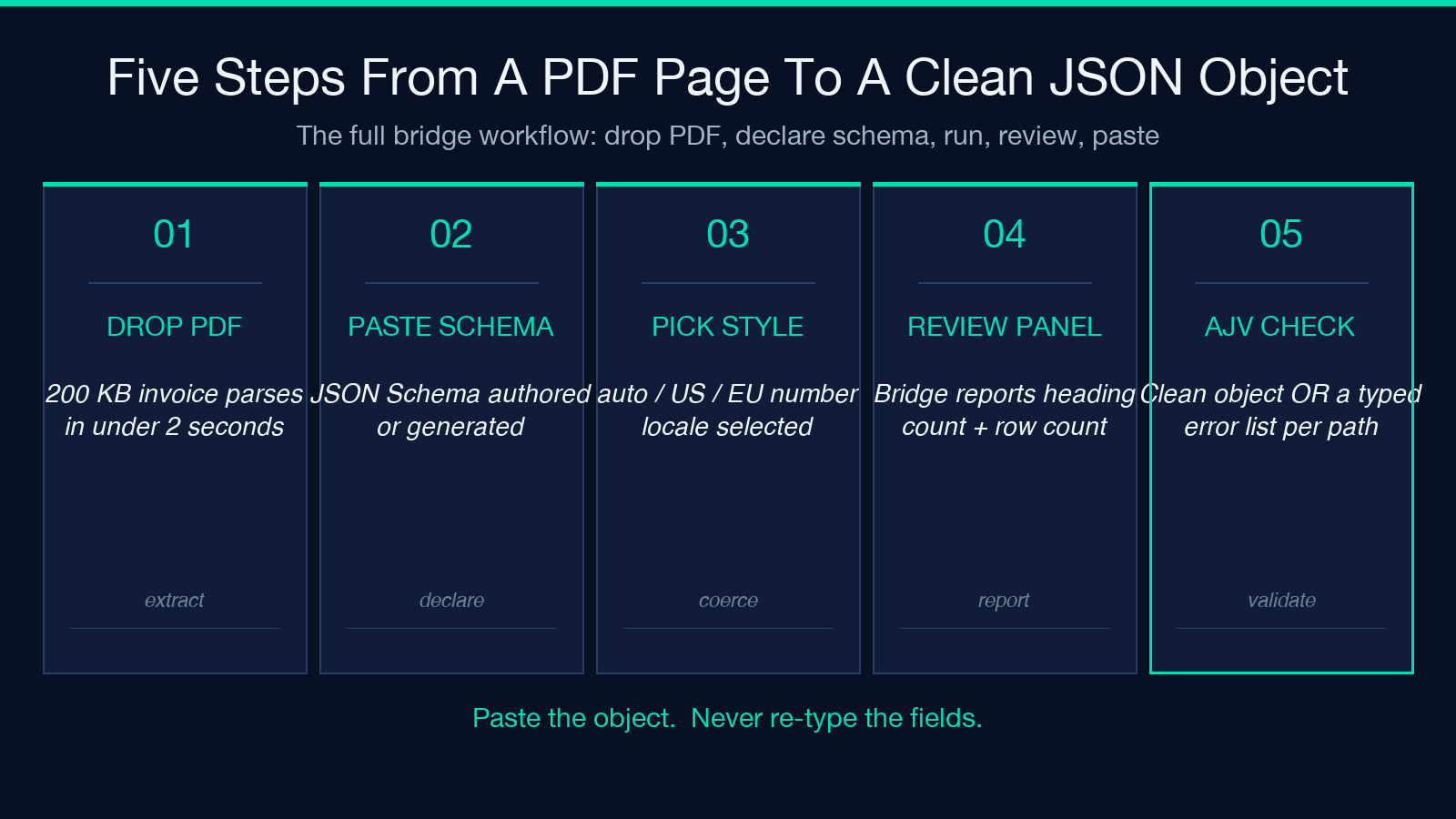
The end-to-end run is short. Step one: drop the PDF into the bridge — a 200 KB invoice is parsed in under two seconds on commodity hardware. Step two: paste or generate the JSON Schema; the bridge accepts schemas authored from scratch or generated by JSON Schema Generator. Step three: pick the number style (auto, US, EU) and run. Step four: review the extraction panel — the bridge reports the heading count, key-value pair count, and table row count it found, so you can confirm the geometry was read before you trust the values. Step five: ajv emits a clean object or a typed error list. You paste the object; you never re-type the fields. The PDF Secure Redaction Sanitizer is the right partner if the page contains PII you need scrubbed before extraction.
Limits And What To Do When The Bridge Reports Drift
The bridge is honest about what it cannot read. Handwritten totals at the bottom of an invoice are not in the geometry map — the OCR layer will catch the printed total but not the pen stroke on top. Multi-page documents with the same field repeated on each page (a page N of M header that includes a date) are read as separate pages and you must scope the schema to the right page. Embedded images of tables (a JPEG screenshot inside a PDF) bypass the text layer entirely — the bridge falls back to OCR for those blocks and reports lower confidence. Drift detection: if the bridge’s reported heading count or row count does not match what you expected from the document layout, do not paste the result — re-run with a tighter schema that names which fields are required, and let ajv reject the partial output instead of accepting a half-built object. When the geometry fails, the right move is to widen the schema’s additionalProperties tolerance and re-run, then close it back once the page is reliably read.
Explore more tools at elysiatools.com.
