
A static picture of NaCl is not the same as seeing it.
A rotatable ball-and-stick model turns “FCC packing” from a phrase you repeat into a packing you can see. When you drag the NaCl model so a corner points at you, the six nearest neighbours of each ion stop being a textbook claim and become something your eye can count. That is the entire premise of the Crystal Structure Explorer — a Three.js-driven browser tool that ships ~25 of the most important textbook structures with their real lattice constants, space groups, coordination numbers, and teaching notes. It is built for the moment a solid-state or inorganic chemistry student hits “FCC”, “HCP”, “fluorite”, or “perovskite” in a textbook and needs to actually see the geometry rather than infer it from a flat diagram.
This field guide walks through what the tool covers, how the controls map onto the geometry you are trying to learn, the four teaching-comparisons the explorer is genuinely good at, and the one scientific caveat every instructor should flag before students start using it as a reference.
Why a 3D Rotatable Model Beats a Printed Diagram
Every solid-state and inorganic chemistry textbook ships the same handful of unit-cell pictures: NaCl as two interpenetrating FCC sublattices, diamond as a tetrahedral carbon network, CsCl as a body-centred cube, fluorite as a CCP array of Ca²⁺ with all tetrahedral holes filled by F⁻. The pictures are correct. They are also nearly impossible to read on the first pass, and worse on the second. A static 2D projection hides the symmetry the structure is famous for.
A rotatable 3D model changes what the student can ask. They can rotate the cell to a corner-on view and count the twelve nearest neighbours of an FCC atom. They can compare Zn (HCP, c/a = 1.86) against Mg (HCP, c/a = 1.62) and watch the zinc structure visibly compress along the c-axis. They can toggle the unit-cell edges on, switch to CPK space-filling spheres, and see how the radius ratio drives the coordination number change between NaCl (CN = 6) and CsCl (CN = 8). None of those are visible in a flat diagram.
The Crystal Structure Explorer renders exactly that interactive view in your browser — no install, no plugin, no file download. Drag to rotate, toggle the checkboxes for cell edges, auto-rotation, and ball-and-stick vs CPK mode, and the model responds in real time.
What the Library Covers
The explorer ships roughly 25 textbook structures, grouped by chemistry family. The taxonomy is the same one every solid-state course uses, so the tool slots cleanly into a syllabus rather than imposing a new one.
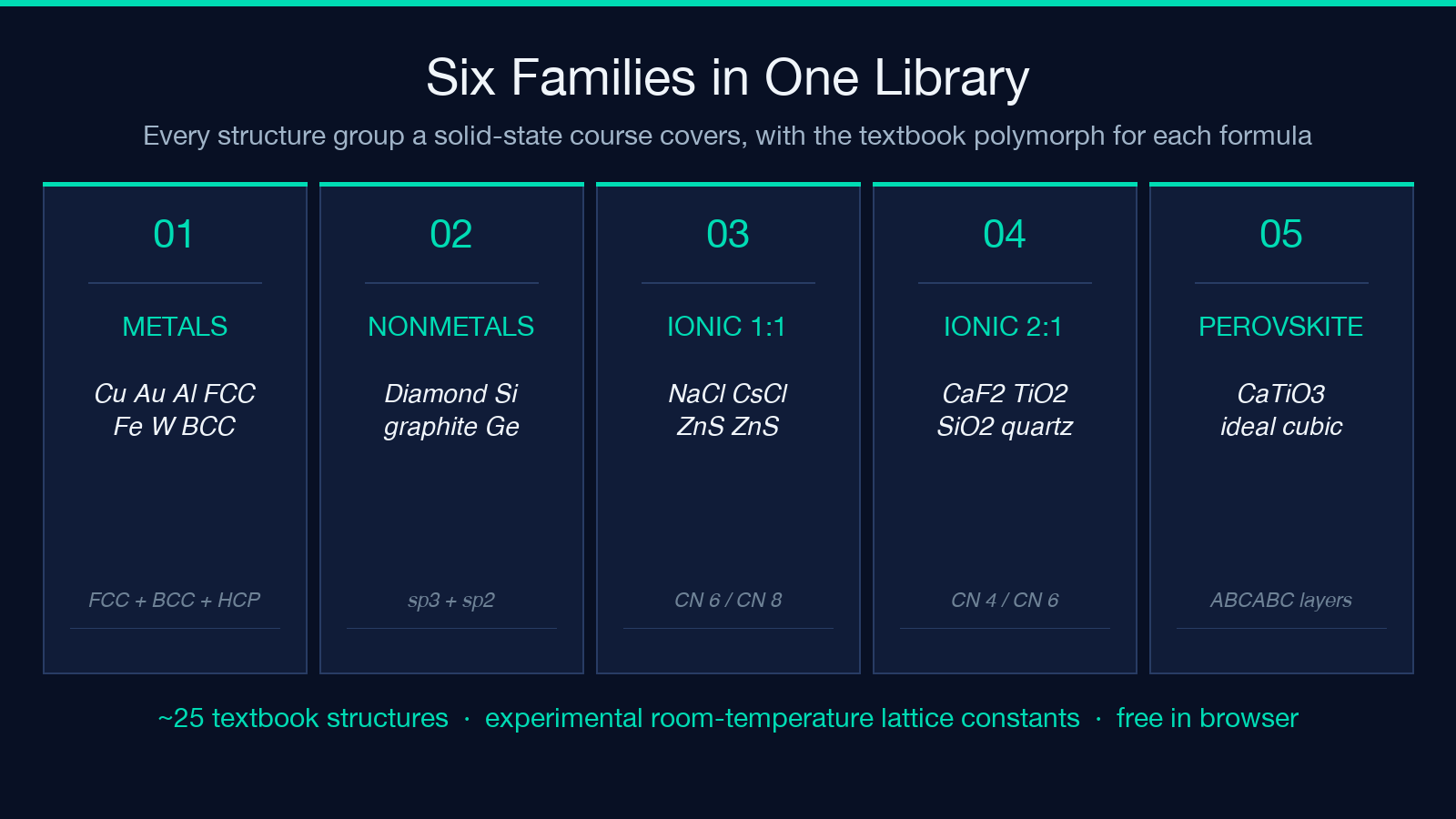
- Metals — Cu, Au, Ag, Al (FCC) · Fe-α, W (BCC) · Mg, Zn, Ti-α (HCP)
- Nonmetals — diamond, graphite, Si, Ge
- AX ionic (1:1) — NaCl rock salt, CsCl, ZnS sphalerite, ZnS wurtzite
- AX₂ ionic — CaF₂ fluorite, TiO₂ rutile, SiO₂ α-quartz
- Perovskites — CaTiO₃ (ideal cubic)
- Layered and others — Na₂O (anti-fluorite), CdCl₂, CdI₂, Al₂O₃ corundum
For each entry the explorer shows the crystal system (cubic, hexagonal, tetragonal, trigonal, orthorhombic), the Hermann–Mauguin space-group symbol plus its number, the lattice constants a, b, c in Å, the interaxial angles α, β, γ, Z (formula units per cell), the coordination numbers, and short teaching notes. The constants are experimental room-temperature values pulled from the Materials Project, WebElements, and the primary literature — not theoretical or textbook-rounded values.
The Controls and What They Reveal
Three controls matter and each one is mapped to a specific learning goal.
Drag to rotate. The obvious use — but the teaching value is in the views you cannot get from a printed diagram. Corner-on, edge-on, and body-diagonal orientations each make a different coordination geometry legible. Diamond looks obvious from <111>; CsCl looks obvious from <100>; HCP looks obvious down the c-axis.
Unit-cell edges on/off. With edges off, the model shows just the atoms and bonds (or CPK spheres) inside the conventional cell, which is how most students first picture a structure. With edges on, the cell boundary becomes visible and the symmetry operations (the translations that map atoms onto equivalent positions) become easier to count. This is the single best toggle for a first-time student.
Ball-and-stick vs CPK. Ball-and-stick exaggerates the bonds and makes the topology obvious. CPK (space-filling) shows the actual relative atomic sizes and reveals why NaCl’s CN = 6 geometry and CsCl’s CN = 8 geometry are both correct for their respective radius ratios. The toggle between the two views is the cleanest way to teach the radius-ratio rule.
Auto-rotate. Useful when a student wants to absorb the symmetry without actively driving. Less useful for analysis than the manual drag, but a strong first-exposure tool.
The Four Comparisons the Explorer Is Genuinely Good At
A textbook picture is a single moment; an interactive model is a sequence of moments. The teaching power of the explorer comes from four specific comparisons that are flat-impossible in print.
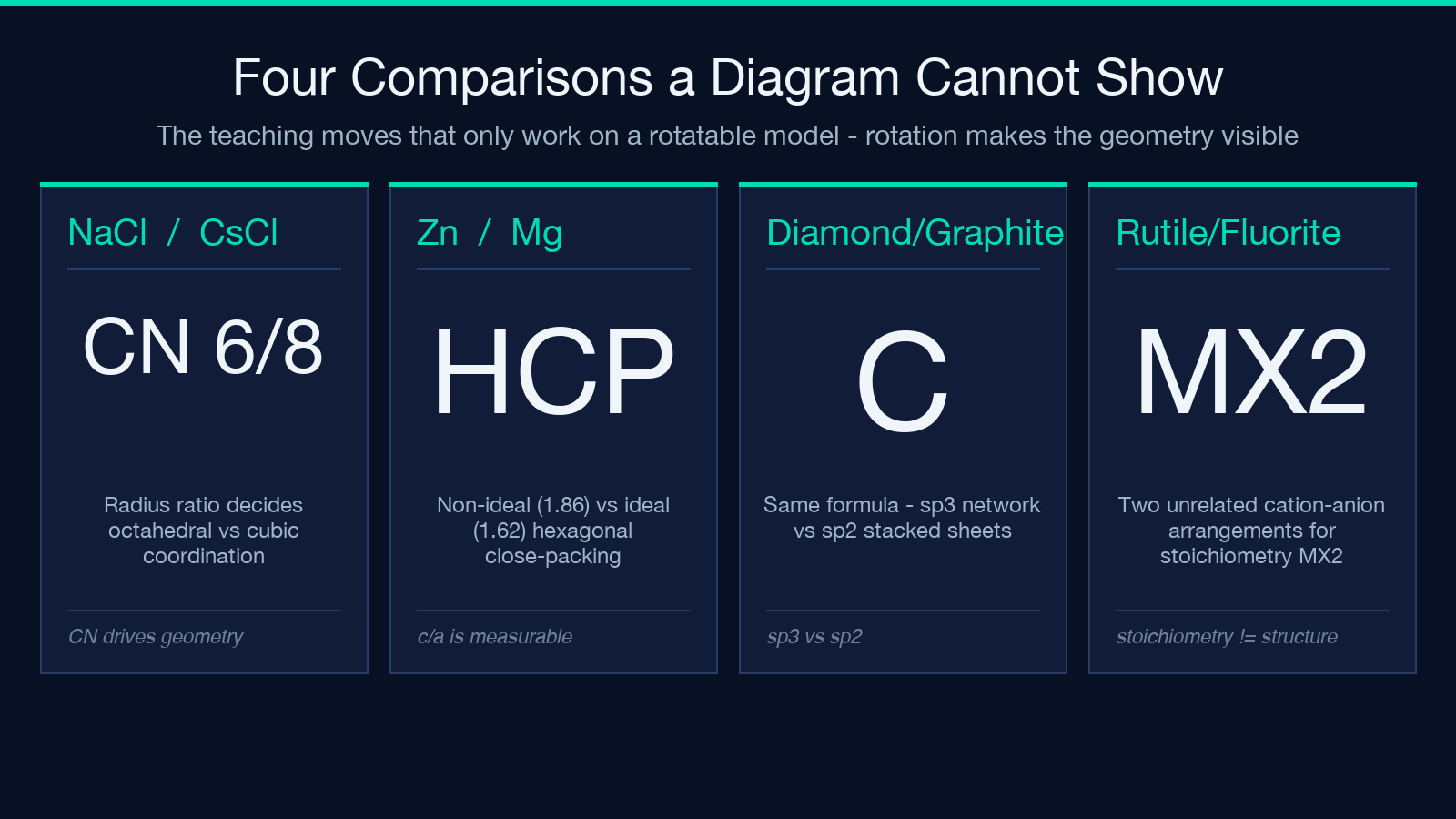
NaCl vs CsCl — radius ratio and coordination. Both are 1:1 ionic, but NaCl has octahedral coordination (CN = 6) while CsCl has cubic coordination (CN = 8). Switch between them and the difference is immediately visible: in CsCl the Cl⁻ ions stack at the corners of a cube with the Cs⁺ at the body centre, while in NaCl the Cl⁻ ions form an FCC sublattice with Na⁺ occupying every octahedral hole. The radius ratio is the cause; the model is the proof.
Zn vs Mg — non-ideal vs ideal HCP. Both are hexagonal close-packed, but Mg has c/a ≈ 1.62 (ideal) and Zn has c/a ≈ 1.86 (compressed). Rotate the two side by side and the zinc structure visibly squeezes along c while magnesium sits closer to the spherical-atom ideal. This is the textbook example for “HCP is not always ideal”, and the explorer makes the squeeze observable rather than conceptual.
Diamond vs graphite — same formula, different structure. Carbon is diamond and graphite. The explorer shows both, and toggling between them is the fastest way to make the polymorphism concept stick. Diamond has every carbon tetrahedrally bonded in a 3D network; graphite has carbons in sp² sheets stacked by weak van der Waals forces. The model difference is total.
Rutile vs fluorite — different AX₂ stoichiometries, different geometries. CaF₂ (fluorite) and TiO₂ (rutile) are both MX₂ but their cation/anion arrangements are unrelated. Fluorite has the cations in an FCC sublattice with all tetrahedral holes filled by anions. Rutile has the cations in a tetragonal body-centred arrangement with the anions in a distorted octahedral coordination. Showing both side by side is the cleanest argument that stoichiometry alone does not pick a structure.
The Polymorphism Caveat Every Instructor Should Flag
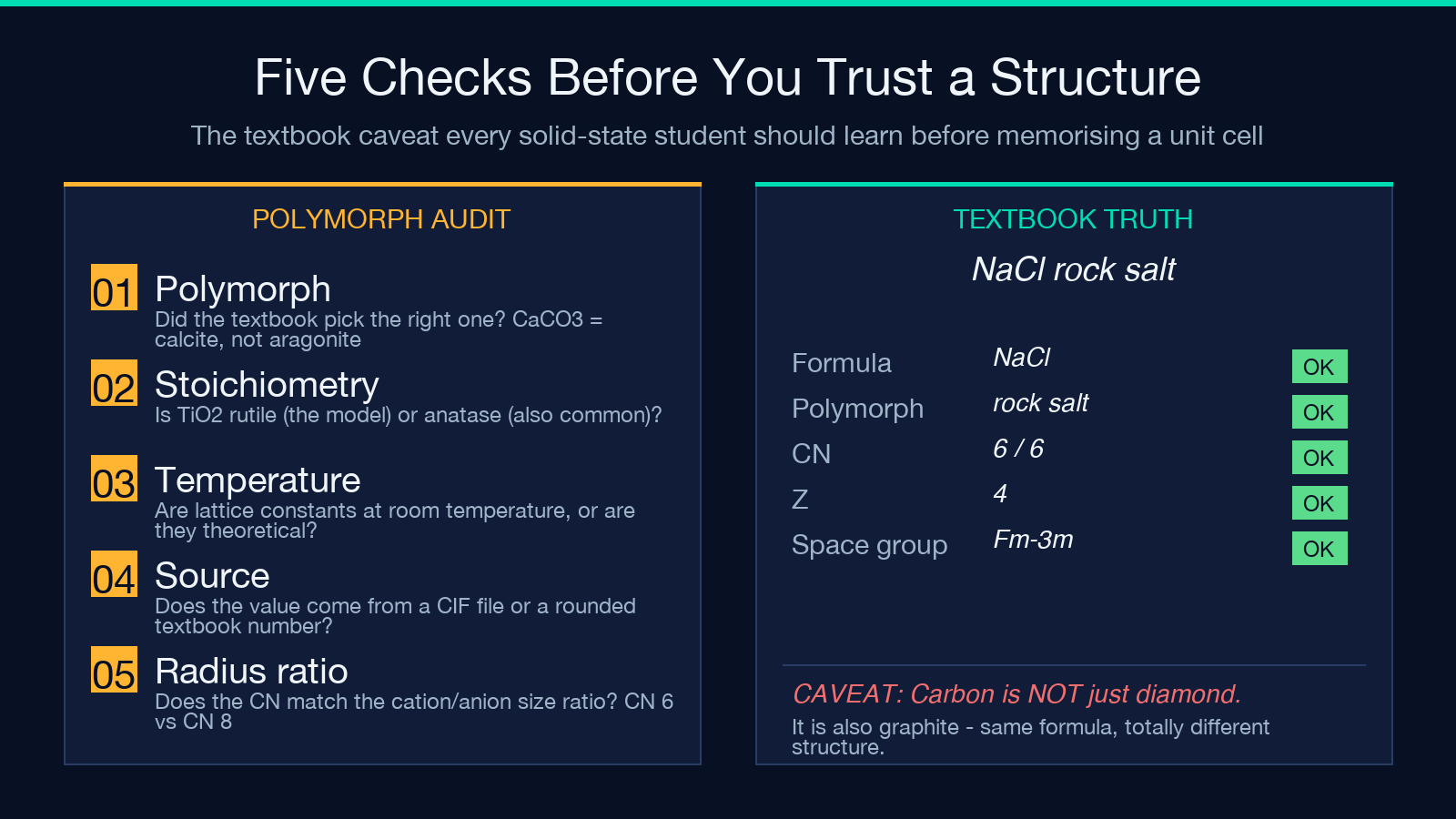
A chemical formula does not uniquely determine a crystal structure. Carbon is diamond and graphite. CaCO₃ is calcite and aragonite. TiO₂ is rutile and anatase. ZnS is sphalerite (cubic) and wurtzite (hexagonal) at ambient conditions, with sphalerite being the low-temperature form below ~1020 °C and wurtzite taking over above that. SiO₂ has at least nine polymorphs depending on temperature and pressure.
The Crystal Structure Explorer handles this honestly — for each formula it shows the most common textbook polymorph, the one that appears in every general-chemistry and solid-state course. This is the right default for teaching, but it is not a prediction from the formula alone. The real structure of any given sample comes from X-ray diffraction, lives in a CIF file, and depends on temperature, pressure, synthesis route, and impurity content. Students who learn crystal structure from this explorer should leave it understanding that “CaCO₃” is a stoichiometry, not a structure, and that the polymorph question is a separate physical question with its own experimental answer.
This is also why the explorer’s notes explicitly call out the room-temperature experimental lattice constants rather than theoretical values — the constants change with temperature, and the explorer is honest about which temperature they refer to.
Lattice Constants, Space Groups, and Where the Numbers Come From
For each structure the explorer shows four families of data, and each one comes from a different source convention. Knowing where they come from makes the tool a useful reference, not just a pretty picture.
Crystal system. One of seven: cubic, tetragonal, orthorhombic, hexagonal, trigonal (rhombohedral), monoclinic, triclinic. Determined by the symmetry of the lattice, not the chemistry. NaCl is cubic; rutile is tetragonal; graphite is hexagonal; calcite is trigonal.
Space group. The Hermann–Mauguin symbol plus its number from the International Tables for Crystallography. NaCl is Fm-3m (225). CsCl is Pm-3m (221). Diamond is Fd-3m (227). The number is the canonical lookup key, the symbol is the human-readable shorthand.
Lattice constants. a, b, c in Ångström and α, β, γ in degrees. The explorer’s values are experimental room-temperature numbers from the Materials Project, WebElements, and primary literature. They are not theoretical (which would differ slightly) and not textbook-rounded (which would lose precision). For high-precision work, the source data in the relevant CIF file is the authoritative answer; the explorer’s values are the right ballpark for everything except structure refinement.
Coordination numbers and Z. Coordination numbers describe the nearest-neighbour count of each ion (Na⁺ in NaCl has CN = 6 with respect to Cl⁻, and Cl⁻ has CN = 6 with respect to Na⁺). Z is the number of formula units per conventional unit cell (NaCl: Z = 4; CsCl: Z = 1; fluorite CaF₂: Z = 4; diamond: Z = 8).
When the Explorer Is the Right Tool and When to Reach for Something Else
The explorer is the right tool for: a first-time visual exposure to a structure, a side-by-side comparison of two polymorphs or two coordination geometries, a quick lattice-constant lookup for a textbook problem, and a sanity check on a structure a student has drawn in a homework set. It is also the right tool for instructors building a slide deck — the rotatable model is more engaging than a static image and renders identically across browsers via Three.js.
The explorer is the wrong tool for: structure prediction from a new composition (it shows the textbook polymorph, not the predicted ground state), high-precision lattice-constant work (use the Materials Project or a primary-literature CIF file), phase-diagram reasoning across temperature and pressure (the explorer shows one polymorph per formula, not the phase boundaries), and any analysis where defects, dopants, or disorder matter (the explorer shows the ideal crystal).
For everything in the first list, the explorer is exactly the right level of fidelity. For everything in the second list, treat the explorer as a starting point and reach for a crystallography database, a phase-diagram tool, or a DFT package. The two approaches are complementary, not competing.
Where to Try It
Open the Crystal Structure Explorer directly in your browser — no install, no plugin. Pick NaCl, CsCl, diamond, or graphite from the dropdown, drag to rotate, toggle the cell edges on, switch to CPK, and start comparing. The four comparisons above (NaCl vs CsCl, Zn vs Mg, diamond vs graphite, rutile vs fluorite) are the highest-yield teaching moves the model supports. For more interactive learning tools across solid-state chemistry, materials science, and undergraduate physics, browse the Elysia Tools catalog.
