
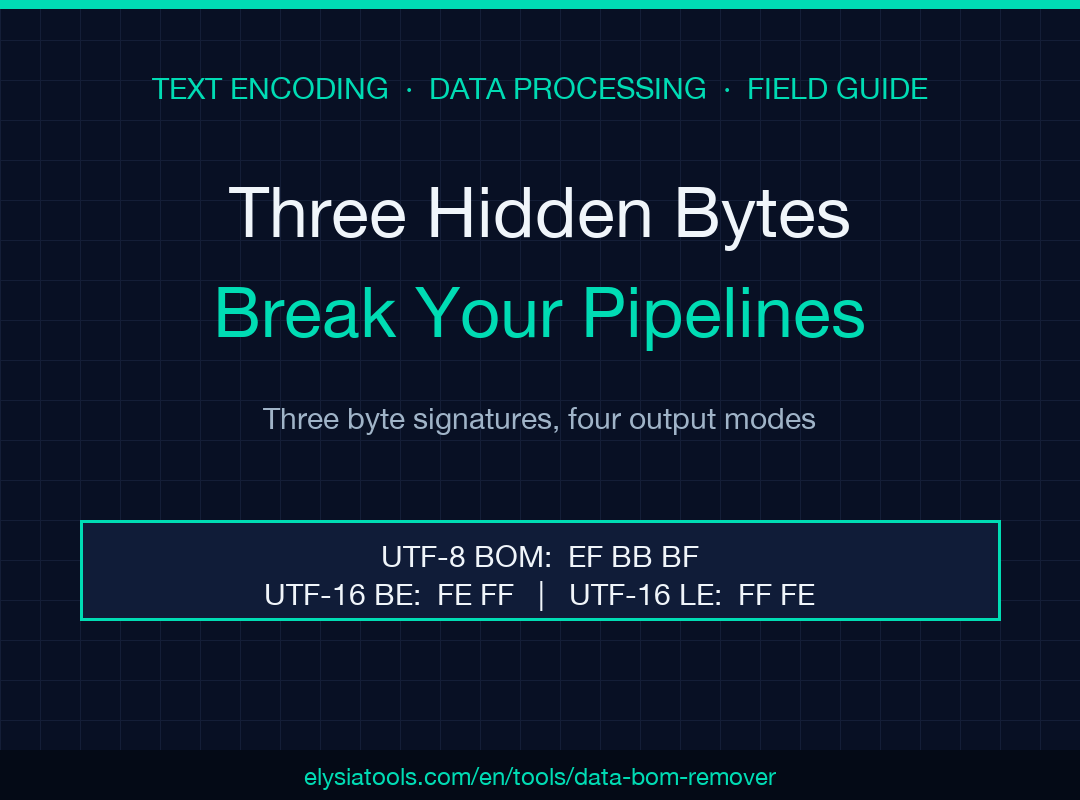
A 3-byte sequence that pretends not to exist can quietly break an entire data pipeline. The UTF-8 BOM (EF BB BF) sits at byte zero of a file, looks identical to no character at all in most editors, and turns a working pd.read_csv into UnicodeDecodeError: 'utf-8' codec can't decode byte 0xef, a JSON.parse into SyntaxError: Unexpected token, or a database COPY into a row where the first column header is \ufeffid instead of id. The BOM Character Remover tool detects all three common BOM variants, strips them in place, and offers four output formats so you can audit exactly which bytes disappeared before you ship the file downstream. This field guide walks through the eight decisions that decide whether your cleanup actually fixes the root cause or just hides a deeper encoding mismatch.
What a BOM Actually Is (and Why It Hides)
A Byte Order Mark is a small signature at the very start of a text stream that announces its encoding. For UTF-8 it is the three bytes EF BB BF; for UTF-16 it is either FE FF (big-endian) or FF FE (little-endian); for UTF-32 it is 00 00 FE FF or FF FE 00 00. The Unicode standard originally used BOMs to let a decoder pick byte order automatically; modern UTF-8 decoders do not need the hint because UTF-8 is byte-self-synchronizing, but Microsoft Notepad, Excel, PowerShell Out-File, and many Windows text editors still write the UTF-8 BOM by default when you choose “Save as UTF-8”. That is why a file exported from Excel arrives at your Python pipeline with a phantom \ufeff prepended to the first key, or why a JSON payload forwarded from one microservice to another starts with a byte sequence the receiving parser refuses to read.
The BOM hides because it has no printable glyph and most editors do not show it in the status bar. You only see it when you open the file in a hex viewer, or when a strict parser chokes on byte 0. The BOM Character Remover catches both signals: it surfaces the invisible bytes in a hex view, and it reports exactly which BOM family was present so you know whether the source was UTF-8 with a Windows-leaning editor or a true UTF-16 file that somehow wandered into a UTF-8 pipeline.
How UTF-8, UTF-16, and UTF-32 BOMs Differ
The four BOM byte sequences tell very different stories, and treating them interchangeably is the second-most-common cleanup mistake (after not cleaning at all). Try the BOM Character Remover on your suspect input and the detection report will tell you which family you are dealing with, which is the signal you need to pick the right fix. Use BOM Character Remover at the start of any text-cleanup pipeline so downstream consumers always see a clean byte 0, no matter what editor the file came from.
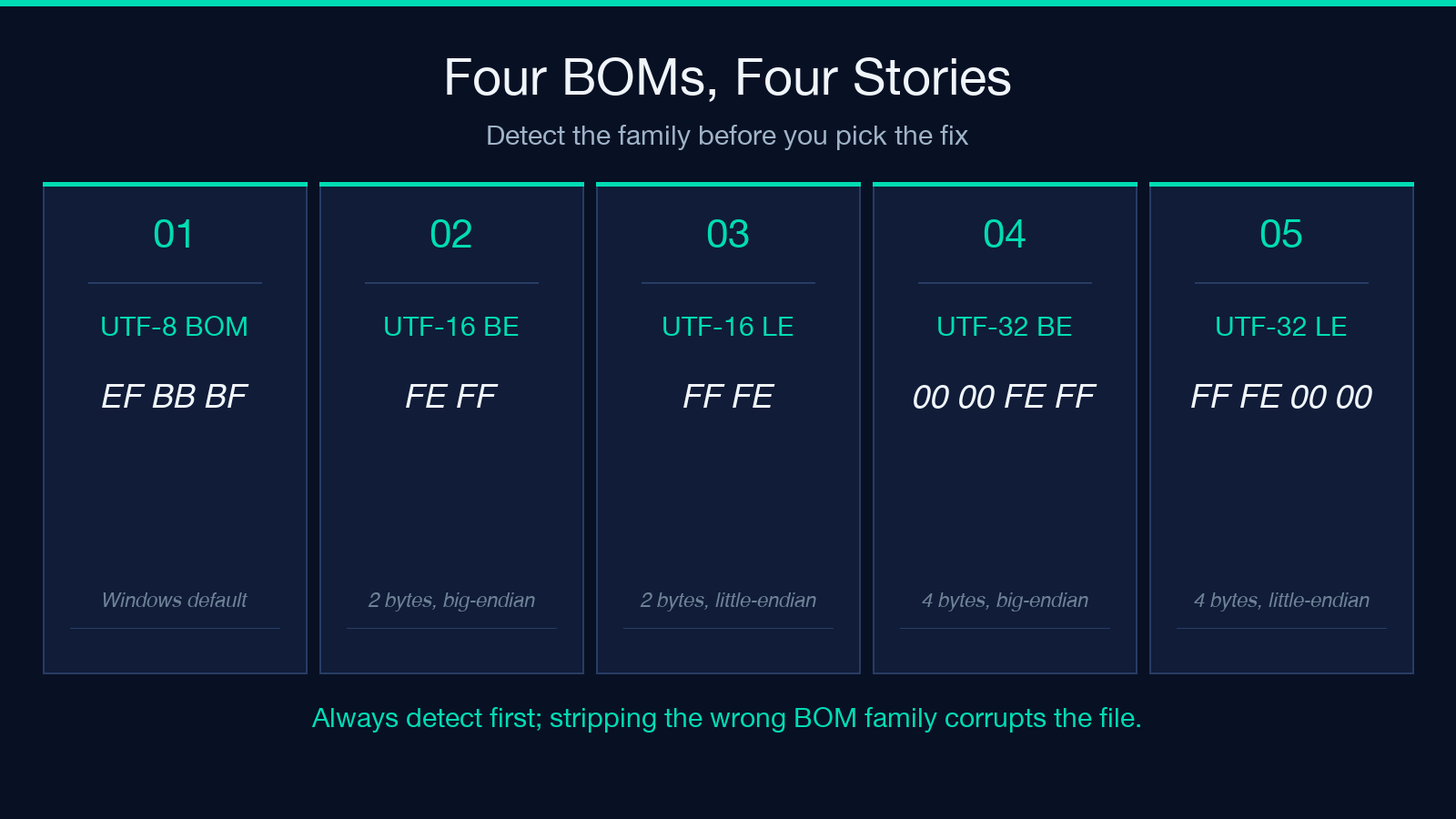
The UTF-8 BOM is three bytes EF BB BF, present only in files written by Windows-leaning editors. The UTF-16 BOM is two bytes, either FE FF (big-endian) or FF FE (little-endian), and signals a file that is double-byte under the hood even though your tooling thinks it is reading UTF-8. The UTF-32 BOM is four bytes, almost never seen outside legacy Windows code pages, and a strong signal that the source file was misencoded twice before reaching you. The fourth byte sequence FF FE 00 00 looks like a UTF-32 LE BOM but actually decodes to U+FEFF (zero-width no-break space) followed by U+0000; if you see it the source file is most likely UTF-16 LE mis-labeled as UTF-32. Always read the detection report before pressing Save.
Five Symptoms That Point to a BOM, Not a Bug
When debugging an opaque text error, BOM is rarely the first hypothesis; it is usually the fifth, after wrong-encoding, wrong-delimiter, wrong-line-ending, and bad-source. Watch for these five patterns to short-circuit the guesswork. The first symptom is \ufeff appearing at the start of the first column header when you read a CSV with pandas.read_csv and inspect df.columns.tolist(): the actual bytes are EF BB BF 69 64 but Python renders the leading three as a single \ufeff and the column becomes \ufeffid. The second symptom is JSON.parse failing on a payload that visually starts with {: the BOM is the three bytes before the {, and JSON.parse refuses to parse { after \ufeff. The third symptom is a database COPY inserting a row whose first column is empty when the schema says NOT NULL: the BOM got absorbed into the first string column as a zero-width character that the schema checker cannot distinguish from empty.
The fourth symptom is Excel opening a CSV correctly but every other tool refusing it: Excel transparently strips the UTF-8 BOM, so the file looks clean in Excel’s grid and broken everywhere else. The fifth symptom is a git diff showing <U+FEFF> on the first line of an otherwise clean file: the file was committed with a BOM and git displays it as a Unicode replacement because it cannot decide where to render it. Whenever you see any of these, reach for the BOM Character Remover before reaching for sed -i '1s/^...//'; the tool strips all four BOM variants and reports exactly which family was present.
The Detection-Mode Decision (All / UTF-8 / UTF-16 / UTF-32)
The tool’s Detection Mode dropdown offers four choices, and picking the wrong one is the difference between a clean fix and a partial cleanup. The default Remove All BOM Types is the right choice 90 percent of the time: it strips every detected BOM family in one pass, which is what you want for any file whose downstream consumer does not care about encoding metadata (which is most consumers). The Remove UTF-8 BOM Only mode is the conservative choice when you know the source pipeline is UTF-8 end-to-end and you only want to strip the Windows-editor artifact; it leaves UTF-16 and UTF-32 BOMs intact so you do not accidentally clobber a legitimate double-byte file mis-routed into your UTF-8 pipeline.
The Remove UTF-16 BOM Only mode is rare but important: if you have a file that is genuinely UTF-16 (two bytes per character, ASCII strings rendered as 00 41 00 42 00 43 for “ABC”) and you want to keep the double-byte encoding but remove the leading FE FF or FF FE marker, this mode does exactly that. The Remove UTF-32 BOM Only mode is even rarer; you would only use it if you are working with legacy code-page files that someone converted twice. The recipe: if you are not sure which BOM is in the file, run the tool with Remove All BOM Types first and inspect the hex view; then re-run with the narrower mode if your downstream consumer specifically expects one encoding family.
Show BOM Characters: The Hex View Trick
The Show BOM Characters checkbox adds a visible representation of the detected BOM to the output, rendered as \xEF\xBB\xBF or \xFE\xFF depending on the family. This single checkbox is the difference between “I think I cleaned the BOM” and “I know I cleaned exactly three bytes”. When debugging a stubborn import failure, always enable this checkbox on the first run; the visible byte sequence tells you whether you are fighting a UTF-8 BOM, a UTF-16 BOM, or something else entirely (a stray \x00 from a null-terminated string, a stray \x1A from a DOS-era EOF marker, or a BOM-prefixed Windows path).
The hex view output is also how you verify a re-save did not re-introduce the BOM. Many editors write the BOM back the moment you press Save, which is why a “fixed” CSV mysteriously develops a new \ufeff after round-tripping through Notepad. Run the tool, copy the cleaned output, and paste into an editor configured to save without BOM (VS Code: set files.encoding to utf8 and uncheck “Add byte order mark”; Vim: :setlocal bomb? returns bomb if a BOM is present, :setlocal nobomb strips on next write). The combination of Show BOM + a BOM-stripping editor is the only durable fix.
Output Format Choice: Cleaned vs Detailed vs Hex vs JSON
The Output Format dropdown offers four output shapes, each tuned to a different debugging stage. The default Cleaned Text Only is what you want for the final pipeline handoff: it is just the bytes with the leading BOM removed, nothing else. The Detailed Report mode appends a summary of which BOM family was detected, how many bytes were stripped, and the byte offsets affected; use this when you need to log the cleanup for a data-quality audit trail. The Hex View mode renders the first 256 bytes of the input and output side by side as hex, with the BOM bytes highlighted; this is the format you reach for when you cannot reproduce a downstream parser failure from a small sample.
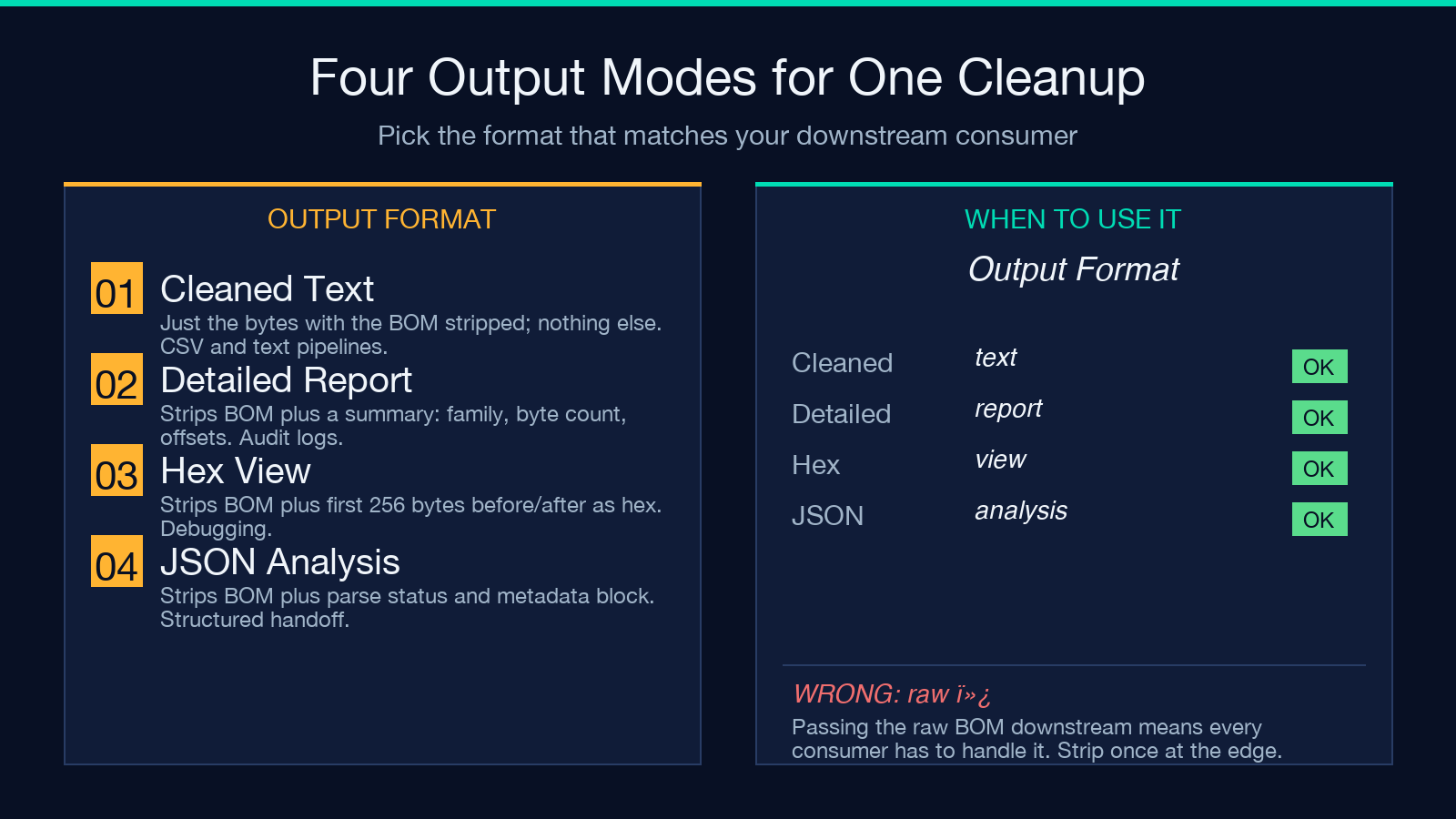
The JSON Analysis mode is the most structured: it parses the input as JSON after stripping the BOM, reports whether the parse succeeded, and emits a JSON object containing the cleaned payload plus a metadata block with the BOM family, byte count, and parsing status. Use JSON Analysis when your downstream pipeline expects a JSON object and you want to fail fast if the BOM was only one of several encoding issues. The Cleaned Text Only mode is fine for CSV and plain-text pipelines; Detailed Report is what you want for compliance logs; Hex View is the debugging escape hatch; JSON Analysis is the structured handoff.
Common BOM Fix Recipes (CSV, JSON, XML, API Payloads)
The fastest way to make a BOM fix stick is to pick the recipe that matches your data shape. For CSV imports that break in pandas.read_csv, run the tool with Remove All BOM Types and Output Format = Cleaned Text Only, save the result, and re-run read_csv; the first column header will no longer be prefixed with \ufeff. For JSON payloads that fail JSON.parse, use Remove All BOM Types with Output Format = JSON Analysis so you get a structured pass-or-fail signal in addition to the cleaned bytes; this catches the case where the BOM was a symptom, not the cause (an actually-malformed JSON file will still fail after the BOM is removed).
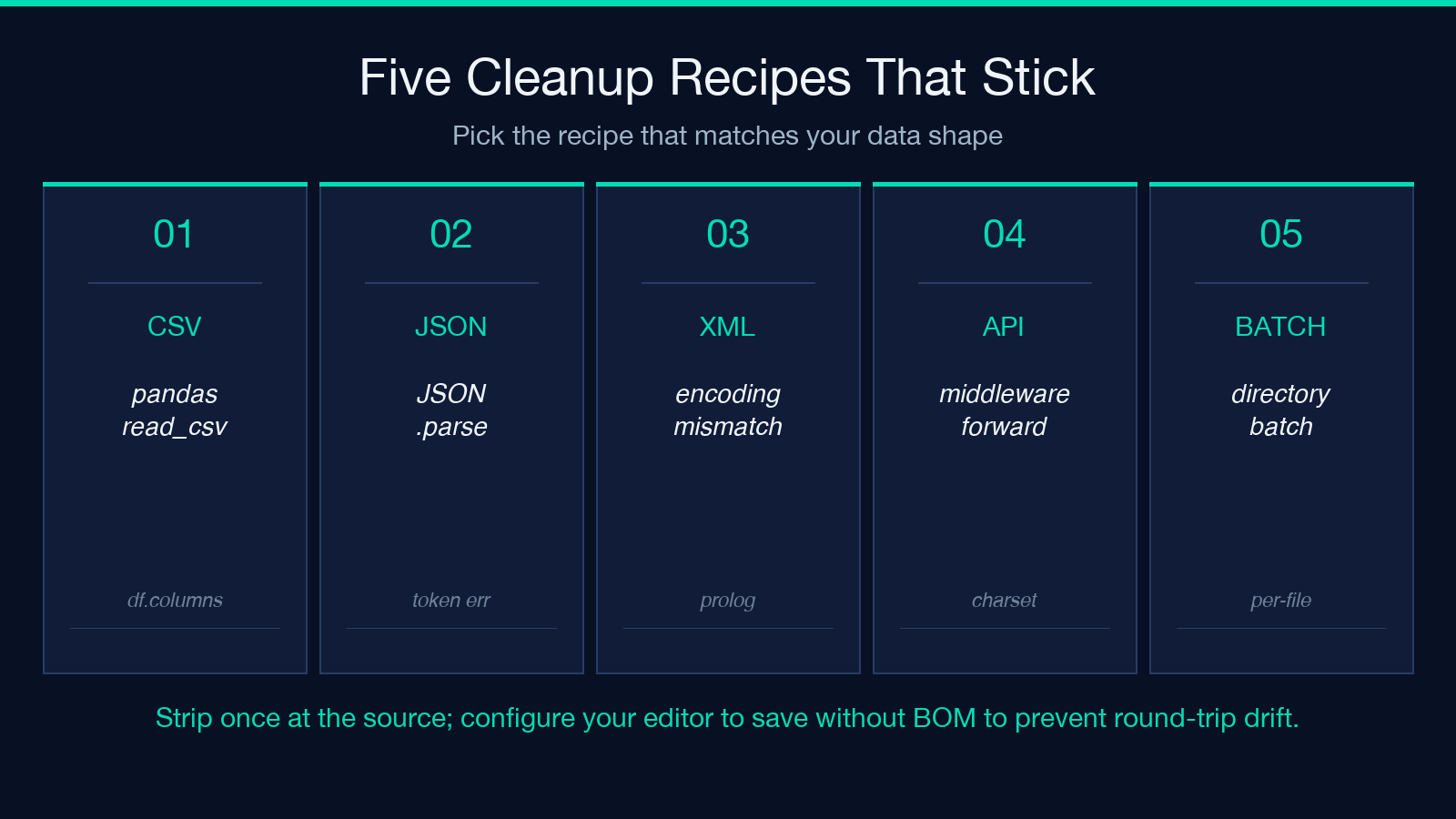
For XML files that the parser rejects with “extra content at the end of the document” or “encoding declaration mismatch”, run with Remove All BOM Types and inspect the Detailed Report; XML parsers are pickier about BOM placement because the encoding declaration in the prolog must match the actual byte sequence. For API payloads forwarded through middleware that strips the Content-Type charset, run with Remove All BOM Types and route the cleaned bytes through a serializer that re-adds an explicit charset=utf-8 header; the BOM was never the problem in this case, but cleaning it removes one variable. For multi-file batch processing, the tool’s batch mode applies the same detection-and-strip pass to every file in a directory and emits a per-file report; this is the right pattern for cleaning an entire data lake export.
When to Use a Different Tool (vs BOM Removal)
BOM removal is the right fix when the leading bytes match one of the four known BOM signatures and the rest of the file is structurally valid. It is the wrong fix when the file is genuinely encoded in a non-Unicode code page (Latin-1, Windows-1252, Shift-JIS, GB2312) and the leading bytes are not a BOM at all — they just happen to look like one to a strict UTF-8 decoder. In that case the File Encoding Converter tool is what you need: it converts the entire file from one encoding to another rather than stripping a small prefix.
When the corruption is in the middle of the file (a stray \ufeff showing up as an invisible line break in a CSV row, or a Windows-1252 file mislabeled as UTF-8 producing Mojibake Repair (Encoding Detective)-style replacement characters), reach for the Mojibake Repair tool instead. The Text Encoding Forensics and Repair tool is the deeper diagnostic when you cannot tell whether the leading bytes are a BOM, a null terminator, or a misencoded character. For files that need both BOM removal and Unicode normalization (NFC vs NFD, used by macOS HFS+ vs modern filesystems), the Unicode Escape Converter handles the escape-sequence side and pairs naturally with BOM removal in a two-stage cleanup. For everything else — CSV column renaming, JSON key renaming, header detection — the wider elysiatools.com data-processing catalog has a focused tool. The principle is to fix the actual encoding problem at its source rather than stripping symptoms downstream.
Explore more tools in the full Elysia Tools directory.
