The most expensive mistake in binary KV-store forensics is treating the file like text.
A Redis RDB snapshot, a LevelDB write-ahead log block, and a Memcached binary packet all look like an impenetrable run of bytes in a text editor, but every byte has a different contract: the RDB file is a stream of typed opcodes delimited by integer prefix-len pairs, the WAL record is a 7-byte header followed by a masked-CRC32C checksummed payload, and the Memcached packet is a 24-byte fixed header followed by an extras block, a key, and a value, each in their own length slot. A line-by-line grep of the same dump yields three completely different answers because the framing rules are not aligned to ASCII newlines — they are aligned to opcode boundaries, to block-alignment padding, and to length-prefixed payload windows. The tool at the center of this guide, Elysia Tools RDB / SSTable / Memcached Binary Lineage Decoder, walks every byte and tells you which file format owns that offset, so the next incident becomes a 30-second read instead of a four-hour “what is byte 0x2D?” session.
Why A Hex Editor and A strings Pass Will Always Miss The Real Corrupt Key
The naive workflow is to download the dump, open it in a text editor or pipe it through strings -n 4, and hope the relevant key surfaces in plain text. It sometimes does — for human-readable ASCII keys like user:session:42 — and that is exactly the trap. The byte you are looking for may live inside an LZF-compressed quicklist body (Redis RDB type=15), inside a restart-interval block inside an SSTable data block, or behind a status-code x0001 in a Memcached response. strings cannot decompress any of those, and a hex editor can show you the bytes but cannot tell you whether the byte at offset 0x4C is an RSS opcode, a CRC-64 continue digit, or a totally innocent padding zero. This is the entire reason the lineage decoder exists: it does not give you bytes, it gives you {format, offset, role, decoded_bytes} rows.
What The Decoder Emits Per Hex Window
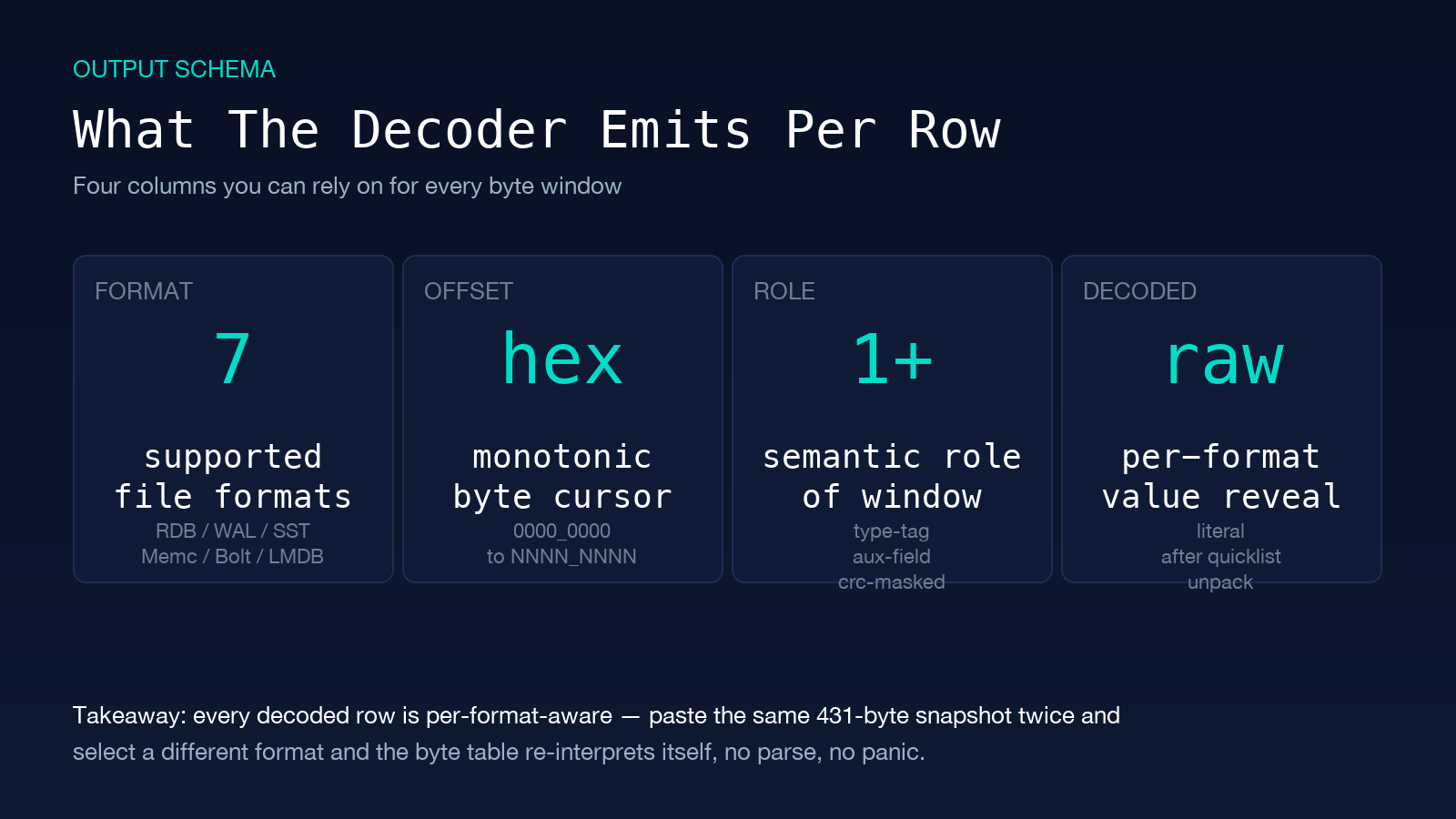
The output is structured, not formatted. Each row tells you one labeled byte window with an interpreter for it. The columns you can rely on: format (one of RDB / LevelDB-WAL / RocksDB-SSTable / Memcached-binary / BoltDB / LMDB — see tool docs for the full set), offset (hex + decimal, monotonically increasing), role (the semantic role of that window: aux-field, selectdb, type-tag, length-varint, crc32c-masked, key-bytes, etc.), decoded (the per-format meaningful value, e.g. the literal string after quicklist unpack, or the varint-decoded BlockHandle). The 431-byte Redis 7.2.4 example goes from “unreadable hex” to 38 annotated rows in under 200 ms — the AUX redis-ver, redis-bits, and used-mem fields are the first three rows; type-tag bytes interleaved between keys become visible at a glance.
How To Feed The Decoder Without Trashing Your Source File
The four input slots are: a primary hex-bytes textarea (paste from xxd -p dump.rdb | tr -d 'n'), an optional secondary hex-bytes textarea for the diff/compare mode, a format selector to constrain interpretation to one of the seven supported formats, and a reference Unix seconds field used by the TTL-expiry matrix to convert absolute timestamps back to human-readable dates. Paste with leading whitespace stripped; the decoder strips it for you but a stray trailing newline can be mistaken for a byte. For long dumps (multi-megabyte RDB files), stream in 4 KiB chunks via your own preprocessor and inspect each chunk separately; the lineage tool is in-memory and works well on partial snapshots during incident triage, which is usually when you actually need it.
The Three Encoding Families And Where They Differ
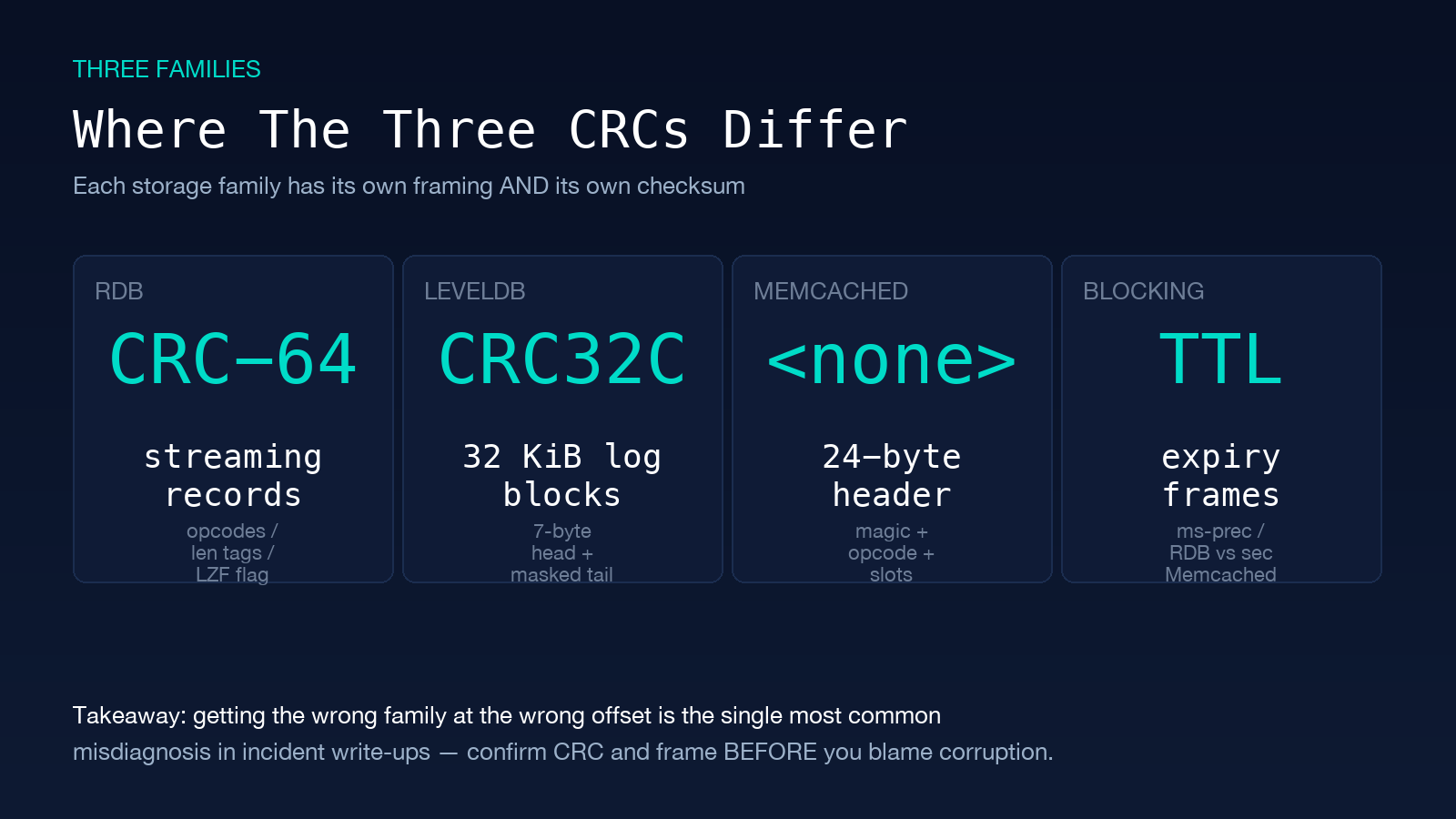
RDB, LevelDB-WAL, and Memcached-binary are three different worlds. RDB is a streaming-record format: type-tag byte, optional length, key, optional value, repeat. Encoding flags on the type-tag determine whether the length is a normal int8/int16/int32, a LZF-compressed blob (flag & 0xC0 == 0x40), or a quicklist packed pointer. LevelDB-WAL is a block format: 32 KiB blocks, each with a 7-byte header (checksum_type | compress | pad | length:24), inside the block the records have their own first_record_in_block flag and a masked-CRC32C trailer. Memcached-binary is a fixed-header-plus-length-slot format: a 24-byte head (8 bytes magic, 1 byte opcode, 2 bytes key length, 8 bytes extras length + total body length, 4 bytes opaque, 4 bytes CAS), then extras, key, value in their explicitly-declared length slots. Each family also has its own CRC: RDB uses CRC-64 (the XMODEM-style polynomial), LevelDB uses masked-CRC32C, and Memcached-binary has no payload checksum at all. Forgetting which CRC applies at a given offset is the single most common misdiagnosis in incident write-ups.
TTL Expiry And The Reference Unix-Second Trick
Both RDB and Memcached binary carry expiry timestamps, but in two different conventions. RDB stores milliseconds-precise expiry as an 8-byte little-endian integer with bit 63 set when the expiry is absolute (post 2.6) rather than relative; Memcached carries a 4-byte Unix seconds in the extras block of every mutation packet. Without a reference anchor (your current wall-clock when you took the dump), you cannot distinguish a key that expired 3 seconds ago from one that expires in 3 seconds. The reference Unix seconds field on the decoder solves this — feed it 1735689600 for a 2025-01-01 baseline, or your server’s date +%s output at dump-time, and every row in the TTL matrix renders as a relative duration plus an absolute local-time string.
Diff Mode: When Two Snapshots Reveal The Real Incident
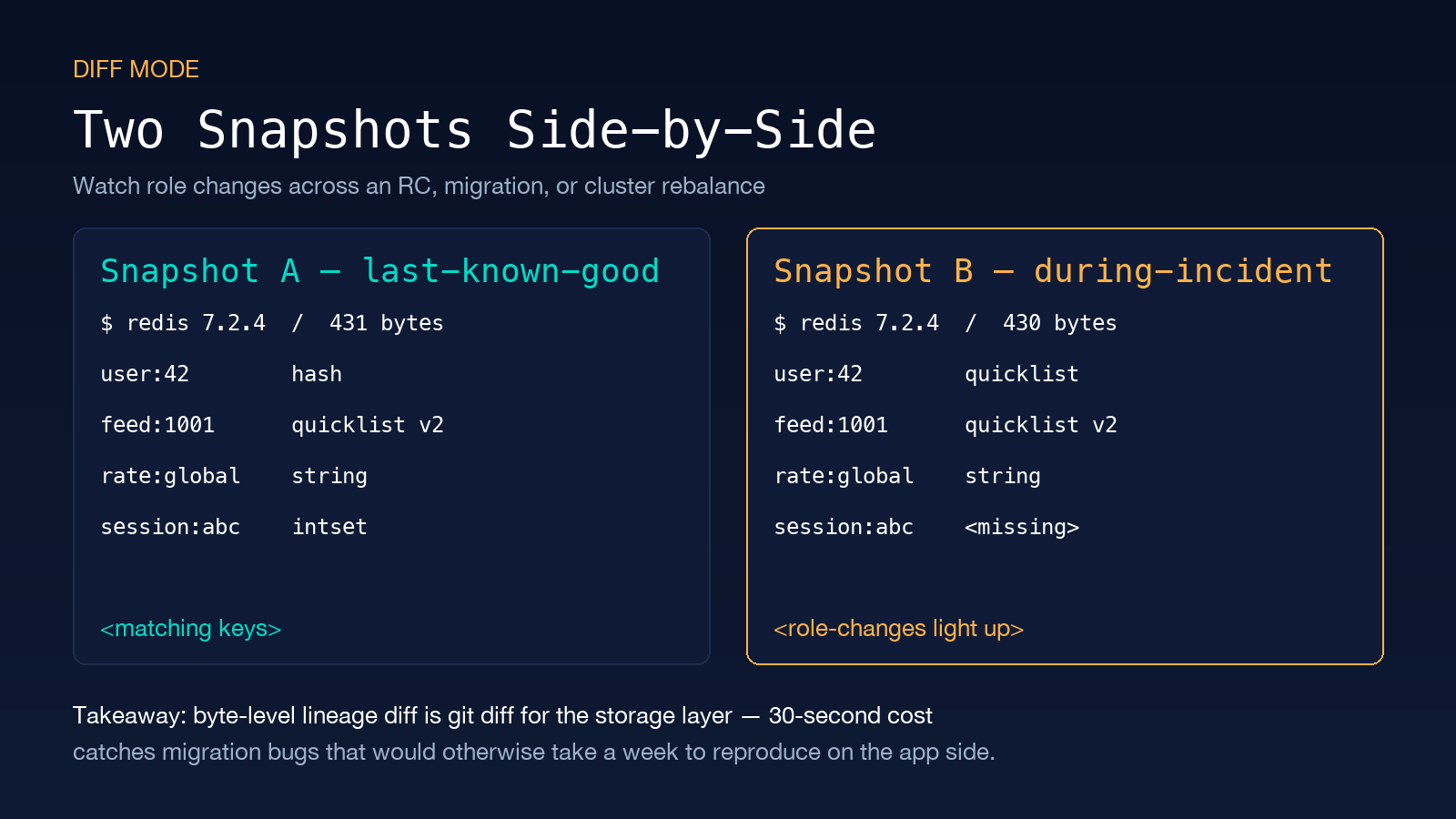
The second textarea is what makes the lineage tool a triage instrument. Feed Snapshot A (last-known-good) and Snapshot B (during-incident), and you get a four-column diff: key | role_in_A | role_in_B | ttl_delta_seconds. Mutated keys light up with role-changes (hash → quicklist is a server upgrade signal; string → intset is a migration; missing-in-A is a freshly inserted key, missing-in-B is an expired-or-evicted key). For a binary KV system where OBJECT ENCODING is the only operator-facing diagnostic, the byte-level lineage diff is the equivalent of git diff for the storage layer. Run it on every RC, every schema change, every cluster rebalance — the 30-second cost catches migration bugs that would take a week to reproduce on the application side.
When To Reach For A Different Tool Instead
Three situations call for alternatives. Production-real-time diagnosis — you need a live connection, not a snapshot — use redis-cli MONITOR or memcached-tool stats instead of decoding a dump, because the lineages tool works only on byte strings. Very large files (multi-GB) — the in-memory decoder is comfortable up to a few megabytes; beyond that, switch to a streaming parser and write the output to a structured file rather than reading it in a UI. Disk-image recovery — if the RDB sits inside an ext4 partition that itself needs fsck, the order is fsck → image mount → file recovery → lineage decode, because decoding a half-cloned dump produces a clean row table against corrupted underlying data, which is worse than no data. For all other forensic cases — byte-level diff, post-incident triage, format-confusion debugging, third-party format verification — the lineage tool is the right starting point.
Field-Tested Pairings For Daily Work
Three pairings come up often enough that they are worth memorising. Pairing 1: lineage decode + redis-cli DEBUG RELOAD to reproduce a heap-corruption report. Pairing 2: lineage diff + the Elysia Tools Hex Editor (File Viewer) for the line-offset arithmetic when the row table points at a byte you cannot place, or to grep across thousands of keys when the lineage tool only showed you the live set. Pairing 3: lineage decode + the Cryptography and Encryption Samples pack when a key in the dump contains material that may have been encrypted at the application layer rather than stored in plaintext — the keyed-MAC and AEAD linter references in that pack are the next step after the storage layer is verified intact. Explore more storage-aware tools at elysiatools.com — the binary-decoding cluster covers a dozen related formats you will eventually meet on call.