
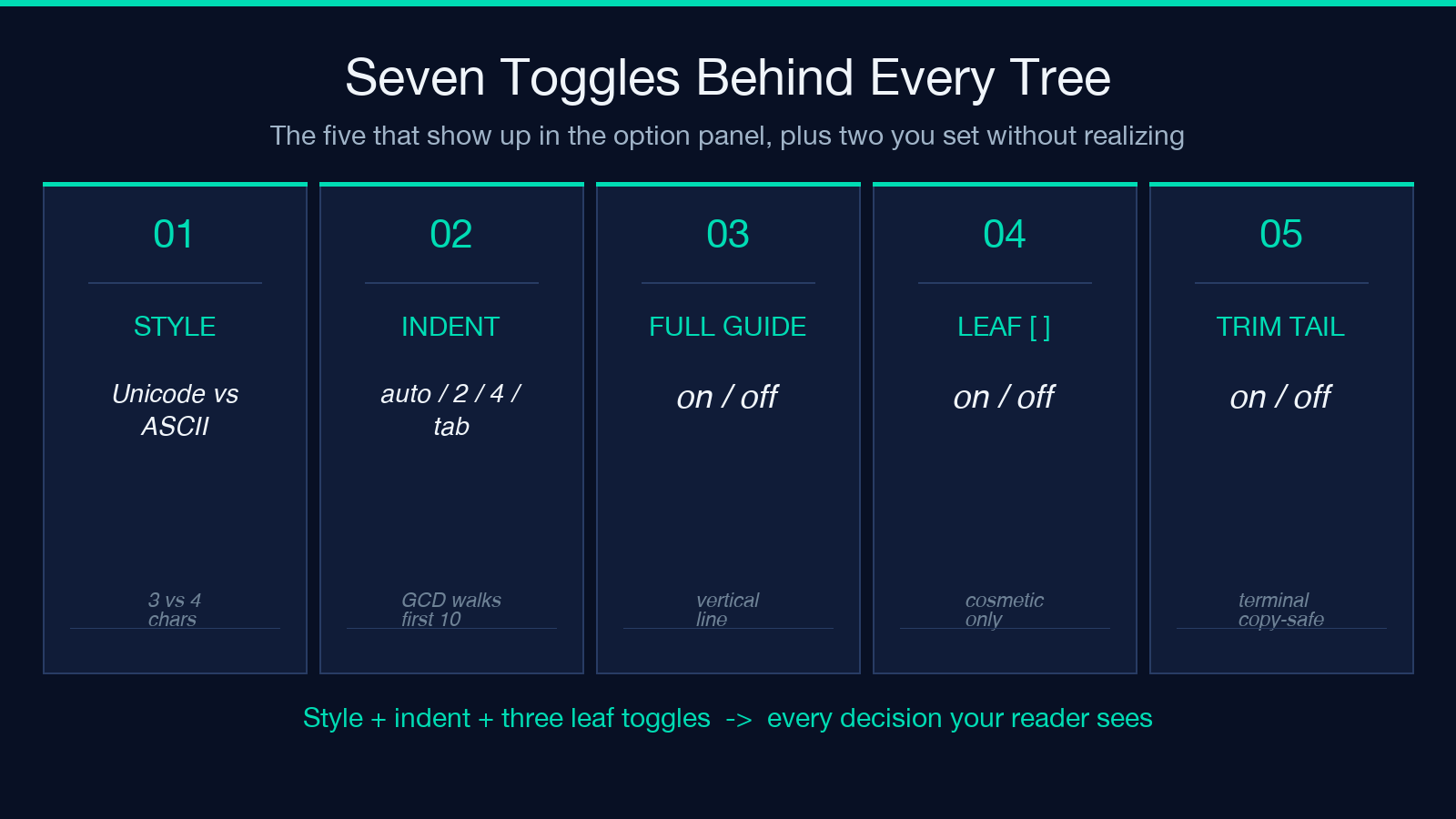
One pasted bulleted outline. That is what an ASCII-tree tool is asked to convert, but every project owner has typed a copy-paste from Notion or a Slack thread, hit Generate, and received a tree that almost works: a misaligned guide here, a Unicode glyph that breaks Discord rendering there, a leaf node printed without the bracket you wanted. Seven toggles — style, indent unit, full-guide lines, leaf brackets, trailing space trim, plus the two you forget (prefix strip, output shape) — decide whether the resulting block is a real directory map or a wall of glyphs. This field guide walks through each toggle, the format decisions underneath them, and the failure modes that show up only when you actually paste a 200-line outline.
What an Indented List Actually Carries
A plain indented list is six things stacked into one stream. First, the depth: every level adds the same unit (two spaces, four spaces, or a tab), and that unit repeats everywhere in the input. Second, the bullet prefix: -, *, +, or a numbered 1. pattern; whether the prefix is present at every level, only on the first, or nowhere is the first question the tool has to answer. Third, the marker glyph choice: do you write a hyphen that the reader parses as a bullet, or do you want Unicode ├── / └── printed back? Fourth, the leaf semantics: is a line with no children a directory (printed as foo/) or a file (printed bare), or do you want foo versus foo/ distinguished only by an explicit slash the user typed? Fifth, the trailing whitespace: most editors strip it, but copying from a terminal usually keeps it, and a tree drawn from a list with trailing spaces prints one column wider than the source intended. Sixth, the comment lines: # ... or // ... lines that were notes in the outline become tree children unless explicitly skipped.
Treat the list as a stream and you will get a stream back. Treat it as a tree and you get the depth you typed. The first conversion is the only one that matters, and the choice happens in the prefix-strip step before the depth counter ever runs.
The Style Decision: Unicode Box Drawing vs Classic ASCII
The two output styles solve two different audiences. Unicode box-drawing — ├──, └──, │ — renders cleanly on GitHub, GitLab, Discord, Slack, Notion, and any modern terminal. It is the default for a reason: a three-character wide branch glyph gives the tree readable alignment at every depth, and the corner glyph (└──) only appears on the last child of a parent, so the structure is unambiguous. The catch: paste that tree into an old email client, a Windows-1252 console, or a code block in a CMS that does not declare UTF-8, and every box-drawing glyph becomes ├──. The tree is unreadable, and worse, the byte count is wrong — what looked like 4 characters is now 9, which can break column widths in pasted tables.
Classic ASCII — |--, --, | — survives every encoding round-trip because every byte is below 128. It is uglier. The corner glyph takes four characters (--) instead of three (└──), and the visual difference between a branch and a corner is one character of alignment, which means at high depths the tree starts to feel cramped. Use it when you are pasting into a chat client that escapes Unicode silently, when the output will be parsed by another tool (a doc generator, a wiki renderer), or when the receiver is a code reviewer reading the diff in a terminal that has not set LANG=en_US.UTF-8.
The decision is rarely about the project. It is about the next reader.
Indent Unit: Why Auto-Detect Wins for Mixed Input
A list indented with two spaces parses differently than a list indented with four spaces. Most editors default to two; most code formatters default to four; tabs are common in Makefiles and Go source. The auto-detect toggle walks the first ten non-empty lines and chooses the unit that divides all observed indents without remainder. If a list mixes two and four spaces inside the same block, auto-detect picks the GCD and you get an extra-deep tree on the four-space side. That is a feature, not a bug — the four-space lines were deeper in the original, and the tree preserves that.
The failure mode is mixed tabs and spaces. A line indented with a tab next to a line indented with two spaces has no common unit (tab = 1 character but visually wider), and auto-detect reports an error rather than guessing. If you hit this, force the indent unit to tab or 2 and let the tool coerce the other side. The tree you get will not match what you see in the editor, but it will be self-consistent.
Full-Guide Lines and the Four-Width Mental Model
The full-guide toggle is a four-character question with a one-character answer. With full-guide off, the tree prints the branch glyph (├──) only at the parent of the leaf. With full-guide on, every ancestor of every leaf draws a vertical guide (│) all the way down the tree, so a leaf at depth 5 has 4 guide characters in front of it, and you can visually trace the path back to the root.
The mental model is: count the width of a depth-N node. At depth N, the prefix is N-1 guide characters (each one glyph wide) plus one branch character (3 glyphs wide for Unicode, 4 for ASCII), so the leaf content starts at column 4 * (N-1) + 4. That is the column to keep under 80 if you care about terminal width. Full-guide on pushes the same alignment; it does not add characters, it just makes every ancestor visible instead of letting the corners disappear between siblings.
Leaf Brackets: When docs/[api.md] Matters
The leaf-bracket toggle wraps file-like nodes in [...] so the reader can scan a tree and count files versus directories. Off by default because most users do not want the brackets in their README. On when the tree is for a documentation index, a project onboarding doc, or a static-site-generator sidebar — anywhere the reader needs to know at a glance which nodes are clickable.
The trap: the tool does not auto-detect file extensions. api.md, api.md/, api/, and api are all leaf nodes unless you type a trailing slash for the directory case. The bracketed form [api.md] is purely cosmetic; it does not change the tree depth or the click target.
Trailing-Space Trim and the Output That Looks Right
Trailing-space trim is the toggle you forget until you copy from a terminal. A list pasted from tree output or ls -R has trailing spaces because the source command padded them. Without trim, every leaf in the printed tree is one column wider than the content suggests, and the alignment breaks at the deepest level. With trim on (the default), the tool drops the trailing spaces before drawing, and the tree lines up column-wise.
The corner case: you want the tree to round-trip. If the source list has trailing spaces as semantic markers (rare, but it happens in generated config files), trim removes them and the tree is no longer a faithful copy. For a README, a doc, a Slack message — trim is what you want. For a config-file preview — turn it off.
Putting It Together: A Real Outline Through the Pipeline
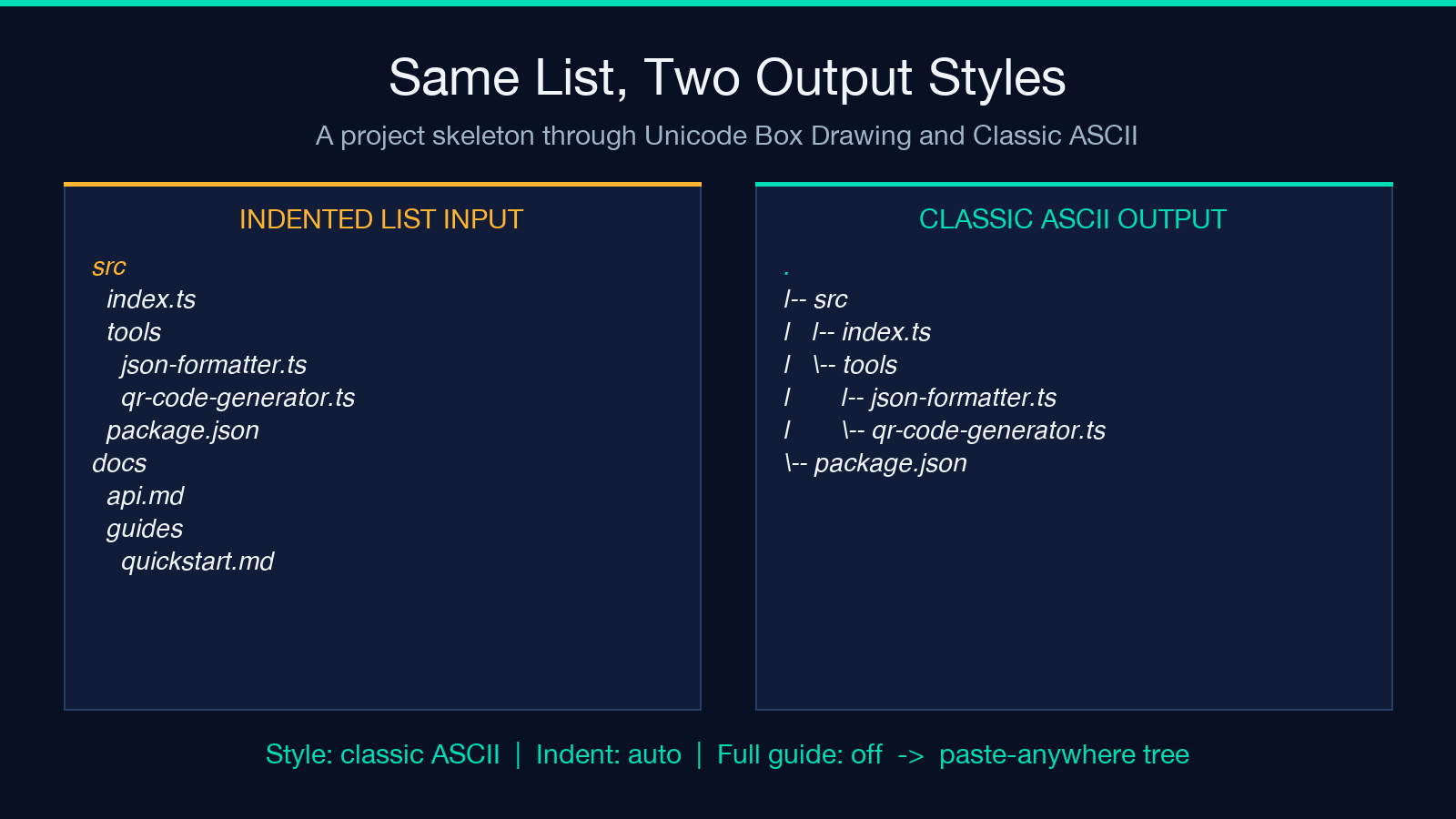
Take this list — a project skeleton — and run it through both styles with full-guide on, leaf brackets off, trim on, auto-detect:
Input
src
  index.ts
  tools
    json-formatter.ts
    qr-code-generator.ts
  package.json
docs
  api.md
  guides
    quickstart.md
Unicode Box Drawing, full guide on
.
├── src
│   ├── index.ts
│   └── tools
│       ├── json-formatter.ts
│       └── qr-code-generator.ts
└── package.json
Classic ASCII, full guide off
.
|-- src
|   |-- index.ts
|   -- tools
|       |-- json-formatter.ts
|       -- qr-code-generator.ts
-- package.json
Same list, two readers — one gets a GitHub-renderable tree, the other gets a paste-anywhere tree. The seven toggles together determine which one you ship.
What to Watch For When the Tree Looks Wrong
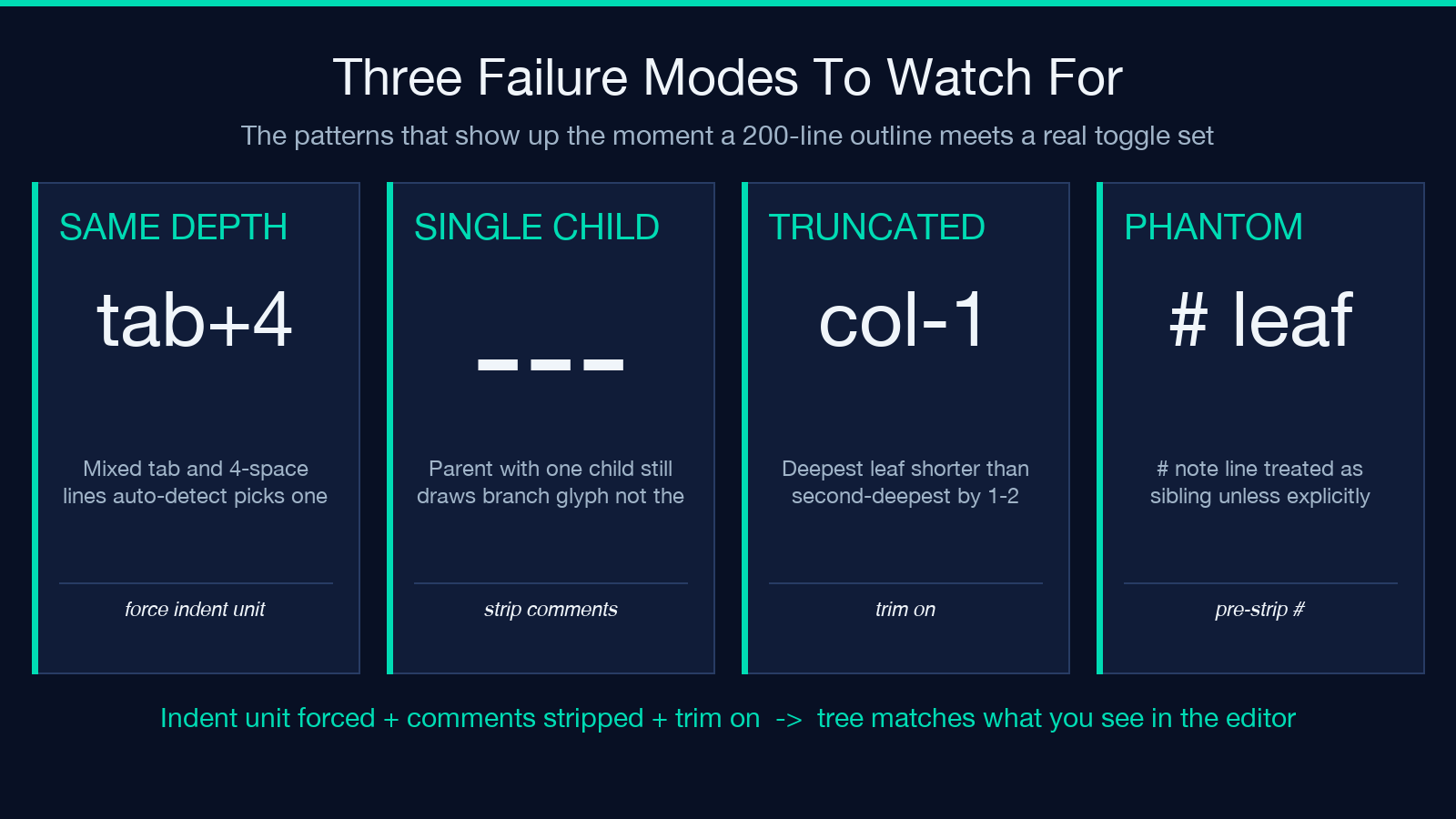
- Three patterns repeat across broken outputs. First, every leaf at the same depth. The tree drew the structure but lost the depth. The cause is almost always a mixed-tab indent: the auto-detect saw one tab line and four-space lines, picked
tab, and treated the four-space lines as depth-0 too. Fix by forcing the indent unit and re-running. - Second, guide characters appearing on parents that have no other children. A parent with one child should draw
└──, not├──. If you see├──on a single-child parent, the tool counted the children wrong — usually because a comment line or empty line was treated as a sibling. Strip the comments before pasting. - Third, the trailing column missing on the deepest leaf. The deepest leaf in the tree is shorter than the second-deepest by one or two characters. Trailing spaces in the source — turn trim on and re-run.
For a working sandbox and the option list side-by-side, try the Indented List to ASCII Tree tool directly. Paste your outline, switch the style, and compare the two outputs in the same panel — that is the fastest way to learn which toggle controls which visual artifact. When the input is a real project (a tree output, a docs folder listing, a config hierarchy), the same seven toggles decide whether the result reads as a directory map or a wall of glyphs.
Explore more ASCII and tree-rendering tools at Elysia Tools.
