
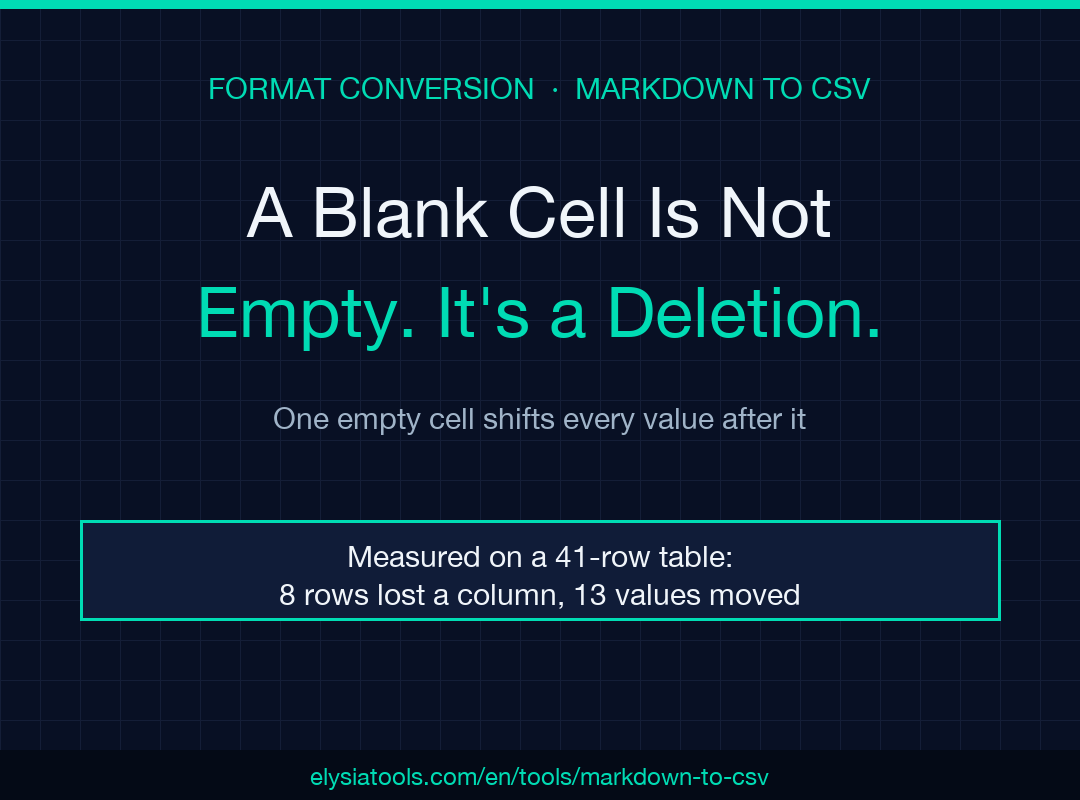
Each Markdown table carries a blank cell somewhere — the phone number you never got, the middle name nobody uses. You wrote those cells on purpose. But a conversion deletes them, and I measured what that costs: on a 41-row table, 8 rows lost a column and 13 values sat under the wrong header.
Forty-one rows in, forty-one rows out
I built a six-column contact table, forty rows, the shape that shows up in a README or a support doc. Five rows had no phone number. Three had no note. Then I ran it through the same conversion logic the tool runs.
The measured result: 41 records in, 41 out. Nothing was lost at the row level, which is why the output passes a glance. Then I counted fields per record.
- 33 records came back with all six fields
- 8 records came back with five
- 13 cell positions held a value that belonged to a different column
Eight short rows out of forty is one row in five. If that table feeds a CRM import or a spreadsheet formula, one row in five now carries a phone number under the notes header. The file opens. No parser complains. The shift stays invisible until someone reads a row against its column names.
Here is the size cost, measured on the same table: 2,697 bytes of Markdown reduce to 2,088 bytes of CSV, 23 percent smaller. Turning on the “Quote All Fields” option pushes it back up to 2,564 bytes.
The damage happens in two chained calls
The converter is a small pipeline. Each line holding a pipe becomes a row; each row is trimmed, split on the pipe character, then filtered. Look at the filter.
cells = line.split('|').map(cell => cell.trim()).filter(cell => cell !== '')
Two operations share one line and they disagree about what a blank means. The split keeps the empty token, which is how a leading pipe and a trailing pipe avoid becoming phantom columns. The filter then removes that same token. By the time the filter runs, the empty string from a surrounding pipe and the empty string from your deliberate gap are the same value. One rule, drop empty tokens, fixes the row edges and breaks the row interior.
The empty cell you wrote is not the empty cell it removes
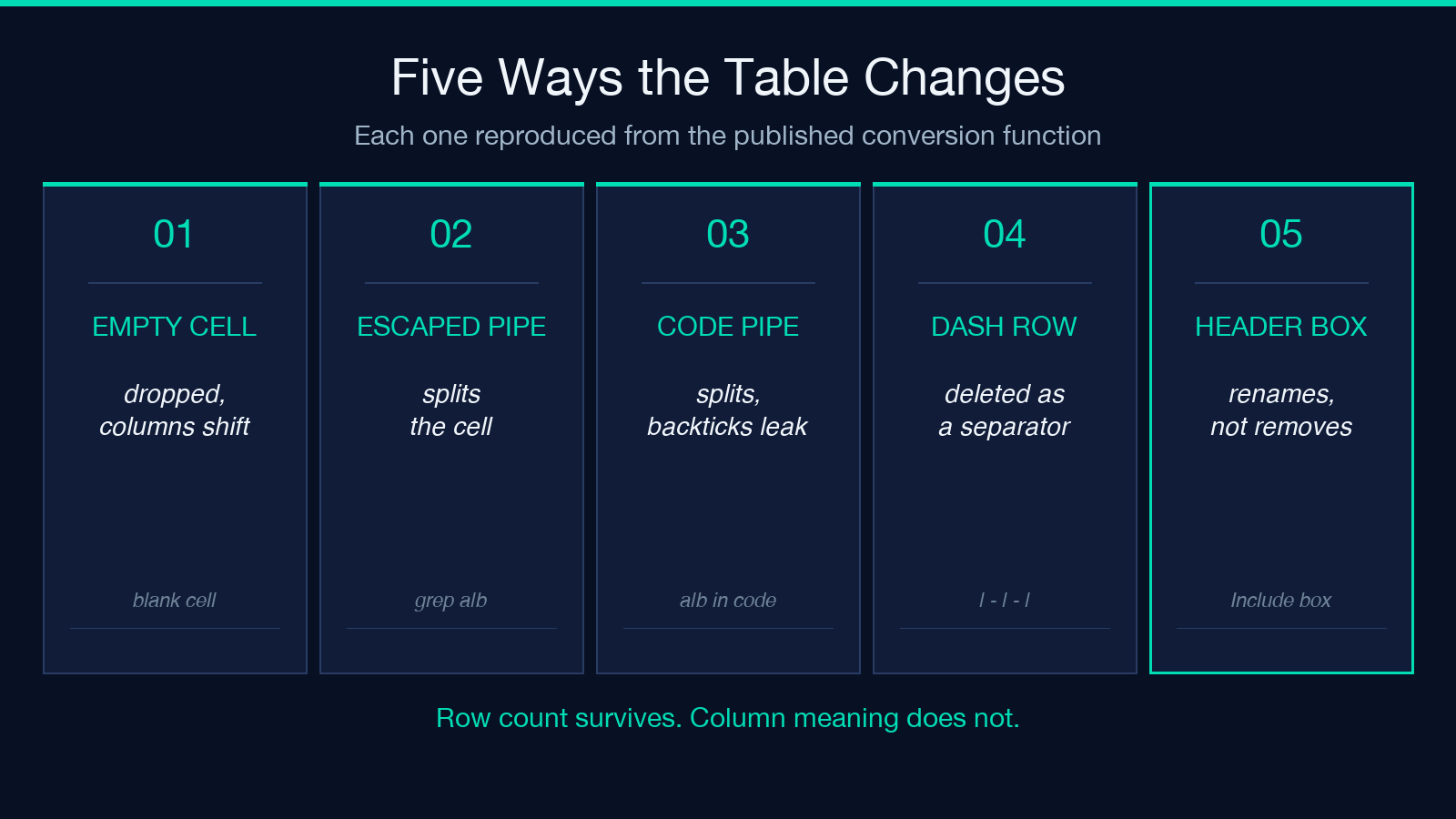
The filter is not sloppy. It solves a real problem. A line like | Ada | 42 | splits into five tokens: an empty one before the first pipe, three real cells, an empty one after the last. Strip nothing and each row creates two phantom columns.
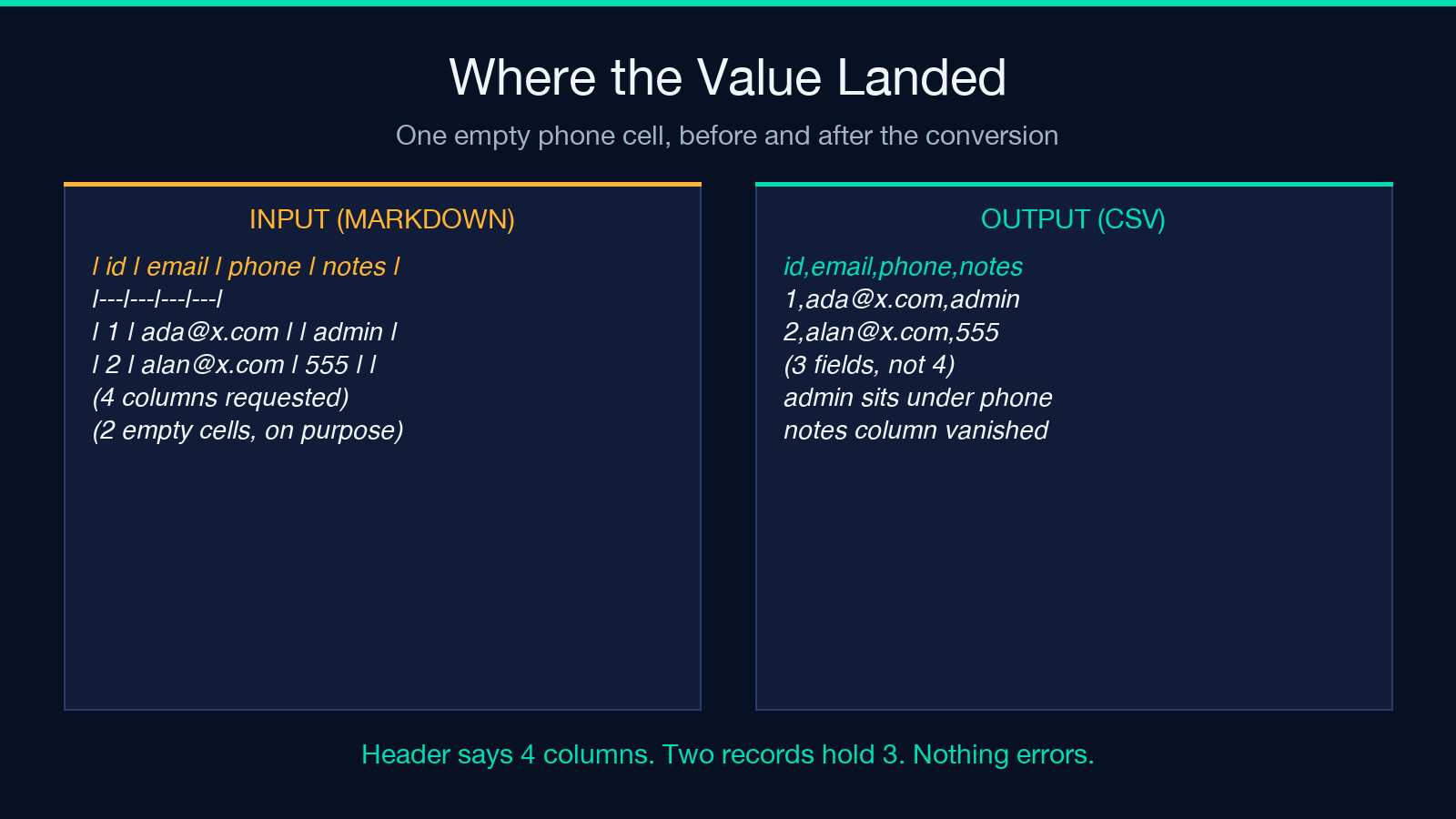
So the filter earns its place. What it cannot do is tell two cases apart, because nothing in the token remembers which side of a pipe it came from. Take a row with a gap in the middle.
| Ada | [email protected] | | admin |
Five tokens, four non-empty. The output is Ada,[email protected],admin, three fields under a four-column header. The shift forces admin out of notes and into phone, the row is still valid CSV, and the column-count mismatch is the only trace left behind.
Three pipes that are not column separators
The same split has no notion of escaping, and three shapes in ordinary Markdown prose become column breaks.
- A backslash-escaped pipe inside a cell, which is the standard way to write a literal pipe in a table
- A pipe inside an inline code span
- A pipe in a sentence that follows the table
Each is legal Markdown. Each splits a cell that should have stayed whole. The escaped pipe grep a\|b file becomes two cells, and the leftover backslash stays in the output as grep a\,b file. A code span holding a|b splits into two unclosed backticks, so the backtick-strip step never fires and the backticks reach the CSV as literal characters. The trailing sentence cat config | grep mode does worse: it creates a table row of its own and lands in the output as Also run: cat config,grep mode.
Unchecking Include Headers renames the header, it does not remove it
The label reads like a switch that drops the first row. The code does something else. Unchecked, it invents a header from the column count and then treats your real header as data.
Input | Name | Score | over | Ada | 91 |. With the box ticked the output is Name,Score then Ada,91. With the box cleared: Column 1,Column 2, then Name,Score, then Ada,91.
So the checkbox removes nothing. It replaces your header with invented names and demotes the real one to the first data record. If you wanted a headerless CSV, delete that line yourself and stop trusting the checkbox to do it.
A row of dashes is not a row of data
The separator rule cuts any row whose cells are made only of dashes and colons. That is how the alignment line disappears, and the rule applies to data rows as well. A row whose values happen to be a single dash is deleted as if it were punctuation.
| Item | Qty | over | - | - | over | Bolt | 4 | comes back as Item,Qty then Bolt,4. The middle row is gone. A placeholder dash is a common way to write “no value”, and it reads as a separator to the converter. A blank row of | | | collapses to zero tokens and is skipped by the same path.
What it gets right, and where the edges are
The hard half is handled correctly. A comma inside a cell gets quoted, an existing quote gets doubled, and a tab or semicolon delimiter is respected. Markdown emphasis, links, images and backticks are stripped, so a bold cell does not arrive with asterisks attached. For example, the “Remove Markdown Formatting” option is on by default and it does what the label promises.
Multiple tables split cleanly and are joined with one blank line. That join matters. A blank line between records is ordinary for lenient readers and a single-field record for a strict RFC 4180 parser, so two tables in one document create output that different tools read differently. Ragged rows pass through unchanged, and nothing fixes them: a header of three columns and a short row of two give a two-field record with no padding, no error and no warning.
One caveat on the evidence. I measured a line-by-line port of the tool’s published conversion function, not the rendered web page. The port reproduces the source I read and the site runs that source, but I did not click through the interface for each case. Treat these numbers as an observation of the published logic, not a benchmark of the hosted service.
The two-minute check before you trust the CSV
A short pass removes most of the risk.
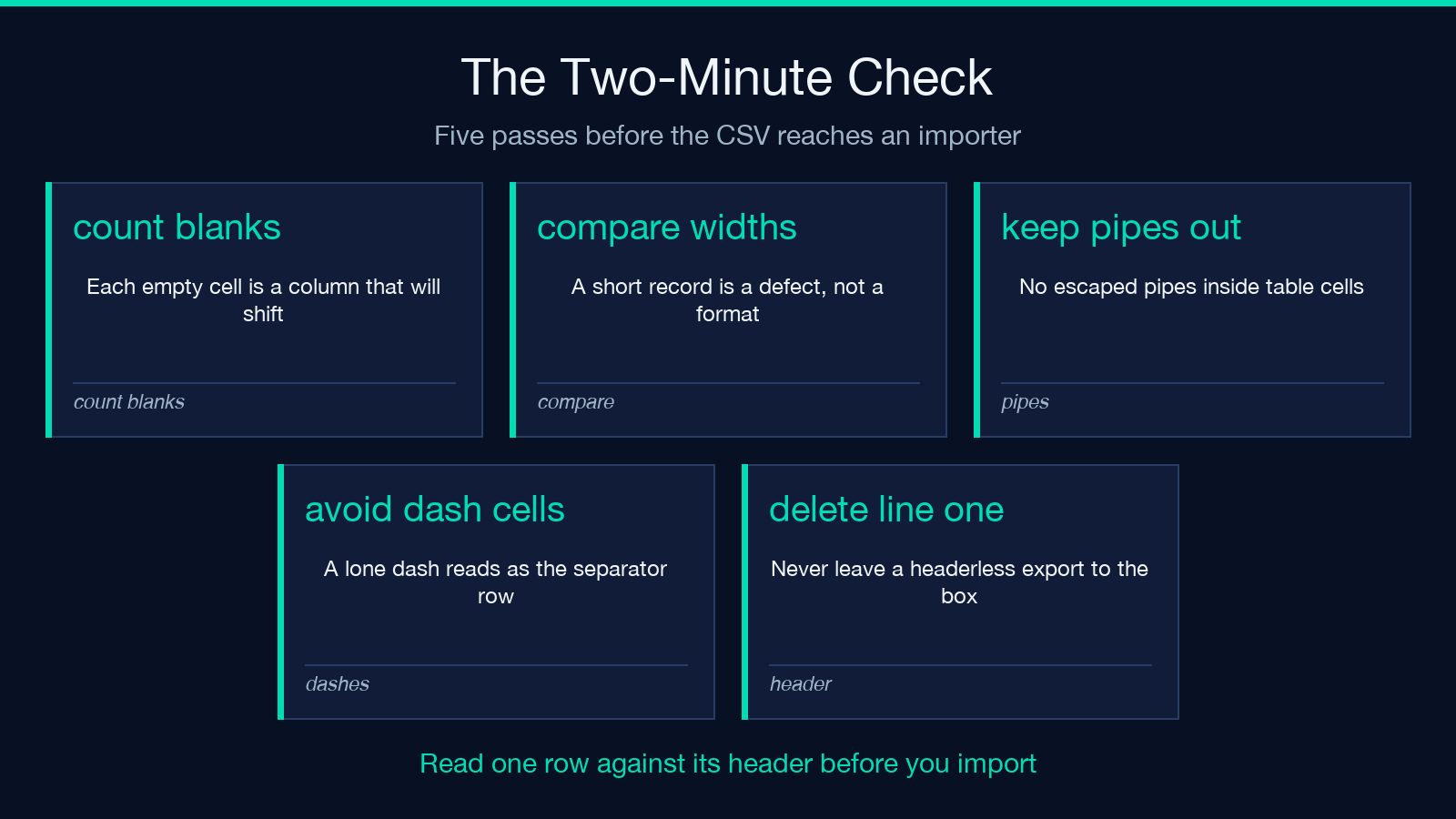
- Count the blank cells in your source before converting; each one is a column that will shift
- Compare header width to each record width, and treat a short record as a defect and not a format
- Keep escaped pipes out of the table and put that text in a fenced block instead
- If you need a literal dash in a cell, write something else and clean it up later
- Never leave a headerless export to the checkbox; delete the first line in your own script
Then open the CSV and read one row against its header. If a value sits under the wrong name, you found the gap before your importer did. The converter itself is at Elysia Tools, and the wider set of format conversion tools covers the rest of the pipeline.
I started this expecting the pipes to be the problem. They are loud, they leave a visible scar in the output, and you can spot one in a diff. The blank cell is quiet. You typed it on purpose, the converter deleted it without a warning, and the record still counted as a row. Forty-one rows in, forty-one rows out, and the count was right the whole time. So before you hand that file to an importer, ask a duller question: which columns did you leave empty on purpose?
本文有中文版:空白单元格并不空:在 CSV 转换器眼里,那是一次删除
