

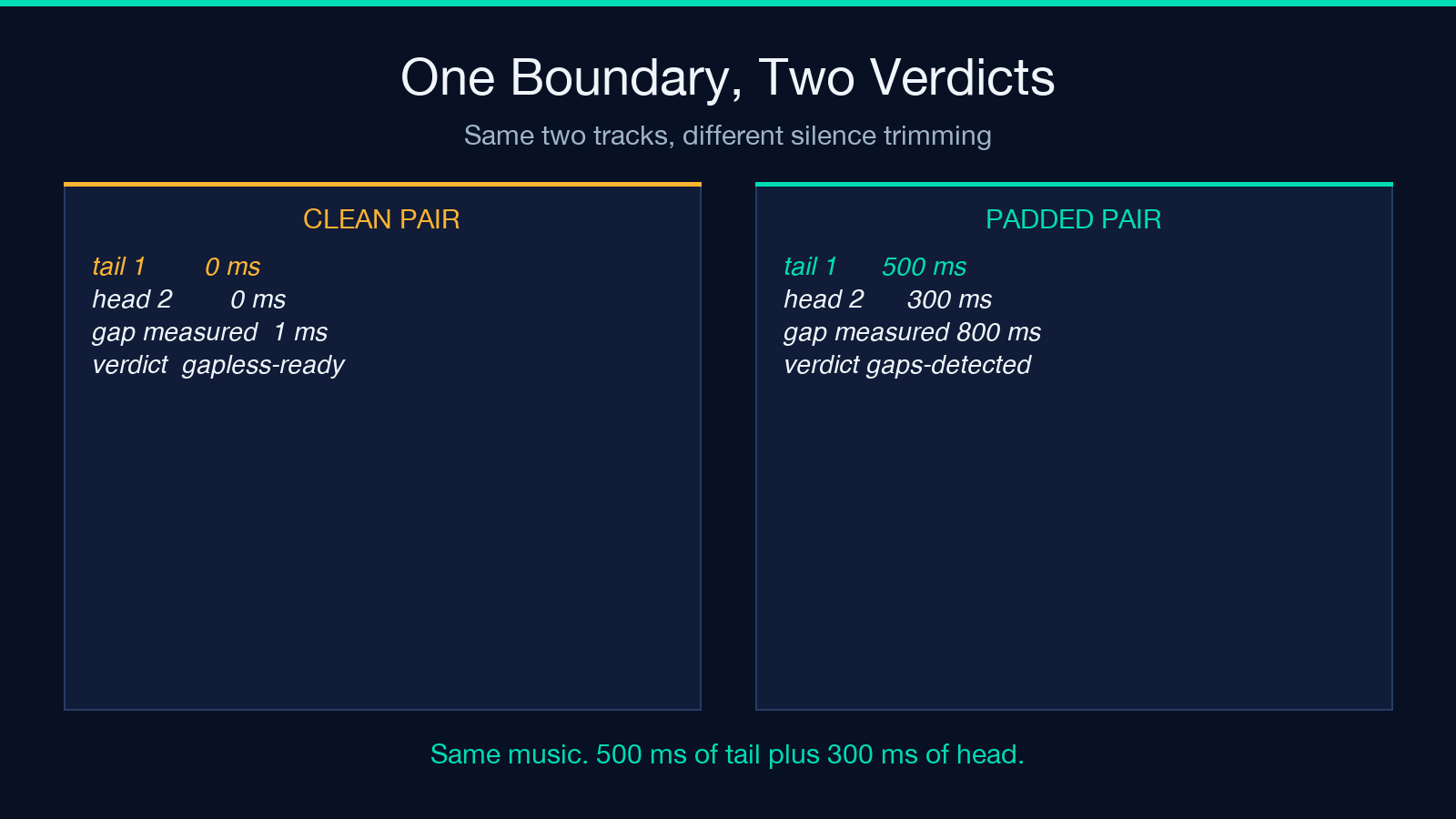
The boundary is where an album fails. Two sine tracks that butt together cleanly measure a seam gap of about 1 millisecond, and the album comes back gapless-ready. Give the first file 500 ms of trailing silence and the second 300 ms of leading silence and the identical pair measures 800 ms, trips the audible-gap branch, and the verdict flips to gaps detected. The songs are unchanged, yet the boundary is where the album broke.
Which is the thesis in one sentence: a gapless album is not an album with no silence in it; it is an album where each boundary clears a number you picked before you measured.
The gap is never inside a track
A seam gap is defined as the trailing silence of one track plus the leading silence of the next. Both halves are read off decoded PCM data, below a dBFS threshold you set, inside a window you also set.
The defaults on the validator are a silence threshold of −60 dBFS, a seam window of 2 seconds, and a gap tolerance of 20 ms. The window does more work than people expect. Silence is counted only inside the last two seconds of the outgoing file and the first two seconds of the incoming one, so 2000 ms per side is the ceiling on what any seam can report, no matter how long the quiet passage runs.
Splitting the measurement in two is what makes it diagnostic. A 60 ms gap built from 55 ms of tail and 5 ms of head is a trimming problem on the outgoing master. Reverse the split and the incoming file owns it. One combined number would show you a bad seam and say nothing about which file to open.
Twenty milliseconds is a decision, not a fact
Three numbers set the arithmetic: 20 ms of tolerance, 2 seconds of seam window, and a −60 dBFS silence floor. Only the first one is editorial, and the tool grades a boundary according to the tolerance you declare.
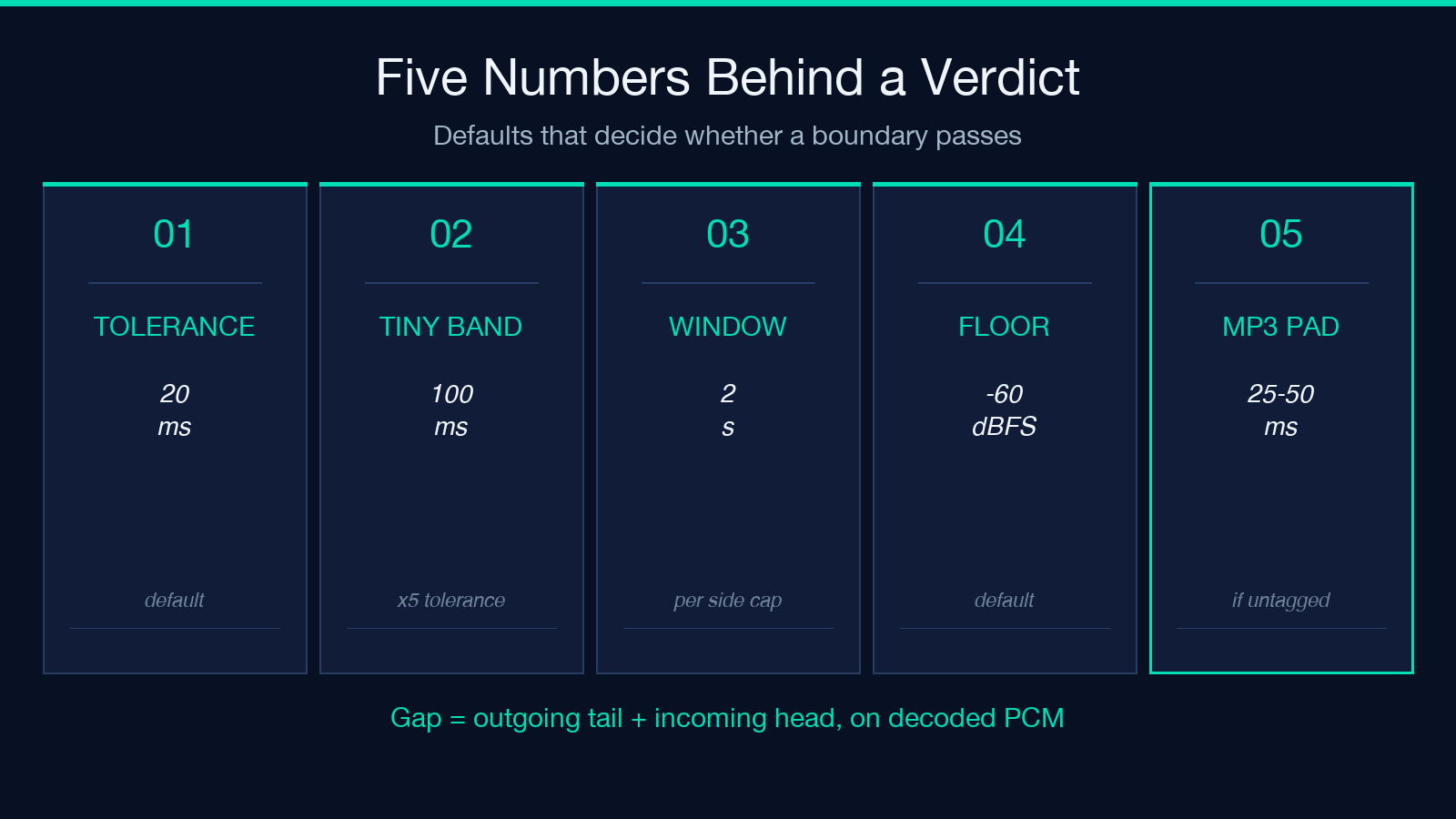
The bands are mechanical. A seam at or under the tolerance is gapless. A seam at or under five times the tolerance carries the label “Tiny (within ×5 tolerance)”. Anything beyond that is an audible gap. With the shipped default, the bands land at 0–20 ms seamless, 20–100 ms tiny, and over 100 ms audible.
The tolerance is the part you have to defend. A continuous mix where one track bleeds into the next wants a tight number. A record with deliberate breathing room between movements wants a loose one, and a validator that called those boundaries defective would be wrong about the record. The tool does not decide for you; it holds you to what you declared before it started measuring.
One track’s silence is charged to two seams
Take a three-second near-silent interlude sitting between two songs. Its leading silence is counted at the seam before it, and its trailing silence at the seam after it. One file’s worth of quiet can produce two large gap readings. Neither reading is wrong: each seam describes what a player will render at that boundary.
The double charge explains a report that otherwise looks broken. In the edge case of a single quiet track on an otherwise tight album, the seam list shows two gapped boundaries and the track table shows no defect anywhere. Fix by track count and you will hunt for two problems and find one. In both cases, the file that caused the trouble sits between the two failed seams, not inside either of them.
Ordering is the second thing nobody checks. Tracks are sorted by filename using a natural comparison, which handles the classic case of track2 sorting after track10. What the sort cannot do is read your intent. Name the files so alphabetical order equals playback order, or the report will describe joins that never happen on the record.
MP3 is the format that lies about where it starts
An MP3 encoder pads the front of a file. Players that honour the Xing or Info header trim that padding before playback, and the two fields that matter are enc_delay and enc_padding. When the header is missing, or present with the delay field zeroed, a gapless-aware player has nothing to trim against, so 25 to 50 ms of encoder padding is observed at each seam even when the audio itself is immaculate.
Two shapes fail this check: No Xing/Info tag at all, and a tag whose delay or padding is zero. The validator reports both, per track. The second shape is the one that hurts. A file can carry a valid header and still lose its trim, and the report surfaces it at the seam, not in the track table where you would look first.
Lossless formats are not immune, they are honest
FLAC, WAV, and ALAC stop at the sample the encoder handed them, so they need no metadata to land a boundary cleanly. Skip the tag check for those formats and two things remain: seam silence, and whether the album is consistent.
Consistency is a stricter test than it sounds. A WAV album with 400 ms of lead-in on track three still fails, and a 44.1 kHz album carrying one 48 kHz track shows mixed formats. For example, a re-render of a single bonus track at a different rate breaks uniformity for the whole release. Neither defect is metadata. Both are seams a listener will hear.
One real limit sits inside any decoded-PCM measurement. When the tags are honoured, the measured gap approximates the audible result closely. When they are not, the measurement understates it, because the padding a player fails to trim lands after the point where the validator stopped looking. Read the MP3 tag column with that asymmetry in mind.
The album verdict is an AND, and that is why it looks harsh
The top-level verdict is gapless-ready only when three independent conditions hold: All seams inside tolerance, a uniform sample rate, channel count, and codec across the album, and no MP3 track with a broken tag. Fail one and the verdict reads gaps detected.
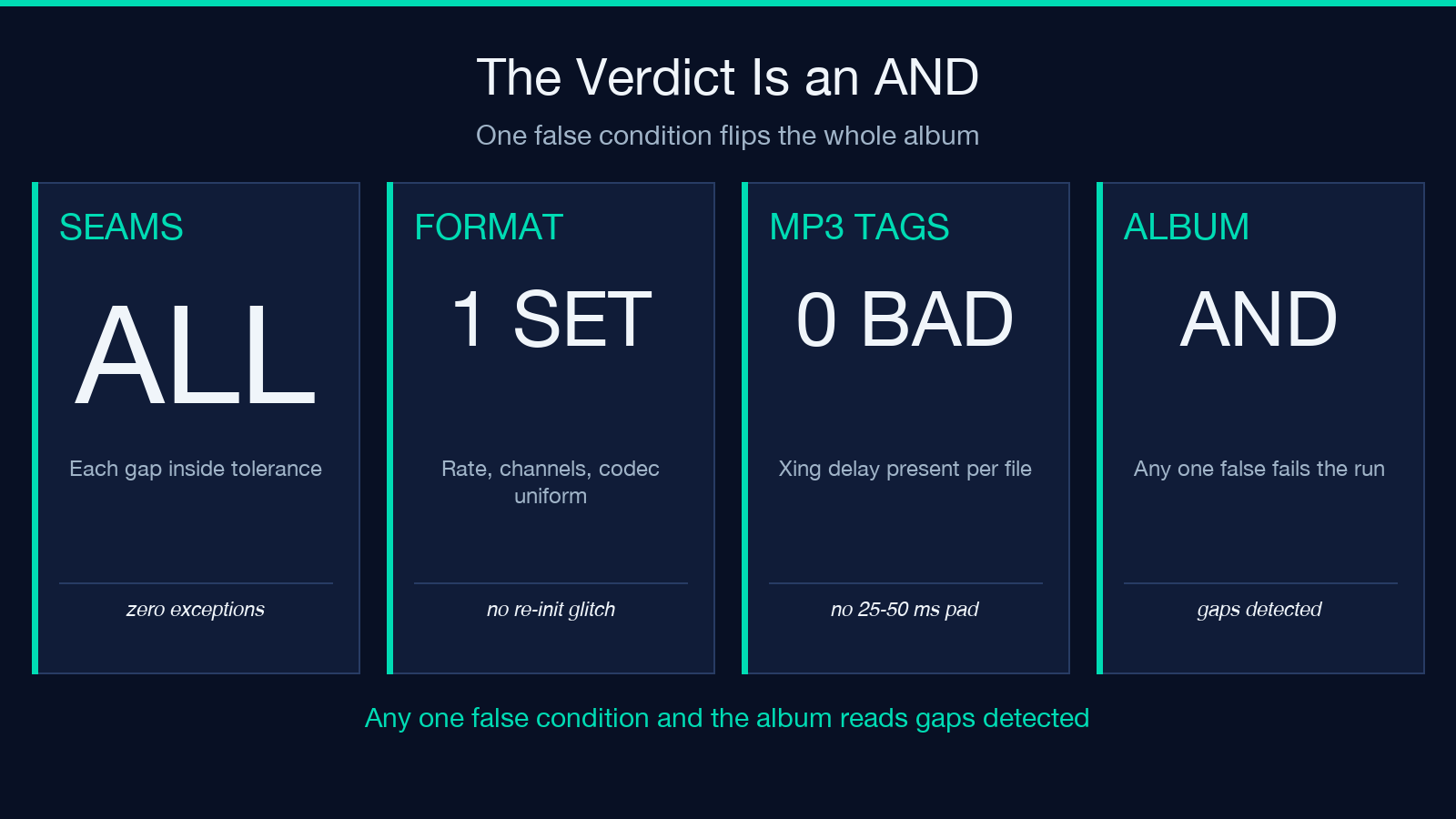
So a nine-seam album with eight clean boundaries fails because track seven runs at 48 kHz. That reads as harsh until you watch what a player does at the boundary. A format change forces a decoder re-initialisation, and the re-init adds a glitch of its own, independent of silence. The tool is not being pedantic. It reports the one boundary whose cost is structural.
The practical consequence is that the verdict is a gate, not a score. You do not fix a failing album by improving the worst seam. You fix it by finding the single condition that is false and making it true, which usually means cutting one file out of the set or re-rendering it.
A three-step pre-flight you can run in one upload
Upload the album as loose files or a single ZIP, up to 20 tracks, with a floor of two. Both benchmark pairs in the documentation run at −60 dBFS with a 2 second window, so those defaults are a sane starting line.
- Name for order first. The seam list is built from filename order, so a ZIP with unsorted names audits joins that never occur.
- Set the threshold before you look at the files. −60 dBFS is a sane floor for 16-bit masters; raising it toward −45 dBFS starts counting quiet fades as silence.
- Read the track table before the seam cards. One row per file, one card per boundary. A bad row surfaces in two cards, so fixing rows costs less than fixing cards.
Each gap is reported in milliseconds and in samples, which makes the number easy to re-derive from the decoded data when you want a second opinion.
If the release ships as a podcast feed instead of a record, the enclosure metadata needs a different audit — the RSS enclosure checker covers the feed side that a seam measurement never sees.
What the validator cannot tell you
- It cannot separate an intentional pause from a forgotten trim. Both measure the same.
- Each side of a seam is capped by the seam window, so a 30-second silent intro is reported at 2000 ms.
- The measurement is decoded PCM. It approximates, and it does not certify.
- Two tracks minimum, twenty maximum, one album per run.
- Files are read and never modified. The trims are yours to cut.
Run it on your own master at Elysia Tools, and browse the rest of the catalog at elysiatools.com.
The intuitive reading is that gapless is an audio property, something a good ear and a clean master can settle. The mechanism says otherwise. Gapless is a property of a boundary, and a boundary is arithmetic: a tail, a head, a threshold, a window, and a tolerance you declare before the first file is decoded. That is why the fix is usually a trim on one side of a join, not a remaster, and why the point was never how the music sounded.
本文有中文版:无缝专辑败在接缝上,不在歌里
